SDWAN LM Notes
SDWAN Initial Standup & Control channel flow
SDWAN initial standup and control channel flow
Winserver IP / Network Discovery / NTP deployment

Only vbond authenticates to the vmanage, every thing else authenticates to the vbond including vsmart and all wan edges
All devices including edges and controllers are assigned certificates from vmanage
but they all authenticate to vbond except vbond itself which has to authenticate with vmanage as there is nothing else
Step 1.
First we vmanage is installed and then vbond is added as a ‘validator’ to vmanage
vmanage then issues certificate to vbond
vmanage and vbond then perform mutual certificate based authentication and establish a management channel indicated by the grey arrow
Step 2.
Then vsmart is added to vmanage as a ‘controller’ and vmanage then issues certificate to the vsmart
vsmart information is uploaded to vbond (so vsmart can first authenticate to vbond)
vsmart then contacts and authenticates with vbond
after authentication vsmart will have management channel with vbond and vmanage, completing the triangle of control channels between the controllers , full mesh between controllers
if we add more vsmarts, they will learn about other existing vsmarts from vbond
Step 3.
Either vmanage can sync with your smart account and download the list of devices
or we can use the serial file method which is importing devices as an offline
once device list has been uploaded to vmanage, it uploads this device list to all controllers (vbond and vsmart)
so all the controllers are aware of all the wan edge devices which will join in future
If your devices are virtual, then they get their chassis serial number at the time of being added to vmanage through either smart licensing virtual account or serial file contains them
Step 4. (Online Smart account)
If wan edge device comes up and gets DHCP ip and if it has internet reachability
It contacts ZTP on a pre-defined URL ‘devicehelper.cisco.com’
ZTP in this case is cisco’s online server that will have all the licenses generated / uploaded + this ZTP after checking license will redirect the wan edge to organisation’s vbond
Wan edge will authenticate with vbond
vbond will inform the wan edge about IP addresses of vmanage and vsmart
Step 5. Wan edge will go and authenticate with vmanage and establish the management channel (NETCONF inside DTLS)
Step 6. Wan edge will go and authenticate with vsmart and establish the OMP channel (inside DTLS)
Step 7. wan edge will establish the IPSec tunnel with other wan edge routers
TLOC
TLOC = System IP + Color + Encapsulation protocol
There are 3 kinds of routes
OMP routes
TLOC routes
Service routes
TLOC is a distinguisher between multiple different ISP / colors on same wan edge
It is system IP + color + ipsec/gre
TLOCs are sent to wan edges as ‘TLOC routes’ by vsmart, and only upon receipt of TLOCs, a wan edge router is to make tunnel to those allowed / received TLOCs
Example of TLOCs routes received on a wan edge router are
WC-BLD1-WER-01#show sdwan omp tloc-paths
tloc-paths entries 11.11.18.1 mpls ipsec
tloc-paths entries 11.11.18.1 biz-internet ipsec
tloc-paths entries 11.11.20.1 mpls ipsec
tloc-paths entries 11.11.20.1 biz-internet ipsec
tloc-paths entries 11.11.22.1 mpls ipsec
tloc-paths entries 11.11.22.2 mpls ipsec
tloc-paths entries 11.11.23.1 mpls ipsec
tloc-paths entries 11.11.23.1 biz-internet ipsec
tloc-paths entries 11.11.23.2 mpls ipsec
tloc-paths entries 11.11.24.1 biz-internet ipsec
TLOC is maintained using BFD, if BFD check fails a TLOC is not just torn down due to lack of reachability but also all routes associated to that remote TLOC are removed just like next hop interface
BFD does more than reachability check,
Every 1 second (by default) it checks for
Loss [ Packet Loss ] ,
Delay [ Round trip / Latency ] ,
Jitter [ Variation in Latency ]
as well also called path quality, these path quality metrics are then used in application aware routing
VPN number is tagged in the IPSec header so a unique tunnel can be identified between router to router for landing traffic
vSmart
If there is a second vsmart, wan edges will have another omp peering with that vsmart
Configuration is not only pushed to wan edge devices but also to the vsmart
vsmart is also considered a vmanage managed device like a wan edge router
a template of controller type is also applied by vmanage
once template is applied, devices go in ‘vmanaged mode’ and from that point on direct CLI changes are not allowed on that device
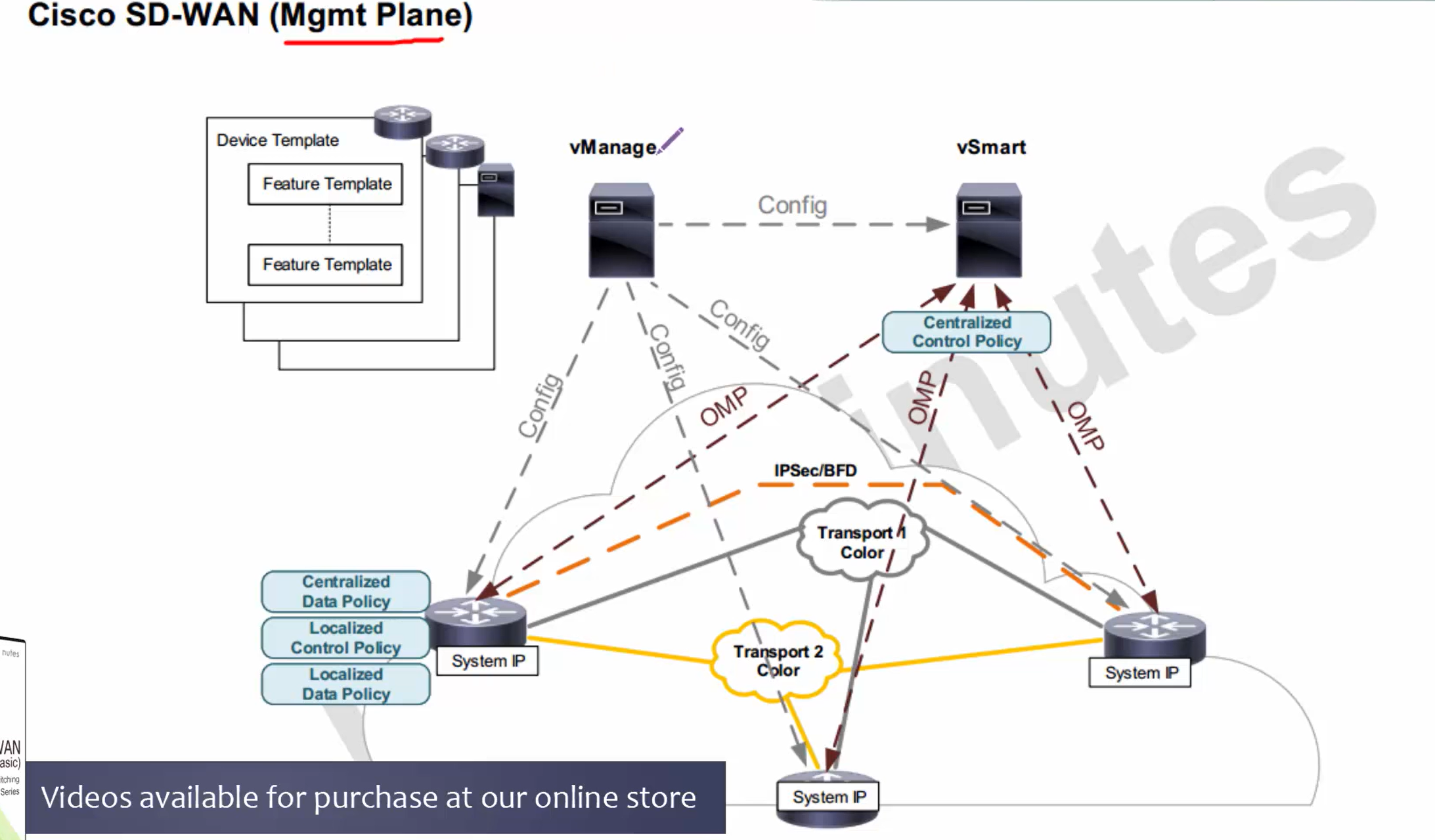
Device templates and feature templates
Centralized control policy (vsmart)
Centralized data policy (wan edge)
Localized control policy (wan edge)
Localized data policy (wan edge)
Centralized control policy used for different types of topologies
Localized control policy – used for service side policies only, for example: OSPF and BGP on LAN side
Centralized data policy is similar to route-map that is applied on ‘data’ traffic but not control plane traffic
Packets can be matched on packet IP header or application (deep packet inspection) and take actions such as
Full drop, QoS re-classification, policing, change next hop and so on
– but this is pushed by vsmart and lives in wan edge memory and does not get added to the device local configuration,
remember that from keyword central
Anything centralized is from vsmart’s center position perspective
Localized Data policy is very similar to the Centralized Data policy, only difference is that is configuration is pushed and becomes part of wan edge configuration and is per interface
vBond’s ge0/0 and not eth0
make sure when connecting vbond device to switch, it is connected using ge0/0 instead of eth0
this will save you a lot of troubleshooting time when standing up vBond
Remember that even though validator is part of controller infrastructure, at the base it is a vedge that is playing the role of a vbond
Winserver configuration
Windows server needs to be configured with
Domain Services , DNS server with reverse zones and forwarders and CA role
First assign static IP to Windows server
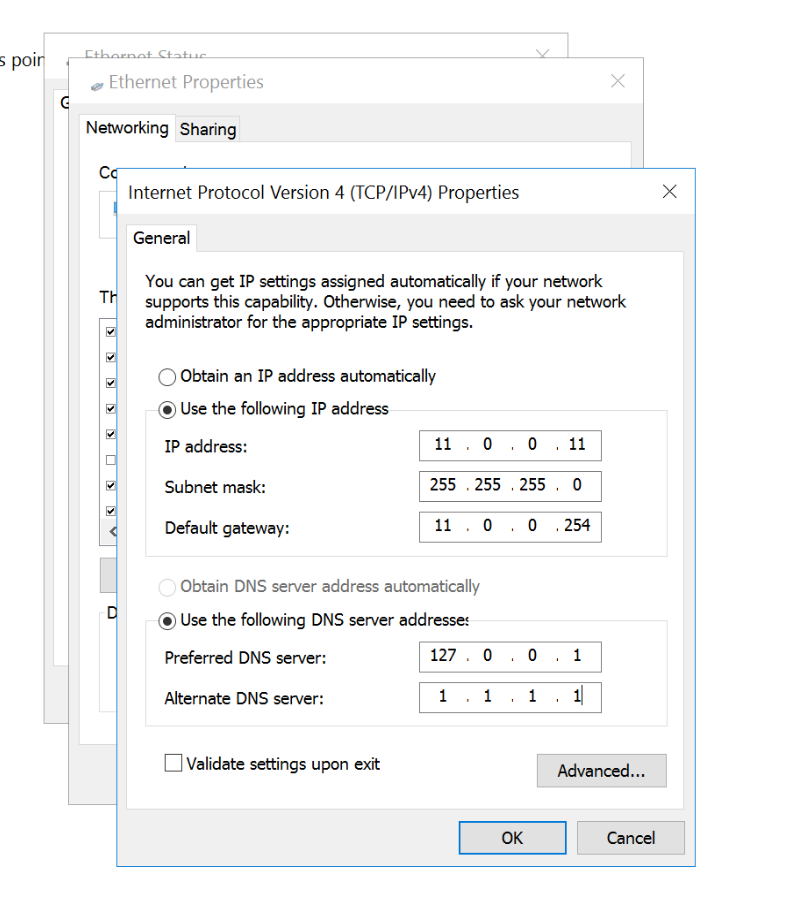
Then Turn on Network discovery
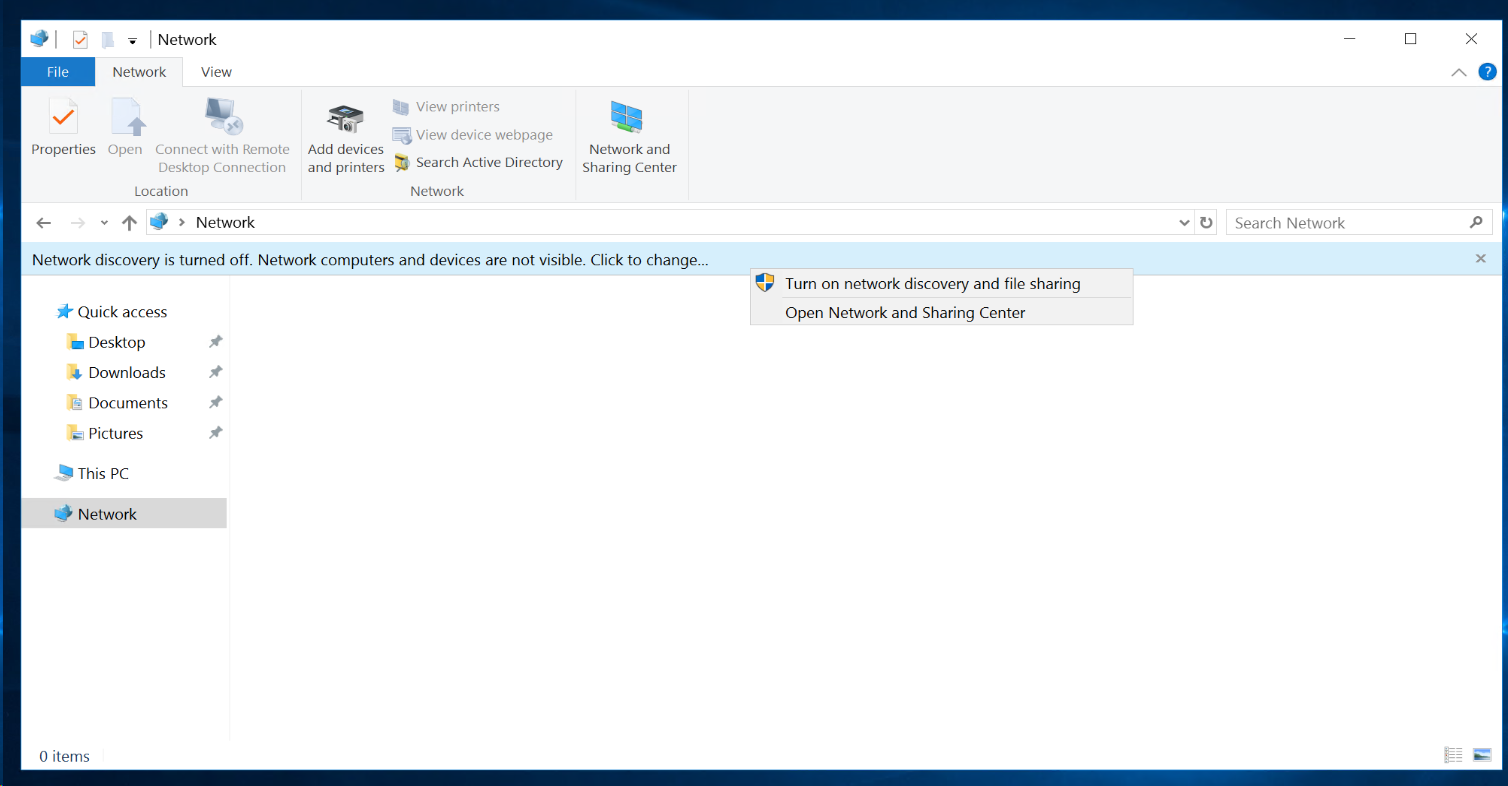
Deploy Meinberg NTP on Windows Server
Deploy Meinberg NTP server as Windows Server native NTP does not support NTPv4 which is used by most cisco network devices and NTP fails , failing installation of certs and many other issues
To test the server functionality from another PC:
https://www.ntp-time-server.com/ntp-software/ntp-server-tool.html

CA Server Configuration & DNS records
Configure CA Server
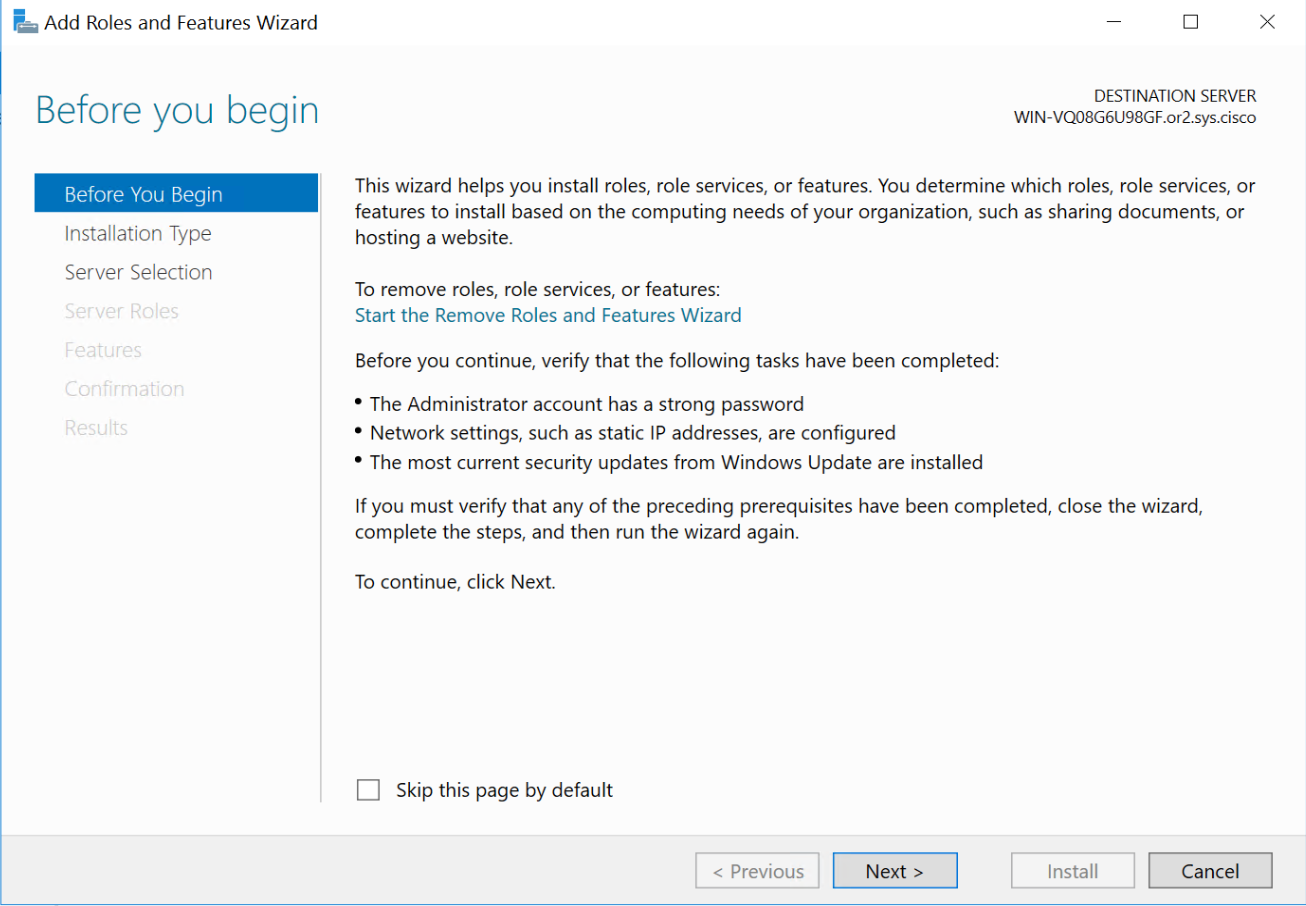
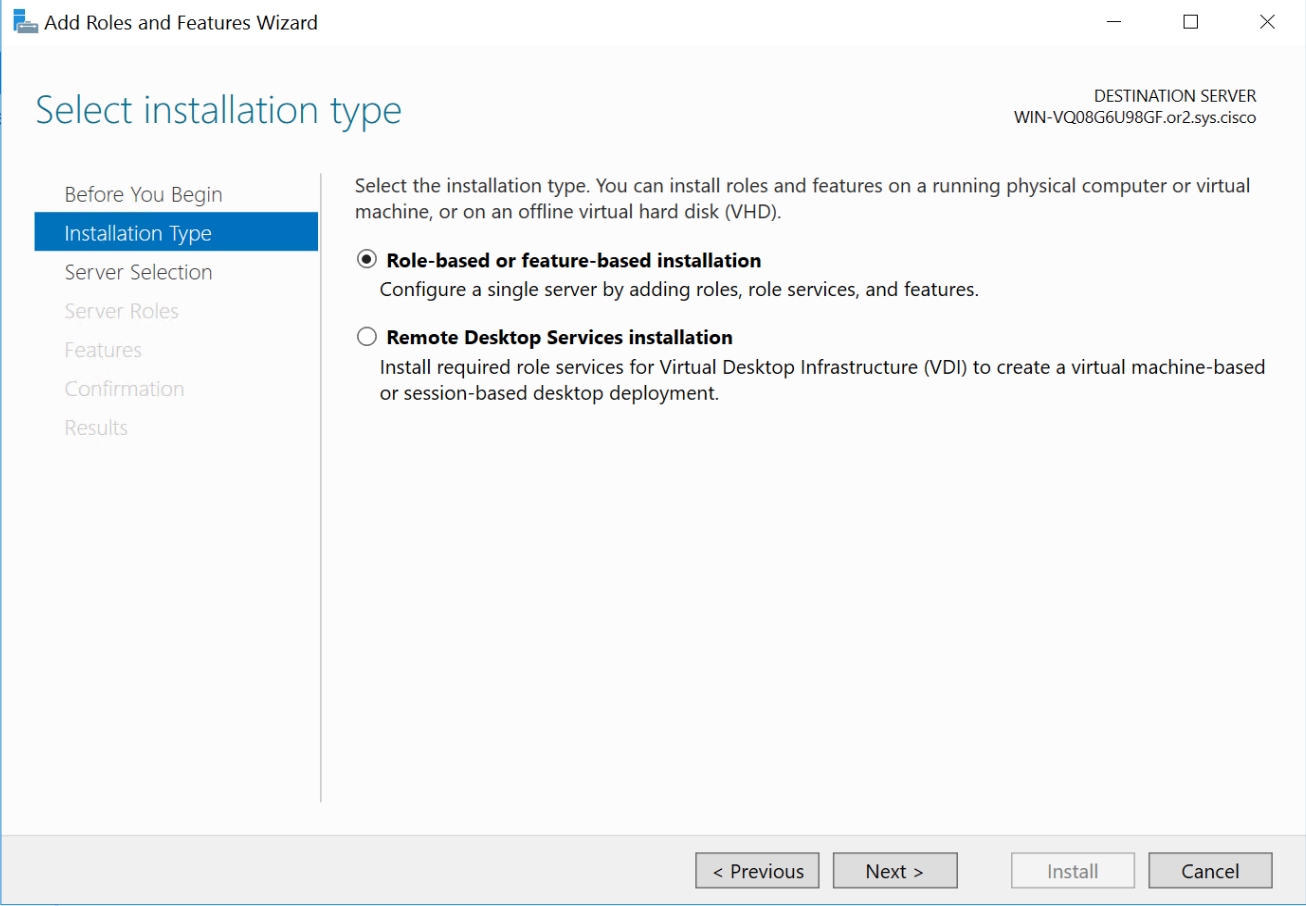
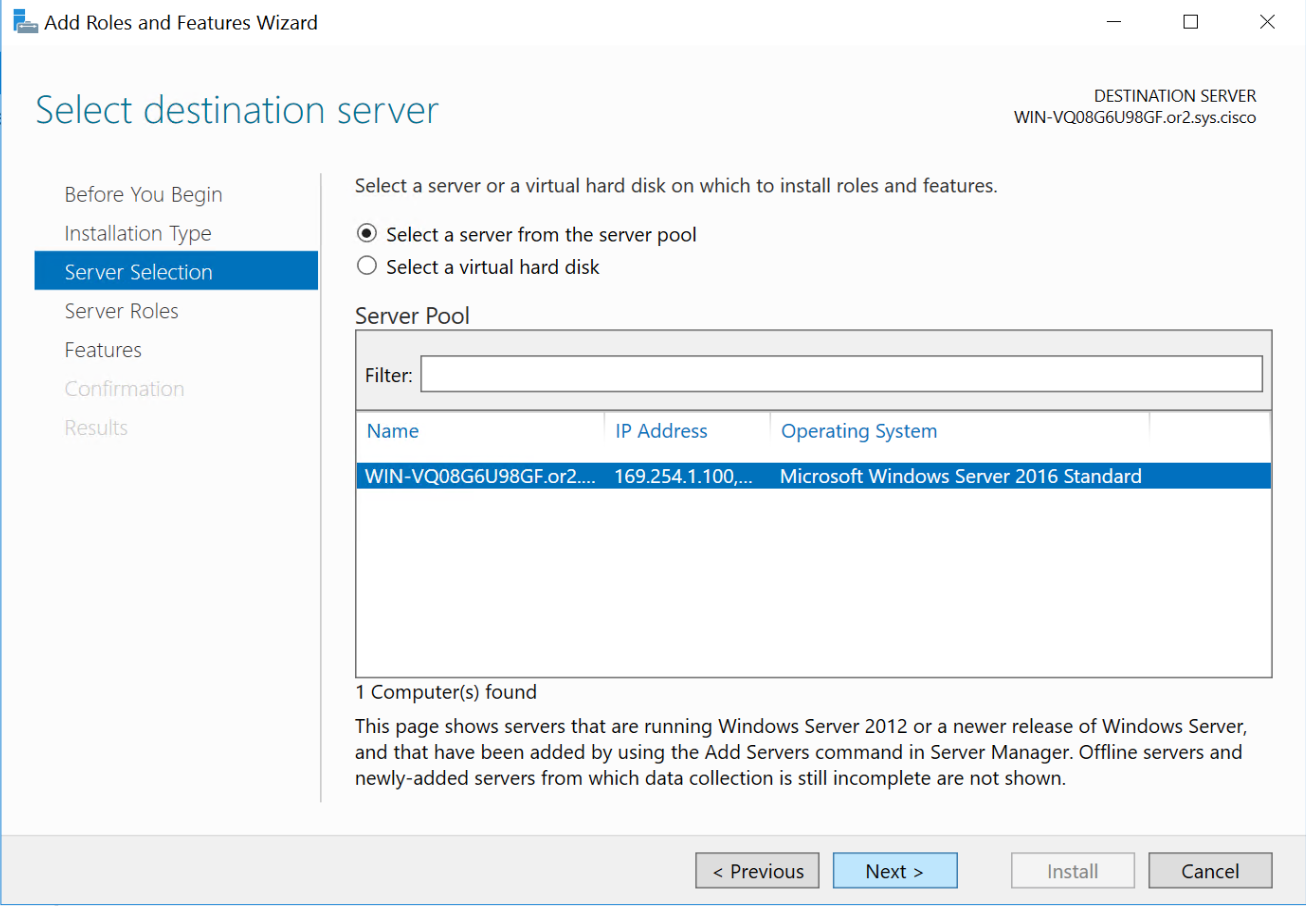
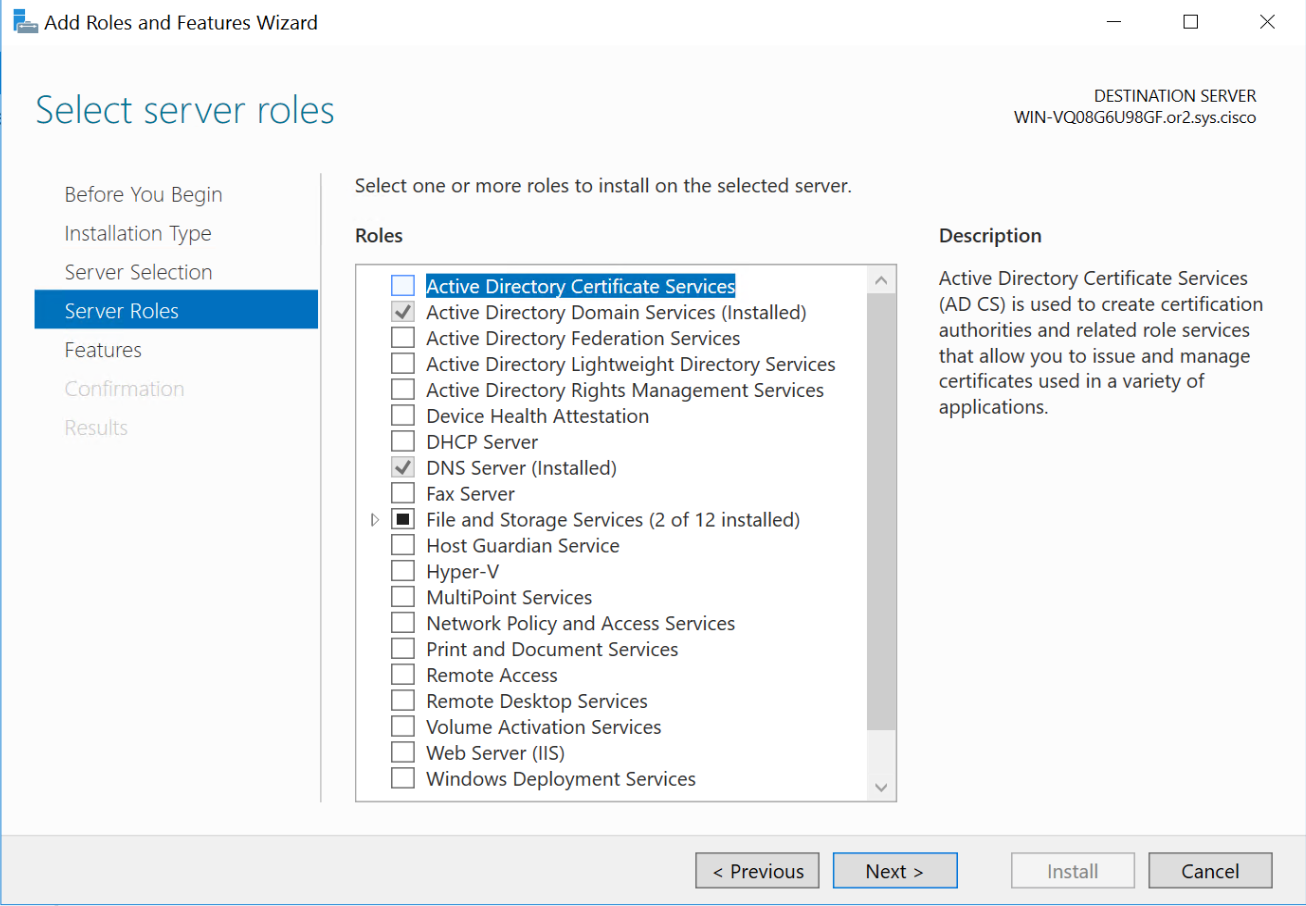
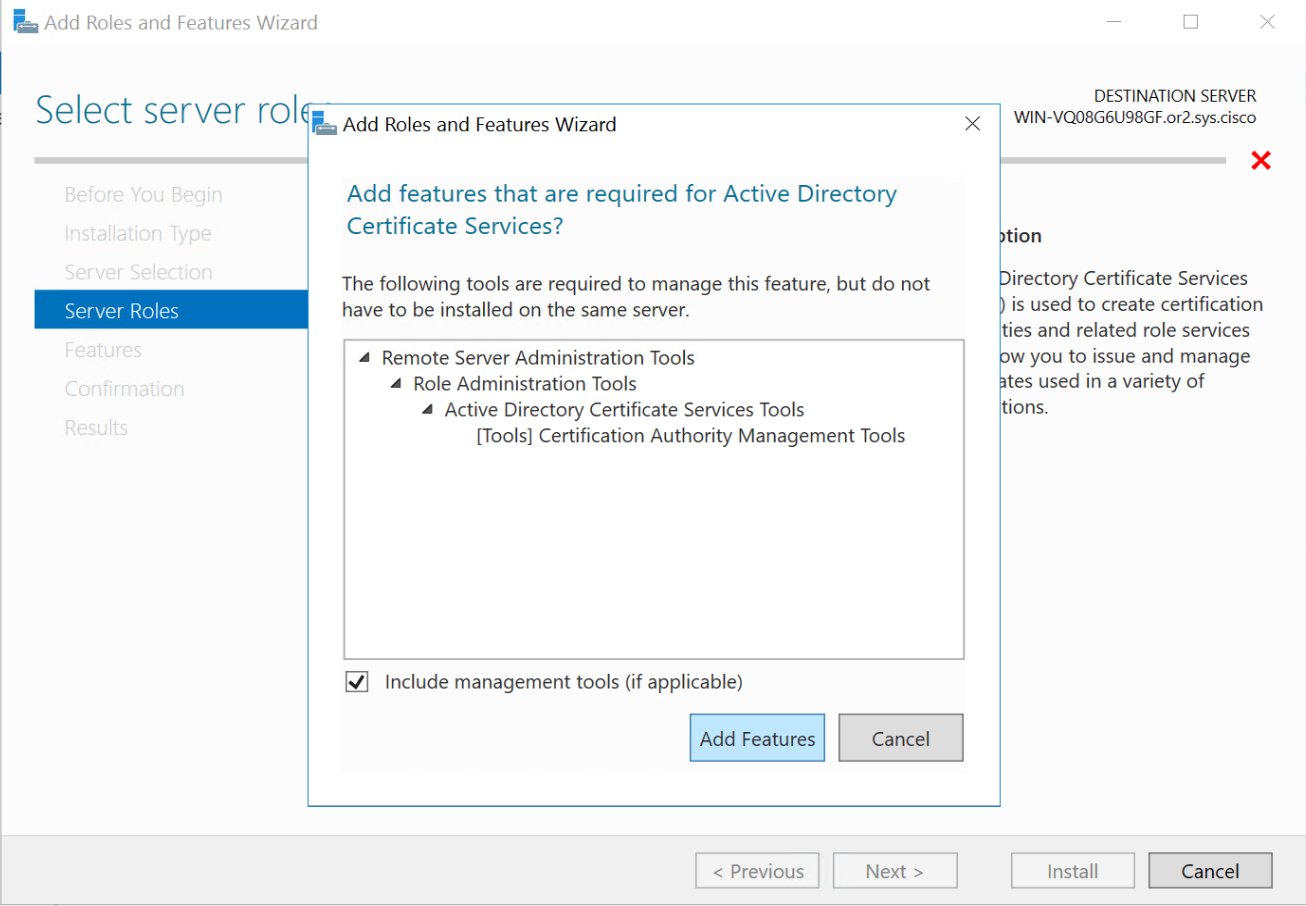
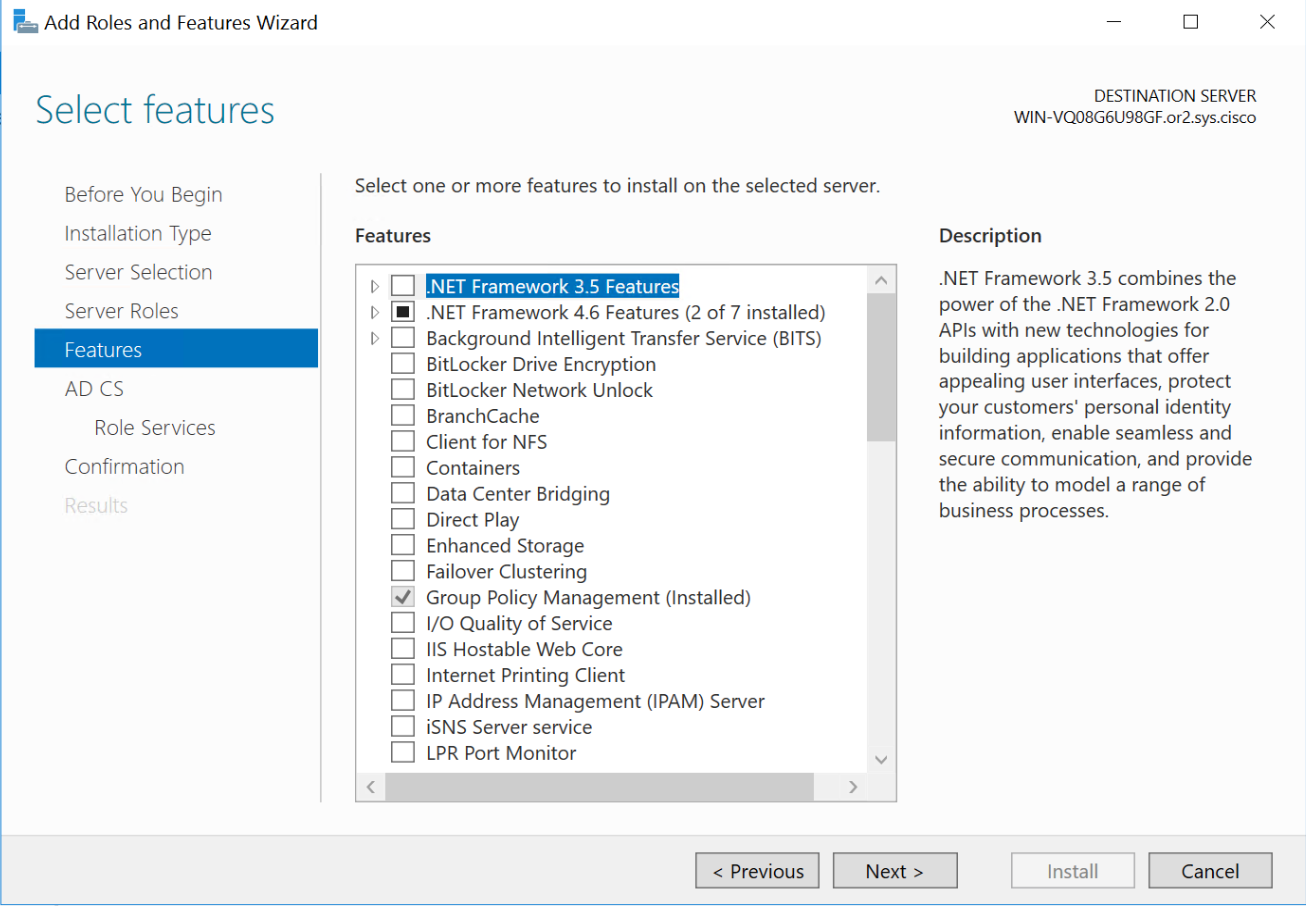
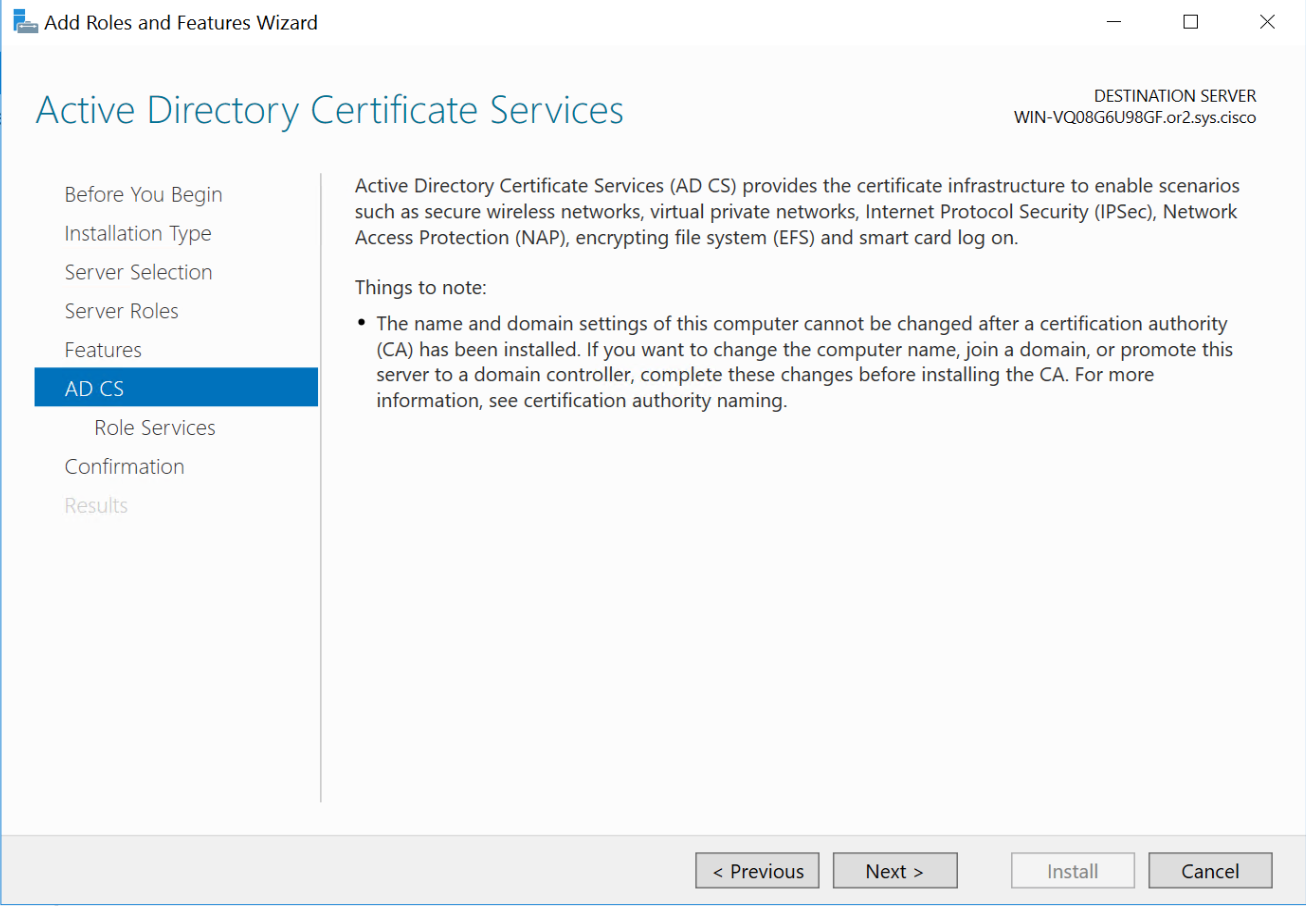
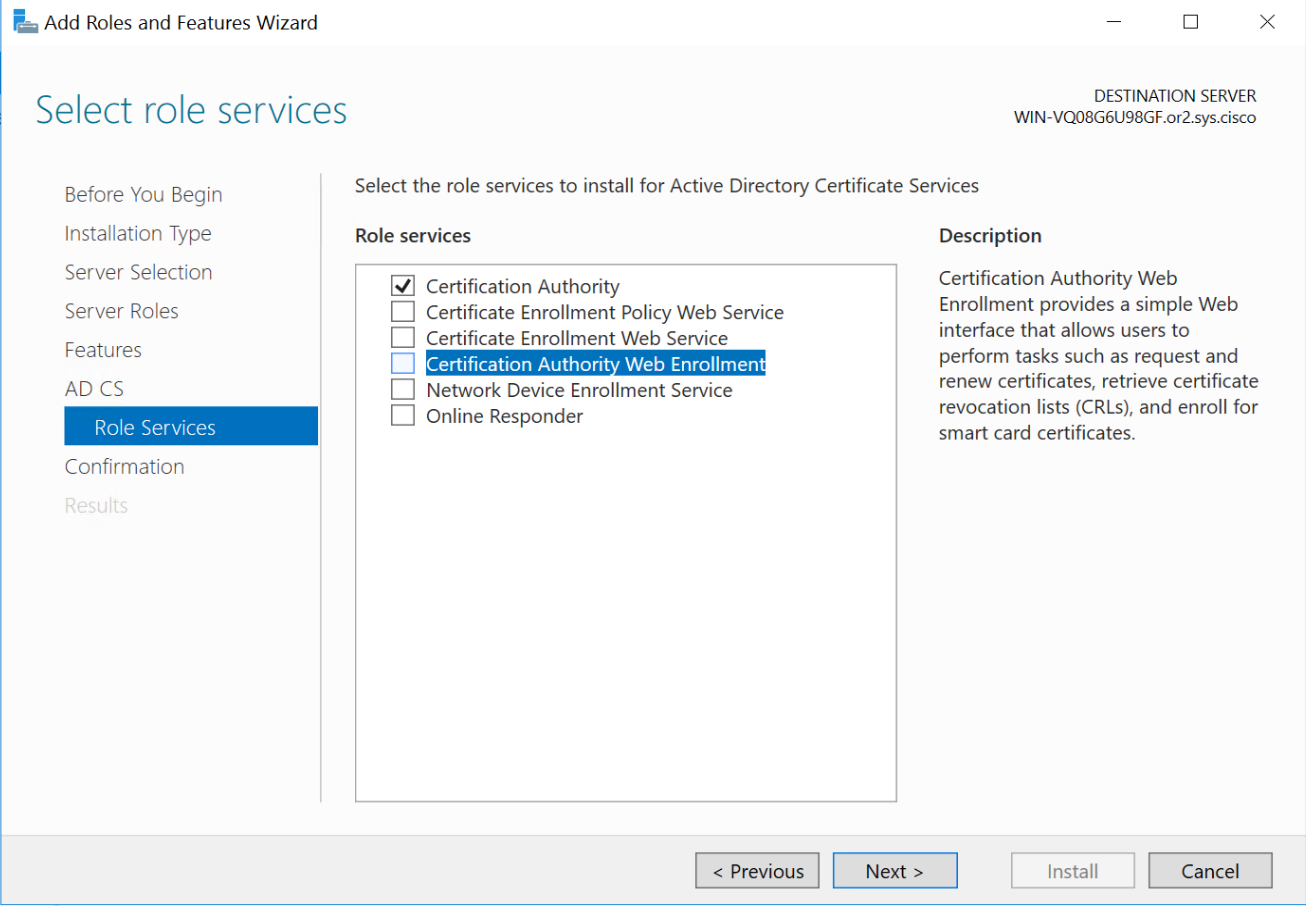
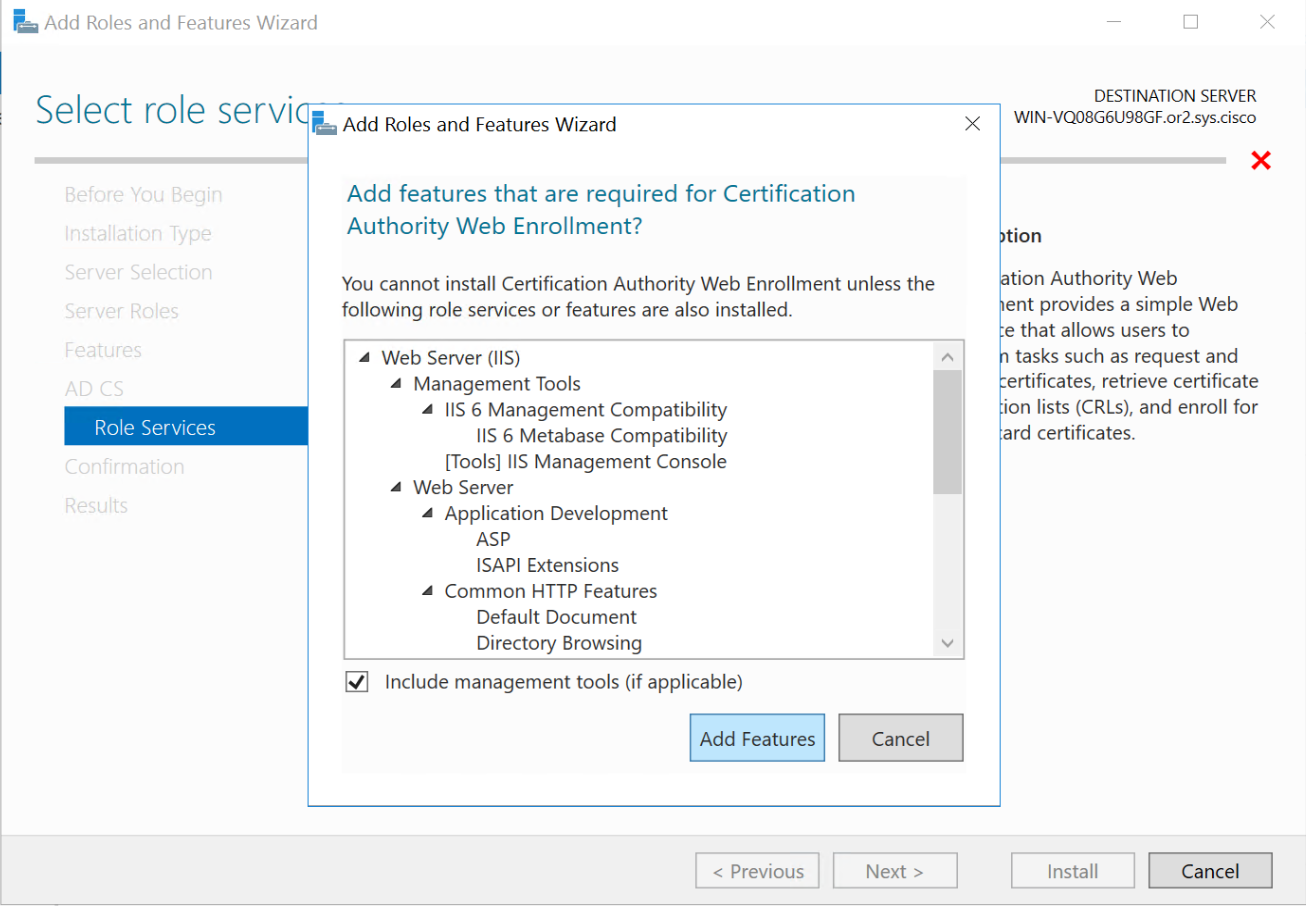
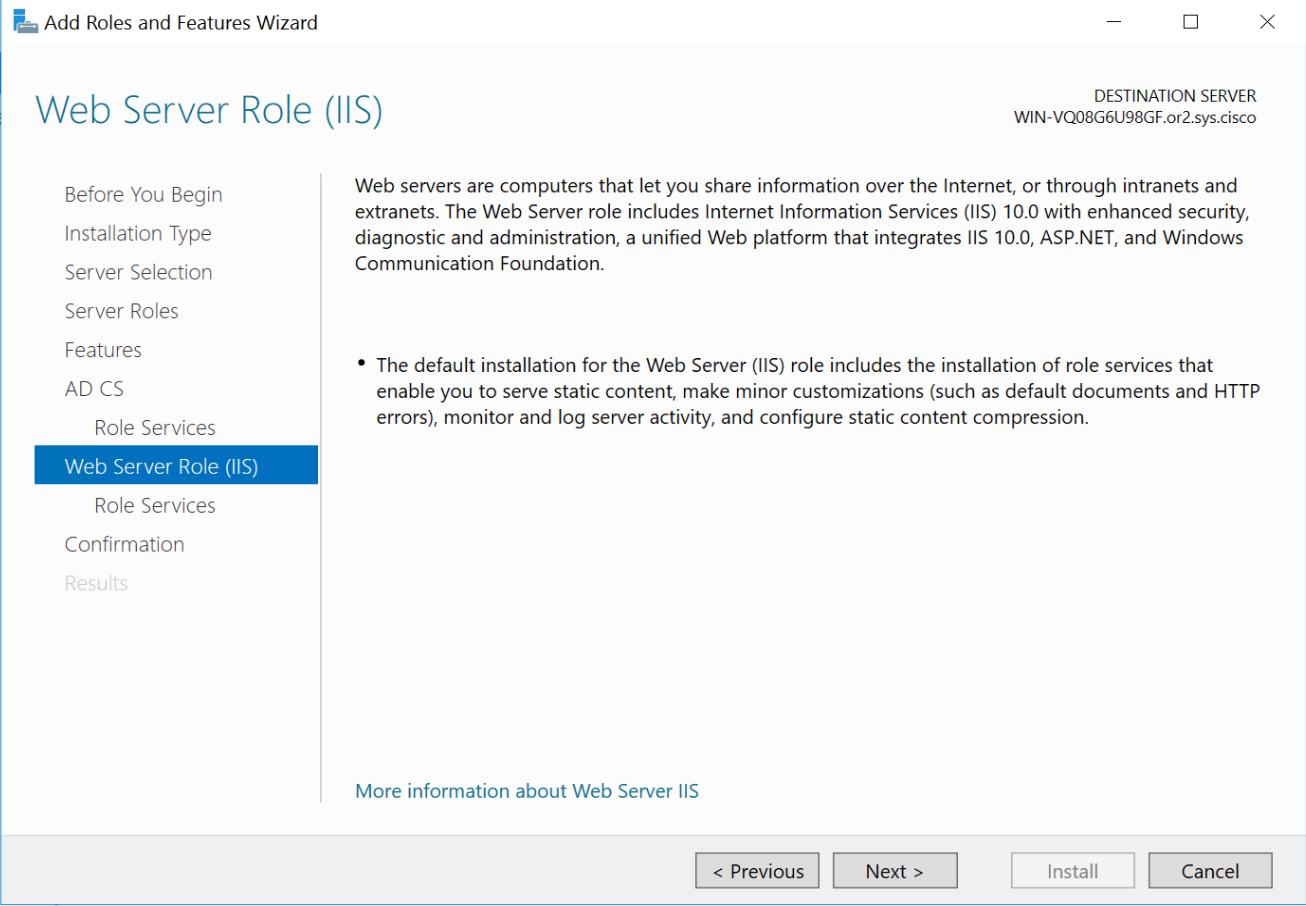
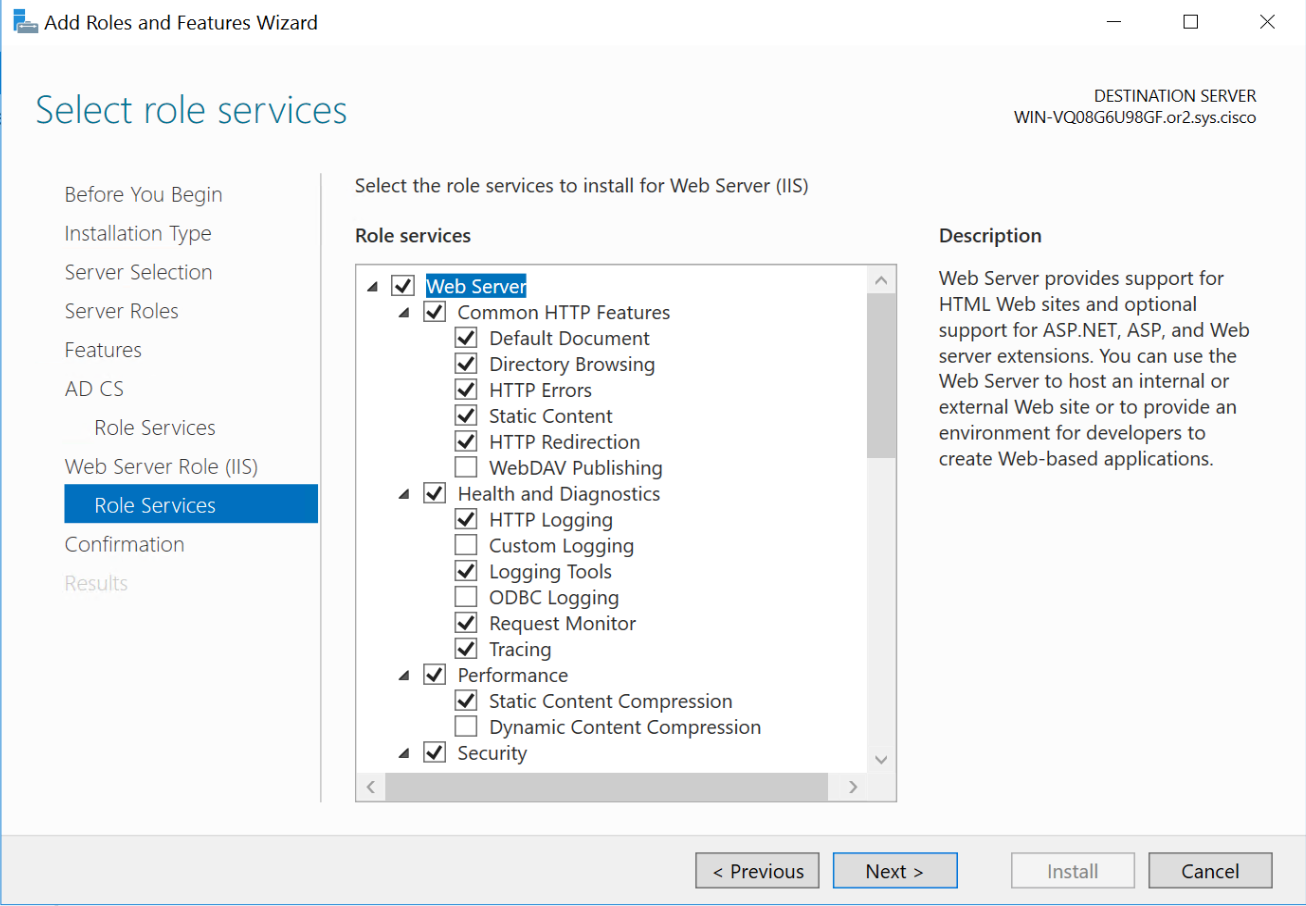
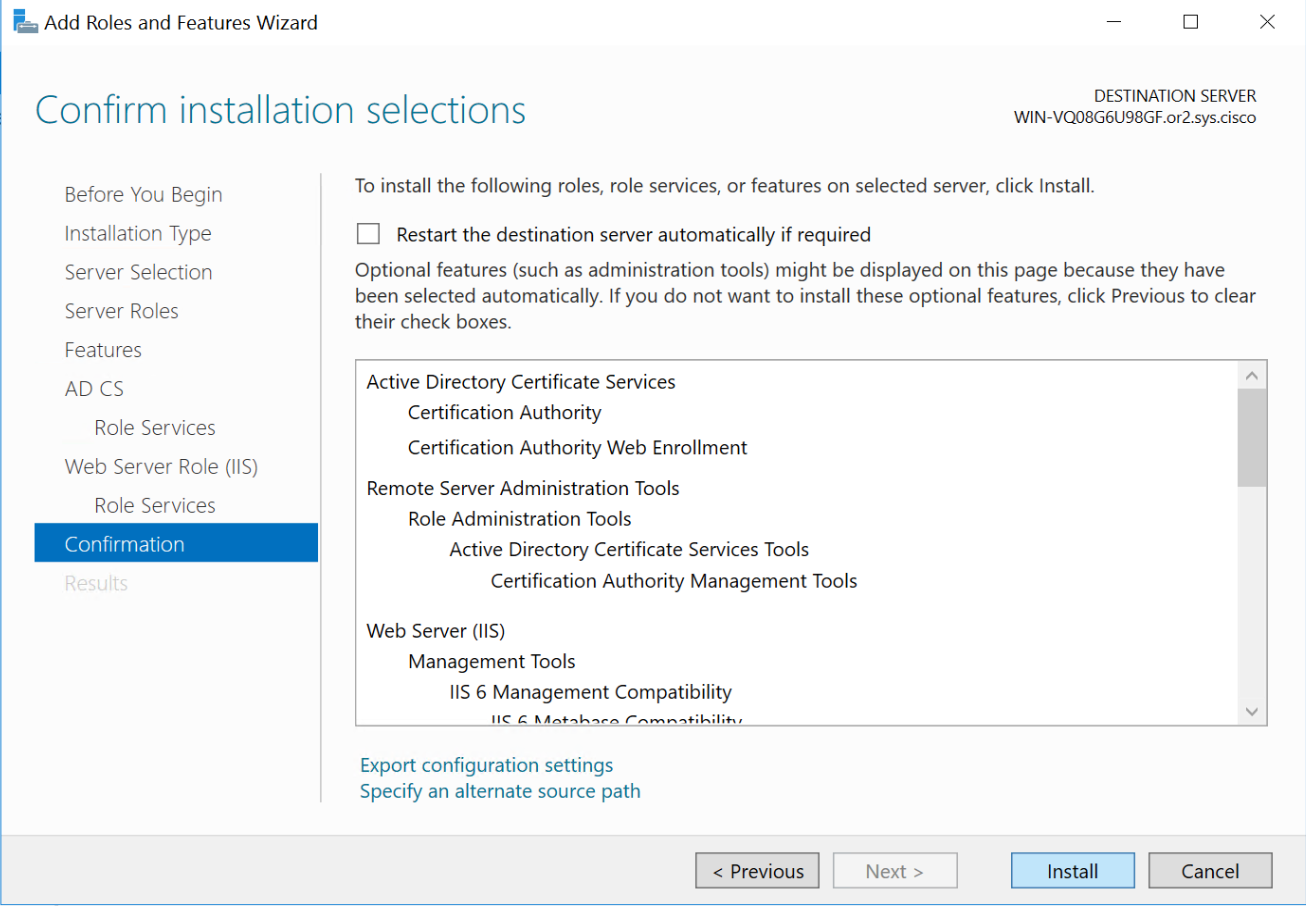
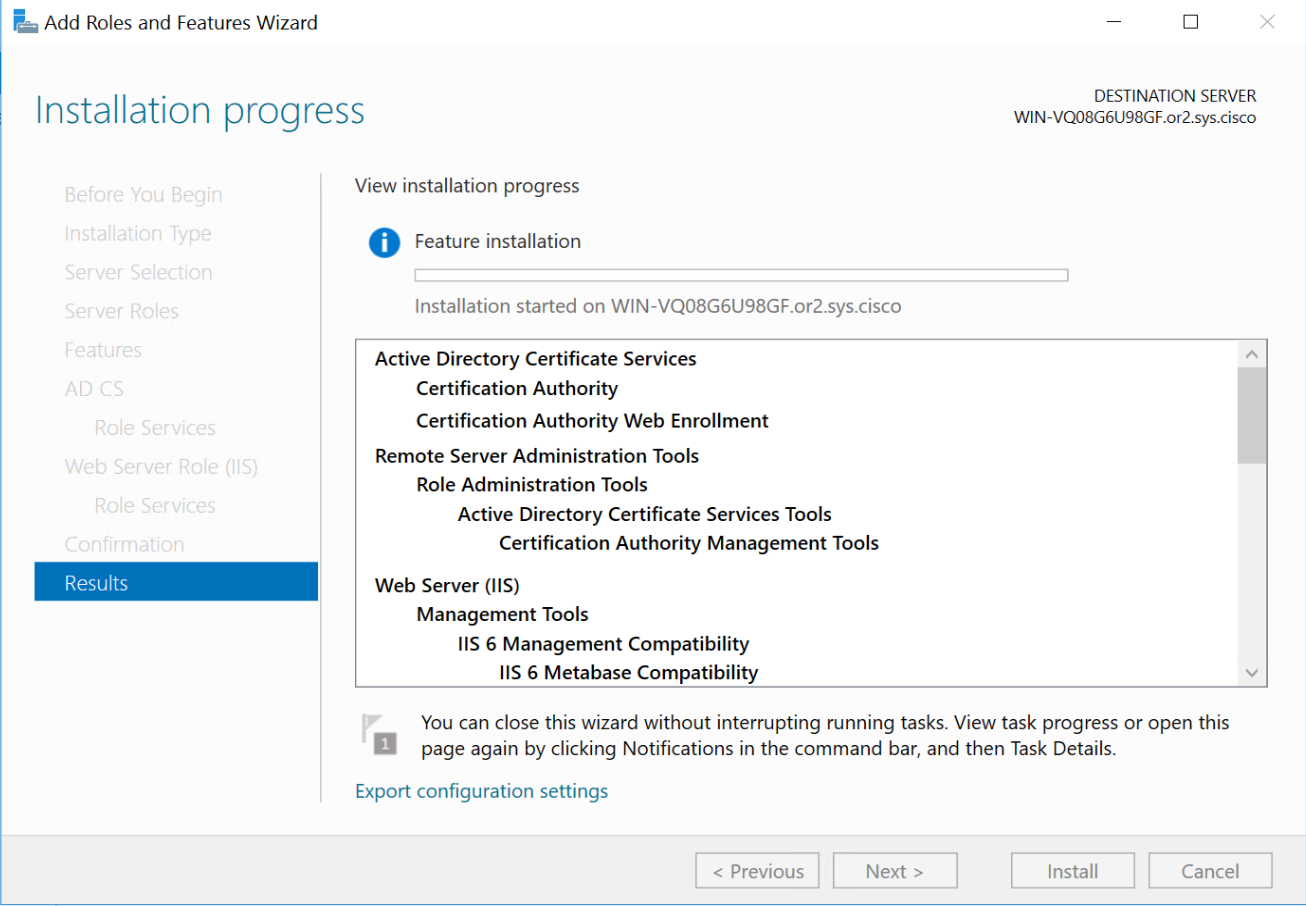
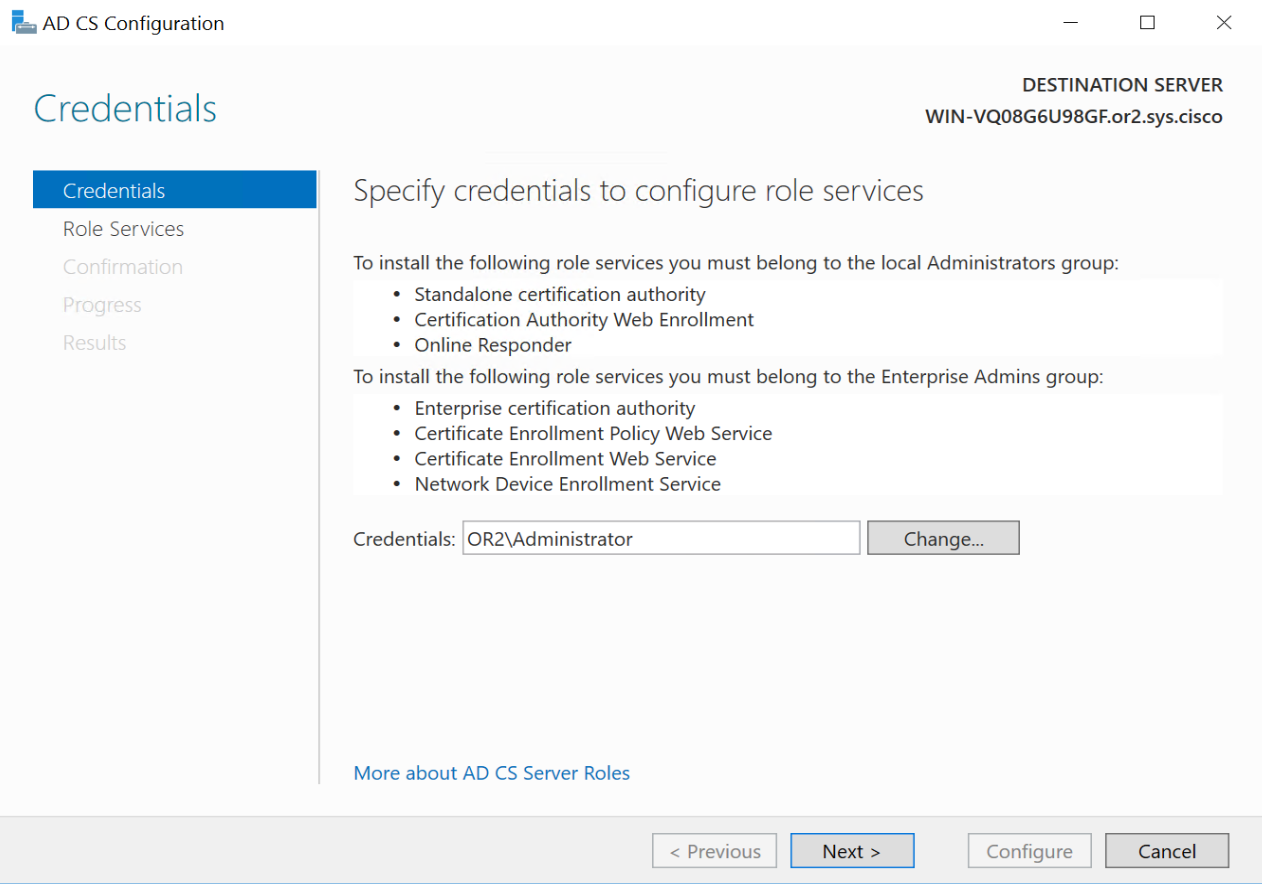

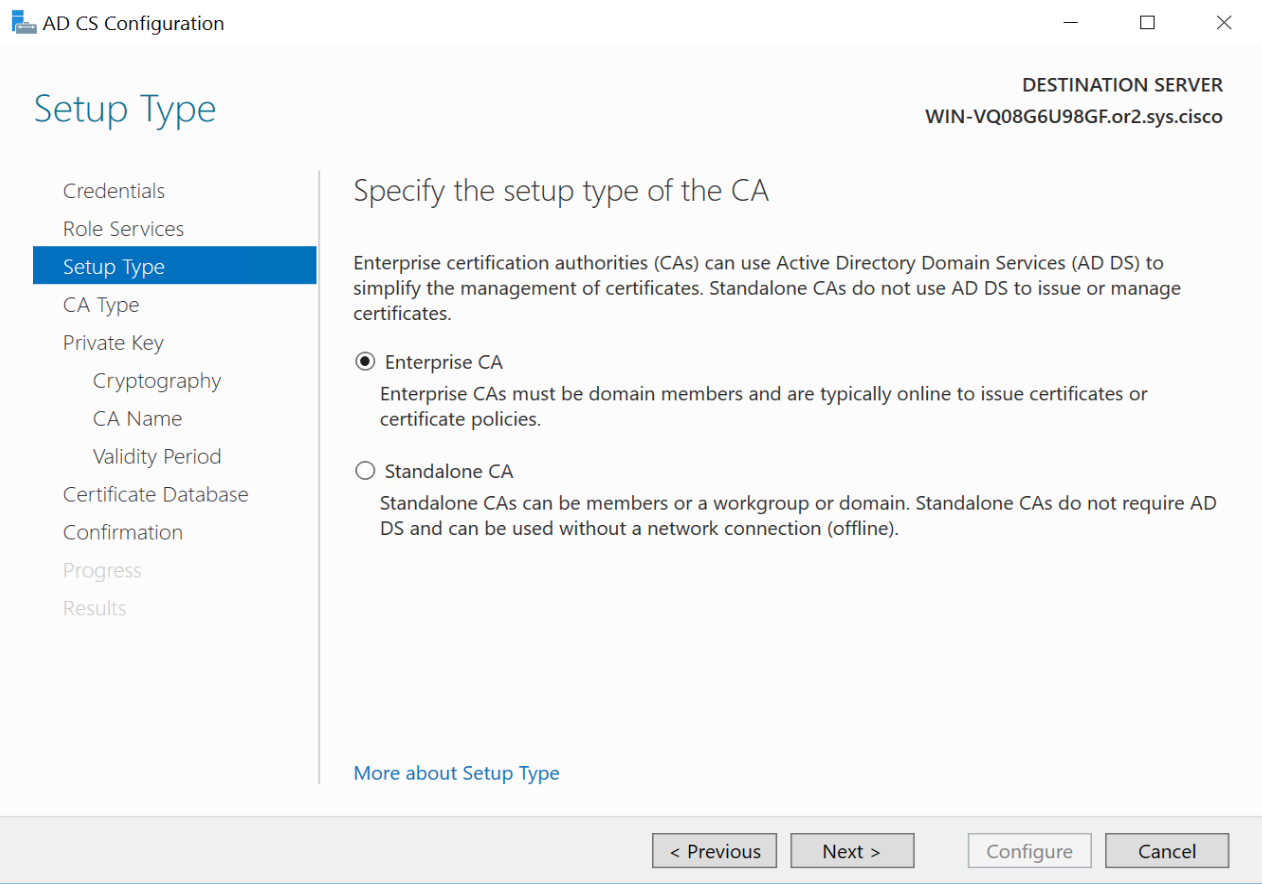
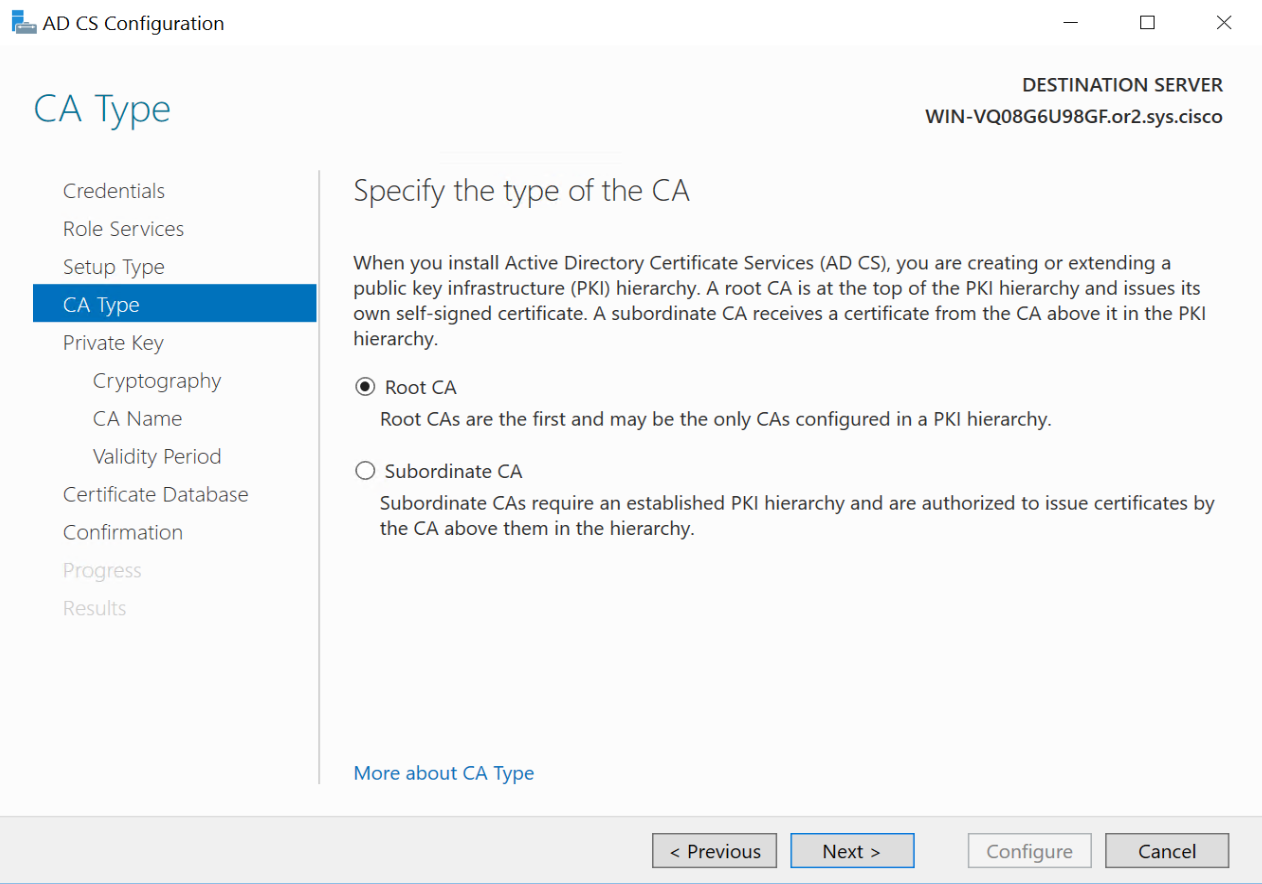

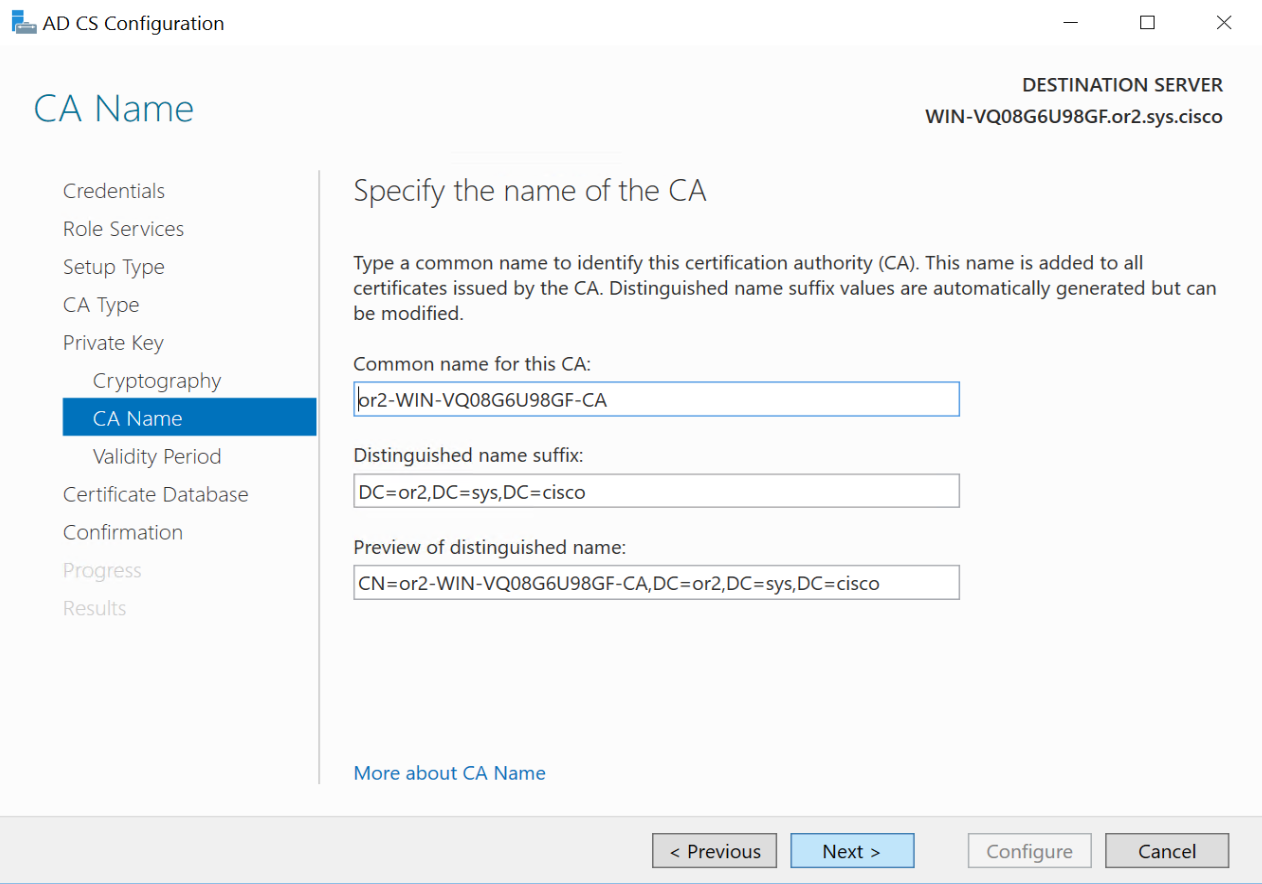
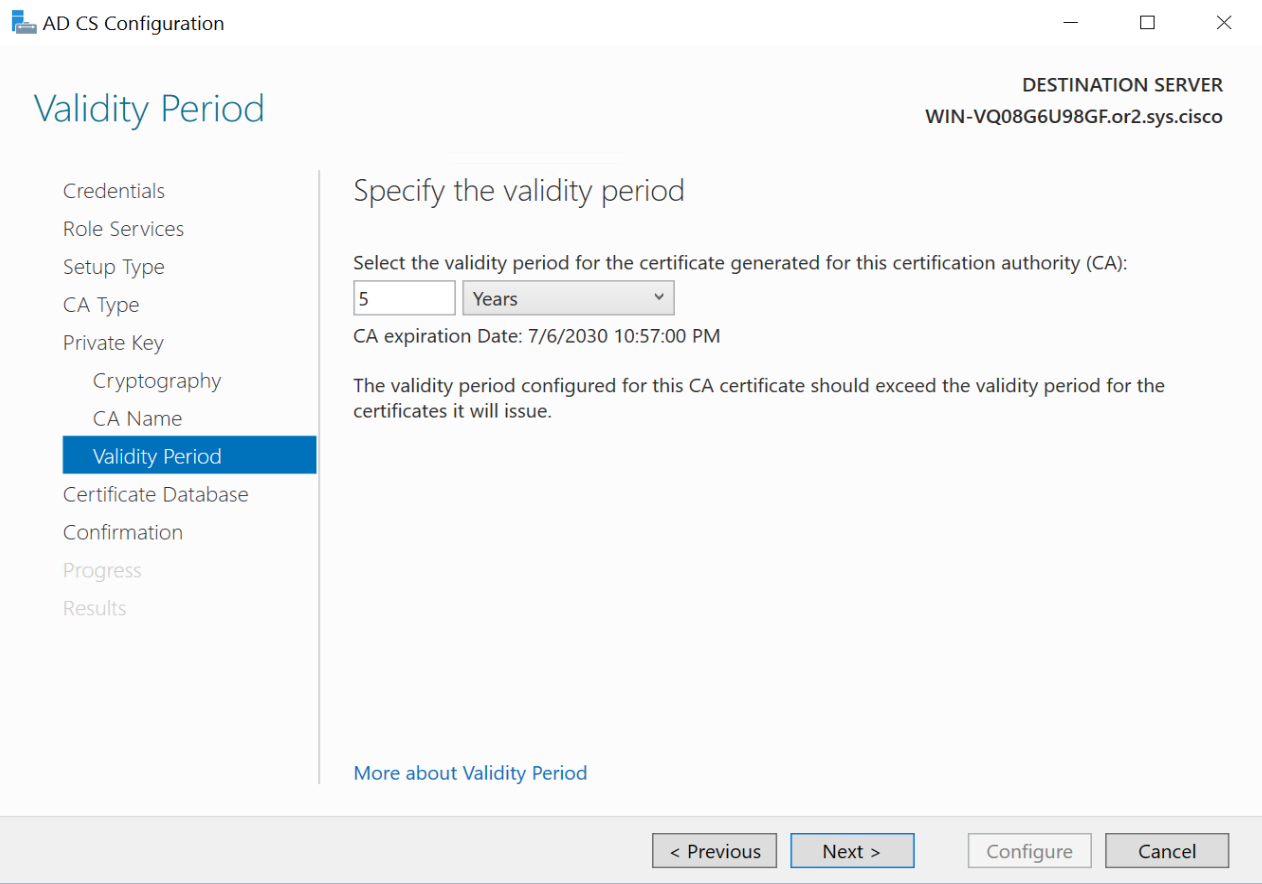
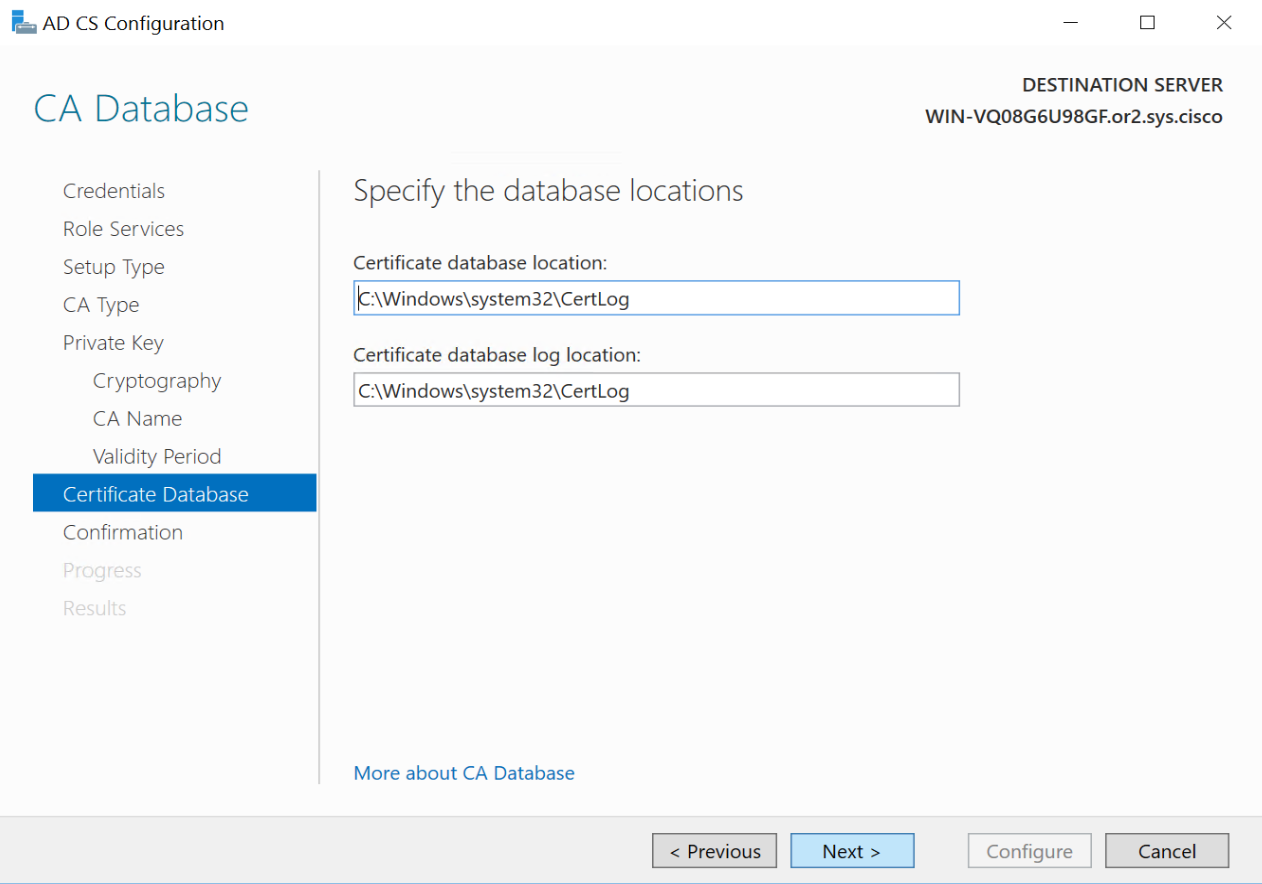
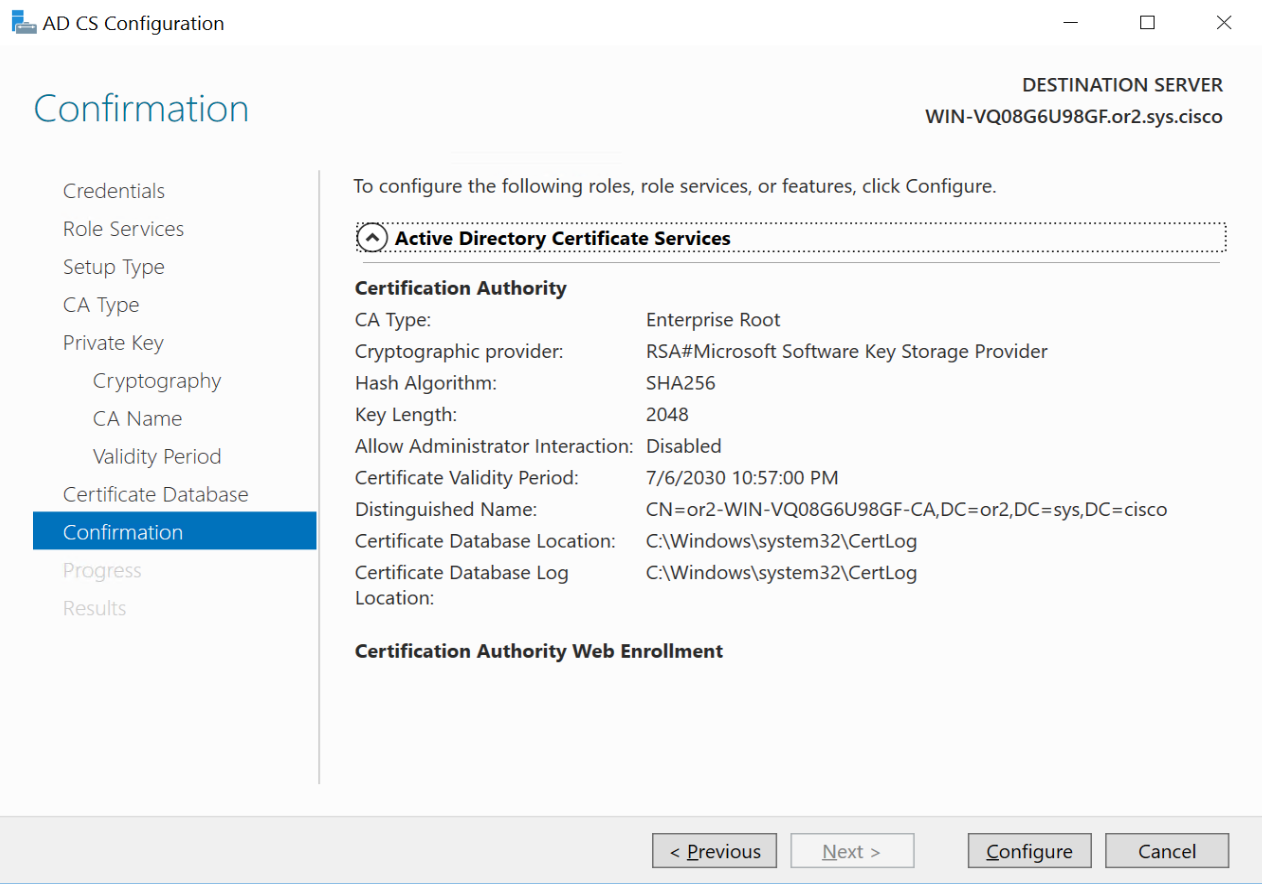
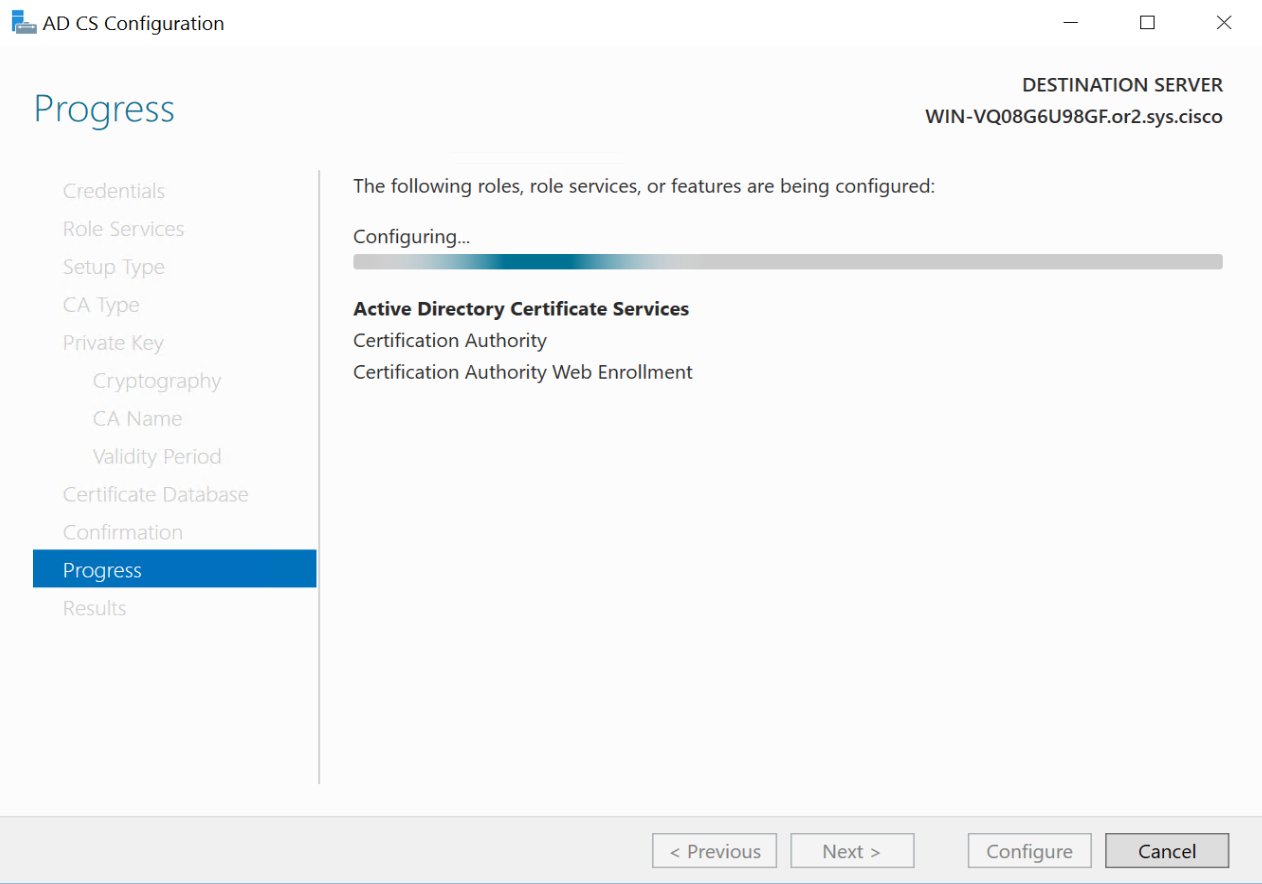
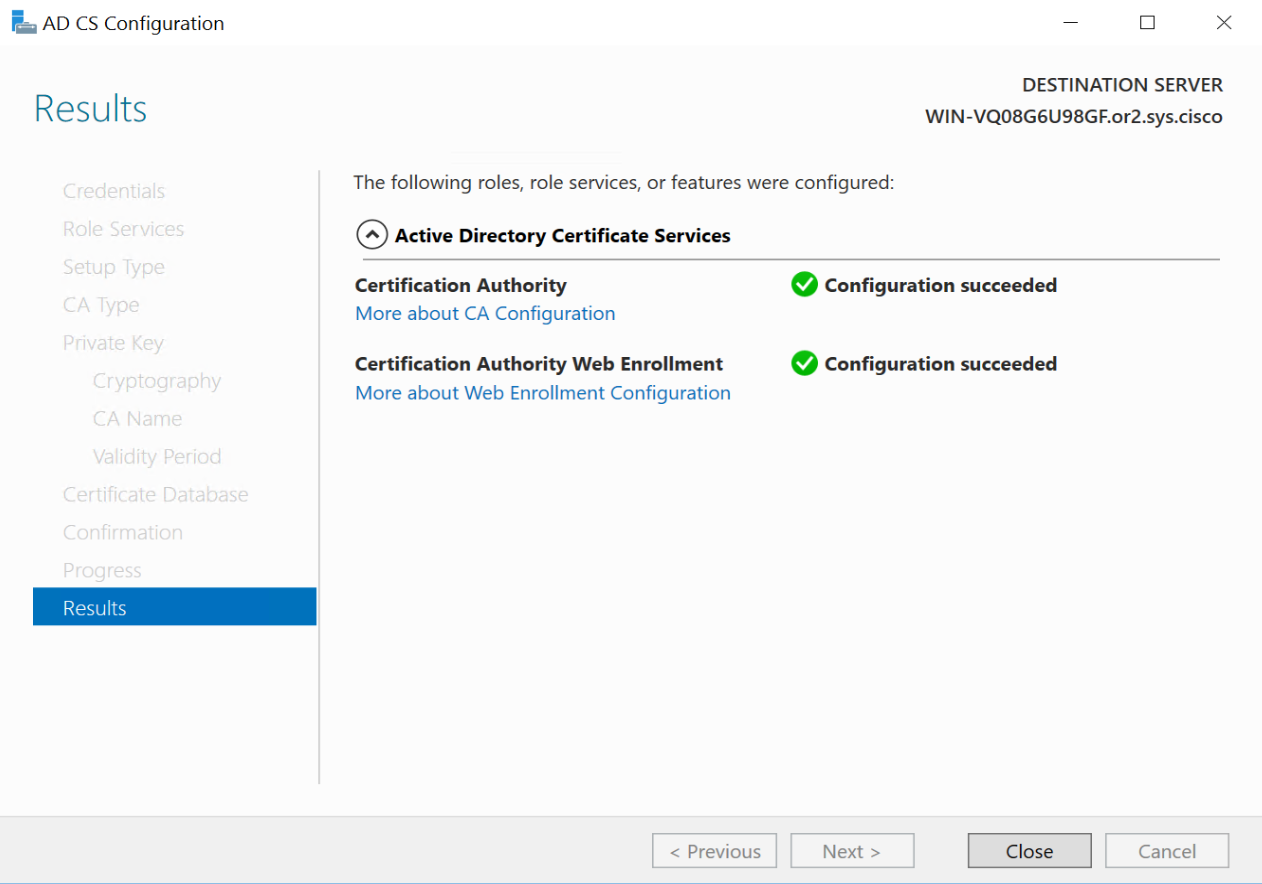
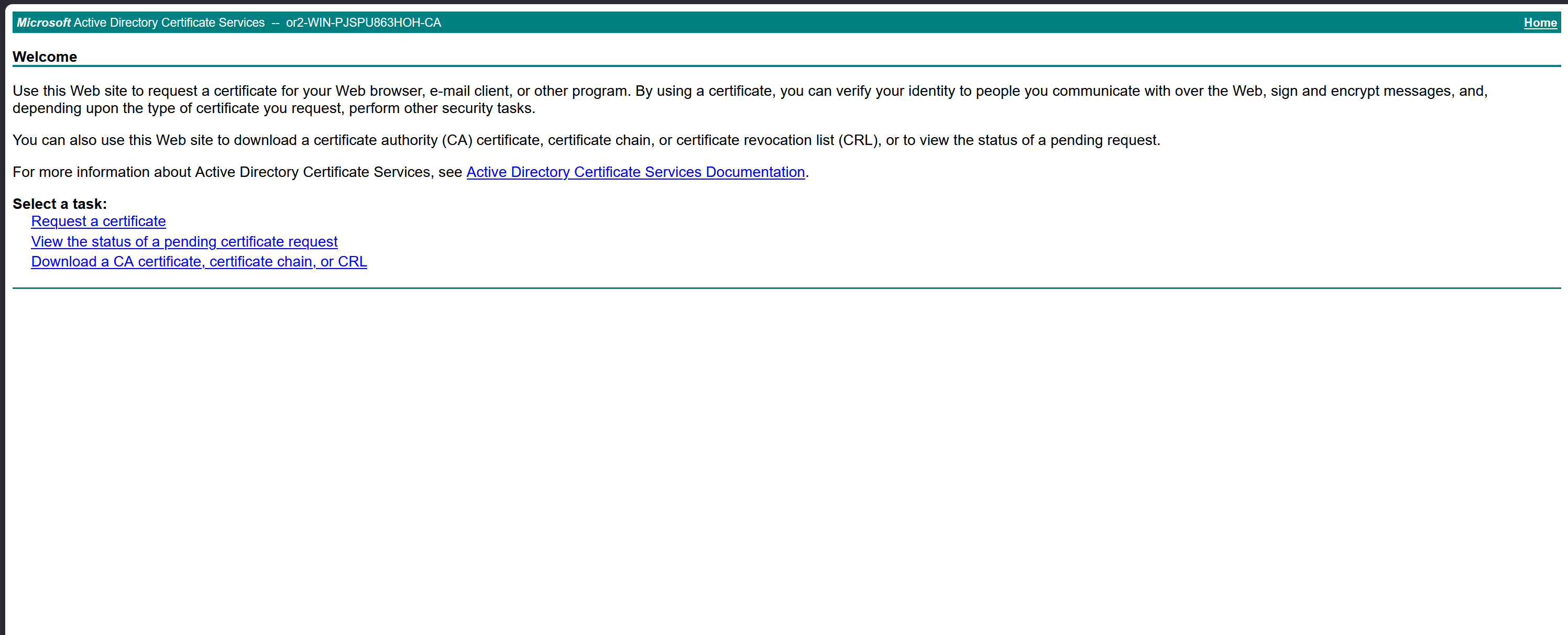
now visit http://[serverFQDN]/certsrv
http://WIN-PJSPU863HOH.or100.sys.cisco/certsrv/
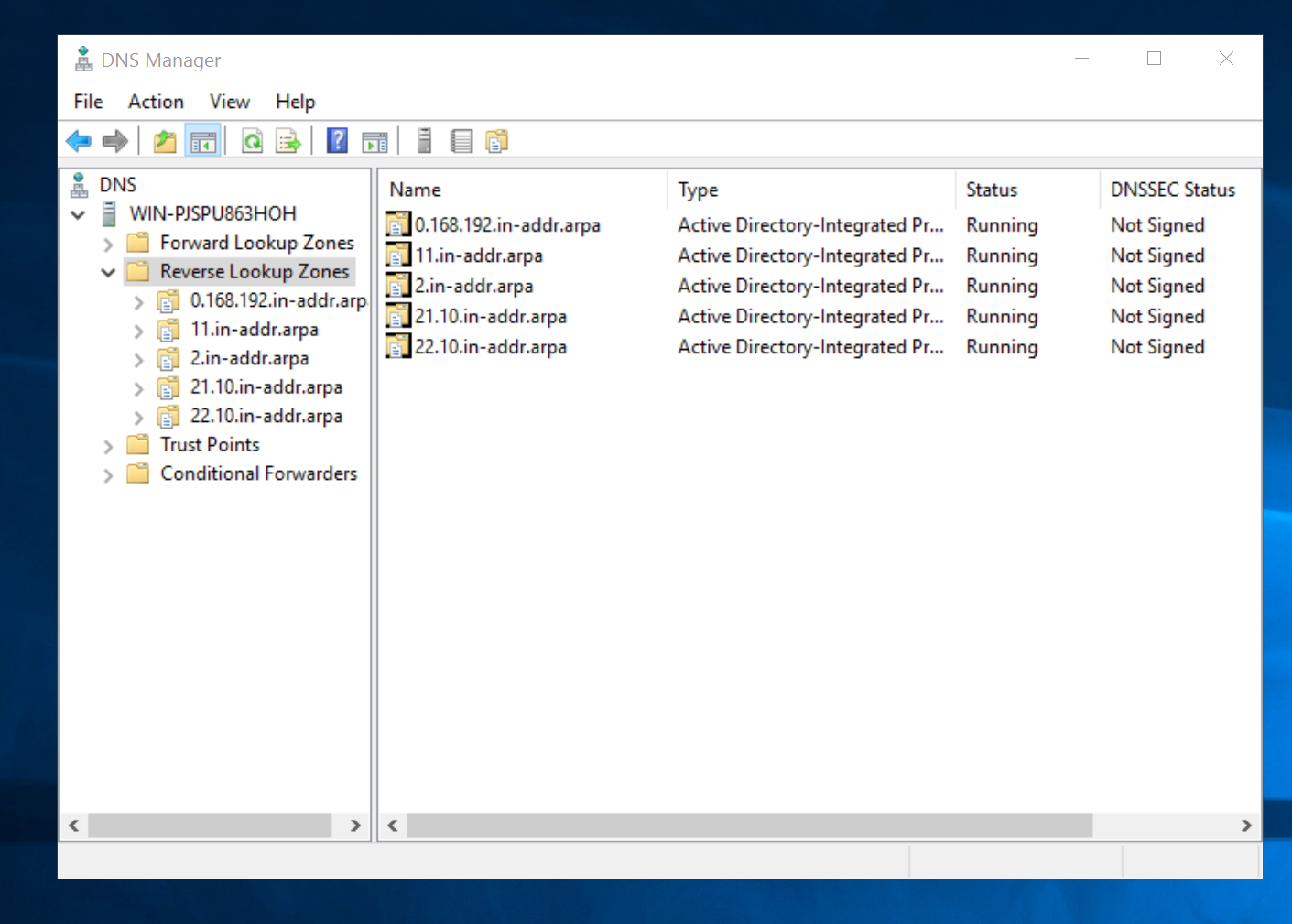
DNS entries on Windows Server
Add Reverse zones
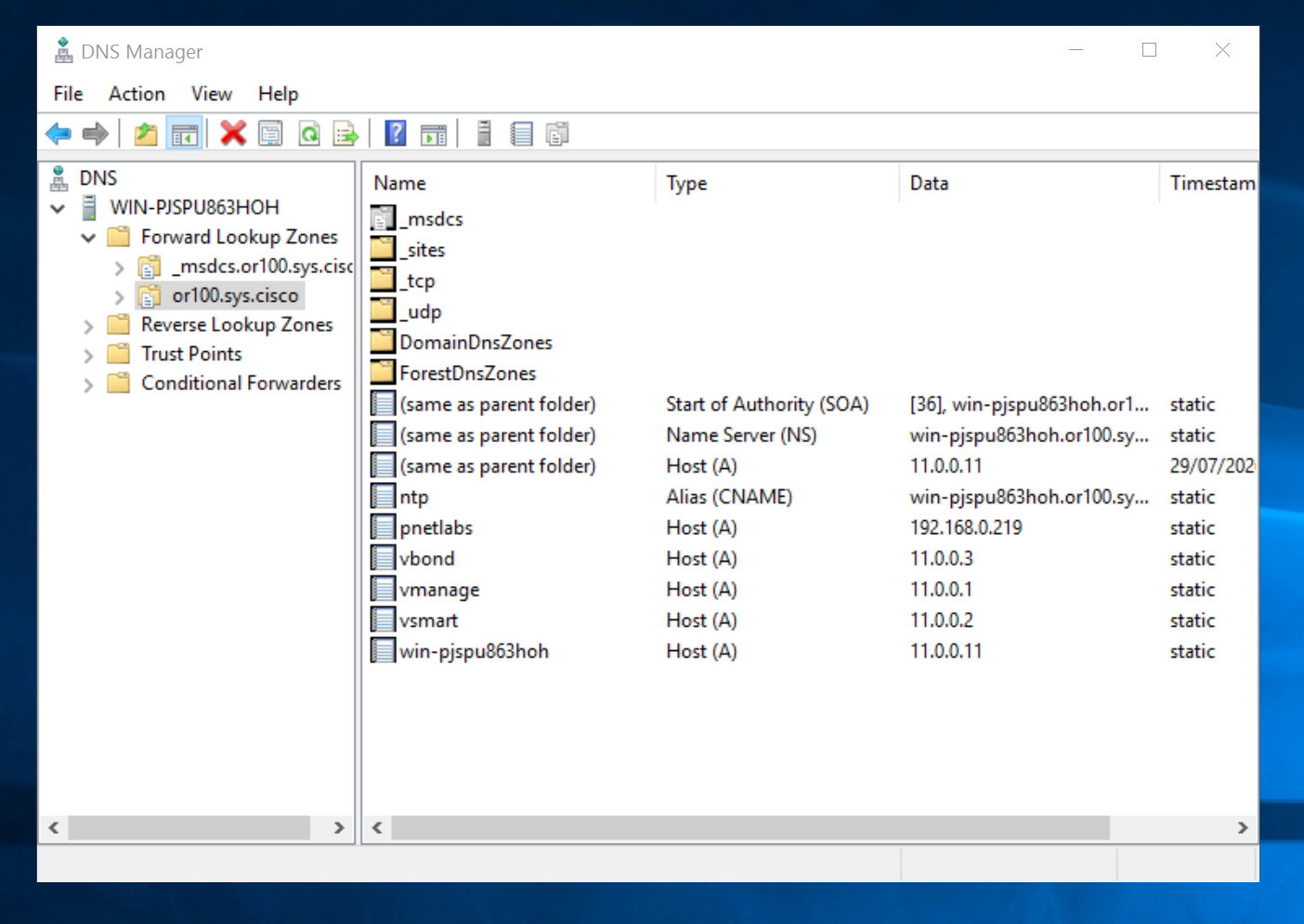
Add A records for in or100.sys.cisco domain
SDWAN Controller Standup
SDWAN Controller Standup
default username and password for all controllers nodes is admin/admin
SDWAN LAB Sizing for 20.16.1
| Controller | vCPU | RAM | PNETLab recommendation |
|---|---|---|---|
| vManage | 16 | 32 GB | Do not reduce RAM below 32 GB |
| vSmart | 4 | 8 GB | Can sometimes run at 4 GB, but 8 GB is safer |
| vBond | 2 | 4 GB | Suitable for a lab |
| Total | 22 vCPU | 44 GB RAM | Controllers only |
vManage requires second hard disk in vCenter
We should know this if we are deploying for onprem environment

it needs to be 100G minimum
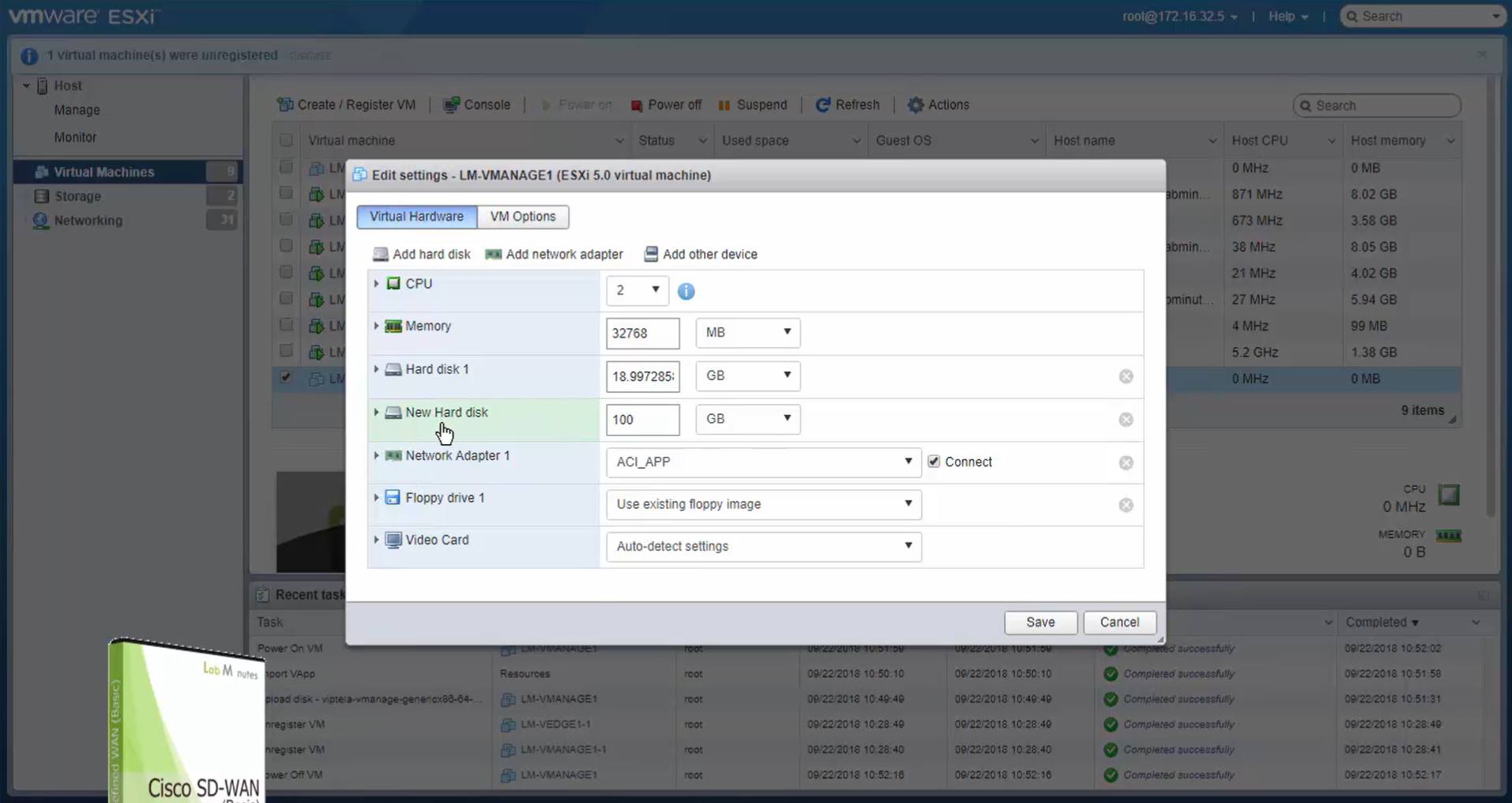
Make sure it is the master
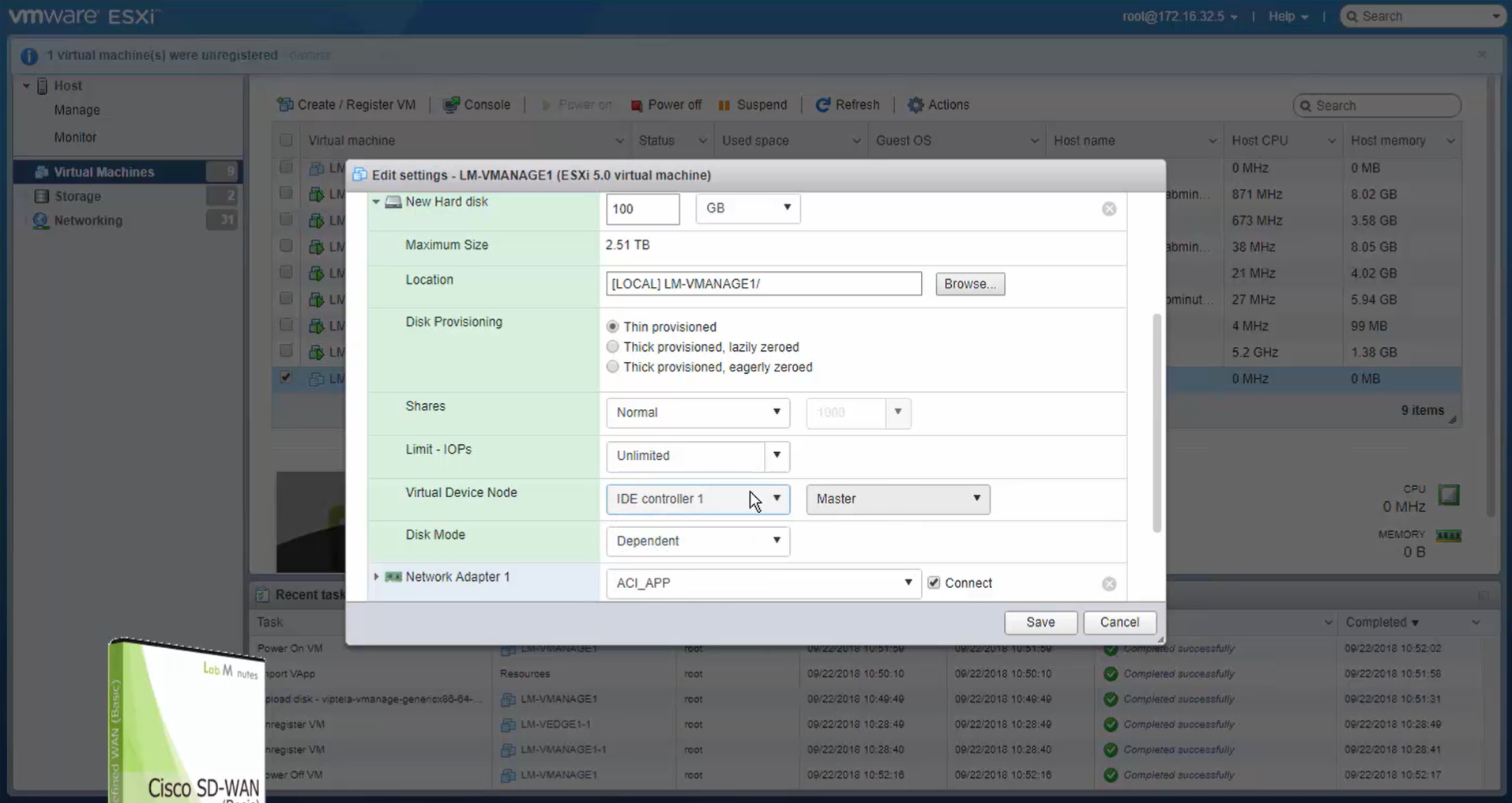
During setup we can see the additional disk we added
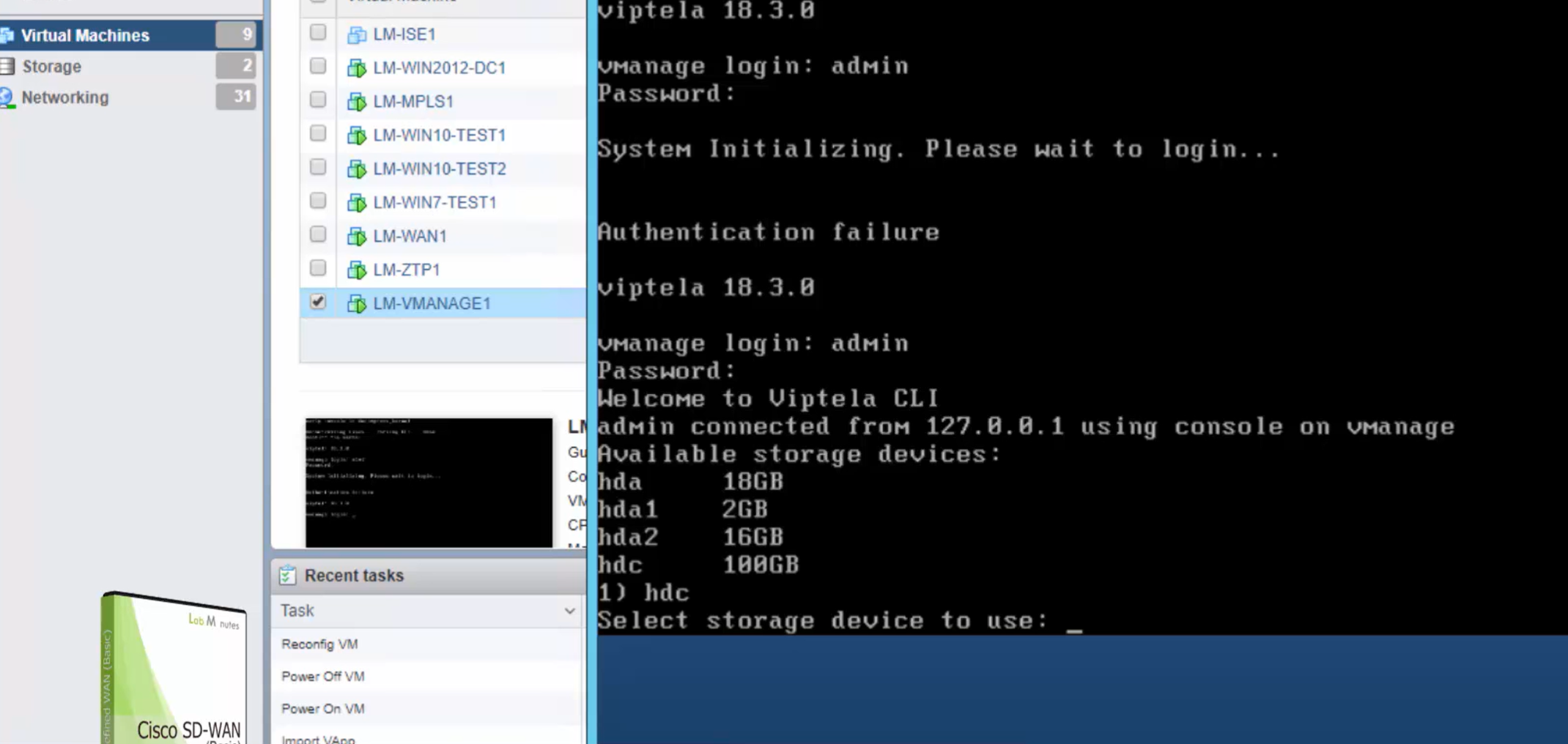
vManage system configuration
Assign vmanage second hard drive , if this has not been done already
cd /opt/unetlab/addons/qemu/vtmgmt-20.16.1
/opt/qemu/bin/qemu-img create -f qcow2 virtiob.qcow2 100G
/opt/unetlab/wrappers/unl_wrapper -a fixpermissions
show version
conf t
system
description vManage
host-name vManage
system-ip 11.11.1.1
clock timezone Europe/London
site-id 1
organization-name or100.sys.cisco
vbond vbond.or100.sys.cisco
ntp server 11.0.0.11
! it is vital to have a working NTP as onboarding and authentication relies on PKI which requires time to be synced between nodes
! vbond IP is the only controller that is
! defined on all SDWAN devices including
! controllers and wan edges , if there are
! 2 vBonds in deployment then it is good to
! add 2x IP addresses in vbond A records
! reason is that on controllers
! we cannot define two different vbond IP addresses
! always commit the configuration
commitvSmart system configuration
conf t
system
description vSmart
host-name vSmart
system-ip 11.11.1.2
clock timezone Europe/London
site-id 1
organization-name or100.sys.cisco
vbond vbond.or100.sys.cisco
ntp server 11.0.0.11
vBond system configuration
conf t
system
description vBond
host-name vBond
system-ip 11.11.1.3
clock timezone Europe/London
site-id 1
organization-name or100.sys.cisco
vbond vbond.or100.sys.cisco local
! this local keyword converts the vedge to vbond role
ntp server 11.0.0.11
Configure the Transport interface of SDWAN controllers
These interfaces are configured under VPN 0 and they are the only interfaces of controllers for communication to edge routers using NETCONF (vmanage), for OMP peering (vsmart) and onboarding (vbond)
There is no such thing as LAN interface for these controllers
In Cisco cedge devices we do not have VPN0 instead transport uses global routing table
Configure vmanage vpn0 Transport Interface only
conf t

vpn 0
interface eth0
ip address 11.0.0.1/24
no shutdown
no tunn
! Keep the tunnel interface down for now as it is used
! for fabric's management which is done through DTLS tunnel

! while within the vpn0 configure default route
ip route 0.0.0.0/0 11.0.0.254

dns 11.0.0.11
! configure DNS
! this is also needed for reachability to internet for automatic sync of device serial numbers
! from smart account vs serial file import
! "Sync Smart Account" button vs "Upload WAN Edge List" button
You cannot have interface ip same as system ip so they both need to be different
vManage(config)# commit
Aborted: ‘vpn 0 interface eth0 ip address’: Interface eth0 with address 11.0.0.1/24 & System IP 11.0.0.1 cannot be same in vpn 0
Configure vsmart Transport Interface only
conf t

vpn 0
interface eth0
ip address 11.0.0.2/24
no shutdown
no tunn
! Keep the tunnel interface down for now as it is used
! for fabric's management which is done through DTLS tunnel

! while within the vpn0 configure default route
ip route 0.0.0.0/0 11.0.0.254
dns 11.0.0.11
Configure vbond Transport Interface only
conf t

vpn 0
interface ge0/0
no tunnel-interface
ip address 11.0.0.3/24
no shutdown

! while within the vpn0 router, configure default route
ip route 0.0.0.0/0 11.0.0.254
dns 11.0.0.11

ping vbond.or100.sys.cisco
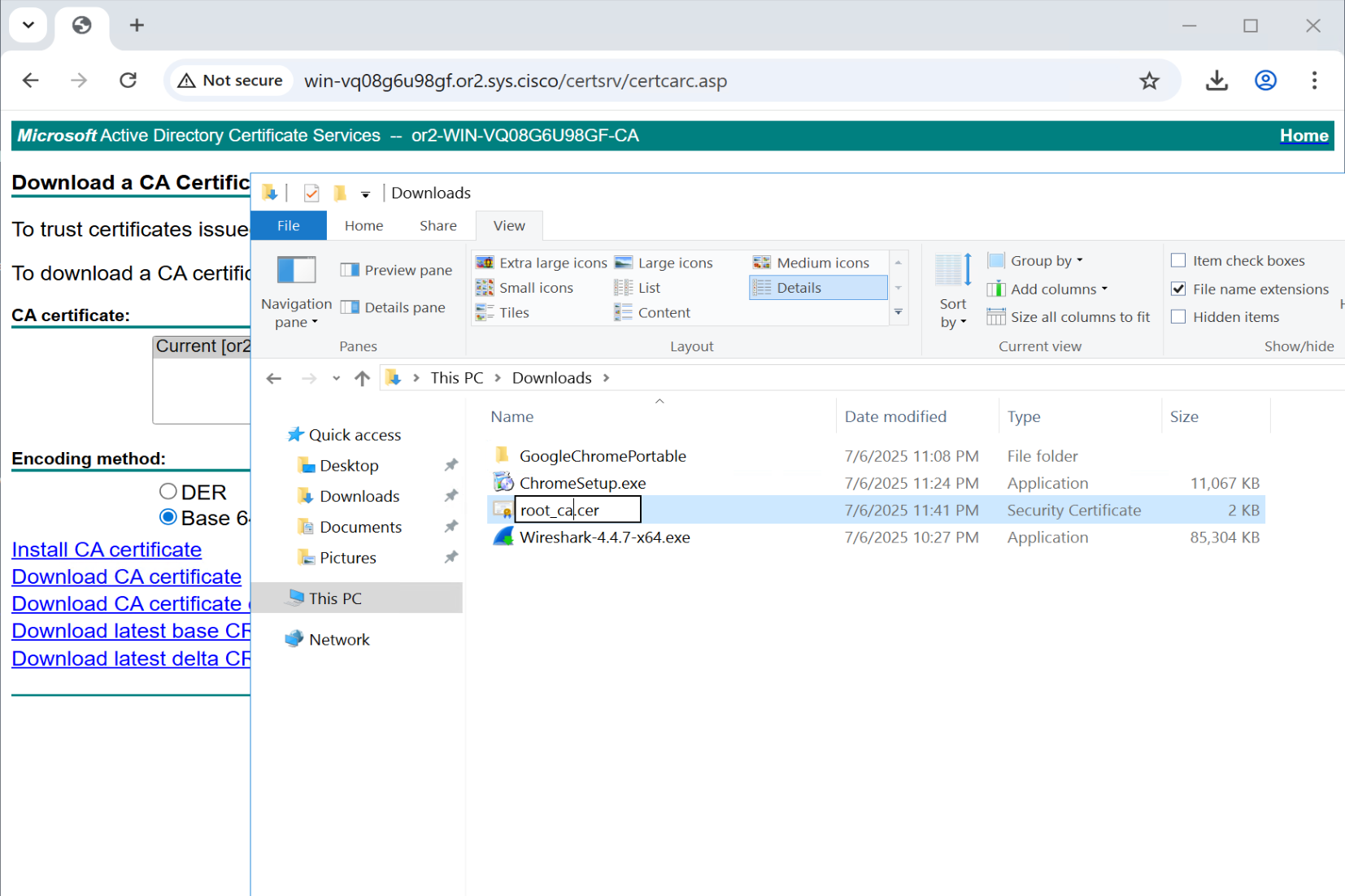
Download CA Certificate

Download in Base64 format
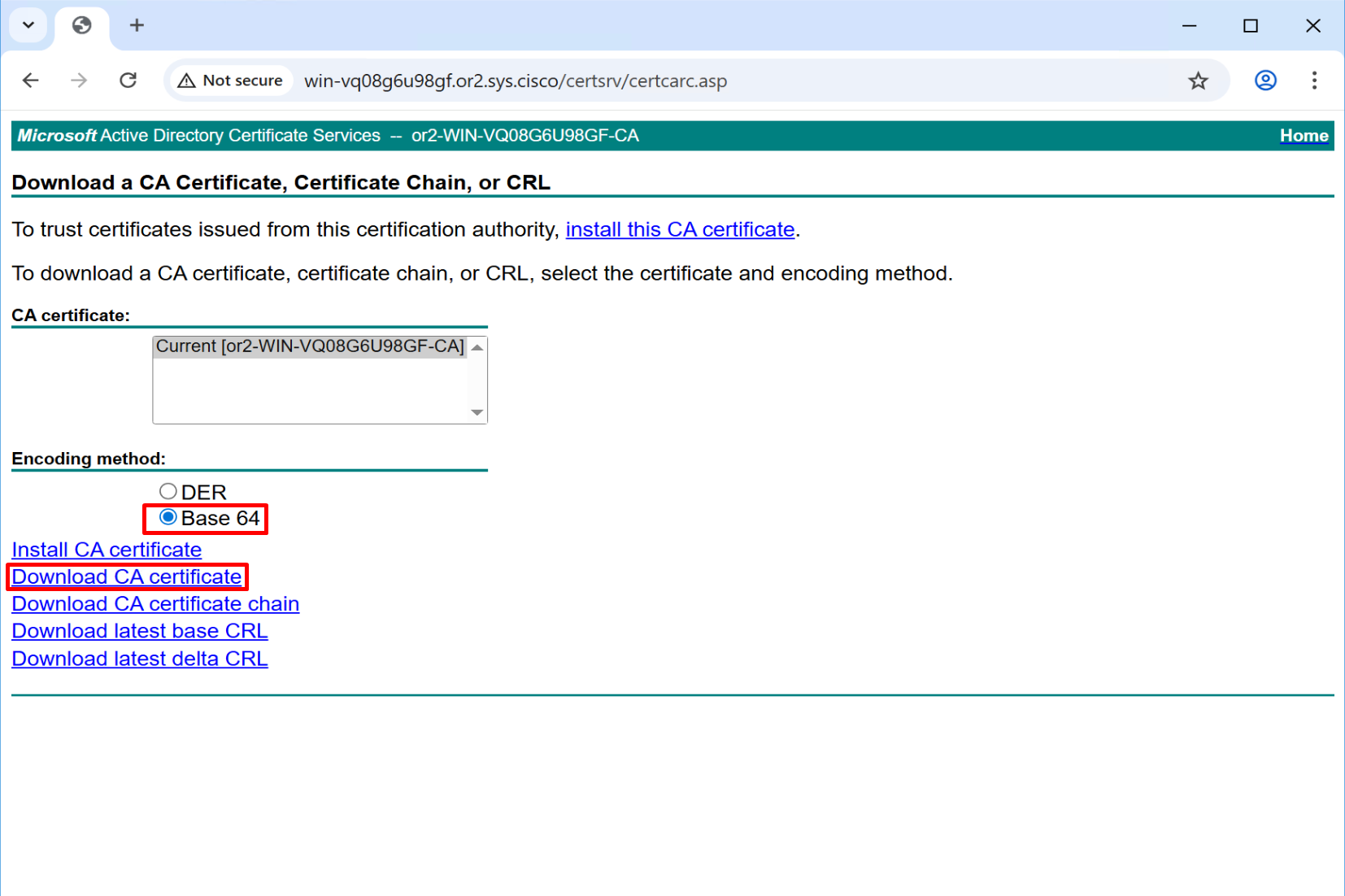
Rename this to root_ca
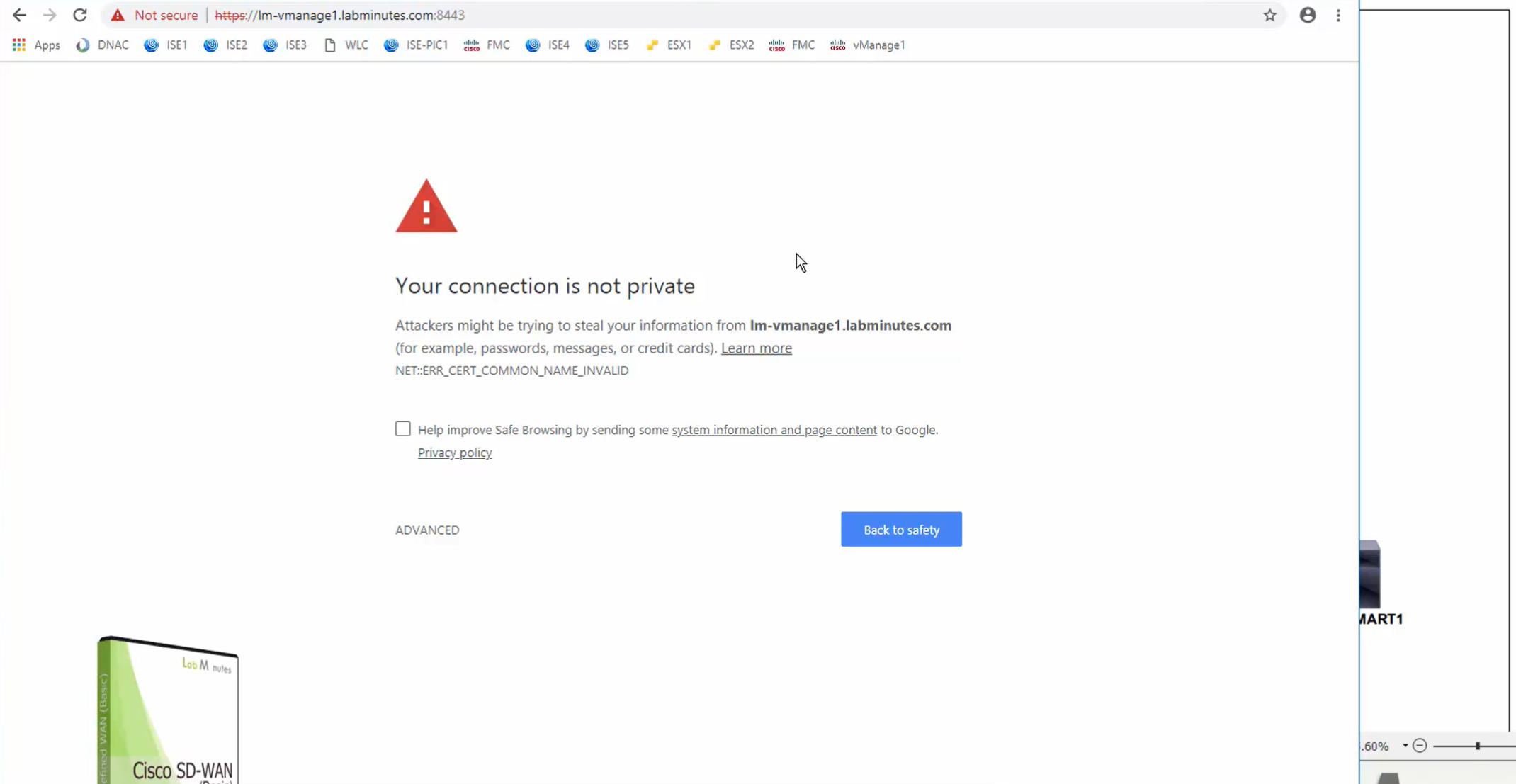
Access vmanage GUI but make sure you do using IP address and not FQDN, using FQDN it does not work and simply spins and comes back to login screen
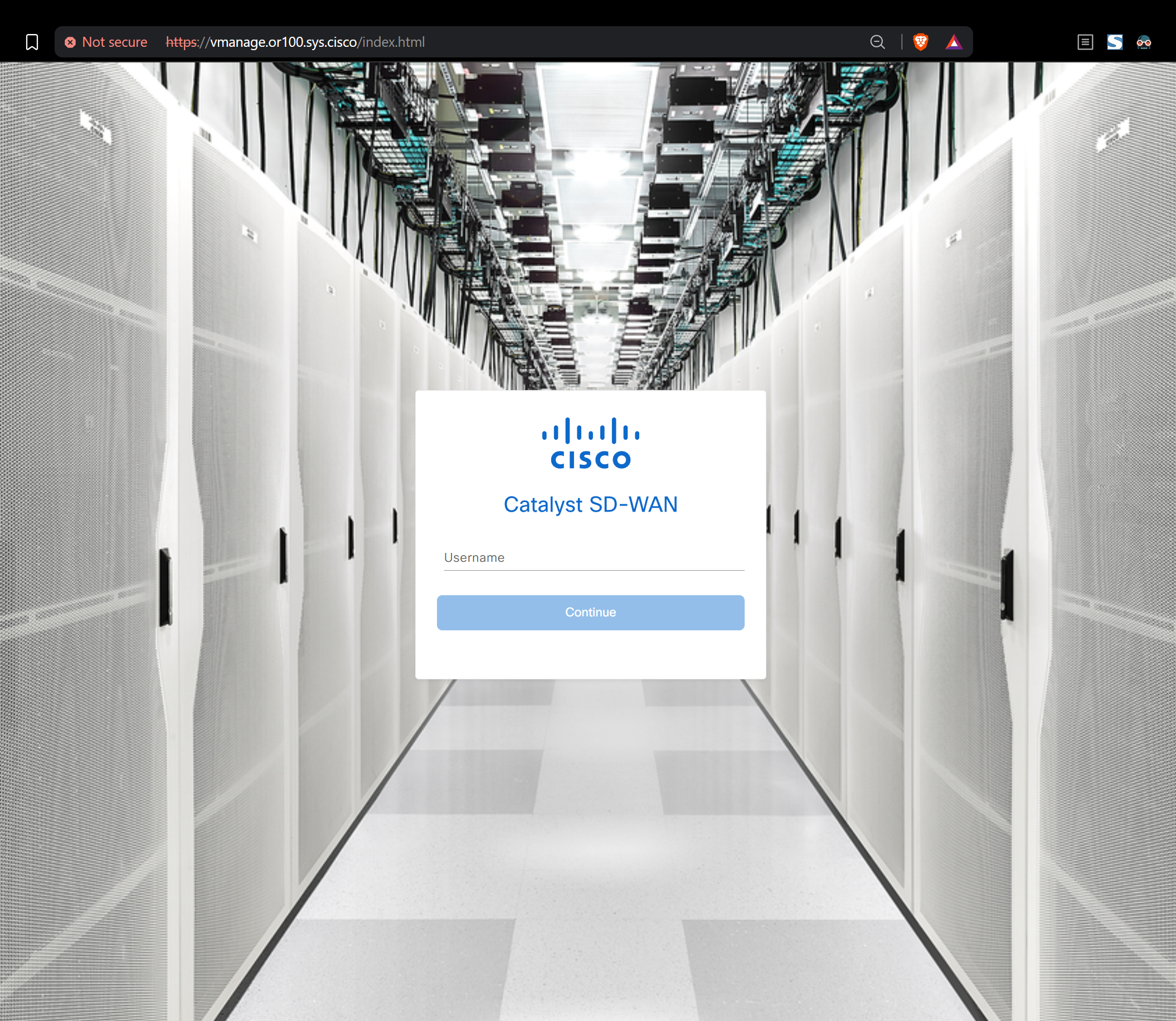
Login as admin/C0mplex30
Upload root CA to all controllers’ trust store
WinSCP SFTP to the vManage
drag root.ca file to /home/admin folder
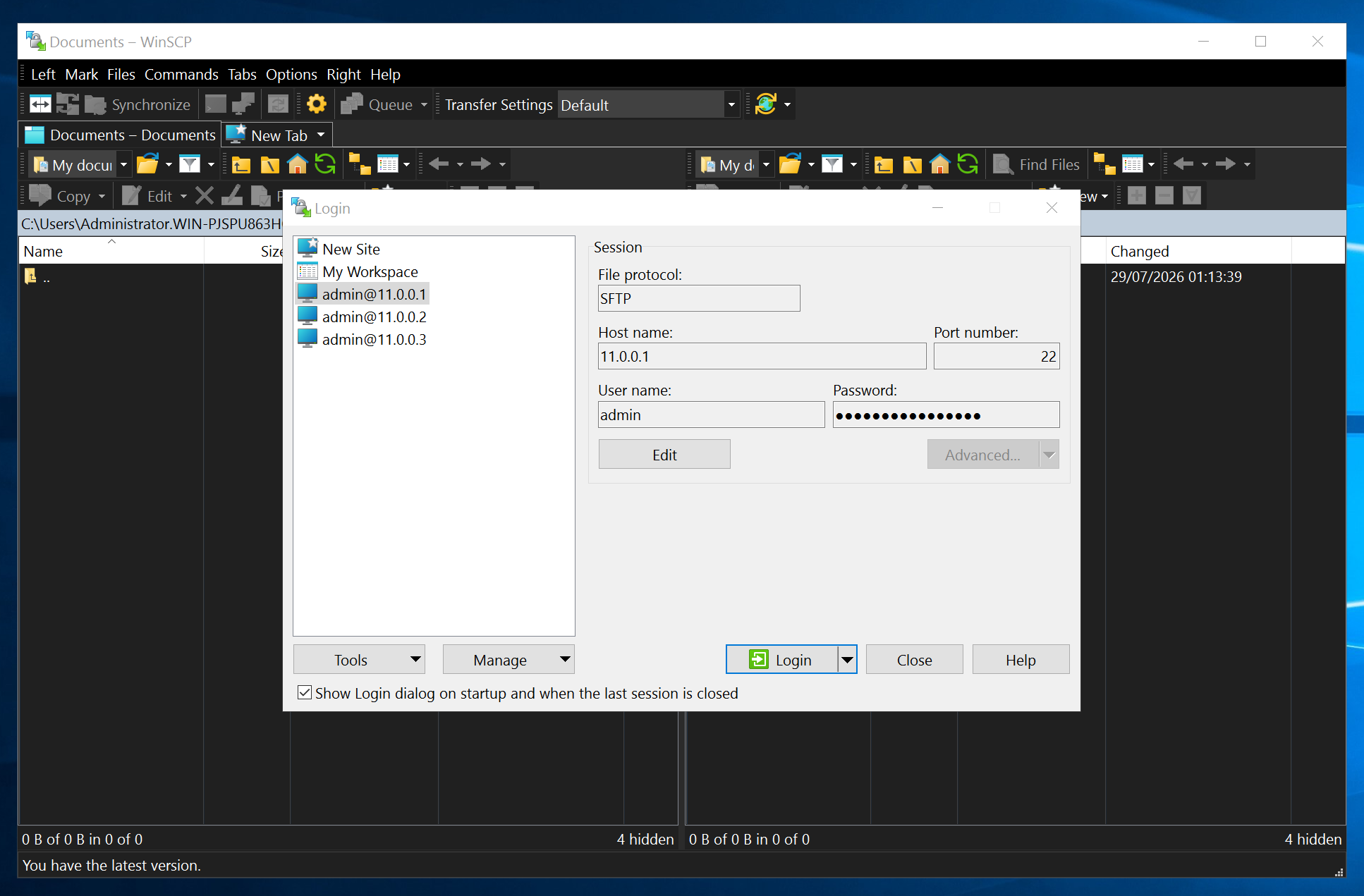
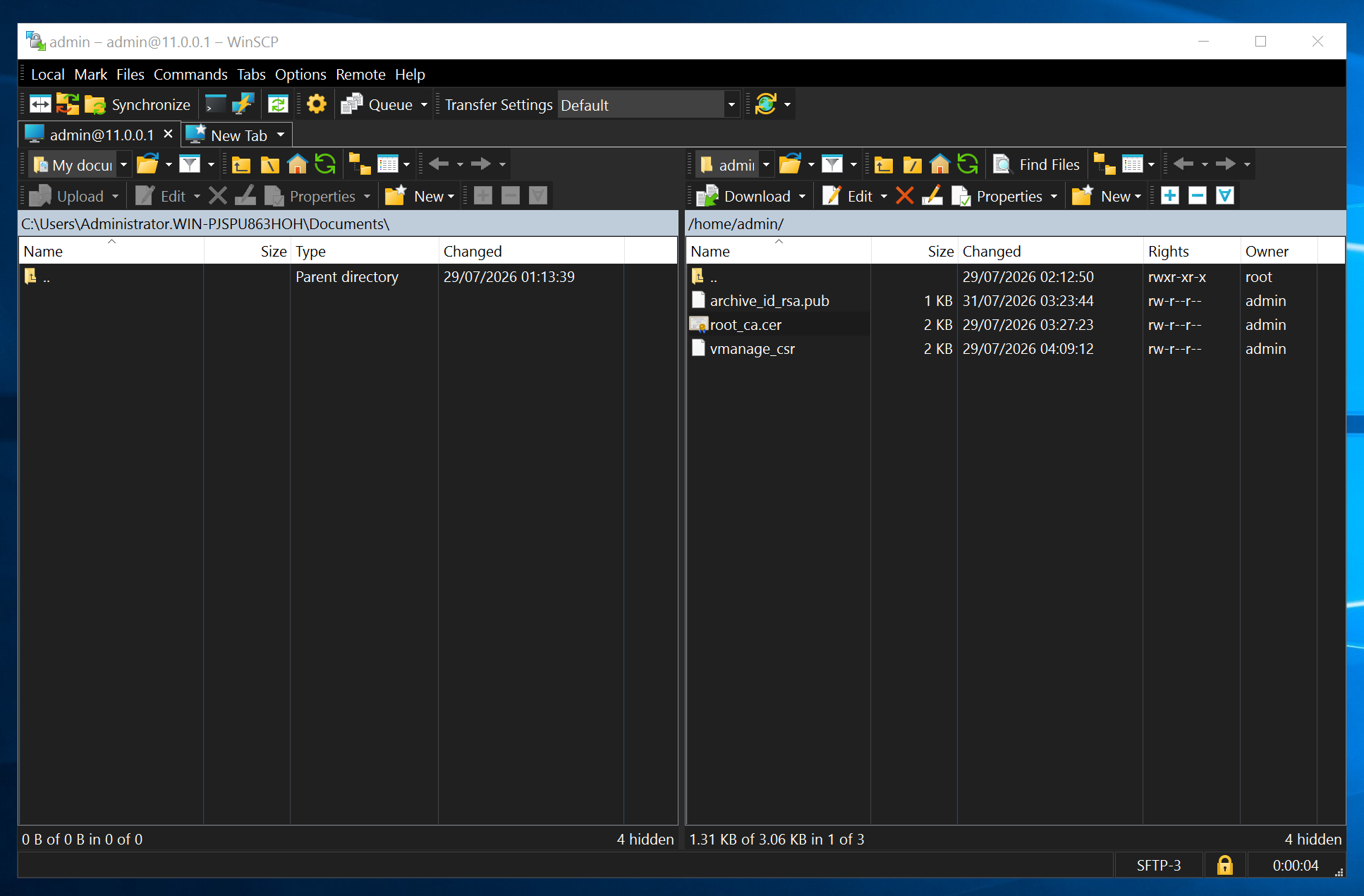
Do same for vSmart and vBond
Before adding certificate, make sure that basic system config is in place
the configuration that we configured earlier
Install root CA certificate chain in Trust store of Controllers
request root-cert-chain install /home/admin/root_ca.cervManage# request root-cert-chain install /home/admin/root_ca.cer
Uploading root-ca-cert-chain via VPN 0
Copying ... /home/admin/root_ca.cer via VPN 0
Updating the root certificate chain..
Successfully installed the root certificate chainvSmart# request root-cert-chain install /home/admin/root_ca.cer
Uploading root-ca-cert-chain via VPN 0
Copying ... /home/admin/root_ca.cer via VPN 0
Updating the root certificate chain..
Successfully installed the root certificate chainvBond# request root-cert-chain install /home/admin/root_ca.cer
Uploading root-ca-cert-chain via VPN 0
Copying ... /home/admin/root_ca.cer via VPN 0
Updating the root certificate chain..
Successfully installed the root certificate chainSync the root cert chain database on vmanage
https://vmanage.or100.sys.cisco/dataservice/system/device/sync/rootcertchainWarning of Configuration Database Username & Password
Get rid of this annoying Warning of Configuration Database using default username and password

Login to vmanage CLI
vManage# request nms configuration-db update-admin-user
Enter current user name:neo4j
Enter current user password:password
Enter new user name:admin
Enter new user password:C0mplex30
configuration-db
WARNING: sun.reflect.Reflection.getCallerClass is not supported. This will impact performance.
Successfully updated configuration database admin user
Successfully restarted NMS application server
Successfully restarted NMS data collection agent
vManage# Setting up watches.
Watches established.
This will restart the vmanage
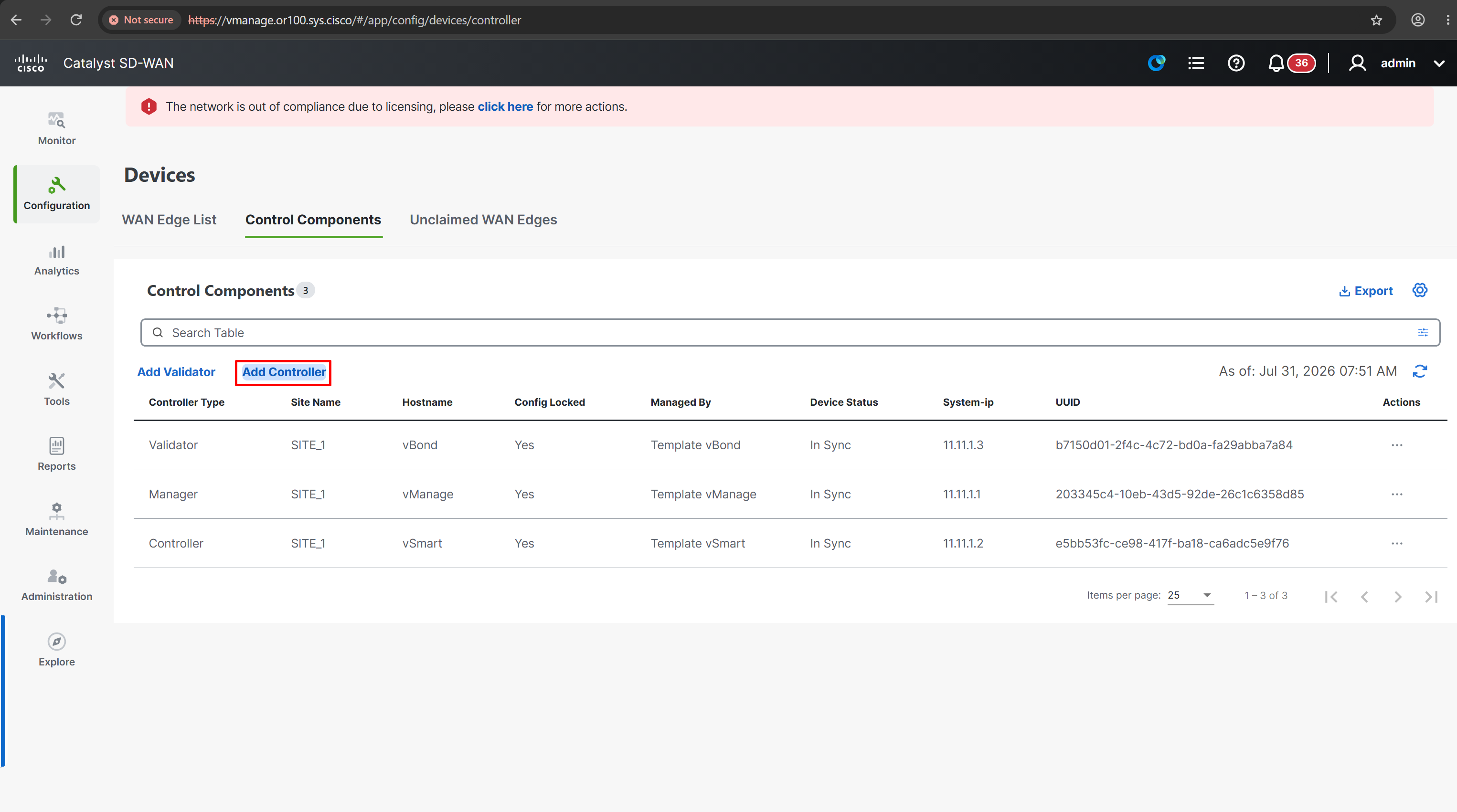
Add controllers to vManage
Add vSmart
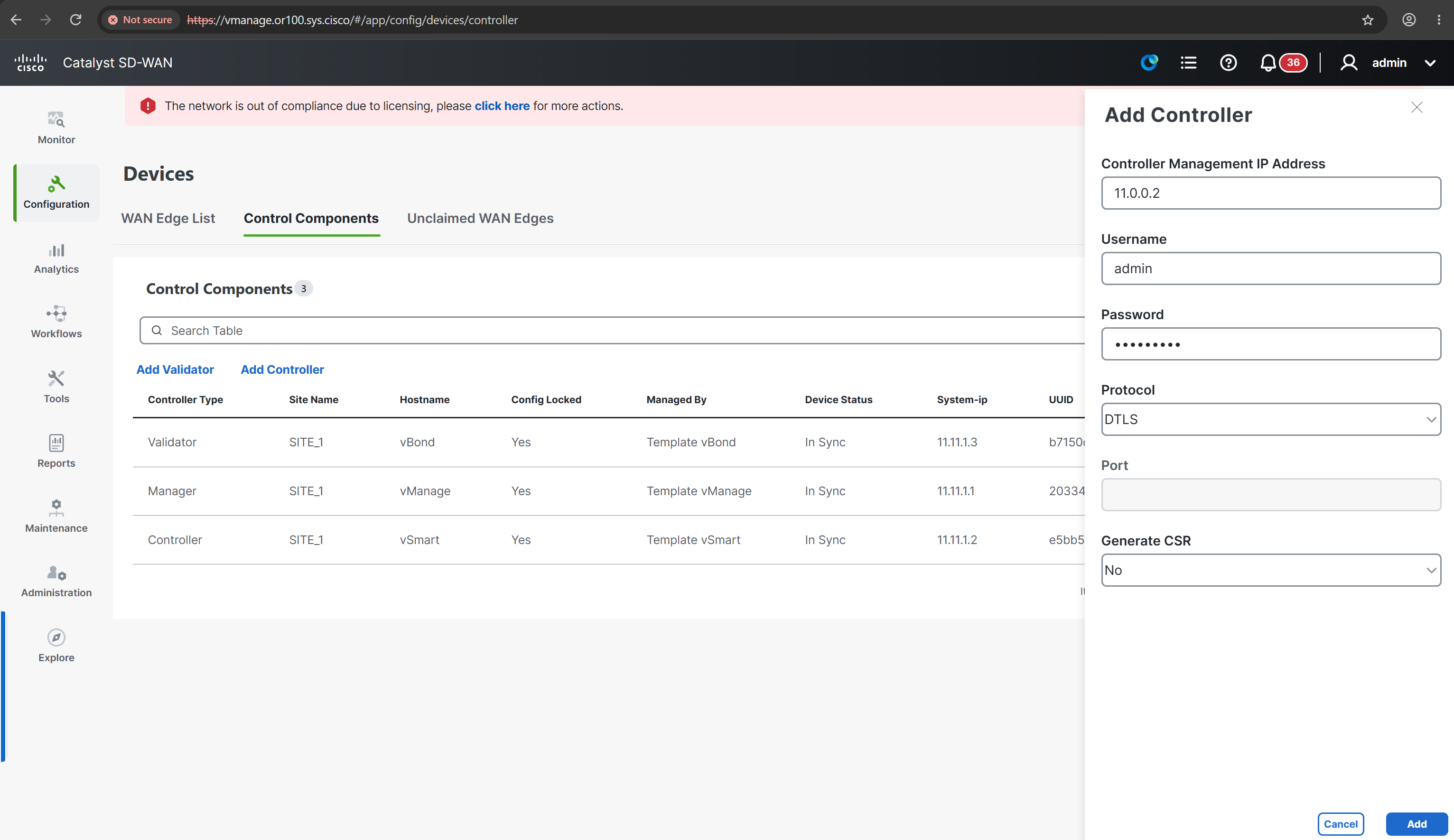
In older version untick following option
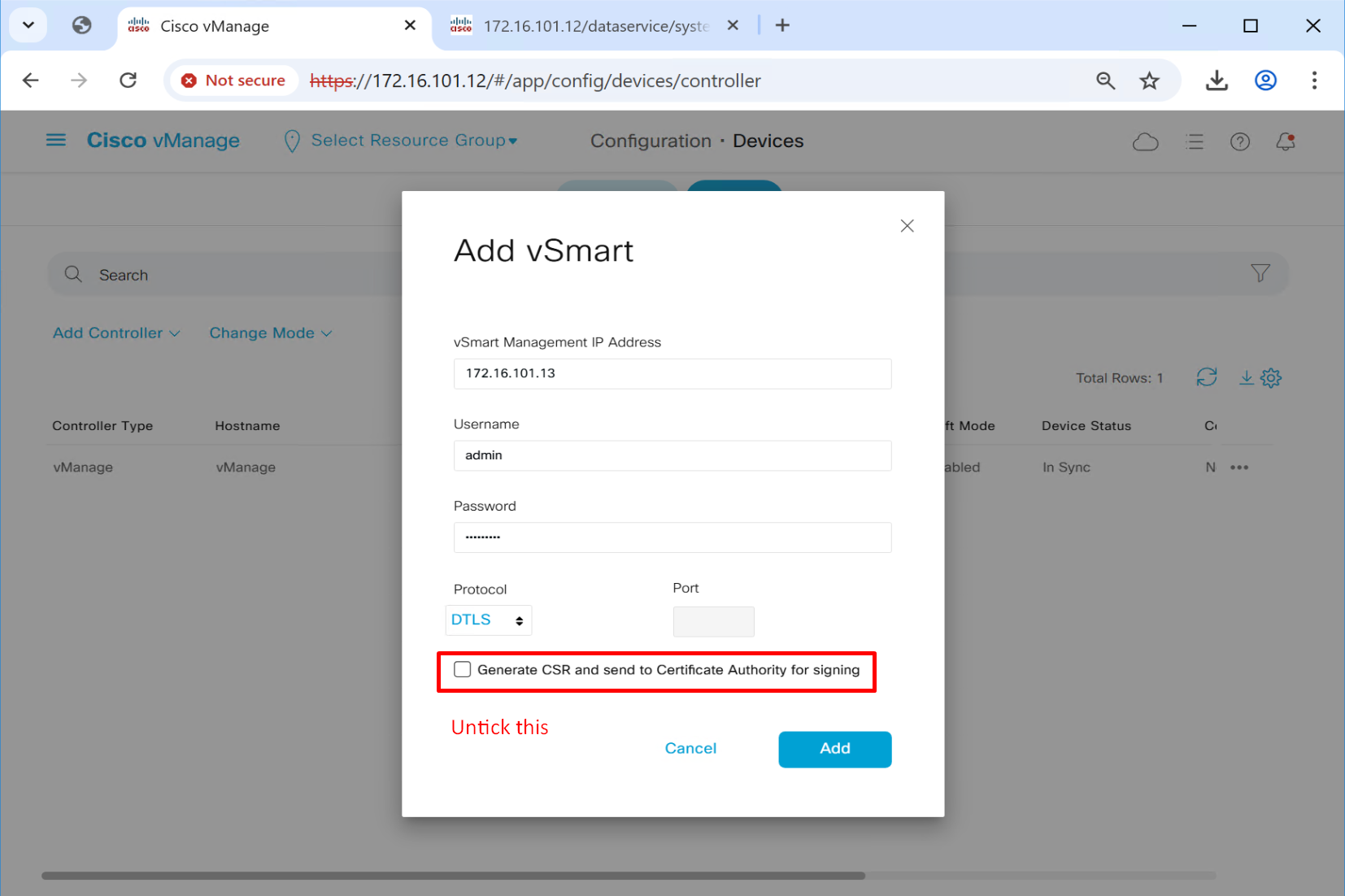
Add vBond

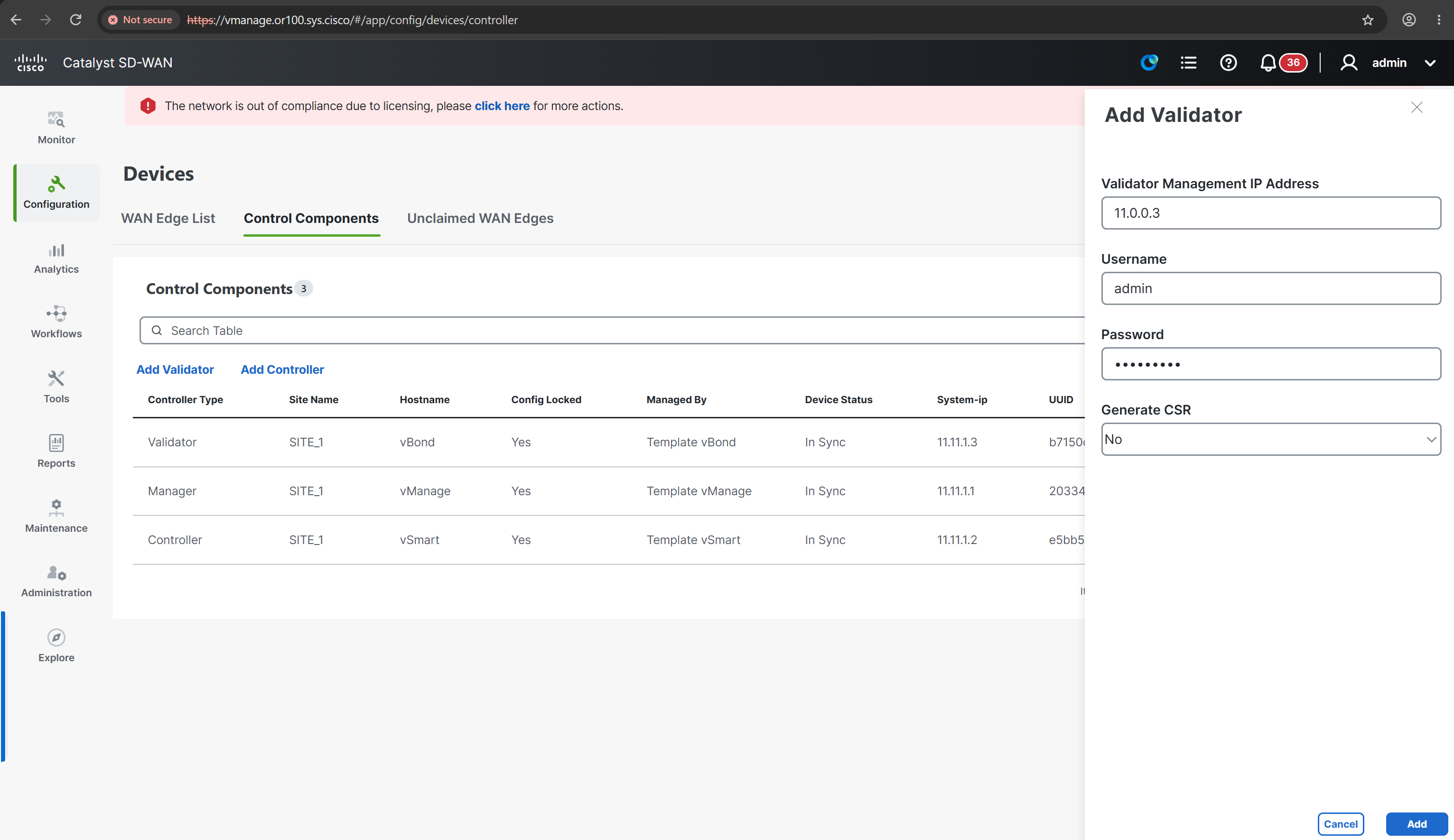
in older version untick this option
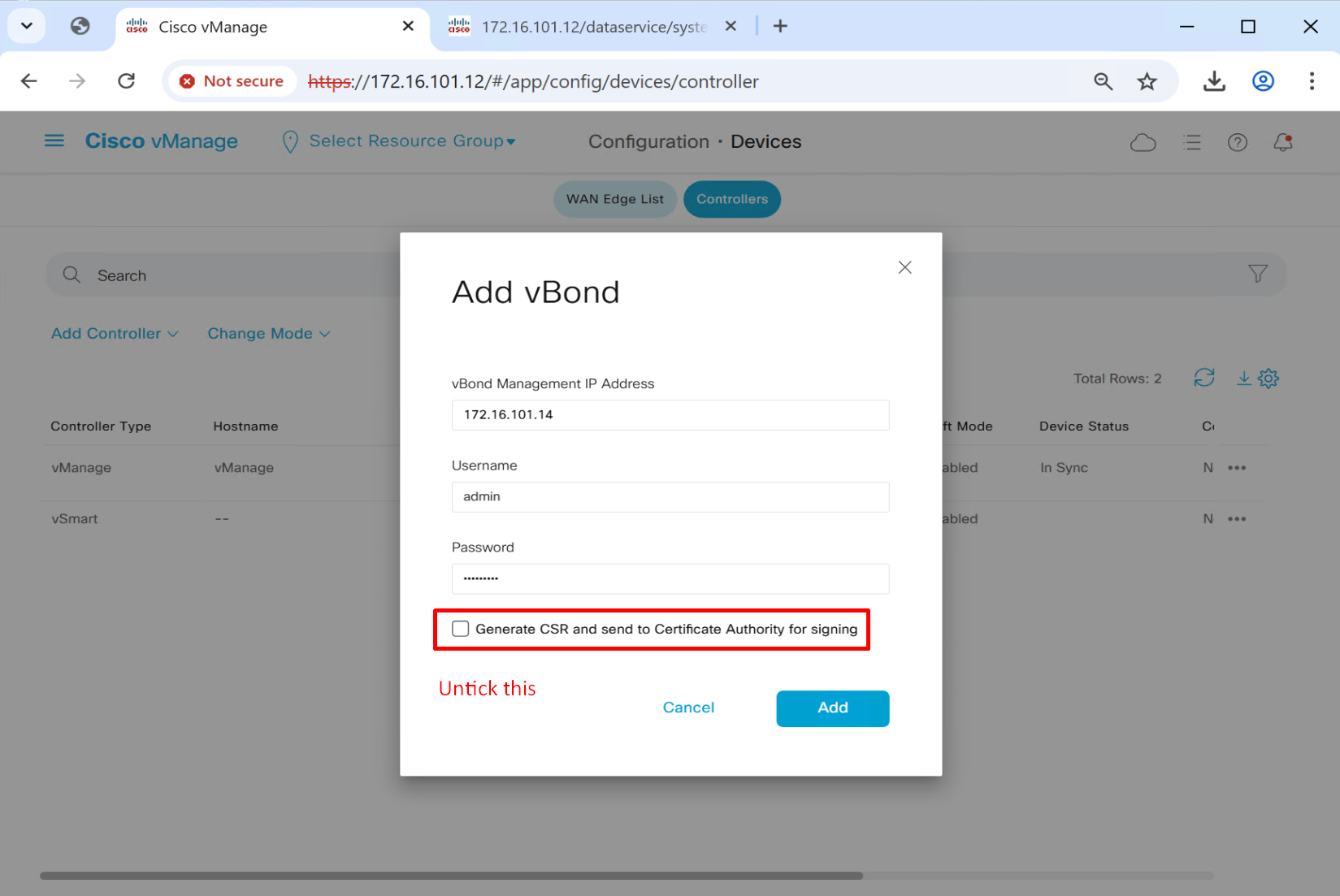
After adding current Certificate Status will still be “Not Installed” because CSRs have not been generated on vManage and signed by a CA server yet
Some times even though org name was configured on the controllers in command line earlier , it does not get picked up automatically in the vManage, this usually happens on old vManage controllers

Add Organisation Name or100.sys.cisco
Also add vBond FQDN under Organization Name
vbond.or100.sys.cisco
Controller Certificate Authorization mode

Paste the contents of root_ca.cer
This is much simpler method as it uses Cisco’s Pre-installed Certificates, that is used when you want to use Zero touch provisioning and want router to simply authenticate to vBond and then vManage , in Zero touch provisioning there is no enterprise CA involved and hence even vManage does not issue certificates to routers , Cisco Catalyst routers come with Cisco’s pre installed certificate
Change it to Enterprise Root Certificate when you want to use your Enterprise CA
Root CA which will be used for authentication and trusting of the incoming WAN edge devices
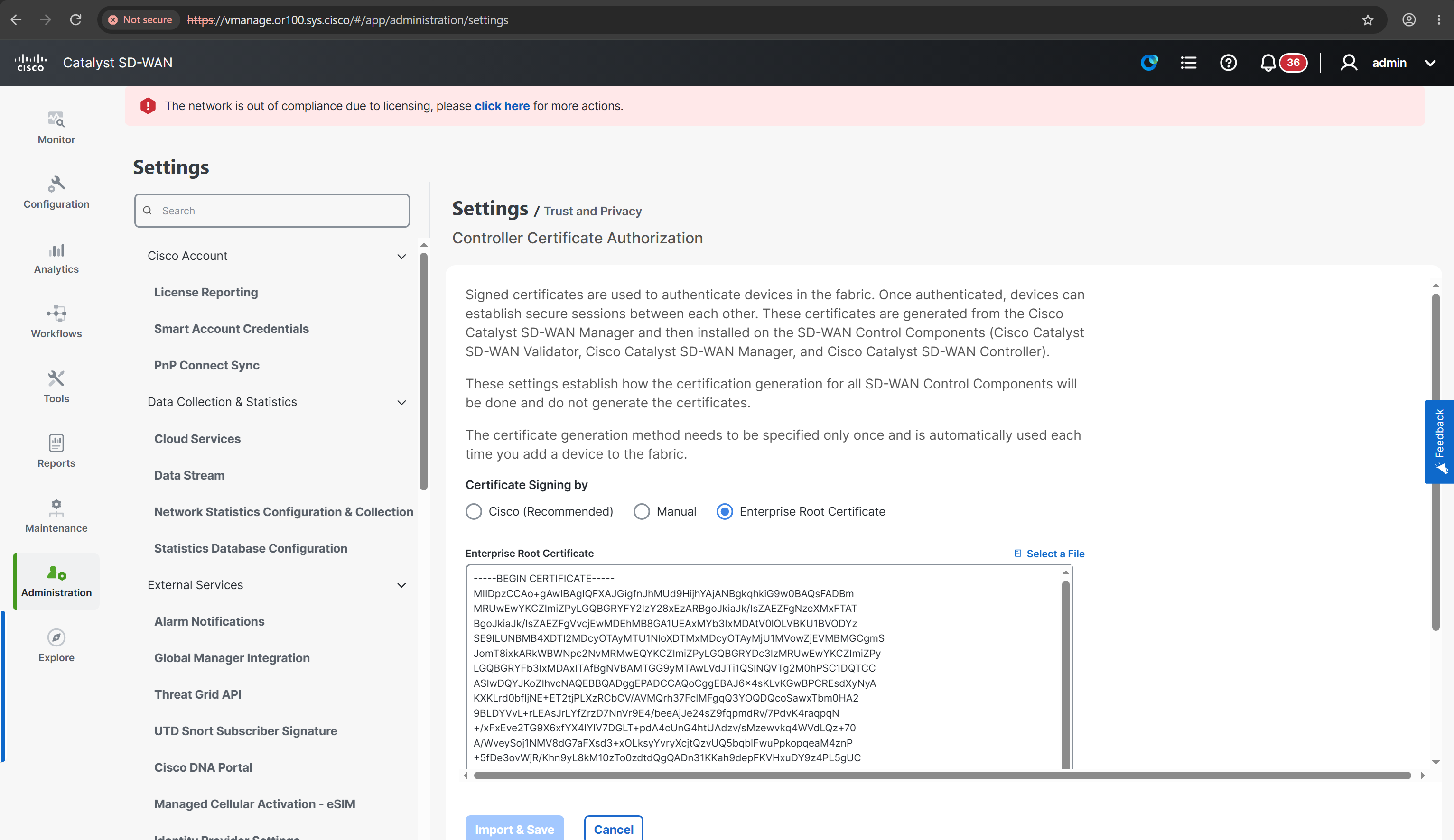
At this point vmanage knows about the IP addresses of the controllers like authorization or whitelisting but they are not onboarded yet, before they can be onboarded which means enabling channels of communications for which certificates need to be assigned to the controllers
One thing to take care of, the fqdn in certificate should be same as organization name set in vManage, otherwise deployment will fail
Install certificates on vSmart and vBond through vManage
Generate CSR per controller from vmanage, press three dots and Generate CSR

This step needs to be done for all controllers
CSRs are then signed by Winserver CA, so when the certs are presented from one controller to another or from wan edge to the controllers , it can be trusted
A certificate based mutual authentication will take place before controllers are considered to be authenticated
Copy the CSR file’s content
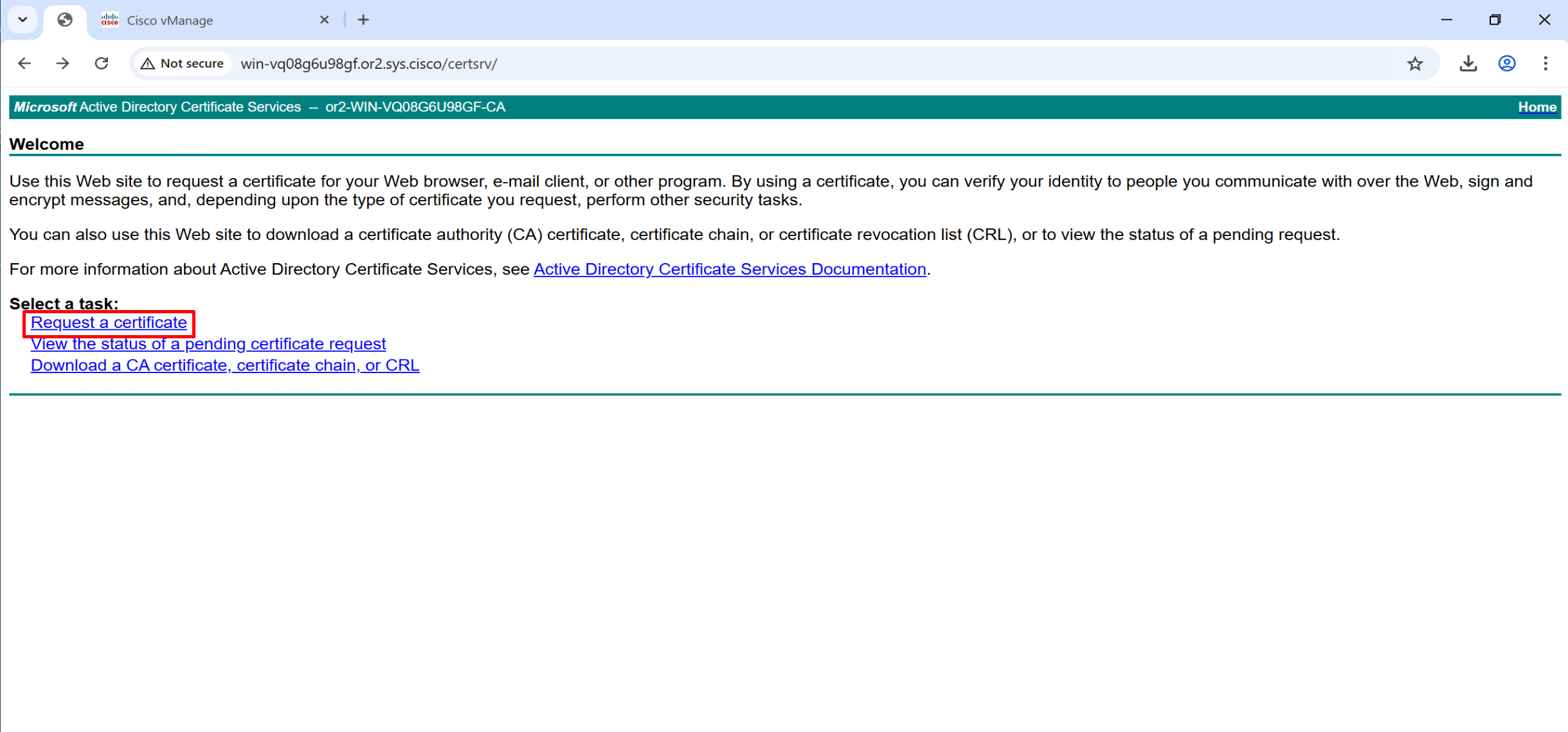
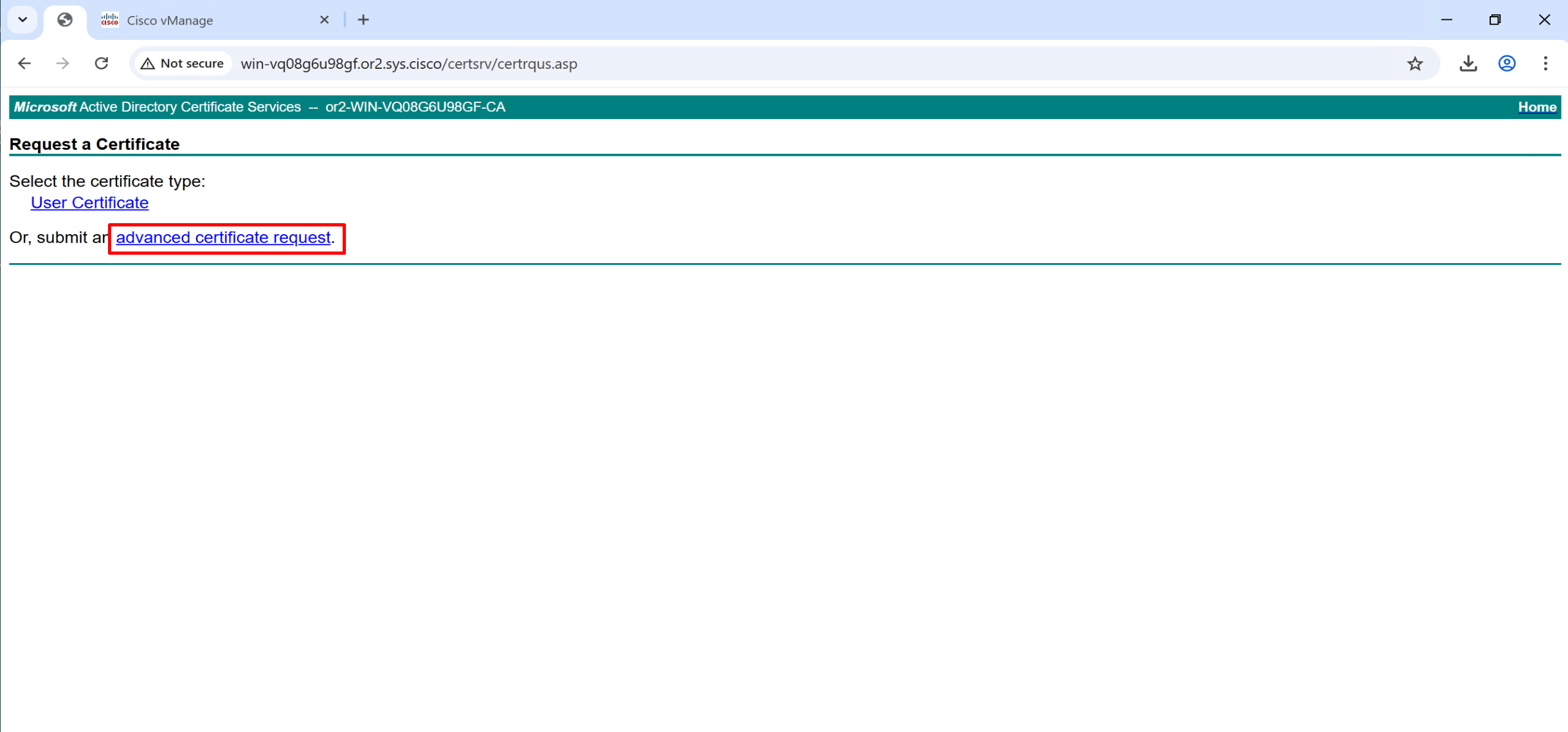
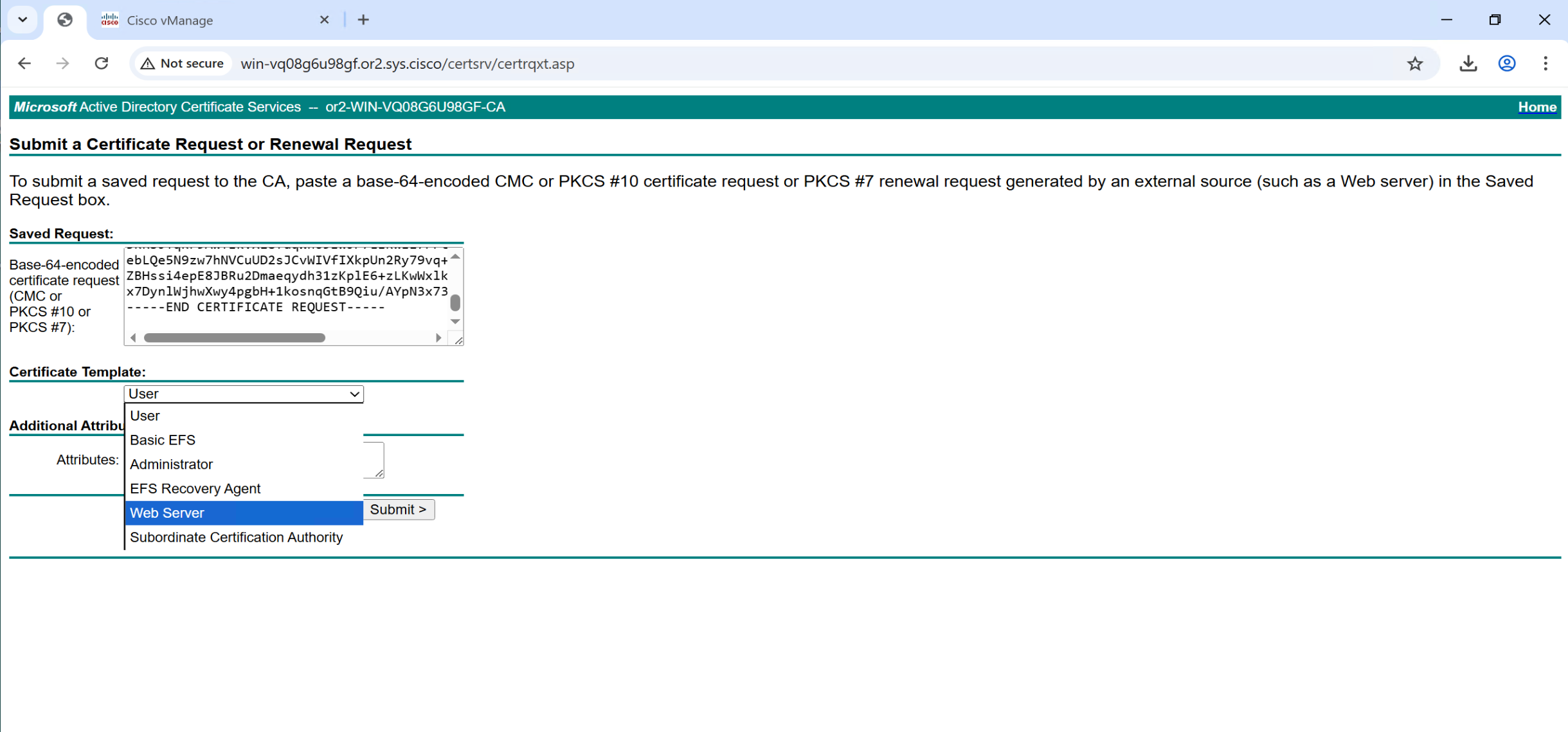

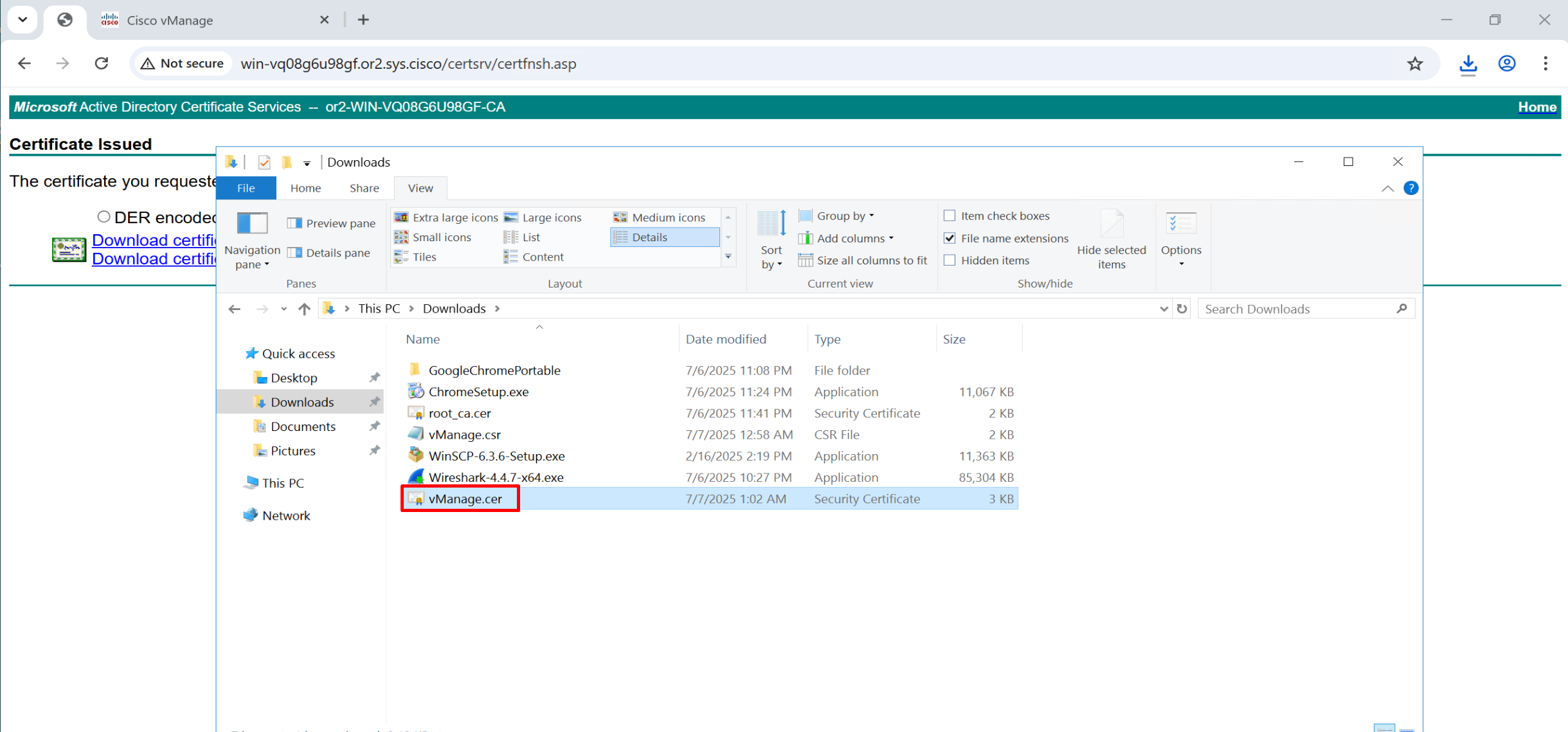
Repeat same process of CSR generate for vsmart and vbond as well
Install Certificates
Click on Install Certificate and Paste the CSR content

Follow same steps to install certificates on other controllers
“site ID” and “System IP” will still be missing from the Controllers , because the tunnel interfaces have not been brought up
we need to bring them up so control channels can be established between the controllers and also to the wan edges
Allowed service are both inbound and outbound for example such as NTP will be outbound but SSH will be inbound
vManage tunnel interface
vpn 0
interface eth0
tunnel-interface ! DTLS tunnel
allow-service all ! only use all in lab for prod restrict services

allow-service sshd
allow-service ntp
allow-service dns
allow-service https
vSmart tunnel interface
vpn 0
interface eth0
tunnel-interface ! DTLS tunnel
allow-service all ! only use all in lab for prod restrict services

allow-service sshd
allow-service ntp
allow-service dns
allow-service https
vBond tunnel interface
vpn 0
interface ge0/0
tunnel-interface ! DTLS tunnel
encapsulation ipsec ! this is also required in case of vbond
allow-service all
after bringing up the tunnel interface we can see that system IP, hostname and site ID are present

Controllers successfully onboarded

vManage commands
show runn
conf t
  system
    show configuration
  commit

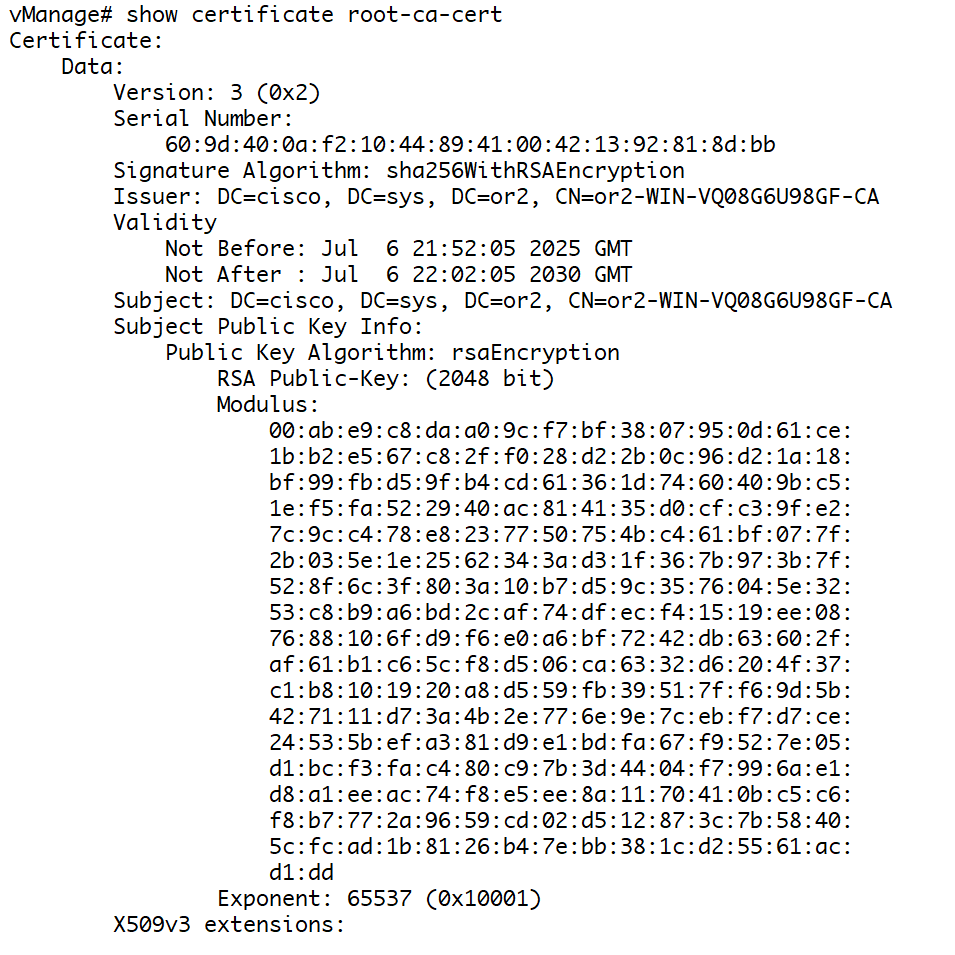
show certificate root-ca-cert ! to see installed root-ca cert
show ntp associations
show run vpn 0
show control local-properties
vbond commands
show orchestrator connections
one DTLS connection per vmanage CPU core with vmanage
show orchestrator valid-vsmarts
first one is vmanage and other one is vsmart
vsmart commands
show control connections 
Web server certificate for vmanage
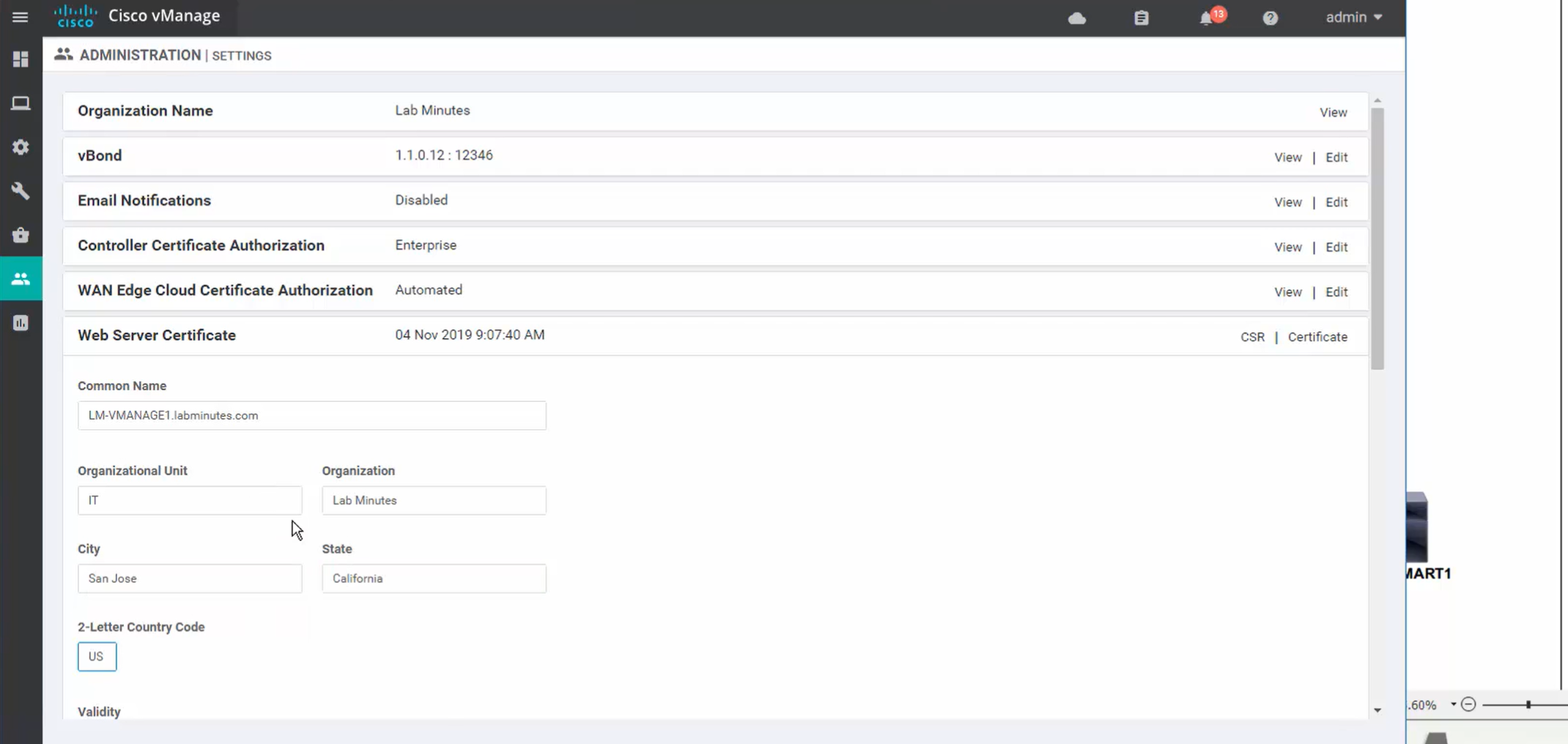
We will get the CSR

it needs to be signed by CA
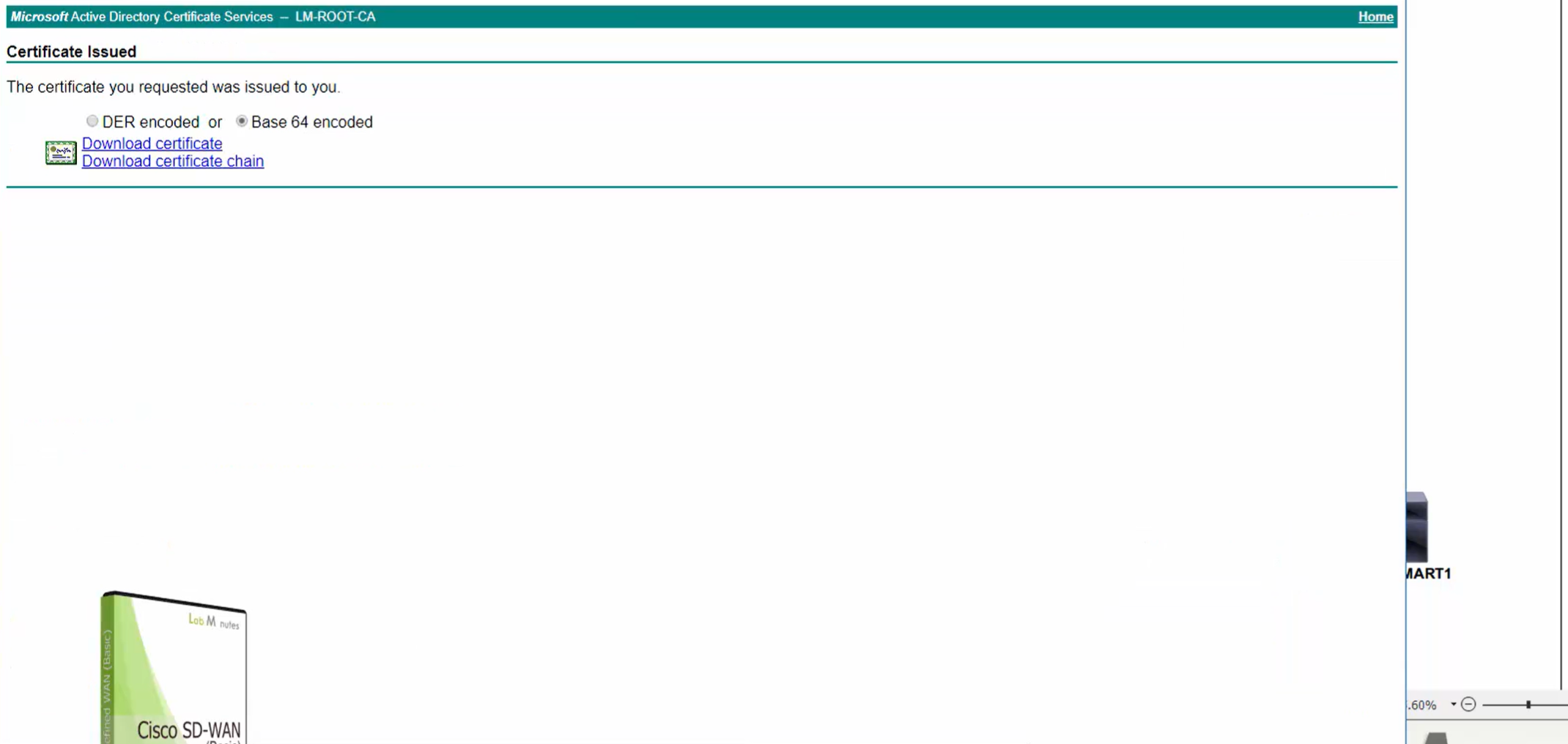
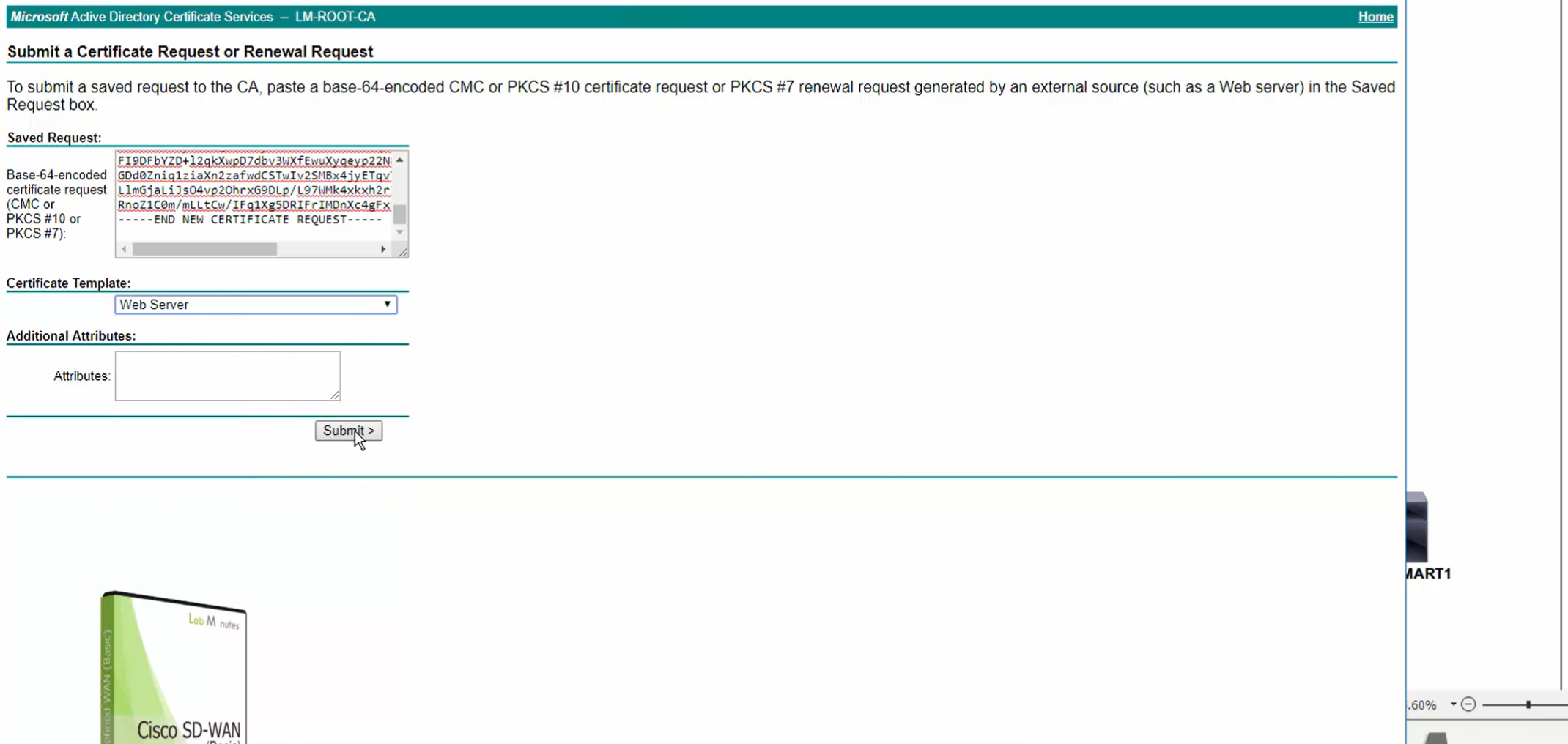


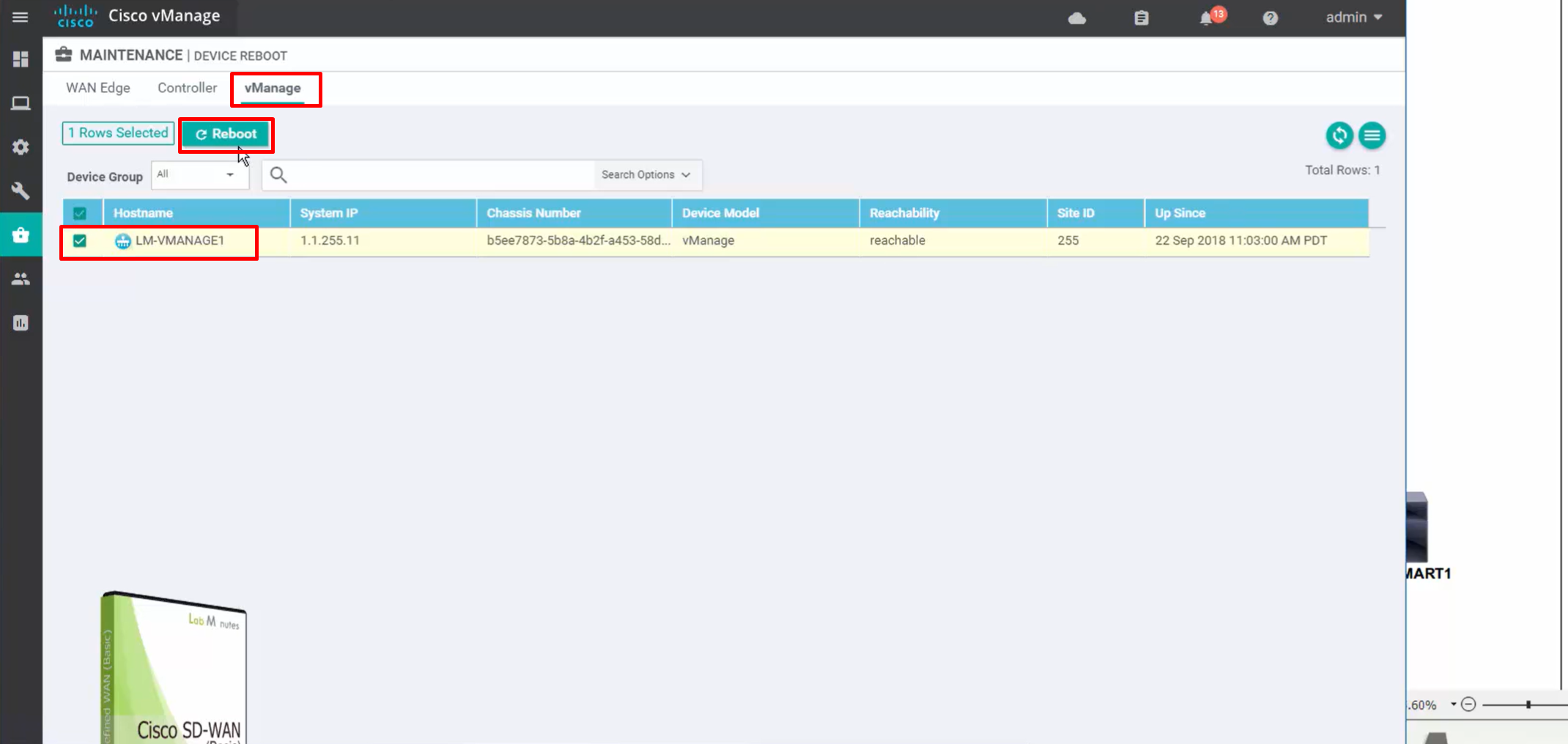
for certificate to take effect, we need to reboot the vmanage
under maintenance, device reboot

Edge device onboarding
Virtual cEdge like C8000v do not have chassis number when they boot up as VM
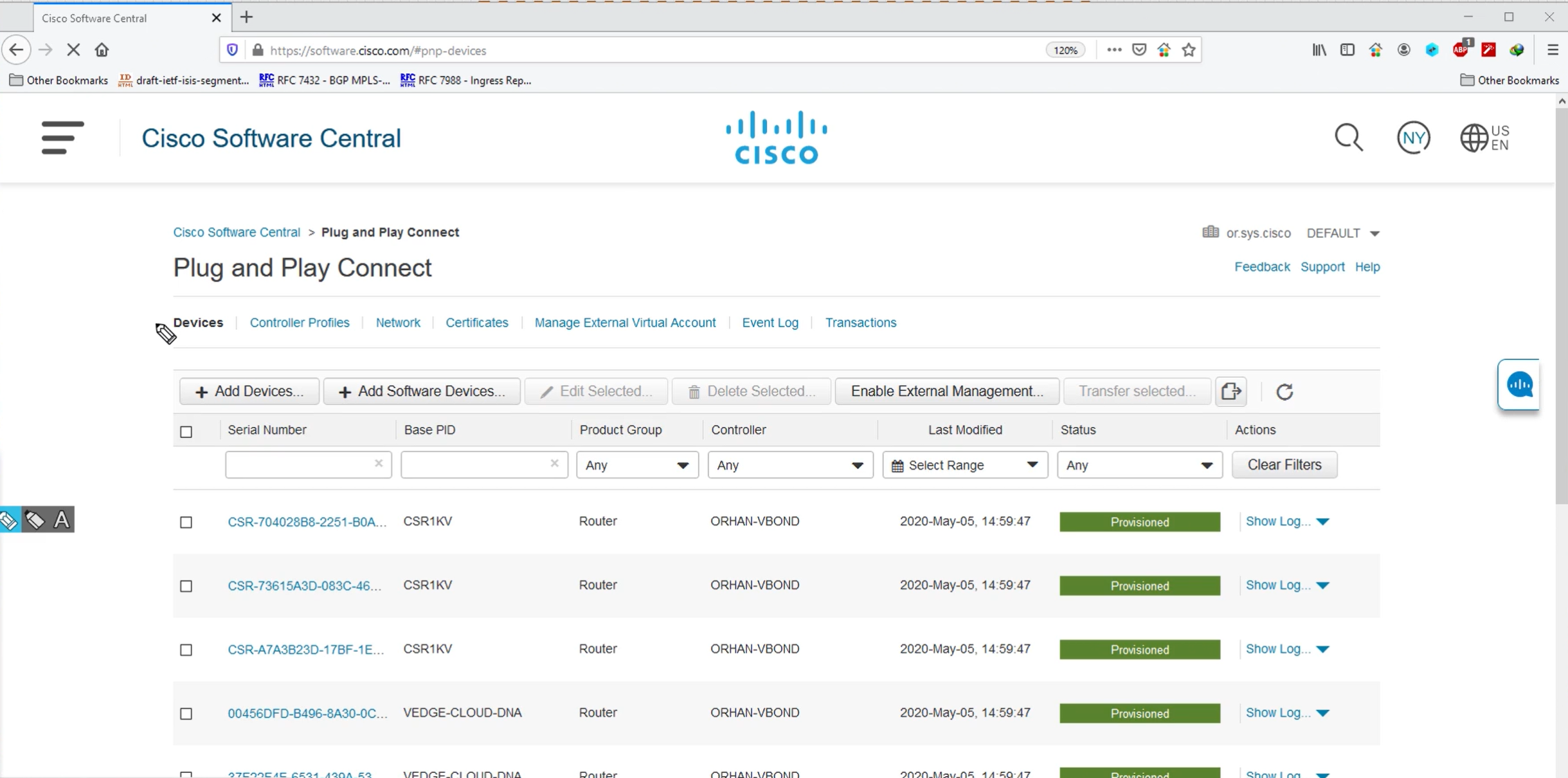
in order to get those chassis number we need to go to cisco software central and then on same page look for Network Plug and Play, on the portal we need to define the controller profile and FQDN of the vbond (It is best to define the FQDN for for flexibility in serial file) and Org name.
Then create new software devices for C8000v and associate them to controller profile created earlier
For Virtual devices we specify how many virtual devices we want to generate
There is a different process for hardware edge devices.
If we have hardware routers then we have to enter their serial numbers, PID and certificate serial number from routers into the portal
Generate serial.viptela file
You need to have Smart account created in order to perform below steps inside Network Plug and Play
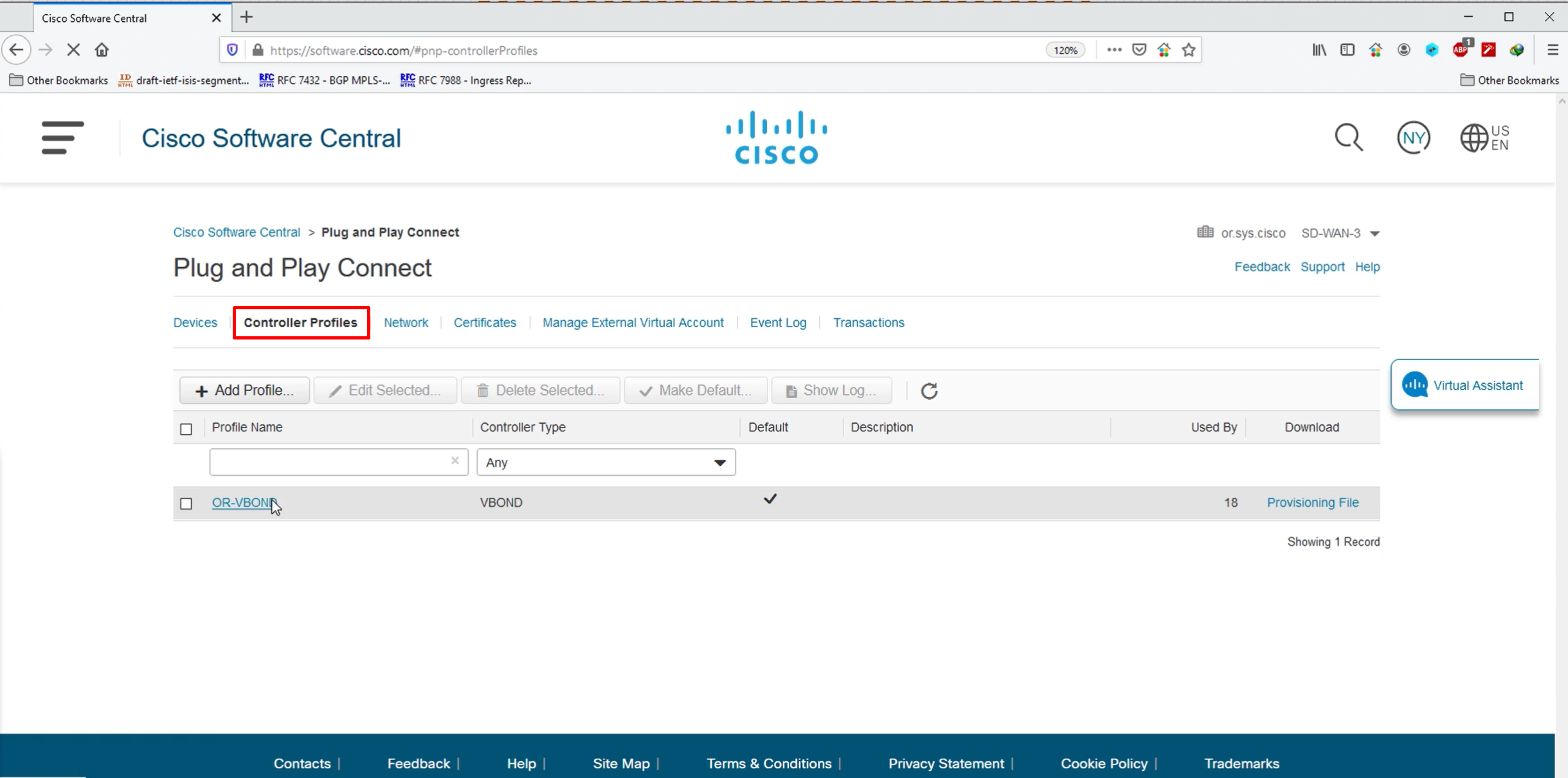
Define controller profile and add vbond FQDN
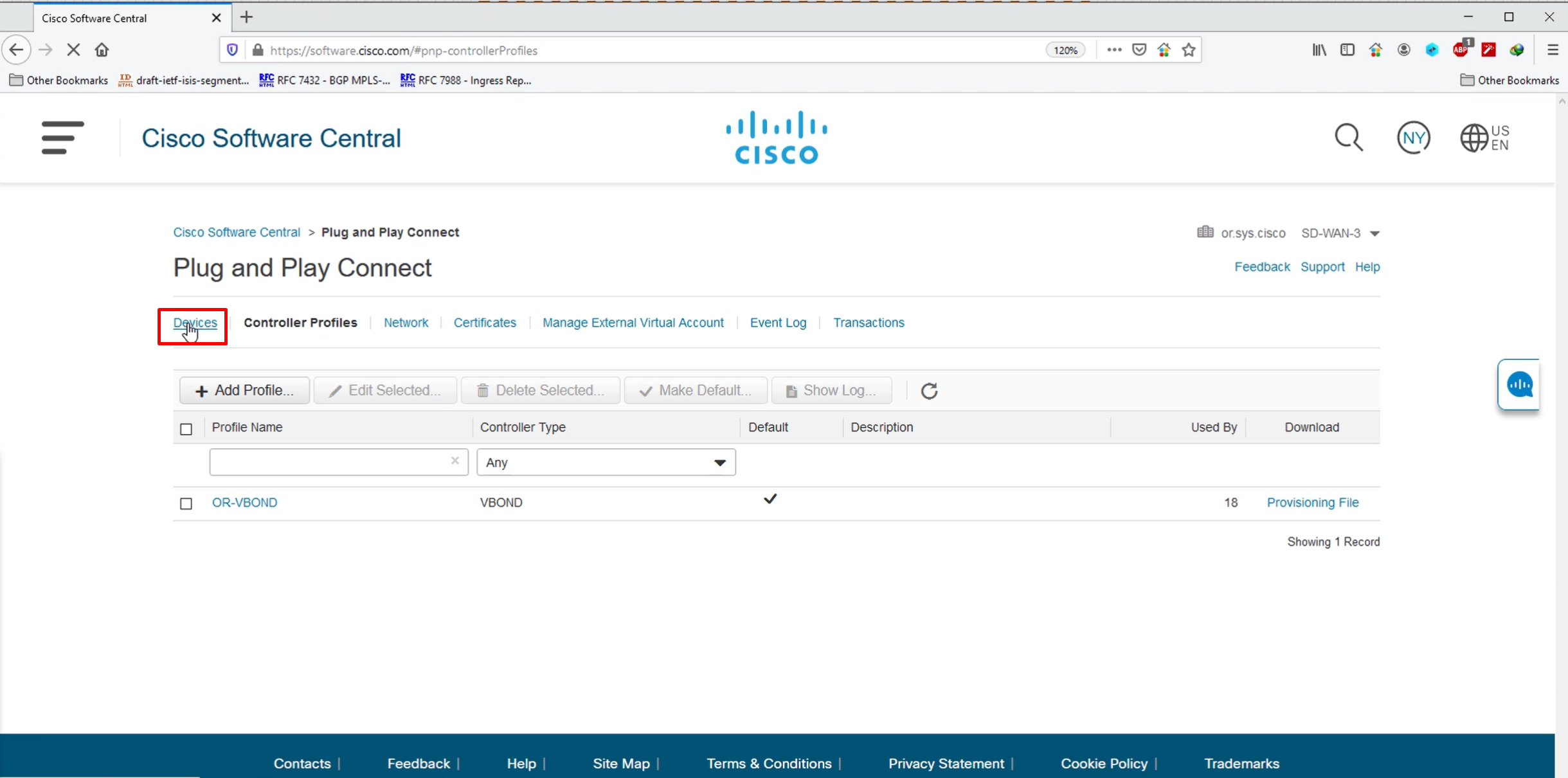
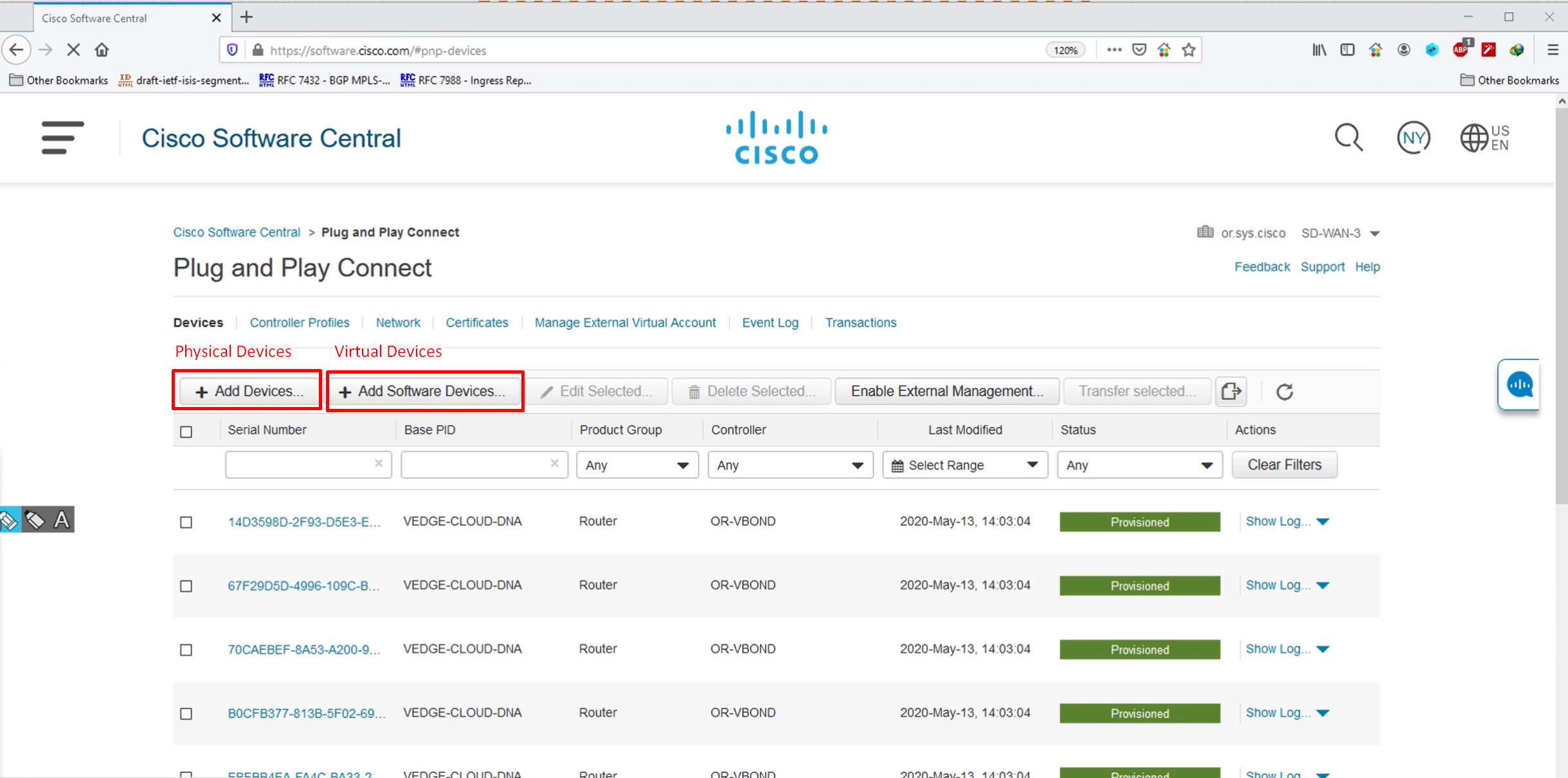
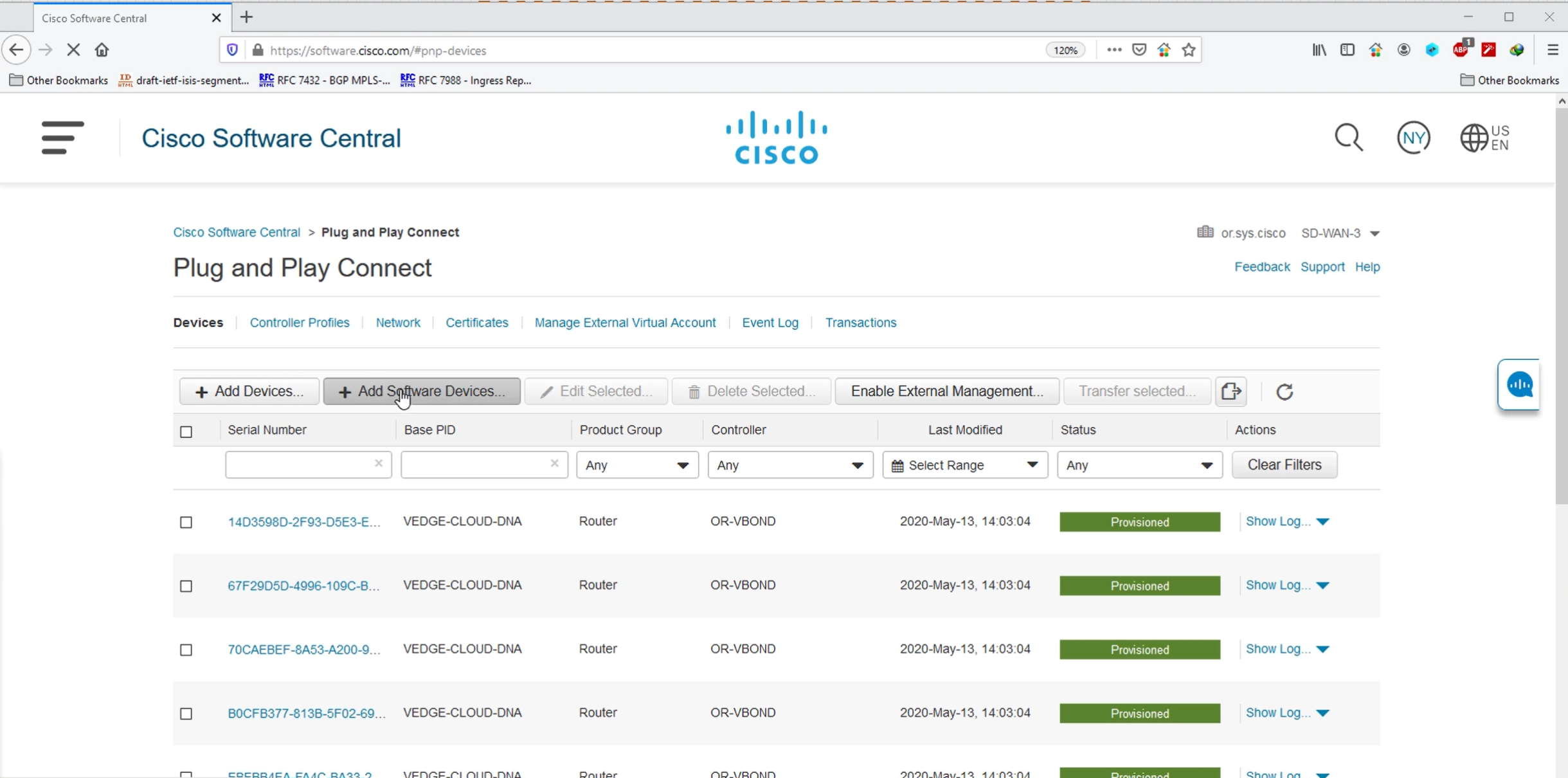

You define the PID of the device, quantity of devices and the vbond profile
this allowance will be added to our .viptela serial file
CSR1000v is not supported anymore , Always generate for C8000v if a virtual router is needed


After submitting wait for devices to be provisioned status

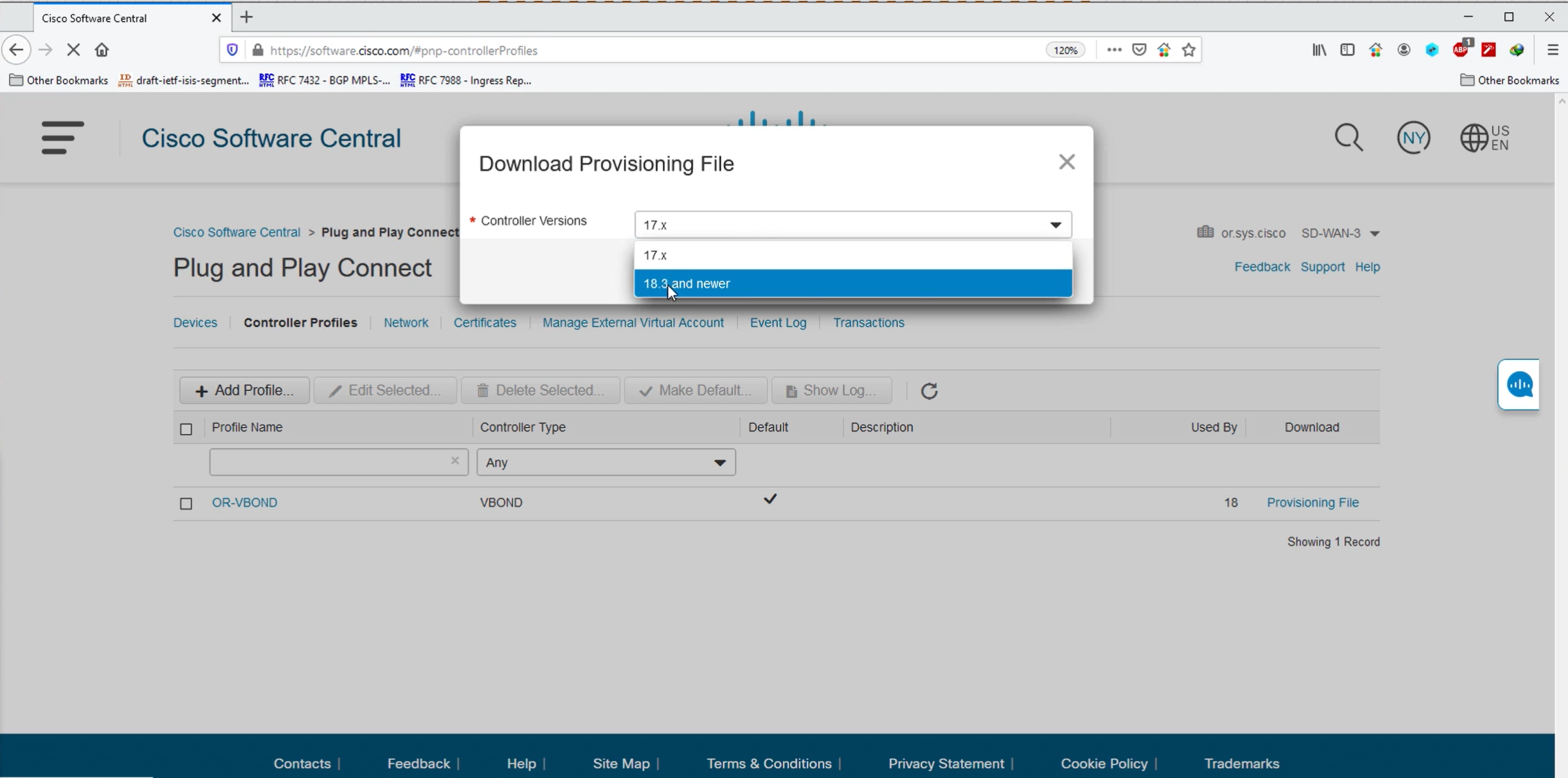
once all devices are provisioned, click on Controller profiles > Provisioning File can be dowloaded
This is the serial.viptela file

Select the controller version 18.3 and newer

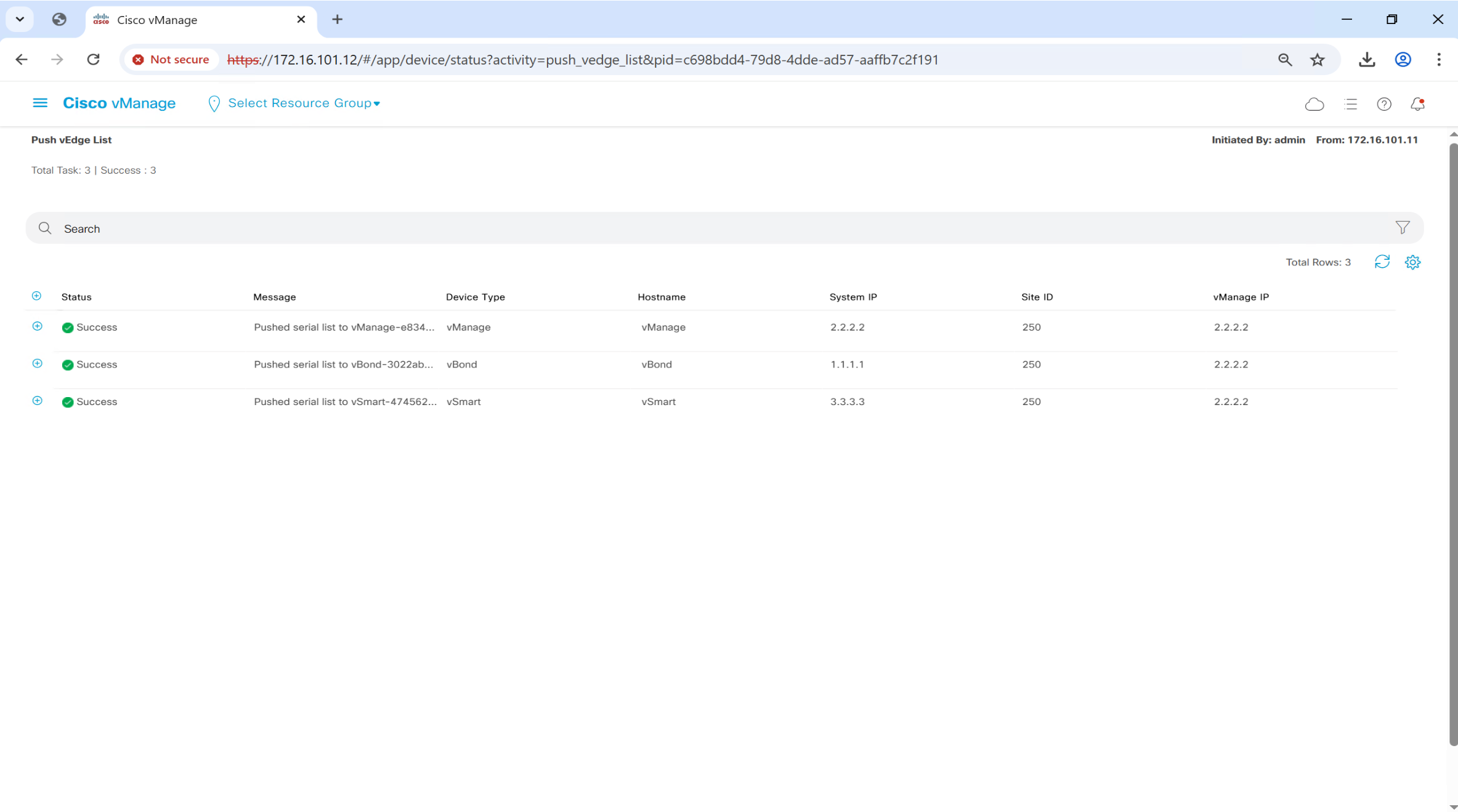
Upload .viptela serial file

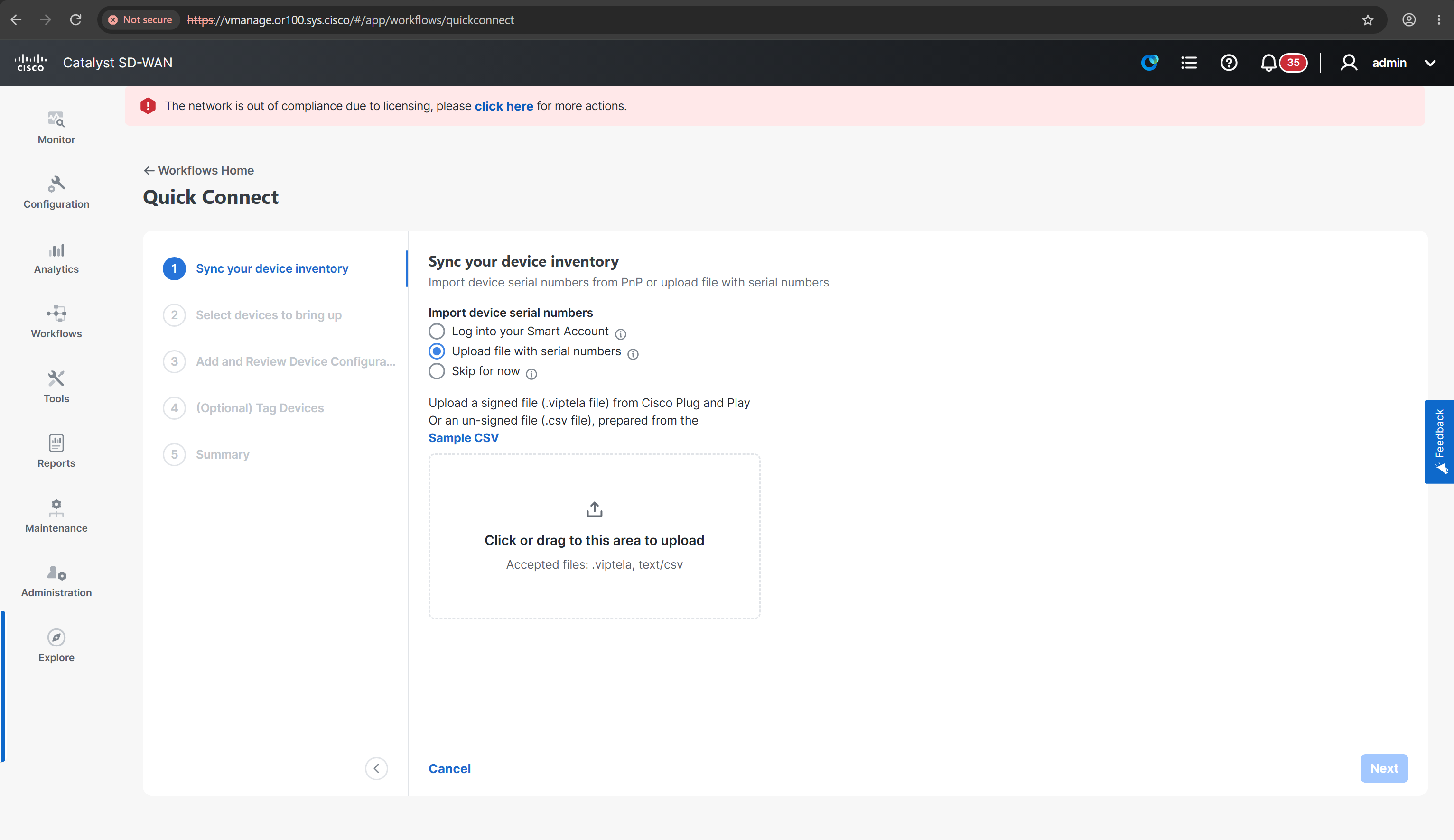
in older vManage

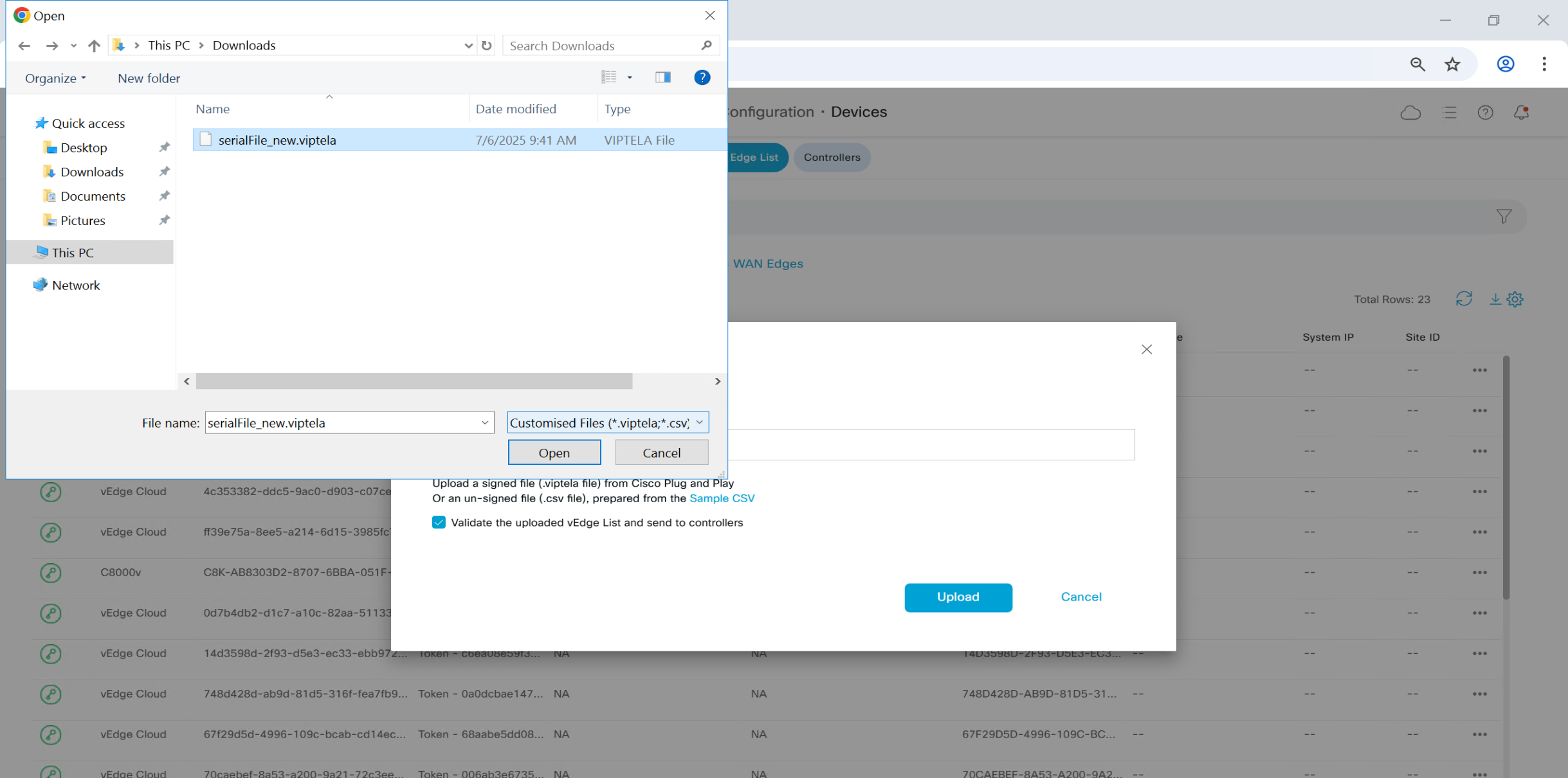
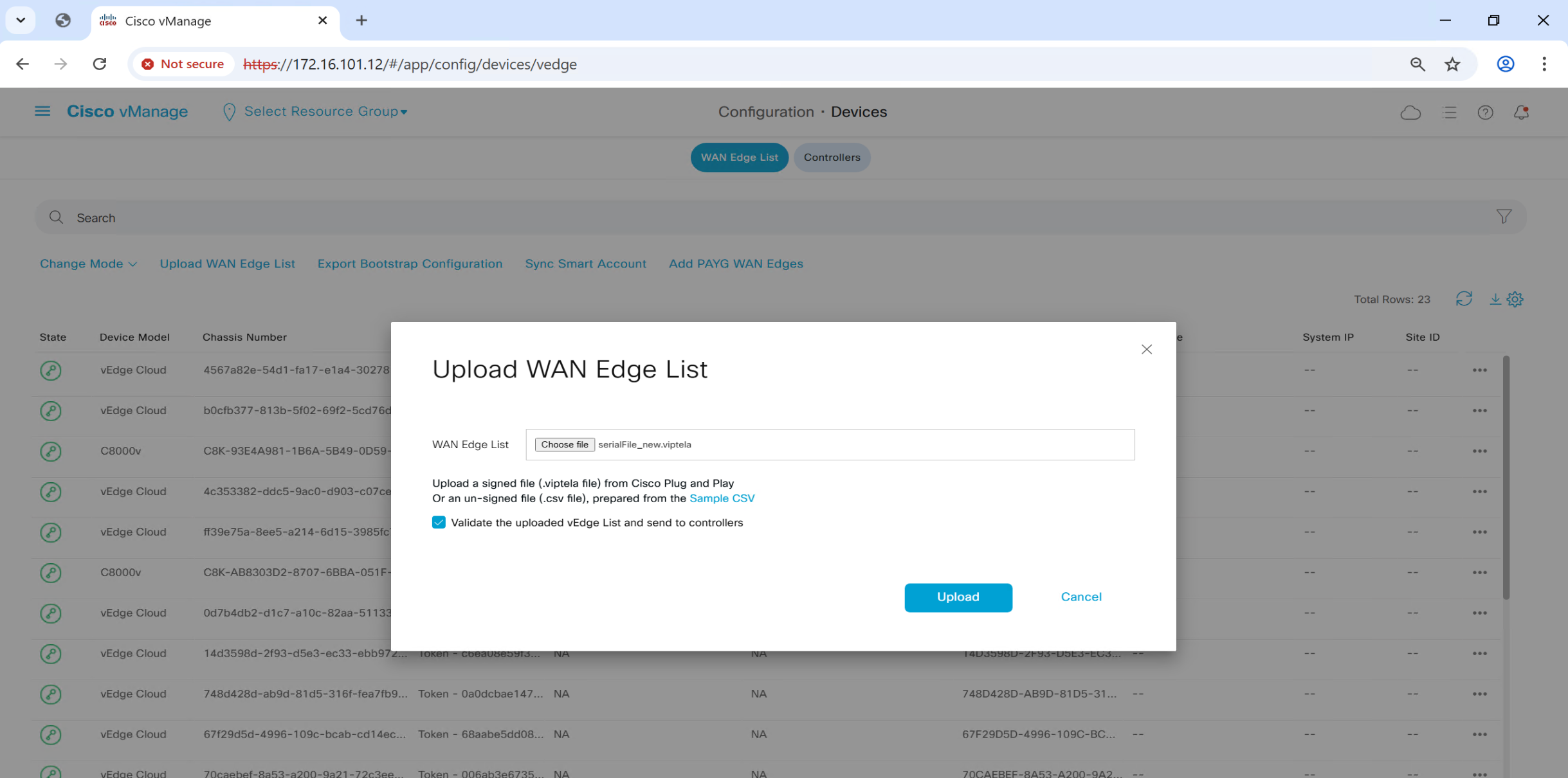
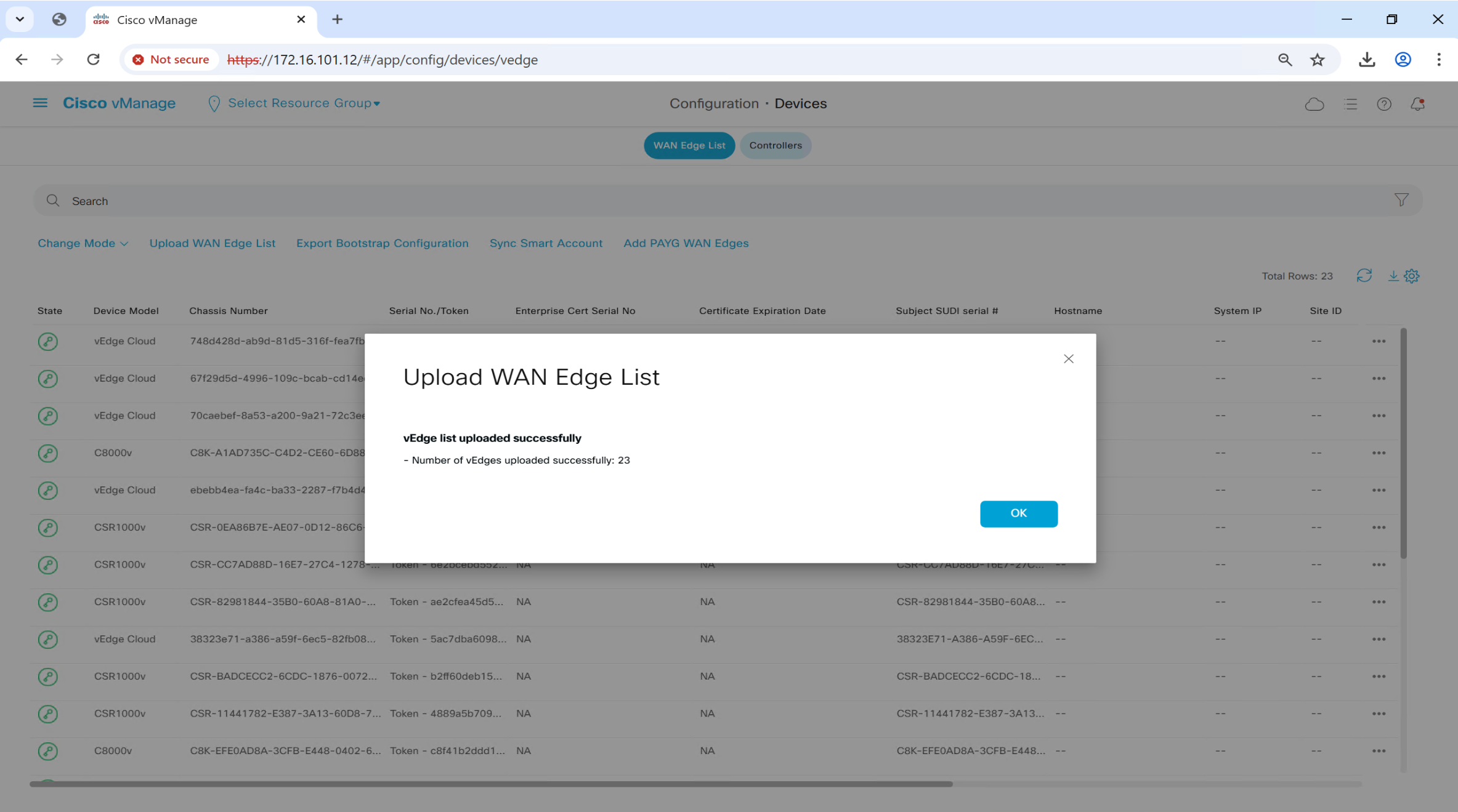
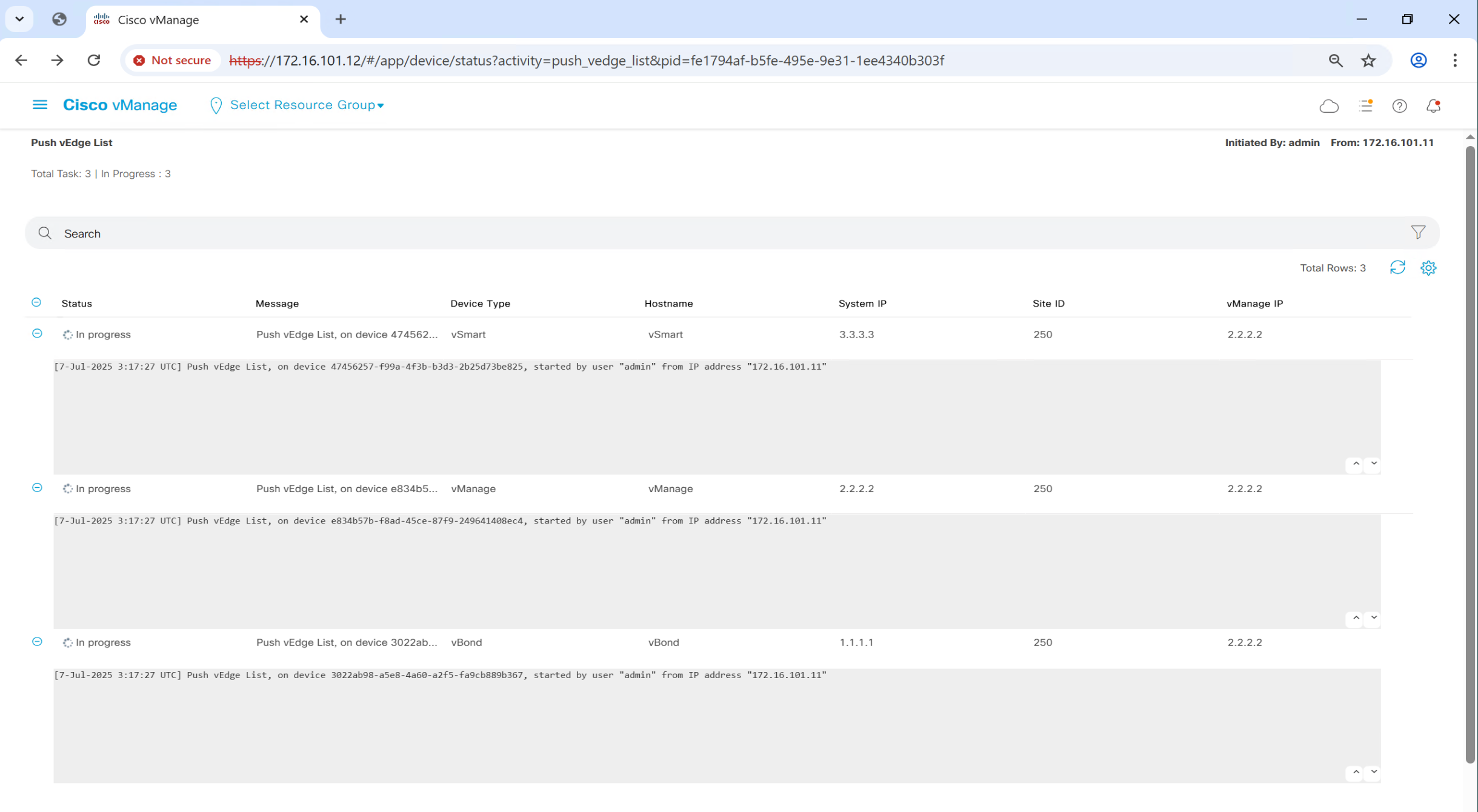
once file is uploaded, it will be pushed by vmanage to all other controllers
Onboard C8000v Routers
When a Catalyst 8000V router is powered on for the first time, it boots up in AUTONOMOUS mode, as seen in the output below.
%BOOT-5-OPMODE_LOG: R0/0: binos: System booted in AUTONOMOUS mode% Please answer 'yes' or 'no'.
Would you like to enter the initial configuration dialog? [yes/no]: no
The enable secret is a password used to protect
access to privileged EXEC and configuration modes.
This password, after entered, becomes encrypted in
the configuration.
-------------------------------------------------
secret should be of minimum 10 characters and maximum 32 characters with
at least 1 upper case, 1 lower case, 1 digit and
should not contain [cisco]
-------------------------------------------------
Enter enable secret: ************
Confirm enable secret: ************
The following configuration command script was created:
enable secret 9 $9$uYATfwi9sBtruU$A4/FPncLMnru9Oo4oQjaF89yHqrCXDJBp**********
!
end
[0] Go to the IOS command prompt without saving this config.
[1] Return back to the setup without saving this config.
[2] Save this configuration to nvram and exit.
Enter your selection [2]: 2
Building configuration...
Guestshell destroyed successfully ommand to modify this configuration.
Press RETURN to get started!Install root CA cert on C8000v
The easiest way to install the root certificate on a Catalyst 8000v router is by creating a local file directly on the router using TCLSH, as shown in the following example.
In the highlighted section, you should paste the root_ca.cer using the “cat root_ca.cer” command in vshell mode from vBond.
tclsh
puts [open "bootflash:root_ca.cer" w+] {

! then paste below

-----BEGIN CERTIFICATE-----
MIIDpzCCAo+gAwIBAgIQFXAJGigfnJhMUd9HijhYAjANBgkqhkiG9w0BAQsFADBm
MRUwEwYKCZImiZPyLGQBGRYFY2lzY28xEzARBgoJkiaJk/IsZAEZFgNzeXMxFTAT
BgoJkiaJk/IsZAEZFgVvcjEwMDEhMB8GA1UEAxMYb3IxMDAtV0lOLVBKU1BVODYz
SE9ILUNBMB4XDTI2MDcyOTAyMTU1NloXDTMxMDcyOTAyMjU1MVowZjEVMBMGCgmS
JomT8ixkARkWBWNpc2NvMRMwEQYKCZImiZPyLGQBGRYDc3lzMRUwEwYKCZImiZPy
LGQBGRYFb3IxMDAxITAfBgNVBAMTGG9yMTAwLVdJTi1QSlNQVTg2M0hPSC1DQTCC
ASIwDQYJKoZIhvcNAQEBBQADggEPADCCAQoCggEBAJ6x4sKLvKGwBPCREsdXyNyA
KXKLrd0bfIjNE+ET2tjPLXzRCbCV/AVMQrh37FclMFgqQ3YOQDQcoSawxTbm0HA2
9BLDYVvL+rLEAsJrLYfZrzD7NnVr9E4/beeAjJe24sZ9fqpmdRv/7PdvK4raqpqN
+/xFxEve2TG9X6xfYX4lYlV7DGLT+pdA4cUnG4htUAdzv/sMzewvkq4WVdLQz+70
A/WveySoj1NMV8dG7aFXsd3+xOLksyYvryXcjtQzvUQ5bqblFwuPpkopqeaM4znP
+5fDe3ovWjR/Khn9yL8kM10zTo0zdtdQgQADn31KKah9depFKVHxuDY9z4PL5gUC
AwEAAaNRME8wCwYDVR0PBAQDAgGGMA8GA1UdEwEB/wQFMAMBAf8wHQYDVR0OBBYE
FOSd9q0xplq+c7oJlNHtRsmhWp8sMBAGCSsGAQQBgjcVAQQDAgEAMA0GCSqGSIb3
DQEBCwUAA4IBAQBJttN2lOR5Clp0IxzJoLoc0vcP5H3/qfe7c34T31BdyUw/Aeis
fcCWC93MdvcCJCItUun9HdbZItPf4rfXwMKXxpfqE/fMGC6uI0YpsN5X14UKMO1t
IIbx9LgDQ3k95HYmiEznHEU13kWHRGeoo6cUI7SzU0Ax2/lhINev9cv6mn5ARkrp
y3H3zDFMZ57sxwkCR/6/utZkxXcMl3nptKEHnv36nrXZOQMVtC6z5XXFZNZMhJmb
+GbGTjBUL/bXQCBk4RNFJD3ZkO0nkLM2EUhj6Ztnp33PIuEfzsSDwpHhTRliLkhT
v5orCbxEfXVZGNuy2/+KXG7JYsJh20pME0bm
-----END CERTIFICATE-----
}
In the end, you should have the root certificate in the cEdge router’s bootflash, as shown below.
Router# dir bootflash:
Directory of bootflash:/
31      -rw-             1315   Sep 3 2022 08:19:25 +00:00  root_ca.cer
131078  drwx             4096   Sep 3 2022 08:18:48 +00:00  tracelogs
131073  drwx             4096   Sep 3 2022 08:16:36 +00:00  .installer
28      -rw-              618   Sep 3 2022 08:16:25 +00:00  cvac.log
131112  drwx             4096   Sep 3 2022 08:16:24 +00:00  license_evlog
29      -rw-              157   Sep 3 2022 08:16:23 +00:00  csrlxc-cfg.log
...
...
5183766528 bytes total (3968655360 bytes free)
Router# controller-mode enable
Enabling controller mode will erase the nvram filesystem, remove all configuration files, and reload the box!
Ensure the BOOT variable points to a valid image
Continue? [confirm]
% Warning: Bootstrap config file needed for Day-0 boot is missing
Do you want to abort? (yes/[no]): no
Mode change successAfter the reboot, the router will boot up in CONTROLLER mode, as shown in the output below.
Oct 22 16:30:59.812: %BOOT-5-OPMODE_LOG: R0/0: binos: System booted in CONTROLLER modeInstall CA cert so connection with vbond and vmanage can be trusted and established
Router# request platform software sdwan root-cert-chain install bootflash:root_ca.cer
Uploading root-ca-cert-chain via VPN 0
Copying ... /bootflash/ROOTCA.pem via VPN 0
Updating the root certificate chain..
Successfully installed the root certificate chain
If everything has gone smoothly, you should see our Enterprise CA Root certificate installed on the router.
Router# show sdwan certificate root-ca-cert | in network
        Issuer: C=US, ST=NY, L=NY, O=networkacademy-io, CN=root.certificate
        Subject: C=US, ST=NY, L=NY, O=networkacademy-io, CN=root.certificate
vManage issues certificate to vEdge
For C8000v device, click on three dots and click on “Generate Bootstrap Configuration”

#cloud-config
vinitparam:
 - uuid : C8K-A1AD735C-C4D2-CE60-6D88-01686AD4ED52
 - rcc : true
 - otp : 4a3a1eb353fc4b3b9a9c94baf06fd1f5
 - org : or100.sys.cisco
 - vbond : vbond.or100.sys.cisco
ca-certs:
  remove-defaults: false
  trusted:
  - |
   -----BEGIN CERTIFICATE-----
   MIIDnzCCAoegAwIBAgIQYJ1ACvIQRIlBAEITkoGNuzANBgkqhkiG9w0BAQsFADBi
   MRUwEwYKCZImiZPyLGQBGRYFY2lzY28xEzARBgoJkiaJk/IsZAEZFgNzeXMxEzAR
   BgoJkiaJk/IsZAEZFgNvcjIxHzAdBgNVBAMTFm9yMi1XSU4tVlEwOEc2VTk4R0Yt
   Q0EwHhcNMjUwNzA2MjE1MjA1WhcNMzAwNzA2MjIwMjA1WjBiMRUwEwYKCZImiZPy
   LGQBGRYFY2lzY28xEzARBgoJkiaJk/IsZAEZFgNzeXMxEzARBgoJkiaJk/IsZAEZ
   FgNvcjIxHzAdBgNVBAMTFm9yMi1XSU4tVlEwOEc2VTk4R0YtQ0EwggEiMA0GCSqG
   SIb3DQEBAQUAA4IBDwAwggEKAoIBAQCr6cjaoJz3vzgHlQ1hzhuy5WfIL/Ao0isM
   ltIaGL+Z+9WftM1hNh10YECbxR71+lIpQKyBQTXQz8Of4nycxHjoI3dQdUvEYb8H
   fysDXh4lYjQ60x82e5c7f1KPbD+AOhC31Zw1dgReMlPIuaa9LK903+z0FRnuCHaI
   EG/Z9uCmv3JC22NgL69hscZc+NUGymMy1iBPN8G4EBkgqNVZ+zlRf/adW0JxEdc6
   Sy53bp586/fXziRTW++jgdnhvfpn+VJ+BdG88/rEgMl7PUQE95lq4dih7qx0+OXu
   ihFwQQvFxvi3dyqWWc0C1RKHPHtYQFz8rRuBJrR+uzgc0lVhrNHdAgMBAAGjUTBP
   MAsGA1UdDwQEAwIBhjAPBgNVHRMBAf8EBTADAQH/MB0GA1UdDgQWBBQ/bI8yZeKD
   fgjmmeWorjGo25t5hzAQBgkrBgEEAYI3FQEEAwIBADANBgkqhkiG9w0BAQsFAAOC
   AQEAdtt6aiABkDDg/mAlcZfFPHcqmEEvQaMPeBaUqvfZKNrFVO8GMb9kingZJ62n
   K05x5wE3tHy3jBmAl6eHZ/nUjXS11C06NwZMHpcDhty5BcDN08oEYdLF24upisNA
   aRLOBhyEtKI9VKLAWfMkpWYEd/dqgVWs67GjAFT0Osgva9QHbz24iT6/c09jbZMt
   41opmxacw8FFZcHMH9Afv1fIW9PwscrdlgjSSHR4XQLyDbyuDGsolzeh9PUVyPOd
   f+/LYkLwH9jVcHlxl4Oy7MHRPtcbG9T3+vQGLjSAXu3Ybrl2R9Tn/sz5lYs44EEB
   mqCxT00LxB3et6jAxJlEyE5vCw==
   -----END CERTIFICATE-----
We have to configure basic IP addressing , system configuration and default route
also configure a static name for vBond as ip host
config-transaction
 hostname R1
 !
  int GigabitEthernet1
  ip address 11.0.0.30 255.255.255.0
  no shut
 !
  ip route 0.0.0.0 0.0.0.0 11.0.0.254
 !
 system
  system-ip 11.11.30.1
  site-id 30
  ip host vbond.or100.sys.cisco 11.0.0.3 ! cisco recommends adding this host entry
  organization-name or100.sys.cisco
  vbond vbond.or100.sys.cisco

 commit
You should be able to ping the controllers at this point, If there is no IP connectivity between the WAN edge router and the controllers, there is no point in continuing further. You should troubleshoot the problem first.
Now we need to create the tunnel interface and then configure sdwan related configuration under sdwan > interface Gig > tunnel-interface > color & encapsulation etc
interface Tunnel 1 ! this tunnel interface number should be same as physical interface
                   ! There is space between Tunnel and number
                   ! but no space between physical interface and number
  ip unnumbered GigabitEthernet1 ! show ip int brief shows IP of physical interface
  tunnel source GigabitEthernet1
  tunnel mode sdwan

! Tunnel keyword in the "interface Tunnel" command should always be with a capital T.
! Unlike regular Cisco IOS-XE where you can create a new tunnel using the "interface tunnel 1" command.

sdwan
  int GigabitEthernet1
  tunnel-interface
   color biz-internet
   encapsulation ipsec
Router is now ready to Authenticate and Join SDWAN
This process is initiated by running command
request platform software sdwan vedge_cloud activate chassis-number C8K-XXXXXXXX-XXXX-XXXX-XXXX-XXXXXXXXXXXX token xxxxxxxxxxxxxxxxxxxxxxxxxxxxxxxxYou should see in the logs that vManage logs into the C8000v using NETCONF over SSH, generates a CSR, then signs it and install onto C8000v. Then C8000v is able to establish control connections with vManage and vSmart and OMP peering with vSmart comes up and start receiving TLOCs and OMP routes.
R1#
*Jul 21 20:27:09.257: %SYS-5-CONFIG_P: Configured programmatically by process iosp_dmiauthd_conn_100001_vty_100001 from consol6
*Jul 21 20:27:09.523: %SYS-5-CONFIG_P: Configured programmatically by process iosp_dmiauthd_conn_100001_vty_100001 from console as admin on vty42946
*Jul 21 20:27:09.503: %DMI-5-CONFIG_I: R0/0: dmiauthd: Configured from NETCONF/RESTCONF by admin, transaction-id 558pong
*Jul 21 20:27:17.068: %SYS-5-CONFIG_P: Configured programmatically by process iosp_dmiauthd_conn_100001_vty_100001 from console as admin on vty4294l
*Jul 21 20:28:03.534: %DMI-5-AUTH_PASSED: R0/0: dmiauthd: User 'vmanage-admin' authenticated successfully from 1.1.255.11:36606  for netconf over s:
*Jul 21 20:28:29.847: %Cisco-SDWAN-R1-cEdge-action_notifier-6-INFO-1400002: Notification: 7/21/2025 20:28:29 security-install-rcc severity-level:mi1
*Jul 21 20:28:30.030: %DMI-5-AUTH_PASSED: R0/0: dmiauthd: User 'vmanage-admin' authenticated successfully from 1.1.255.11:36688  for netconf over s:
*Jul 21 20:28:43.152: %Cisco-SDWAN-R1-cEdge-action_notifier-6-INFO-1400002: Notification: 7/21/2025 20:28:43 security-install-certificate severity-1
*Jul 21 20:29:25.117: %Cisco-SDWAN-Router-OMPD-3-ERRO-400002: vSmart peer 1.1.255.13 state changed to Init
*Jul 21 20:29:25.343: %DMI-5-AUTH_PASSED: R0/0: dmiauthd: User 'vmanage-admin' authenticated successfully from 1.1.255.11:36822  for netconf over ss
*Jul 21 20:29:27.205: %Cisco-SDWAN-Router-OMPD-6-INFO-400002: vSmart peer 1.1.255.13 state changed to Handshake
*Jul 21 20:29:27.218: %Cisco-SDWAN-Router-OMPD-5-NTCE-400002: vSmart peer 1.1.255.13 state changed to Up
*Jul 21 20:29:27.218: %Cisco-SDWAN-Router-OMPD-6-INFO-400005: Number of vSmarts connected : 1
*Jul 21 20:29:41.535: %DMI-5-AUTH_PASSED: R0/0: dmiauthd: User 'vmanage-admin' authenticated successfully from 1.1.255.11:36882  for netconf over s:
*Jul 21 20:30:01.736: %DMI-5-AUTH_PASSED: R0/0: dmiauthd: User 'vmanage-admin' authenticated successfully from 1.1.255.11:36928  for netconf over s:
*Jul 21 20:30:23.576: %DMI-5-AUTH_PASSED: R0/0: dmiauthd: User 'vmanage-admin' authenticated successfully from 1.1.255.11:37006  for netconf over s:
*Jul 21 20:30:33.557: %DMI-5-AUTH_PASSED: R0/0: dmiauthd: User 'vmanage-admin' authenticated successfully from 1.1.255.11:37052  for netconf over s:
*Jul 21 20:30:43.535: %DMI-5-AUTH_PASSED: R0/0: dmiauthd: User 'vmanage-admin' authenticated successfully from 1.1.255.11:37078  for netconf over s:
*Jul 21 20:30:48.611: %DMI-5-AUTH_PASSED: R0/0: dmiauthd: User 'vmanage-admin' authenticated successfully from 1.1.255.11:37108  for netconf over s:
R1#
*Jul 21 20:27:09.257: %SYS-5-CONFIG_P: Configured programmatically by process iosp_dmiauthd_conn_100001_vty_100001 from consol6
*Jul 21 20:27:09.523: %SYS-5-CONFIG_P: Configured programmatically by process iosp_dmiauthd_conn_100001_vty_100001 from console as admin on vty42946
*Jul 21 20:27:09.503: %DMI-5-CONFIG_I: R0/0: dmiauthd: Configured from NETCONF/RESTCONF by admin, transaction-id 558pong
*Jul 21 20:27:17.068: %SYS-5-CONFIG_P: Configured programmatically by process iosp_dmiauthd_conn_100001_vty_100001 from console as admin on vty4294l
*Jul 21 20:28:03.534: %DMI-5-AUTH_PASSED: R0/0: dmiauthd: User 'vmanage-admin' authenticated successfully from 1.1.255.11:36606 for netconf over s:
*Jul 21 20:28:29.847: %Cisco-SDWAN-R1-cEdge-action_notifier-6-INFO-1400002: Notification: 7/21/2025 20:28:29 security-install-rcc severity-level:mi1
*Jul 21 20:28:30.030: %DMI-5-AUTH_PASSED: R0/0: dmiauthd: User 'vmanage-admin' authenticated successfully from 1.1.255.11:36688 for netconf over s:
*Jul 21 20:28:43.152: %Cisco-SDWAN-R1-cEdge-action_notifier-6-INFO-1400002: Notification: 7/21/2025 20:28:43 security-install-certificate severity-1
*Jul 21 20:29:25.117: %Cisco-SDWAN-Router-OMPD-3-ERRO-400002: vSmart peer 1.1.255.13 state changed to Init
*Jul 21 20:29:25.343: %DMI-5-AUTH_PASSED: R0/0: dmiauthd: User 'vmanage-admin' authenticated successfully from 1.1.255.11:36822 for netconf over ss
*Jul 21 20:29:27.205: %Cisco-SDWAN-Router-OMPD-6-INFO-400002: vSmart peer 1.1.255.13 state changed to Handshake
*Jul 21 20:29:27.218: %Cisco-SDWAN-Router-OMPD-5-NTCE-400002: vSmart peer 1.1.255.13 state changed to Up
*Jul 21 20:29:27.218: %Cisco-SDWAN-Router-OMPD-6-INFO-400005: Number of vSmarts connected : 1
*Jul 21 20:29:41.535: %DMI-5-AUTH_PASSED: R0/0: dmiauthd: User 'vmanage-admin' authenticated successfully from 1.1.255.11:36882 for netconf over s:
*Jul 21 20:30:01.736: %DMI-5-AUTH_PASSED: R0/0: dmiauthd: User 'vmanage-admin' authenticated successfully from 1.1.255.11:36928 for netconf over s:
*Jul 21 20:30:23.576: %DMI-5-AUTH_PASSED: R0/0: dmiauthd: User 'vmanage-admin' authenticated successfully from 1.1.255.11:37006 for netconf over s:
*Jul 21 20:30:33.557: %DMI-5-AUTH_PASSED: R0/0: dmiauthd: User 'vmanage-admin' authenticated successfully from 1.1.255.11:37052 for netconf over s:
*Jul 21 20:30:43.535: %DMI-5-AUTH_PASSED: R0/0: dmiauthd: User 'vmanage-admin' authenticated successfully from 1.1.255.11:37078 for netconf over s:
*Jul 21 20:30:48.611: %DMI-5-AUTH_PASSED: R0/0: dmiauthd: User 'vmanage-admin' authenticated successfully from 1.1.255.11:37108 for netconf over s:
R1#show sdwan control local-properties
personality                       vedge
sp-organization-name              or100.sys.cisco
organization-name                 or100.sys.cisco
root-ca-chain-status              Installed

certificate-status                Installed
certificate-validity              Valid
certificate-not-valid-before      Jul  7 05:58:30 2025 GMT
certificate-not-valid-after       Jul  5 05:58:30 2035 GMT

enterprise-cert-status            Not-Applicable
enterprise-cert-validity          Not Applicable
enterprise-cert-not-valid-before  Not Applicable
enterprise-cert-not-valid-after   Not Applicable

dns-name                          vbond.or100.sys.cisco
site-id                           250
domain-id                         1
protocol                          dtls
tls-port                          0
system-ip                         192.168.254.1
chassis-num/unique-id             C8K-A1AD735C-C4D2-CE60-6D88-01686AD4ED52
serial-num                        588AA845
subject-serial-num                N/A
enterprise-serial-num             No certificate installed
token                             Invalid
keygen-interval                   1:00:00:00
retry-interval                    0:00:00:16
no-activity-exp-interval          0:00:00:20
dns-cache-ttl                     0:00:02:00
port-hopped                       TRUE
time-since-last-port-hop          0:00:30:51
embargo-check                     success
number-vbond-peers                1

INDEX   IP                                      PORT
-----------------------------------------------------
0       172.16.101.14                           12346

number-active-wan-interfaces      1


 NAT TYPE: E -- indicates End-point independent mapping
           A -- indicates Address-port dependent mapping
           N -- indicates Not learned
           Note: Requires minimum two vbonds to learn the NAT type

                         PUBLIC          PUBLIC PRIVATE         PRIVATE                                 PRIVATE                              MAX   RESTRICT/           LAM
INTERFACE                IPv4            PORT   IPv4            IPv6                                    PORT    VS/VM COLOR            STATE CNTRL CONTROL/     LR/LB  CON
                                                                                                                                                   STUN                  F
--------------------------------------------------------------------------------------------------------------------------------------------------------------------------
GigabitEthernet1              172.16.101.200  12366  172.16.101.200  ::                                      12366    1/1  biz-internet     up     2      no/yes/no   No/
R1#show sdwan control connections
PEER PEER
PEER PEER PEER SITE DOMAIN PEER PRIV PEER PUB
TYPE PROT SYSTEM IP ID ID PRIVATE IP PORT PUBLIC IP PORT ORGANIZA
----------------------------------------------------------------------------------------------------------------------------------------------------
vsmart dtls 1.1.255.13 255 1 1.1.0.13 12446 1.1.0.13 12446 or100.sys.
vbond dtls 0.0.0.0 0 0 1.1.0.12 12346 1.1.0.12 12346 or100.sys.
vmanage dtls 1.1.255.11 255 0 1.1.0.11 12846 1.1.0.11 12846 or100.sys.show run ! still works
show sdwan running-config
vbond command: show orchestrator valid-vedges
Platform Console
The last thing in running Catalyst 8000V in a virtual EVE-NG environment is to change the console method after attaching a device template.
Depending on your lab, you will most likely end up attaching a device template to the 8000V edge routers. What typically happens is that you lose access to the device via the console. This happens because, by default, the device boot up configured with the following command.
platform console serialHowever, after you attach a template, vManage changes the console method to
platform console virtualThe “virtual” option defines that the 8000V router is accessed through the virtual VGA console of the hypervisor. To change the console method back to “serial,” you must configure a CLI add-on feature template and add it to the respective device template the router is attached to.
Changing IP address on WAN side of the edge device
I changed IP address on R1-cEdge on its WAN transport interface and it re-established connections to controllers and all control connections came up, I did not have to edit or change addresses in any of the controllers, that is good. I changed IP address from 1.1.1.1 to 1.1.1.2
vBond valid-vedges
vBond# show orchestrator valid-vedges | tab

                                                                                                     HARDWARE
                                                                                                     INSTALLED  SUBJECT
                                                                                                     SERIAL     SERIAL
CHASSIS NUMBER                            SERIAL NUMBER                     VALIDITY  ORG            NUMBER     NUMBER
-----------------------------------------------------------------------------------------------------------------------------
0d7b4db2-d1c7-a10c-82aa-51133e50a3ad      56831d0a459a4d11adbebfb844115fe0  valid     or100.sys.cisco  N/A        0D7B4DB2-D1
14d3598d-2f93-d5e3-ec33-ebb972a54a96      07b454f7f0694a1a8fdc3f59915d8e97  valid     or100.sys.cisco  N/A        14D3598D-2F
38323e71-a386-a59f-6ec5-82fb08cdbc0c      6b81257104424bdc928e4c2fabfc0967  valid     or100.sys.cisco  N/A        38323E71-A3
4567a82e-54d1-fa17-e1a4-302781b96194      eca16978e13744e2ac2edda6e33c9373  valid     or100.sys.cisco  N/A        4567A82E-54
4c353382-ddc5-9ac0-d903-c07ce6fc19ac      e56d759ca369422c842d5ff98b370293  valid     or100.sys.cisco  N/A        4C353382-DD
67f29d5d-4996-109c-bcab-cd14ec837a33      6950d355072b452bb0c3c6ee348e684d  valid     or100.sys.cisco  N/A        67F29D5D-49
70caebef-8a53-a200-9a21-72c3ee424737      25936ef5caa74cff8a30118cba2e5595  valid     or100.sys.cisco  N/A        70CAEBEF-8A
748d428d-ab9d-81d5-316f-fea7fb910d6d      2b31d2d21dc141b0b0b31cf87a028ddf  valid     or100.sys.cisco  N/A        748D428D-AB
aafa211d-aee9-6dc7-ce14-829e5a025225      cc51993a8cfb46b588def2f923e09e66  valid     or100.sys.cisco  N/A        AAFA211D-AE
b0cfb377-813b-5f02-69f2-5cd76d3c261f      930d0e37929f49f2ad1fbe3d23cc7c5a  valid     or100.sys.cisco  N/A        B0CFB377-81
C8K-93E4A981-1B6A-5B49-0D59-4818588CA46A  9B10218D                          valid     or100.sys.cisco  N/A        N/A
C8K-A1AD735C-C4D2-CE60-6D88-01686AD4ED52  aac6851892a546edbc6c6b50b182ae96  valid     or100.sys.cisco  N/A        C8K-A1AD735
C8K-AB8303D2-8707-6BBA-051F-8BB318E56660  1250E1E5                          valid     or100.sys.cisco  N/A        C8K-AB8303D
C8K-EFE0AD8A-3CFB-E448-0402-6108A06678C2  88c4c032d1d1413cbf66c72166e4b070  valid     or100.sys.cisco  N/A        C8K-EFE0AD8
C8K-FF74B9C0-47EC-6B46-6F06-B63A33303C0F  3d4817593d9e42d19092a8a7804051aa  valid     or100.sys.cisco  N/A        C8K-FF74B9C
CSR-0EA86B7E-AE07-0D12-86C6-93E64EA24C46  d843a0b45dbf4b7982c930e6c5c120c6  valid     or100.sys.cisco  N/A        CSR-0EA86B7
CSR-11441782-E387-3A13-60D8-74FFCE54D959  7b5690b9065e44e1943c3e74e336625e  valid     or100.sys.cisco  N/A        CSR-1144178
CSR-82981844-35B0-60A8-81A0-4E511A9FF6FA  08086272a4174295b0ec03095b39492e  valid     or100.sys.cisco  N/A        CSR-8298184
CSR-BADCECC2-6CDC-1876-0072-0F9EAE28D879  fb7abe09c58e48daab91c73fe59a1bc1  valid     or100.sys.cisco  N/A        CSR-BADCECC
CSR-CC7AD88D-16E7-27C4-1278-EC9520C8CCD4  d58d1b454b0f45a2a16bfbeeca1b1f28  valid     or100.sys.cisco  N/A        CSR-CC7AD88
CSR-ED63ADBC-750F-E08A-5C4D-0DDEE109E9D1  46a30397d6b04e43a2b8d5cfa370126e  valid     or100.sys.cisco  N/A        CSR-ED63ADB
ebebb4ea-fa4c-ba33-2287-f7b4d4c04b74      f6a307a61d4d4fceac7e2d45a45dc528  valid     or100.sys.cisco  N/A        EBEBB4EA-FA
ff39e75a-8ee5-a214-6d15-3985fc7a9273      5718fec846484ba0b9fb0243c90fc62e  valid     or100.sys.cisco  N/A        FF39E75A-8E
Filter Onboarded Nodes
Type “In Sync” in filter on top to see the succesfully onboards devices

Onboarding WAN Edge Routers with Dual Transports
config-transaction
!
system
 system-ip             11.11.18.1
 site-id               18
 organization-name     or100.sys.cisco
 vbond vbond.or100.sys.cisco
platform console serial
hostname RE-NT10-WER-01
username admin privilege 15 secret C0mplex30
ip host vbond.or100.sys.cisco 11.0.0.3
ip route 0.0.0.0 0.0.0.0 11.0.0.254
ip route 0.0.0.0 0.0.0.0 172.31.110.3
!
interface GigabitEthernet1
 description biz-internet
 no shutdown
 ip address 11.0.0.21 255.255.255.0
 no mop enabled
 no mop sysid
 negotiation auto
exit
interface GigabitEthernet2
 description mpls
 no shutdown
 ip address 172.31.110.2 255.255.255.254
 no mop enabled
 no mop sysid
 negotiation auto
exit
interface Tunnel1
 no shutdown
 ip unnumbered GigabitEthernet1
 tunnel source GigabitEthernet1
 tunnel mode sdwan
exit
interface Tunnel2
 no shutdown
 ip unnumbered GigabitEthernet2
 tunnel source GigabitEthernet2
 tunnel mode sdwan
exit
sdwan
 interface GigabitEthernet1
  tunnel-interface
   encapsulation ipsec
   color biz-internet
   allow-service all
   no allow-service bgp
   allow-service dhcp
   allow-service dns
   allow-service icmp
   allow-service sshd
   allow-service netconf
   allow-service ntp
   allow-service ospf
   allow-service stun
   allow-service https
   allow-service snmp
   allow-service bfd
  exit
 exit
 interface GigabitEthernet2
  tunnel-interface
   encapsulation ipsec
   color mpls restrict
   allow-service all
   no allow-service bgp
   allow-service dhcp
   allow-service dns
   allow-service icmp
   no allow-service sshd
   no allow-service netconf
   no allow-service ntp
   no allow-service ospf
   no allow-service stun
   allow-service https
   no allow-service snmp
   no allow-service bfd
  exit
!
commit
Templates on Controllers
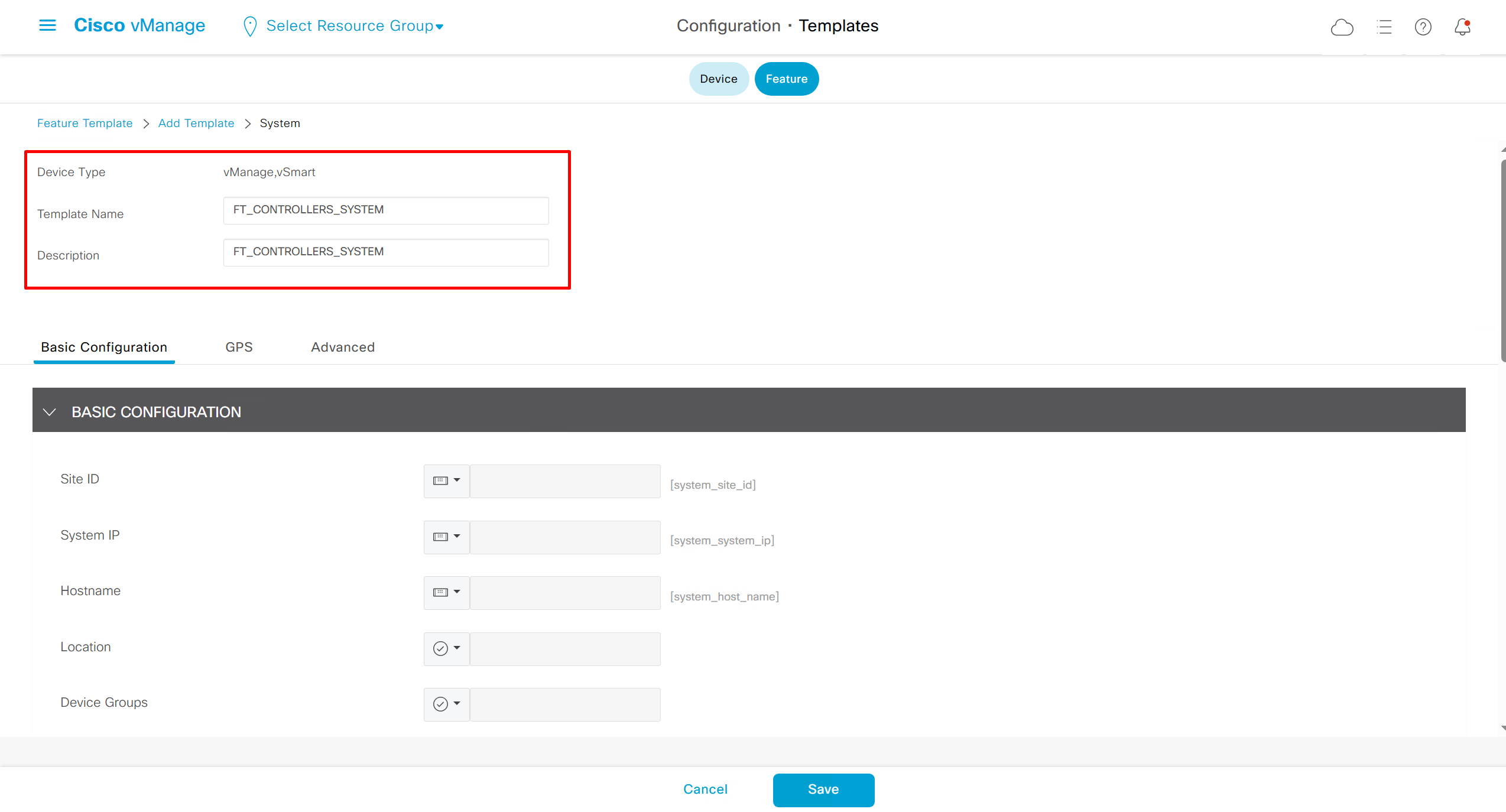
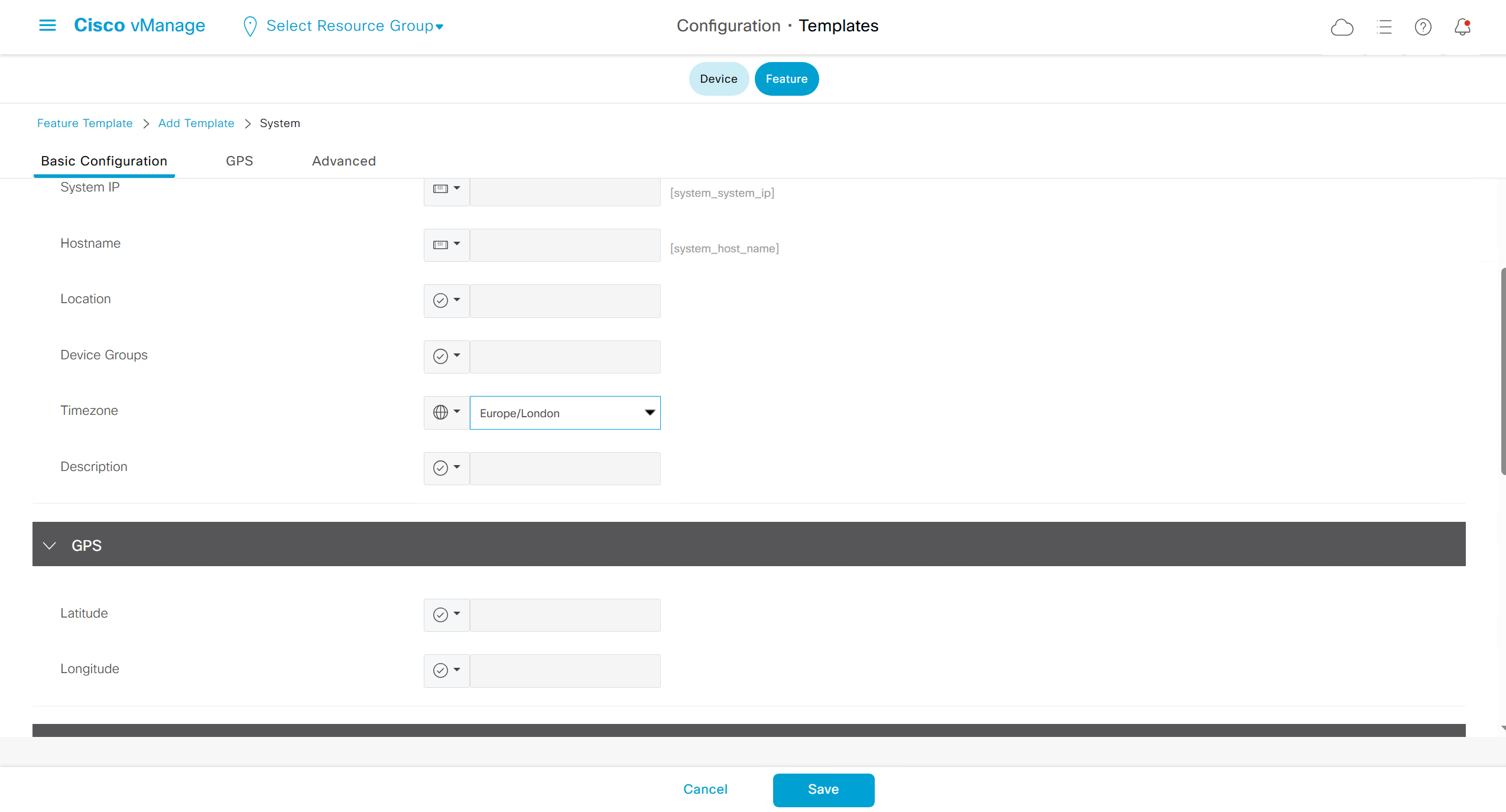
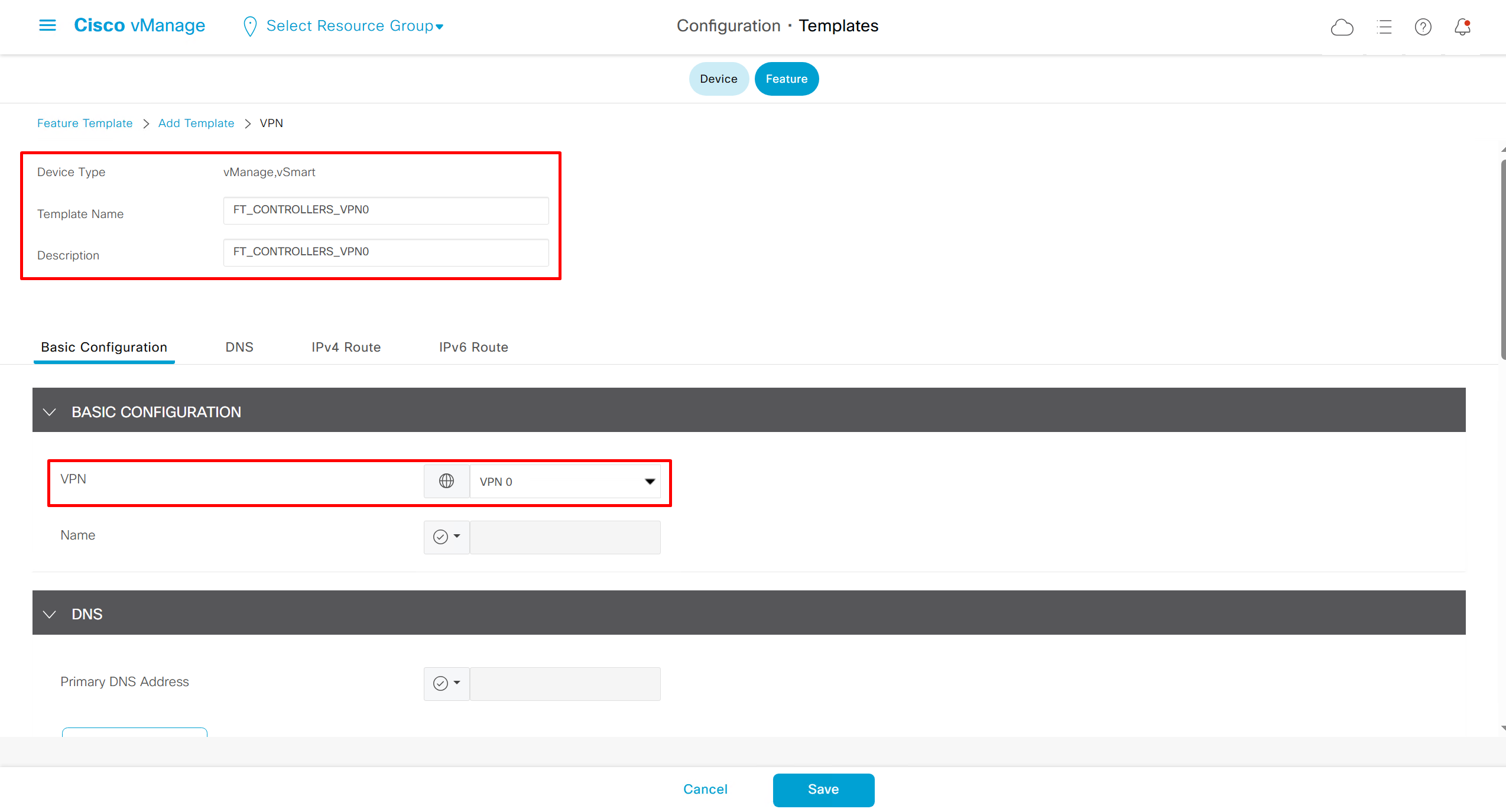
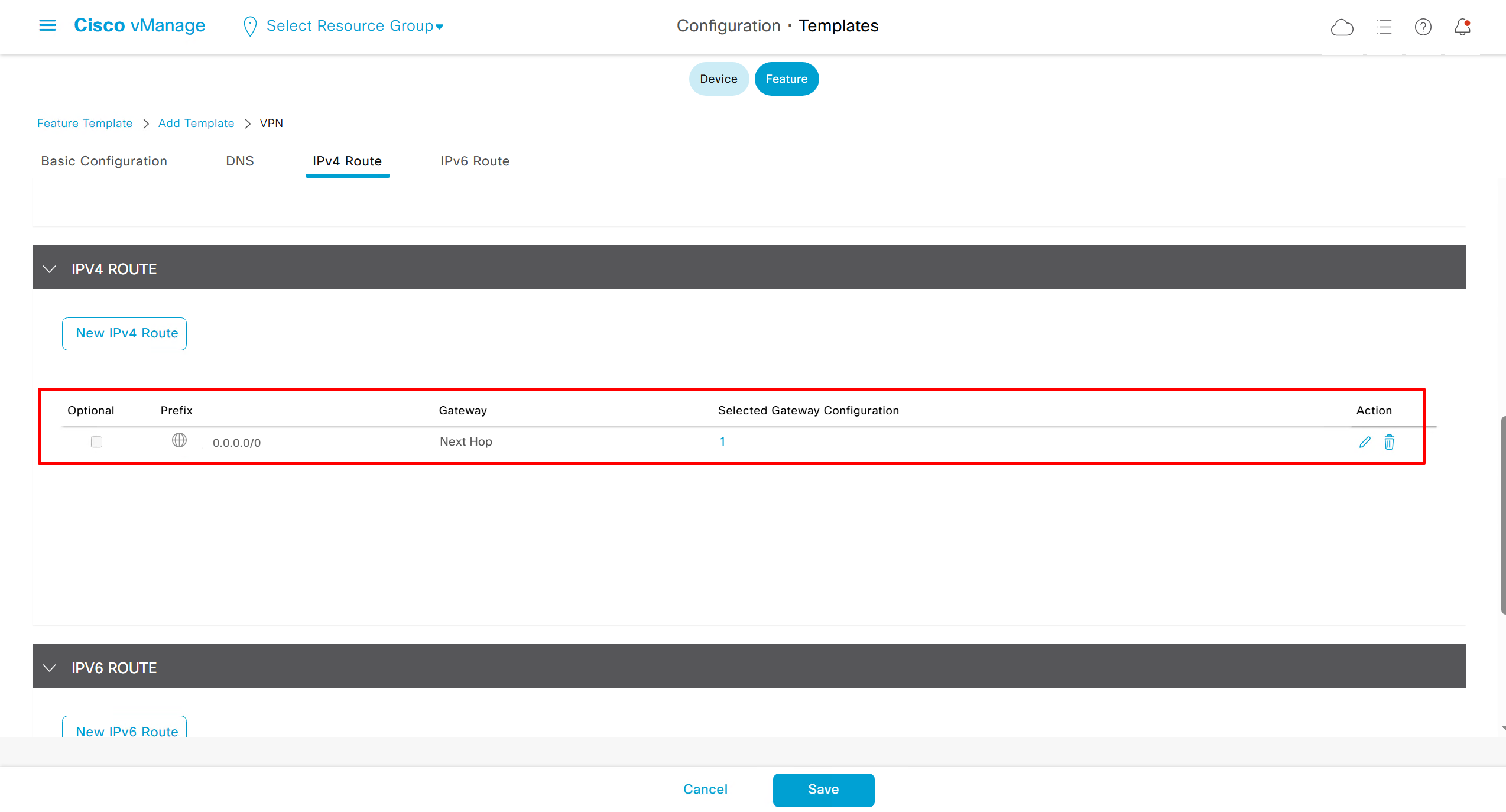
Remember that we need to configure system, vpn 0 (routing table for transport) and interface feature templates
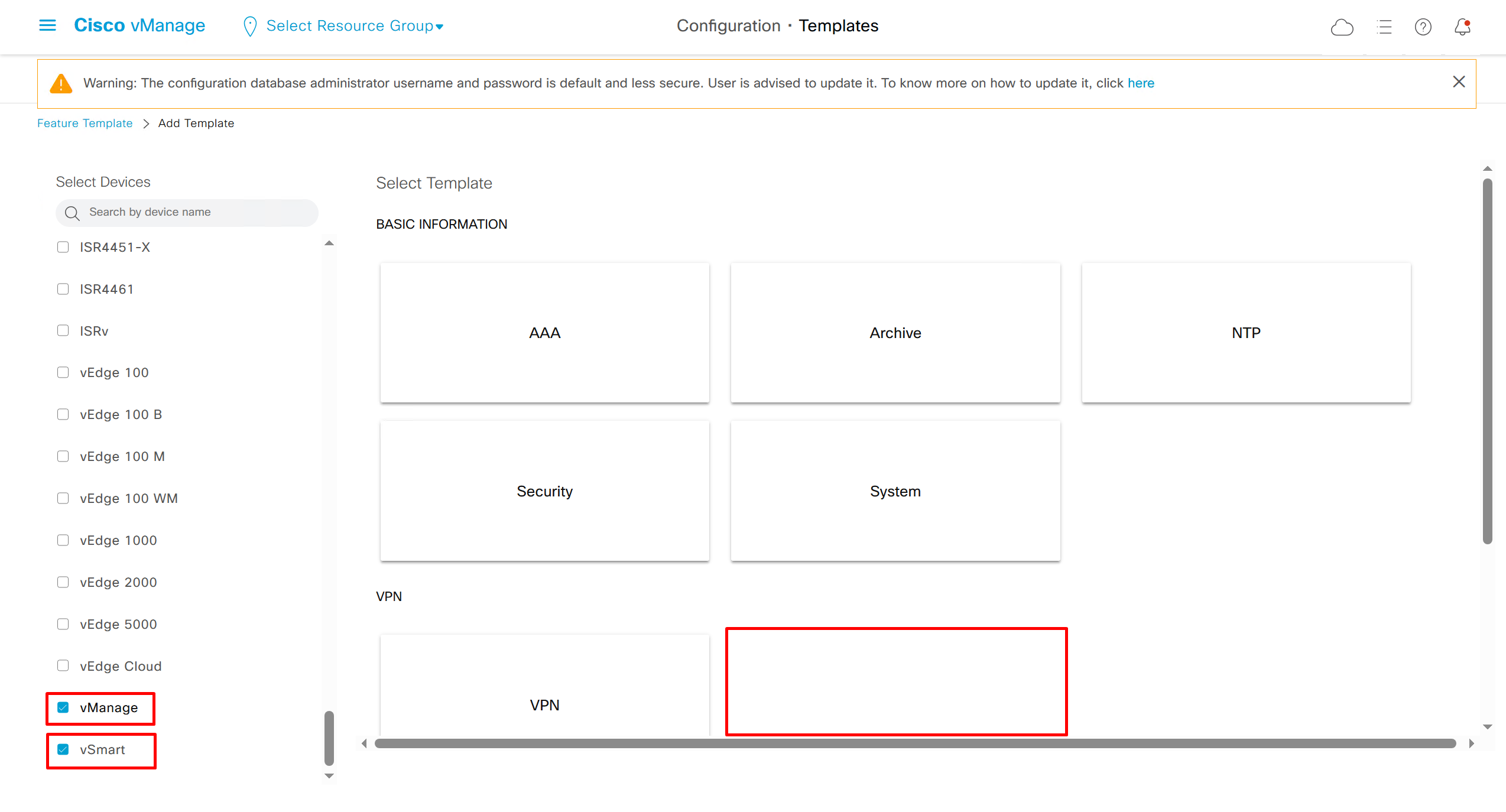
but when device type vManage and vSmart, template types are reduced

with vmanage and vsmart selected we can have common feature template for system and vpn
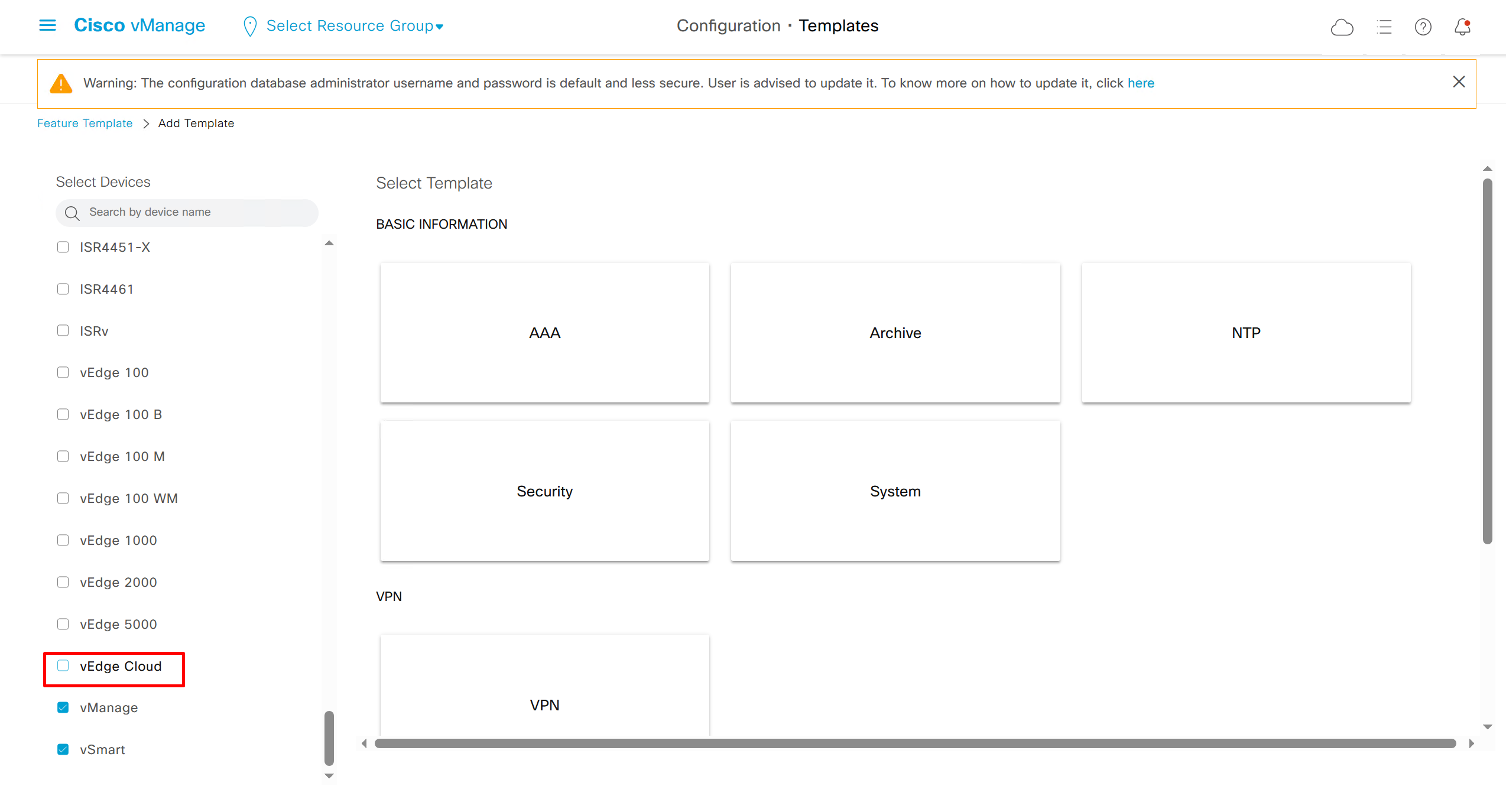
vedge cloud is applied on vbond
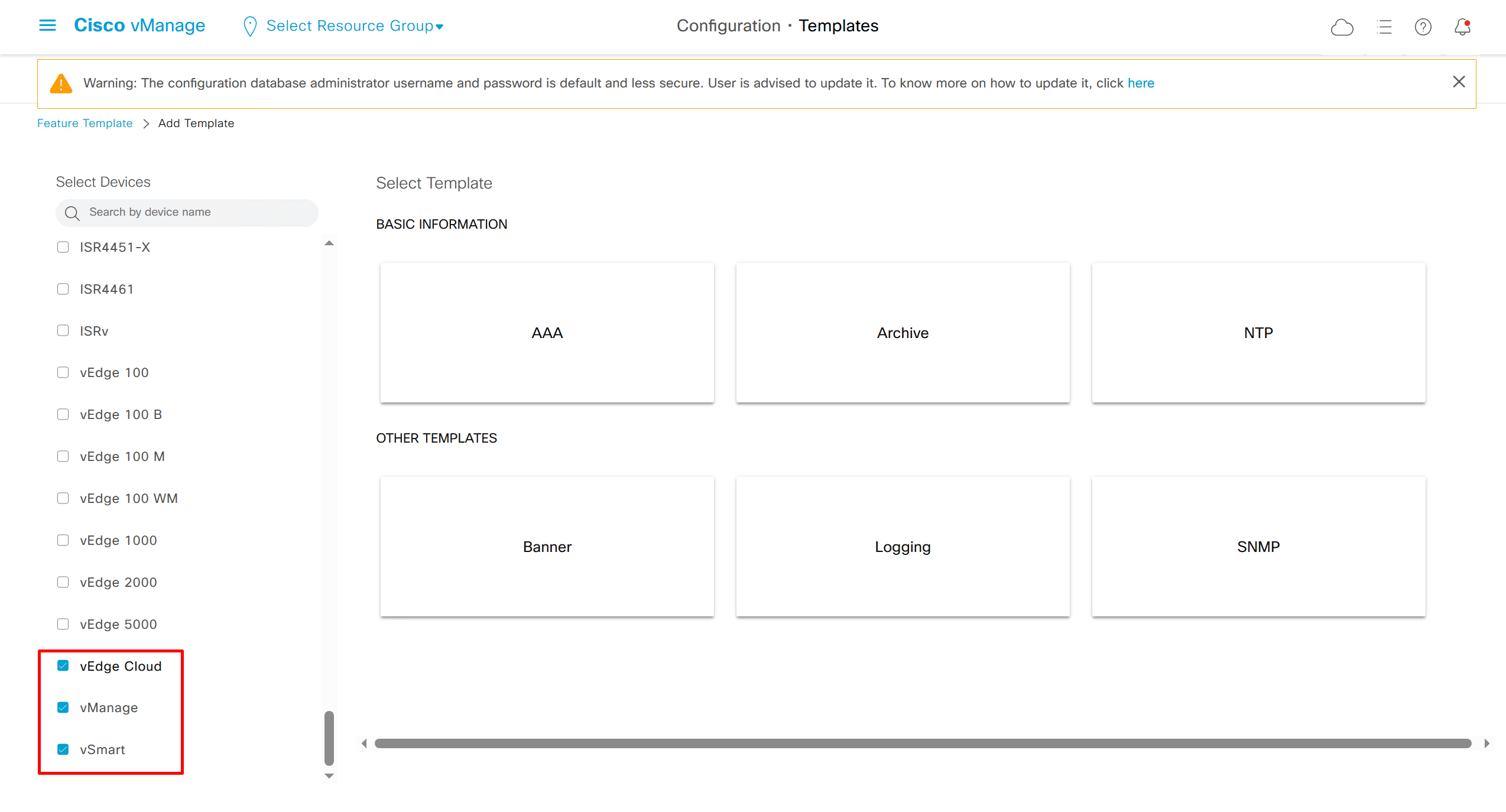
we are more limited in terms of template when we select vedge cloud, vmanage and vsmart
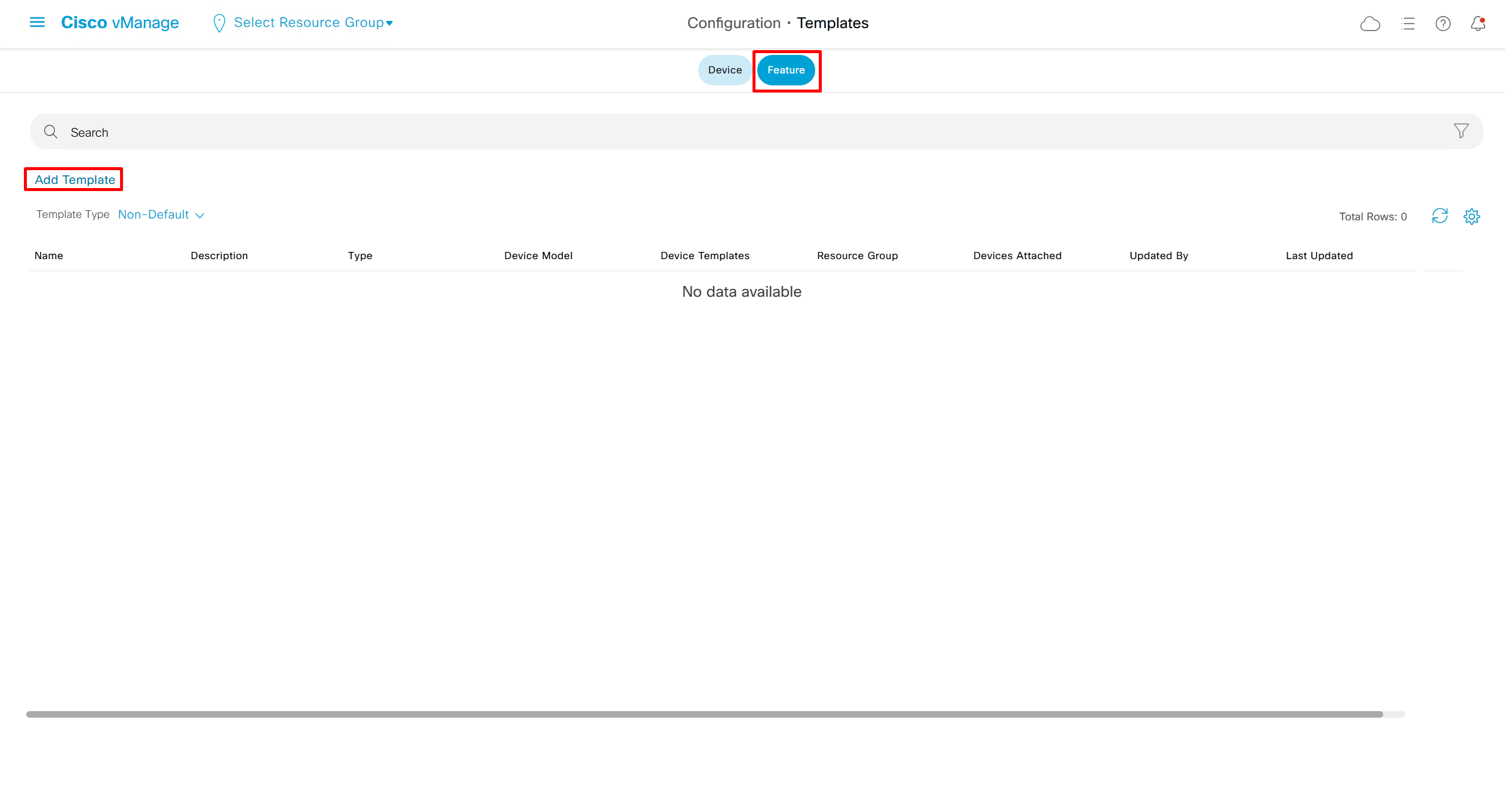
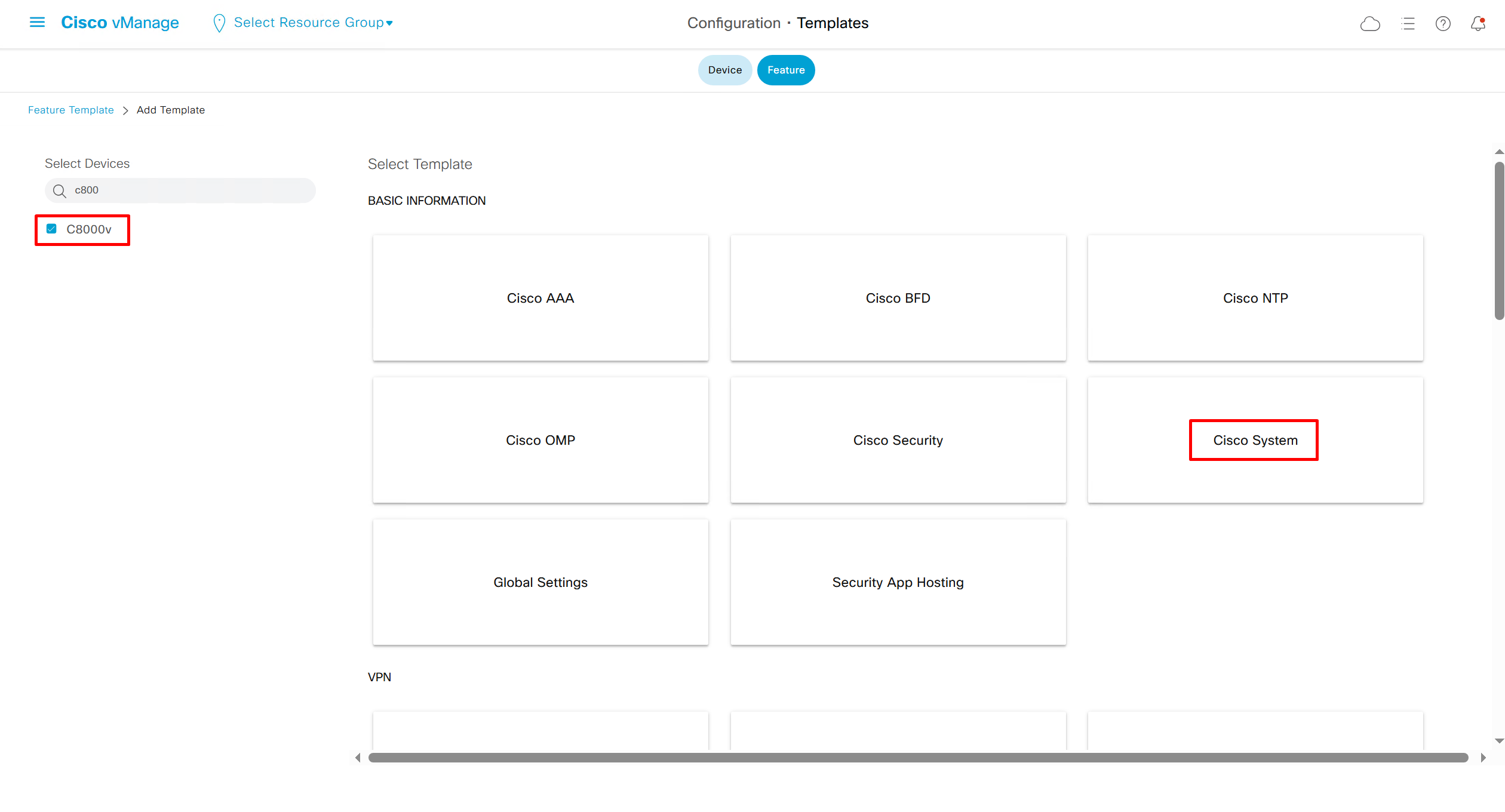
Lets configure template for vmanage

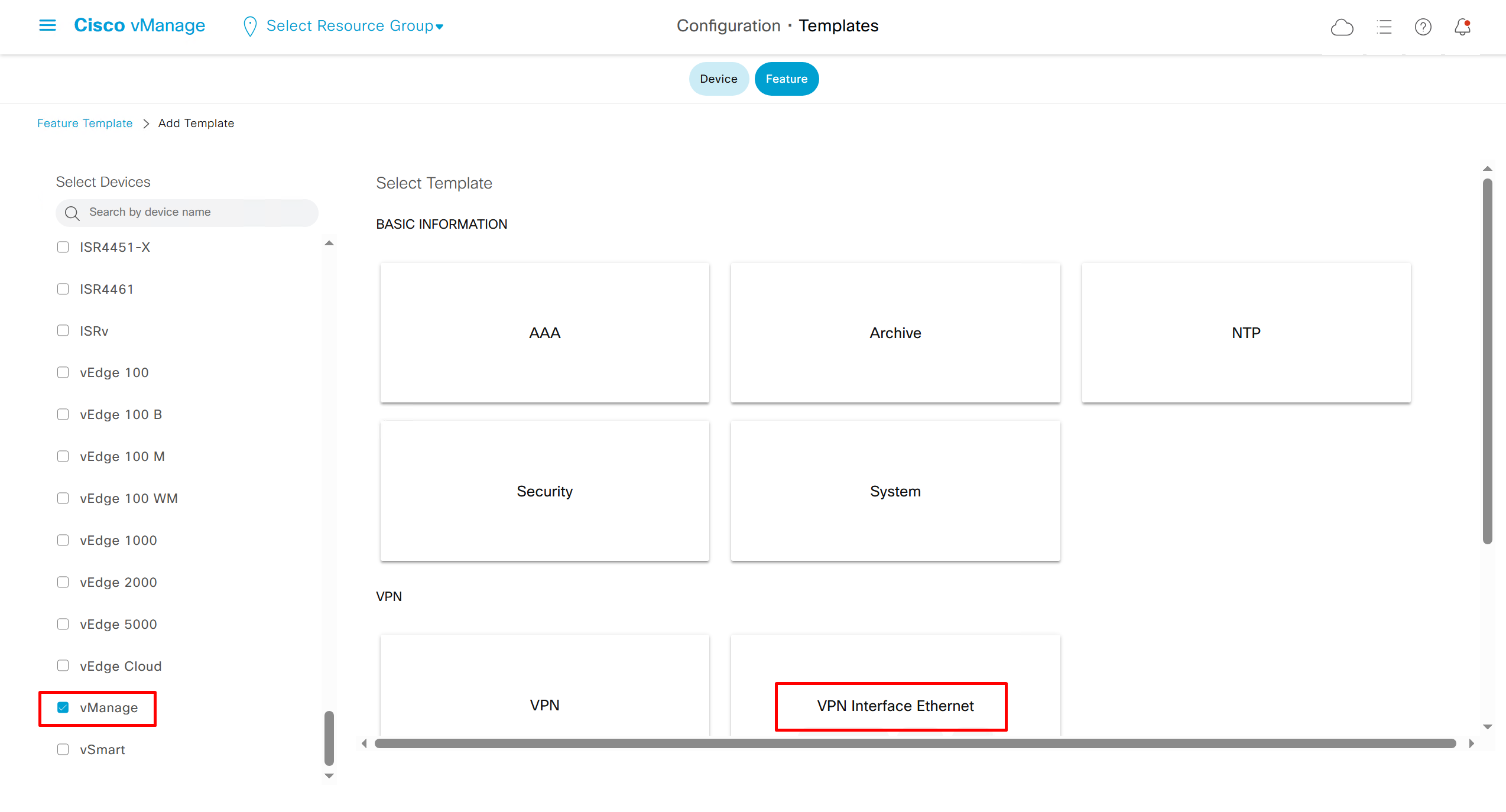
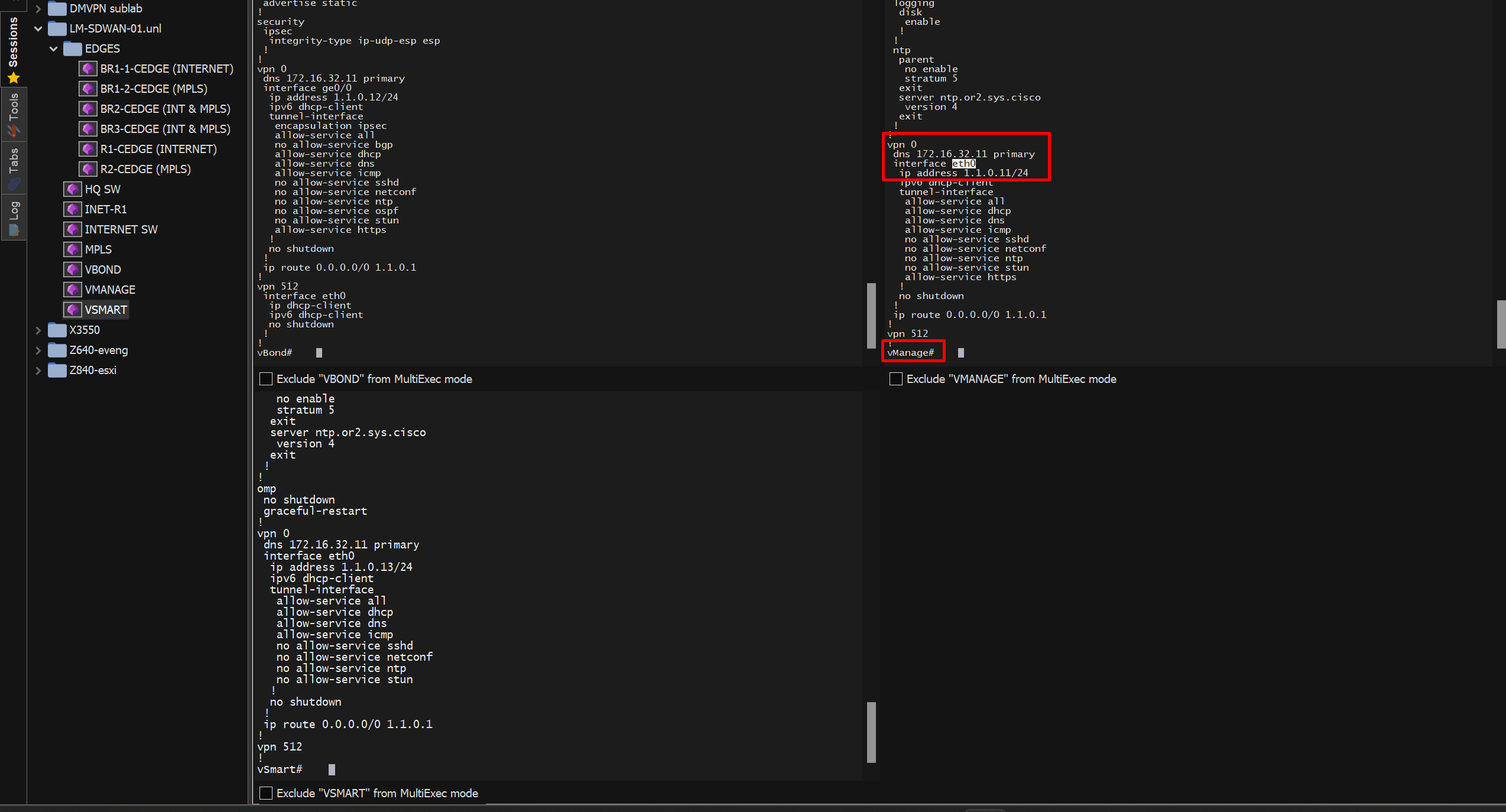
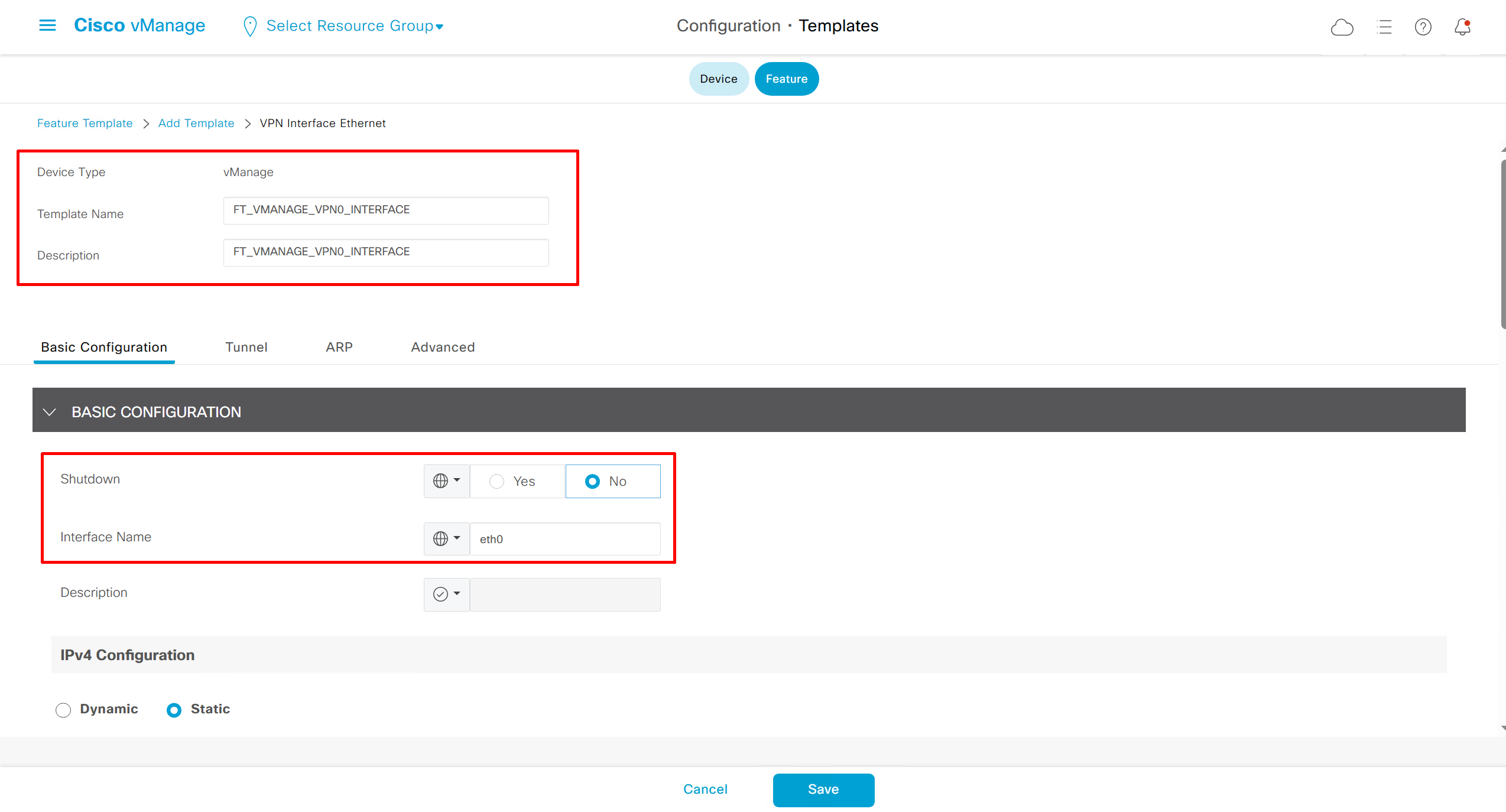

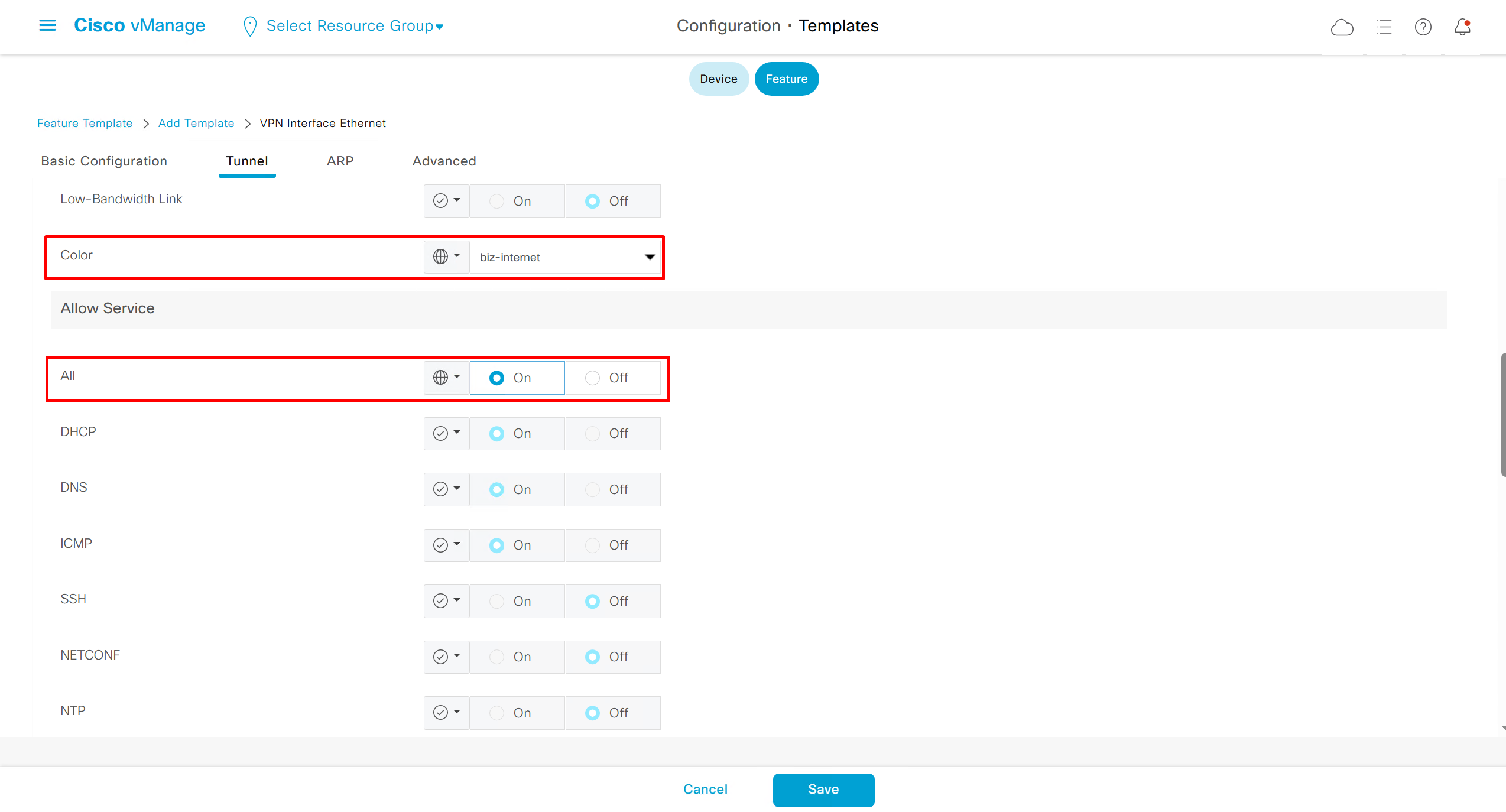
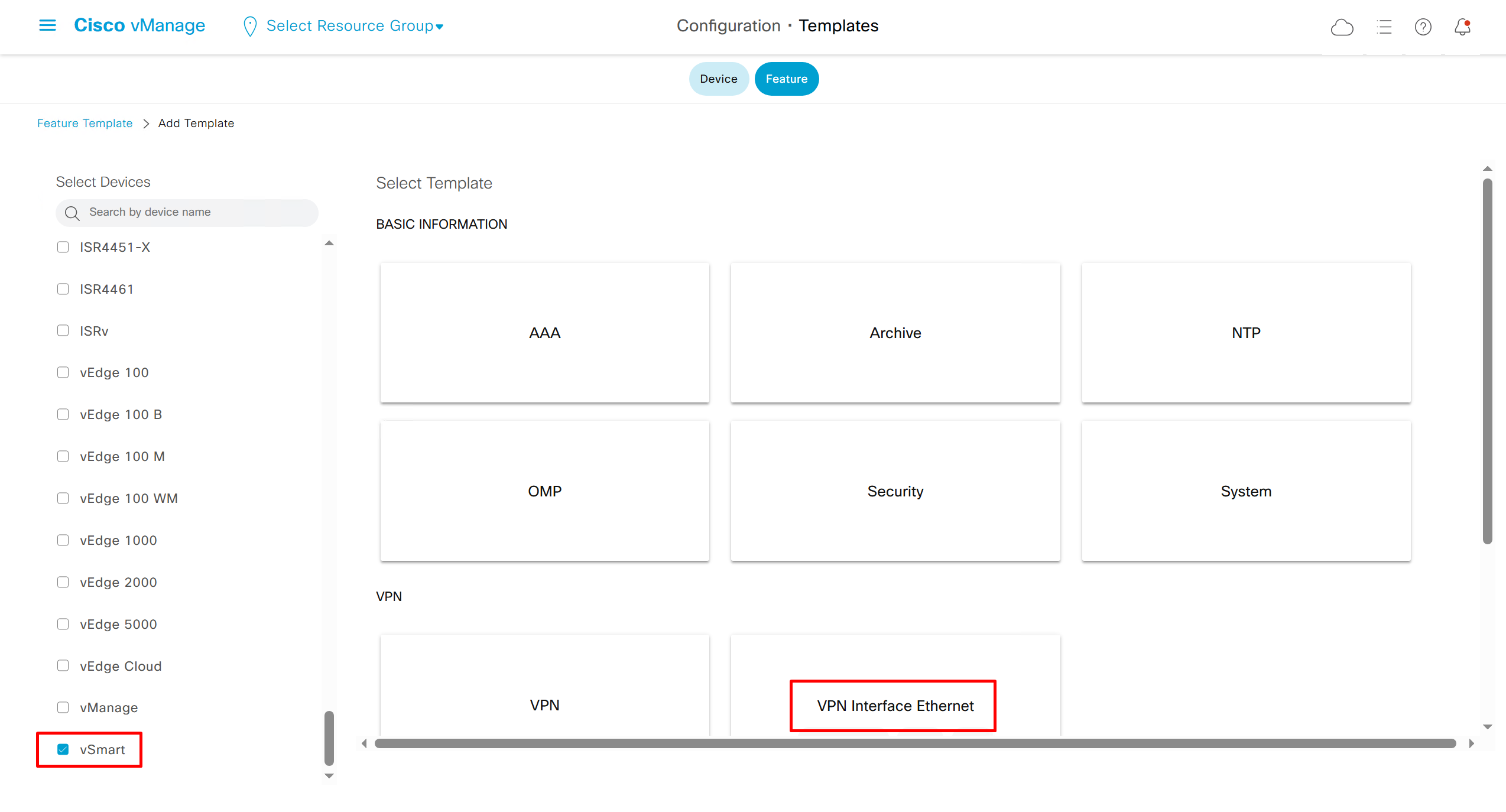

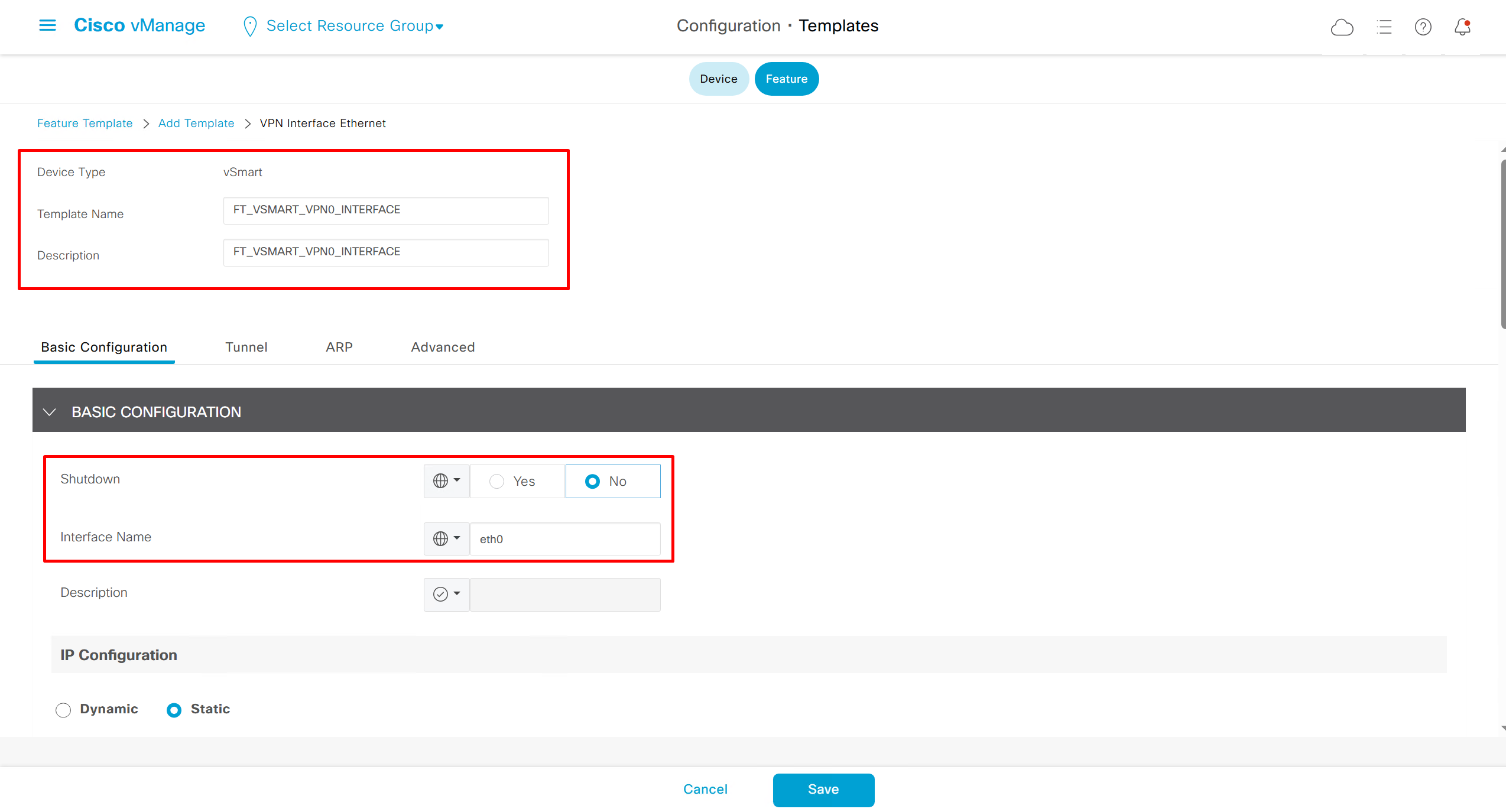
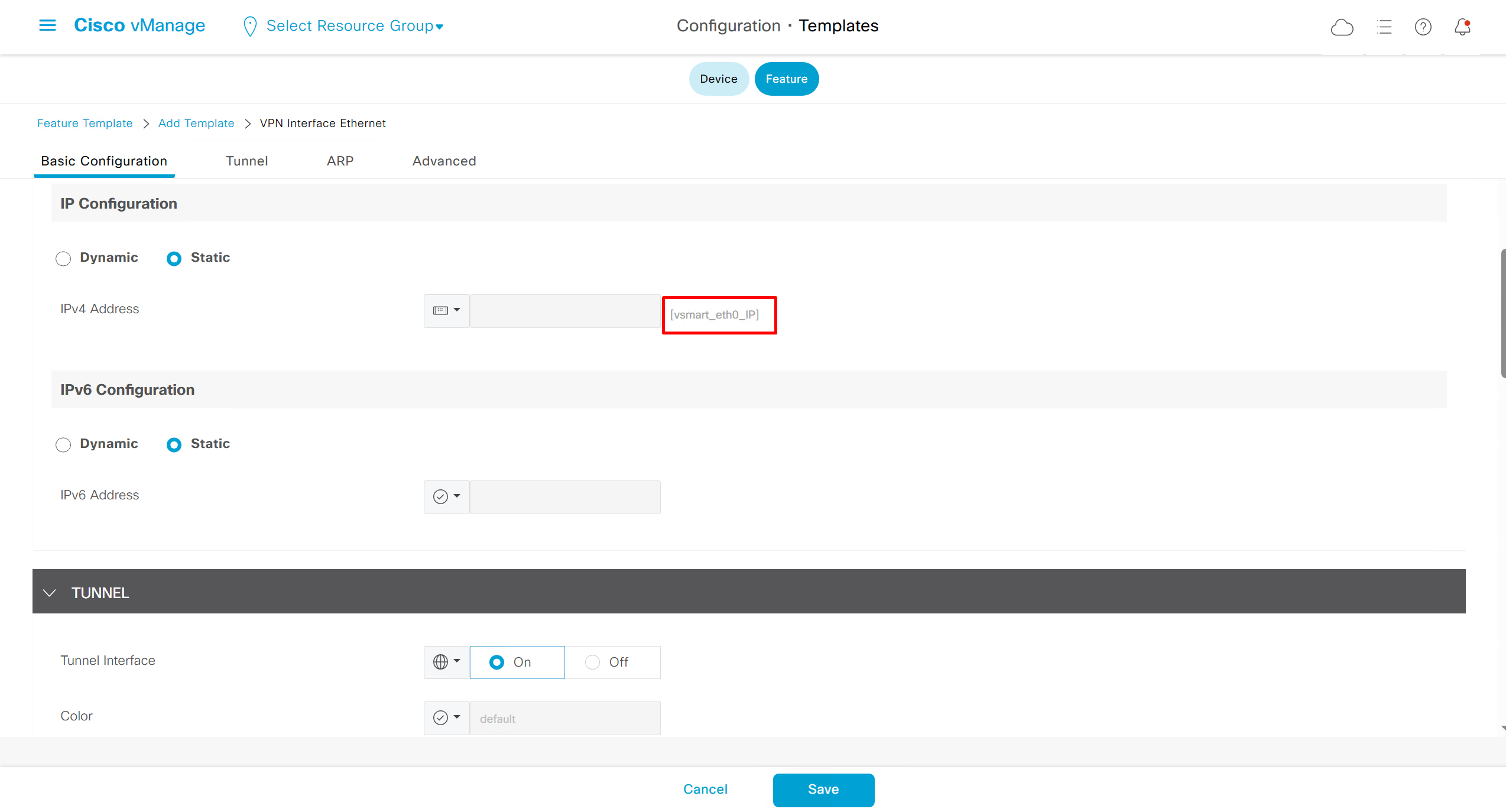

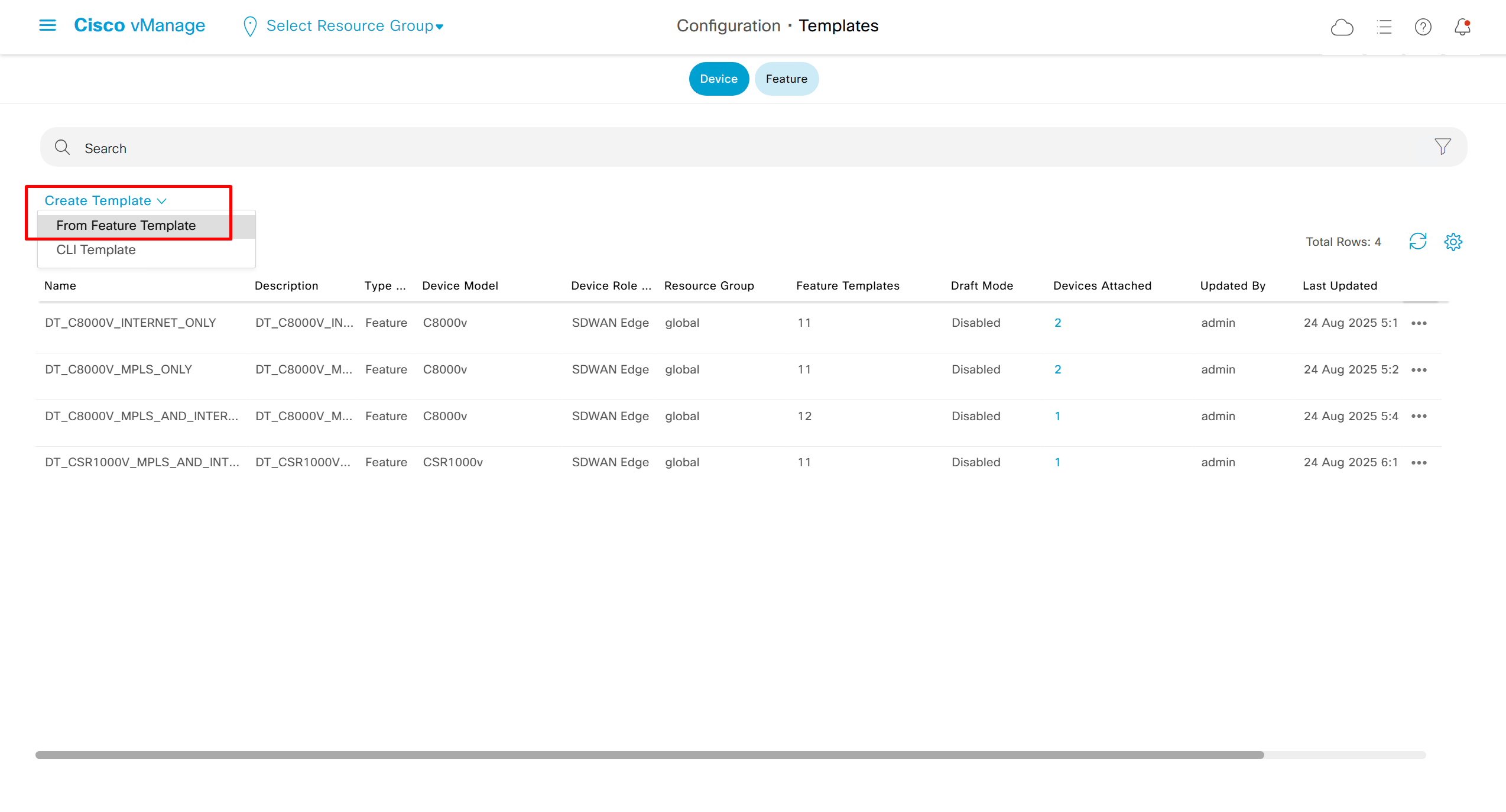

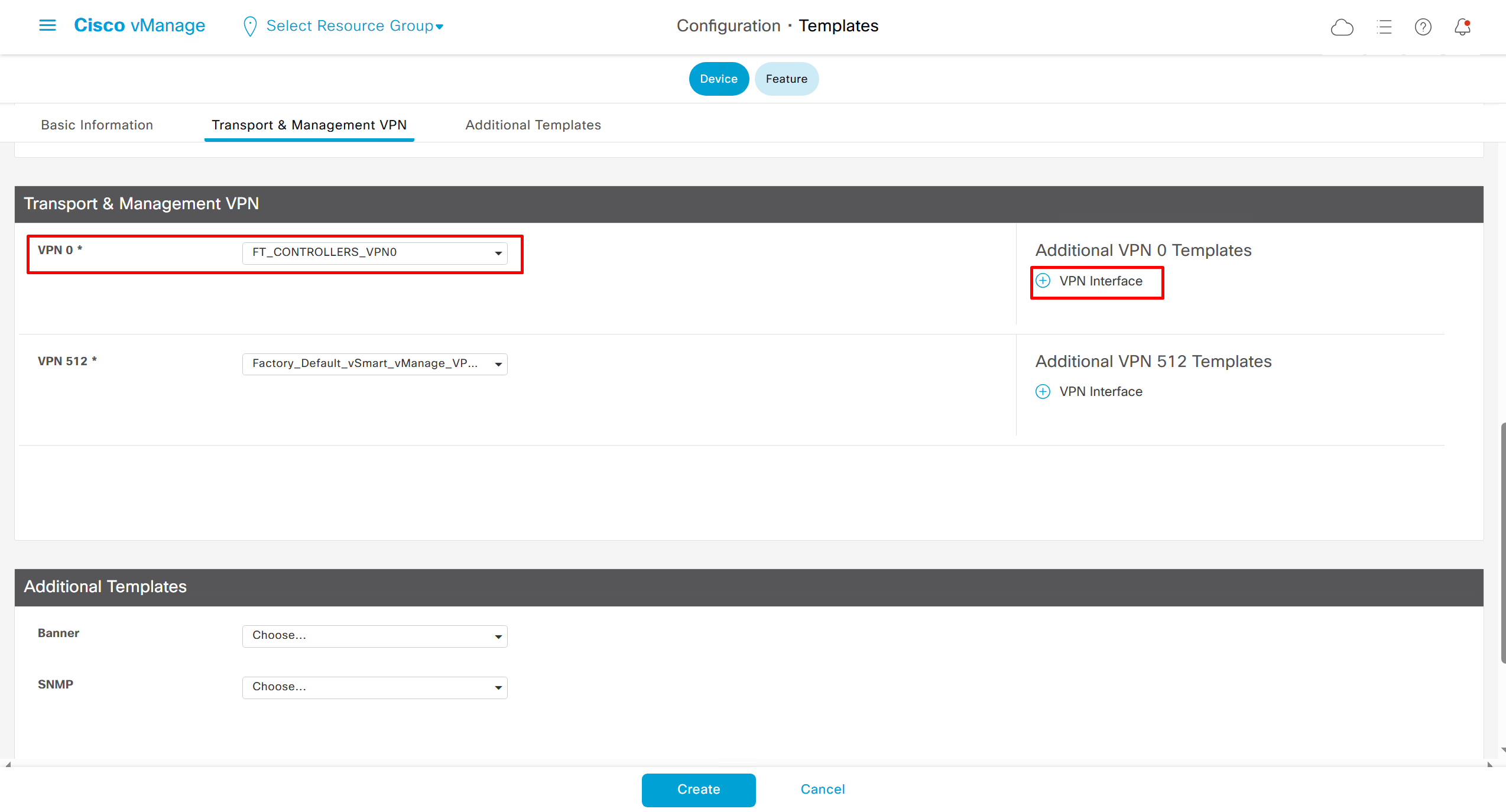
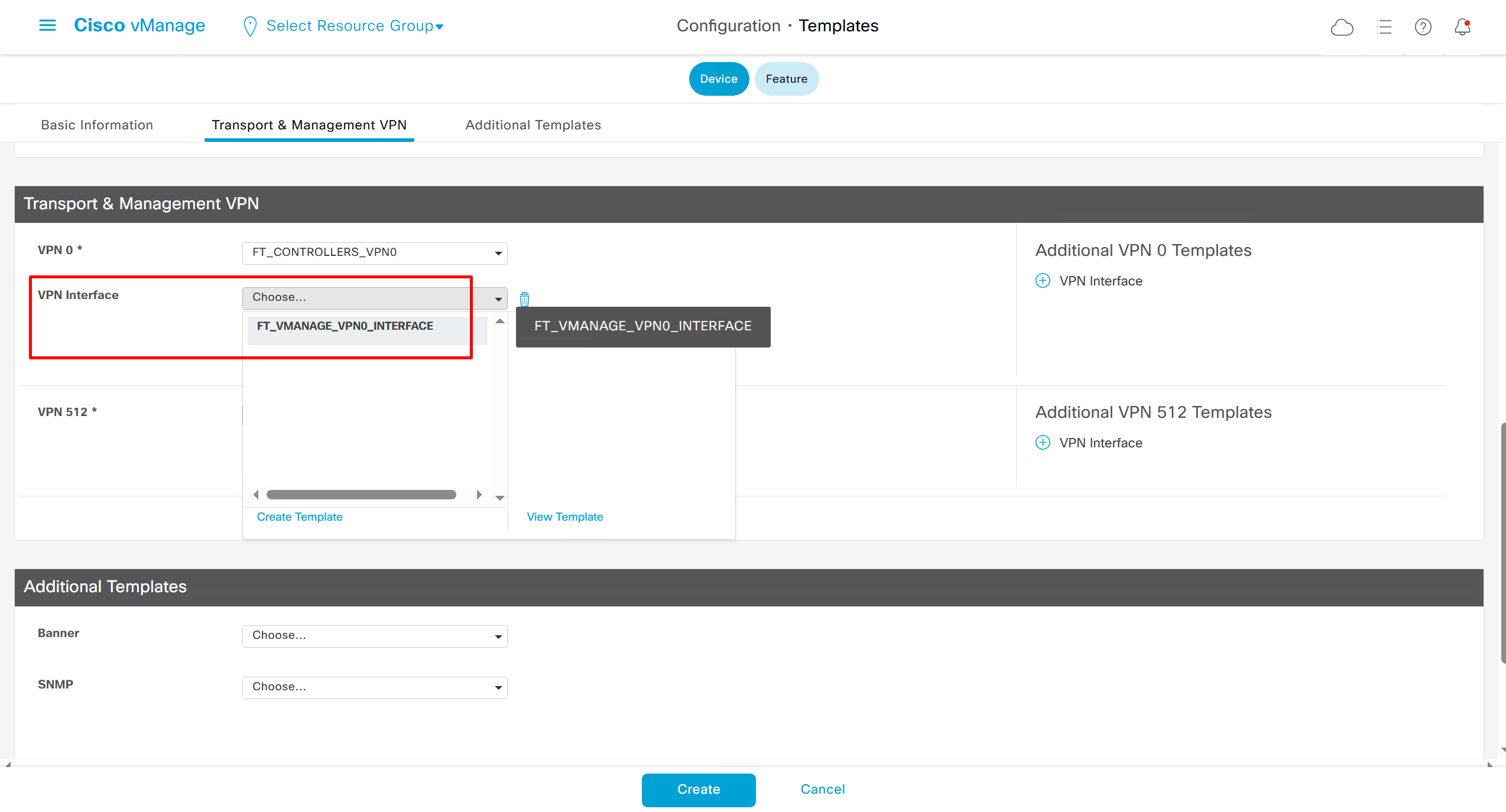
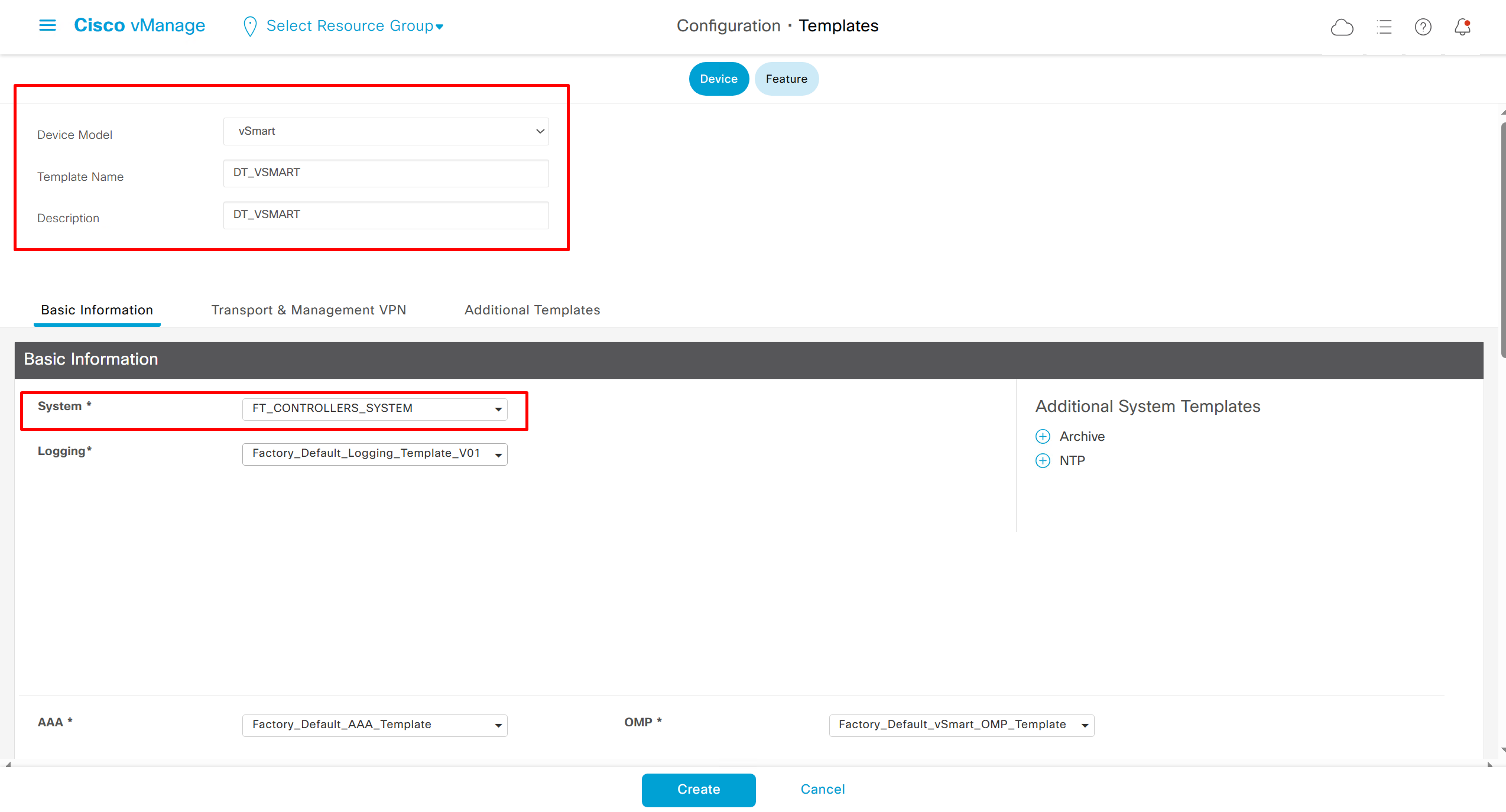
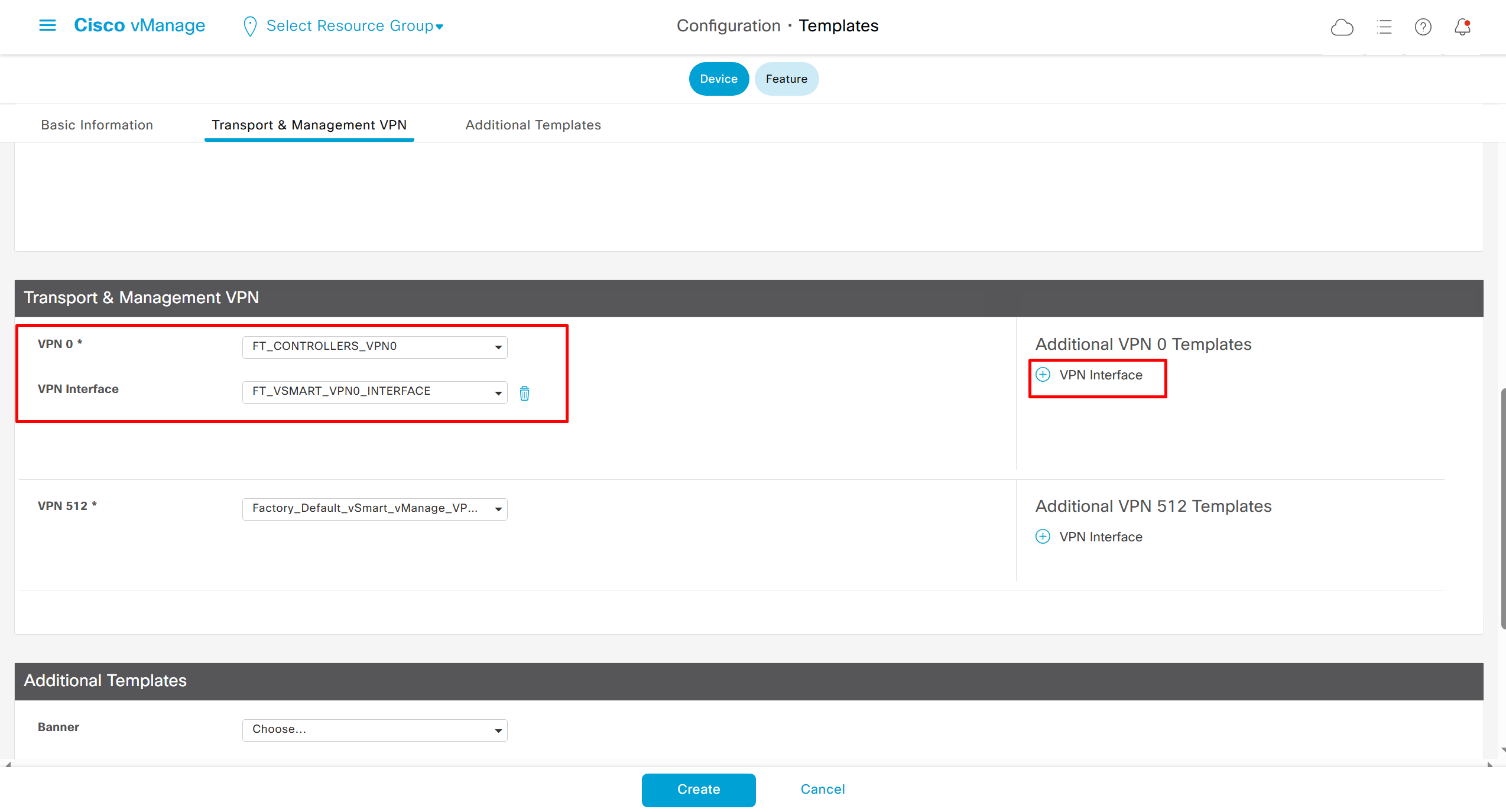
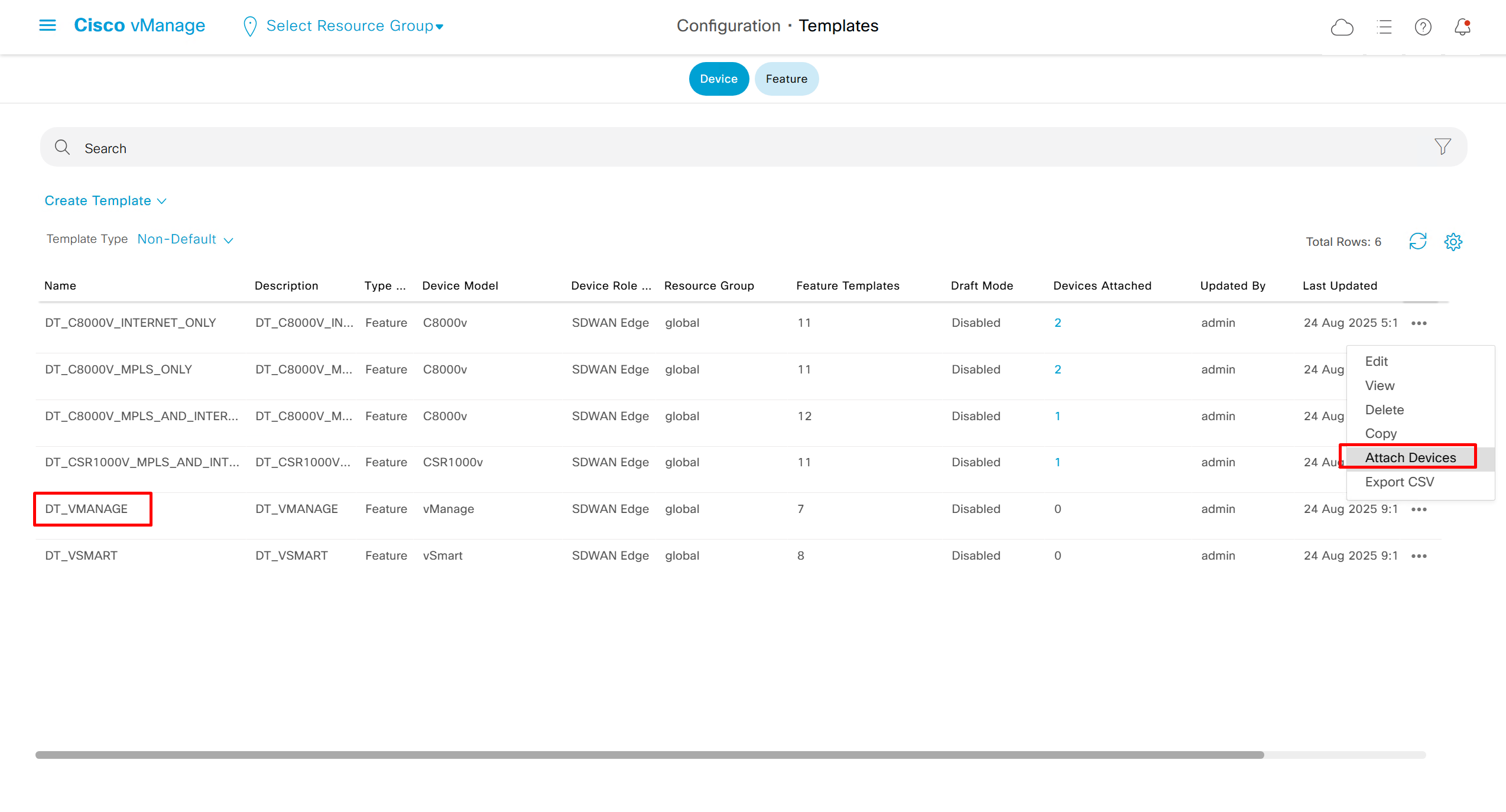
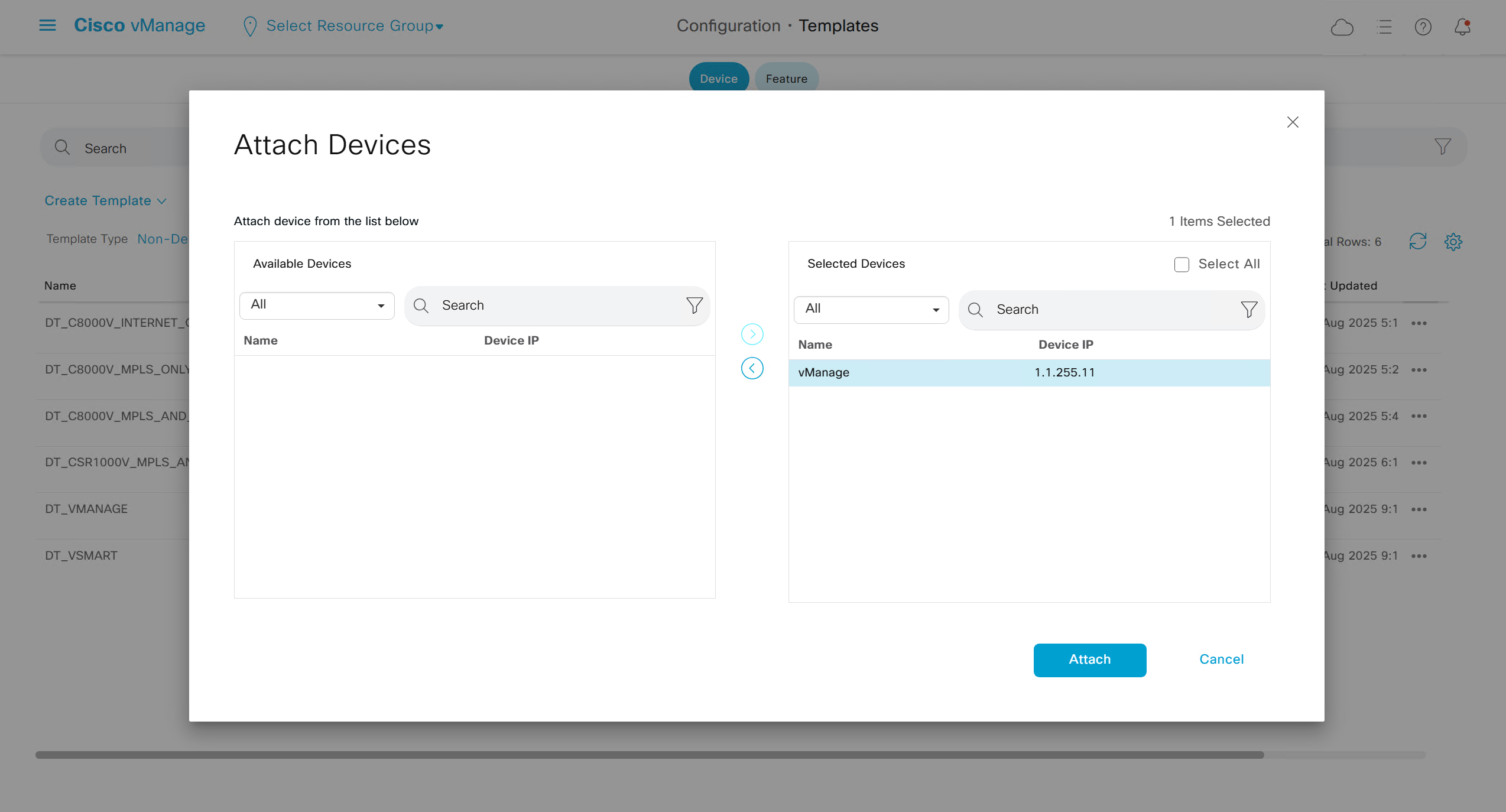
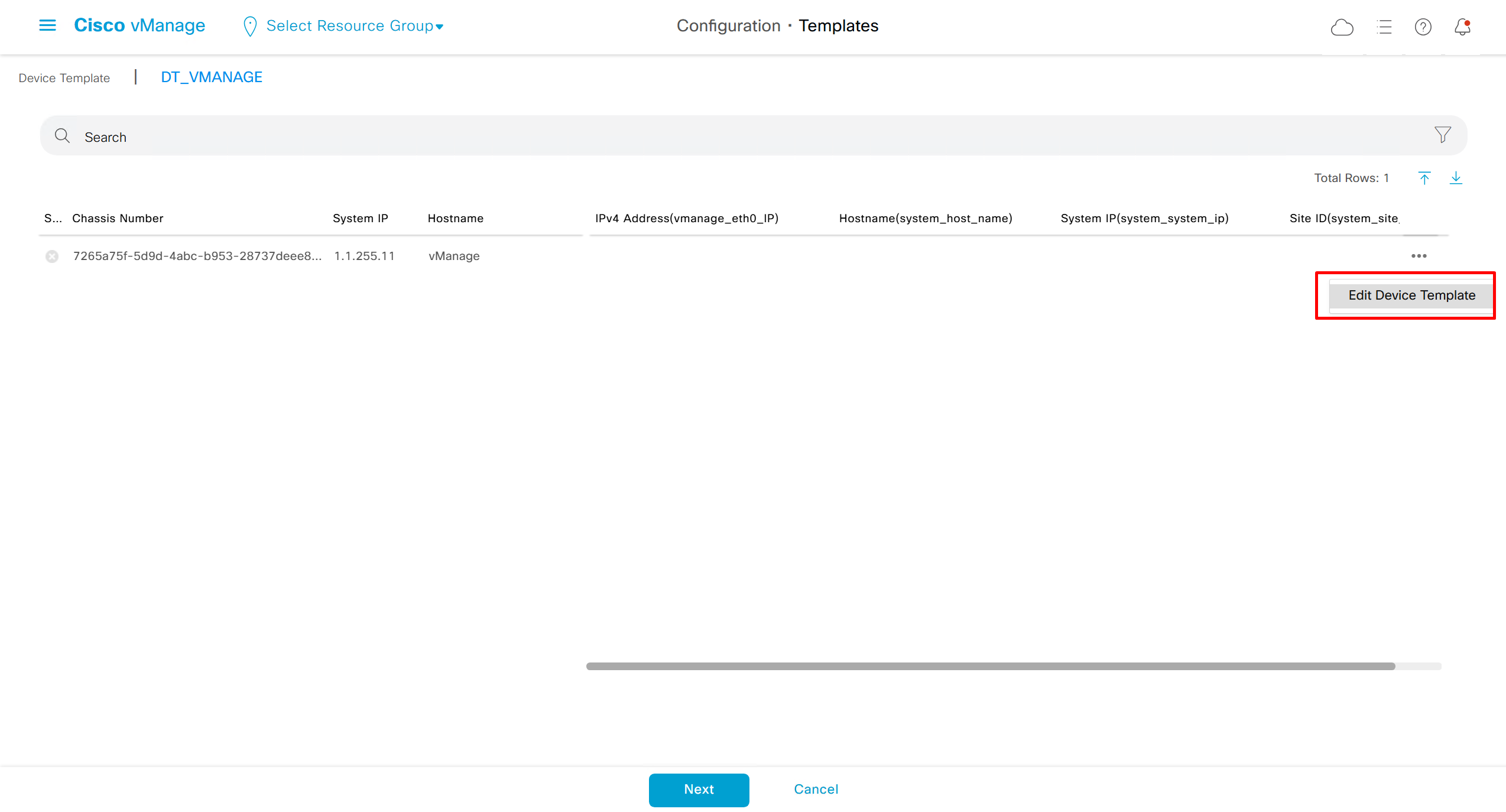
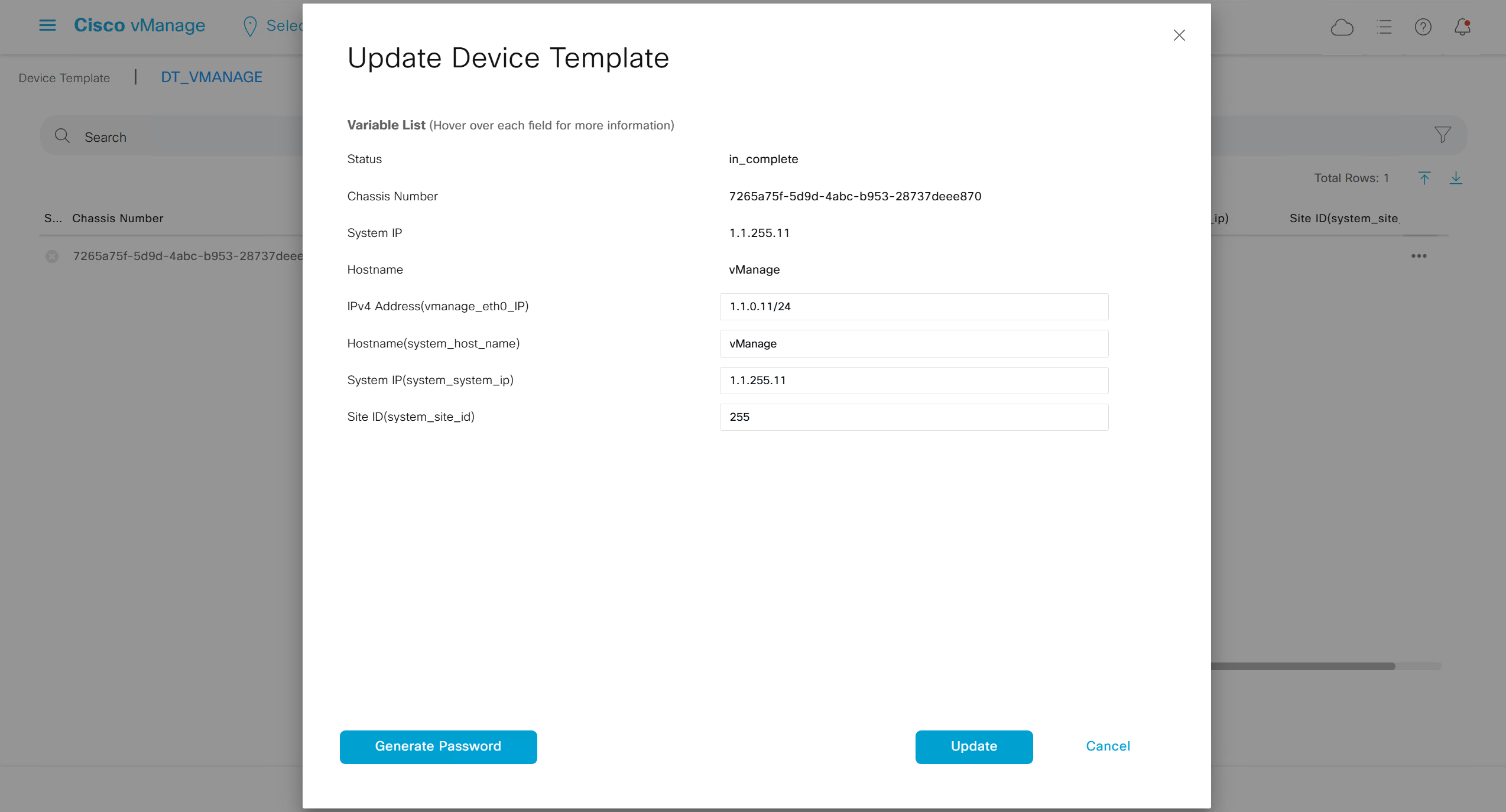
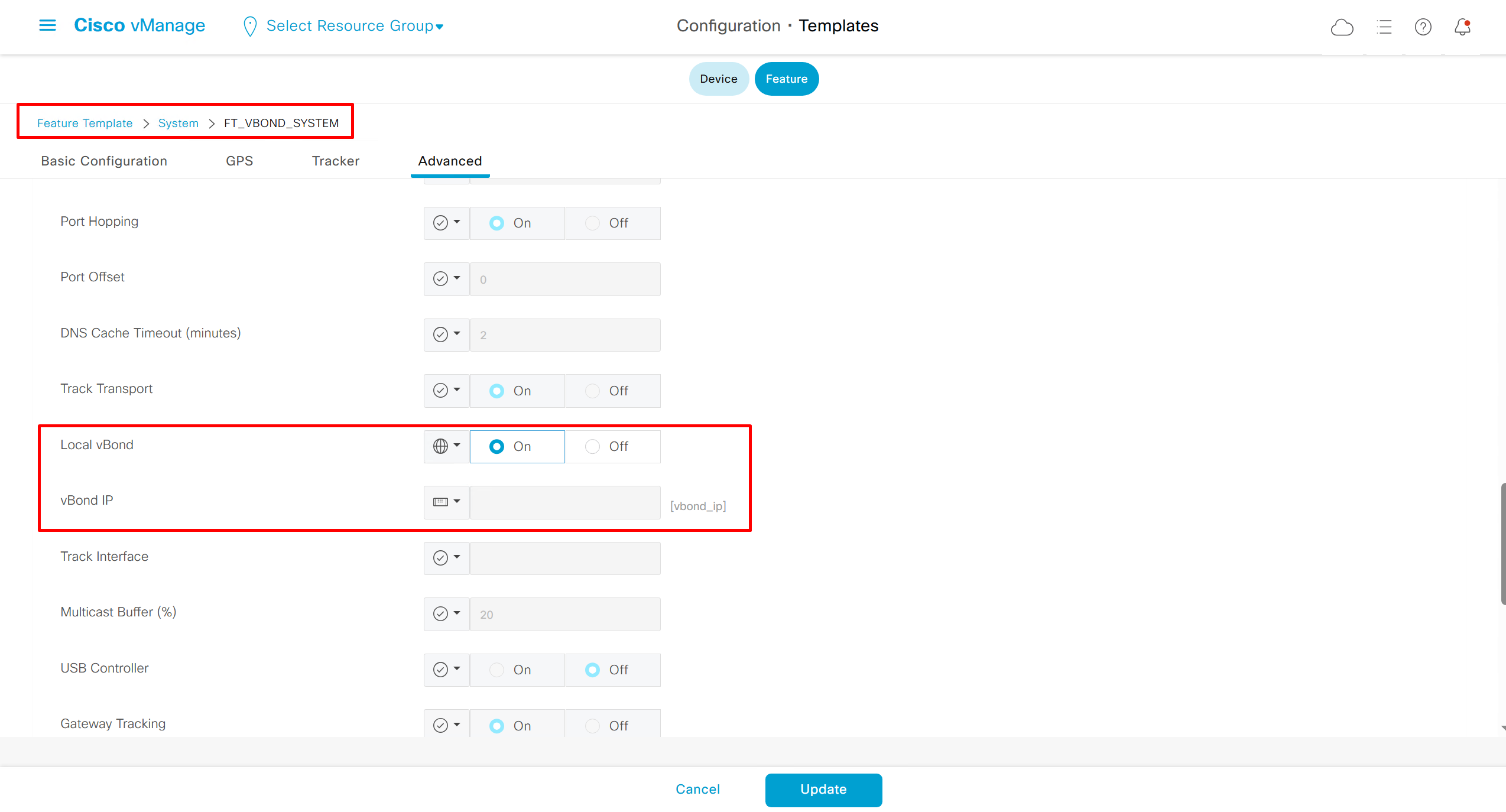
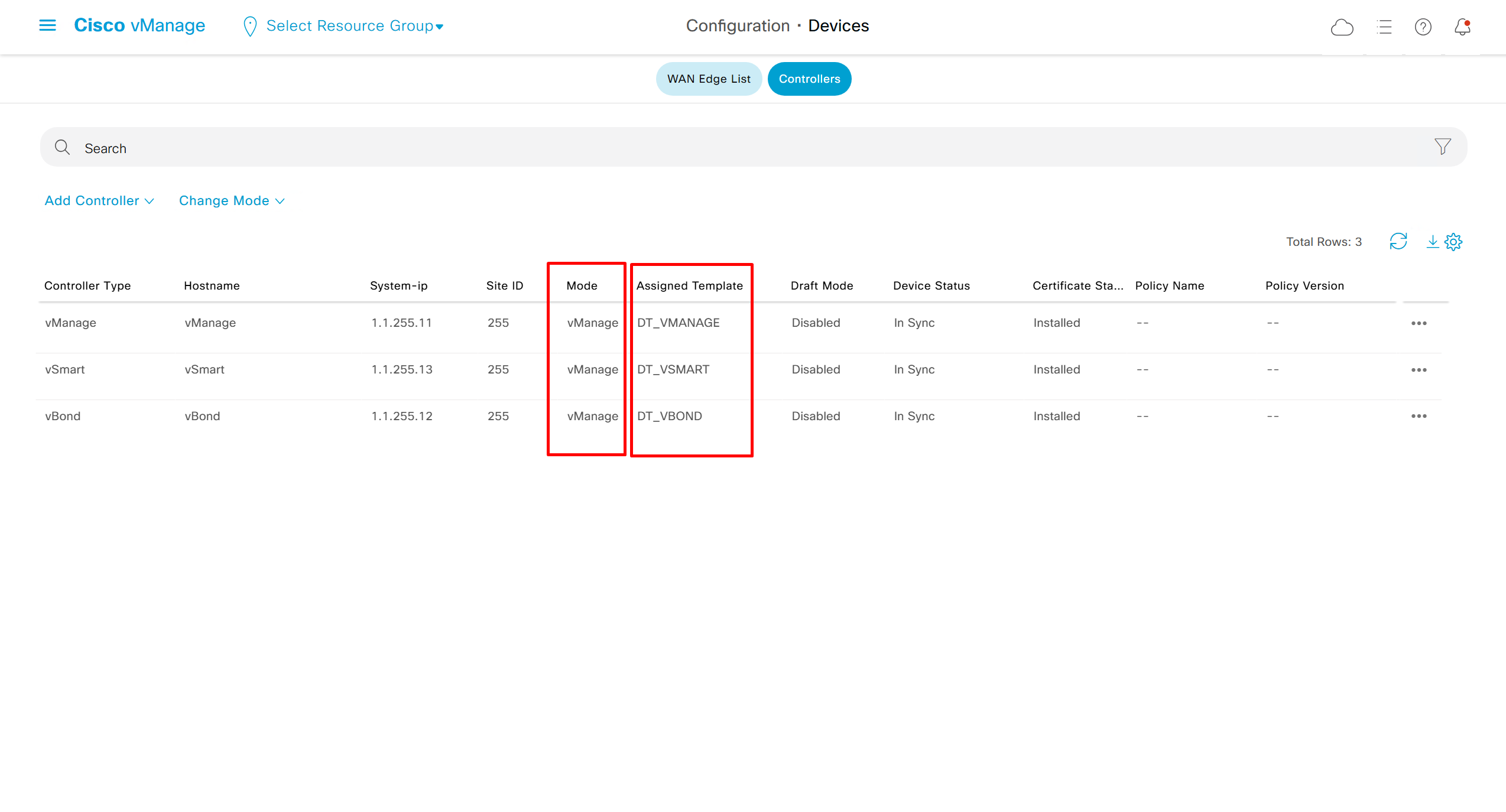
Template Configuration on Edges

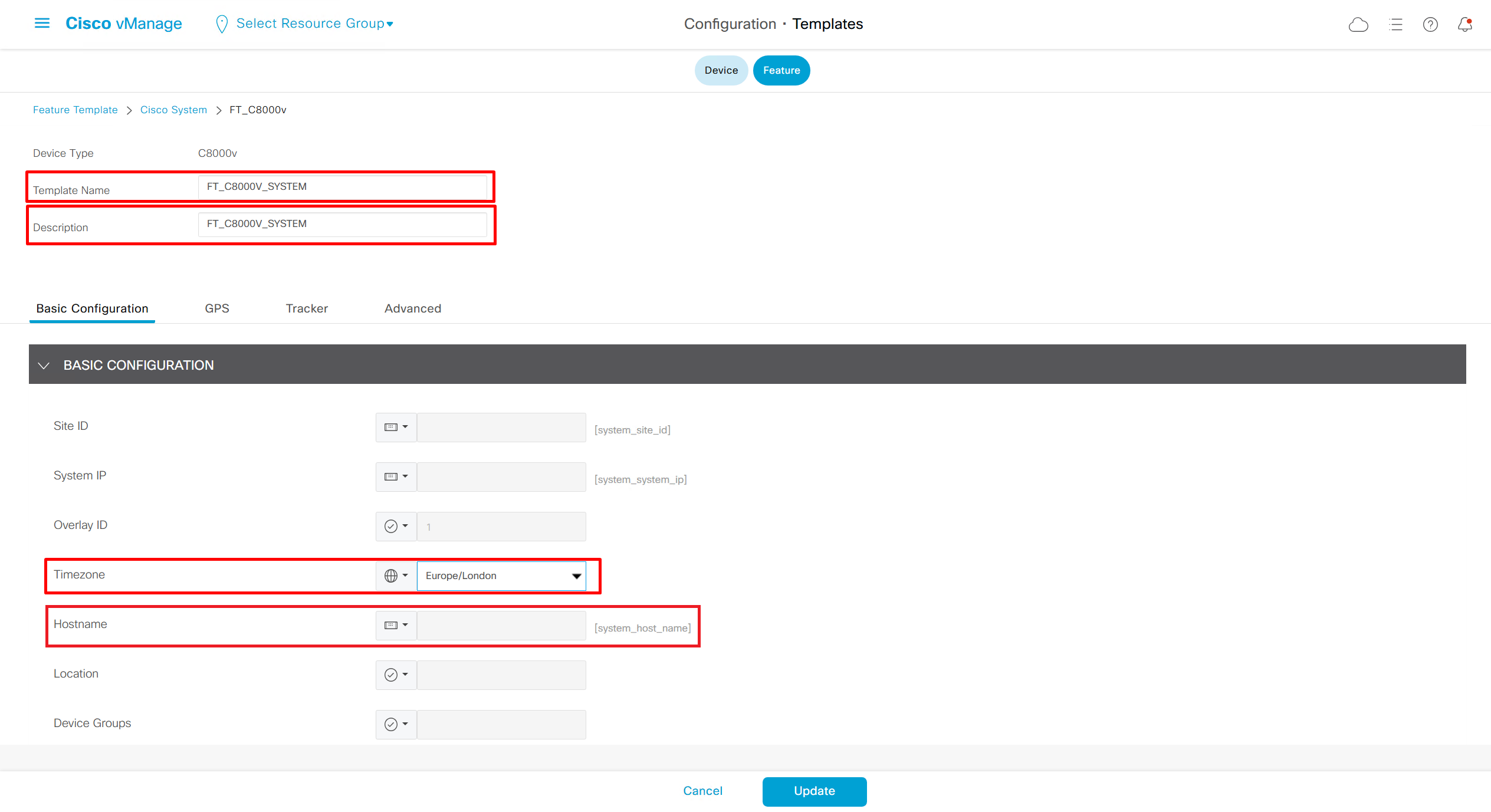
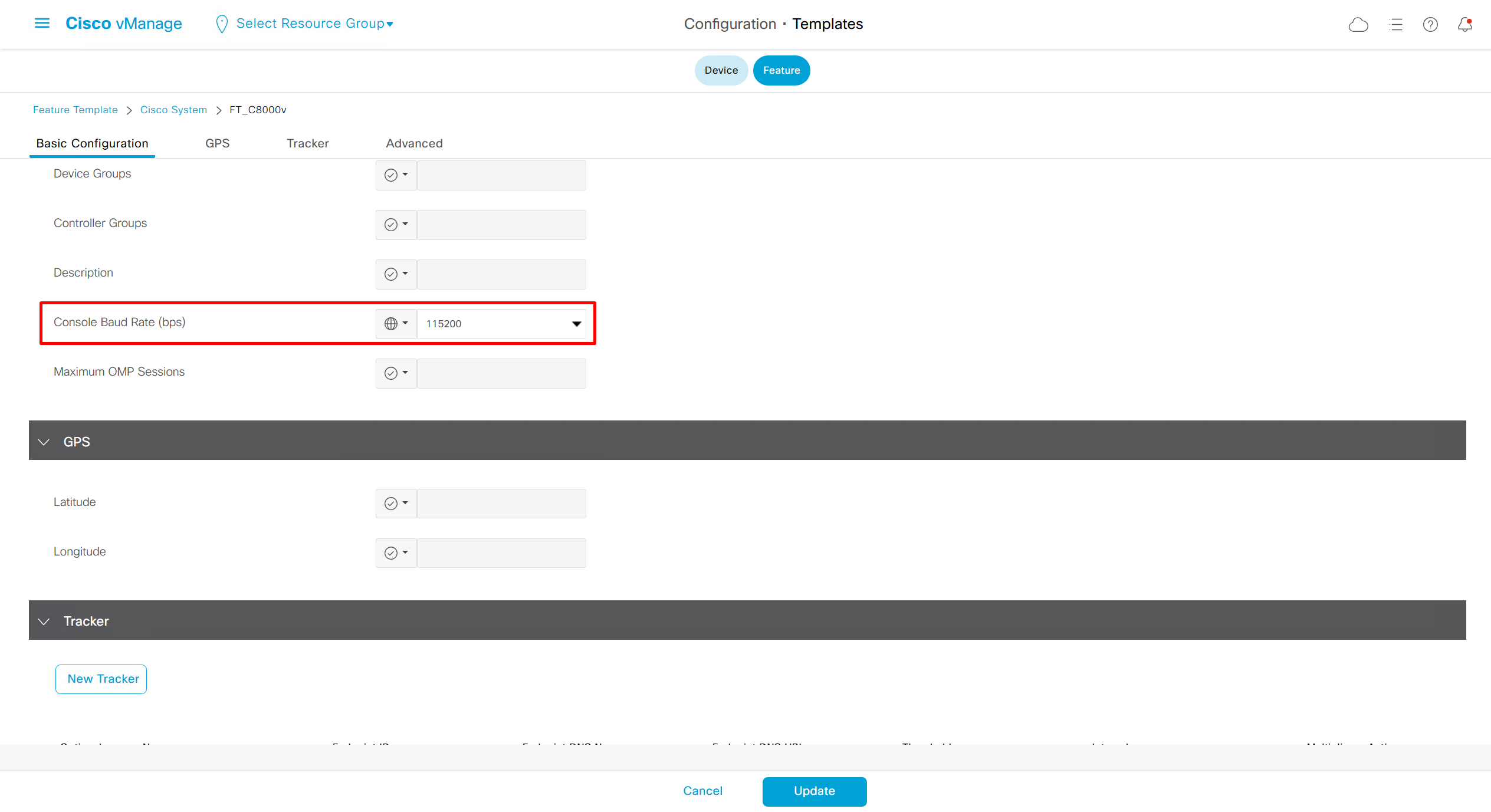
System
Device Specific variables, value will be taken at the time when we attach the template to device
Global means that all the devices that are attached to this template will inherit same static value
Each section of the running-config will require a feature template

VPN 0 or GRT
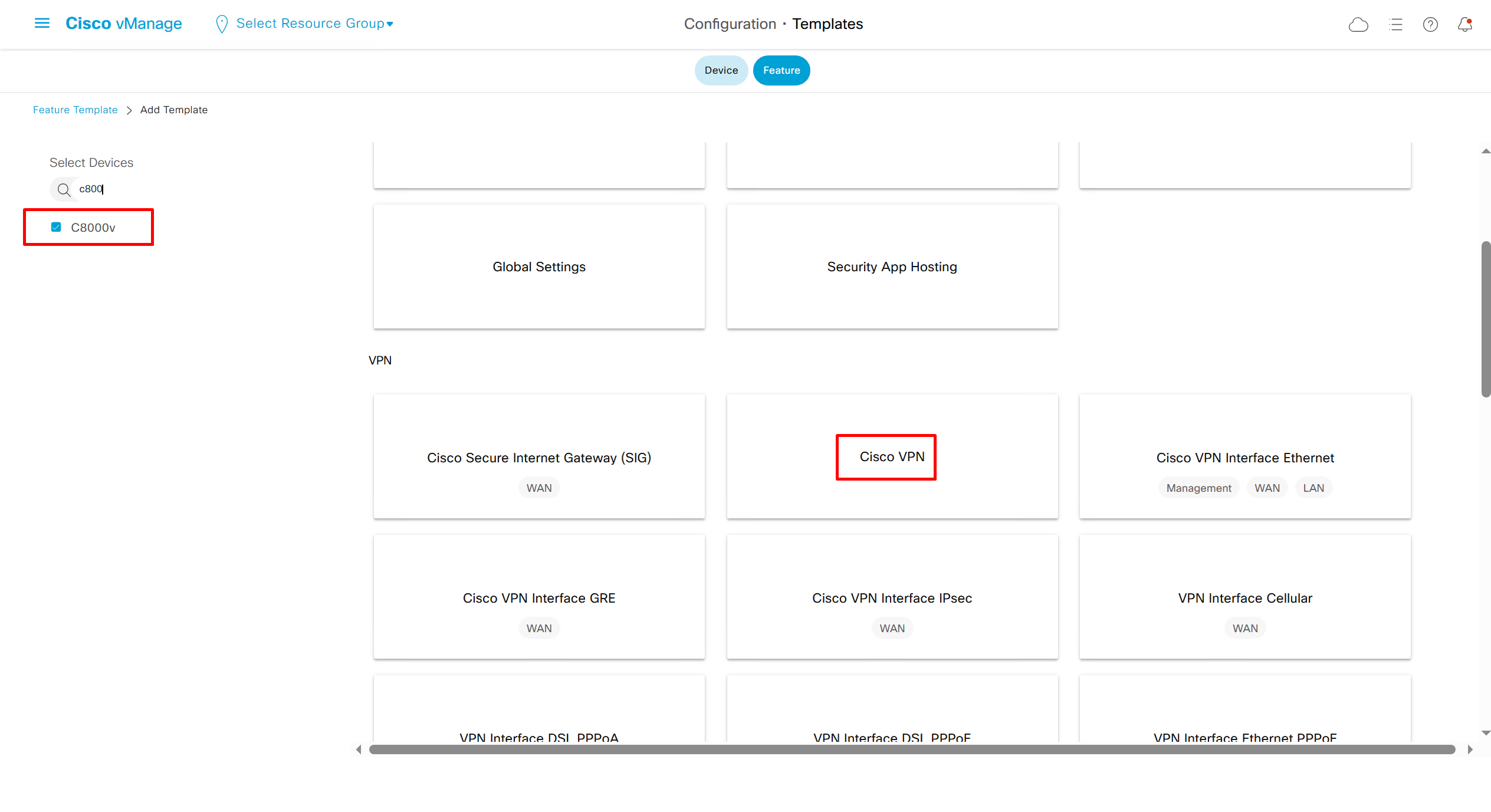
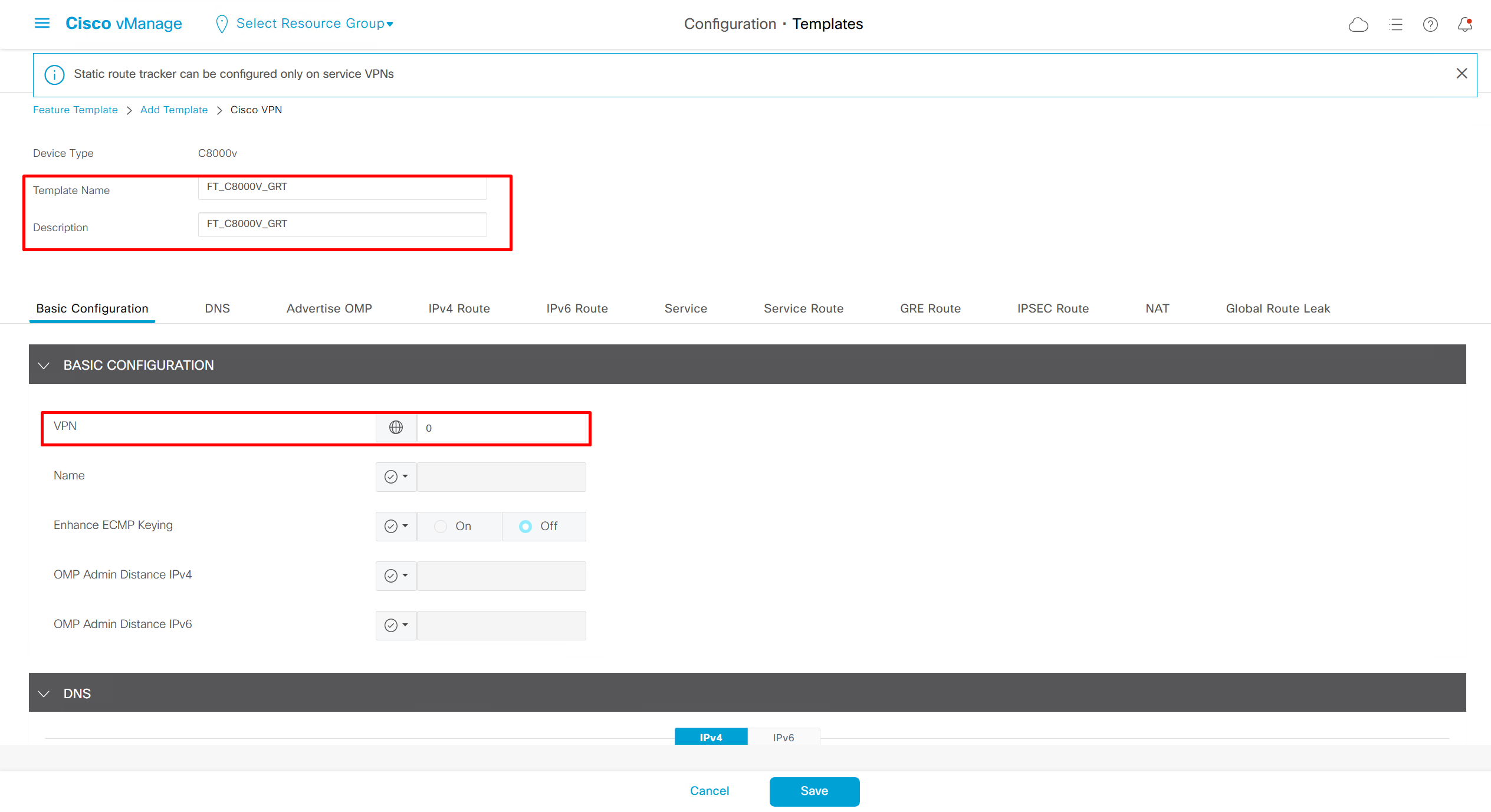
Enhance ECMP Keyring when turned on, also considers the source and destination port to calculate the ECMP
DNS and Static IPv4 routes will come under the GRT
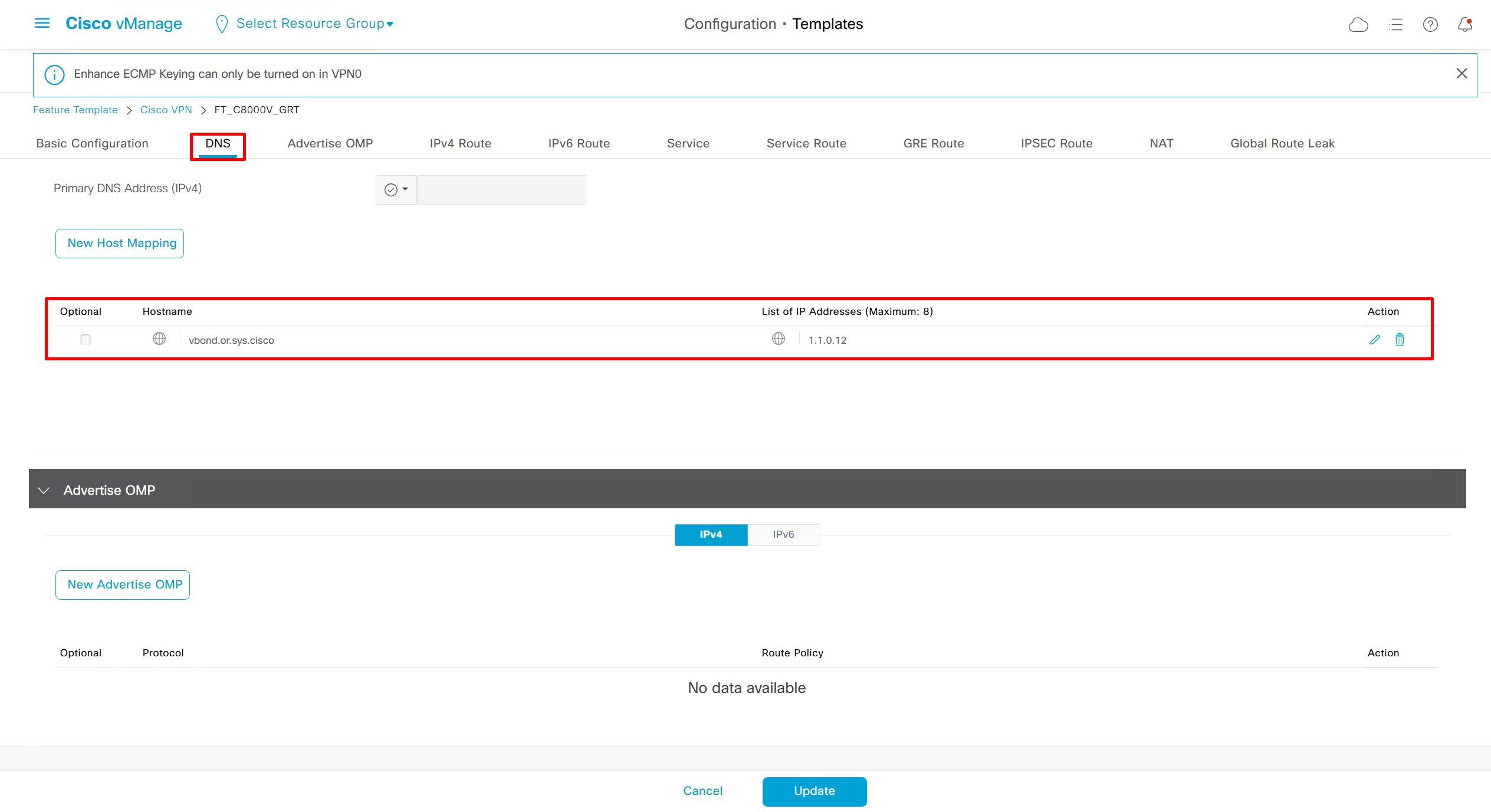
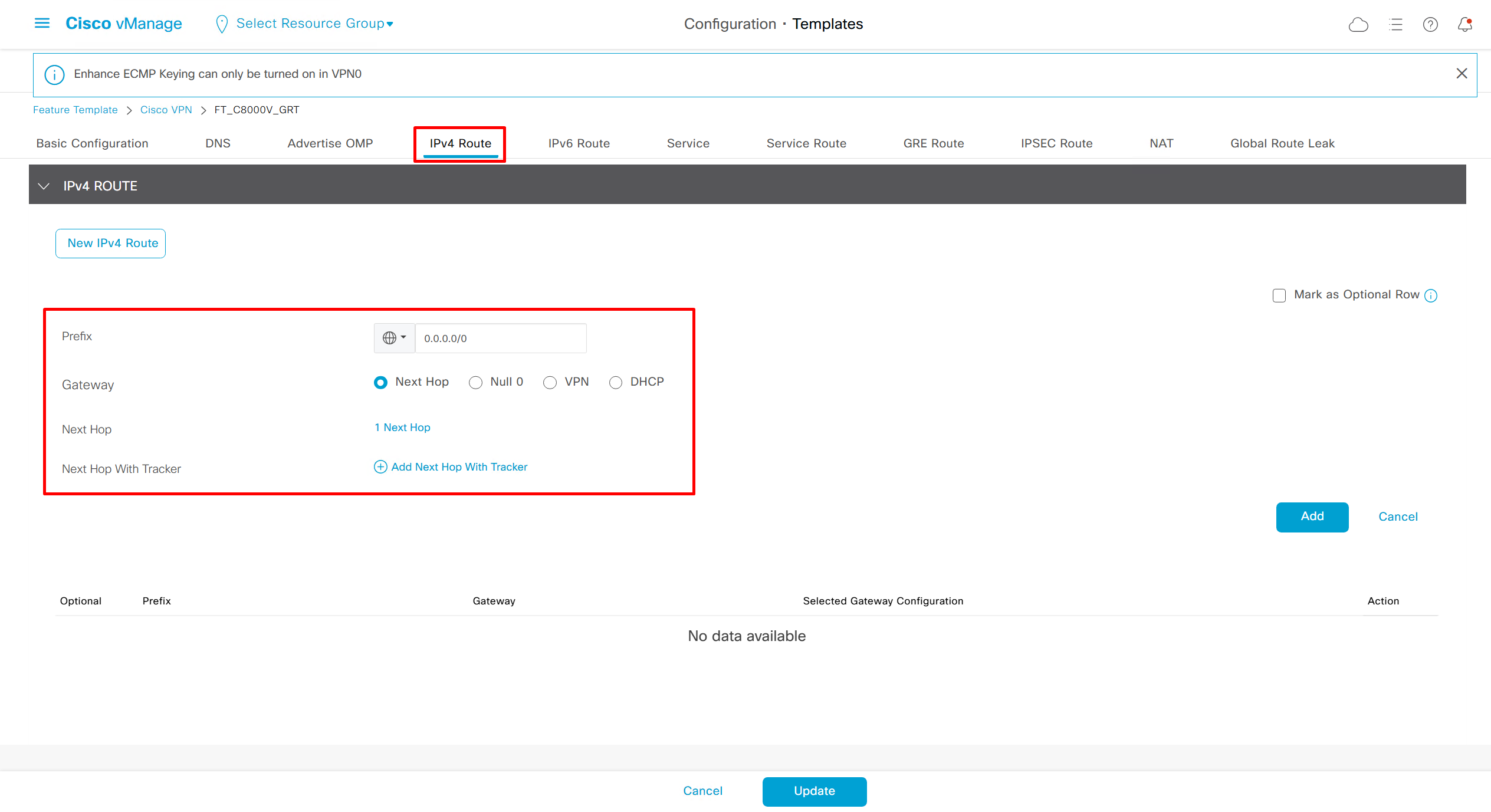
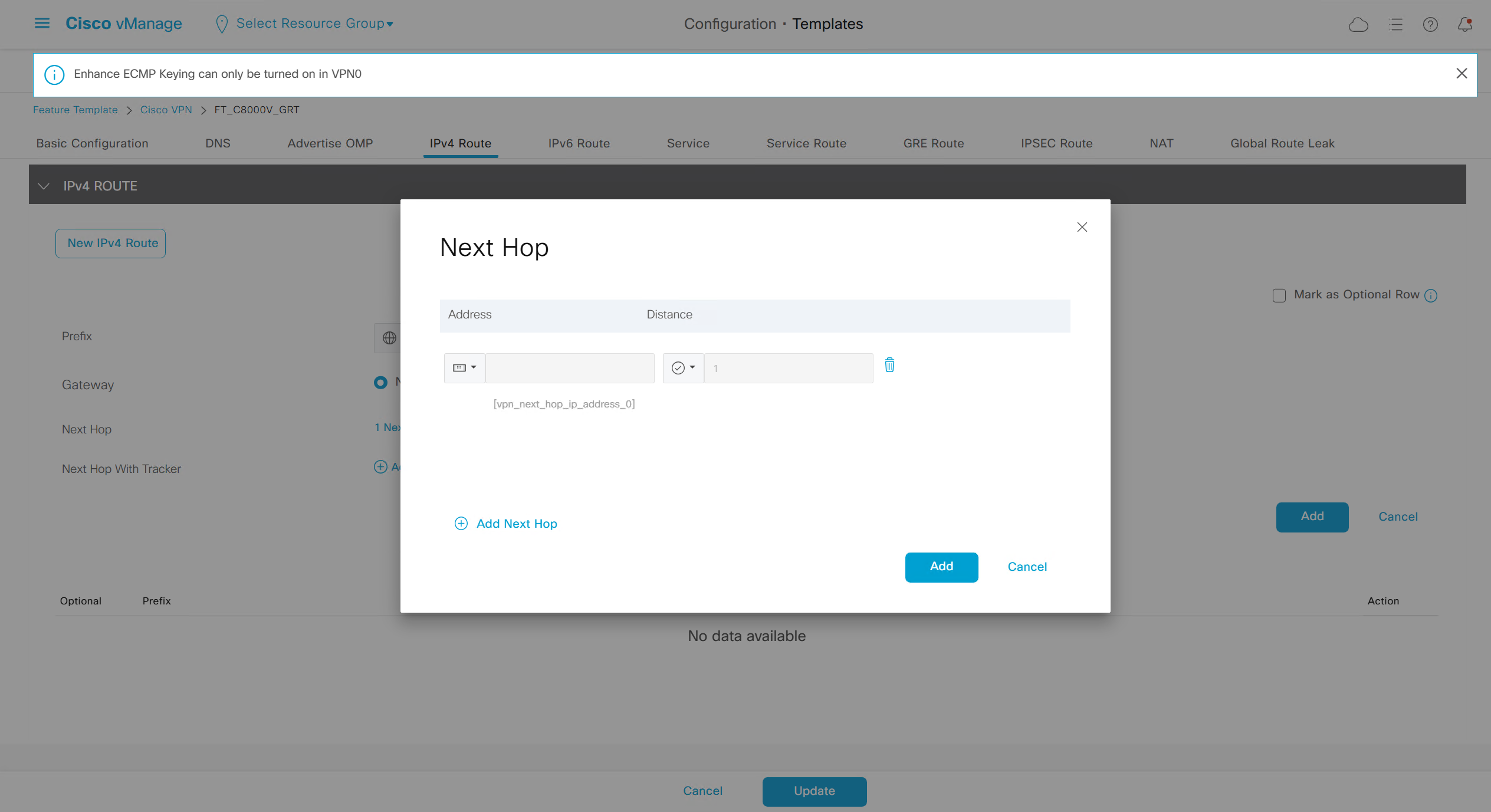
Interface (WAB Transport)
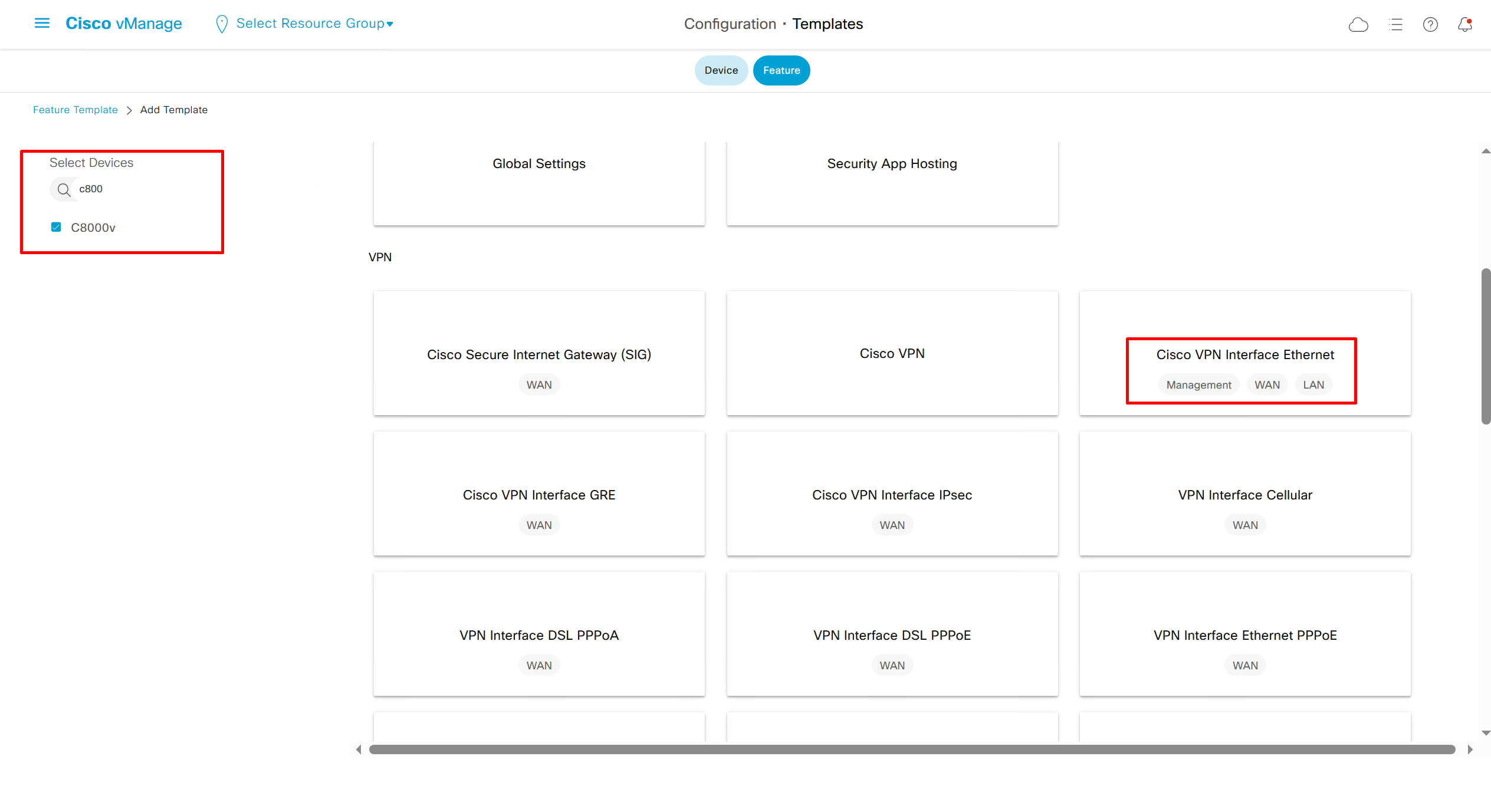
If devices models are different then each device model will need its own feature due to difference in interface names > Cisco VPN interface ethernet template
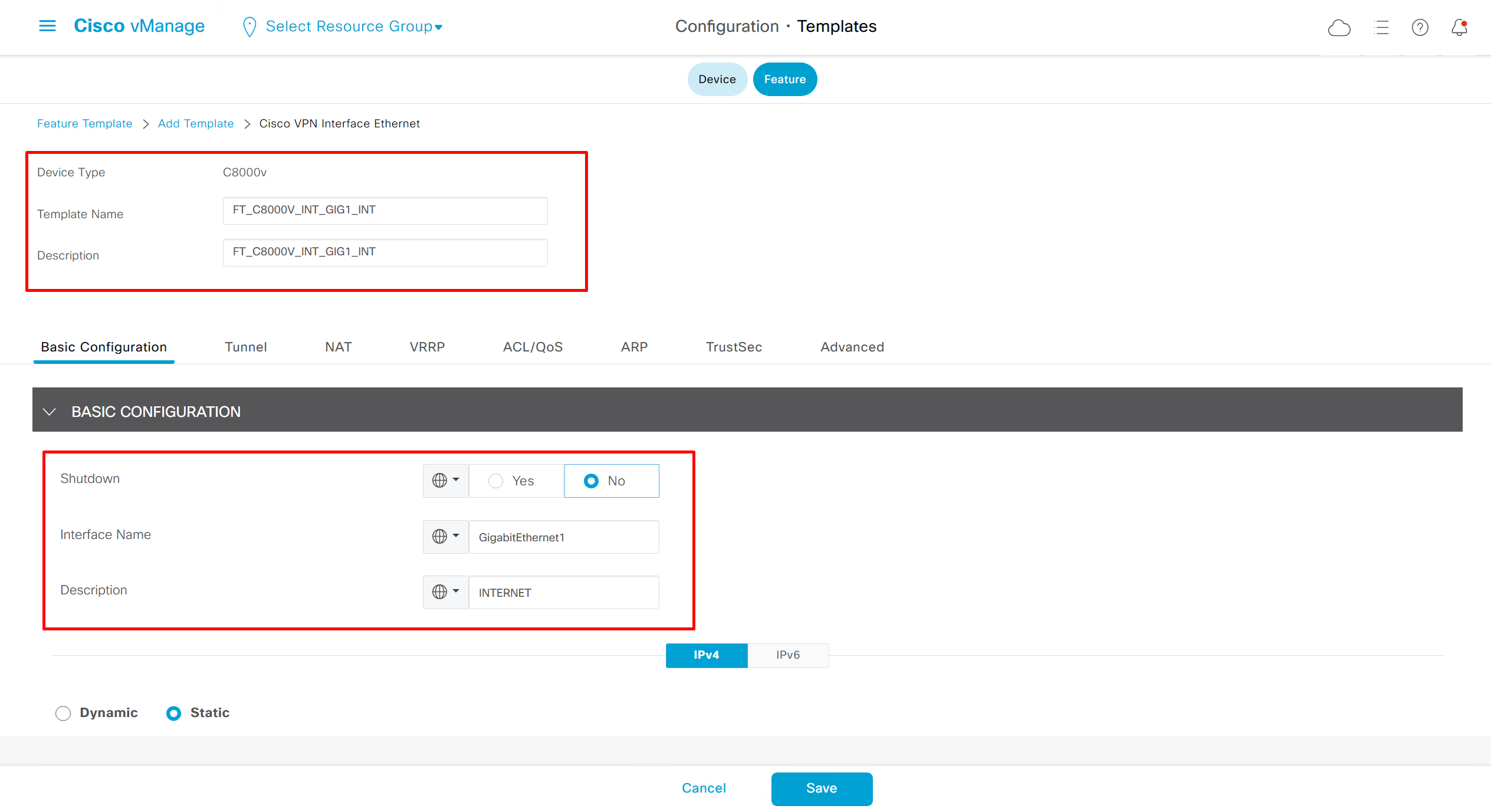
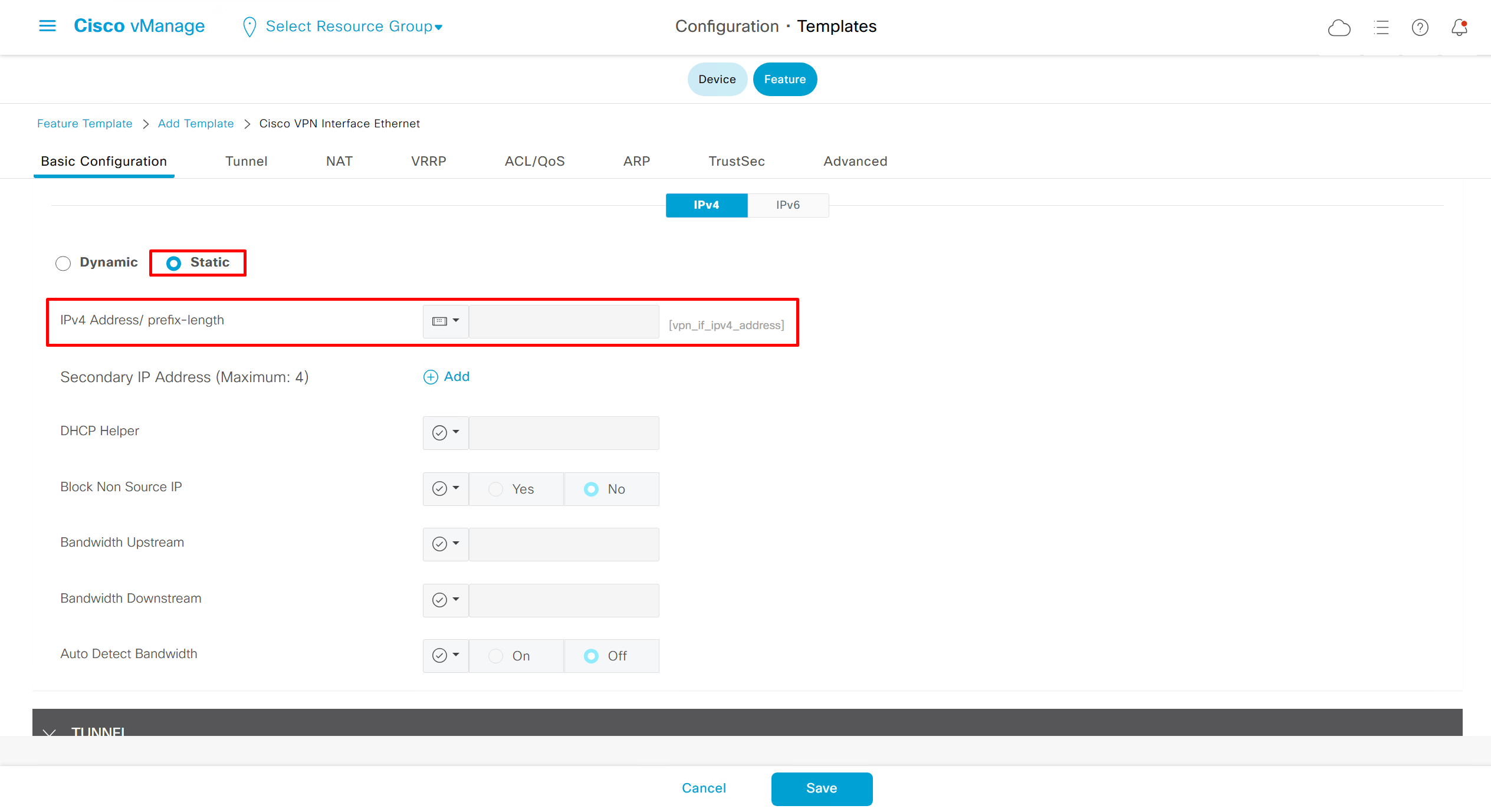

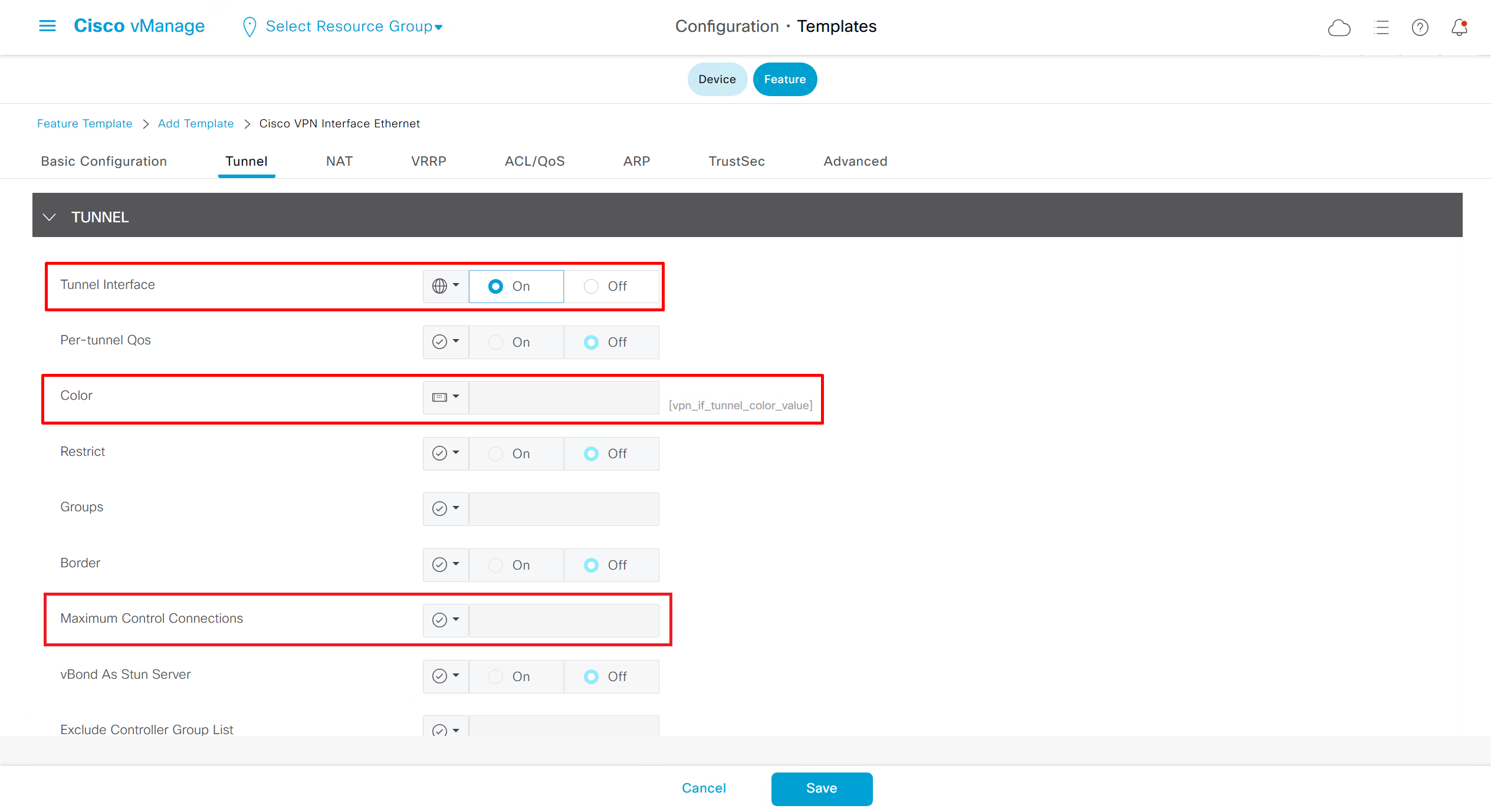
if this color does not have reachability to controllers such as MPLS connection then not only no control connections but data / bfd tunnels will not be attempted over it
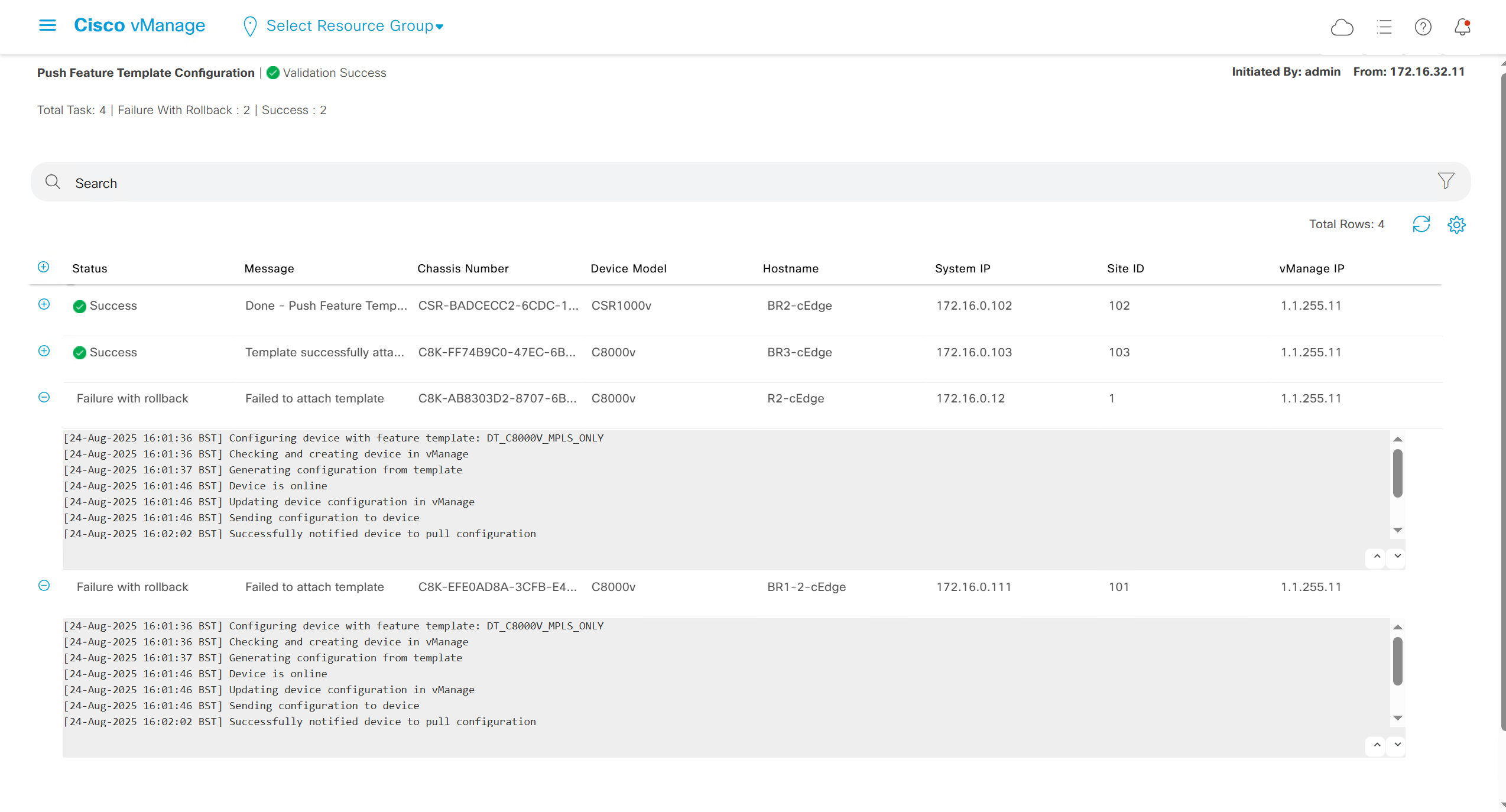
If we make “Maximum Control Connections to 0” , it can still form data tunnels over that color
Setting Maximum Control Connections to 0 on MPLS only sites caused loss of control connections to all controllers since control connections were already there , this option is for when there are no control connections forming or present
and because of loss of connections caused rollback because MPLS was only connection to site
Exclude Controller Group List: This is group of controllers that you dont want the edge to connect to, this is important when we dont want edge to connect to vsmart in far regions.

vManage Connection Preference: by default is 5, a link with higher preference is used to connect to vmanage in case we have 2x transports because only one vmanage connection is established
Port hop
By default, WAN Edge devices form control connections with controllers (vBond, vSmart, vManage) using:
DTLS (UDP 12346)
TLS (TCP 443)
So normally, traffic will keep using those fixed ports.
When Port Hop is enabled, the “WAN Edge” will not stick to just a single fixed port. Instead, it will cycle through a range of ports if a connection attempt fails.
- DTLS (UDP):
- Starts with UDP/12346.
- If blocked, it will try other ports in the UDP range 12346–12846.
- It keeps retrying until it finds an open port.
- TLS (TCP):
- Starts with TCP/443.
- If blocked, it will try other ports in the TCP range 443–12443.
- Again, hops until success.
This makes control connections much more resilient in restrictive or dynamic network environments where firewalls are doing inspections and rate limiting traffic
Sometimes port hop can be issue
Control connections on the router, you see it is up from last 4 mins and 12 seconds. It will again retrigger after completing 5 mins
NDNA_c8000v#sh sdwan control connections
                                                               PEER                  PEER                                     CONTROLLER
PEER    PEER PEER            SITE       DOMAIN PEER            PRIV  PEER            PUB                                      GROUP
TYPE    PROT SYSTEM IP       ID         ID     PRIVATE IP      PORT  PUBLIC IP       PORT  ORGANIZATION       LOCAL COLOR     PROXY STATE UPTIME      ID
------------------------------------------------------------------------------------------------------------------------------------------------------------
vsmart  dtls 10.10.10.11    1          1      10.10.3.5         12646 17.23.12.11    12646      NDNA-111     gold            No    up     0:00:04:12 0
vsmart  dtls 10.10.10.12    2          1      10.10.3.15        12646 17.23.12.25    12646      NDNA-111     gold            No    up     0:00:04:12 0
vmanage dtls 10.10.10.10    1          0      10.10.3.12        13046 17.23.12.88    13046     NDNA-111      gold            No    up     0:00:04:12 0
checked again after like a minute now and you will notice, it is showing 8 seconds now which means it is bounced again.
NDNA_c8000v#sh sdwan control connections
                                                               PEER                  PEER                                     CONTROLLER
PEER    PEER PEER            SITE       DOMAIN PEER            PRIV  PEER            PUB                                      GROUP
TYPE    PROT SYSTEM IP       ID         ID     PRIVATE IP      PORT  PUBLIC IP       PORT  ORGANIZATION       LOCAL COLOR     PROXY STATE UPTIME      ID
------------------------------------------------------------------------------------------------------------------------------------------------------------
vsmart  dtls 10.10.10.11    1          1      10.10.3.5         12646 17.23.12.11    12646      NDNA-111     gold            No    up     0:00:00:08 0
vsmart  dtls 10.10.10.12    2          1      10.10.3.15        12646 17.23.12.25    12646      NDNA-111     gold            No    up     0:00:00:08 0
vmanage dtls 10.10.10.10    1          0      10.10.3.12        13046 17.23.12.88    13046     NDNA-111      gold            No    up     0:00:00:08 0
For troubleshooting, move the router to CLI mode
First check the mode in which router is working, if we see below in red, the template is attached to the router which means the router is in controller mode.
Personality:             vEdge
Model name:              C8000V
Device role:             cEdge-SDWAN
Services:                None
vManaged:                true
Commit pending:          false
Configuration template:  AZURE-NDNA-V01
Chassis serial number:   XXXXXXXXXXXXXX
Move the router from controller mode to CLI mode in order to do packet captures on the router. Although it is recommended to capture using vmanage datastream mode
Once you moved, run the below script in order to capture the packets on the interface with the source and the destination IPs as shown below :
!
ip access-list extended CAP-Filter
10 permit ip host 10.10.1.23 host 17.23.12.88
20 permit ip host 17.23.12.88 host 10.10.1.23
exit
monitor capture CAP access-list CAP-Filter interface GigabitEthernet1 both buffer circular size 25
monitor capture CAP limit pps 1000000
monitor capture CAP access-list CAP-Filter both buffer circular size 25
monitor capture CAP start
monitor capture CAP stop
!
Now run below commands to get debugs
NDNA_c8000v# debug platform software sdwan vdaemon all high
NDNA_c8000v# monitor logging process vdaemon internal
Once you run the above commands, you will see logs related to the interfaces
You will see that in debug logs , TLOC Disable … Why ?
2024/04/19 17:47:59.779970993 {vdaemon_R0-0}{255}: [event] [18342]: (debug): Disabling tloc GigabitEthernet1.
2024/04/19 17:47:59.780001093 {vdaemon_R0-0}{255}: [misc] [18342]: (ERR): Delta preference value added to TLOC pref.
2024/04/19 17:47:59.780003193 {vdaemon_R0-0}{255}: [misc] [18342]: (ERR): Sending TLOC: ifname:GigabitEthernet3 color:gold spi:18915 smarts:2 manages:1 state:DOWN LR encap:0 LR hold time:7000 bw:0, down-bw 0 range: 0-0,adapt period 0 up-bw range 0-0 up_fia 0 capability:0x3f
Check the interface for port-hop and you will see port-hop is enabled. Now disable the port hop and you will see the control connections will be stable
interface GigabitEthernet1
  tunnel-interface
   encapsulation ipsec weight 1
   no border
   color gold restrict
   no last-resort-circuit
   no low-bandwidth-link
   no vbond-as-stun-server
   vmanage-connection-preference 5
  port-hop
Check the control connection after disabling port-hop on the interface , you will see it is up from last 19 min. and stable.
NDNA_c8000v#sh sdwan control connections
                                                               PEER                  PEER                                     CONTROLLER
PEER    PEER PEER            SITE       DOMAIN PEER            PRIV  PEER            PUB                                      GROUP
TYPE    PROT SYSTEM IP       ID         ID     PRIVATE IP      PORT  PUBLIC IP       PORT  ORGANIZATION       LOCAL COLOR     PROXY STATE UPTIME      ID
------------------------------------------------------------------------------------------------------------------------------------------------------------
vsmart  dtls 10.10.10.11    1          1      10.10.3.5         12646 17.23.12.11    12646      NDNA-111     gold            No    up     0:00:19:02 0
vsmart  dtls 10.10.10.12    2          1      10.10.3.15        12646 17.23.12.25    12646      NDNA-111     gold            No    up     0:00:19:02 0
vmanage dtls 10.10.10.10 1 0 10.10.3.12 13046 17.23.12.88 13046 NDNA-111 gold No up 0:00:19:02 0 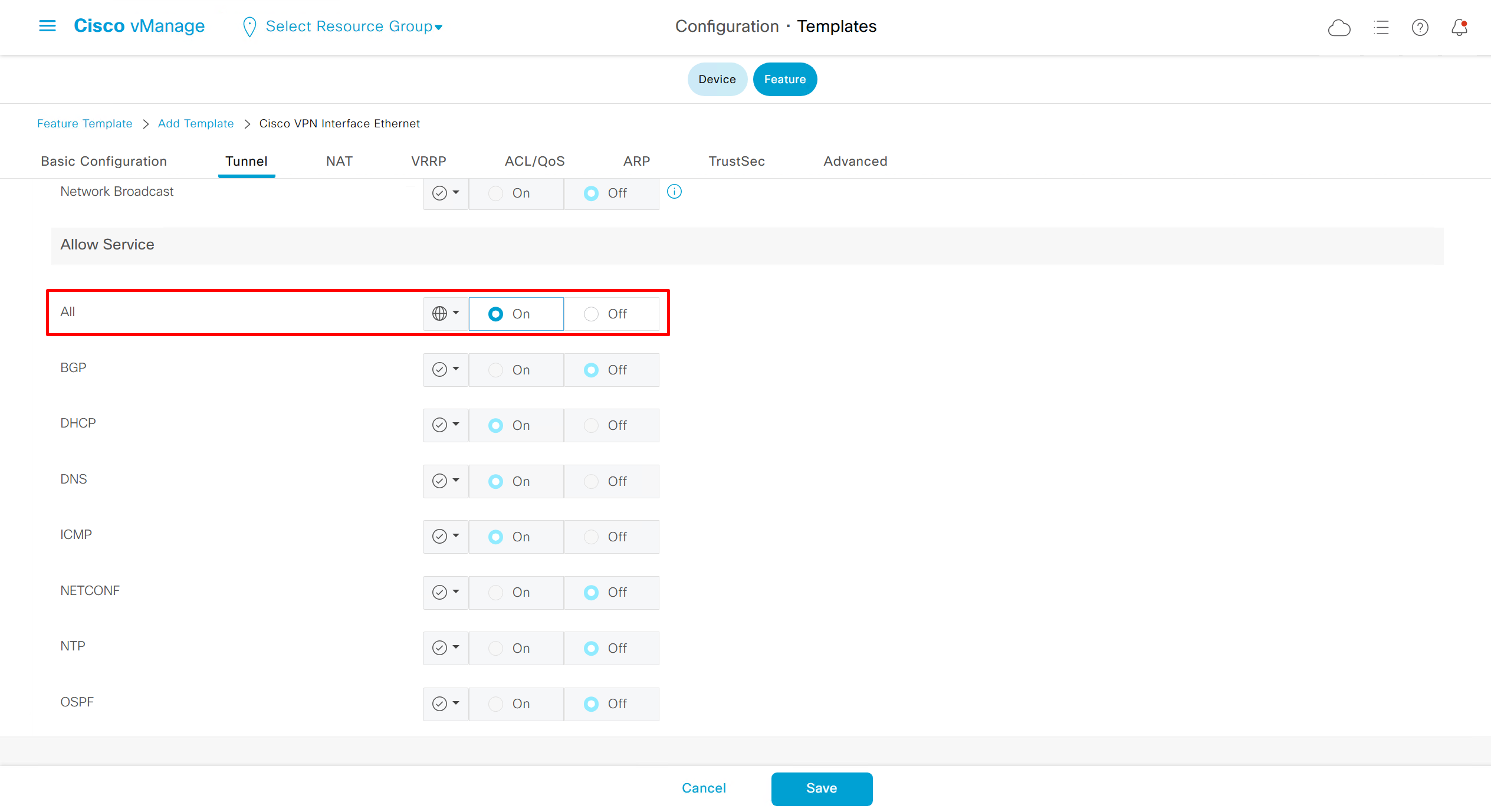
Now we can copy the template and also change its device model as well
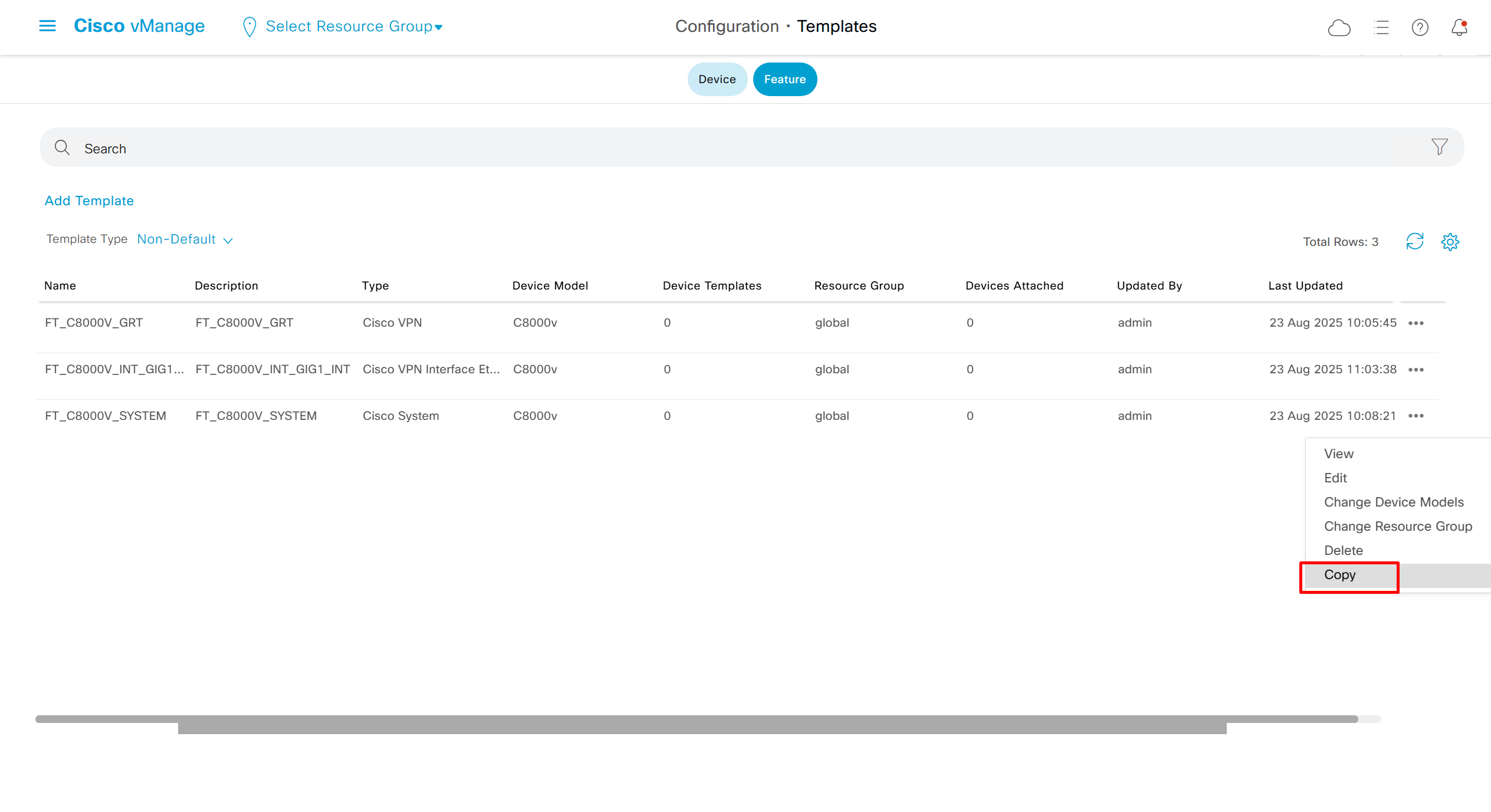
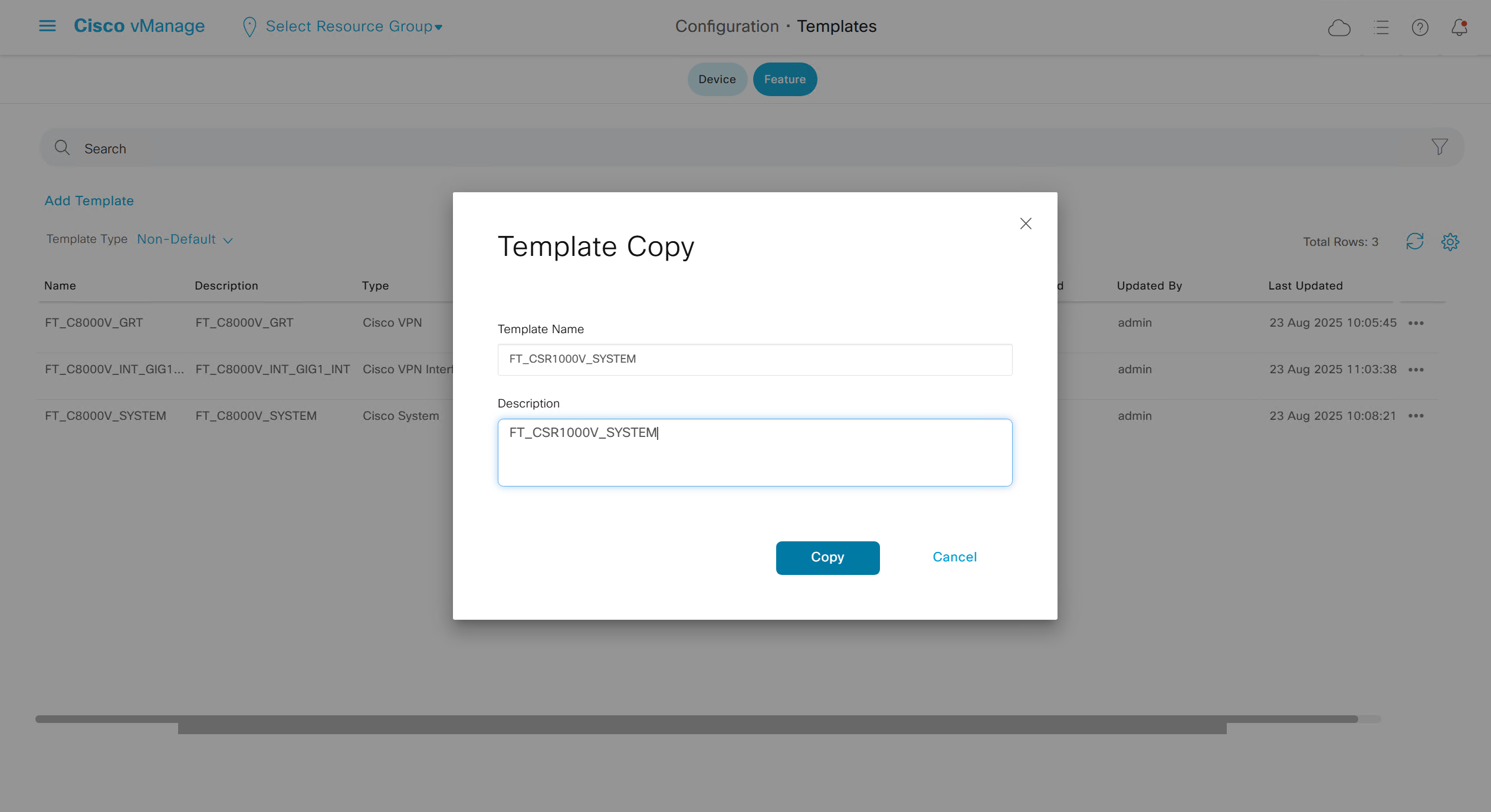
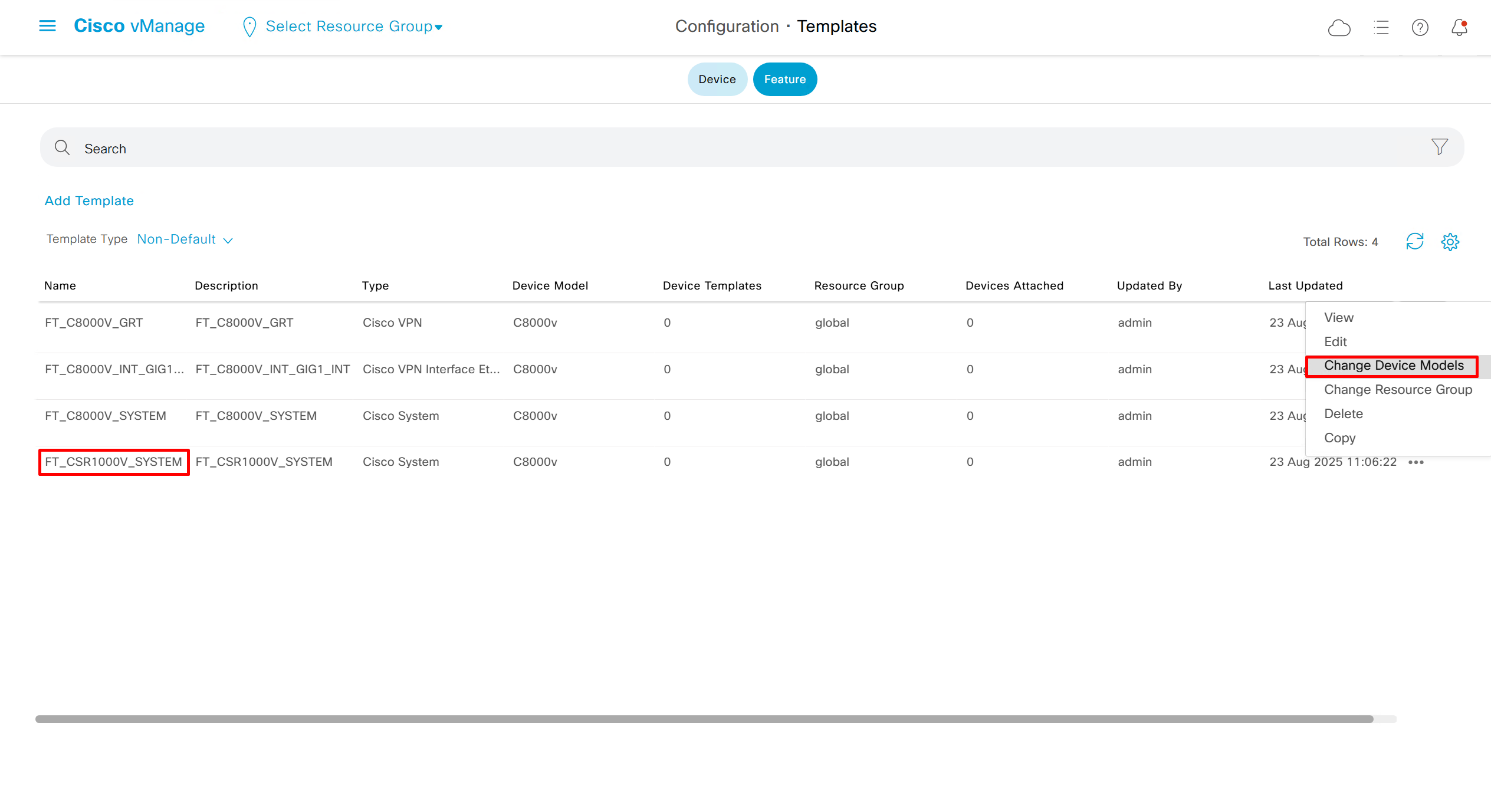
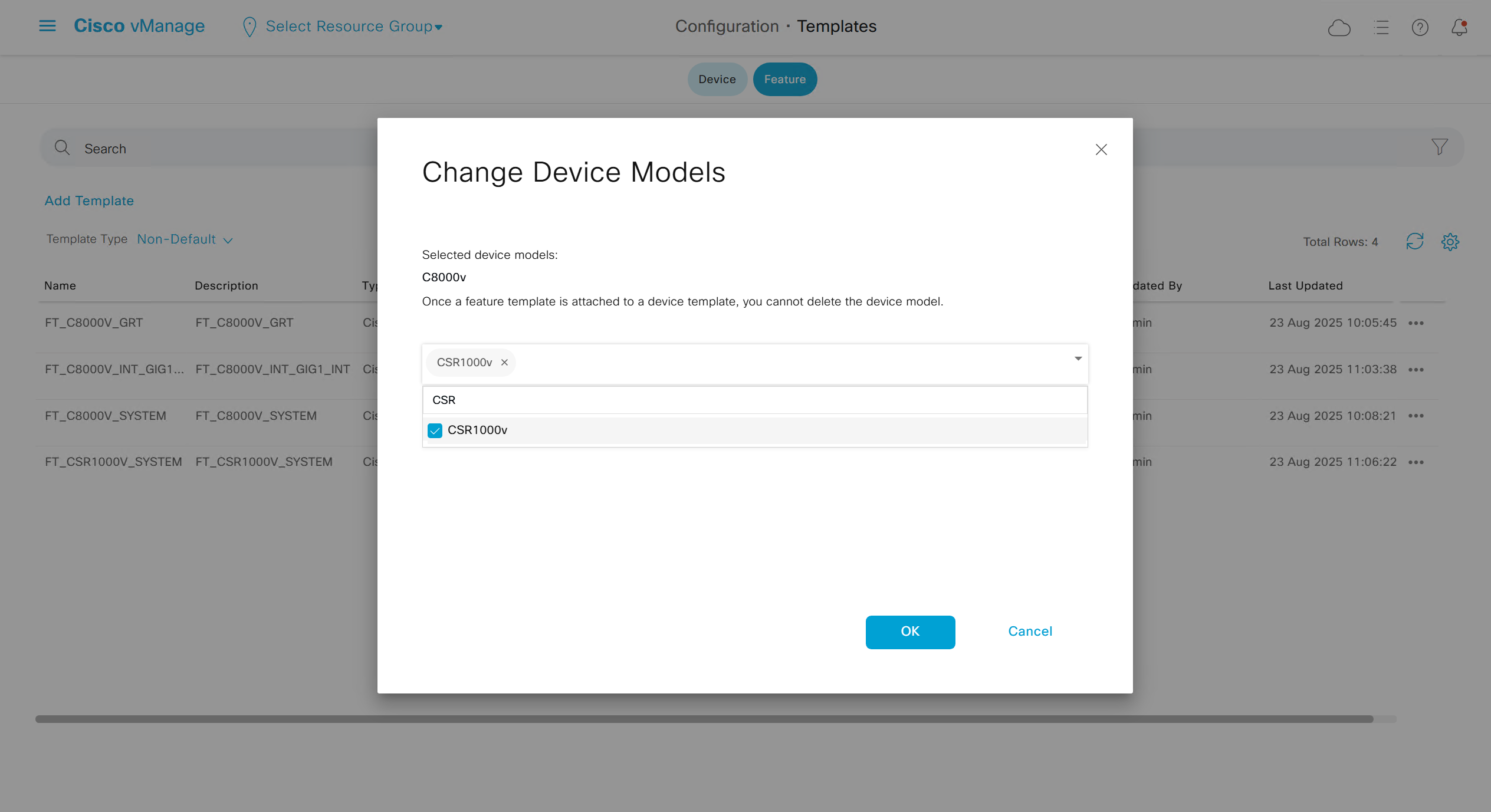
Once you have changed the device model, make sure that interface names match, such as make sure that interface name is not GigabitEthernet0/0/0 and GigabitEthernet1, if it is different then change it inside template as well
on hardware models we also need to make sure that we have template for management gig0 interface to satisfy the requirement for device template on hardware platforms otherwise deployment fails, for managemet gig0 interface same template “Cisco VPN Interface Ethernet” is used and input its name from “show ip int brief”
Now create device template
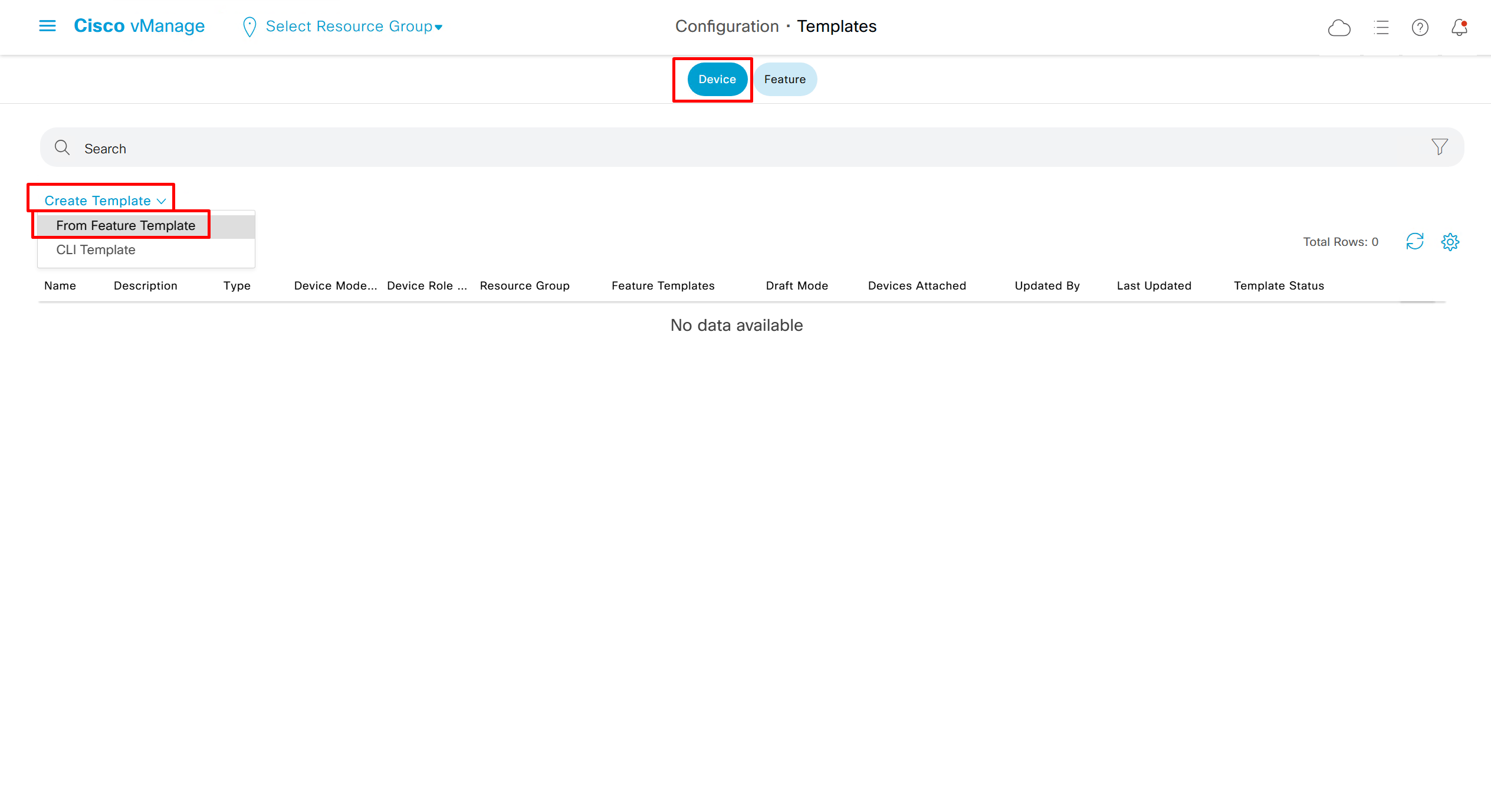
Device Template
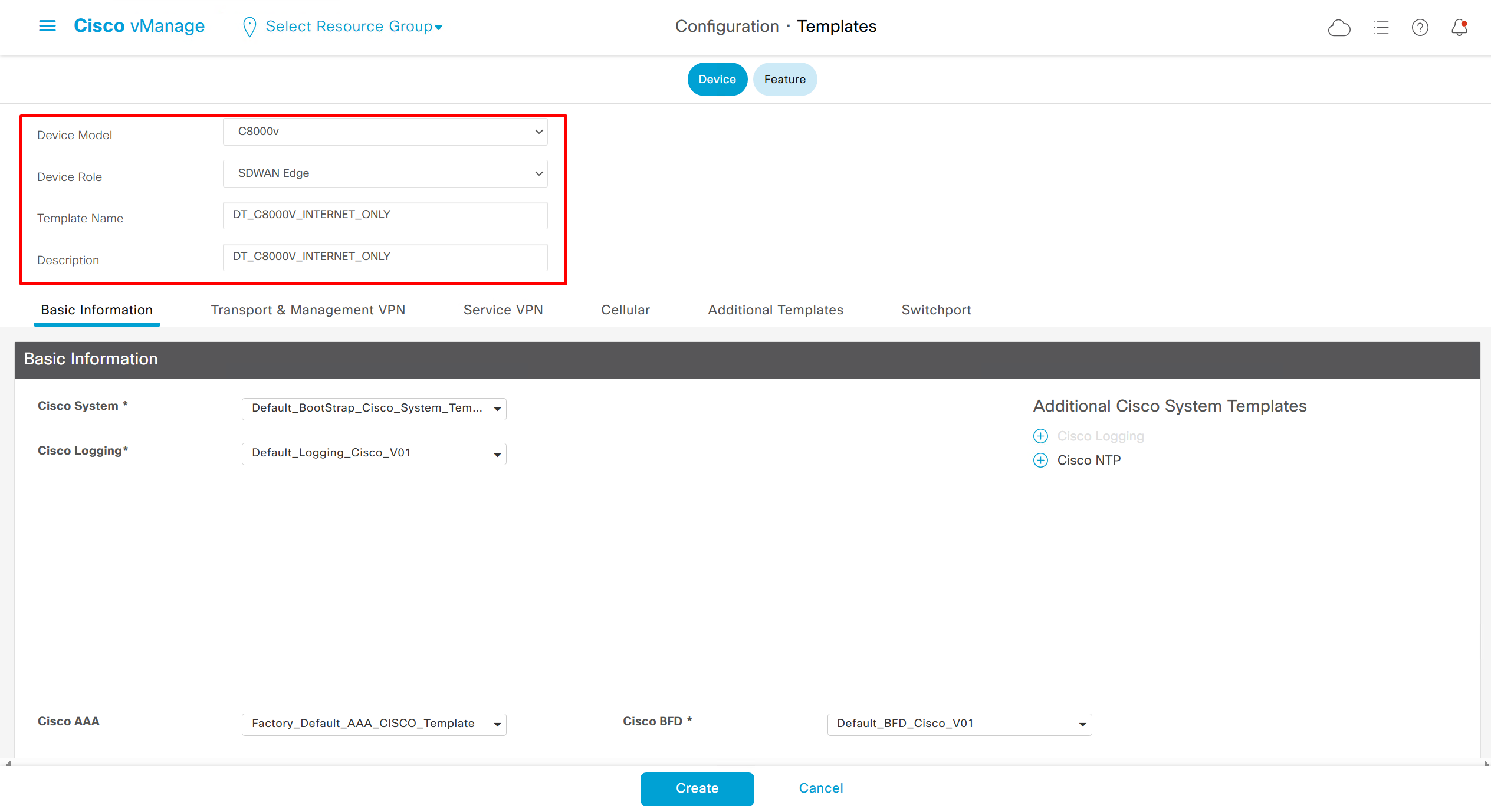
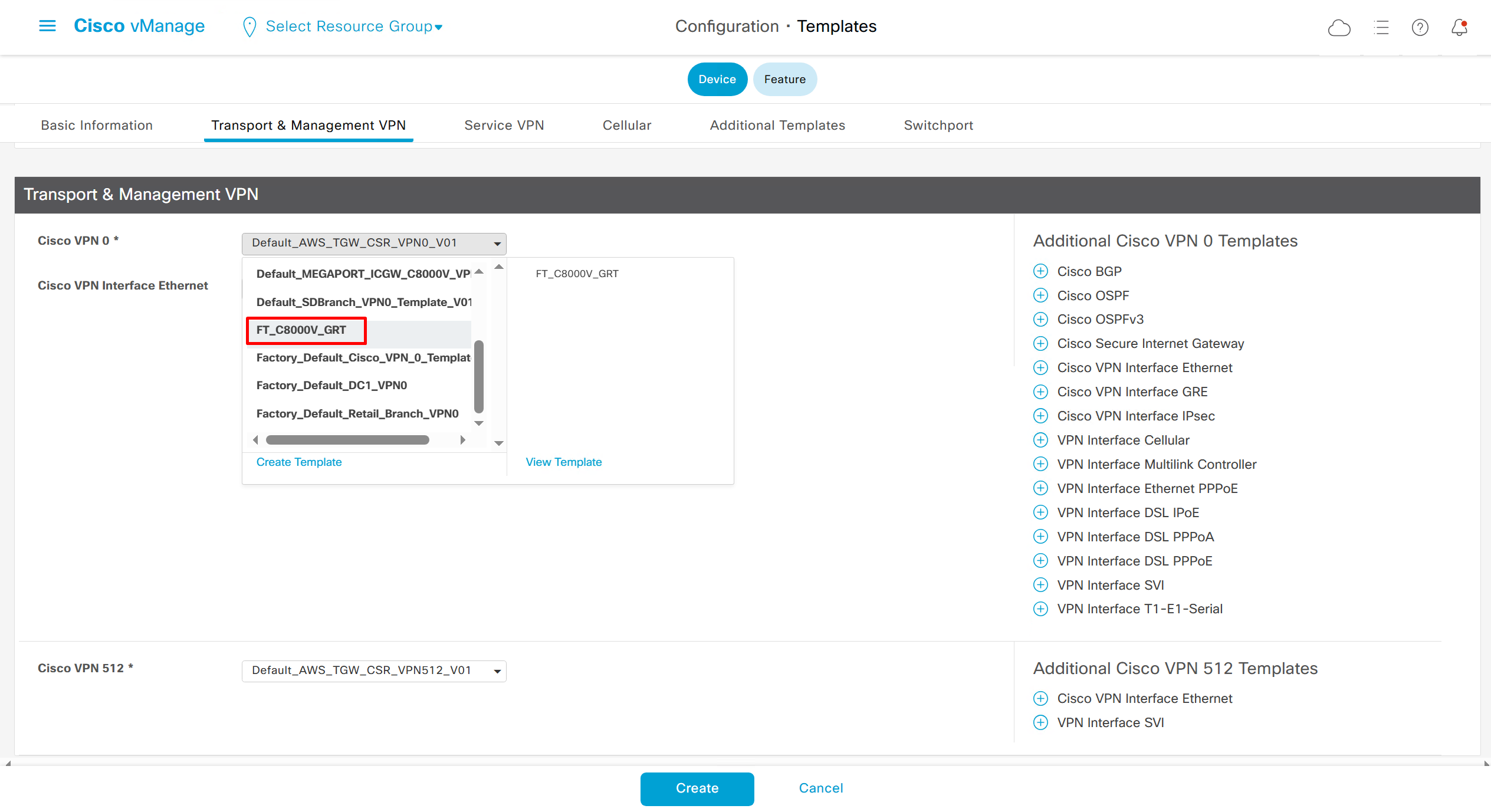
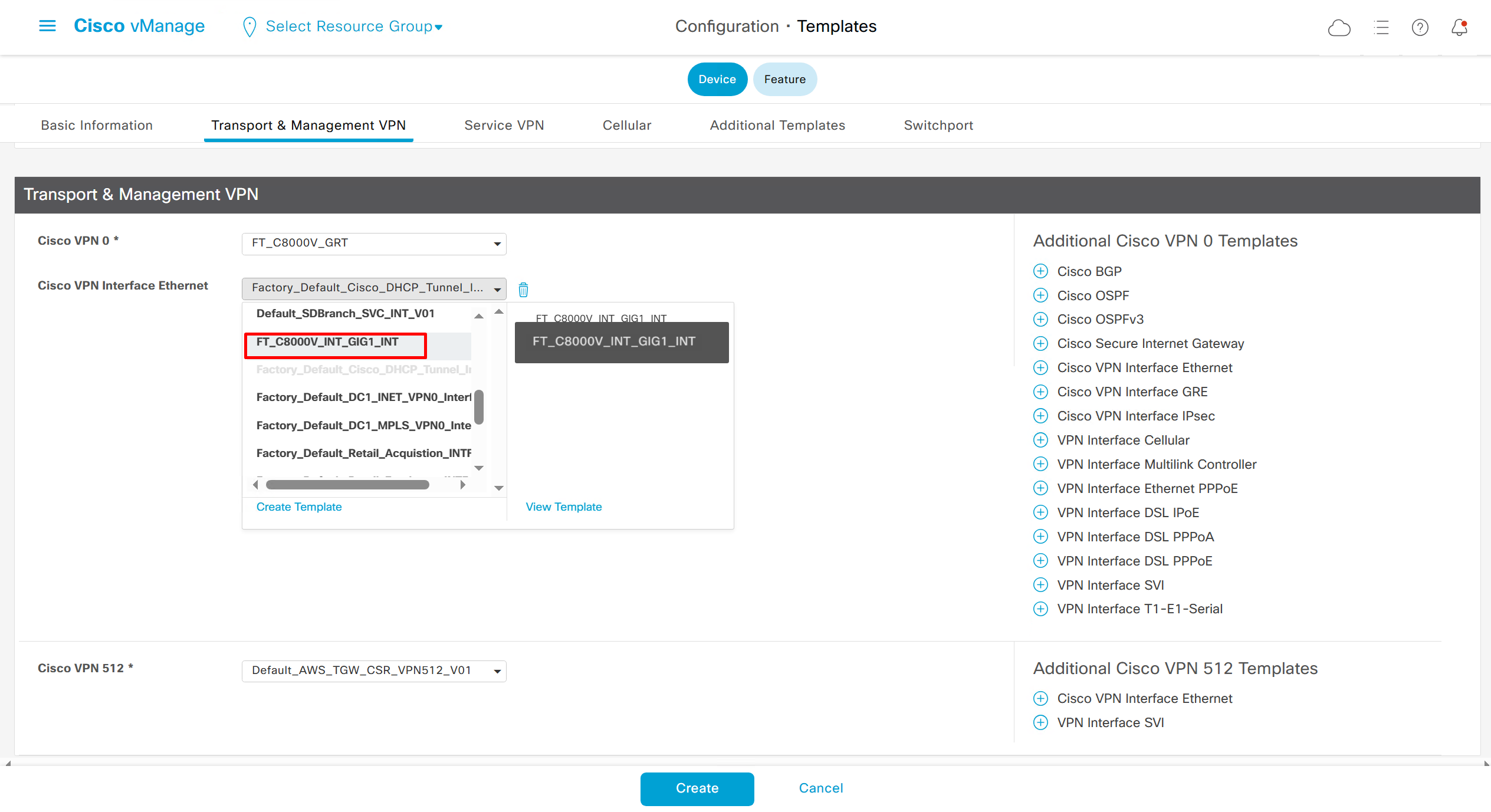
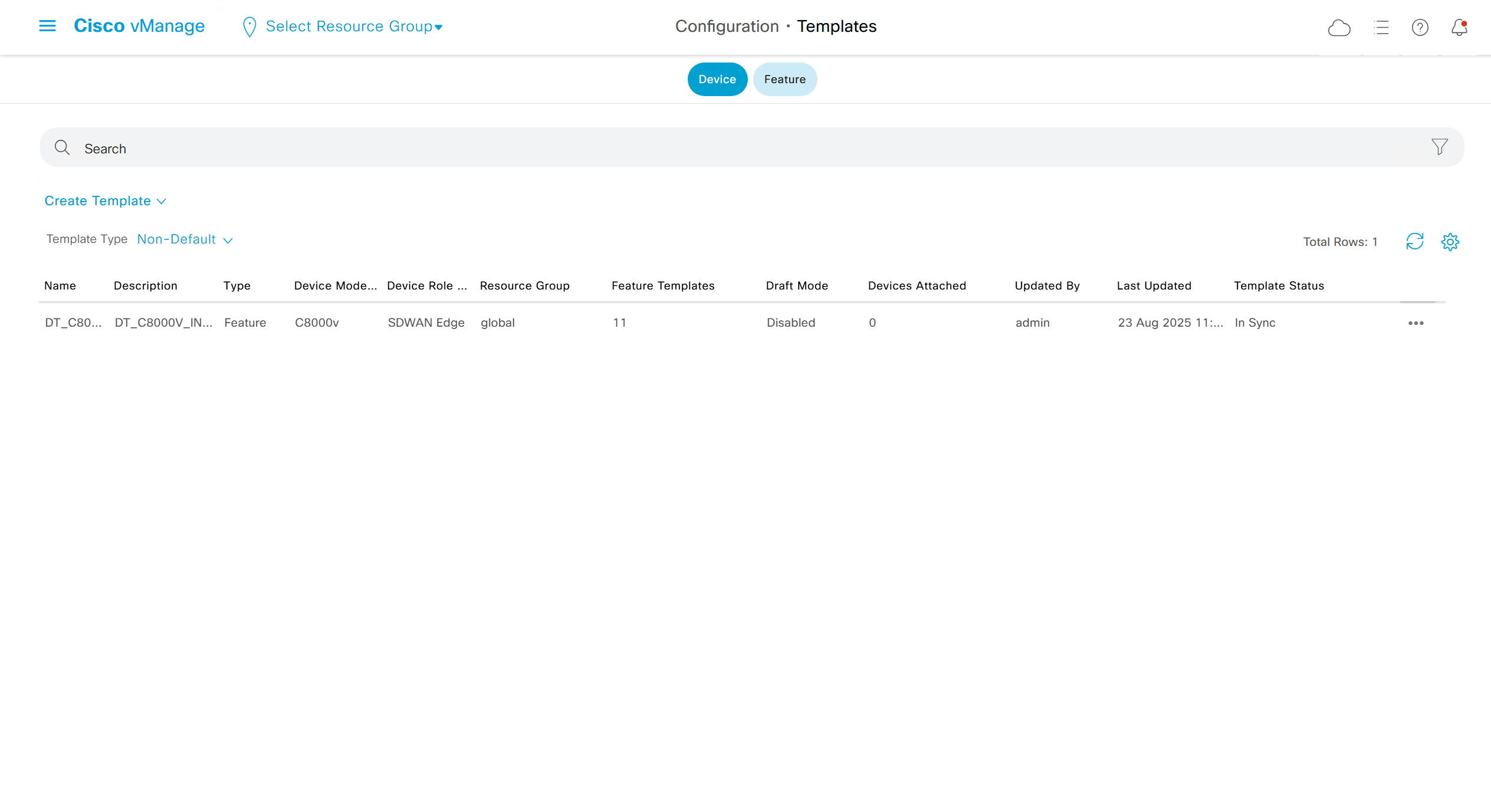
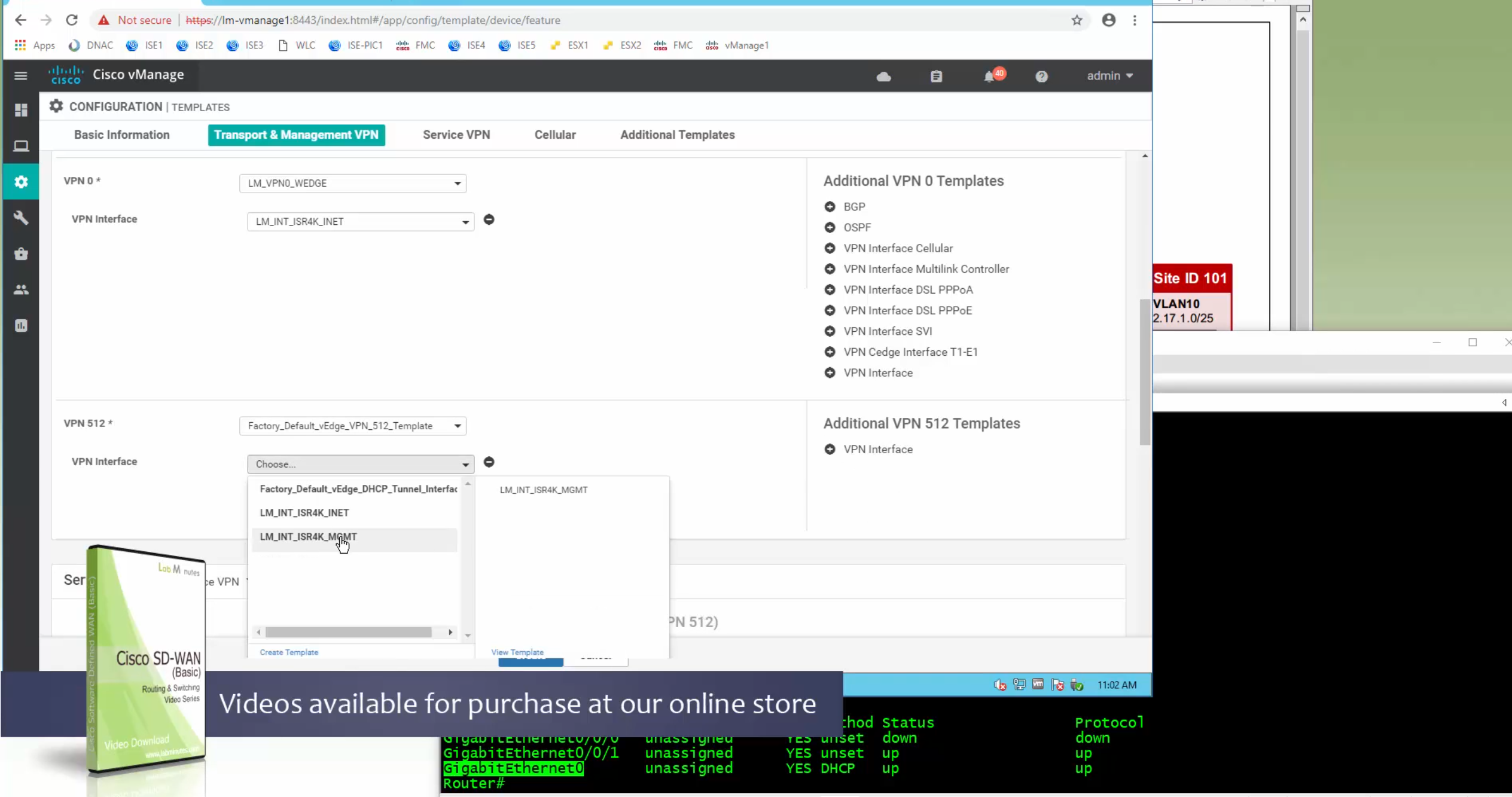
In case we have another transport interface, we can add another from plus icon next to the type of interface

In case we have to attach mgmt interface to avoid deployment errors on hardware device
Now we need to attach the device template to a device – C8000v that has internet only connectivity
And you do that from the template itself
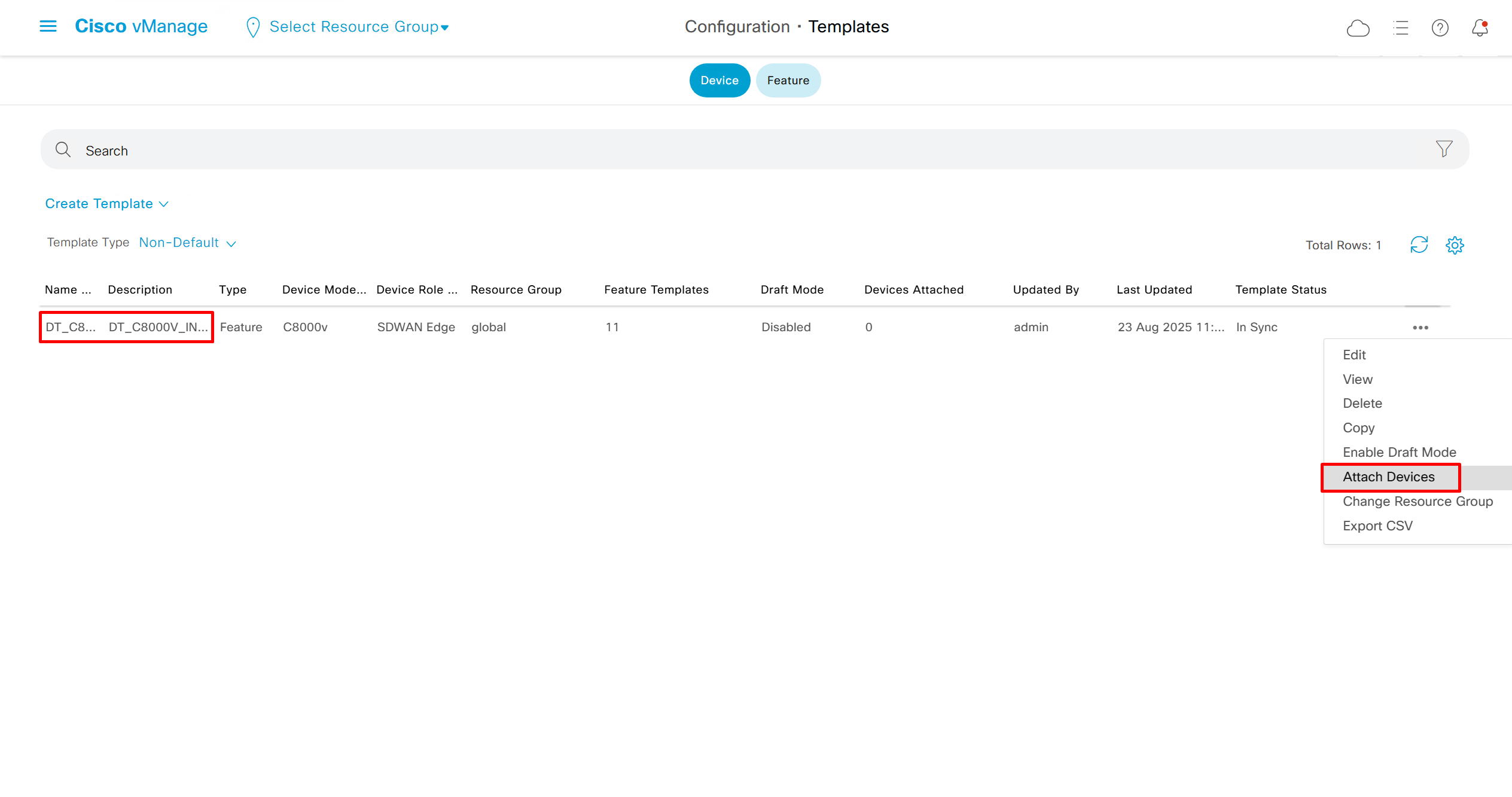
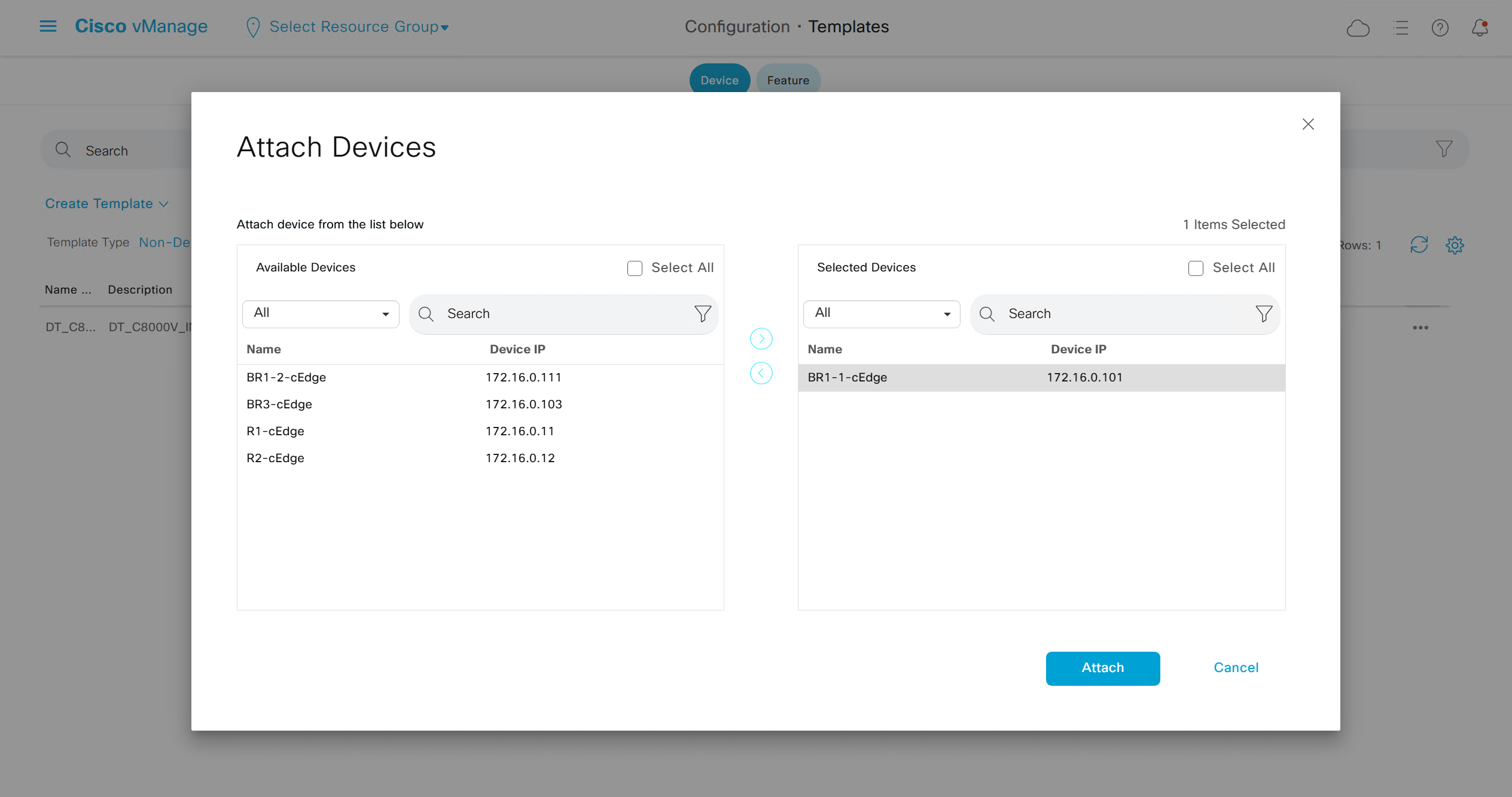
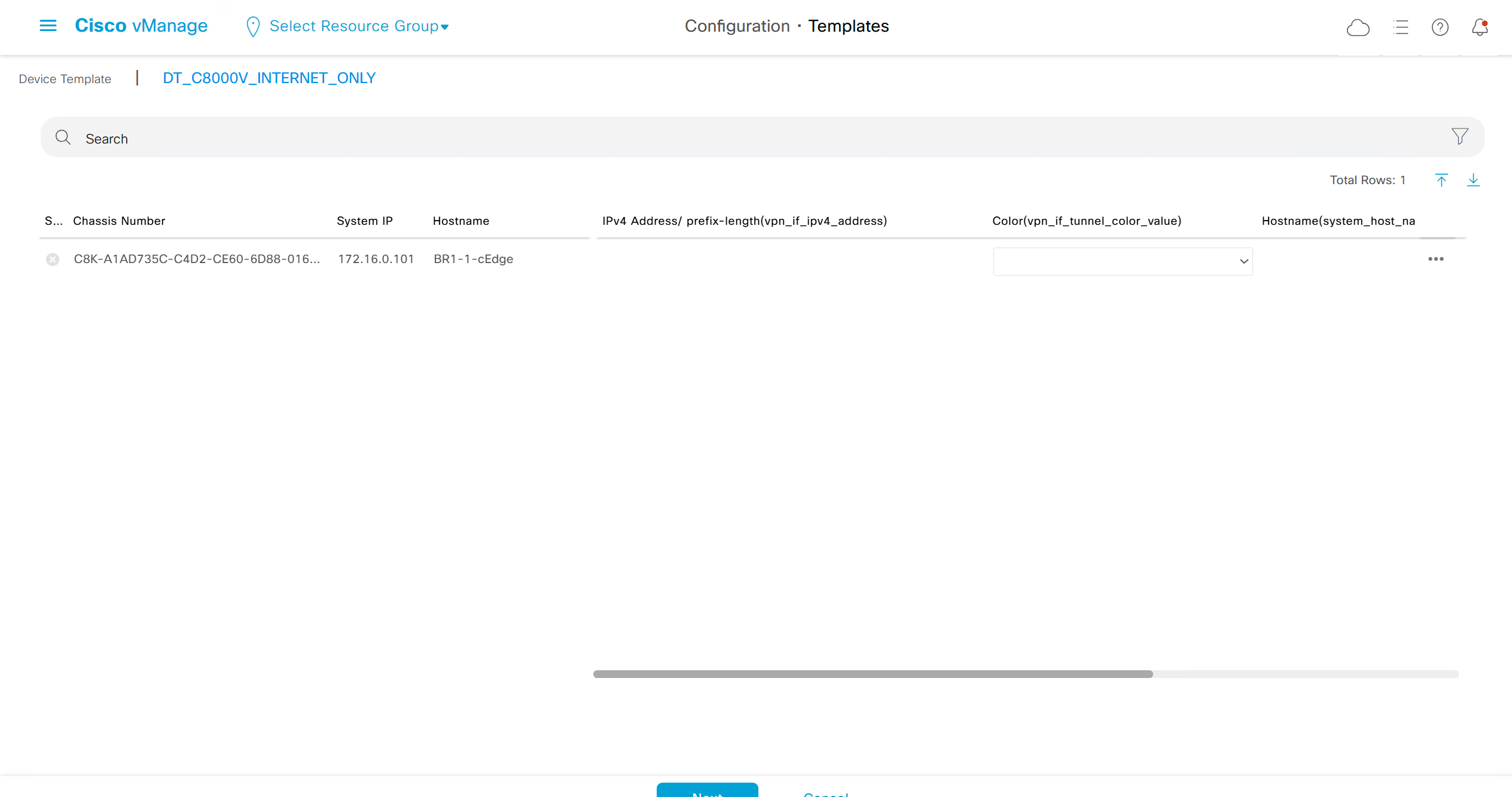
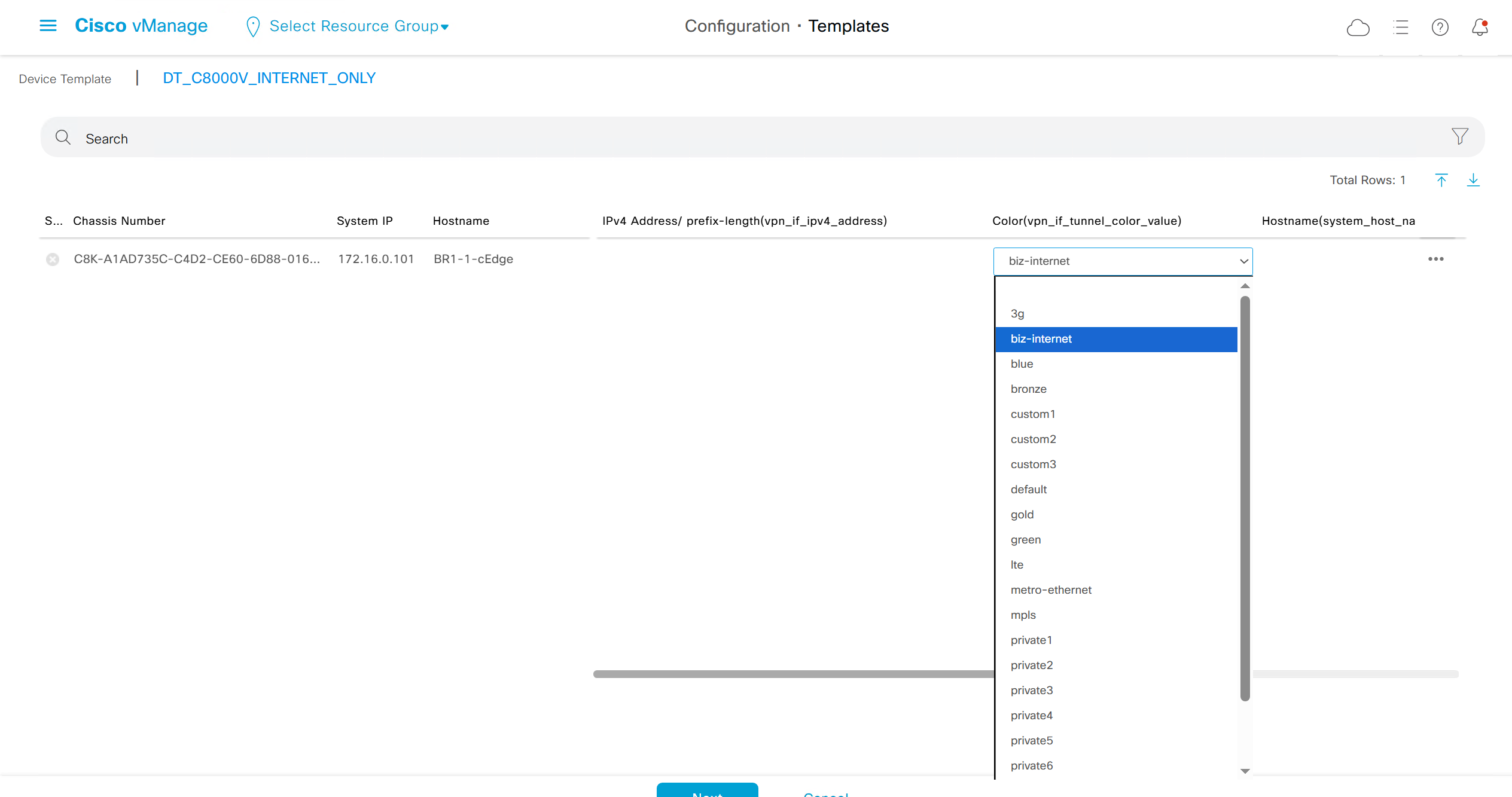

fill the variables with following information from the running-config of edge device


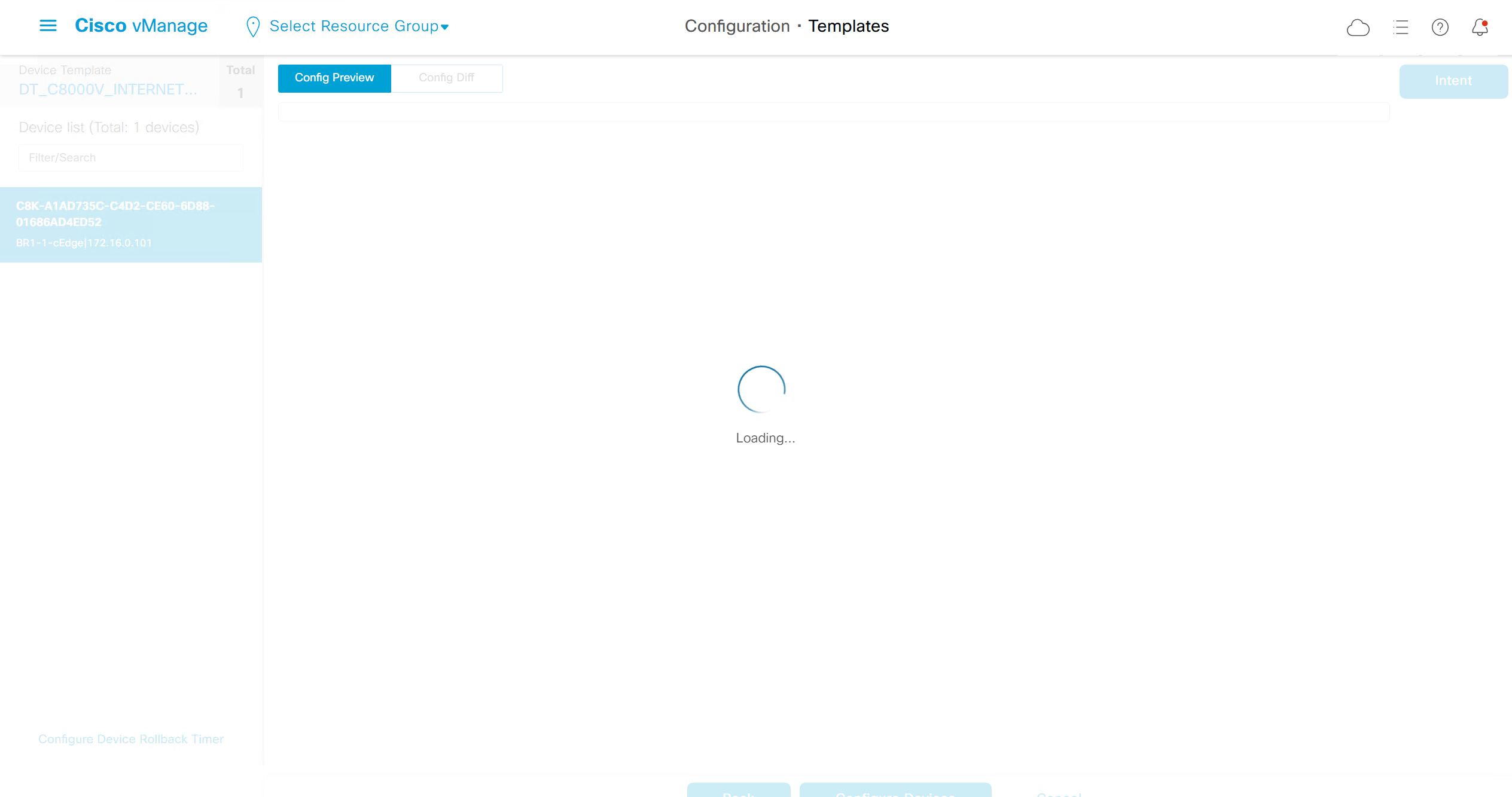
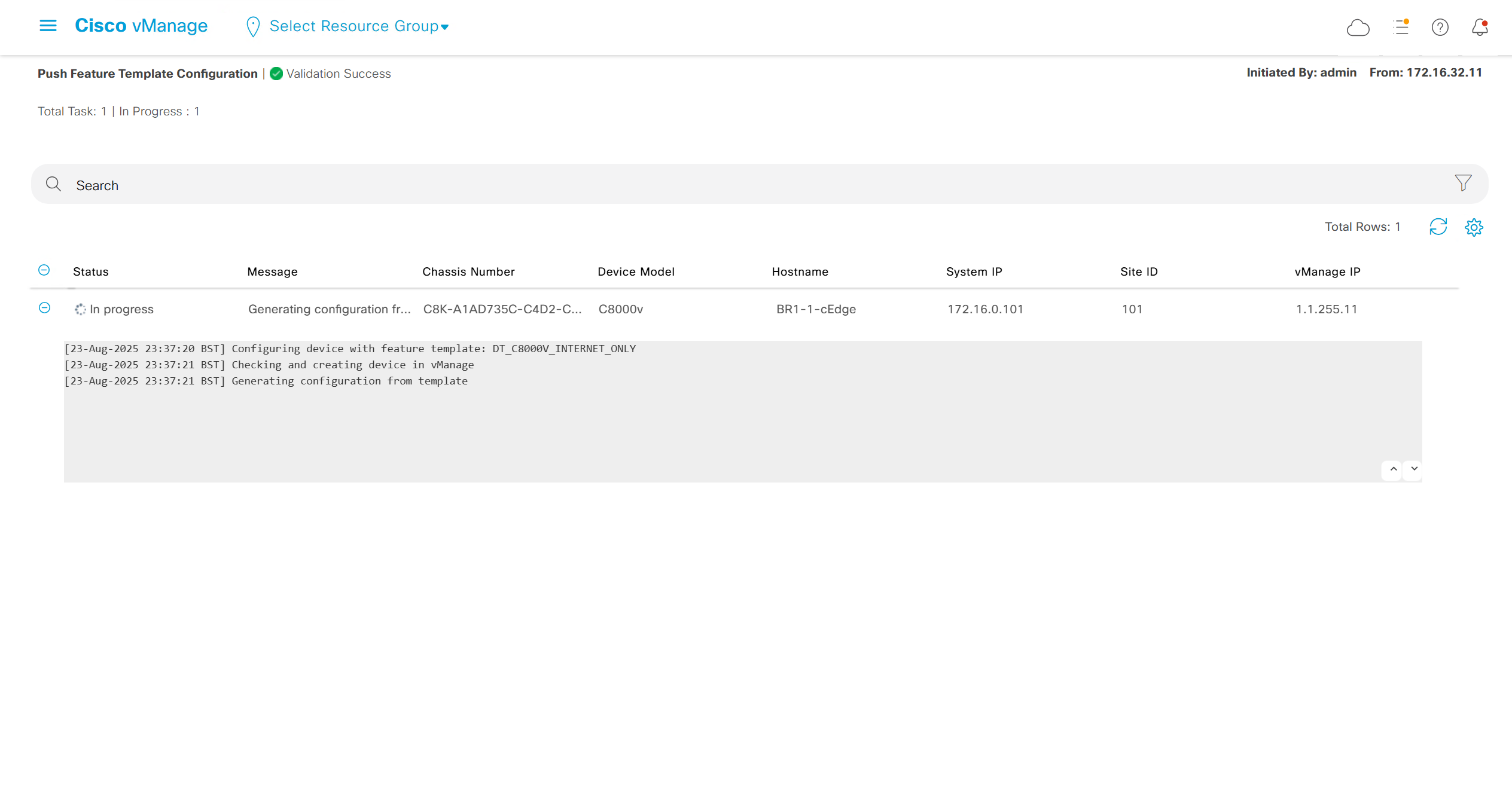
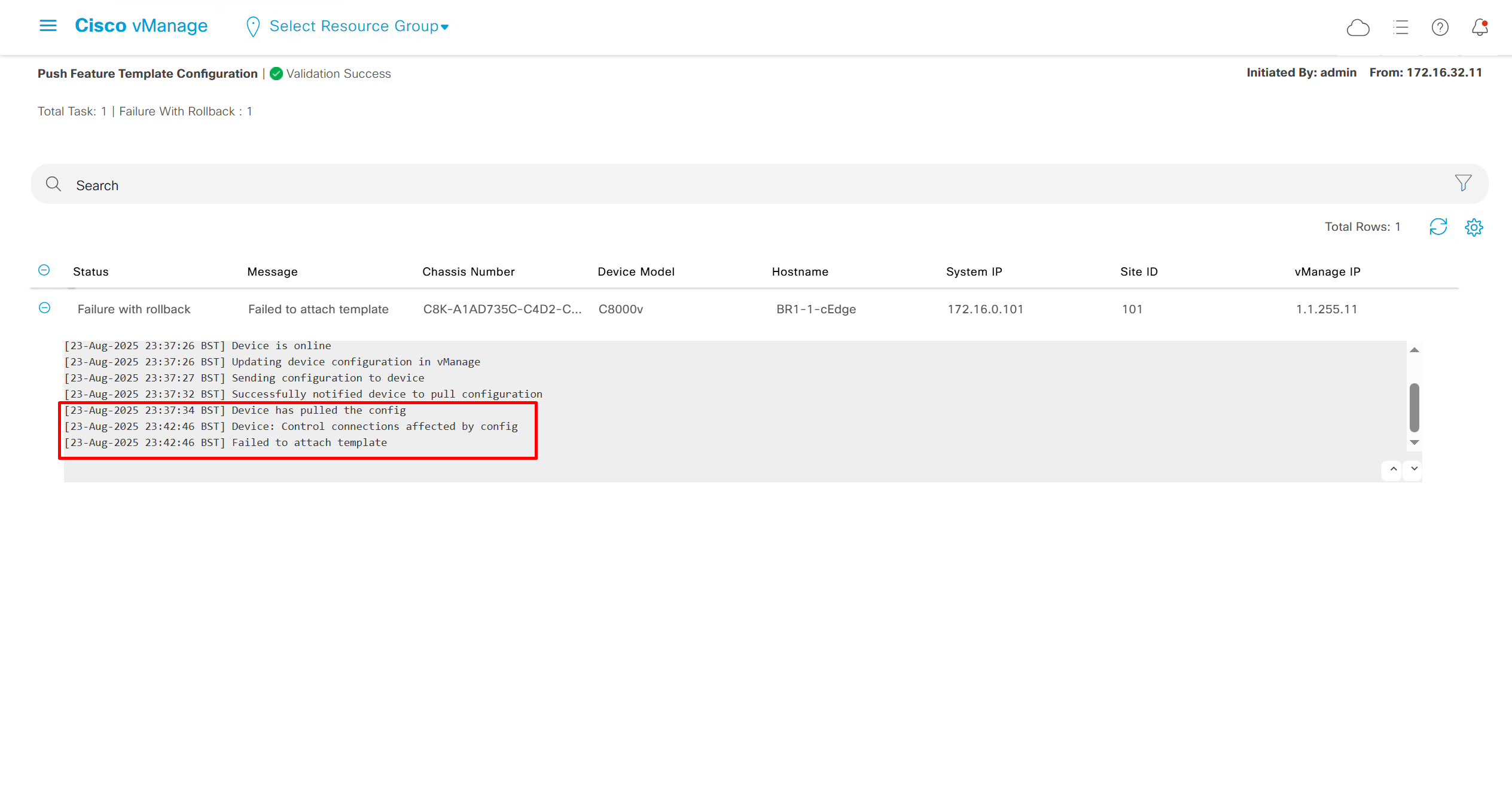
deployment failed and it rolled back to restore connectivity to vmanage
edge lost connectivity to vmanage and also other controllers
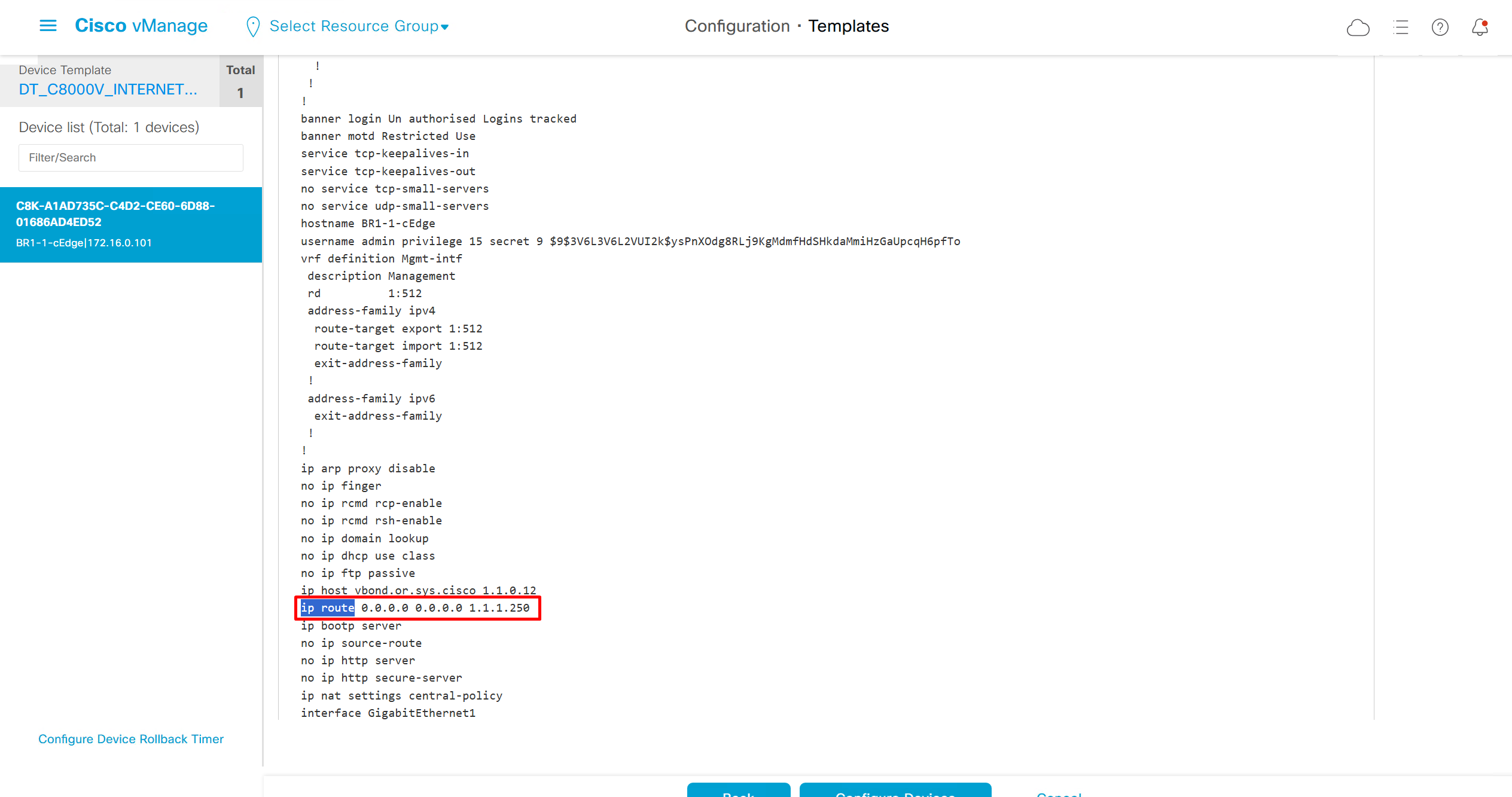
As I checked the template, the default route was missing from feature template FT_C8000V_GRT
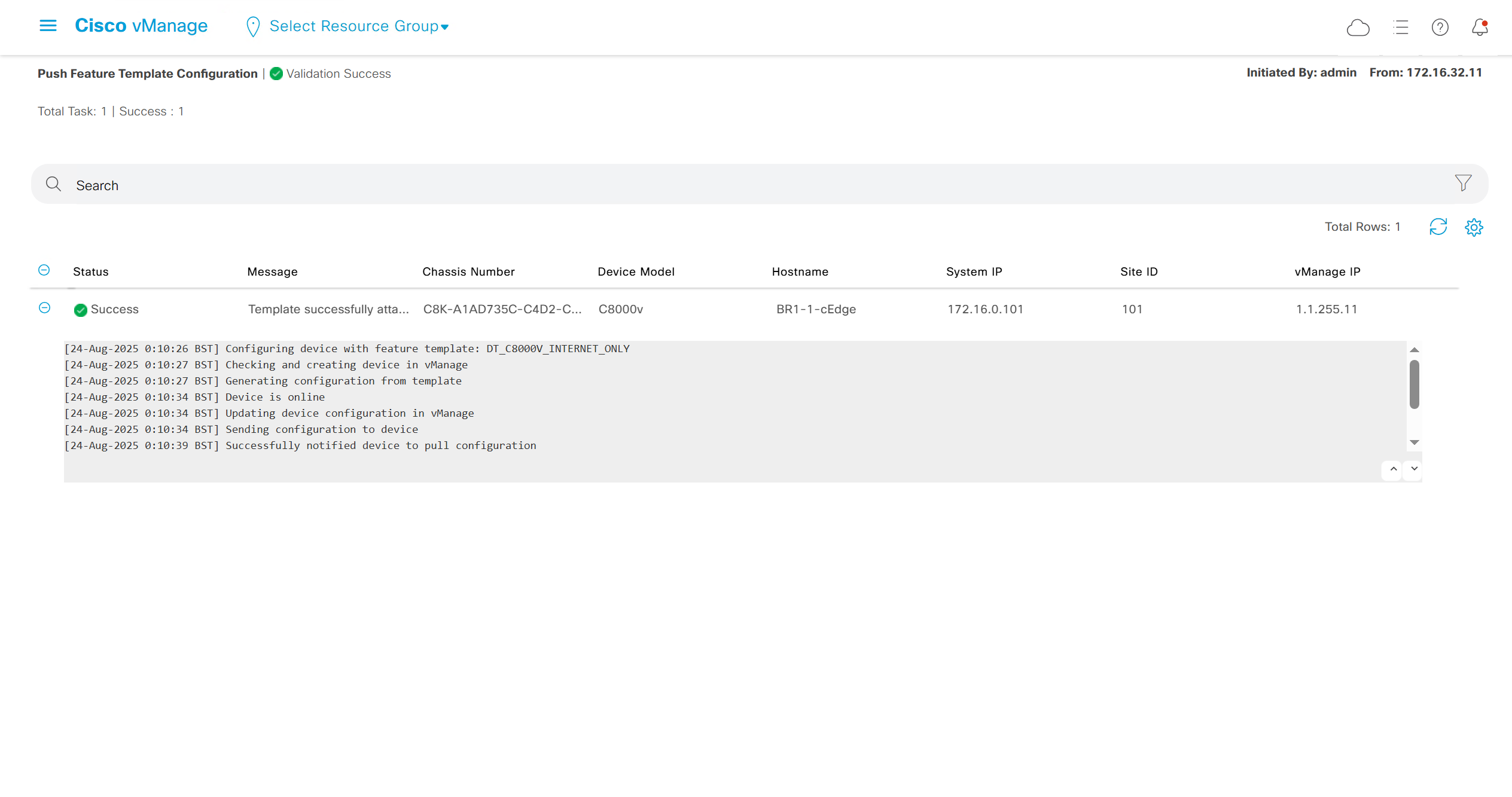
after successful deployment I was not able to login, so new AAA policy was attached
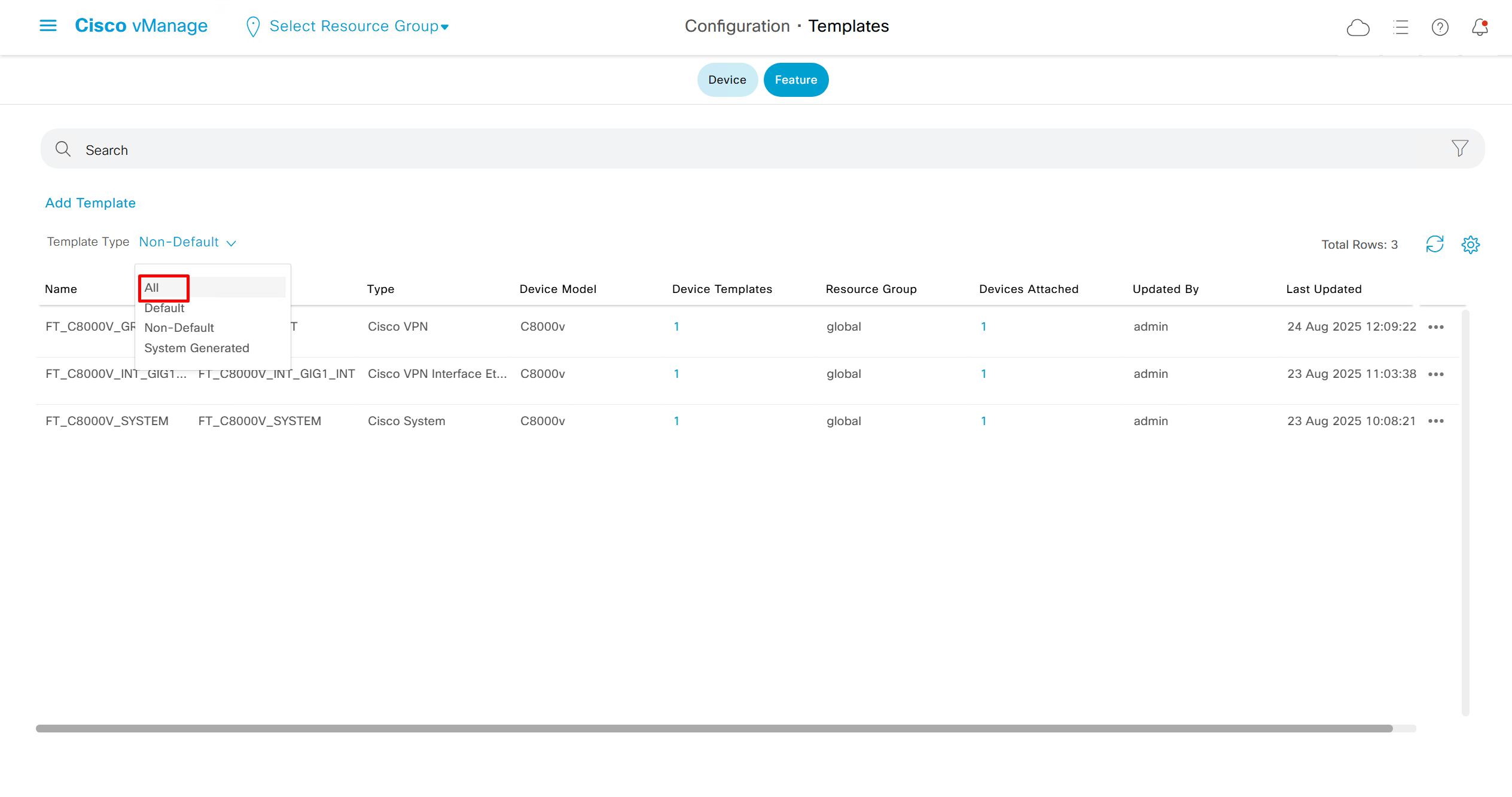
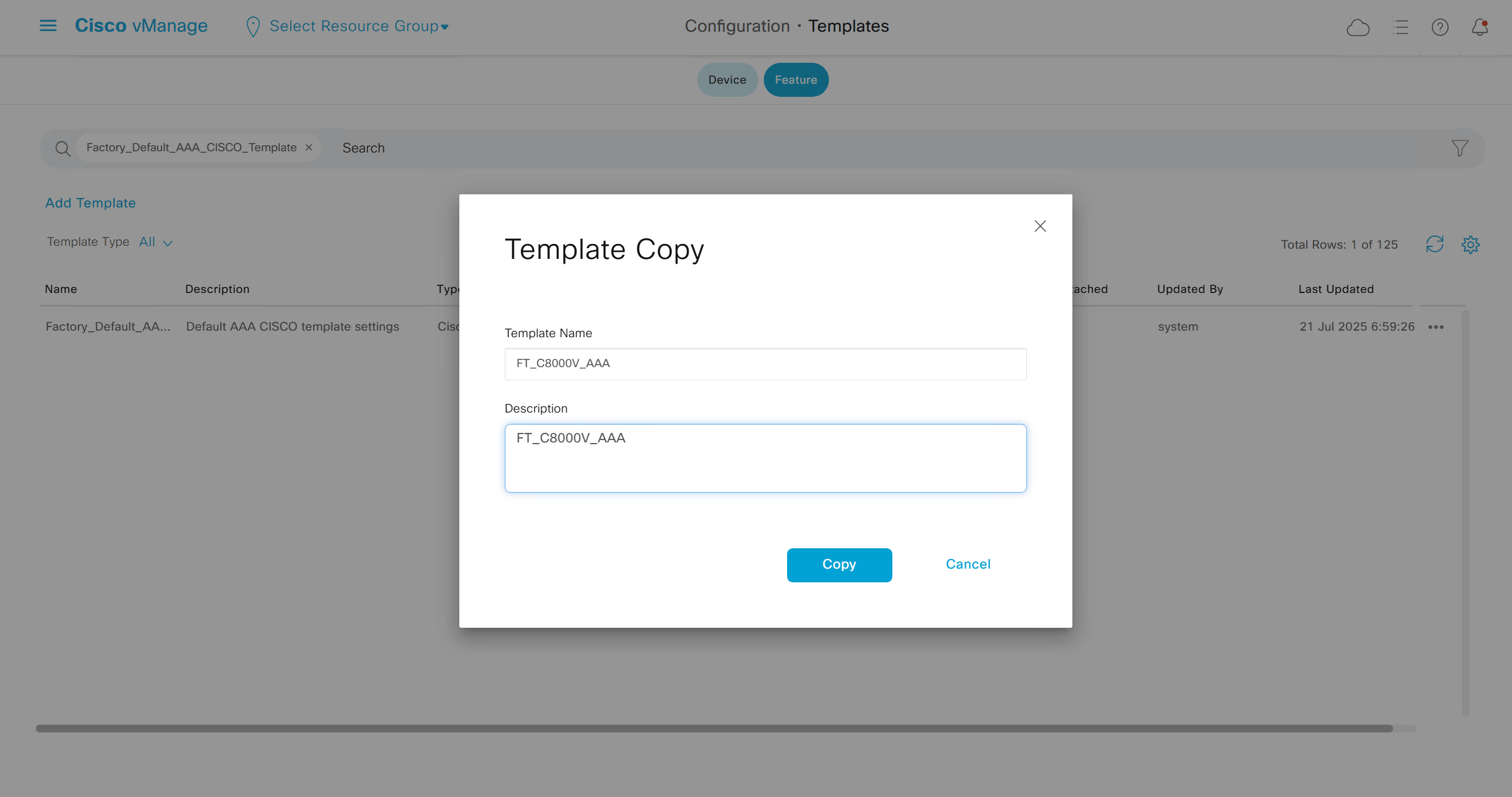
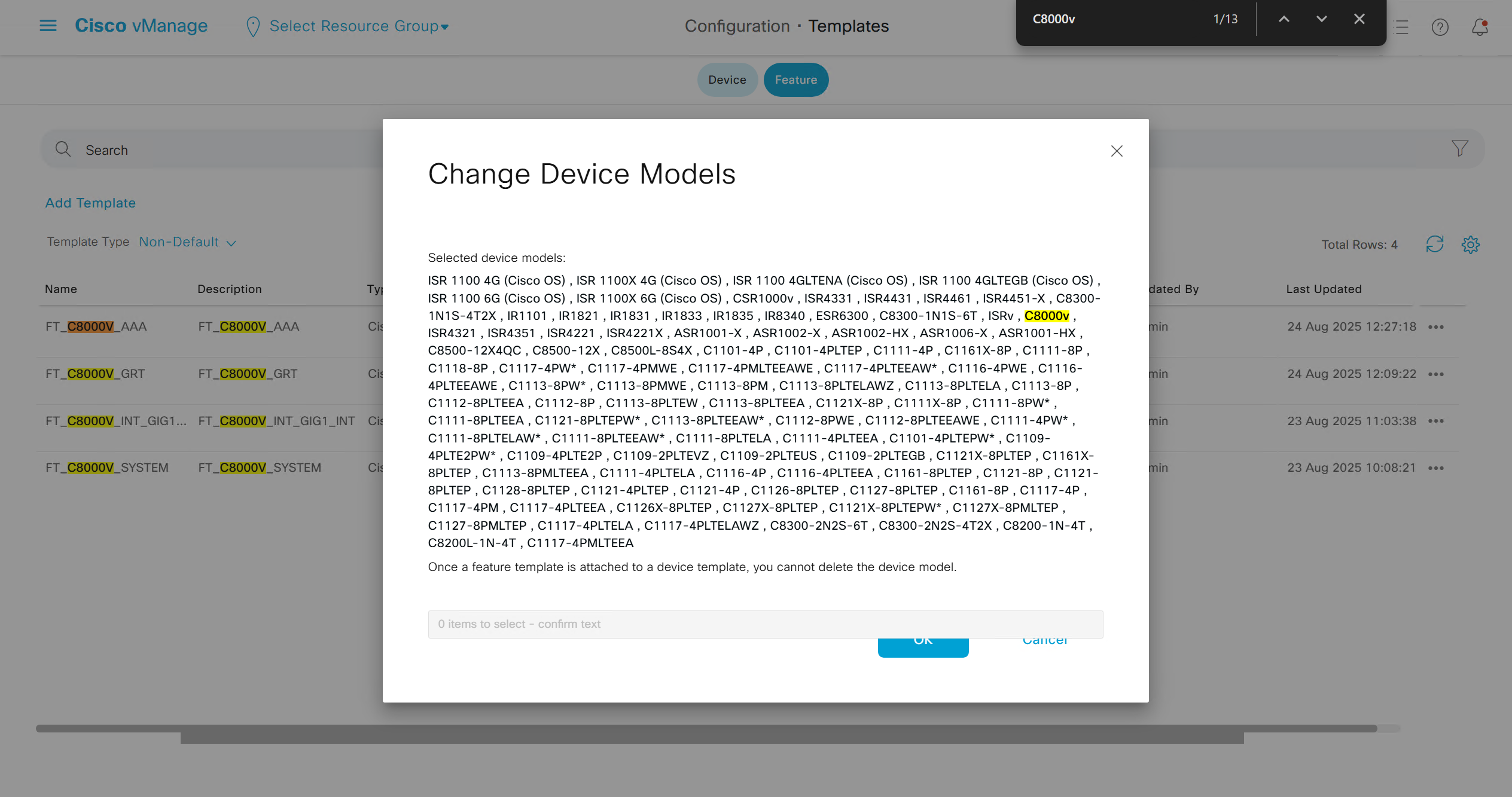
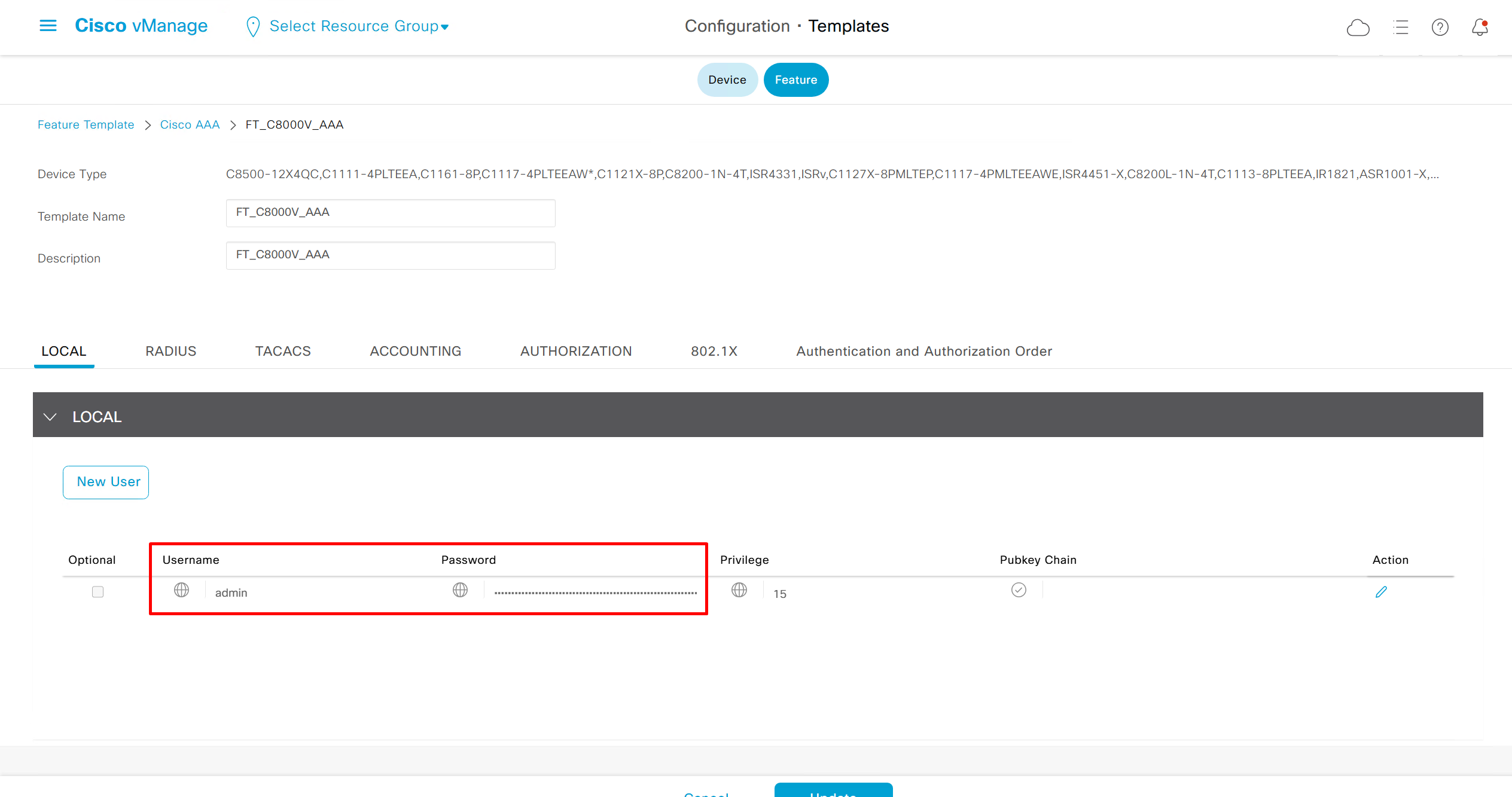

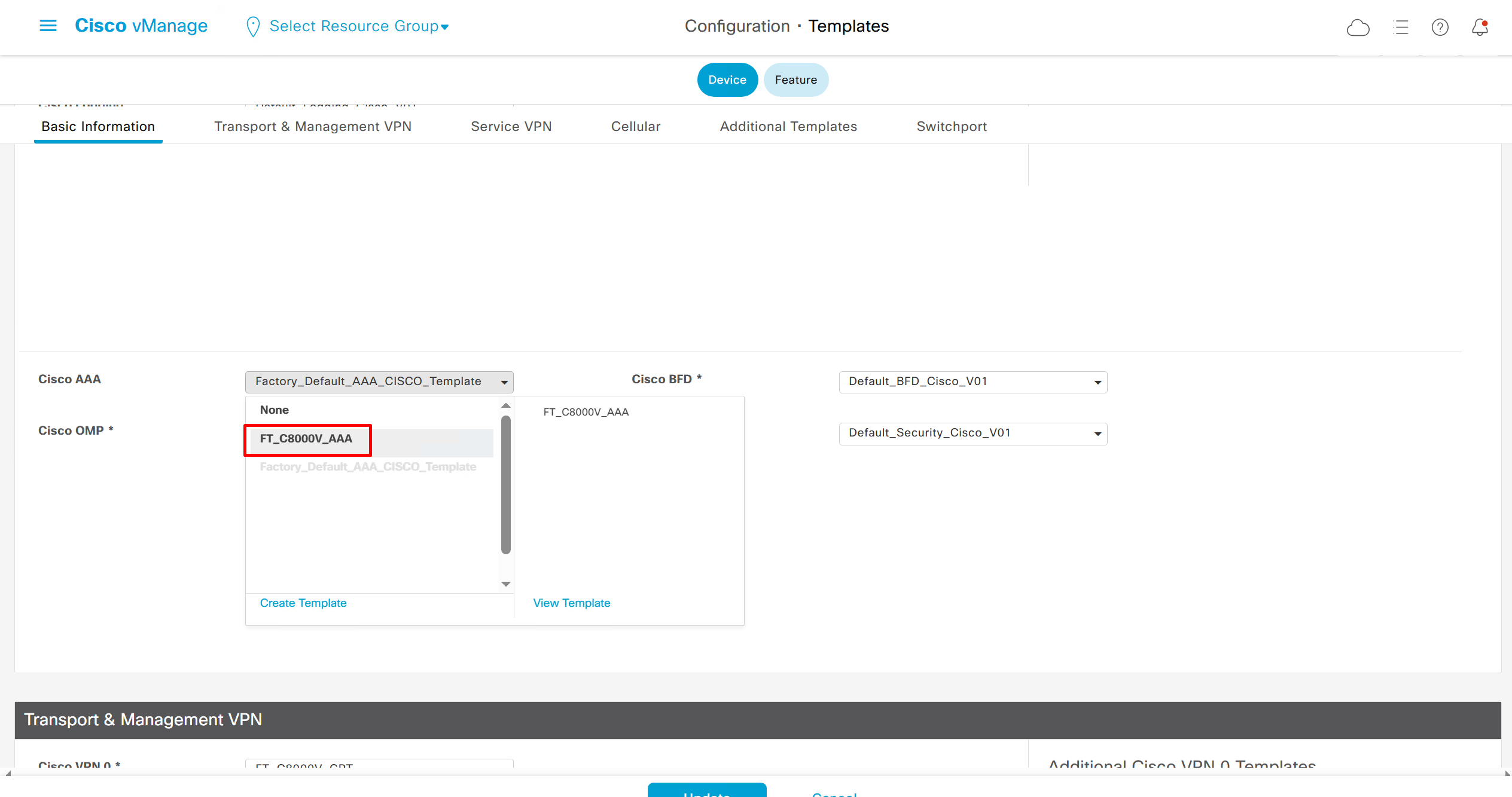
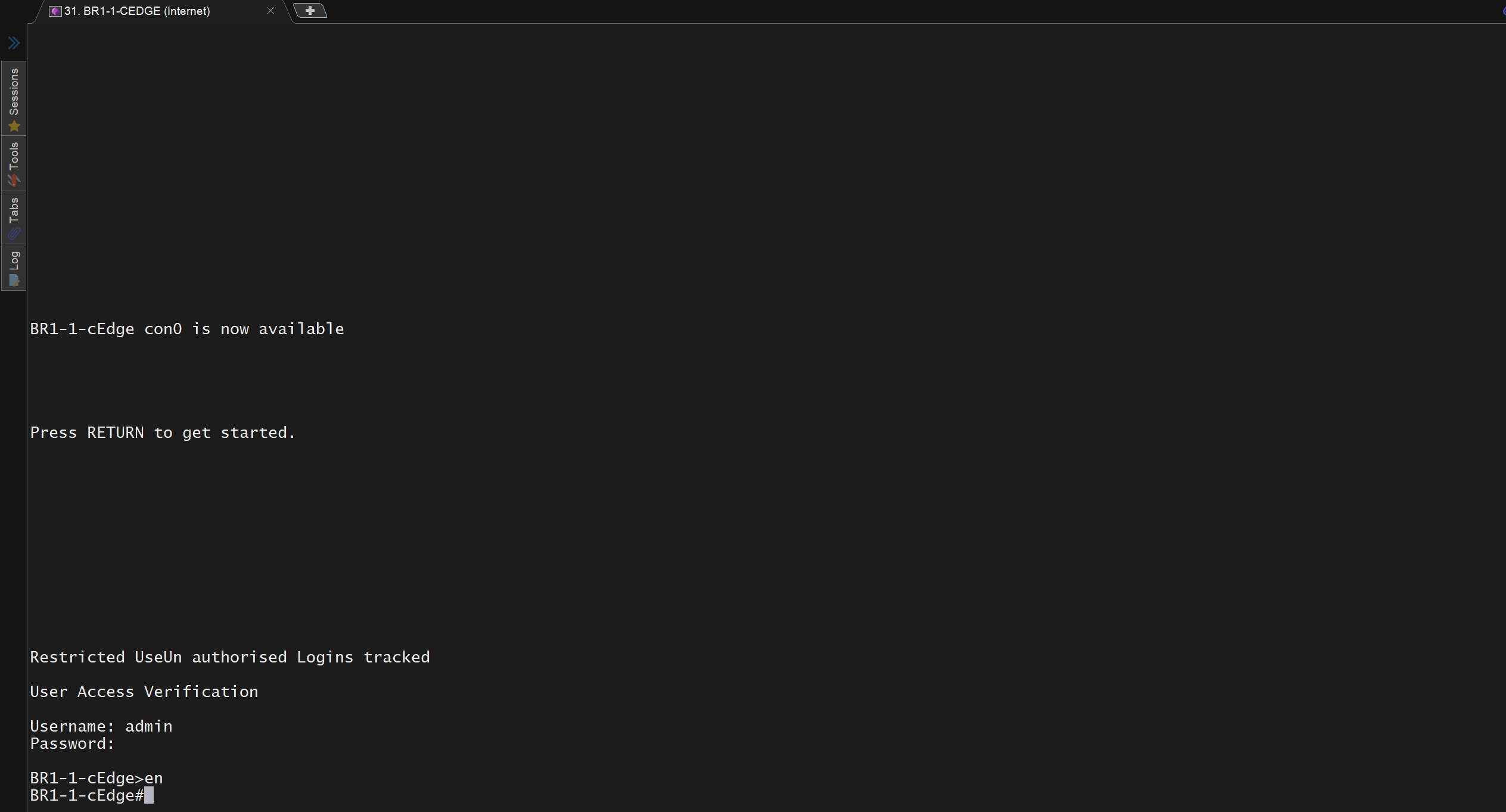
now I can login
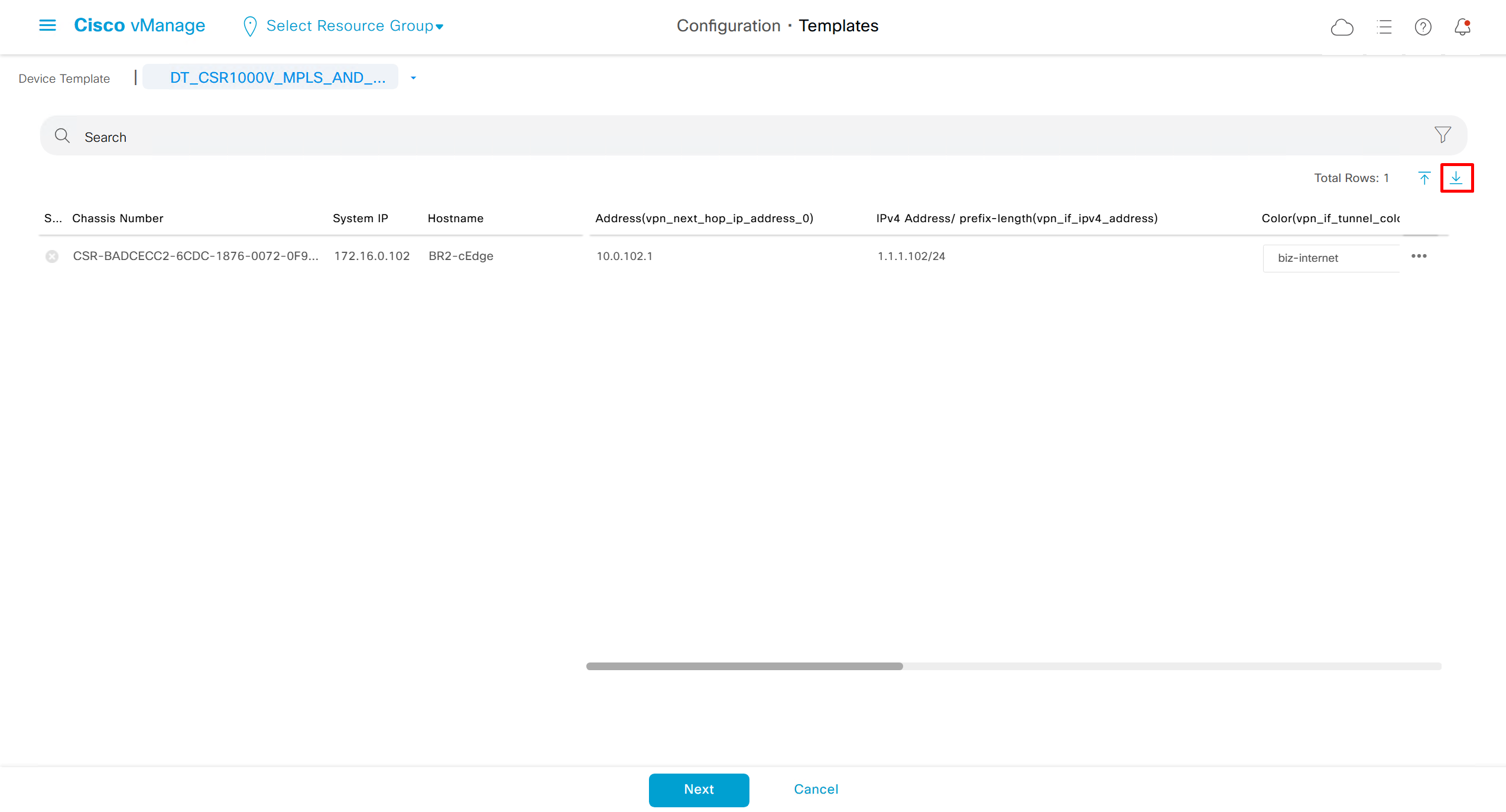
Whenever there is a change made on templates, these changes need to be pushed to the devices
While making those changes there is an option to download the CSV for provided device values
This CSV is not only for backing up values but changes can be made to all devices at once on the CSV excel file and then uploaded back
This is very useful when you have large number of devices
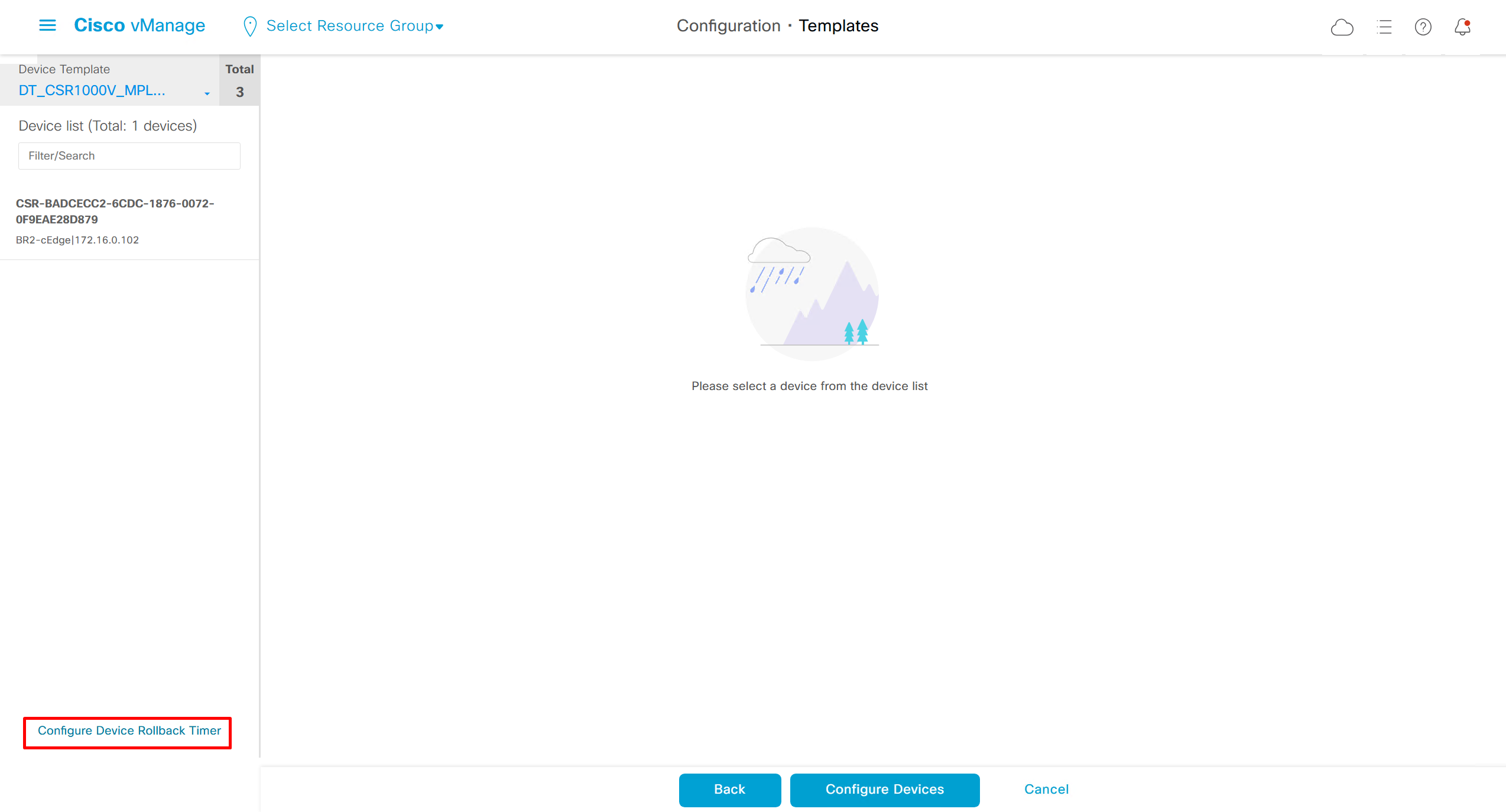
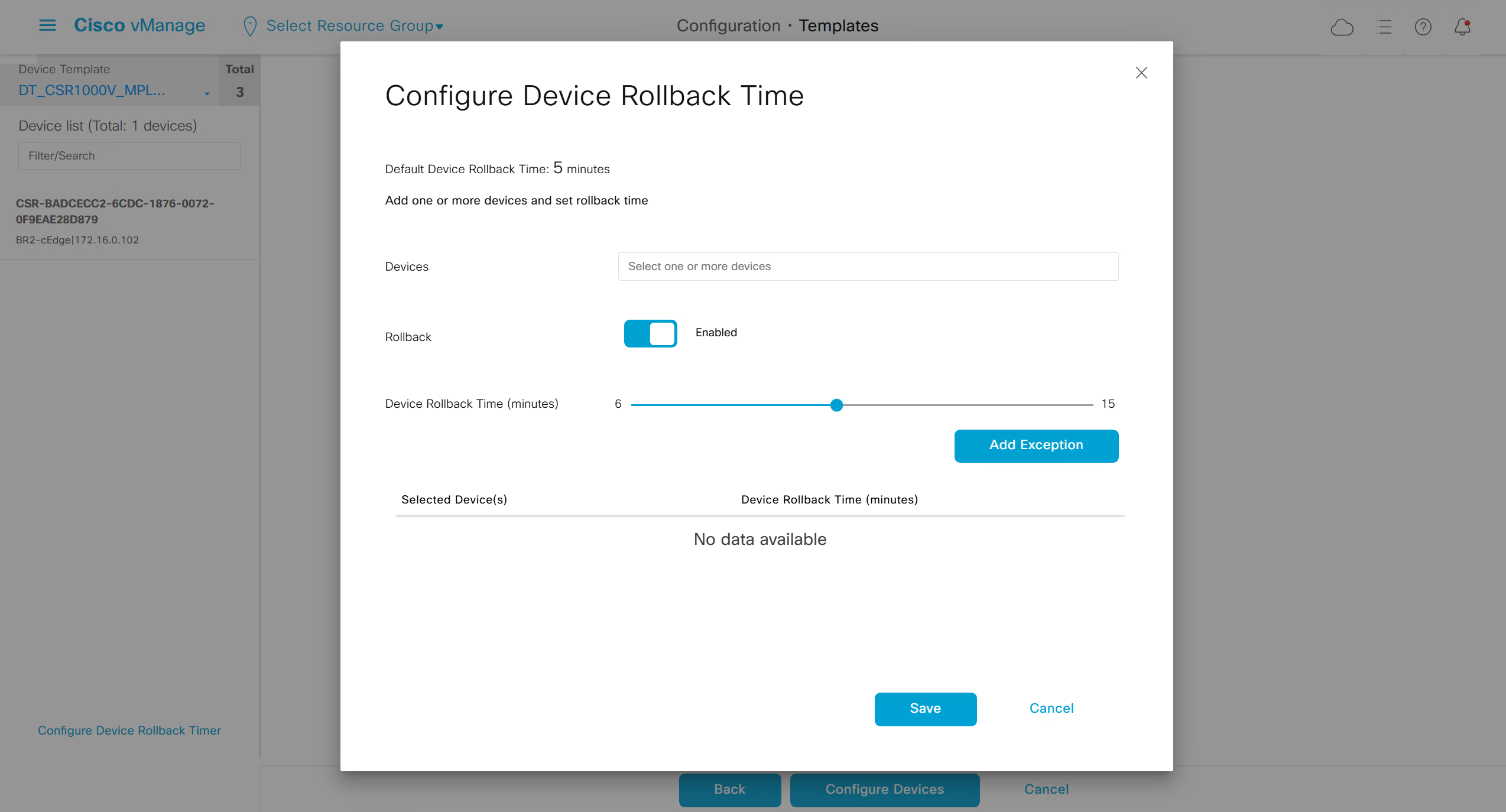
When making changes there is an option on the bottom left corner
Configure Device Rollback Timer
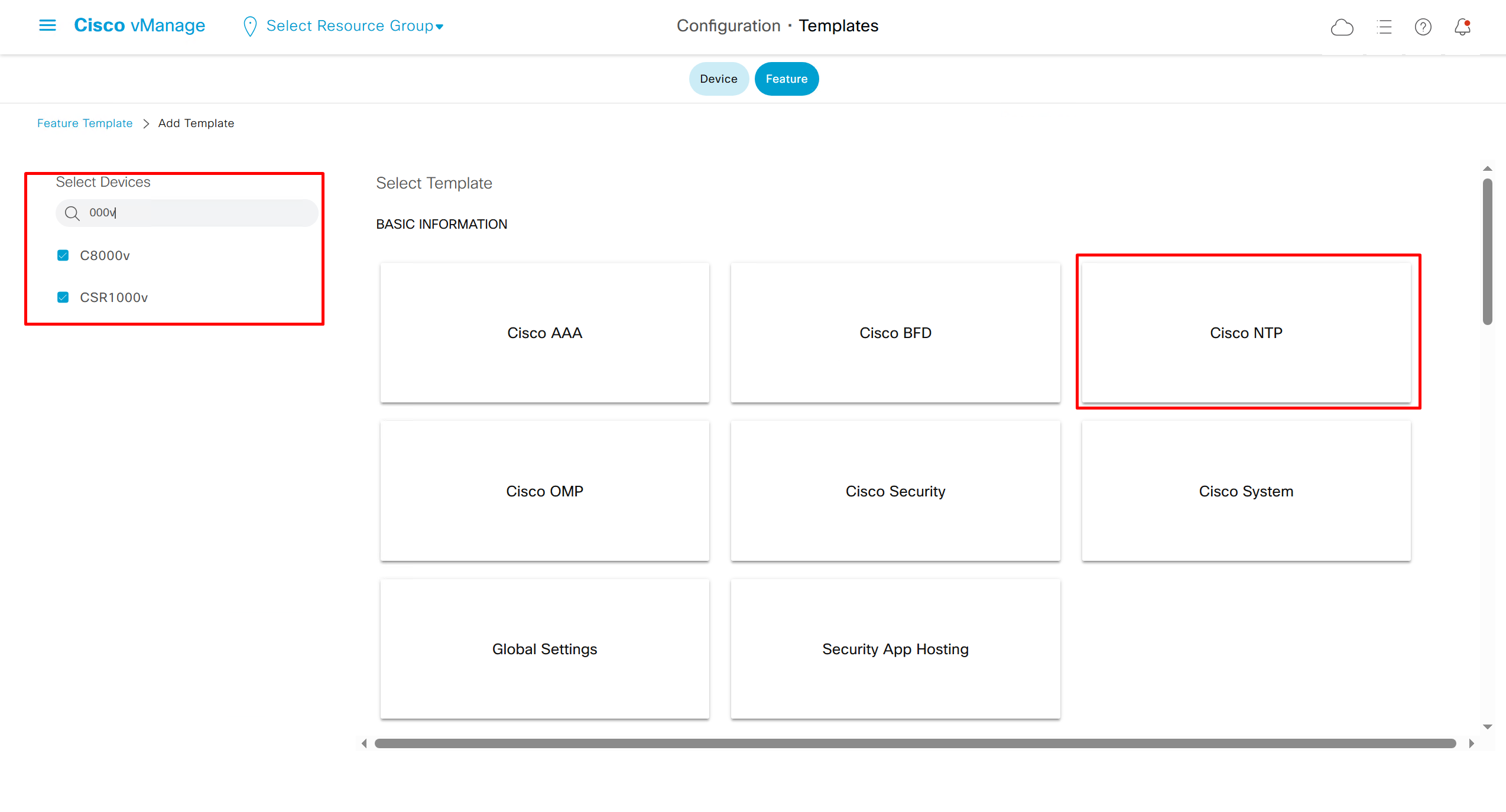
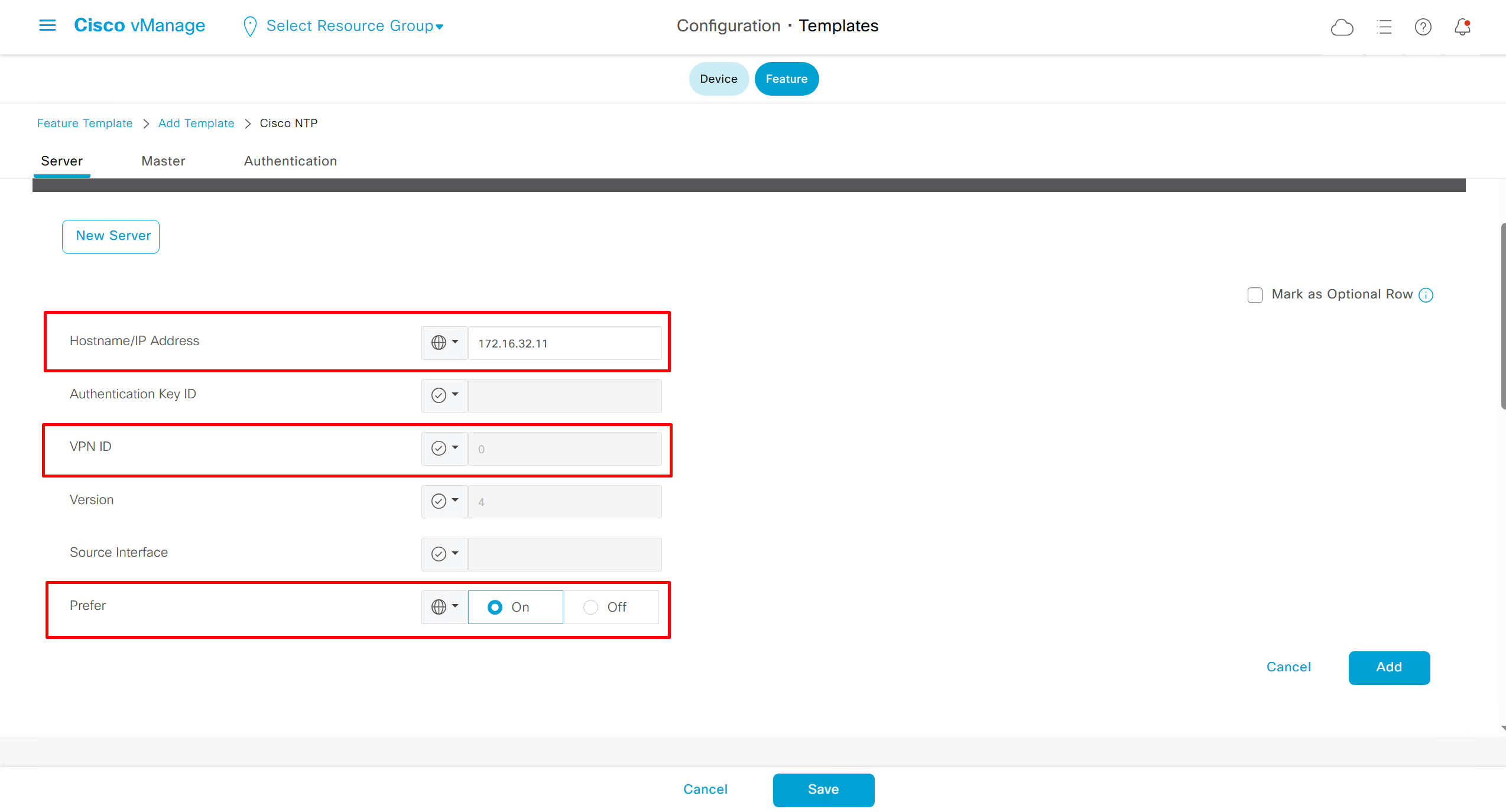
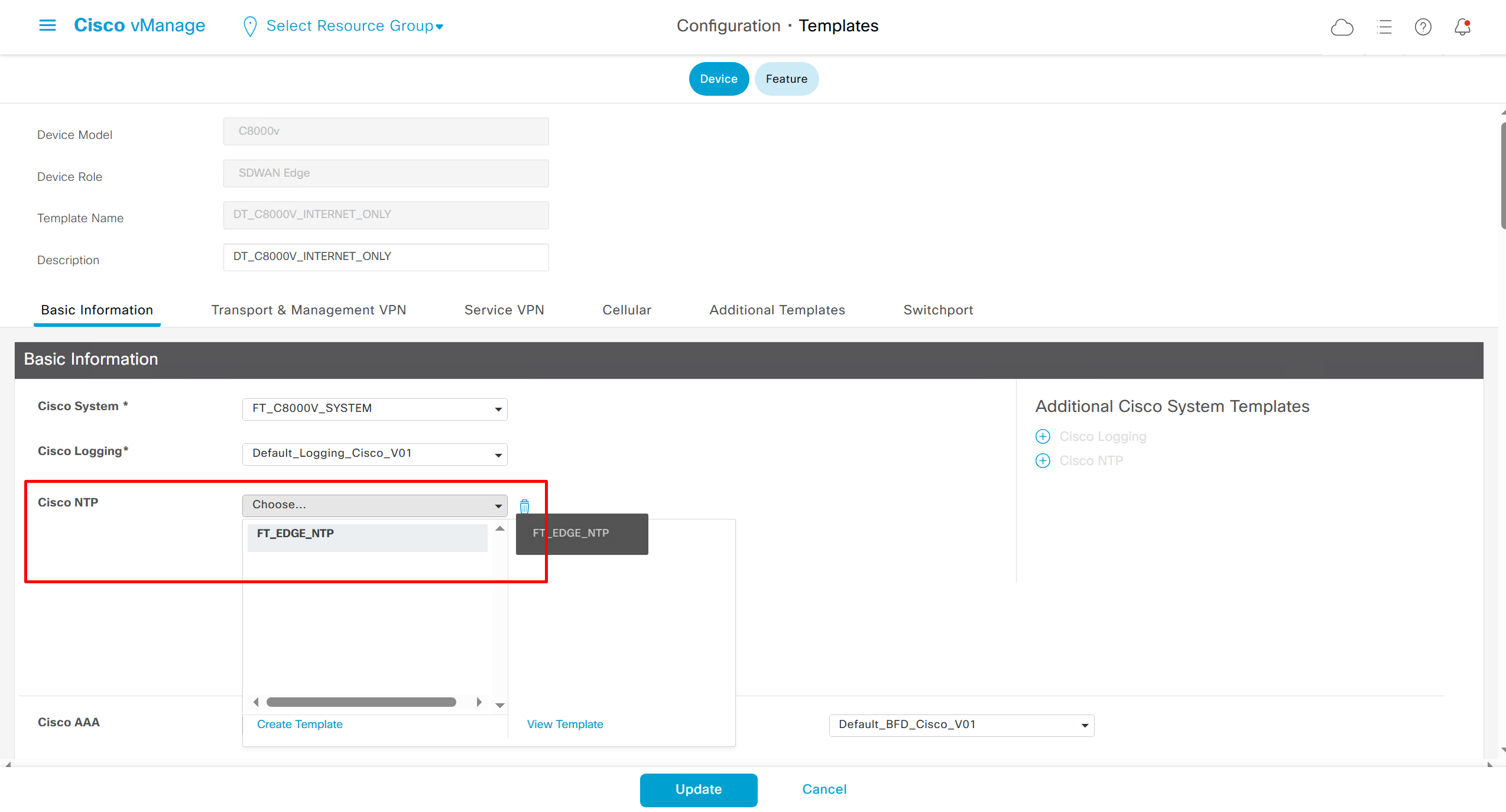
NTP Feature Template common for all edges

Login Banner Feature Template
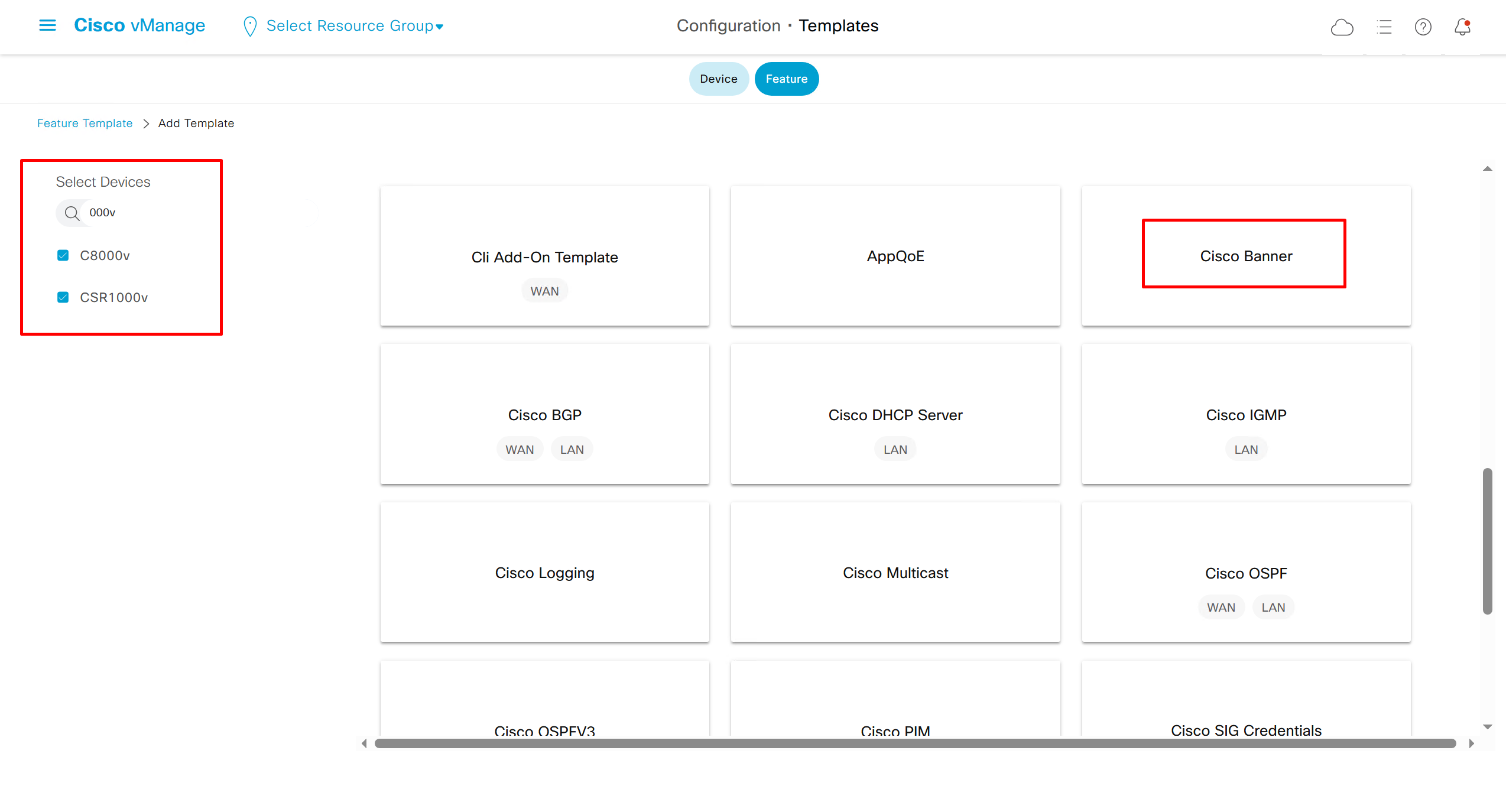
Banner text new lines should be replaced with \n so it can be pasted in this box
************************************************************\n* *\n* WARNING: Authorized Access Only! *\n* *\n* This system is for the use of authorized users only. *\n* Any unauthorized access or use is prohibited and *\n* may be subject to criminal and civil penalties. *\n* *\n* All activities on this system are monitored. *\n* *\n************************************************************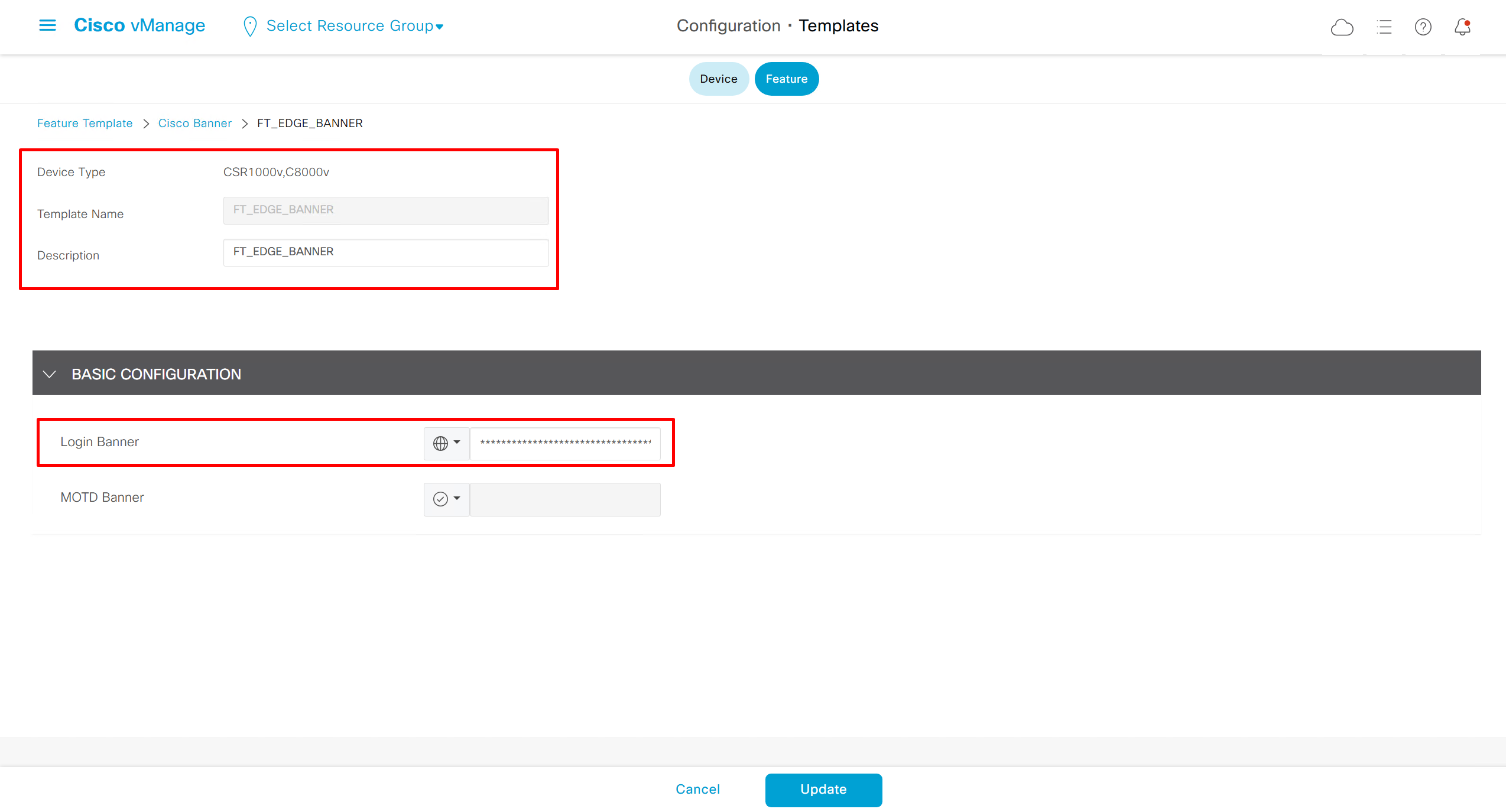
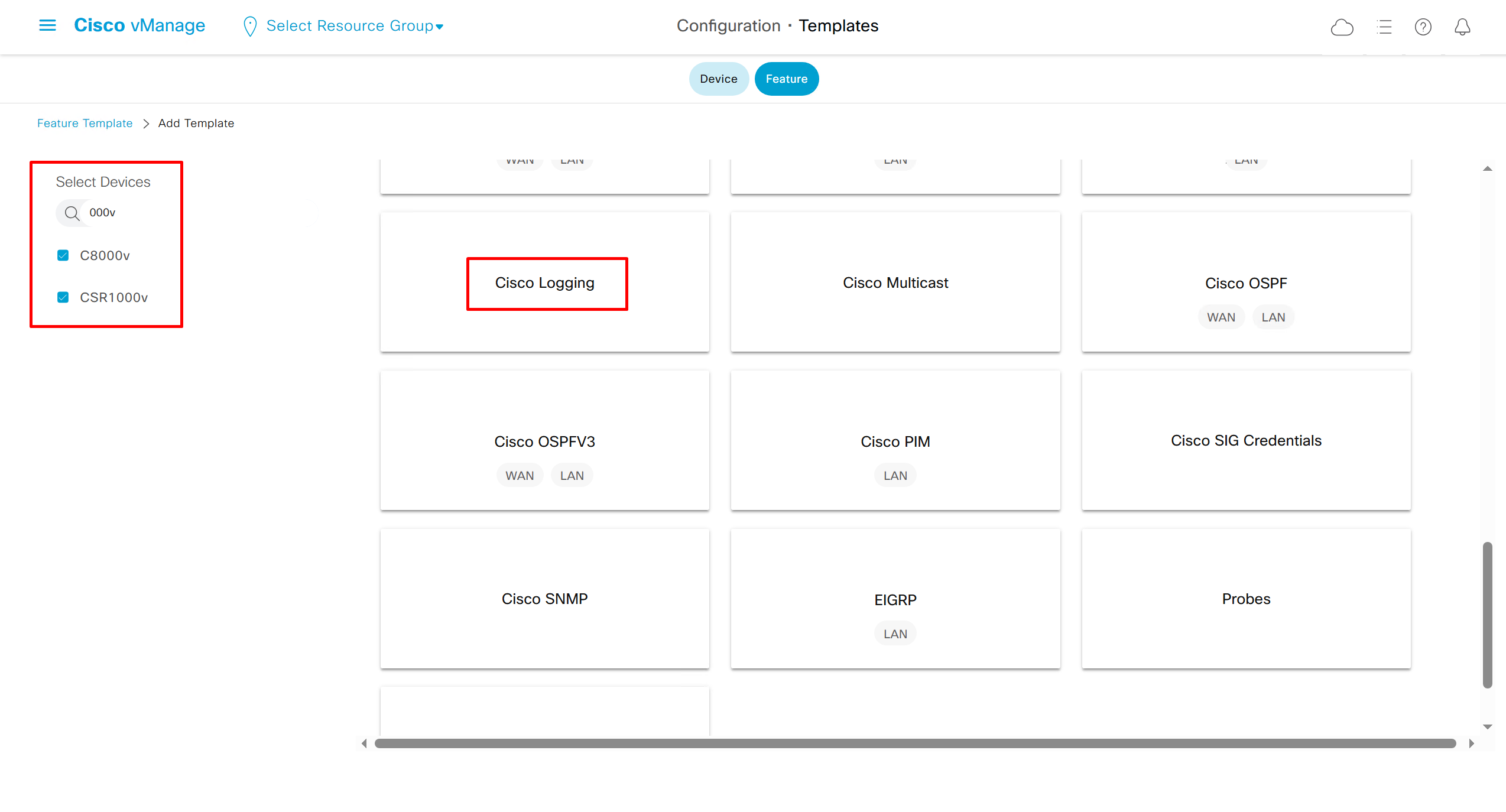
Local Disk Logging Feature Template
As log messages are in /var/log for troubleshooting
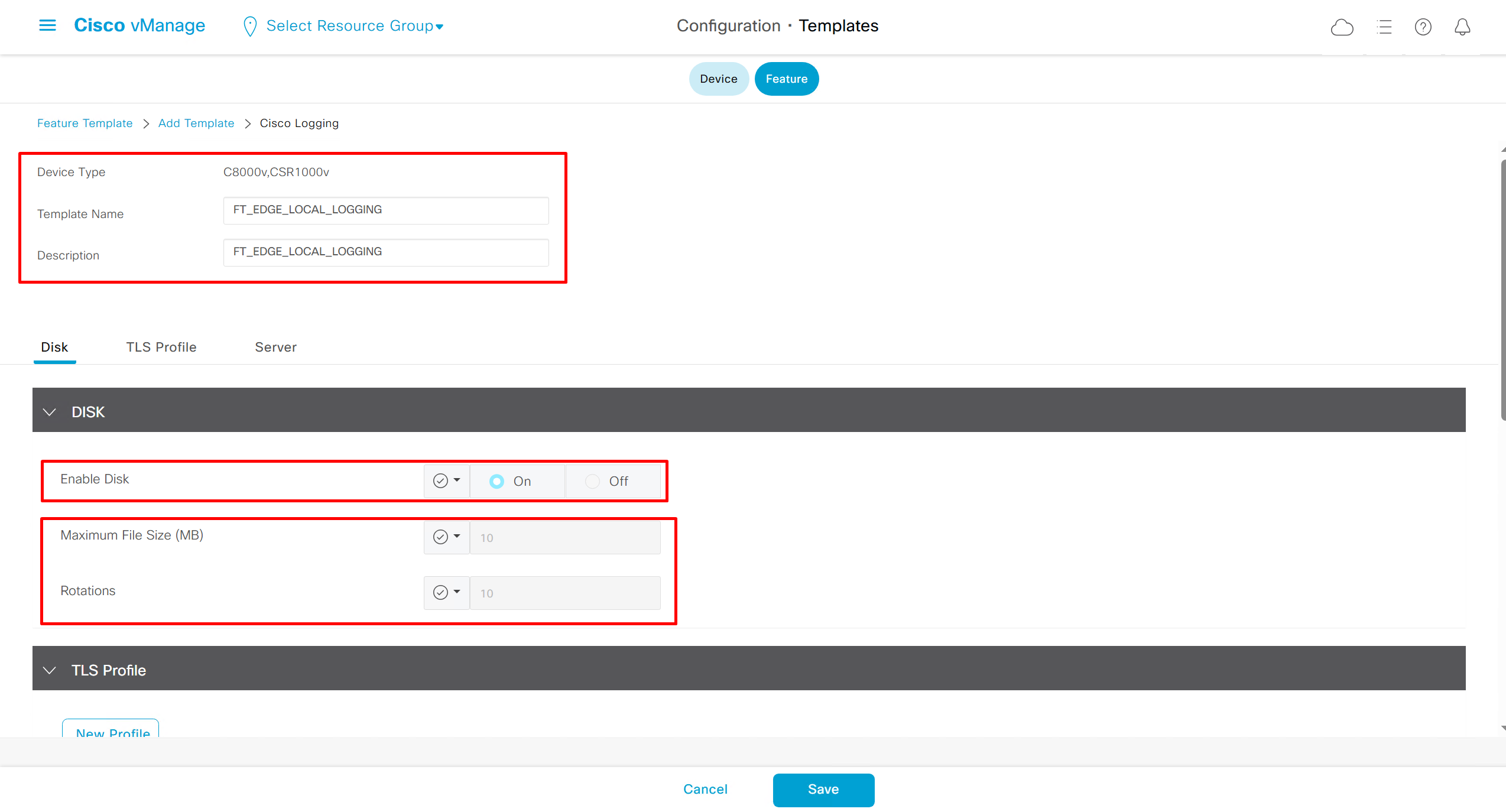
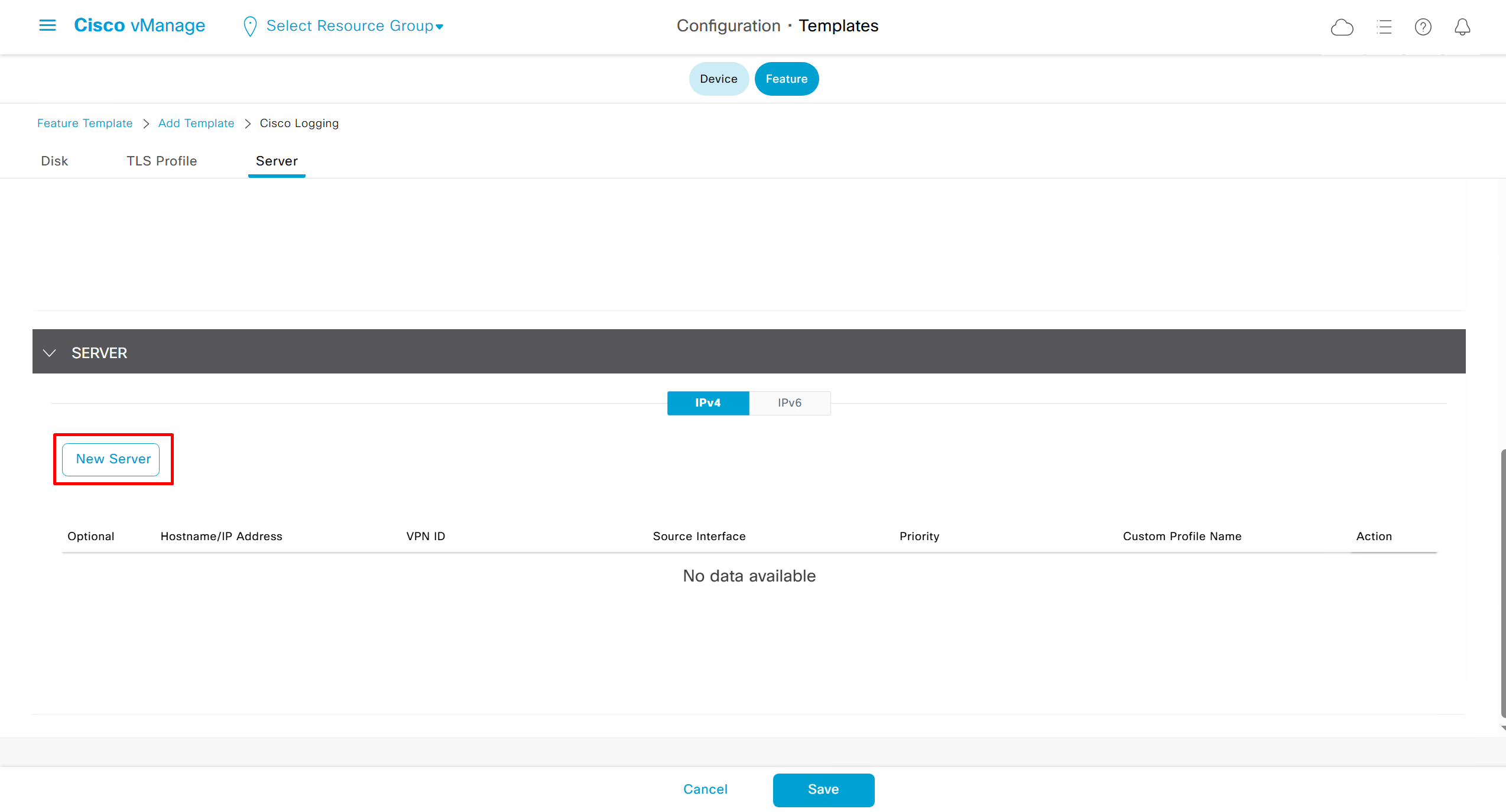
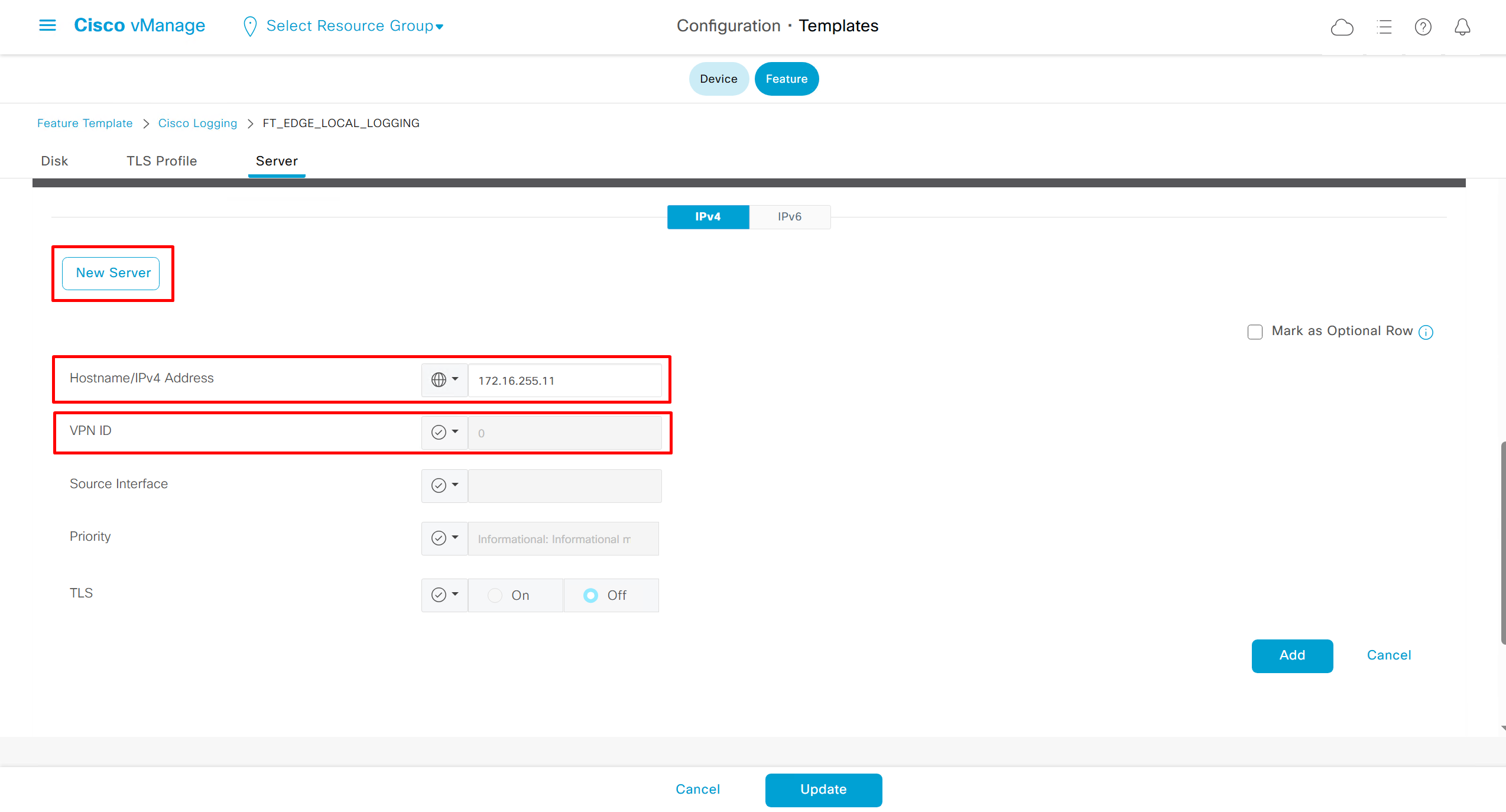
In case Syslog server is inside Datacenter and not over the WAN transport then we have to change the below VPN number and change it from 0 to service side VPN / VRF number of local site / datacenter in which Syslog server lives
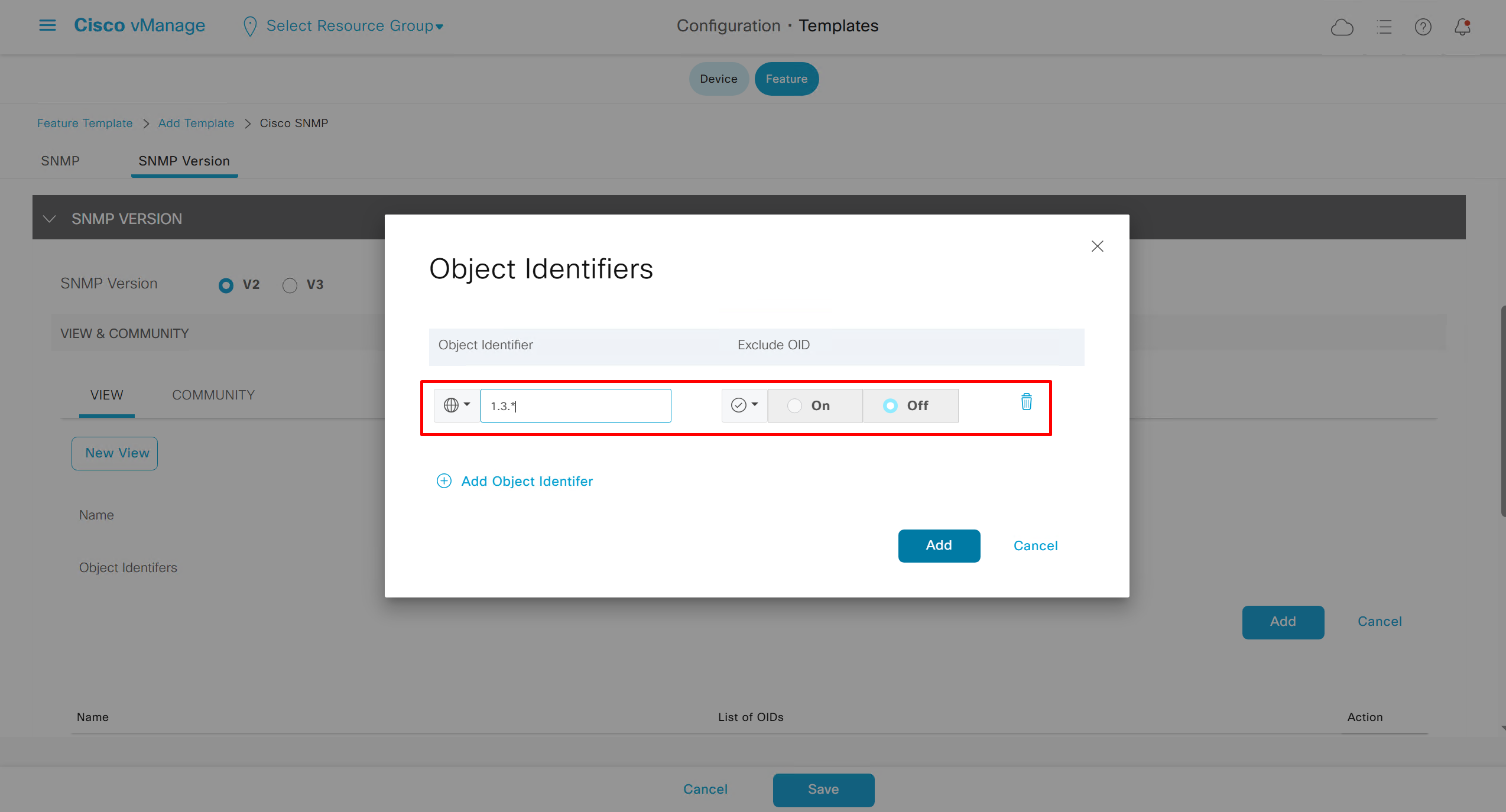
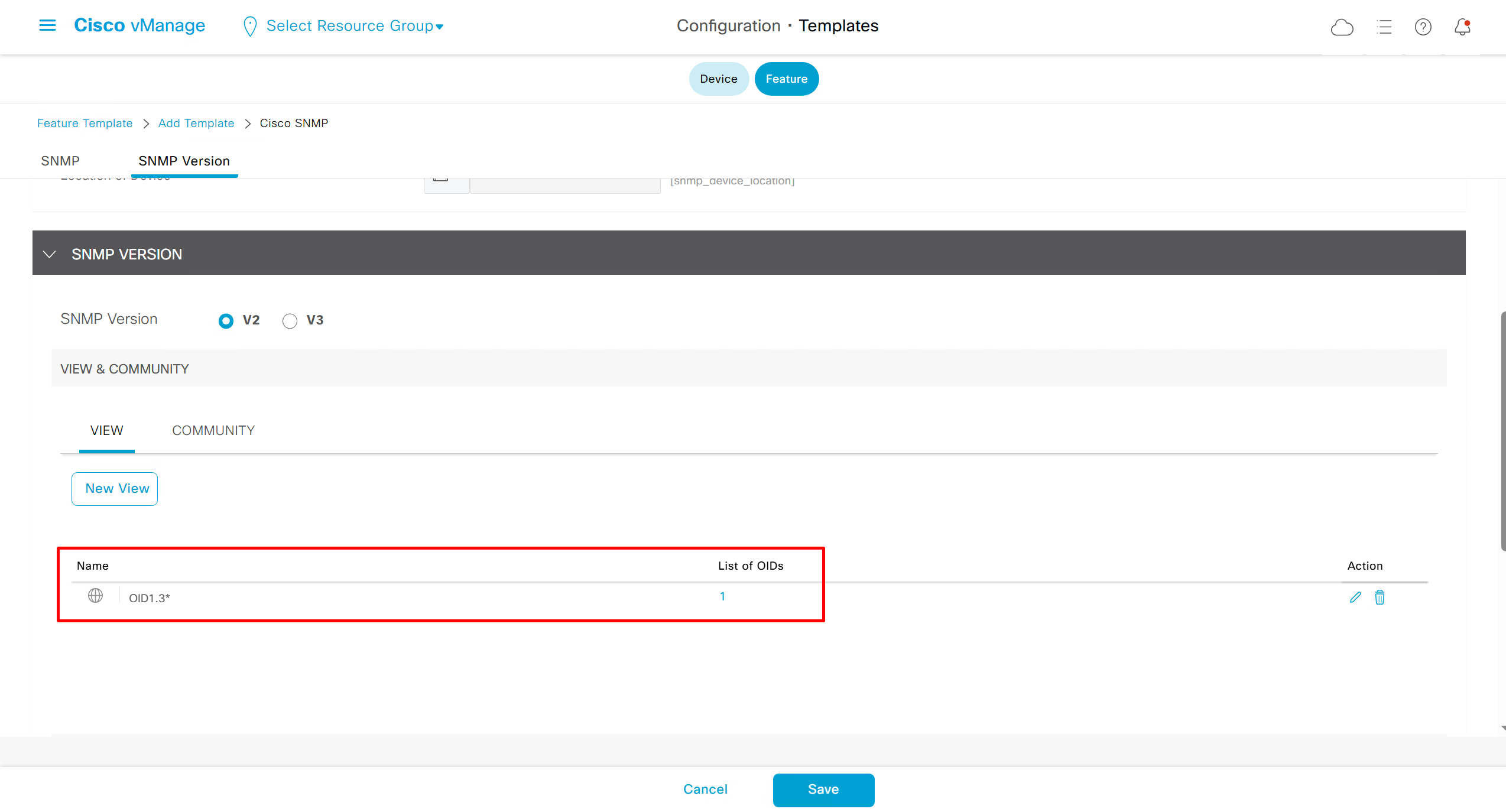
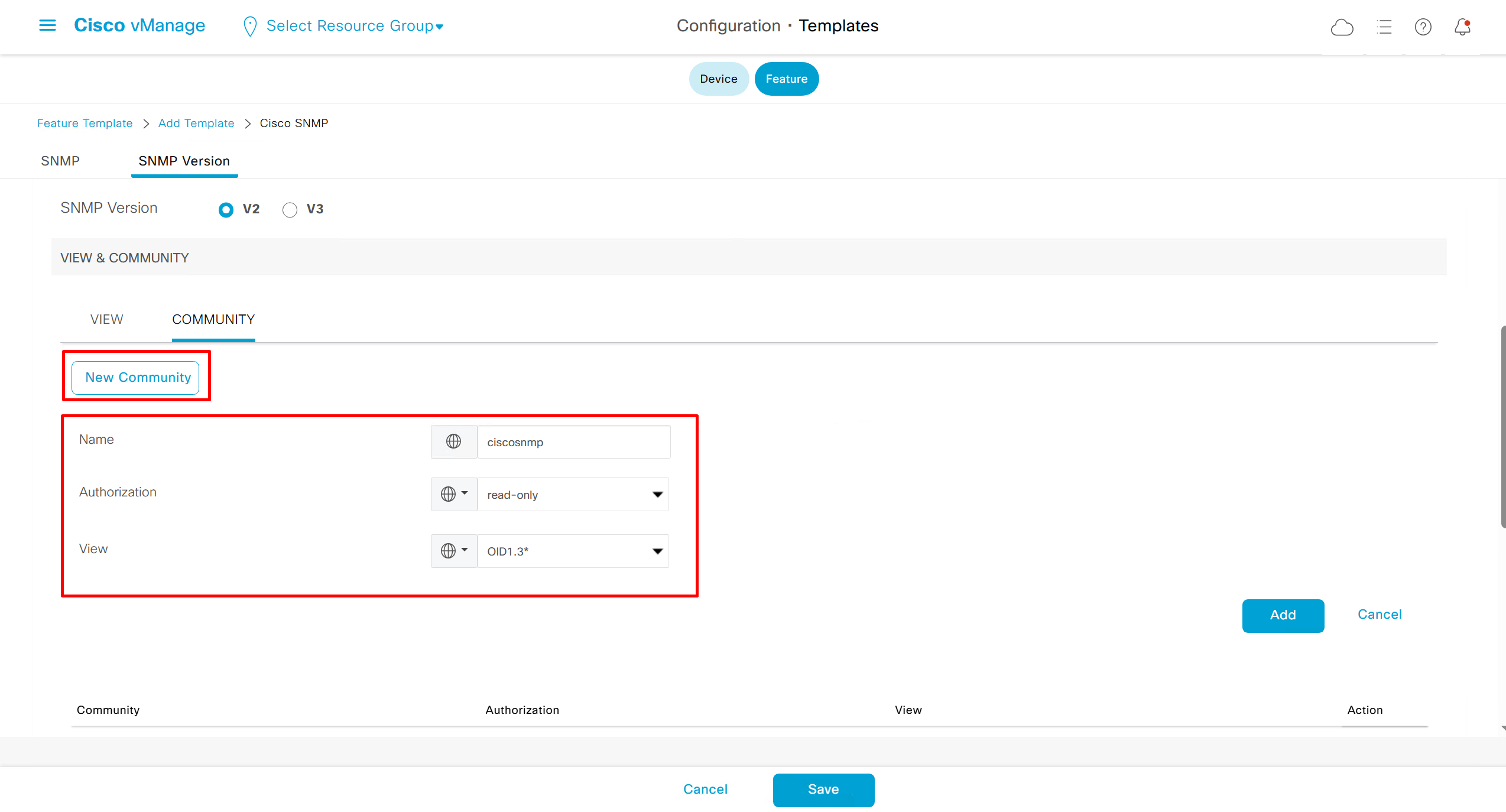
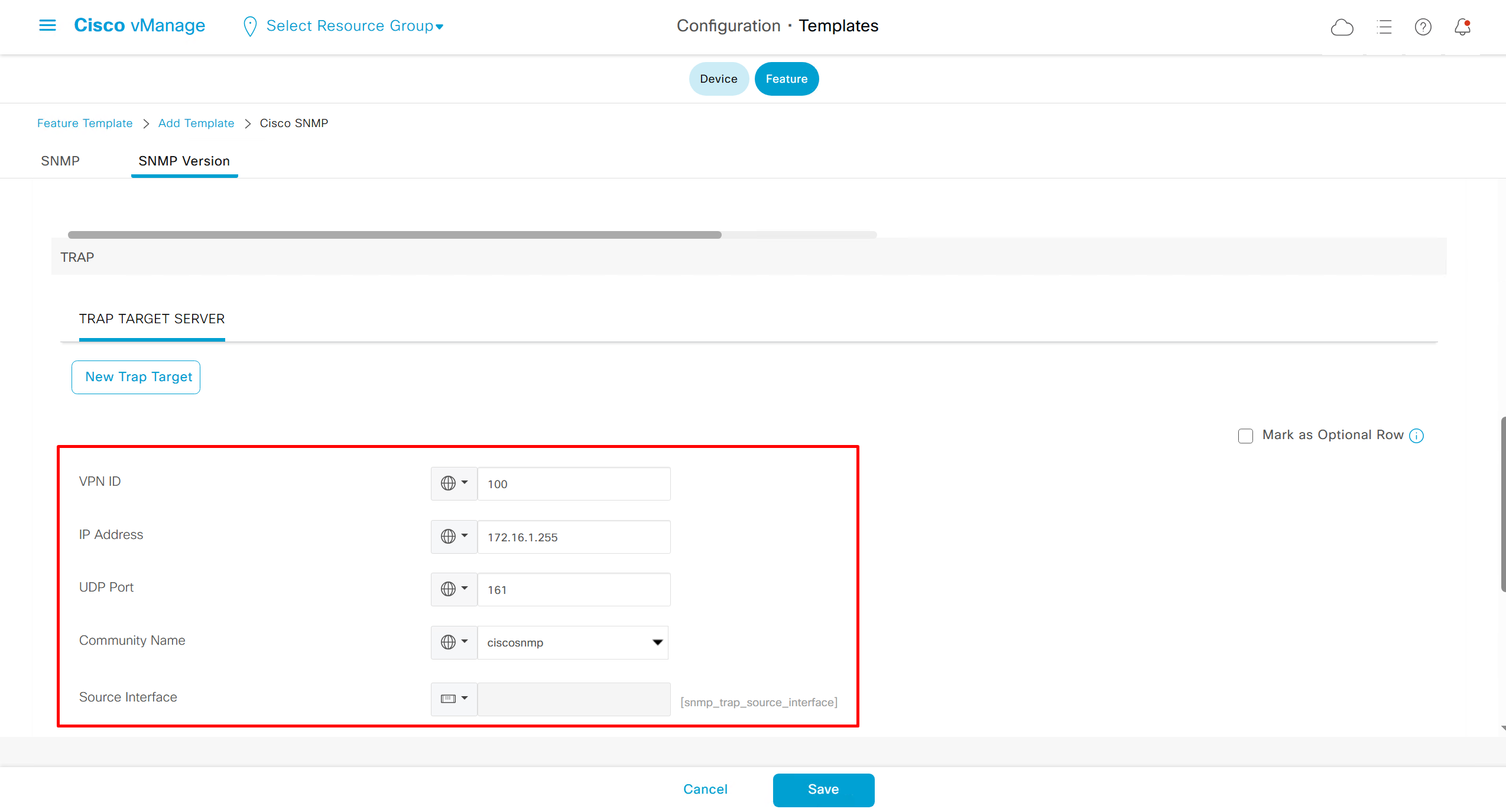
SNMP Feature Template
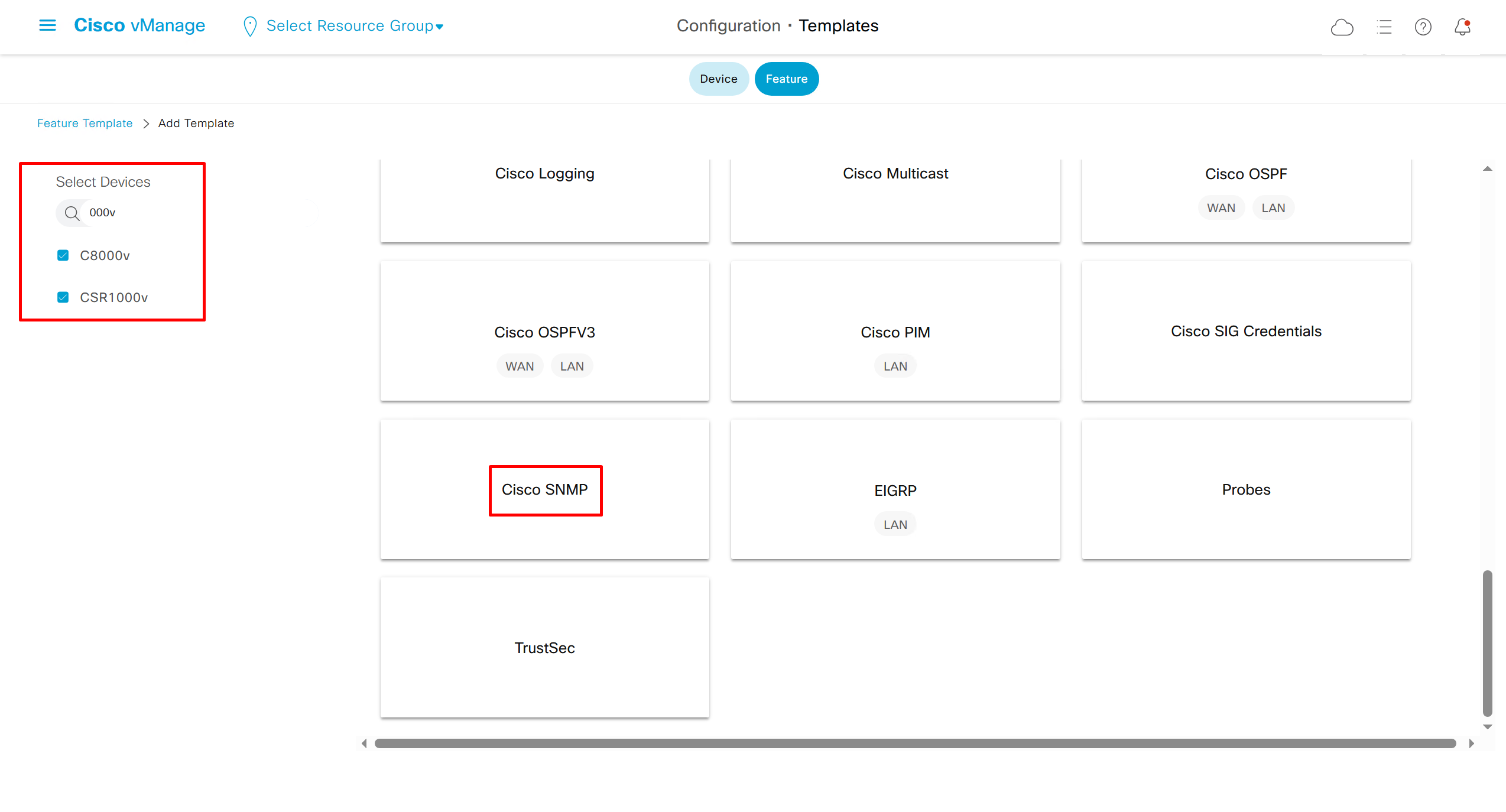

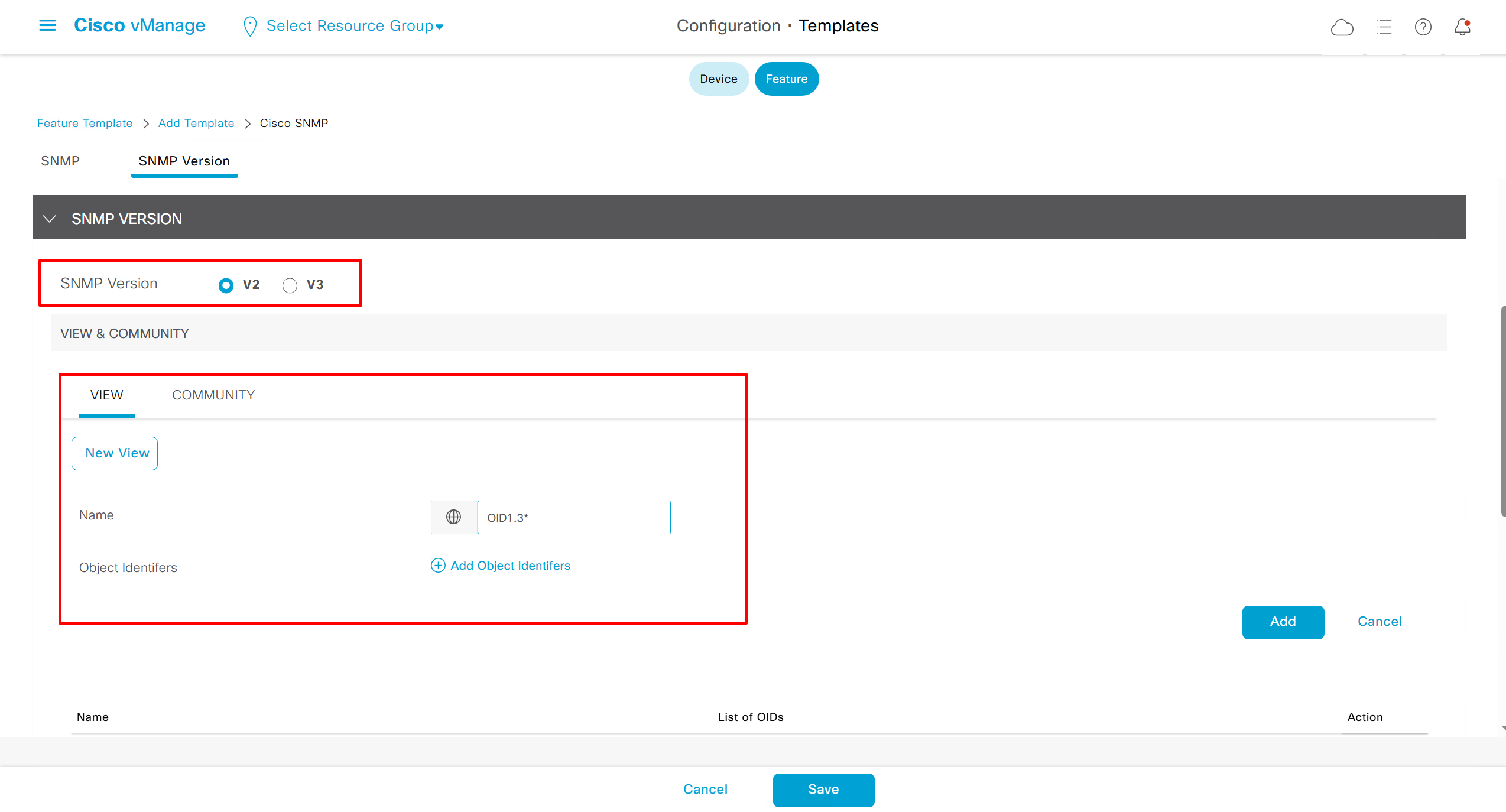

OMP , TLOCs and IPSec VPN
vSmart# show omp peers
R -> routes received
I -> routes installed
S -> routes sent

                         DOMAIN    OVERLAY   SITE
PEER             TYPE    ID        ID        ID        STATE    UPTIME           R/I/S
------------------------------------------------------------------------------------------
172.16.0.11      vedge   1         1         1         up       0:04:15:03       0/0/0
172.16.0.12      vedge   1         1         1         up       0:03:16:13       0/0/0
172.16.0.101     vedge   1         1         101       up       0:02:45:09       0/0/0
172.16.0.102     vedge   1         1         102       up       0:04:15:21       0/0/0
172.16.0.103     vedge   1         1         103       up       0:04:14:59       0/0/0
172.16.0.111     vedge   1         1         101       up       0:02:45:31       0/0/0
R1-cEdge#show sdwan omp peers
R -> routes received
I -> routes installed
S -> routes sent
DOMAIN OVERLAY SITE
PEER TYPE ID ID ID STATE UPTIME R/I/S
------------------------------------------------------------------------------------------
1.1.255.13 vsmart 1 1 255 up 0:04:17:40 0/0/0All the TLOCs known by router, two repeating system IPs means router has transports / colors
R1-cEdge#show sdwan omp tloc-paths
tloc-paths entries 172.16.0.11 biz-internet ipsec
tloc-paths entries 172.16.0.12 mpls ipsec
tloc-paths entries 172.16.0.101 biz-internet ipsec
tloc-paths entries 172.16.0.102 mpls ipsec
tloc-paths entries 172.16.0.102 biz-internet ipsec
tloc-paths entries 172.16.0.103 mpls ipsec
tloc-paths entries 172.16.0.103 biz-internet ipsec
tloc-paths entries 172.16.0.111 mpls ipsec
Full TLOC details
R1-cEdge#show sdwan omp tlocs
---------------------------------------------------
tloc entries for 172.16.0.11
                 biz-internet
                 ipsec
---------------------------------------------------
            RECEIVED FROM:
peer            0.0.0.0
status          C,Red,R
loss-reason     not set
lost-to-peer    not set
lost-to-path-id not set
    Attributes:
     attribute-type    installed
     encap-key         not set
     encap-proto       0
     encap-spi         284
     encap-auth        sha1-hmac,ah-sha1-hmac
     encap-encrypt     aes256
     public-ip         1.1.1.2
     public-port       12366
     private-ip        1.1.1.2
     private-port      12366
     public-ip         ::
     public-port       0
     private-ip        ::
     private-port      0
     bfd-status        up        << BFD status should be up
     domain-id         not set
     site-id           1
     overlay-id        not set
     preference        0
     tag               not set
     stale             not set
     weight            1
     version           3
    gen-id             0x80000001
     carrier           default
     restrict          0
     on-demand          0
     groups            [ 0 ]
     bandwidth         0
     bandwidth-dmin    0
     bandwidth-down    0
     bandwidth-dmax    0
     adapt-qos-period  0
     adapt-qos-up      0
     qos-group         default-group
     border             not set
     extended-ipsec-anti-replay      not set
     unknown-attr-len  not set

---------------------------------------------------
tloc entries for 172.16.0.12
                 mpls
                 ipsec
---------------------------------------------------
            RECEIVED FROM:
peer            1.1.255.13
status          C,I,R
loss-reason     not set
lost-to-peer    not set
lost-to-path-id not set
    Attributes:
     attribute-type    installed
     encap-key         not set
     encap-proto       0
     encap-spi         287
     encap-auth        sha1-hmac,ah-sha1-hmac
     encap-encrypt     aes256
     public-ip         10.0.1.2
     public-port       12406
     private-ip        10.0.1.2
     private-port      12406
     public-ip         ::
     public-port       0
     private-ip        ::
     private-port      0
     bfd-status        down
     domain-id         not set
     site-id           1
     overlay-id        not set
     preference        0
     tag               not set
     stale             not set
     weight            1
     version           3
    gen-id             0x80000000
     carrier           default
     restrict          0
     on-demand          0
     groups            [ 0 ]
     bandwidth         0
     bandwidth-dmin    0
     bandwidth-down    0
     bandwidth-dmax    0
     adapt-qos-period  0
     adapt-qos-up      0
     qos-group         default-group
     border             not set
     extended-ipsec-anti-replay      not set
     unknown-attr-len  not set

---------------------------------------------------
tloc entries for 172.16.0.101
                 biz-internet
                 ipsec
---------------------------------------------------
            RECEIVED FROM:
peer            1.1.255.13
status          C,I,R
loss-reason     not set
lost-to-peer    not set
lost-to-path-id not set
    Attributes:
     attribute-type    installed
     encap-key         not set
     encap-proto       0
     encap-spi         285
     encap-auth        sha1-hmac,ah-sha1-hmac
     encap-encrypt     aes256
     public-ip         1.1.1.101
     public-port       12386
     private-ip        1.1.1.101
     private-port      12386
     public-ip         ::
     public-port       0
     private-ip        ::
     private-port      0
     bfd-status        up
     domain-id         not set
     site-id           101
     overlay-id        not set
     preference        0
     tag               not set
     stale             not set
     weight            1
     version           3
    gen-id             0x80000000
     carrier           default
     restrict          0
     on-demand          0
     groups            [ 0 ]
     bandwidth         0
     bandwidth-dmin    0
     bandwidth-down    0
     bandwidth-dmax    0
     adapt-qos-period  0
     adapt-qos-up      0
     qos-group         default-group
     border             not set
     extended-ipsec-anti-replay      not set
     unknown-attr-len  not set

---------------------------------------------------
tloc entries for 172.16.0.102
                 mpls
                 ipsec
---------------------------------------------------
            RECEIVED FROM:
peer            1.1.255.13
status          C,I,R
loss-reason     not set
lost-to-peer    not set
lost-to-path-id not set
    Attributes:
     attribute-type    installed
     encap-key         not set
     encap-proto       0
     encap-spi         262
     encap-auth        sha1-hmac,ah-sha1-hmac
     encap-encrypt     aes256
     public-ip         10.0.102.2
     public-port       12426
     private-ip        10.0.102.2
     private-port      12426
     public-ip         ::
     public-port       0
     private-ip        ::
     private-port      0
     bfd-status        up
     domain-id         not set
     site-id           102
     overlay-id        not set
     preference        0
     tag               not set
     stale             not set
     weight            1
     version           3
    gen-id             0x80000000
     carrier           default
     restrict          0
     on-demand          0
     groups            [ 0 ]
     bandwidth         0
     bandwidth-dmin    0
     bandwidth-down    0
     bandwidth-dmax    0
     adapt-qos-period  0
     adapt-qos-up      0
     qos-group         default-group
     border             not set
     extended-ipsec-anti-replay      not set
     unknown-attr-len  not set

---------------------------------------------------
tloc entries for 172.16.0.102
                 biz-internet
                 ipsec
---------------------------------------------------
            RECEIVED FROM:
peer            1.1.255.13
status          C,I,R
loss-reason     not set
lost-to-peer    not set
lost-to-path-id not set
    Attributes:
     attribute-type    installed
     encap-key         not set
     encap-proto       0
     encap-spi         280
     encap-auth        sha1-hmac,ah-sha1-hmac
     encap-encrypt     aes256
     public-ip         1.1.1.102
     public-port       12366
     private-ip        1.1.1.102
     private-port      12366
     public-ip         ::
     public-port       0
     private-ip        ::
     private-port      0
     bfd-status        up
     domain-id         not set
     site-id           102
     overlay-id        not set
     preference        0
     tag               not set
     stale             not set
     weight            1
     version           3
    gen-id             0x80000000
     carrier           default
     restrict          0
     on-demand          0
     groups            [ 0 ]
     bandwidth         0
     bandwidth-dmin    0
     bandwidth-down    0
     bandwidth-dmax    0
     adapt-qos-period  0
     adapt-qos-up      0
     qos-group         default-group
     border             not set
     extended-ipsec-anti-replay      not set
     unknown-attr-len  not set

---------------------------------------------------
tloc entries for 172.16.0.103
                 mpls
                 ipsec
---------------------------------------------------
            RECEIVED FROM:
peer            1.1.255.13
status          C,I,R
loss-reason     not set
lost-to-peer    not set
lost-to-path-id not set
    Attributes:
     attribute-type    installed
     encap-key         not set
     encap-proto       0
     encap-spi         265
     encap-auth        sha1-hmac,ah-sha1-hmac
     encap-encrypt     aes256
     public-ip         10.0.103.2
     public-port       12366
     private-ip        10.0.103.2
     private-port      12366
     public-ip         ::
     public-port       0
     private-ip        ::
     private-port      0
     bfd-status        up
     domain-id         not set
     site-id           103
     overlay-id        not set
     preference        0
     tag               not set
     stale             not set
     weight            1
     version           3
    gen-id             0x80000000
     carrier           default
     restrict          0
     on-demand          0
     groups            [ 0 ]
     bandwidth         0
     bandwidth-dmin    0
     bandwidth-down    0
     bandwidth-dmax    0
     adapt-qos-period  0
     adapt-qos-up      0
     qos-group         default-group
     border             not set
     extended-ipsec-anti-replay      not set
     unknown-attr-len  not set

---------------------------------------------------
tloc entries for 172.16.0.103
                 biz-internet
                 ipsec
---------------------------------------------------
            RECEIVED FROM:
peer            1.1.255.13
status          C,I,R
loss-reason     not set
lost-to-peer    not set
lost-to-path-id not set
    Attributes:
     attribute-type    installed
     encap-key         not set
     encap-proto       0
     encap-spi         286
     encap-auth        sha1-hmac,ah-sha1-hmac
     encap-encrypt     aes256
     public-ip         1.1.1.103
     public-port       12426
     private-ip        1.1.1.103
     private-port      12426
     public-ip         ::
     public-port       0
     private-ip        ::
     private-port      0
     bfd-status        up
     domain-id         not set
     site-id           103
     overlay-id        not set
     preference        0
     tag               not set
     stale             not set
     weight            1
     version           3
    gen-id             0x80000000
     carrier           default
     restrict          0
     on-demand          0
     groups            [ 0 ]
     bandwidth         0
     bandwidth-dmin    0
     bandwidth-down    0
     bandwidth-dmax    0
     adapt-qos-period  0
     adapt-qos-up      0
     qos-group         default-group
     border             not set
     extended-ipsec-anti-replay      not set
     unknown-attr-len  not set

---------------------------------------------------
tloc entries for 172.16.0.111
                 mpls
                 ipsec
---------------------------------------------------
            RECEIVED FROM:
peer            1.1.255.13
status          C,I,R
loss-reason     not set
lost-to-peer    not set
lost-to-path-id not set
    Attributes:
     attribute-type    installed
     encap-key         not set
     encap-proto       0
     encap-spi         266
     encap-auth        sha1-hmac,ah-sha1-hmac
     encap-encrypt     aes256
     public-ip         10.0.101.2
     public-port       12406
     private-ip        10.0.101.2
     private-port      12406
     public-ip         ::
     public-port       0
     private-ip        ::
     private-port      0
     bfd-status        up
     domain-id         not set
     site-id           101
     overlay-id        not set
     preference        0
     tag               not set
     stale             not set
     weight            1
     version           3
    gen-id             0x80000000
     carrier           default
     restrict          0
     on-demand          0
     groups            [ 0 ]
     bandwidth         0
     bandwidth-dmin    0
     bandwidth-down    0
     bandwidth-dmax    0
     adapt-qos-period  0
     adapt-qos-up      0
     qos-group         default-group
     border             not set
     extended-ipsec-anti-replay      not set
     unknown-attr-len  not set
Interval for BFD session is 1000 msec
R1-cEdge#show sdwan bfd sessions
                                   SOURCE TLOC      REMOTE TLOC                    DST PUBLIC      DST PUBLIC         DETECT      TX
SYSTEM IP        SITE ID  STATE    COLOR            COLOR            SOURCE IP     IP              PORT        ENCAP  MULTIPLIER  INTERVAL(msec  UPTIME          TRANSITIONS
-----------------------------------------------------------------------------------------------------------------------------------------------------------------------------
172.16.0.101     101      up       biz-internet     biz-internet     1.1.1.2       1.1.1.101       12386       ipsec  7           1000           10 0:23:51:18   0
172.16.0.102     102      up       biz-internet     biz-internet     1.1.1.2       1.1.1.102       12386       ipsec  7           1000           10 0:00:48:47   2
172.16.0.103     103      up       biz-internet     biz-internet     1.1.1.2       1.1.1.103       12426       ipsec  7           1000           10 0:03:48:08   0
172.16.0.111     101      up       biz-internet     mpls             1.1.1.2       10.0.101.2      12406       ipsec  7           1000           10 0:23:14:16   1
172.16.0.102     102      up       biz-internet     mpls             1.1.1.2       10.0.102.2      12426       ipsec  7           1000           10 0:13:47:48   0
172.16.0.103     103      up       biz-internet     mpls             1.1.1.2       10.0.103.2      12366       ipsec  7           1000           10 0:12:48:23   0
on ipsec outbound connections destination IP will be of remote routers
R1-cEdge#show sdwan ipsec outbound-connections
SOURCE          SOURCE  DEST               DEST                        REMOTE           REMOTE           INTEGRITY                   NEGOTIATED
IP              PORT    IP                 PORT    SPI     TUNNEL MTU  TLOC ADDRESS     TLOC COLOR       USED           KEY HASH   ENCRYPTION ALGORITHM  TC SPIs
----------------------------------------------------------------------------------------------------------------------------------------------------------------
1.1.1.2         12366   1.1.1.101          12386   285     1438        172.16.0.101     biz-internet     ip-udp-esp       *****346f  AES-GCM-256           8
1.1.1.2         12366   1.1.1.102          12386   281     1438        172.16.0.102     biz-internet     ip-udp-esp       *****60d6  AES-GCM-256           8
1.1.1.2         12366   1.1.1.103          12426   286     1438        172.16.0.103     biz-internet     ip-udp-esp       *****d535  AES-GCM-256           8
1.1.1.2         12366   10.0.101.2         12406   266     1438        172.16.0.111     mpls             ip-udp-esp       *****bf3e  AES-GCM-256           8
1.1.1.2         12366   10.0.102.2         12426   262     1438        172.16.0.102     mpls             ip-udp-esp       *****8f3f  AES-GCM-256           8
1.1.1.2         12366   10.0.103.2         12366   266     1438        172.16.0.103     mpls             ip-udp-esp       *****863f  AES-GCM-256           8
on the ipsec inbound connections, source IP will be of the remote routers
R1-cEdge#show sdwan ipsec inbound-connections
SOURCE            SOURCE  DEST           DEST    REMOTE           REMOTE           LOCAL            LOCAL            NEGOTIATED
IP                PORT    IP             PORT    TLOC ADDRESS     TLOC COLOR       TLOC ADDRESS     TLOC COLOR       ENCRYPTION ALGORITHM  TC SPIs
--------------------------------------------------------------------------------------------------------------------------------------------------
1.1.1.101         12386   1.1.1.2        12366   172.16.0.101     biz-internet     172.16.0.11      biz-internet     AES-GCM-256           8
10.0.102.2        12426   1.1.1.2        12366   172.16.0.102     mpls             172.16.0.11      biz-internet     AES-GCM-256           8
1.1.1.102         12386   1.1.1.2        12366   172.16.0.102     biz-internet     172.16.0.11      biz-internet     AES-GCM-256           8
10.0.103.2        12366   1.1.1.2        12366   172.16.0.103     mpls             172.16.0.11      biz-internet     AES-GCM-256           8
1.1.1.103         12426   1.1.1.2        12366   172.16.0.103     biz-internet     172.16.0.11      biz-internet     AES-GCM-256           8
10.0.101.2        12406   1.1.1.2        12366   172.16.0.111     mpls             172.16.0.11      biz-internet     AES-GCM-256
more…
coming soon
Leave a Reply