SDWAN LM Notes 2
SDWAN Licensing
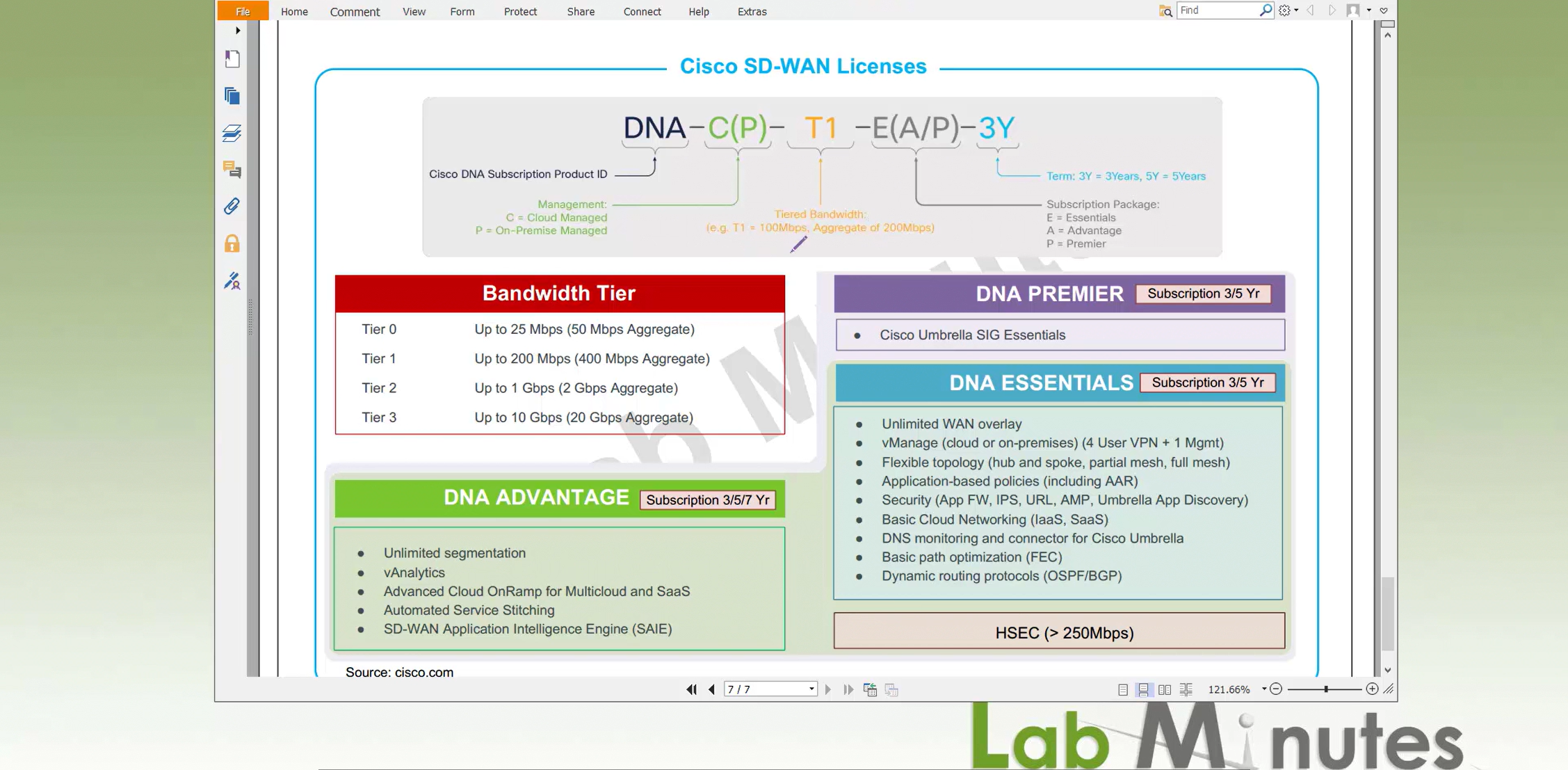
DNA C/P – Cloud managed or On-prem
Bandwidth Tier is the bandwidth offered on edge devices by license starting from 50Mbps aggregate to 20Gbps aggregate (bandwidth consumed could be tx and rx one interface or more interfaces but all interfaces combined)
for example if you have 2 circuits of 100Mbps speed from ISP, your aggregate for WAN only will be 400Mbps – 200Mbps for one circuit , 100Mbps upload and 100Mbps download and 200Mbps for another circuit
In that case we will need Tier 1 license offering 400Mbps of aggregate bandwidth
Then comes the DNA packages such as Essentials, Advantage and Premier
Essentials cover most of the SDWAN features needed and recently cisco has also moved some features down from Advantage into Essentials package in order to stay competitive
HSEC is something we need to keep an eye out for
Higher end routers will come with higher HSEC tier but still good to verify what is on the device
Without HSEC license applied, IPSEC tunnels from device cannot encrypt more than 250 Mbps, as a result you will see speed tests not exceeding 250 Mbps
For larger environments it is good to get Cisco Enterprise Agreement as we can get a better deal on hundreds of edge devices
Service Side VPN , Site Local LAN
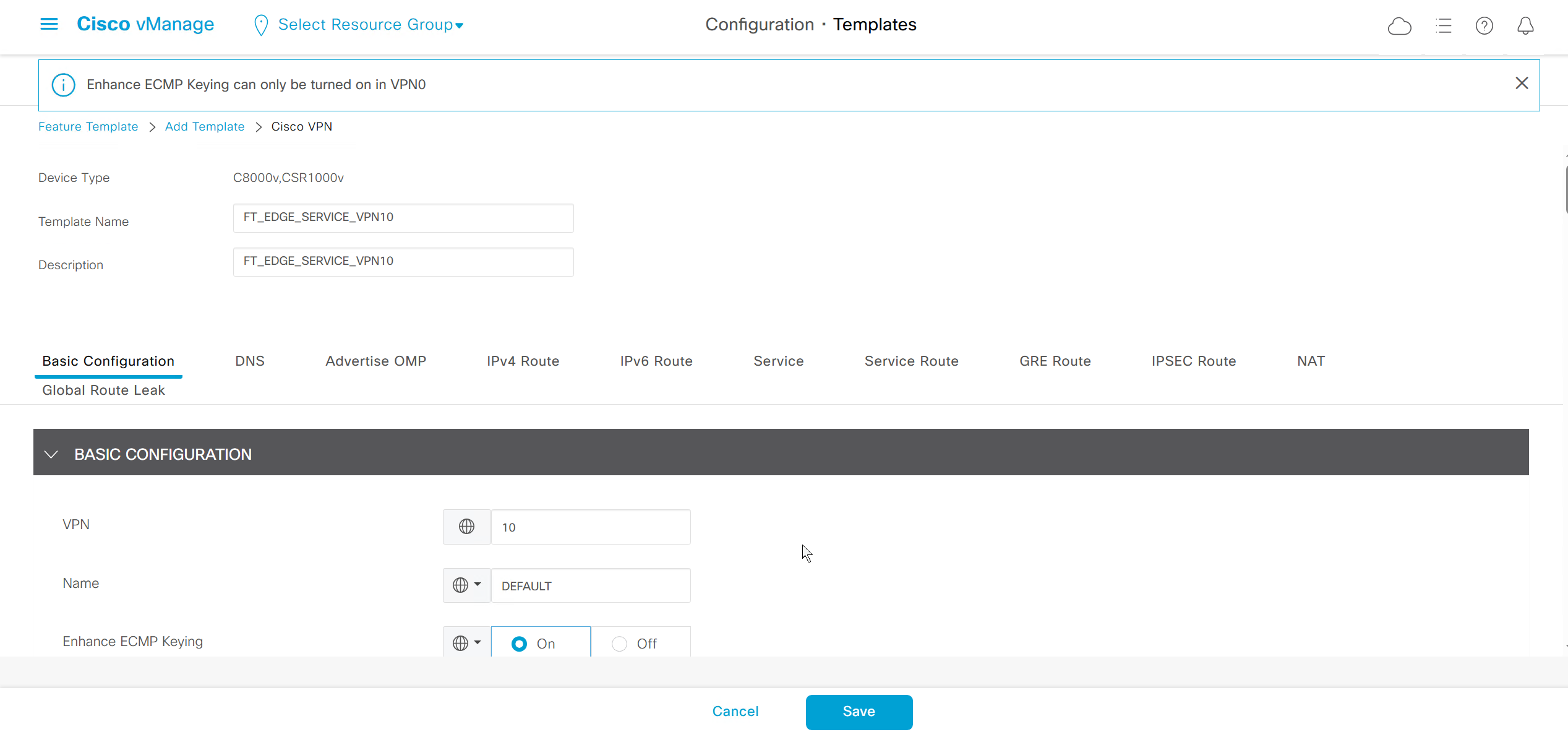
Setup VPN 10 VRF
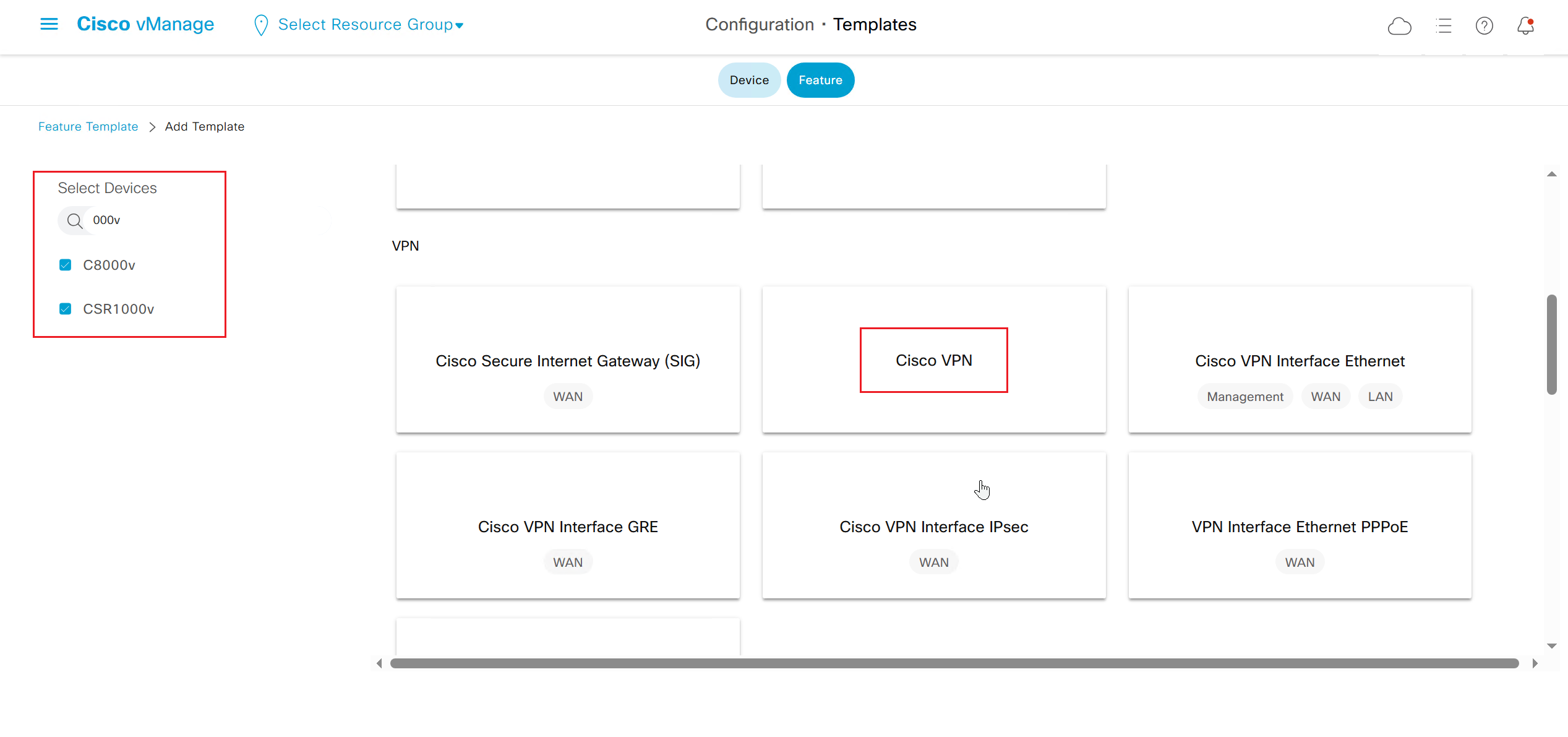
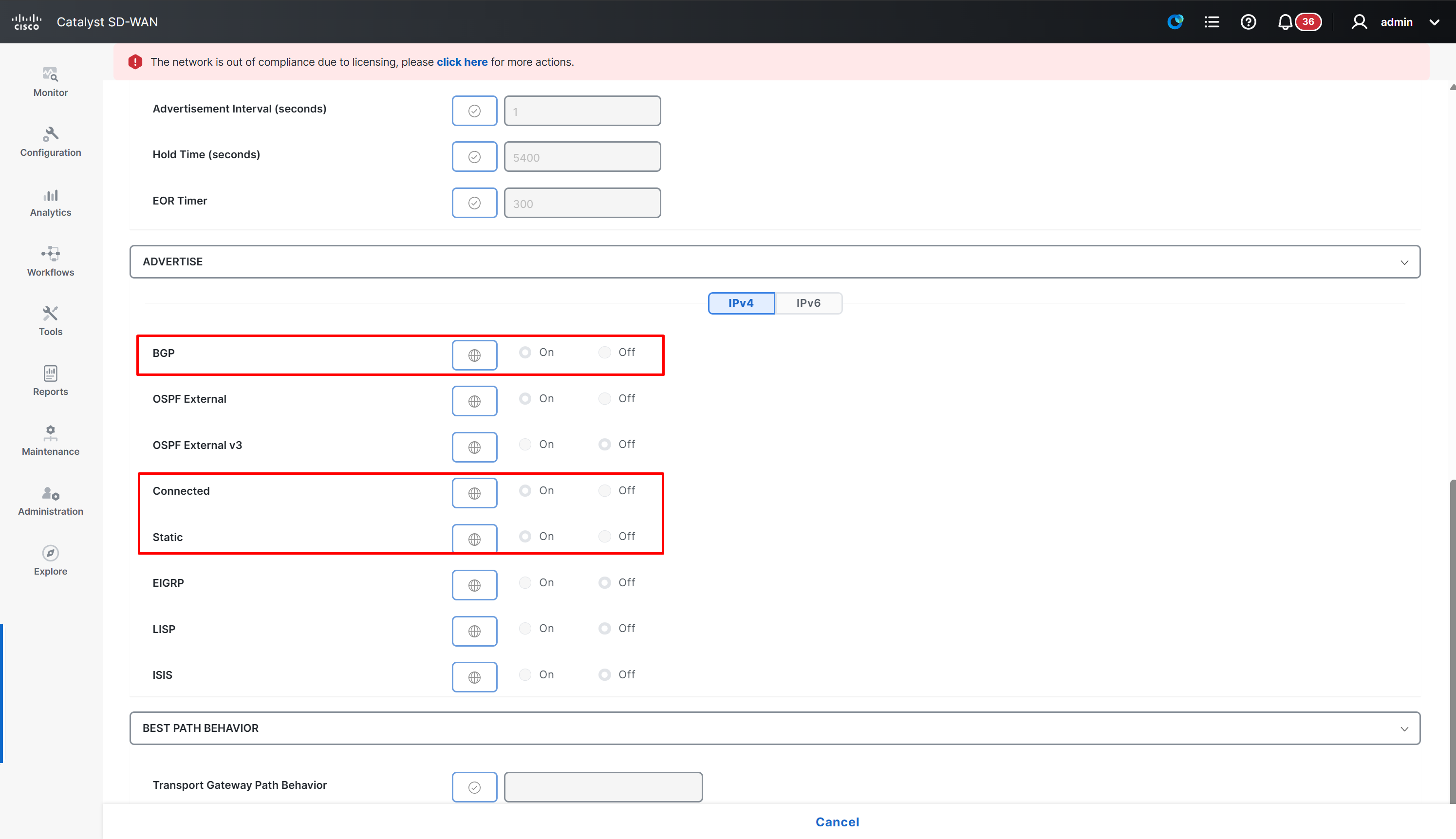
This is to redistribute connected routes in OMP
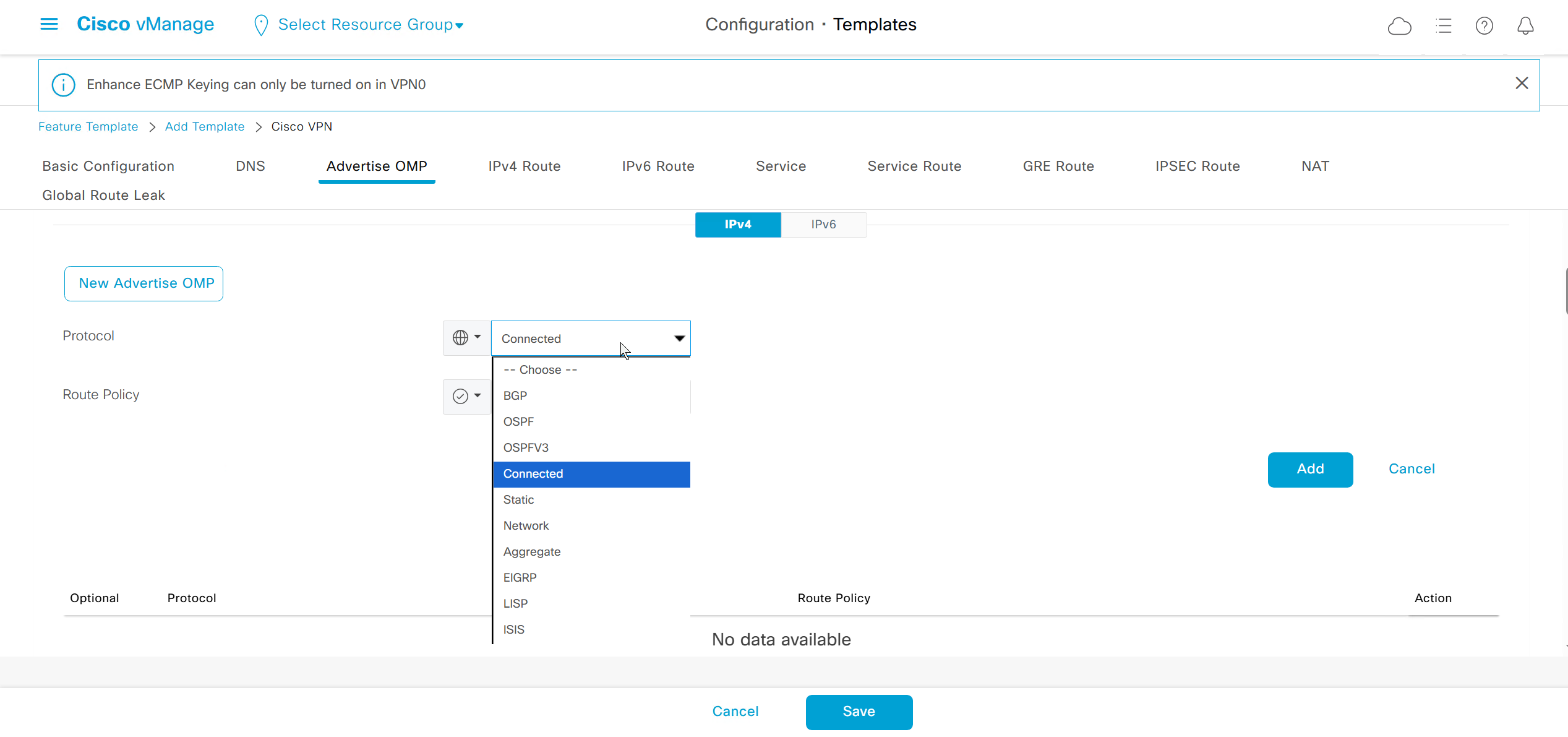
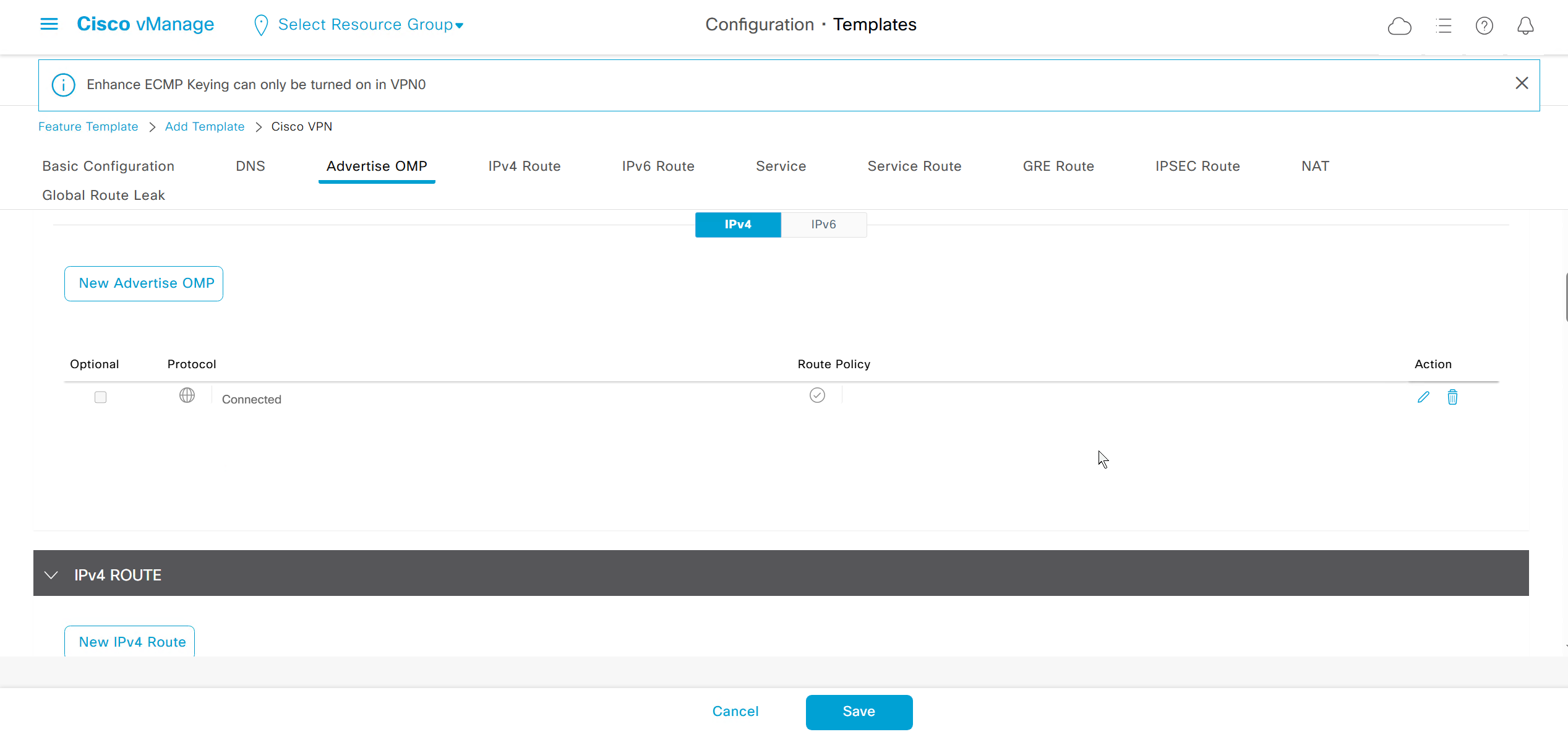
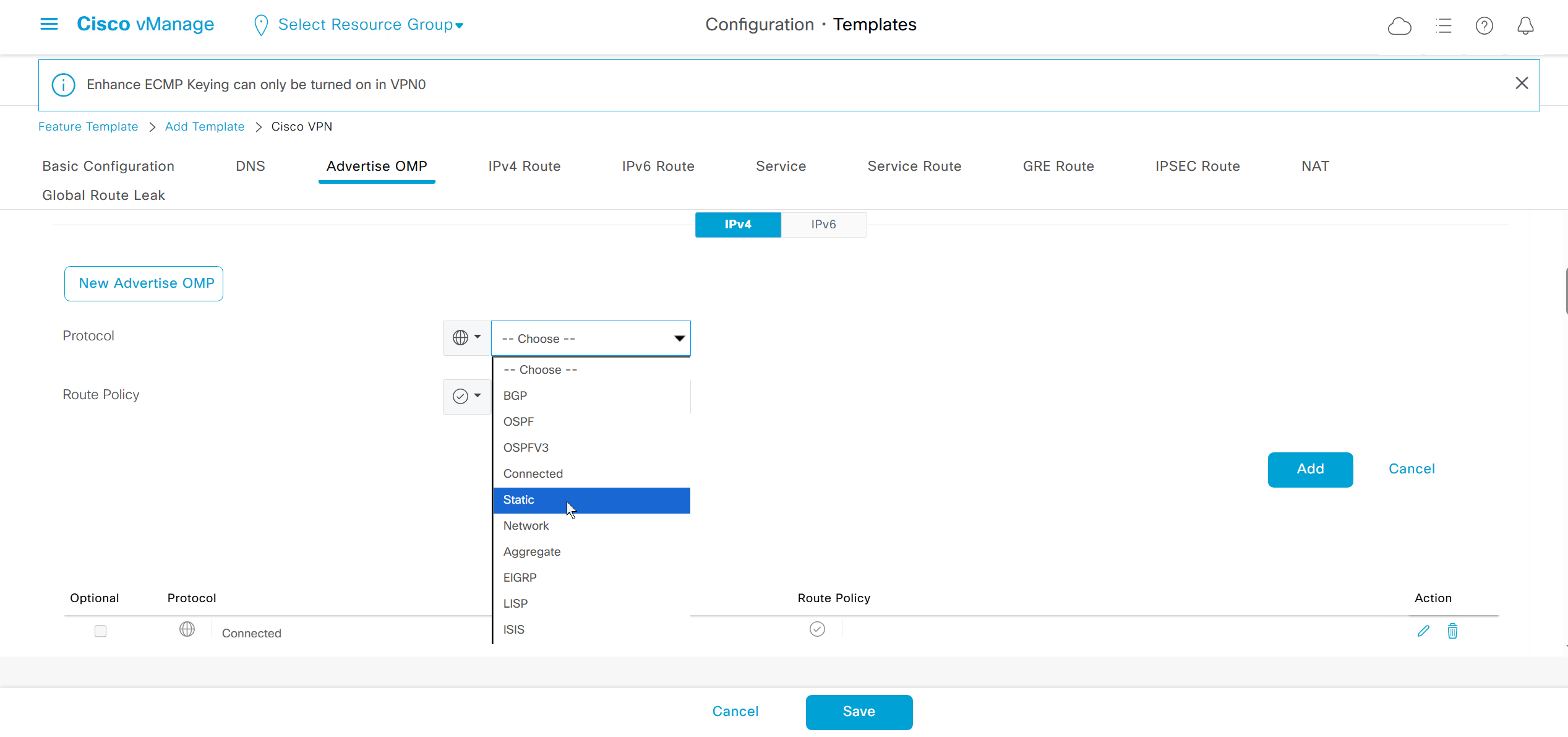
This is to redistribute static routes in OMP
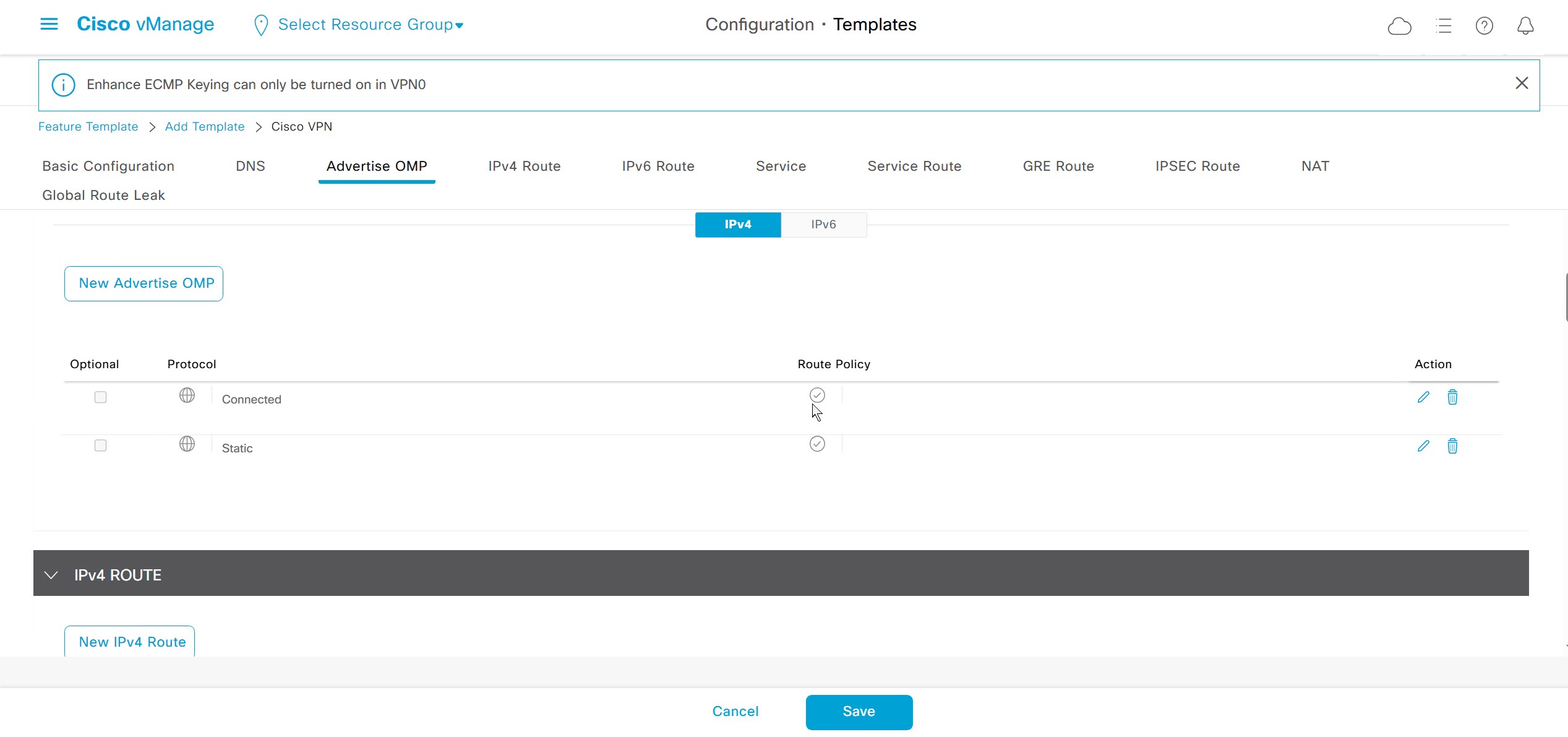
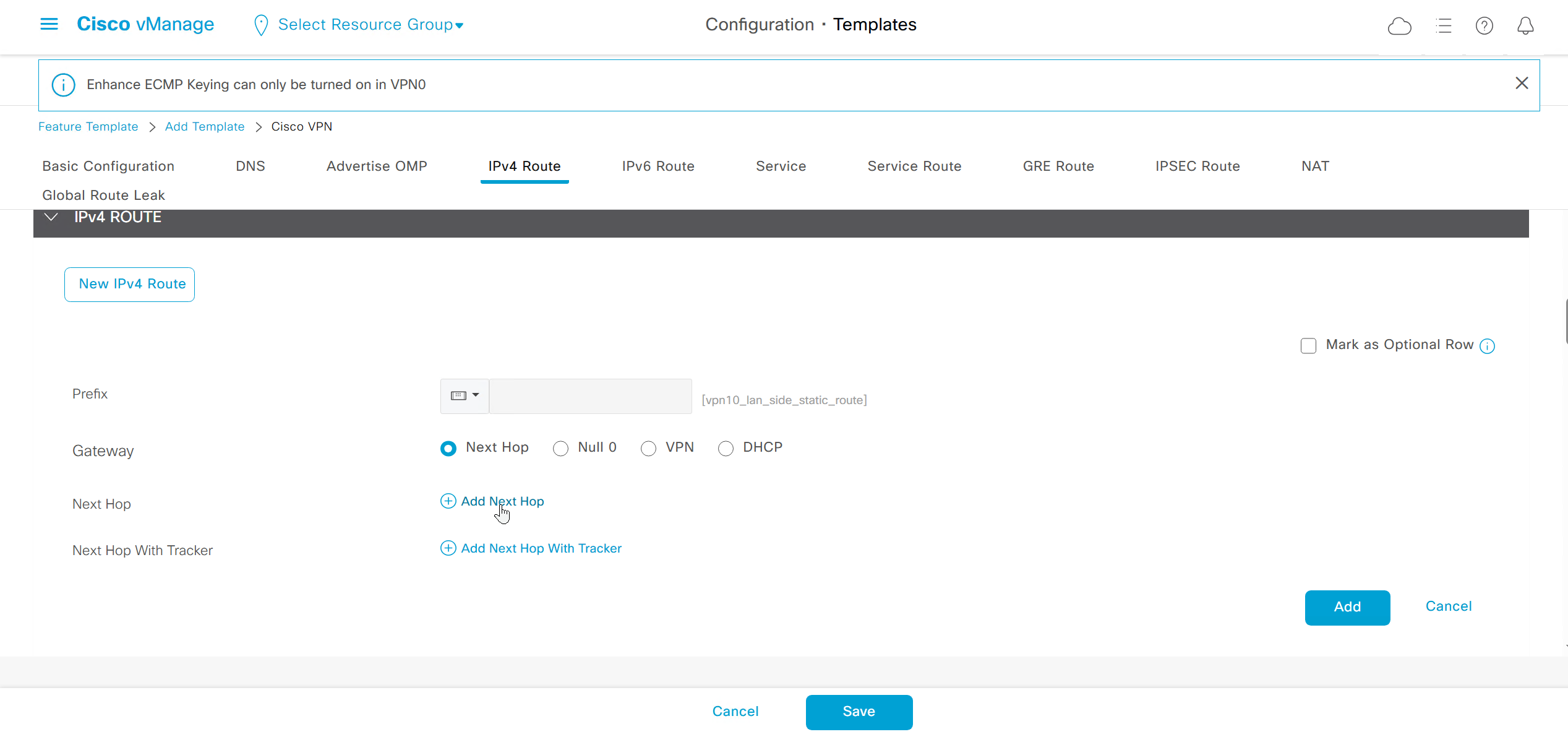
These IPv4 routes are for pointing at the LAN side networks
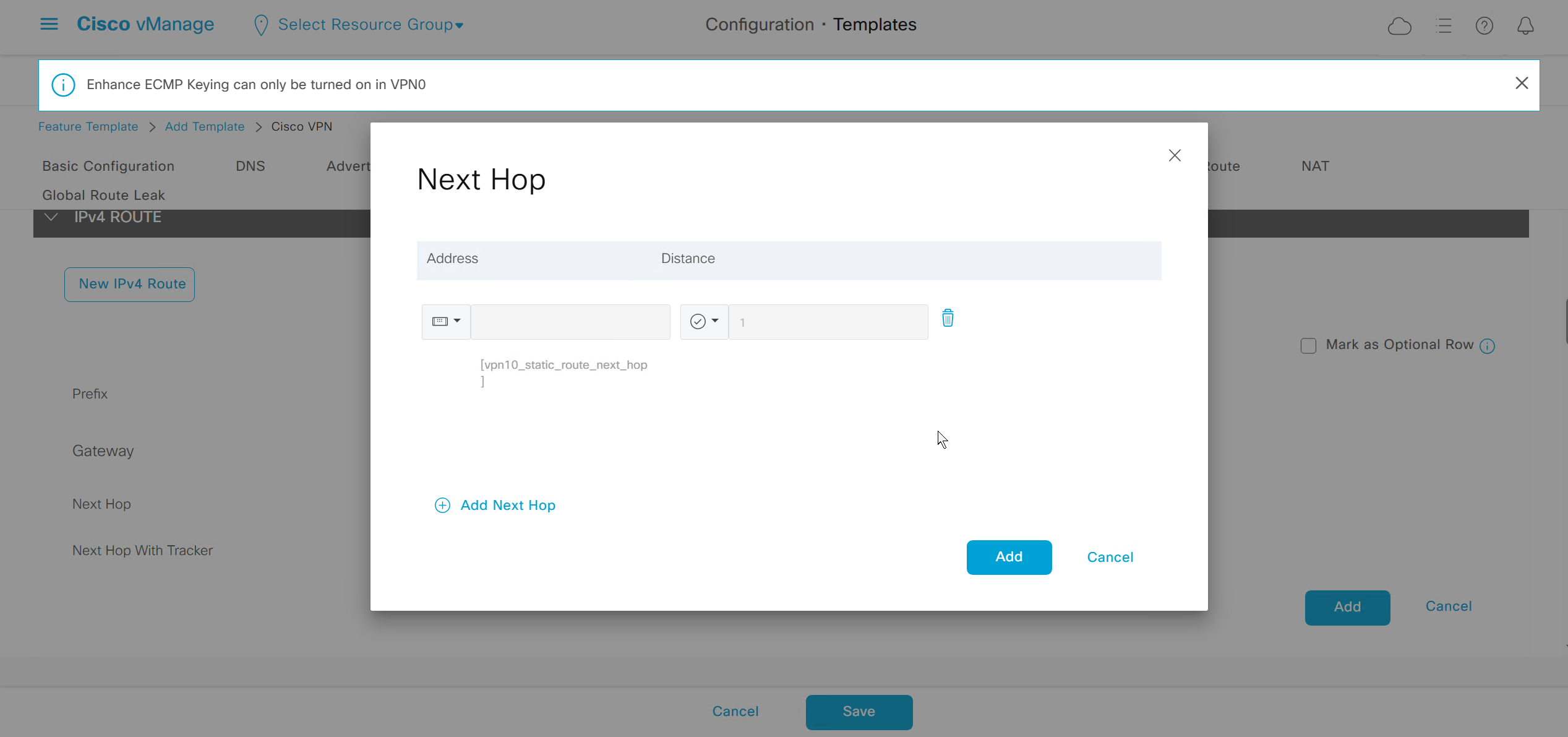
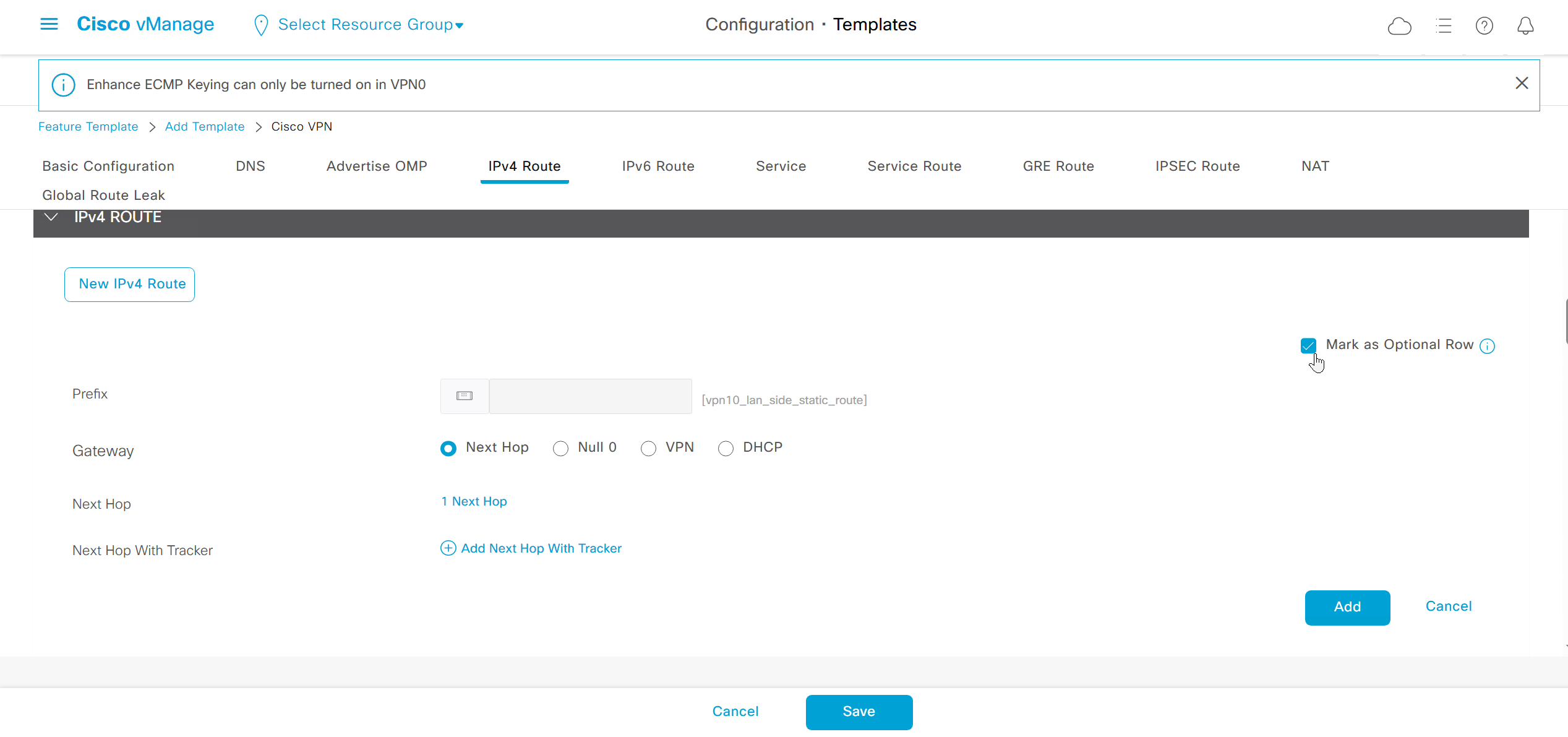
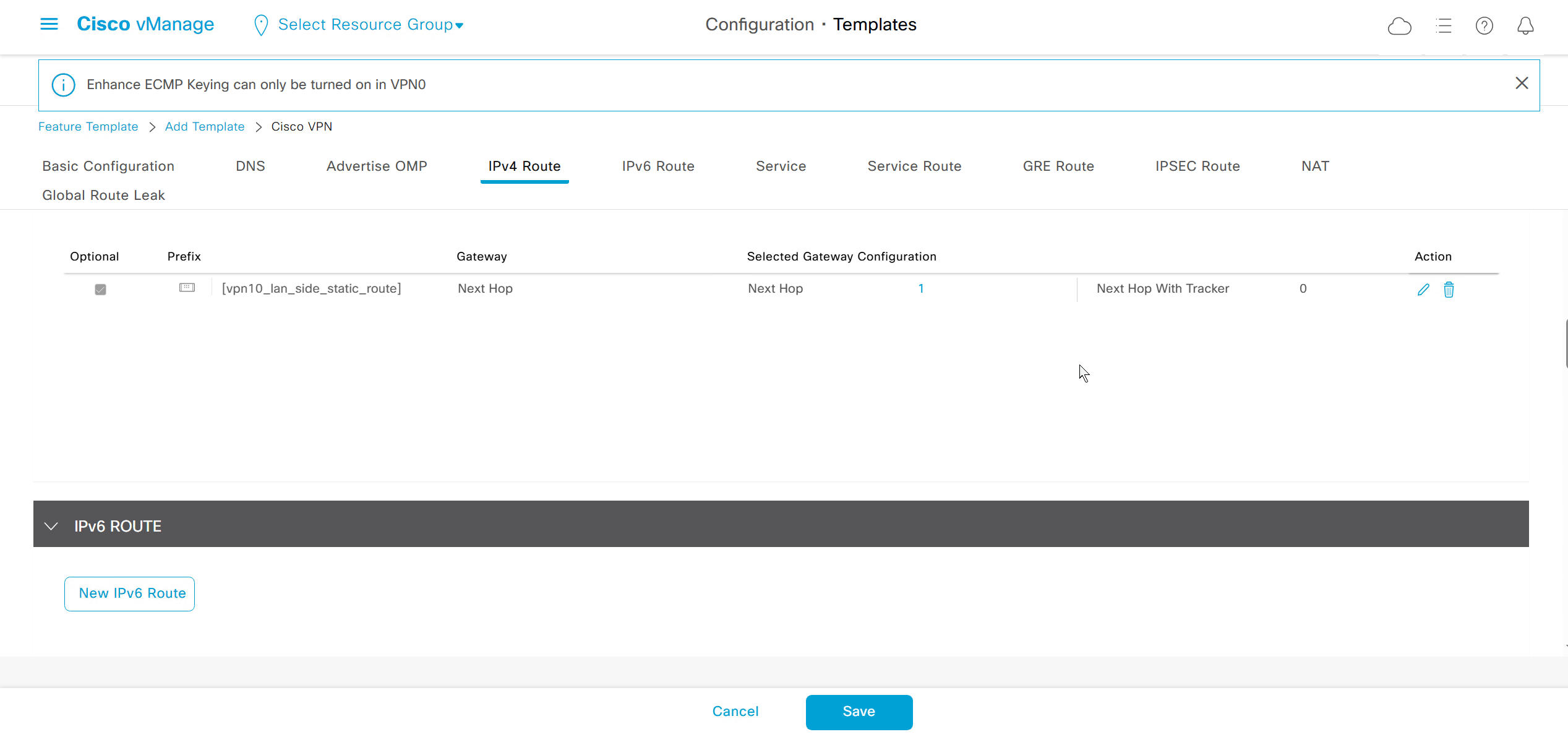
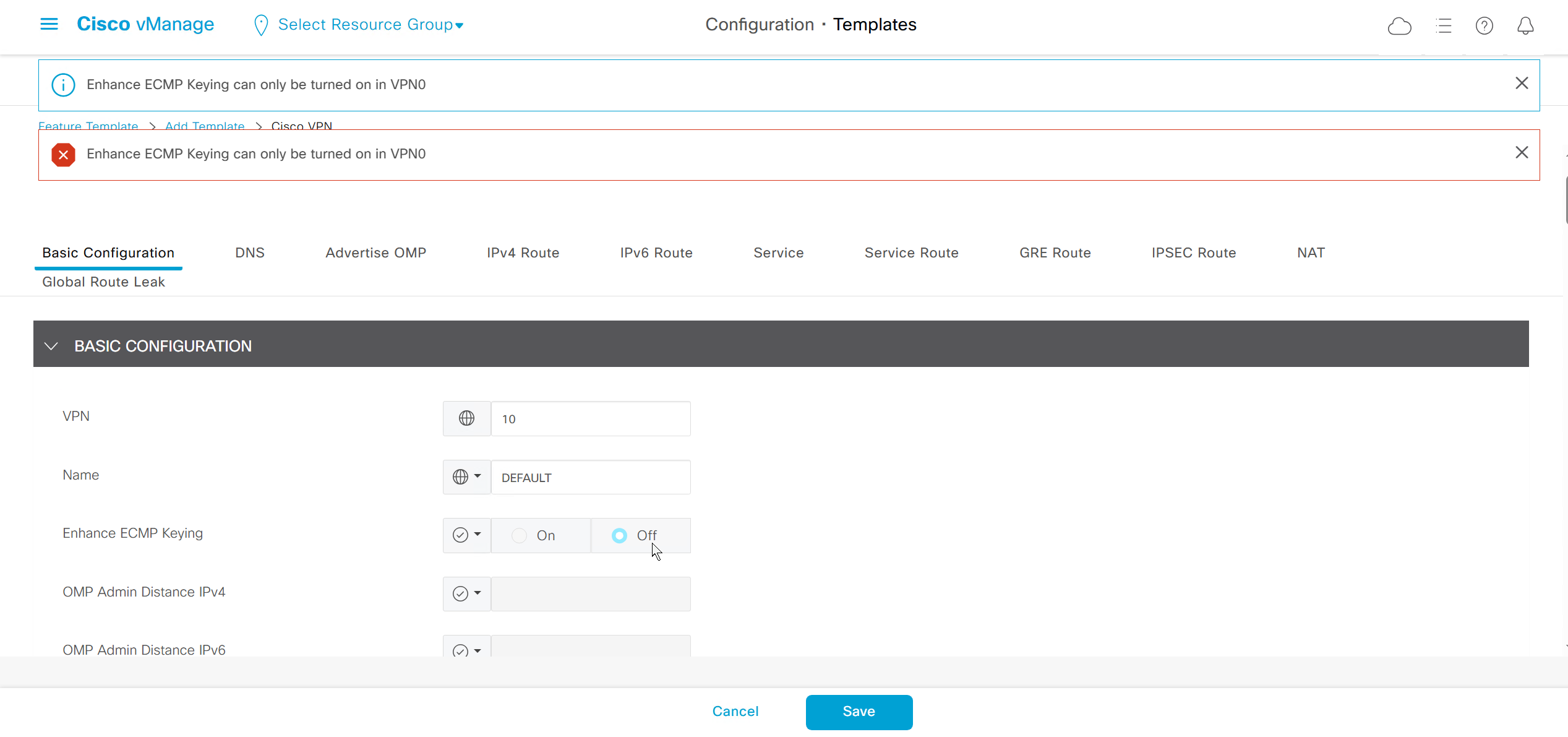
ECMP Keyring can only be turned on in VPN0
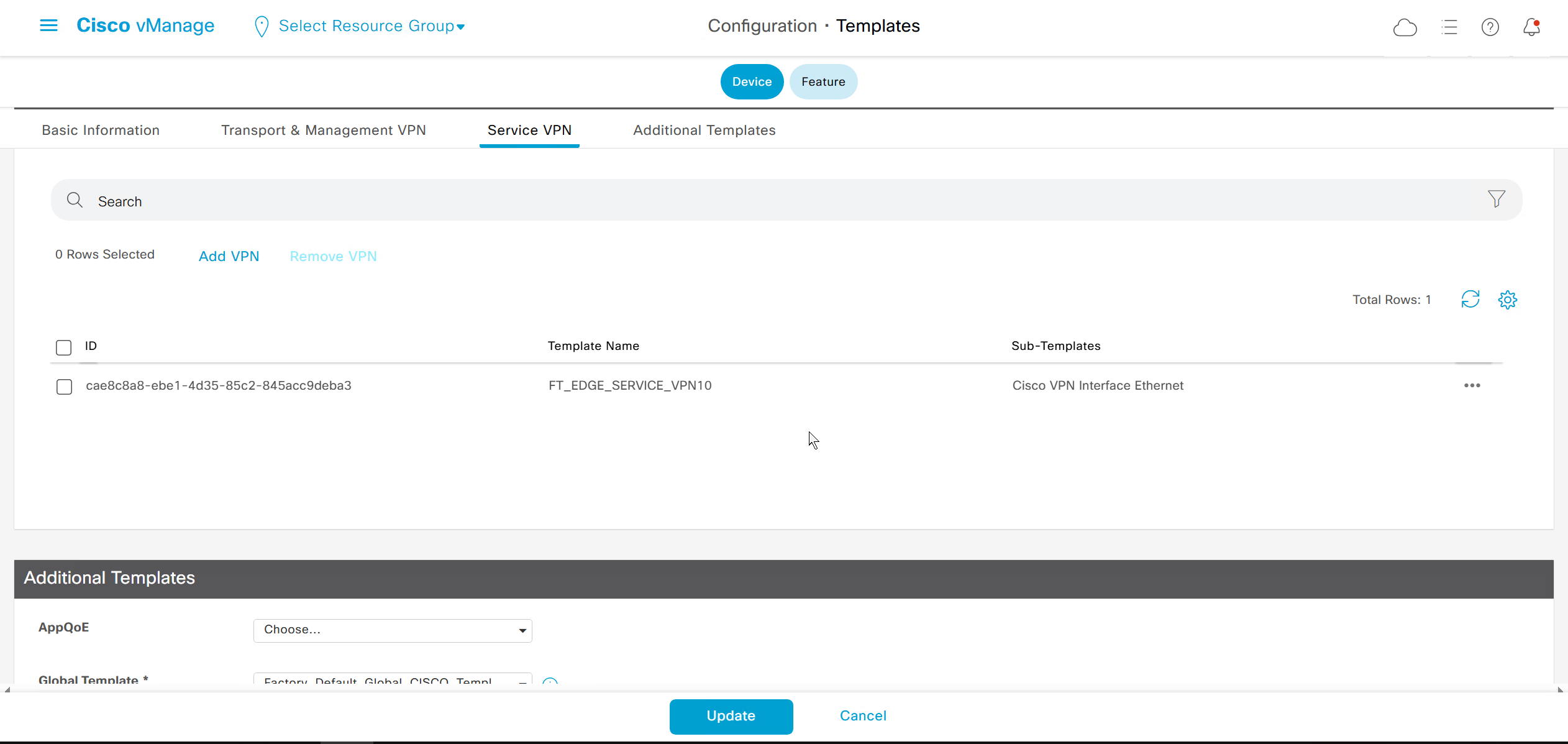
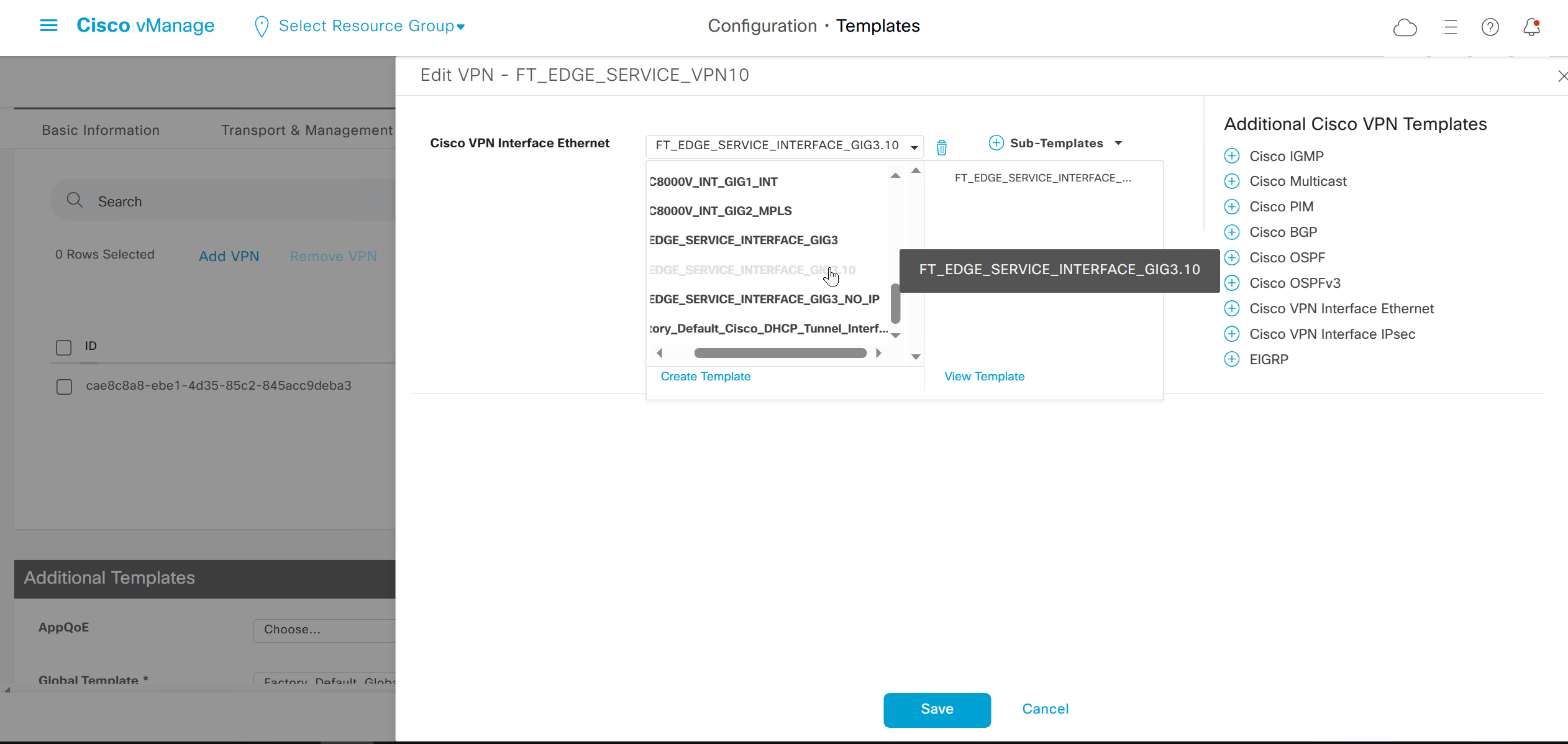
Create following new VPN Ethernet Interface Feature templates
Create Physical Interface GIG3 with IP address variable (so sites without dot1q switch can operate such as Branch 1)
Create Physical Interface GIG3 without IP address so sites like Branch 2 and Branch 3 can do trunk interface on router with dot1q switch
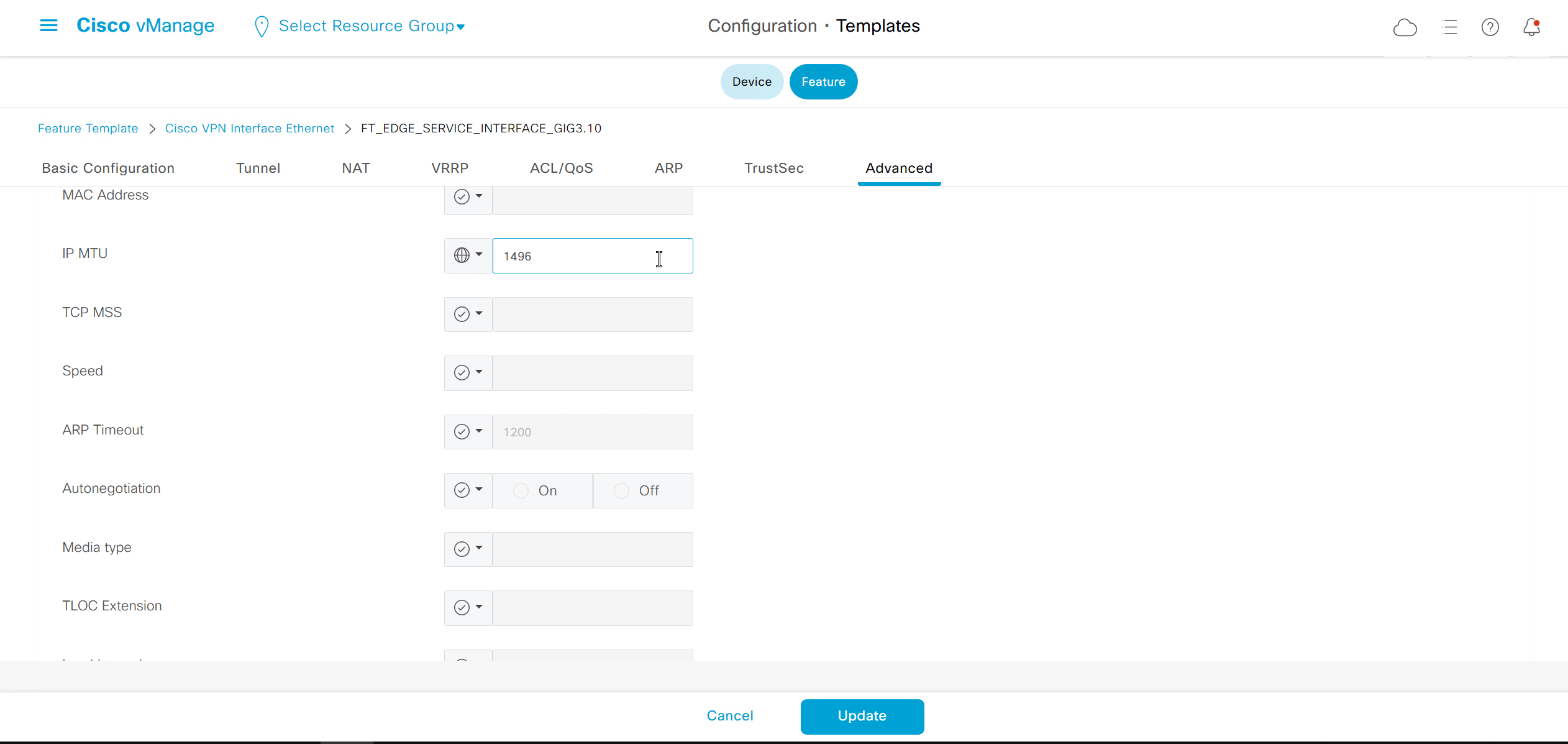
and finally create dot1q interface for Vlan 10 GIG3.10 with IP address and reduced MTU of 1496 to compensate for VLAN header on trunk
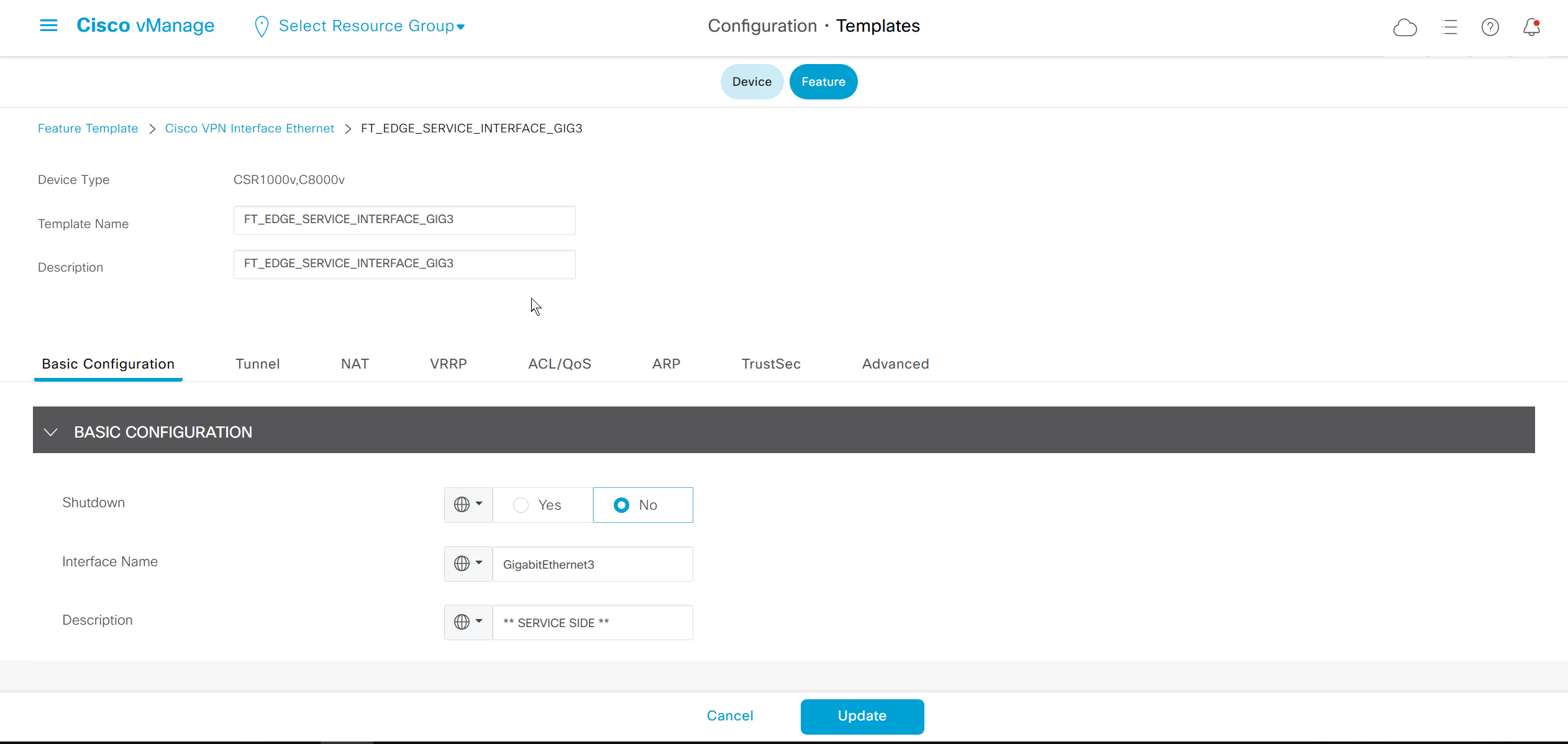
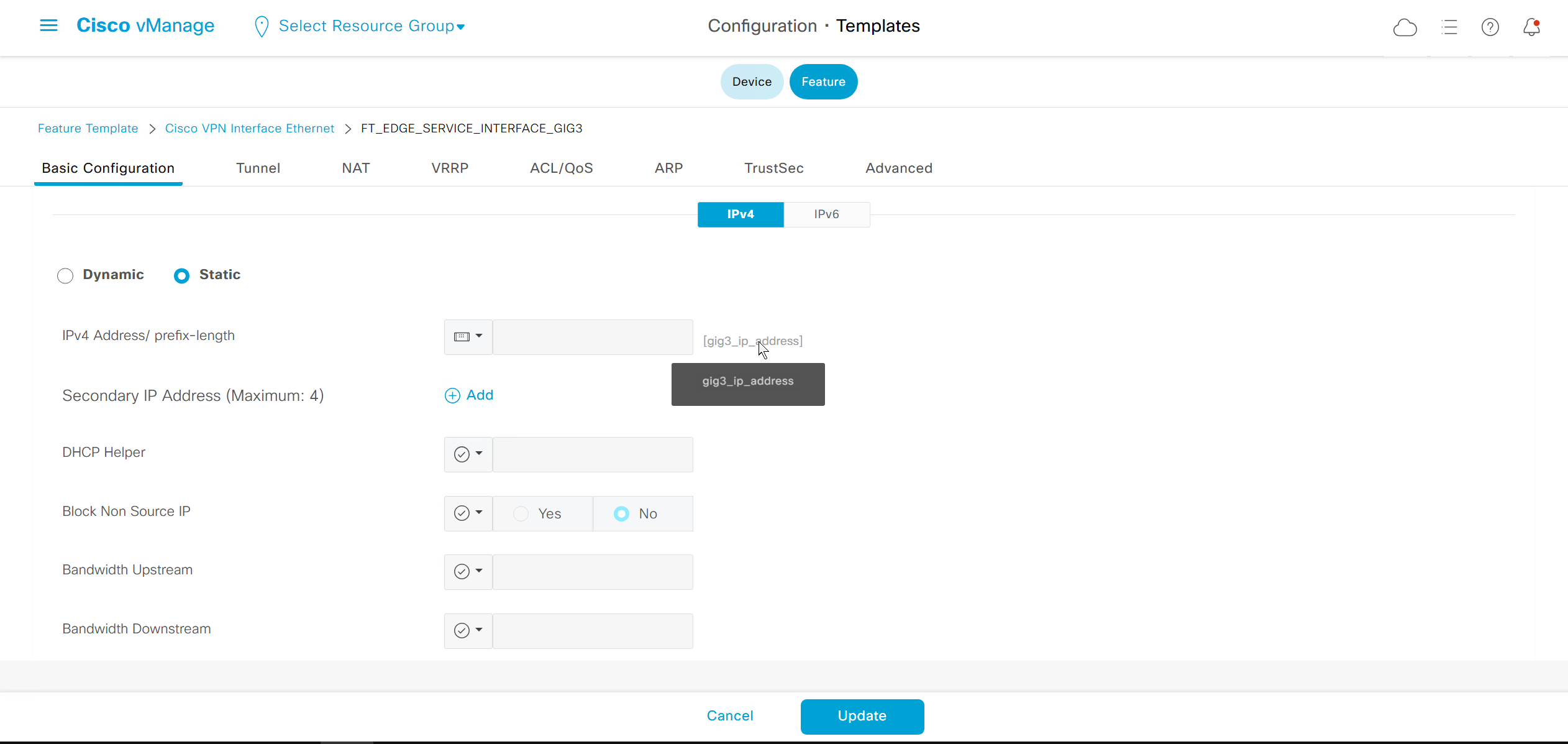
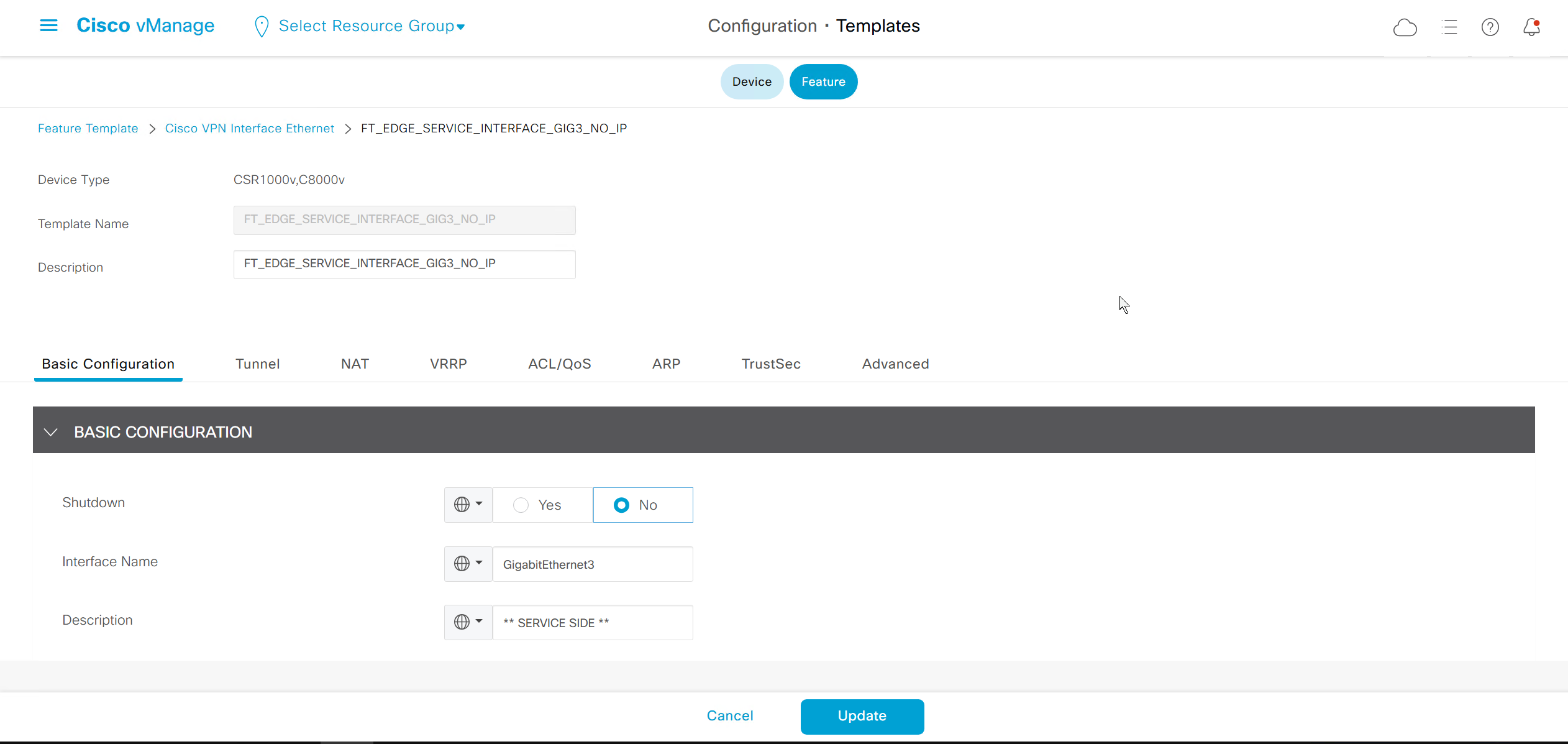
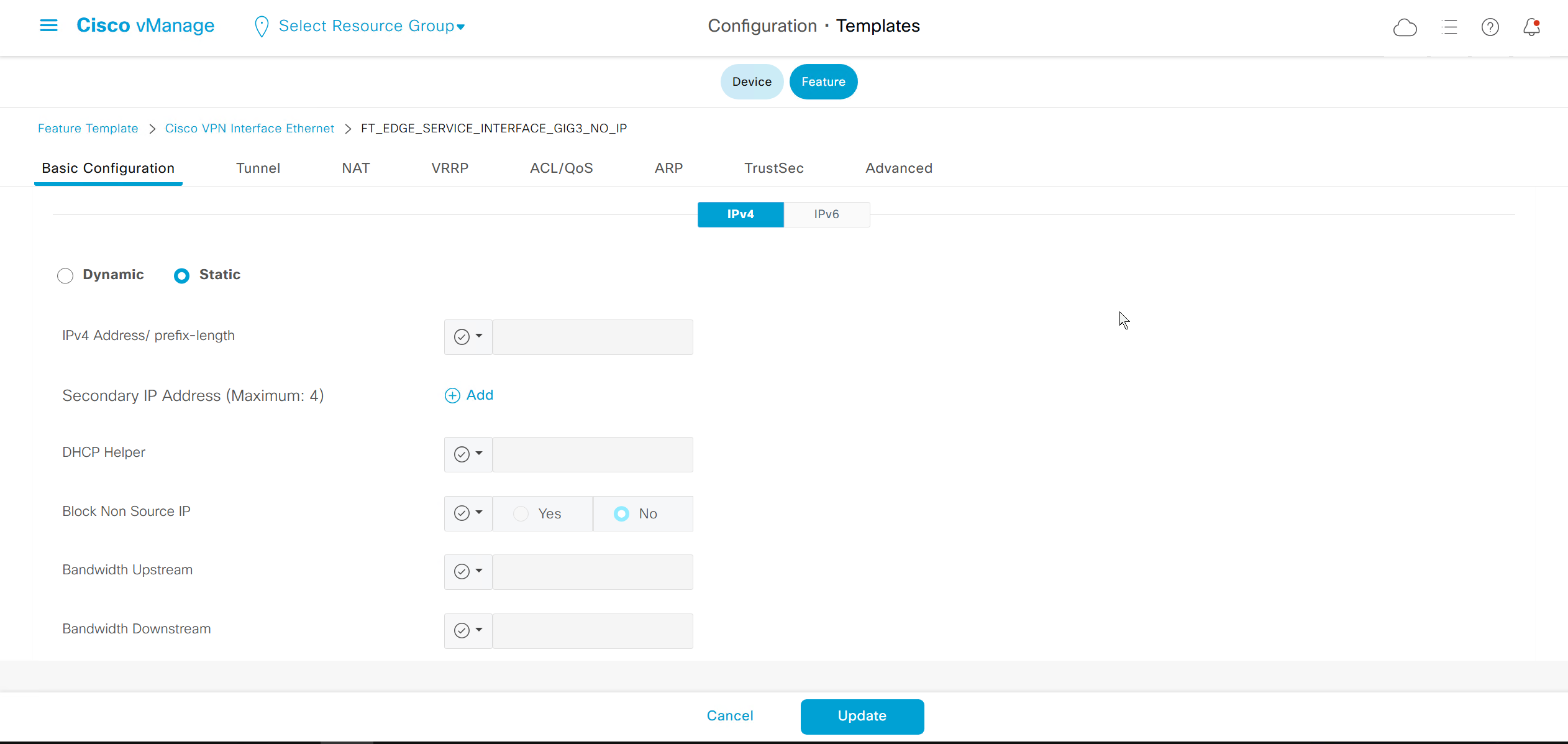
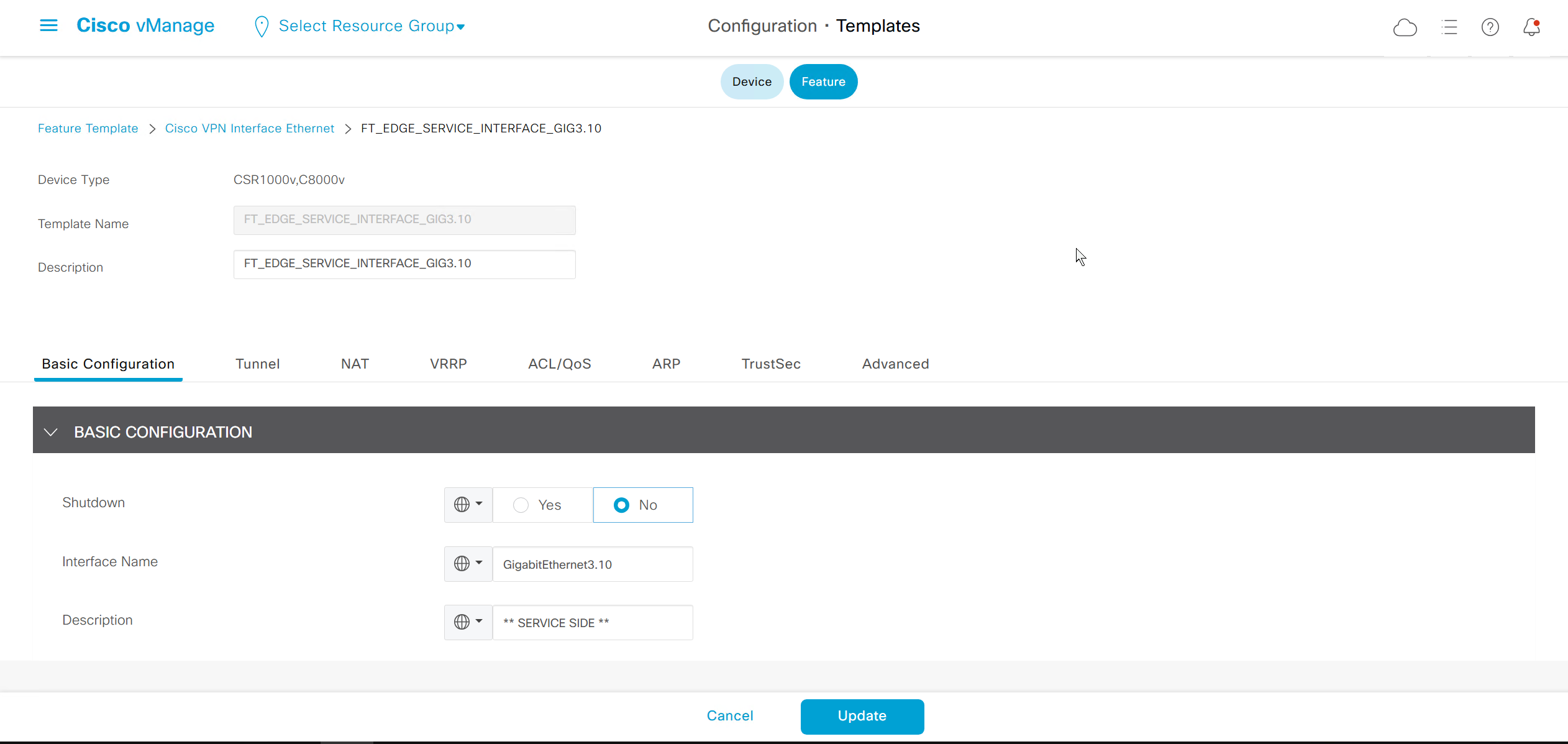
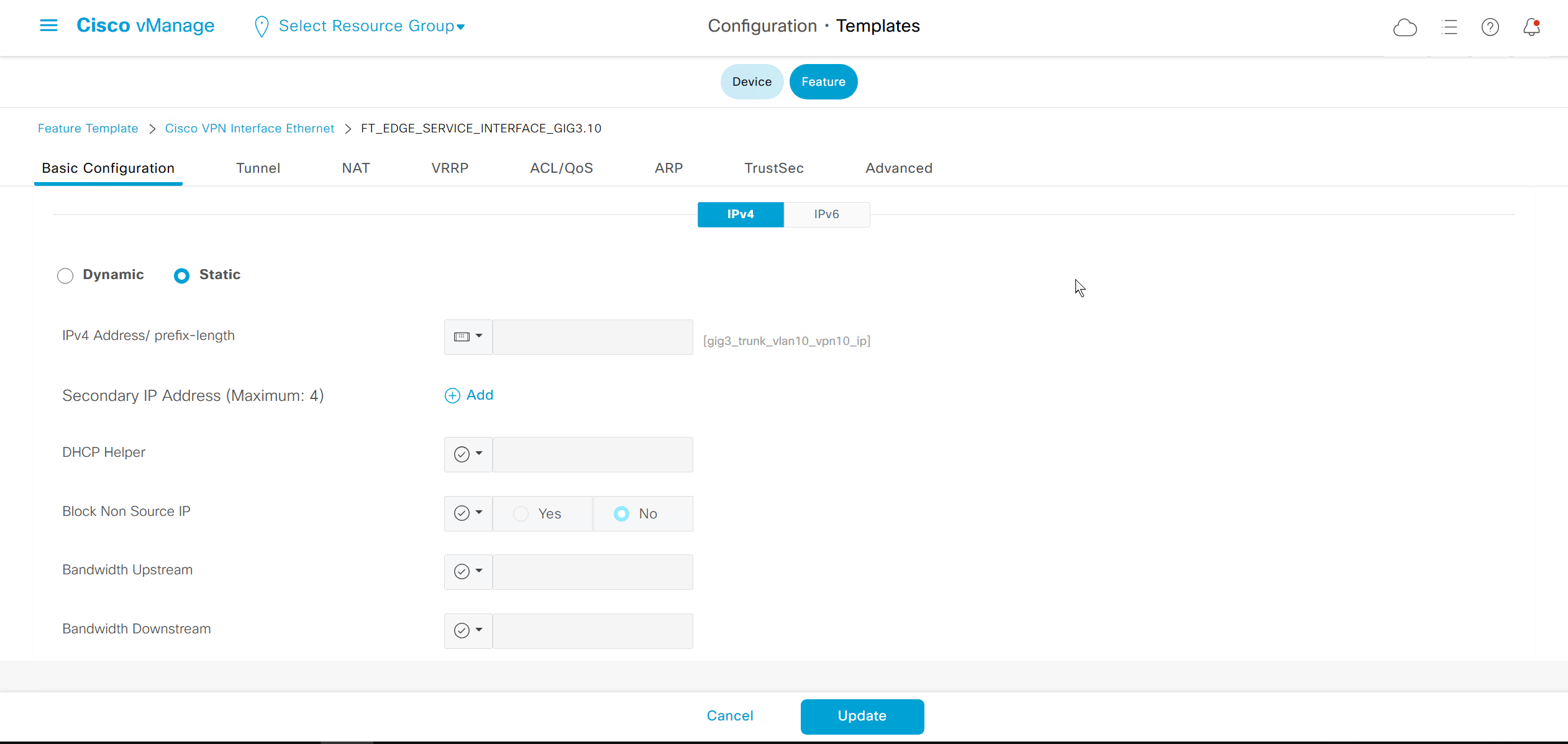
reduce the MTU to 1496
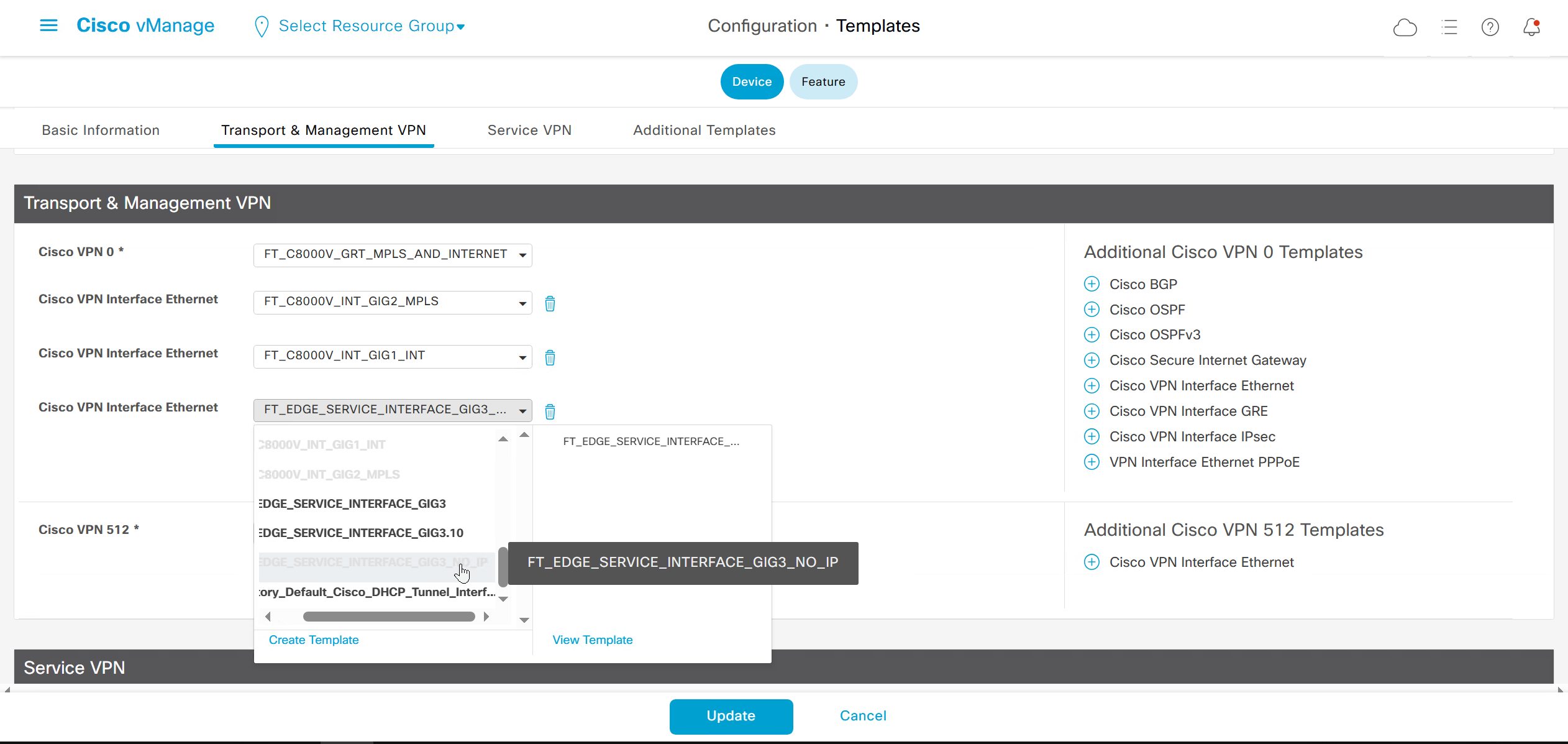
for dot1q interfaces we need to have Physical interface but without IP under VPN 0
and dot1q interface under service VPN
VPCS> ip 172.17.3.10 /25 172.17.3.1
Checking for duplicate address...
VPCS : 172.17.3.10 255.255.255.128 gateway 172.17.3.1

VPCS> ping 172.17.3.1

172.17.3.1 icmp_seq=1 timeout
84 bytes from 172.17.3.1 icmp_seq=2 ttl=255 time=1.393 ms
84 bytes from 172.17.3.1 icmp_seq=3 ttl=255 time=1.470 ms
84 bytes from 172.17.3.1 icmp_seq=4 ttl=255 time=1.429 ms
84 bytes from 172.17.3.1 icmp_seq=5 ttl=255 time=1.350 ms

VPCS> ping 172.17.3.10

172.17.3.10 icmp_seq=1 ttl=64 time=0.001 ms
172.17.3.10 icmp_seq=2 ttl=64 time=0.001 ms
172.17.3.10 icmp_seq=3 ttl=64 time=0.001 ms
172.17.3.10 icmp_seq=4 ttl=64 time=0.001 ms
172.17.3.10 icmp_seq=5 ttl=64 time=0.001 ms

VPCS> ping 172.17.2.1

84 bytes from 172.17.2.1 icmp_seq=1 ttl=254 time=6.716 ms
84 bytes from 172.17.2.1 icmp_seq=2 ttl=254 time=3.531 ms
84 bytes from 172.17.2.1 icmp_seq=3 ttl=254 time=2.678 ms
84 bytes from 172.17.2.1 icmp_seq=4 ttl=254 time=3.613 ms
84 bytes from 172.17.2.1 icmp_seq=5 ttl=254 time=3.625 ms

VPCS> ping 172.17.2.10

84 bytes from 172.17.2.10 icmp_seq=1 ttl=62 time=5.851 ms
84 bytes from 172.17.2.10 icmp_seq=2 ttl=62 time=2.274 ms
84 bytes from 172.17.2.10 icmp_seq=3 ttl=62 time=3.498 ms
84 bytes from 172.17.2.10 icmp_seq=4 ttl=62 time=3.398 ms
84 bytes from 172.17.2.10 icmp_seq=5 ttl=62 time=3.495 ms

VPCS>
VPCS> set pcname BR3-CLIENT

BR3-CLIENT>
BR3-CLIENT> save
Saving startup configuration to startup.vpc
.  done
BR1-CLIENT> trace 172.17.2.10
trace to 172.17.2.10, 8 hops max, press Ctrl+C to stop
1 *172.17.1.1 0.351 ms 0.194 ms
2 *1.1.1.102 1.300 ms 1.543 ms
3 *172.17.2.10 5.741 ms (ICMP type:3, code:3, Destination port unreachable)BR3-cEdge#show sdwan omp routes
Generating output, this might take time, please wait ...
Code:
C -> chosen
I -> installed
Red -> redistributed
Rej -> rejected
L -> looped
R -> resolved
S -> stale
Ext -> extranet
Inv -> invalid
Stg -> staged
IA -> On-demand inactive
U -> TLOC unresolved
PATH ATTRIBUTE
VPN PREFIX FROM PEER ID LABEL STATUS TYPE TLOC IP COLOR ENCAP PREFERENCE
--------------------------------------------------------------------------------------------------------------------------------------
10 172.17.2.0/25 1.1.255.13 9 1003 C,I,R installed 172.16.0.102 mpls ipsec -
1.1.255.13 10 1003 C,I,R installed 172.16.0.102 biz-internet ipsec -
10 172.17.3.0/25 0.0.0.0 66 1003 C,Red,R installed 172.16.0.103 mpls ipsec -
0.0.0.0 68 1003 C,Red,R installed 172.16.0.103 biz-internet ipsec -BR3-cEdge#show sdwan omp routes 172.17.2.0/25 detail
---------------------------------------------------
omp route entries for vpn 10 route 172.17.2.0/25
---------------------------------------------------
RECEIVED FROM:
peer 1.1.255.13
path-id 9
label 1003
status C,I,R
loss-reason not set
lost-to-peer not set
lost-to-path-id not set
Attributes:
originator 172.16.0.102
type installed
tloc 172.16.0.102, mpls, ipsec
ultimate-tloc not set
domain-id not set
overlay-id 1
site-id 102
preference not set
tag not set
origin-proto connected
origin-metric 0
as-path not set
community not set
unknown-attr-len not set
RECEIVED FROM:
peer 1.1.255.13
path-id 10
label 1003
status C,I,R
loss-reason not set
lost-to-peer not set
lost-to-path-id not set
Attributes:
originator 172.16.0.102
type installed
tloc 172.16.0.102, biz-internet, ipsec
ultimate-tloc not set
domain-id not set
overlay-id 1
site-id 102
preference not set
tag not set
origin-proto connected
origin-metric 0
as-path not set
community not set
unknown-attr-len not setBR3-cEdge#routing-context vrf 10
BR3-cEdge%10#ping 172.17.3.1
Type escape sequence to abort.
Sending 5, 100-byte ICMP Echos to 172.17.3.1, timeout is 2 seconds:
!!!!!
Success rate is 100 percent (5/5), round-trip min/avg/max = 1/1/1 ms
BR3-cEdge%10#ping 172.17.3.10
Type escape sequence to abort.
Sending 5, 100-byte ICMP Echos to 172.17.3.10, timeout is 2 seconds:
!!!!!
Success rate is 100 percent (5/5), round-trip min/avg/max = 1/1/2 ms
BR3-cEdge%10#ping 172.17.2.1
Type escape sequence to abort.
Sending 5, 100-byte ICMP Echos to 172.17.2.1, timeout is 2 seconds:
!!!!!
Success rate is 100 percent (5/5), round-trip min/avg/max = 1/1/3 ms
BR3-cEdge%10#ping 172.17.2.10
Type escape sequence to abort.
Sending 5, 100-byte ICMP Echos to 172.17.2.10, timeout is 2 seconds:
!!!!!
Success rate is 100 percent (5/5), round-trip min/avg/max = 2/3/6 ms
BR3-cEdge%10#exitRecommended resources for vManage and controller numbers / sizing
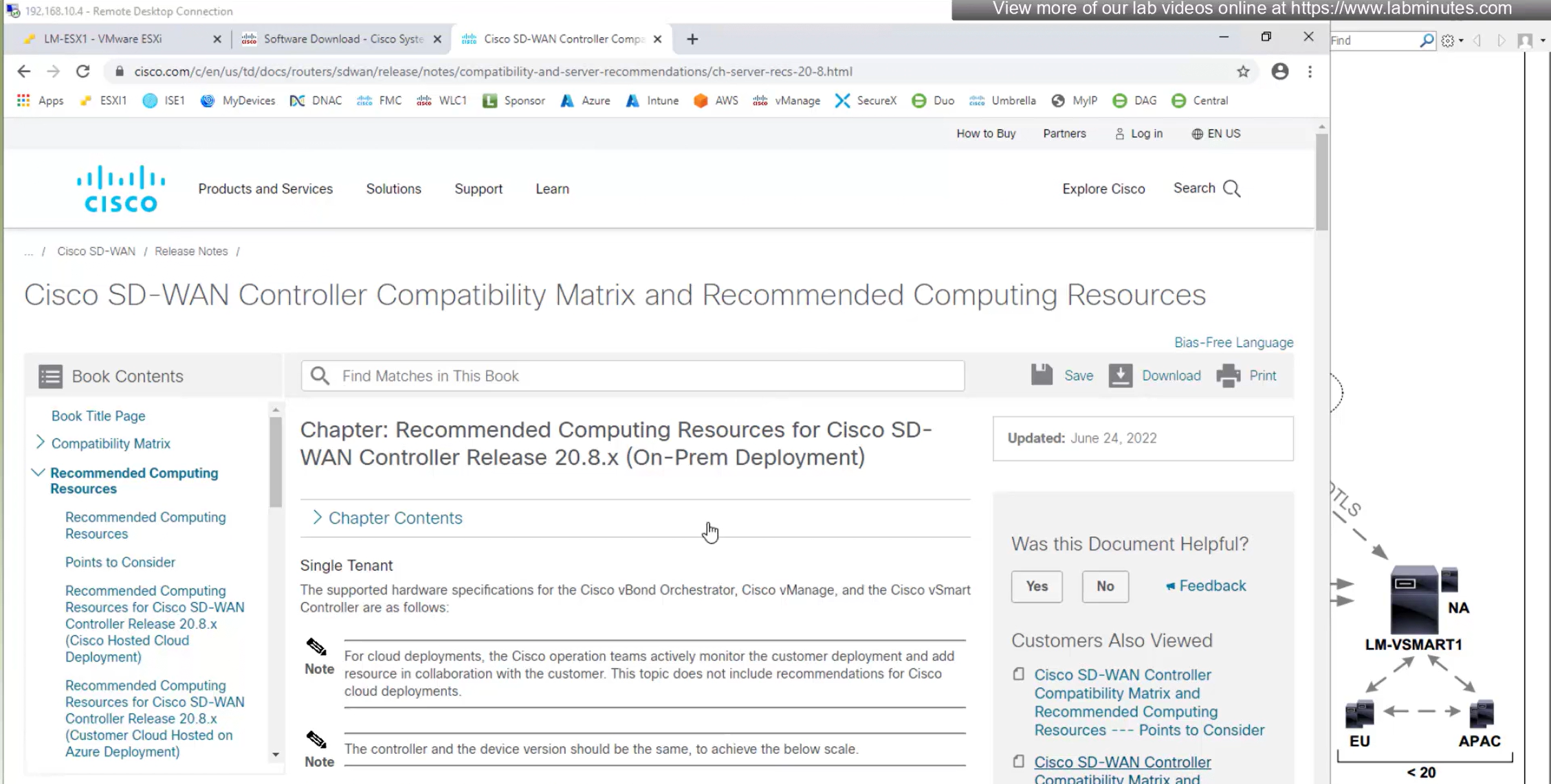
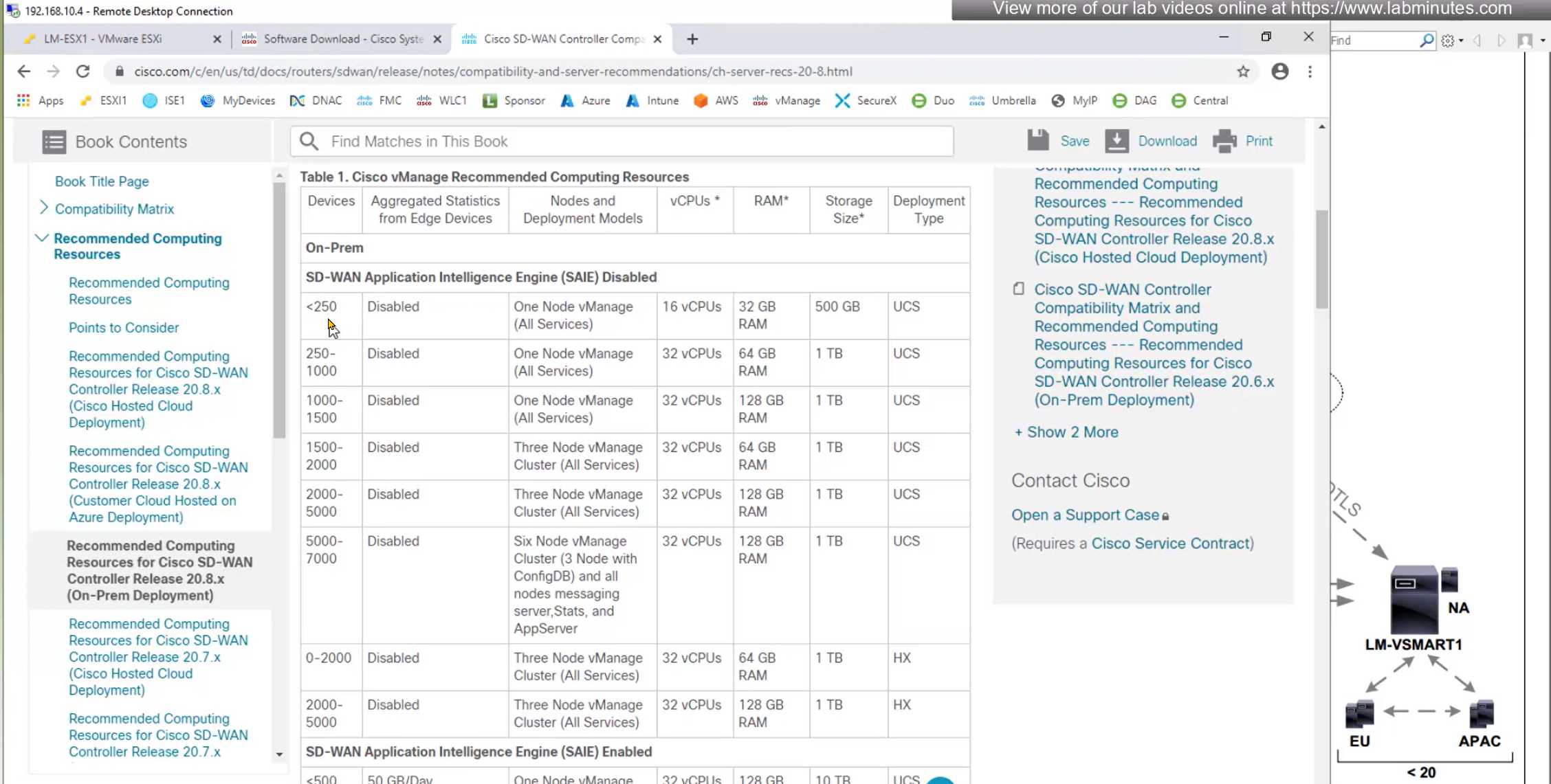
Less than 1500 edge nodes will need 1 vManage, anything above 1500 edge nodes will require 3x vManage VMs
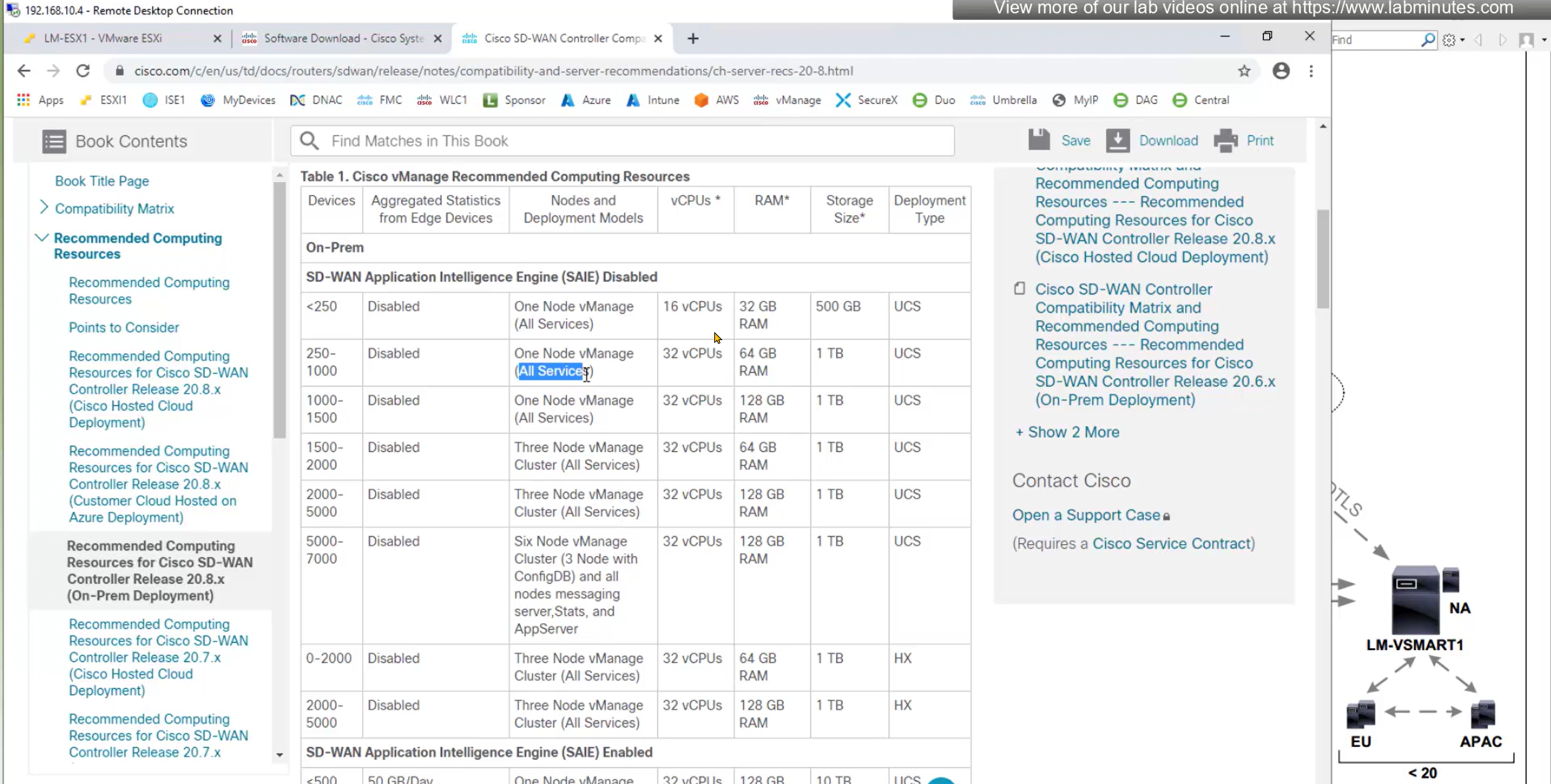
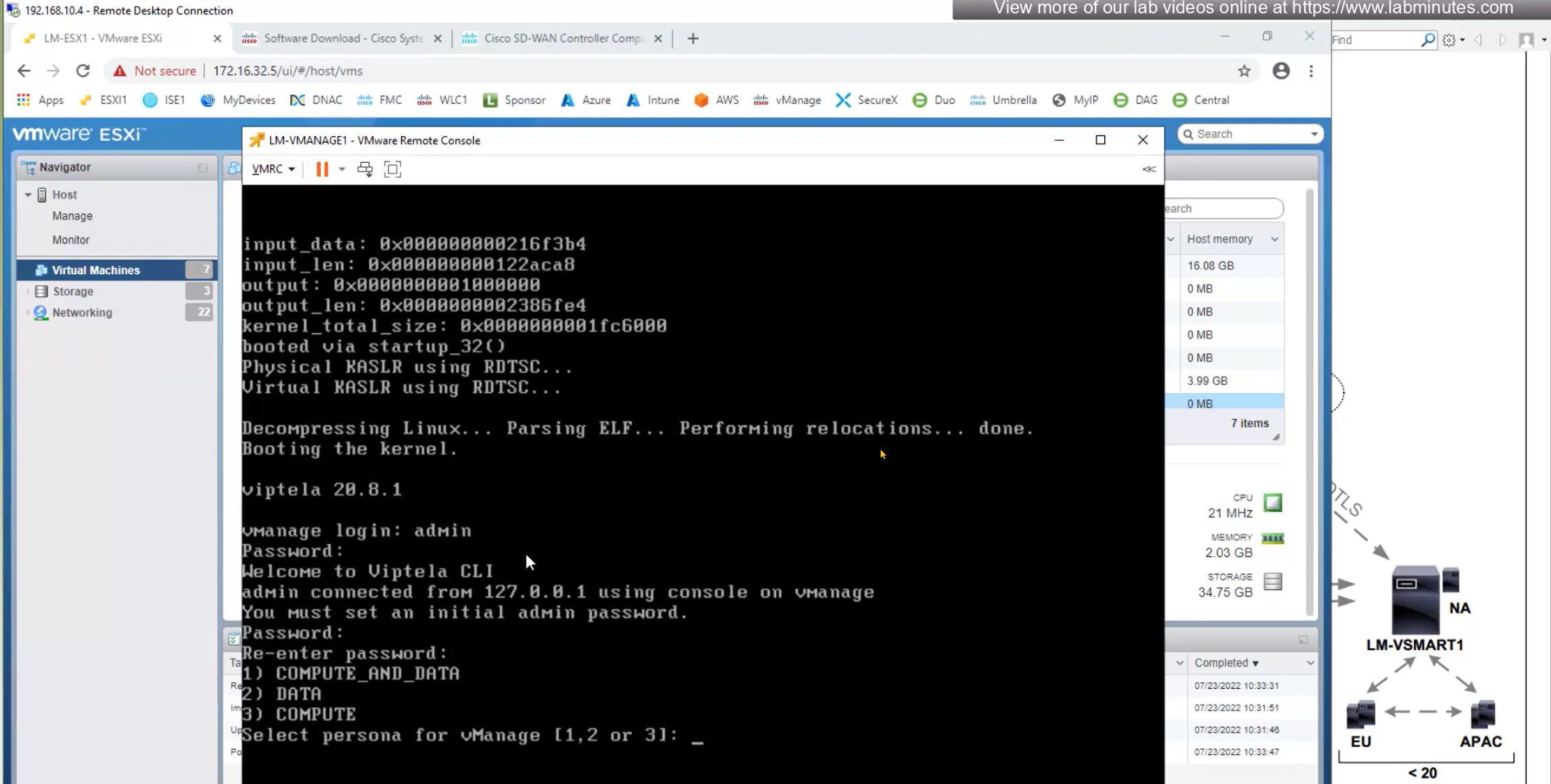
All services is a persona on vManage called COMPUTE_AND_DATA which is basically all services
A vManage with just a COMPUTE persona will only run vManage application, configuration and messaging but no Data statistics and vManage with with DATA stores statistics and data
Download software from cisco.com
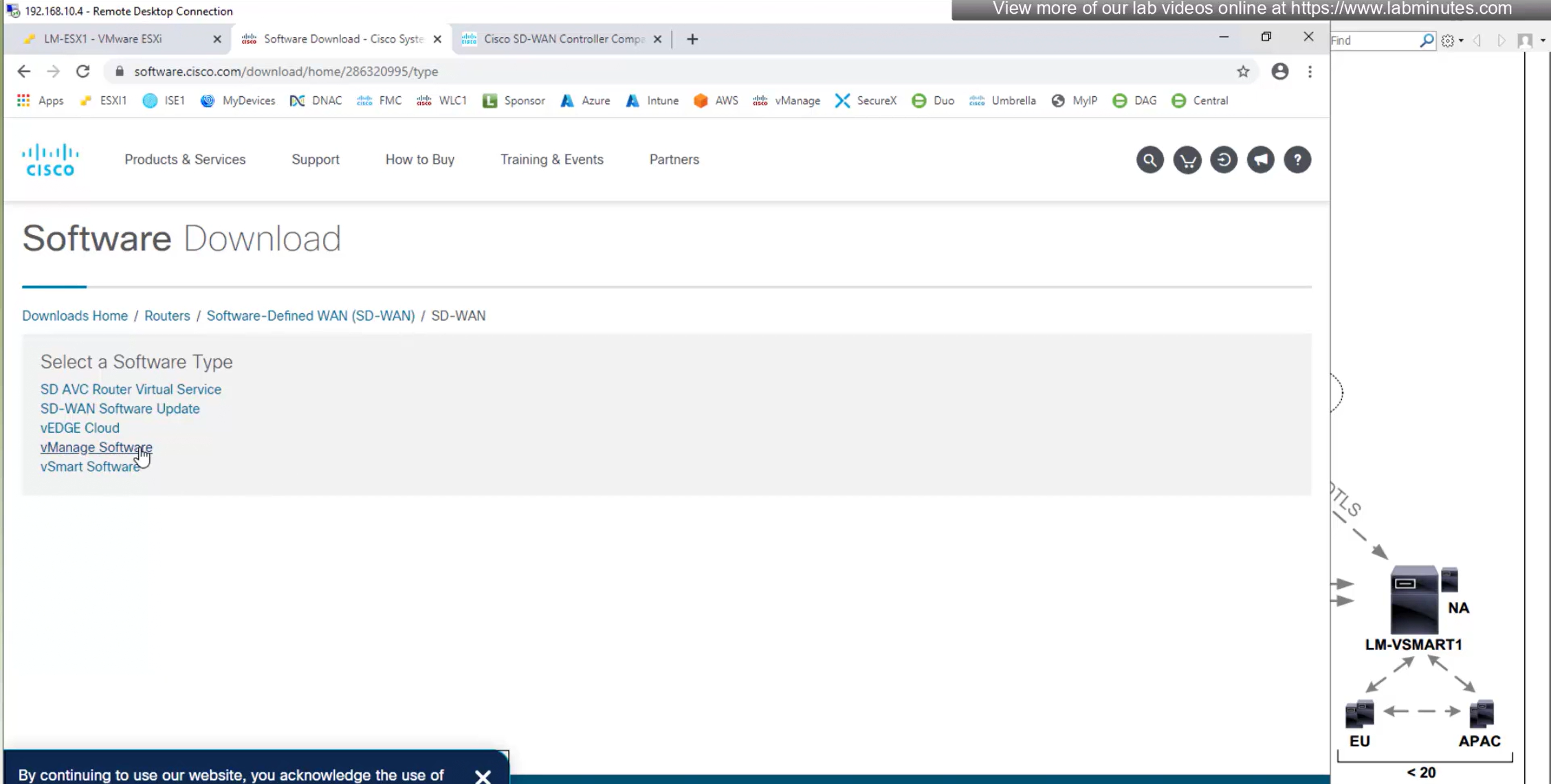
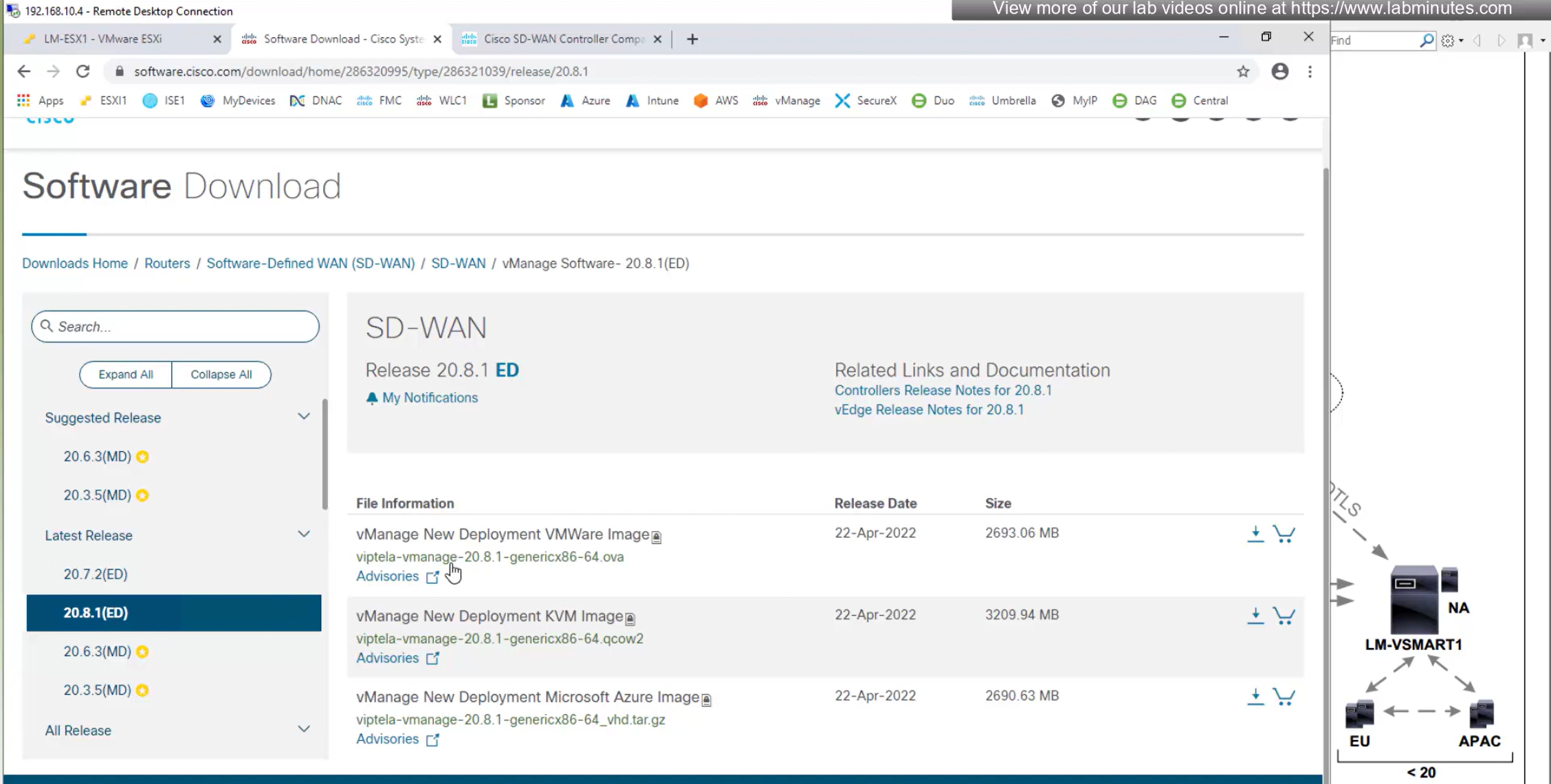
Select ova for ESXi VM
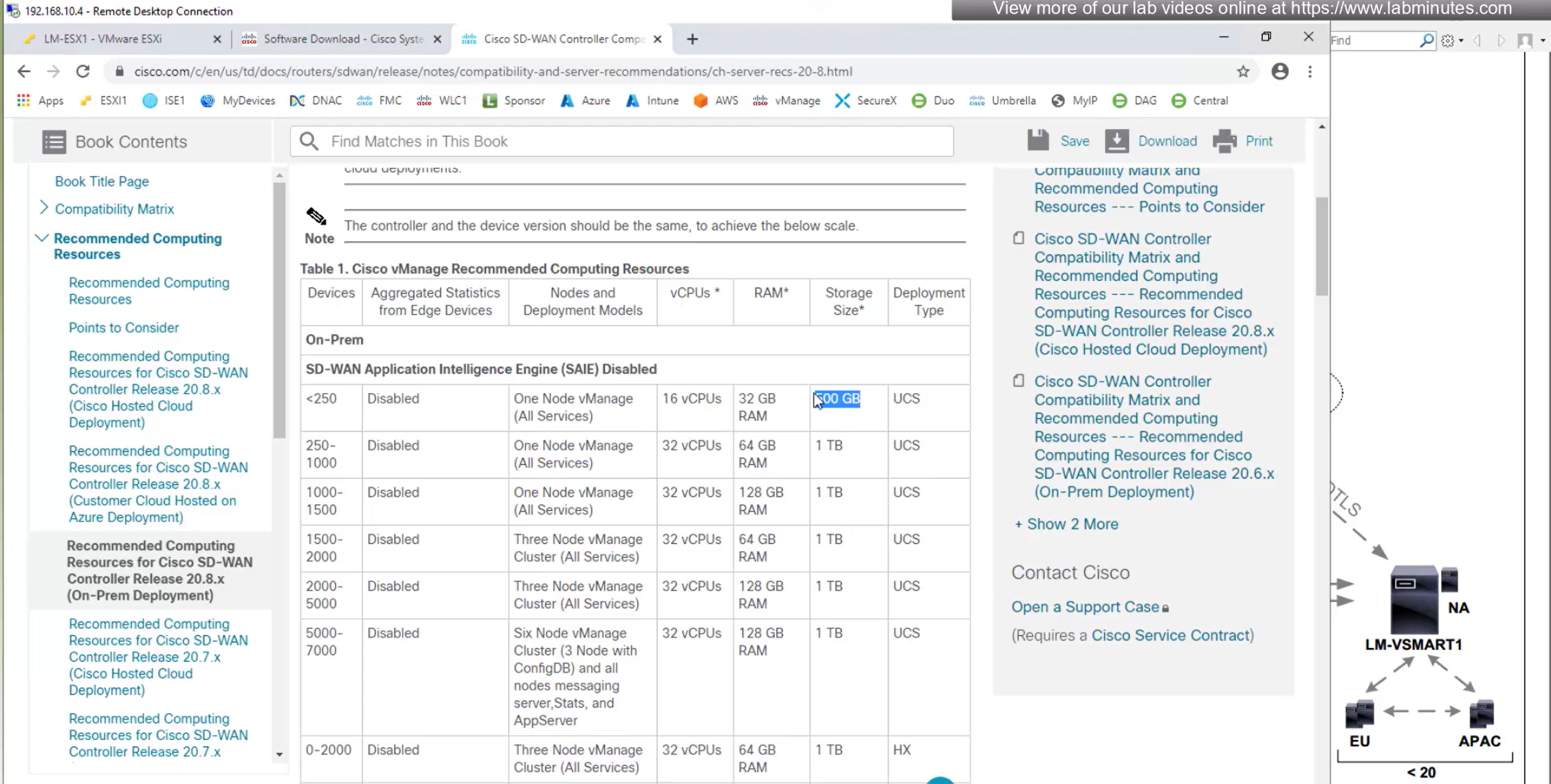
From version 20.8 onwards vManage minimum requires 500GB
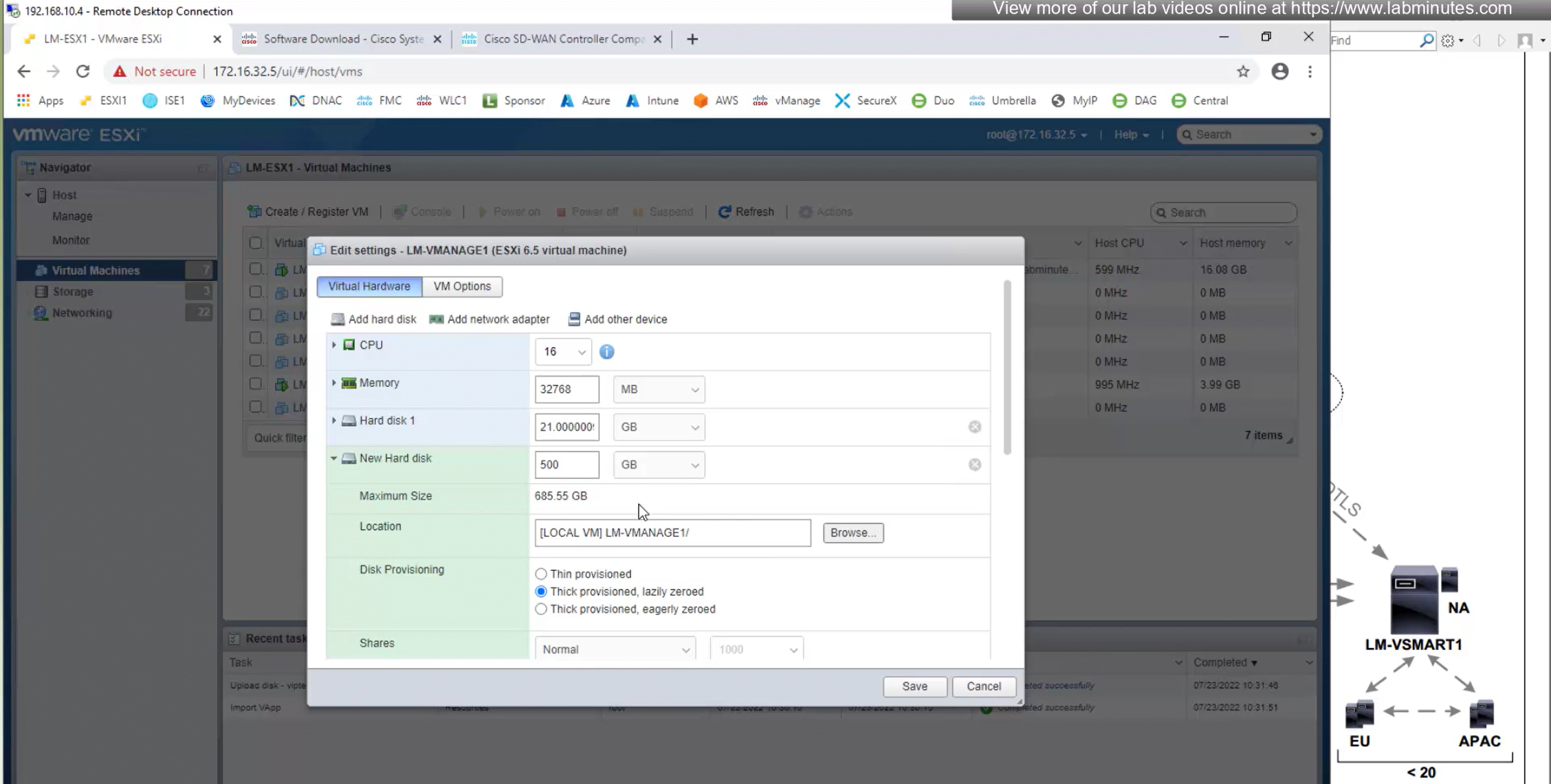
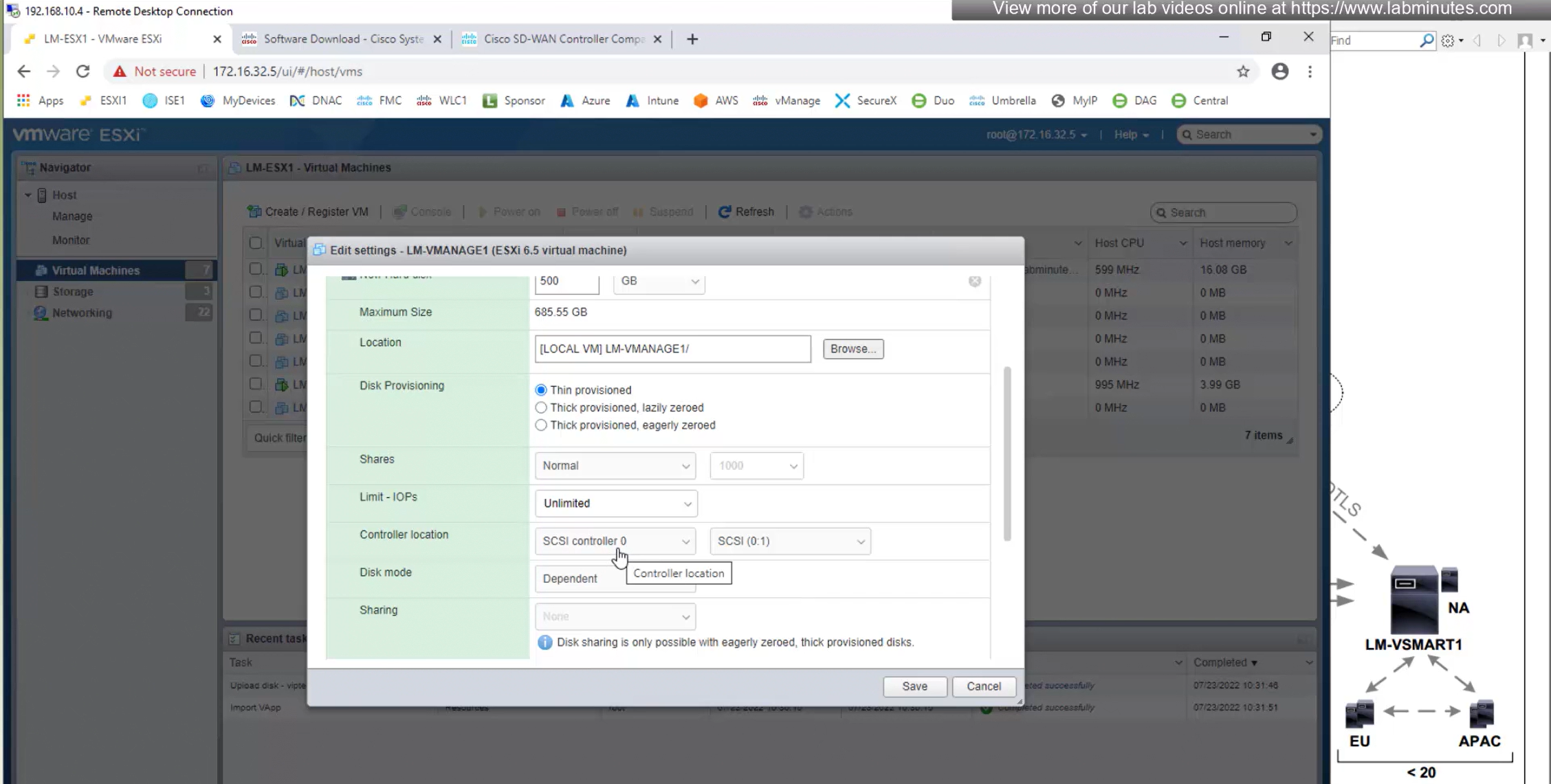
and for new version of vManage – controller type should be SCSI and not IDE
make sure that organistaion matches exactly as mentioned in Cisco smart account otherwise there will be sync issues
BFD polling
Default BFD polling is 1000 msec or 1 sec
OMP parameters
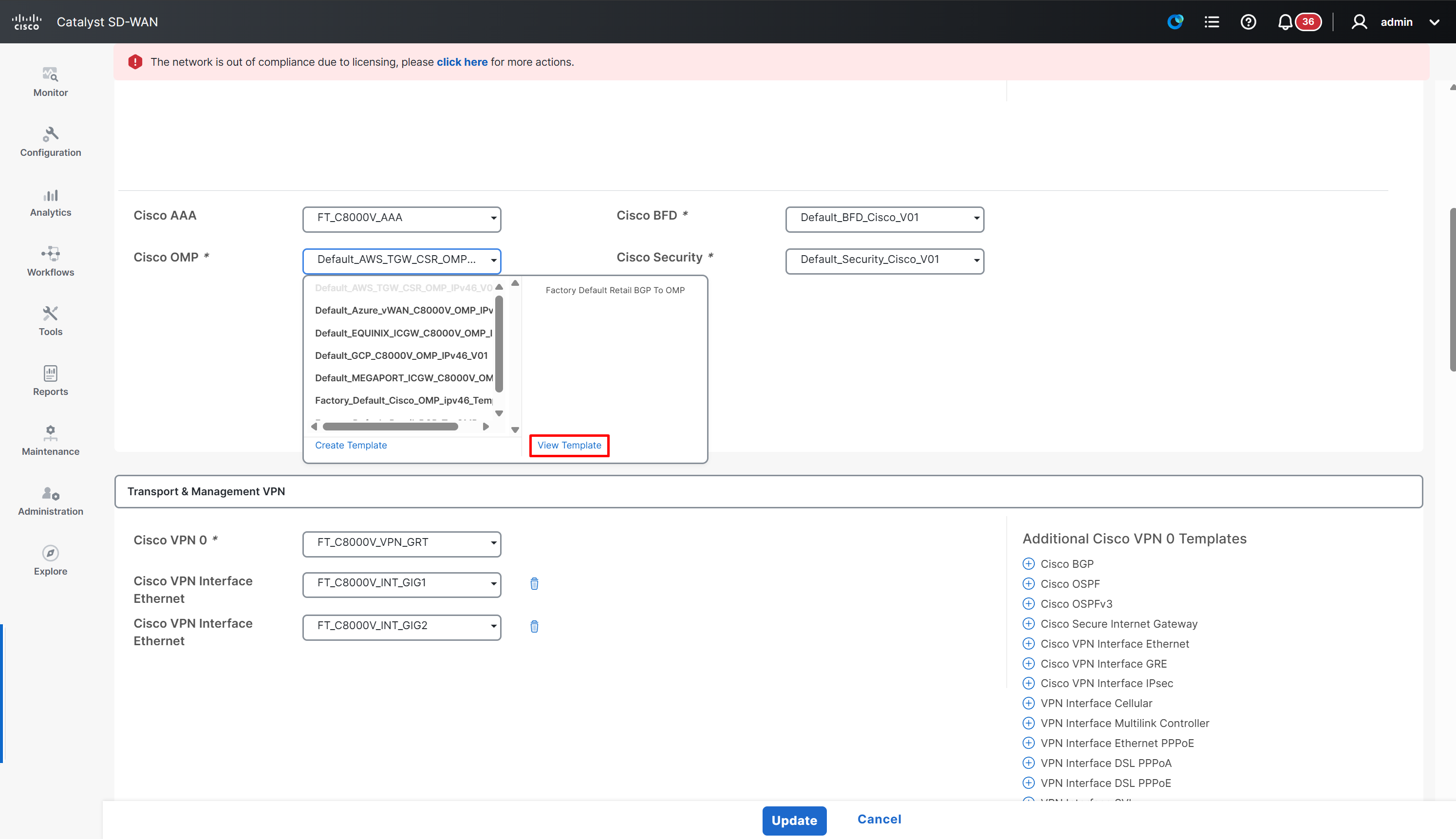
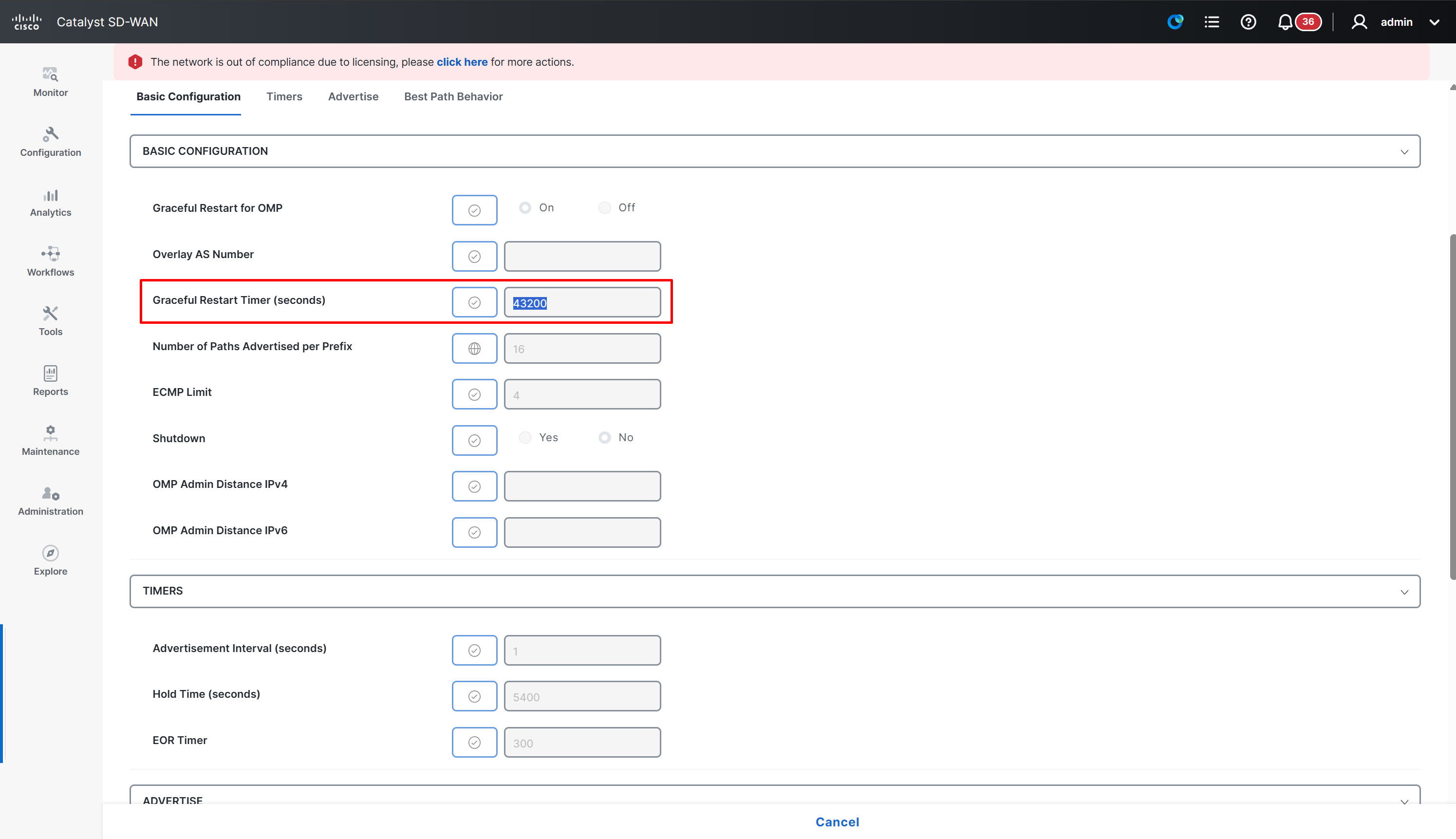
If you ever have to make changes in OMP such as increase ECMP limit then perform it here
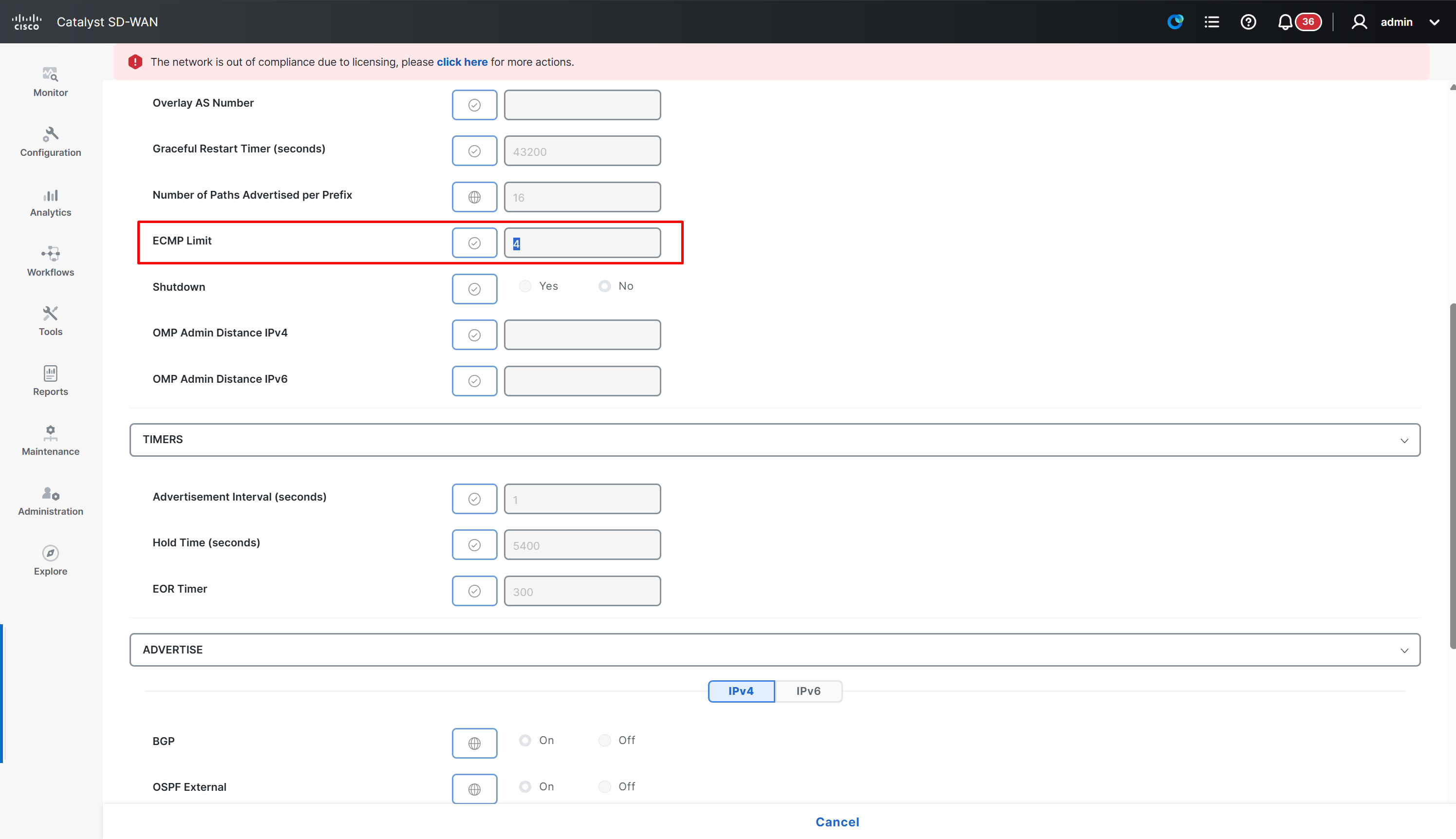
Graceful Restart Timer is 12 hours
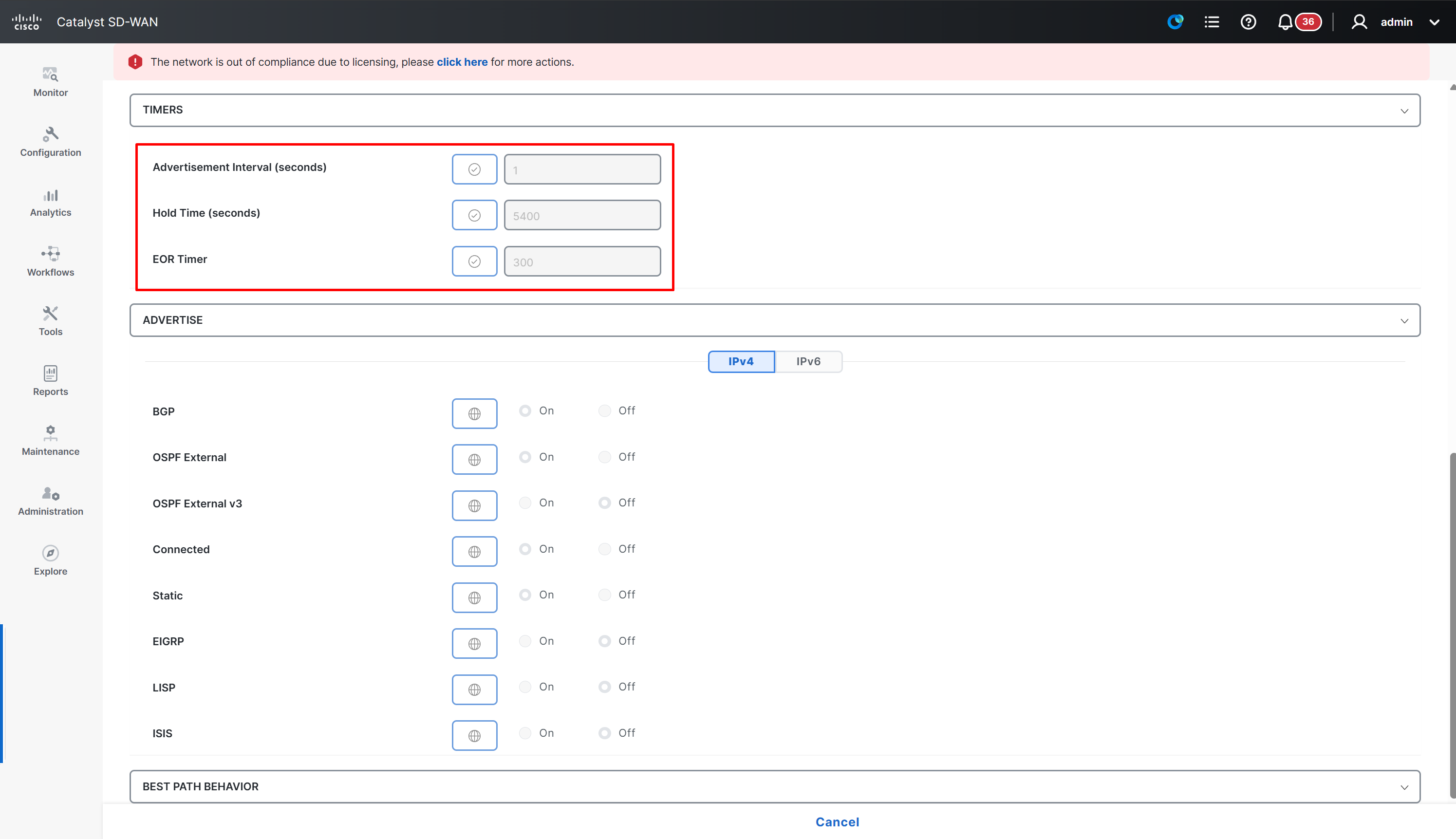
OMP timers
Shows redistribution into OMP by default
BGP Configuration
Device template changes for BGP
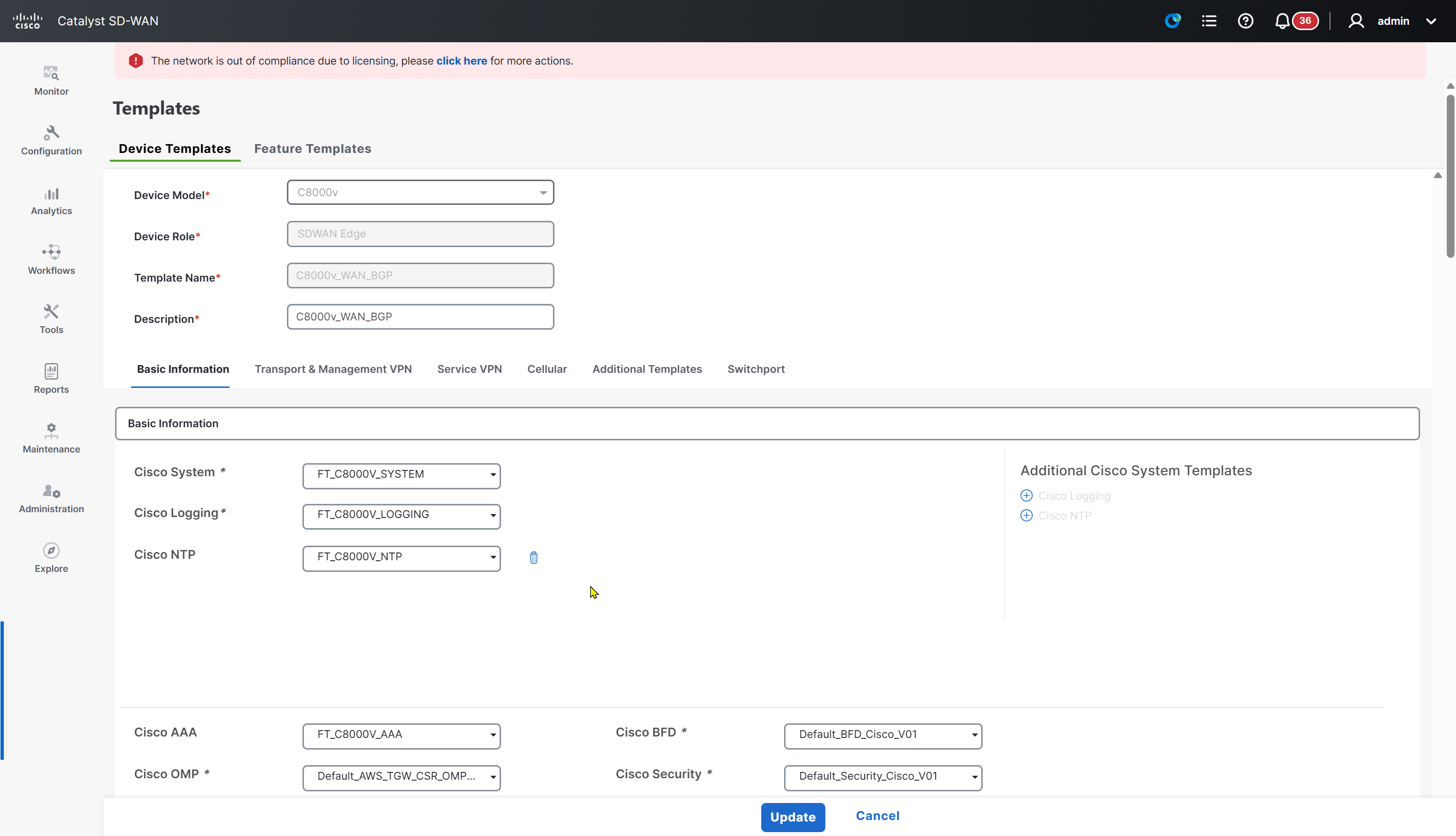
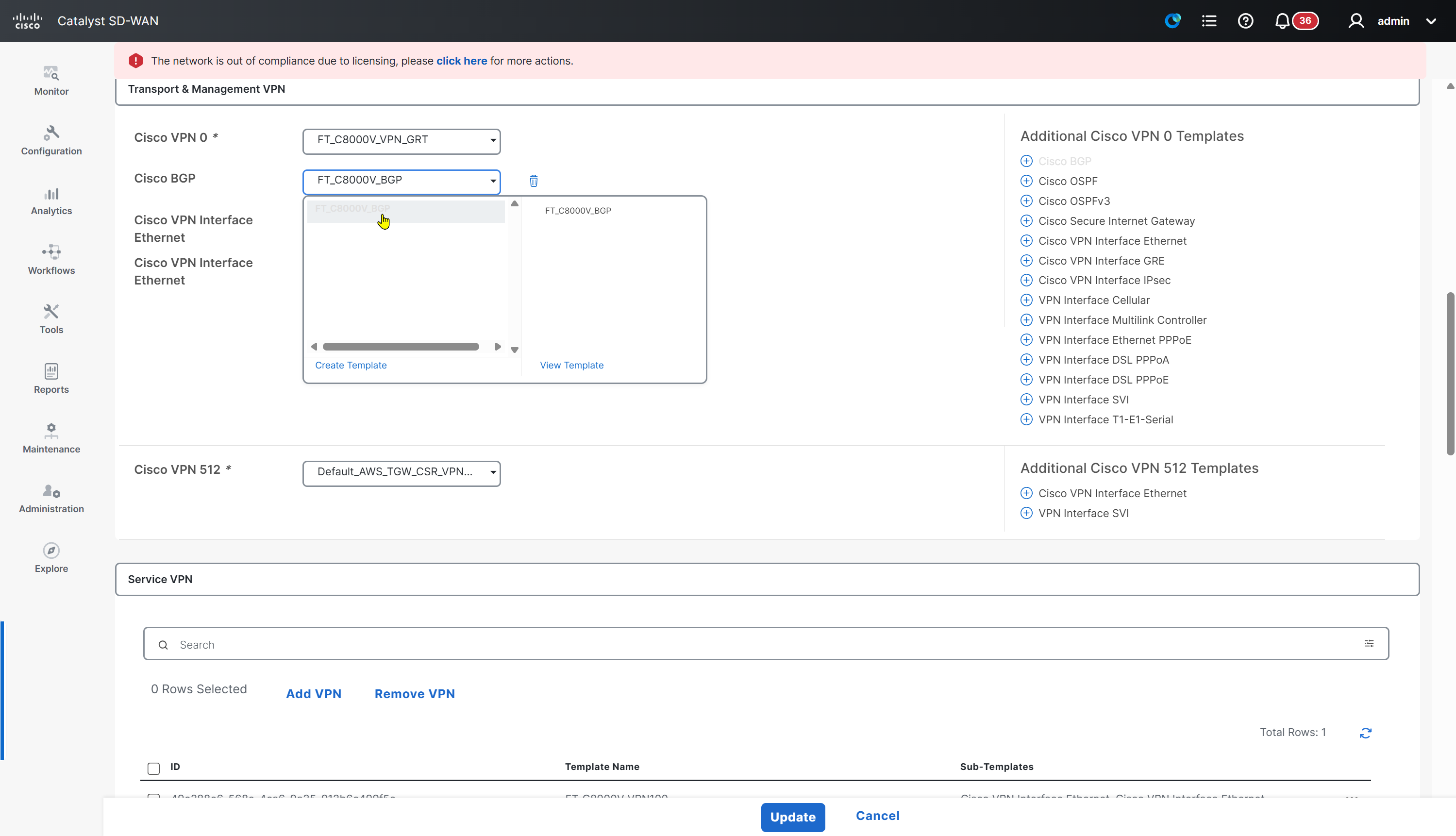
Feature template for BGP

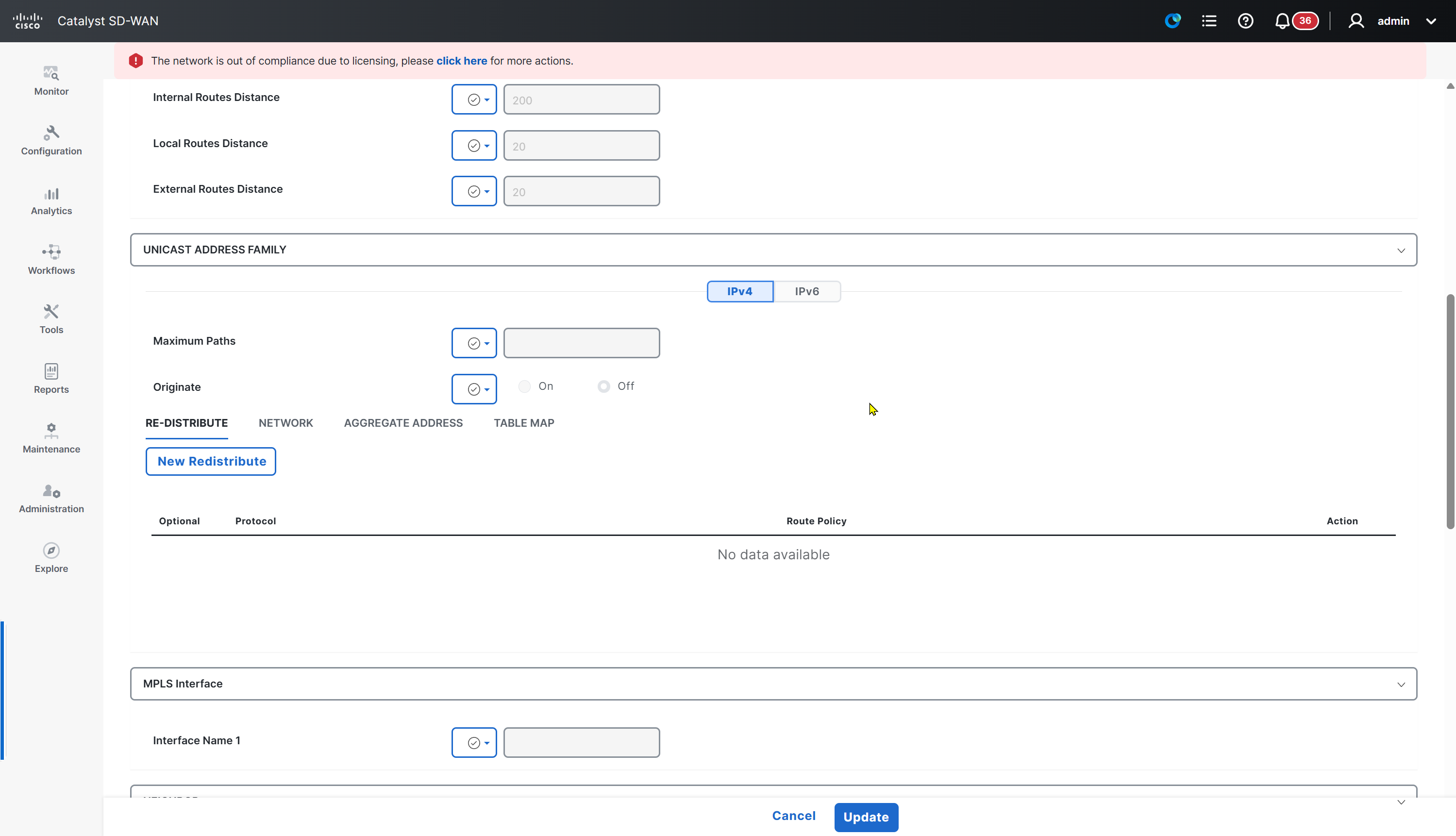


From SDWAN side we can keep neighborship on ipv4-unicast
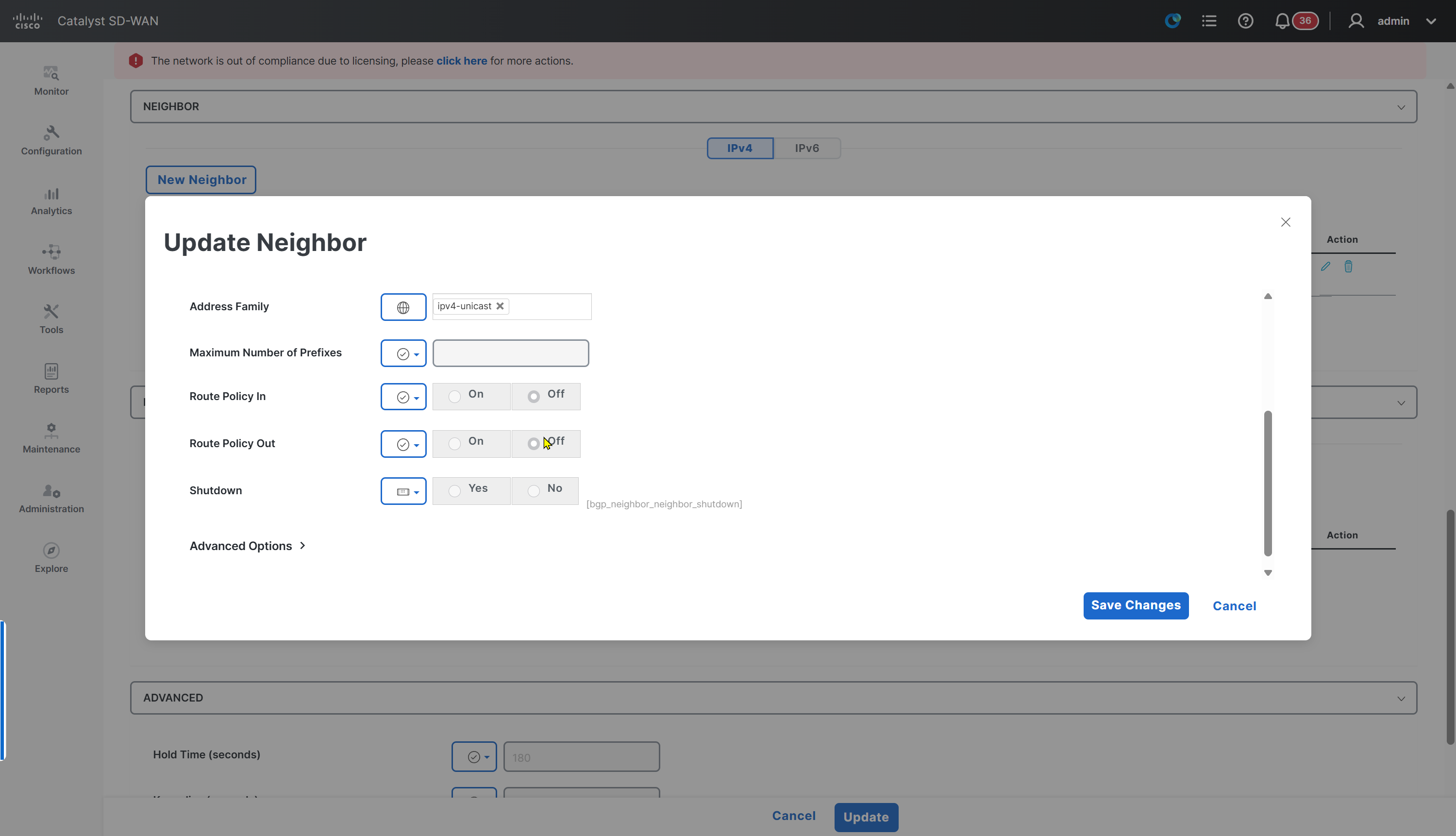
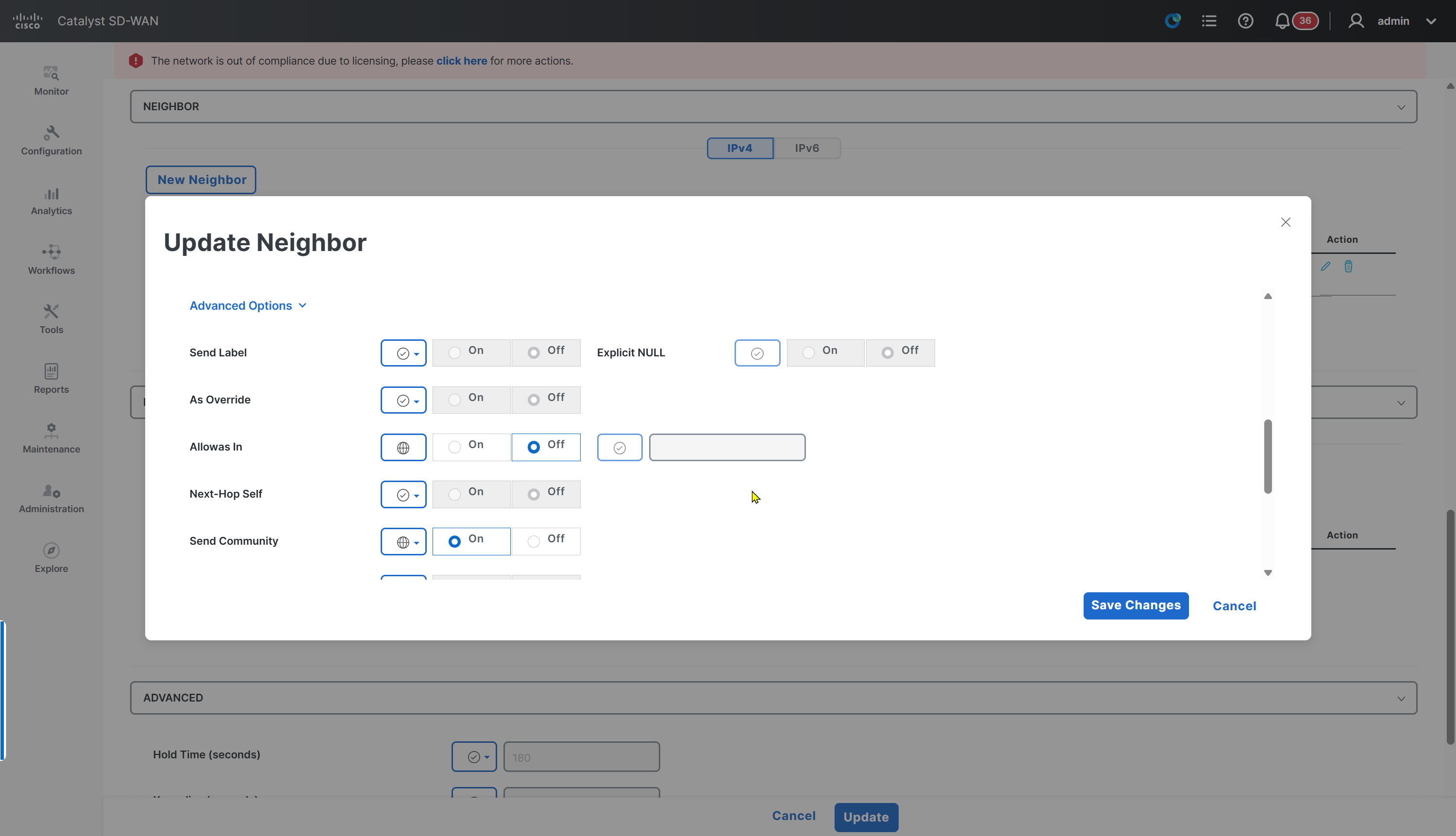

Keepalive and hold time per neighbor
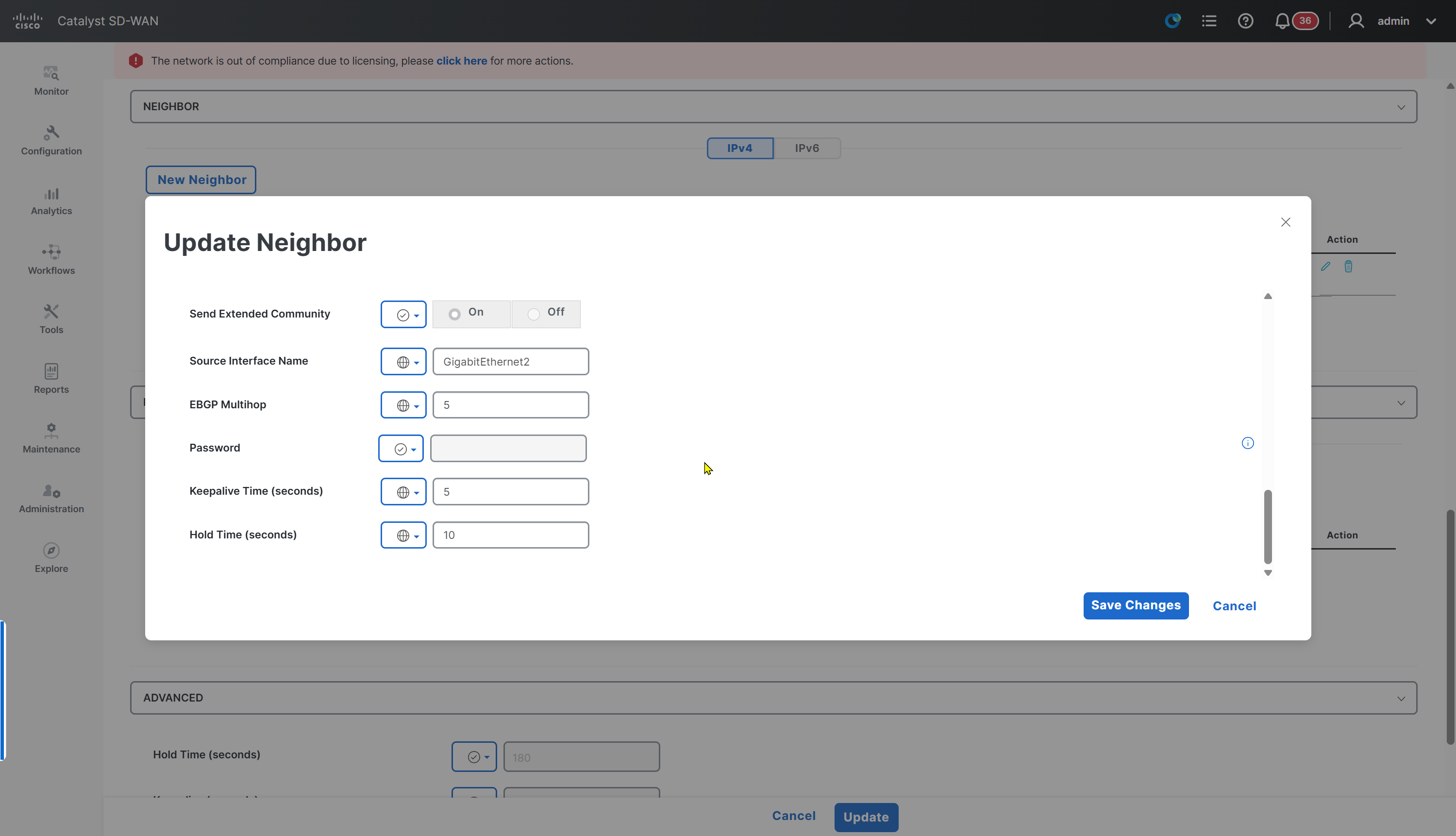

Also make sure that Allow service all is enabled, otherwise BGP did not come up and I was troubleshooting it for long time, when testing telnet at port 179 I realised SDWAN router is not sending TCP response back to switch
MPLS Router Configuration
MPLS#show run
Building configuration...

Current configuration : 6884 bytes
!
! Last configuration change at 13:58:53 UTC Sun Aug 2 2026
!
version 17.12
service timestamps debug datetime msec
service timestamps log datetime msec
!
hostname MPLS
!
boot-start-marker
boot-end-marker
!
!
vrf definition MPLS
 rd 110:110
 !
 address-family ipv4
 exit-address-family
!
aaa new-model
!
!
aaa authentication login default local
aaa authorization exec default local
!
!
aaa session-id common
!
!
!
!
!
!
!
!
!
!
!
!
!
ip audit notify log
ip audit po max-events 100
ip cef
login on-success log
no ipv6 cef
!
!
!
!
!
!
!
vtp version 1
multilink bundle-name authenticated
!
crypto pki trustpoint TP-self-signed-67131394
 enrollment selfsigned
 subject-name cn=IOS-Self-Signed-Certificate-67131394
 revocation-check none
 rsakeypair TP-self-signed-67131394
 hash sha256
!
!
crypto pki certificate chain TP-self-signed-67131394
 certificate self-signed 01
  3082032C 30820214 A0030201 02020101 300D0609 2A864886 F70D0101 0B050030
  2F312D30 2B060355 04030C24 494F532D 53656C66 2D536967 6E65642D 43657274
  69666963 6174652D 36373133 31333934 301E170D 32363037 32353033 33323332
  5A170D33 36303732 34303333 3233325A 302F312D 302B0603 5504030C 24494F53
  2D53656C 662D5369 676E6564 2D436572 74696669 63617465 2D363731 33313339
  34308201 22300D06 092A8648 86F70D01 01010500 0382010F 00308201 0A028201
  0100ABEA B86F2177 504A3F81 210CB6E9 68B95BD2 8EBC2738 18CA1497 E8C8842E
  86E3972A 3089D148 FE4616DD D9936258 660C00D5 3454D9E8 9CA1FE5B D25D995A
  1AEB0750 03D92429 2B504506 0A8134D7 72DD521F D07DE139 EED3F858 36BF7766
  477E984E 960E5701 632558EE CFA6C5BB 0D4117A2 336C2317 950D1E67 F13A22AA
  6E5FB02E 1CAAA6C6 A4E1B72C D41D241E D9687532 46AED3AA 3630718F F2A7C756
  3BCB5637 88C7CB3E 71B60E1D 8C5B9323 616EAB05 DBDB1DE1 C449EDF6 B641EA82
  F5D910F6 A6F650D4 4A8FFE97 914DED84 7EA0D59E 415F0AD6 2FD97090 88774ED2
  1AECBA0D EAF0D8DB 69951AEC 02D57A33 3FC27308 E52FD8B0 53D1397B 0F517B3B
  353D0203 010001A3 53305130 1D060355 1D0E0416 04141646 FD15CC28 41761562
  95255C82 5E00C714 B8A4301F 0603551D 23041830 16801416 46FD15CC 28417615
  6295255C 825E00C7 14B8A430 0F060355 1D130101 FF040530 030101FF 300D0609
  2A864886 F70D0101 0B050003 82010100 4405AD02 9F15077E 15581E5F 68C78F24
  35557134 8F05BCE3 01F65F44 375B4244 B7062943 19CAF26C 481246C0 92FDCB35
  AF161665 5DAB28F0 23C69AF5 3F4D5248 2CCF81F9 01E2B197 6957D73C F7A0E119
  7112E670 99DD6914 1EF7A5A5 BCEB9BAC 814C0AAD E456B9F7 F03DAEED 02333375
  13573079 91ADB9D4 CCD2EF3B 340D0E6C 10C158AC B9A15DC6 D062F17A 3C8C819C
  3939F6DA DF86E2C7 91B233E7 0308F6D0 1289687A 675329AA 85FD80DA F75E24C3
  0330F78A 5F1AE180 14613FC0 A0D745CB 6A432AEB D9065C5A A9044268 E1B13D77
  98B208E3 78989155 883D2B7D 5D99A6DD 9FC42E1A C01C30D3 B5C17452 2E539936
  43854ED1 D00B5F16 A8AA9207 C31D91C8
        quit
!
!
memory free low-watermark processor 80589
!
!
spanning-tree mode rapid-pvst
spanning-tree extend system-id
!
!
username admin privilege 15 secret 9 $9$jtGEQJXF2WYgc.$dOs6RZRVr7yfovE5D.iF51izhRdMjTB70yHNUOOlhxg
!
vlan internal allocation policy ascending
!
!
!
!
!
interface Loopback110
 description MPLS LOOPBACK
 vrf forwarding MPLS
 ip address 172.31.110.0 255.255.255.254
!
interface Ethernet0/0
 description RE-NT10-WER-01-->MPLS
 no switchport
 vrf forwarding MPLS
 ip address 172.31.110.3 255.255.255.254
!
interface Ethernet0/1
 description SH-KGVA-WER-01-->MPLS
 no switchport
 vrf forwarding MPLS
 ip address 172.31.110.5 255.255.255.254
!
interface Ethernet0/2
 description WC-BLD1-WER-01-->MPLS
 no switchport
 vrf forwarding MPLS
 ip address 172.31.110.7 255.255.255.254
!
interface Ethernet0/3
 description WC-BLD2-WER-01-->MPLS
 no switchport
 vrf forwarding MPLS
 ip address 172.31.110.9 255.255.255.254
!
interface Ethernet1/0
 description NU-BLD1-WER-01-->MPLS
 no switchport
 vrf forwarding MPLS
 ip address 172.31.110.11 255.255.255.254
!
interface Ethernet1/1
 description NU-BLD1-WER-02-->MPLS
 no switchport
 vrf forwarding MPLS
 ip address 172.31.110.13 255.255.255.254
!
interface Ethernet1/2
 description CLOUD CONTROLLERS
 switchport access vlan 11
 switchport mode access
!
interface Ethernet1/3
!
interface Ethernet2/0
!
interface Ethernet2/1
!
interface Ethernet2/2
!
interface Ethernet2/3
!
interface Vlan11
 description biz-internet
 ip address 11.0.0.253 255.255.255.0
!
router bgp 110
 template peer-policy BRANCH
  send-community both
 exit-peer-policy
 !
 template peer-session BRANCH
  ebgp-multihop 5
  timers 5 10
 exit-peer-session
 !
 bgp log-neighbor-changes
 !
 address-family ipv4 vrf MPLS
  network 11.0.0.1 mask 255.255.255.255
  network 11.0.0.2 mask 255.255.255.255
  network 11.0.0.3 mask 255.255.255.255
  network 172.31.110.0 mask 255.255.255.254
  network 172.31.110.2 mask 255.255.255.254
  network 172.31.110.4 mask 255.255.255.254
  network 172.31.110.6 mask 255.255.255.254
  network 172.31.110.8 mask 255.255.255.254
  network 172.31.110.10 mask 255.255.255.254
  network 172.31.110.12 mask 255.255.255.254
  network 192.168.0.0
  neighbor 172.31.110.6 remote-as 100
  neighbor 172.31.110.6 inherit peer-session BRANCH
  neighbor 172.31.110.6 activate
  neighbor 172.31.110.6 inherit peer-policy BRANCH
  neighbor 172.31.110.8 remote-as 100
  neighbor 172.31.110.8 inherit peer-session BRANCH
  neighbor 172.31.110.8 activate
  neighbor 172.31.110.8 inherit peer-policy BRANCH
 exit-address-family
!
ip forward-protocol nd
!
!
ip http server
ip http secure-server
ip ssh bulk-mode 131072
ip route 172.31.110.0 255.255.255.254 Loopback110 name ROUTE_TO_VRF_MPLS
ip route 172.31.110.2 255.255.255.254 Ethernet0/0 name ROUTE_TO_VRF_MPLS
ip route 172.31.110.4 255.255.255.254 Ethernet0/1 name ROUTE_TO_VRF_MPLS
ip route 172.31.110.6 255.255.255.254 Ethernet0/2 name ROUTE_TO_VRF_MPLS
ip route 172.31.110.8 255.255.255.254 Ethernet0/3 name ROUTE_TO_VRF_MPLS
ip route 172.31.110.10 255.255.255.254 Ethernet1/0 name ROUTE_TO_VRF_MPLS
ip route 172.31.110.12 255.255.255.254 Ethernet1/1 name ROUTE_TO_VRF_MPLS
ip route 192.168.0.0 255.255.255.0 11.0.0.254
ip route vrf MPLS 11.0.0.1 255.255.255.255 11.0.0.254 global
ip route vrf MPLS 11.0.0.2 255.255.255.255 11.0.0.254 global
ip route vrf MPLS 11.0.0.3 255.255.255.255 11.0.0.254 global
ip route vrf MPLS 11.0.0.11 255.255.255.255 11.0.0.254 global
ip route vrf MPLS 11.0.0.254 255.255.255.255 11.0.0.254 global
ip route vrf MPLS 192.168.0.0 255.255.255.0 11.0.0.254 global
!
!
!
!
!
!
!
!
control-plane
!
!
alias interface do show run | sec
alias configure intr do show ip interface brief | exc unassigned
alias configure rote do show ip route vrf * | exclude ^L|subnetted|^Codes:|^       .* -
alias configure runn do show run | sec
alias exec rote show ip route vrf * | exclude ^L|subnetted|^Codes:|^       .* -
alias exec intr show ip interface brief | exc unassigned
alias exec runn show run | sec
!
line con 0
 logging synchronous
line aux 0
line vty 0 4
 transport input ssh
!
!
end
WC-BLD1-WER-01 running-config
version 17.12
service tcp-keepalives-in
service tcp-keepalives-out
service timestamps debug datetime msec
service timestamps log datetime msec
service password-encryption
platform qfp utilization monitor load 80
no platform punt-keepalive disable-kernel-core
no platform punt-keepalive settings
platform console serial
!
hostname WC-BLD1-WER-01
!
boot-start-marker
boot-end-marker
!
!
vrf definition 100
 description LAN 100
 rd 1:100
 !
 address-family ipv4
  route-target export 1:100
  route-target import 1:100
 exit-address-family
 !
 address-family ipv6
 exit-address-family
!
vrf definition 65528
 description Internal VRF
 !
 address-family ipv4
 exit-address-family
!
vrf definition 65529
 description Speedtest VRF
 !
 address-family ipv4
 exit-address-family
!
vrf definition Mgmt-intf
 description Management
 rd 1:512
 !
 address-family ipv4
  route-target export 1:512
  route-target import 1:512
 exit-address-family
 !
 address-family ipv6
 exit-address-family
!
logging buffered 512000
logging persistent size 104857600 filesize 10485760
no logging monitor
aaa new-model
!
!
aaa authentication login default local
aaa authorization console
aaa authorization exec default local
!
!
aaa server radius dynamic-author
!
aaa session-id common
clock timezone GMT 0 0
clock summer-time BST recurring
!
!
!
!
!
ip arp proxy disable
!
!
!
!
!
!
!
ip host vbond.or100.sys.cisco 11.0.0.3
ip name-server 11.0.0.11
ip bootp server
no ip dhcp use class
!
!
!
no login on-success log
!
!
subscriber templating
ipv6 unicast-routing
ipv6 rip vrf-mode enable
fhrp version vrrp v3
!
!
!
!
!
!
multilink bundle-name authenticated
!
!
!
!
!
!
!
!
crypto pki trustpoint TP-self-signed-832149573
 enrollment selfsigned
 revocation-check crl
 rsakeypair TP-self-signed-832149573
 hash sha512
!
crypto pki trustpoint SLA-TrustPoint
 enrollment pkcs12
 revocation-check crl
 hash sha512
!
!
crypto pki certificate chain TP-self-signed-832149573
crypto pki certificate chain SLA-TrustPoint
!
!
!
!
!
!
!
!
!
license udi pid C8000V sn C8K-1435eb31-5697-47a6-9b04-0b126043fdb0
memory free low-watermark processor 203019
diagnostic bootup level minimal
!
!
spanning-tree extend system-id
!
!
!
username admin privilege 15 secret 9 $9$3VEF3/.E2lQK2.$ZAvz9ngtfefBhu0R3dliEPTItYcVSQ4BEhDgZpIShWk
!
redundancy
!
!
!
no crypto ikev2 diagnose error
!
!
cdp run
!
lldp run
!
!
!
!
!
!
!
!
!
!
!
!
!
!
!
!
!
!
!
interface Loopback120
 description LAN
 vrf forwarding 100
 ip address 169.254.22.3 255.255.255.254
 no ip redirects
 ip mtu 1500
 shutdown
!
interface Loopback65528
 vrf forwarding 65528
 ip address 192.168.1.1 255.255.255.255
!
interface Loopback65529
 vrf forwarding 65529
 ip address 11.1.22.1 255.255.255.255
!
interface Tunnel1
 ip unnumbered GigabitEthernet1
 no ip redirects
 ipv6 unnumbered GigabitEthernet1
 no ipv6 redirects
 tunnel source GigabitEthernet1
 tunnel mode sdwan
!
interface Tunnel2
 ip unnumbered GigabitEthernet2
 no ip redirects
 ipv6 unnumbered GigabitEthernet2
 no ipv6 redirects
 tunnel source GigabitEthernet2
 tunnel mode sdwan
!
interface GigabitEthernet1
 description biz-internet
 ip address 169.254.22.1 255.255.255.254
 no ip redirects
 load-interval 30
 shutdown
 negotiation auto
 arp timeout 1200
!
interface GigabitEthernet2
 description mpls
 ip address 172.31.110.6 255.255.255.254
 no ip redirects
 load-interval 30
 negotiation auto
 arp timeout 1200
!
interface GigabitEthernet3
 no ip address
 speed 1000
 no negotiation auto
!
interface GigabitEthernet4
 description LAN
 vrf forwarding 100
 ip address 172.22.120.253 255.255.255.0
 no ip redirects
 load-interval 30
 negotiation auto
 arp timeout 1200
 vrrp 22 address-family ipv4
  priority 110
  vrrpv2
  address 172.22.120.254 primary
  exit-vrrp
!
router omp
!
router bgp 100
 bgp router-id 172.31.110.6
 bgp log-neighbor-changes
 neighbor 172.31.110.7 remote-as 110
 neighbor 172.31.110.7 ebgp-multihop 5
 neighbor 172.31.110.7 update-source GigabitEthernet2
 neighbor 172.31.110.7 timers 5 10
 !
 address-family ipv4
  neighbor 172.31.110.7 activate
  neighbor 172.31.110.7 send-community both
  distance bgp 20 200 20
 exit-address-family
!
ip forward-protocol nd
!
no ip http server
no ip http secure-server
ip http client source-interface GigabitEthernet2
no ip ftp passive
ip nat settings central-policy
ip nat route vrf 65528 0.0.0.0 0.0.0.0 global
no ip nat service all-algs
no ip ssh bulk-mode
ip scp server enable
!
!
!
!
!
!
!
!
control-plane
!
!
mgcp behavior rsip-range tgcp-only
mgcp behavior comedia-role none
mgcp behavior comedia-check-media-src disable
mgcp behavior comedia-sdp-force disable
!
mgcp profile default
!
!
!
!
!
banner login ^C^
*****************************
** .:|:..:|:. Cisco SDWAN  **
*****************************
** Authorized Users only   **
*****************************^C
!
line con 0
 stopbits 1
 speed 115200
line aux 0
line vty 0 4
 transport input ssh
line vty 5 80
 transport input ssh
!
nat64 translation timeout udp 300
nat64 translation timeout tcp 3600
ntp server 11.0.0.11 prefer
!
!
!
!
!
!
telemetry receiver protocol confd-rfc5277
 host ip-address 0.0.0.0 0
 protocol rfc5277
netconf-yang
netconf-yang feature candidate-datastore
end
WC-BLD2-WER-02 running-config
version 17.12
service tcp-keepalives-in
service tcp-keepalives-out
service timestamps debug datetime msec
service timestamps log datetime msec
service password-encryption
platform qfp utilization monitor load 80
platform punt-keepalive disable-kernel-core
no platform punt-keepalive settings
platform console serial
!
hostname WC-BLD2-WER-02
!
boot-start-marker
boot-end-marker
!
!
vrf definition 100
 description LAN 100
 rd 1:100
 !
 address-family ipv4
  route-target export 1:100
  route-target import 1:100
 exit-address-family
 !
 address-family ipv6
 exit-address-family
!
vrf definition 65528
 description Internal VRF
 !
 address-family ipv4
 exit-address-family
!
vrf definition 65529
 description Speedtest VRF
 !
 address-family ipv4
 exit-address-family
!
vrf definition Mgmt-intf
 description Management
 rd 1:512
 !
 address-family ipv4
  route-target export 1:512
  route-target import 1:512
 exit-address-family
 !
 address-family ipv6
 exit-address-family
!
logging buffered 512000
logging persistent size 104857600 filesize 10485760
no logging monitor
aaa new-model
!
!
aaa authentication login default local
aaa authorization console
aaa authorization exec default local
!
!
aaa server radius dynamic-author
!
aaa session-id common
clock timezone GMT 0 0
clock summer-time BST recurring
!
!
!
!
!
ip arp proxy disable
!
!
!
!
!
!
!
ip host vbond.or100.sys.cisco 11.0.0.3
ip name-server 11.0.0.11
ip bootp server
no ip dhcp use class
!
!
!
login on-success log
!
!
subscriber templating
ipv6 unicast-routing
ipv6 rip vrf-mode enable
fhrp version vrrp v3
!
!
!
!
!
!
multilink bundle-name authenticated
!
!
!
!
!
!
!
!
crypto pki trustpoint TP-self-signed-1567085181
 enrollment selfsigned
 revocation-check crl
 hash sha512
!
crypto pki trustpoint SLA-TrustPoint
 enrollment pkcs12
 revocation-check crl
 hash sha512
!
!
crypto pki certificate chain TP-self-signed-1567085181
crypto pki certificate chain SLA-TrustPoint
!
!
!
!
!
!
!
!
!
license udi pid C8000V sn C8K-CCFF19D3-EF9E-83CD-DB45-CAEDA41A4EF0
memory free low-watermark processor 69183
diagnostic bootup level minimal
!
!
spanning-tree extend system-id
!
!
!
username admin privilege 15 secret 9 $9$3VEF3/.E2lQK2.$ZAvz9ngtfefBhu0R3dliEPTItYcVSQ4BEhDgZpIShWk
!
redundancy
!
!
!
no crypto ikev2 diagnose error
!
!
cdp run
!
lldp run
!
!
!
!
!
!
!
!
!
!
!
!
!
!
!
!
!
!
!
interface Loopback120
 description LAN
 vrf forwarding 100
 ip address 169.254.22.7 255.255.255.254
 no ip redirects
 ip mtu 1500
 shutdown
!
interface Loopback65528
 vrf forwarding 65528
 ip address 192.168.1.1 255.255.255.255
!
interface Loopback65529
 vrf forwarding 65529
 ip address 11.1.22.2 255.255.255.255
!
interface Tunnel1
 ip unnumbered GigabitEthernet1
 no ip redirects
 ipv6 unnumbered GigabitEthernet1
 no ipv6 redirects
 tunnel source GigabitEthernet1
 tunnel mode sdwan
!
interface Tunnel2
 ip unnumbered GigabitEthernet2
 no ip redirects
 ipv6 unnumbered GigabitEthernet2
 no ipv6 redirects
 tunnel source GigabitEthernet2
 tunnel mode sdwan
!
interface GigabitEthernet1
 description biz-internet
 ip address 169.254.22.5 255.255.255.254
 no ip redirects
 load-interval 30
 shutdown
 negotiation auto
 arp timeout 1200
 no mop enabled
 no mop sysid
!
interface GigabitEthernet2
 description mpls
 ip address 172.31.110.8 255.255.255.254
 no ip redirects
 load-interval 30
 negotiation auto
 arp timeout 1200
 no mop enabled
 no mop sysid
!
interface GigabitEthernet3
 no ip address
 negotiation auto
 no mop enabled
 no mop sysid
!
interface GigabitEthernet4
 description LAN
 vrf forwarding 100
 ip address 172.22.120.252 255.255.255.0
 no ip redirects
 load-interval 30
 negotiation auto
 arp timeout 1200
 vrrp 22 address-family ipv4
  vrrpv2
  address 172.22.120.254 primary
  exit-vrrp
 no mop enabled
 no mop sysid
!
router omp
!
router bgp 100
 bgp router-id 172.31.110.8
 bgp log-neighbor-changes
 neighbor 172.31.110.9 remote-as 110
 neighbor 172.31.110.9 ebgp-multihop 5
 neighbor 172.31.110.9 update-source GigabitEthernet2
 neighbor 172.31.110.9 timers 5 10
 !
 address-family ipv4
  neighbor 172.31.110.9 activate
  neighbor 172.31.110.9 send-community both
  distance bgp 20 200 20
 exit-address-family
!
ip forward-protocol nd
!
no ip http server
no ip http secure-server
ip http client source-interface GigabitEthernet2
no ip ftp passive
ip nat settings central-policy
ip nat settings gatekeeper-size 1024
ip nat route vrf 65528 0.0.0.0 0.0.0.0 global
no ip nat service all-algs
no ip ssh bulk-mode
ip scp server enable
!
!
!
!
!
!
!
!
control-plane
!
!
mgcp behavior rsip-range tgcp-only
mgcp behavior comedia-role none
mgcp behavior comedia-check-media-src disable
mgcp behavior comedia-sdp-force disable
!
mgcp profile default
!
!
!
!
!
banner login ^C^
*****************************
** .:|:..:|:. Cisco SDWAN  **
*****************************
** Authorized Users only   **
*****************************^C
!
line con 0
 stopbits 1
 speed 115200
line aux 0
line vty 0 4
 transport input ssh
line vty 5 80
 transport input ssh
!
nat64 translation timeout udp 300
nat64 translation timeout tcp 3600
ntp server 11.0.0.11 prefer
!
!
!
!
!
!
telemetry receiver protocol confd-rfc5277
 host ip-address 0.0.0.0 0
 protocol rfc5277
netconf-yang
netconf-yang feature candidate-datastore
end
System IP as loopback interface on service side
A common technique is to create an interface that has same IP as system IP or WAN edge router and add that interface to service VPN
This allows us to manage / ssh to the router using its System ID or OMP Router ID
Trunking configuration
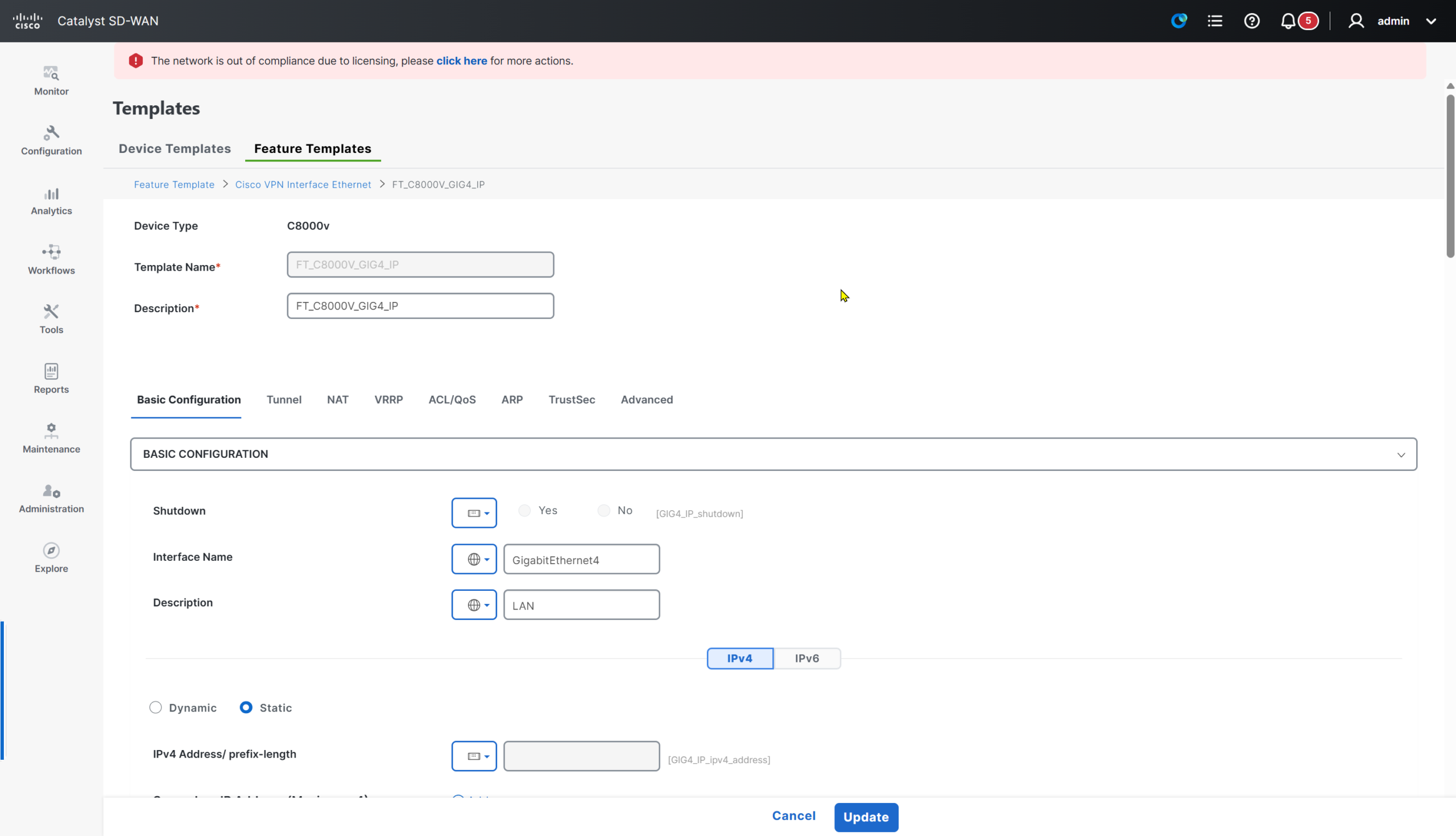
This is the GIG4 template without IP variable – no IP address so we can configure trunking


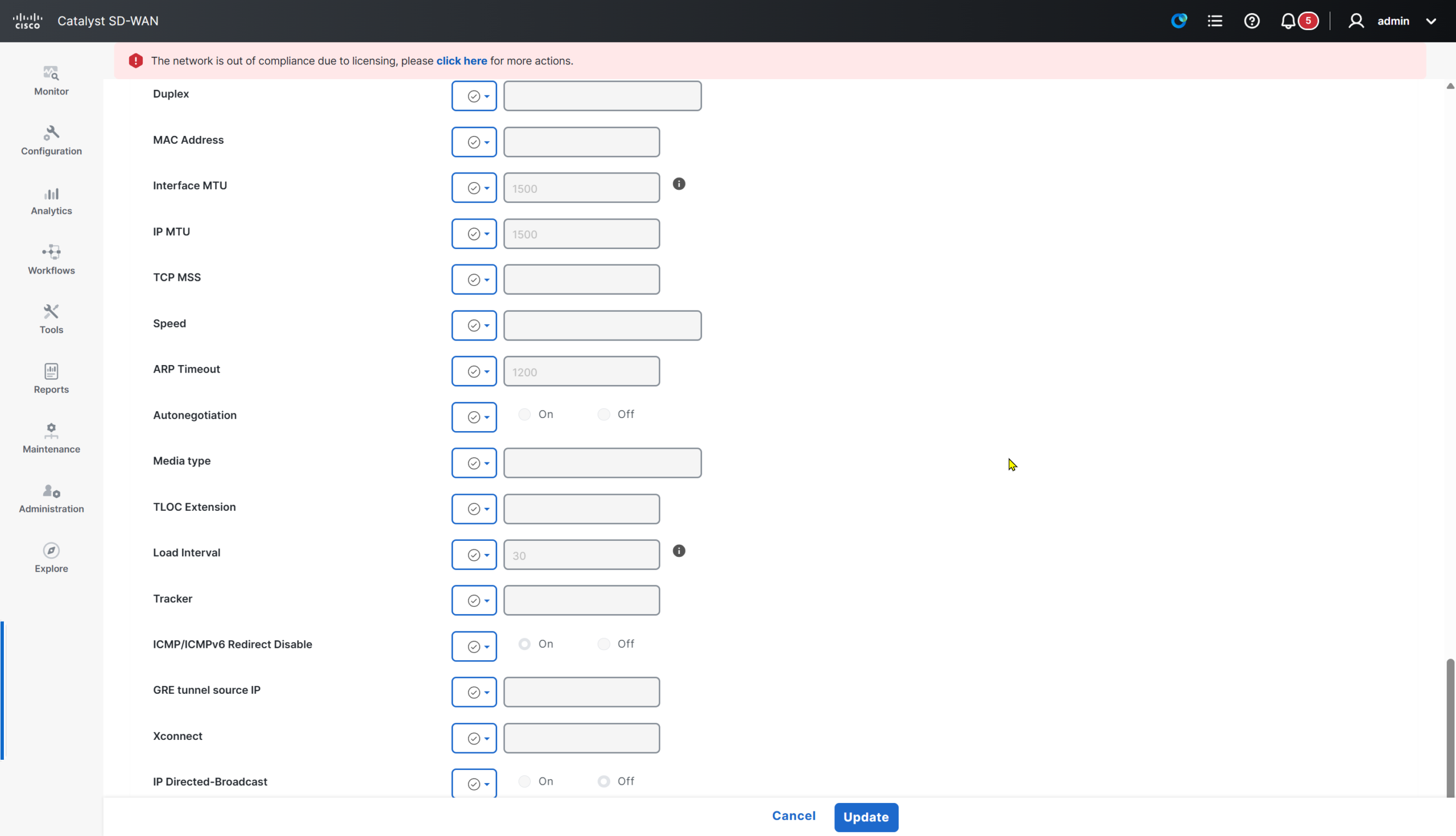
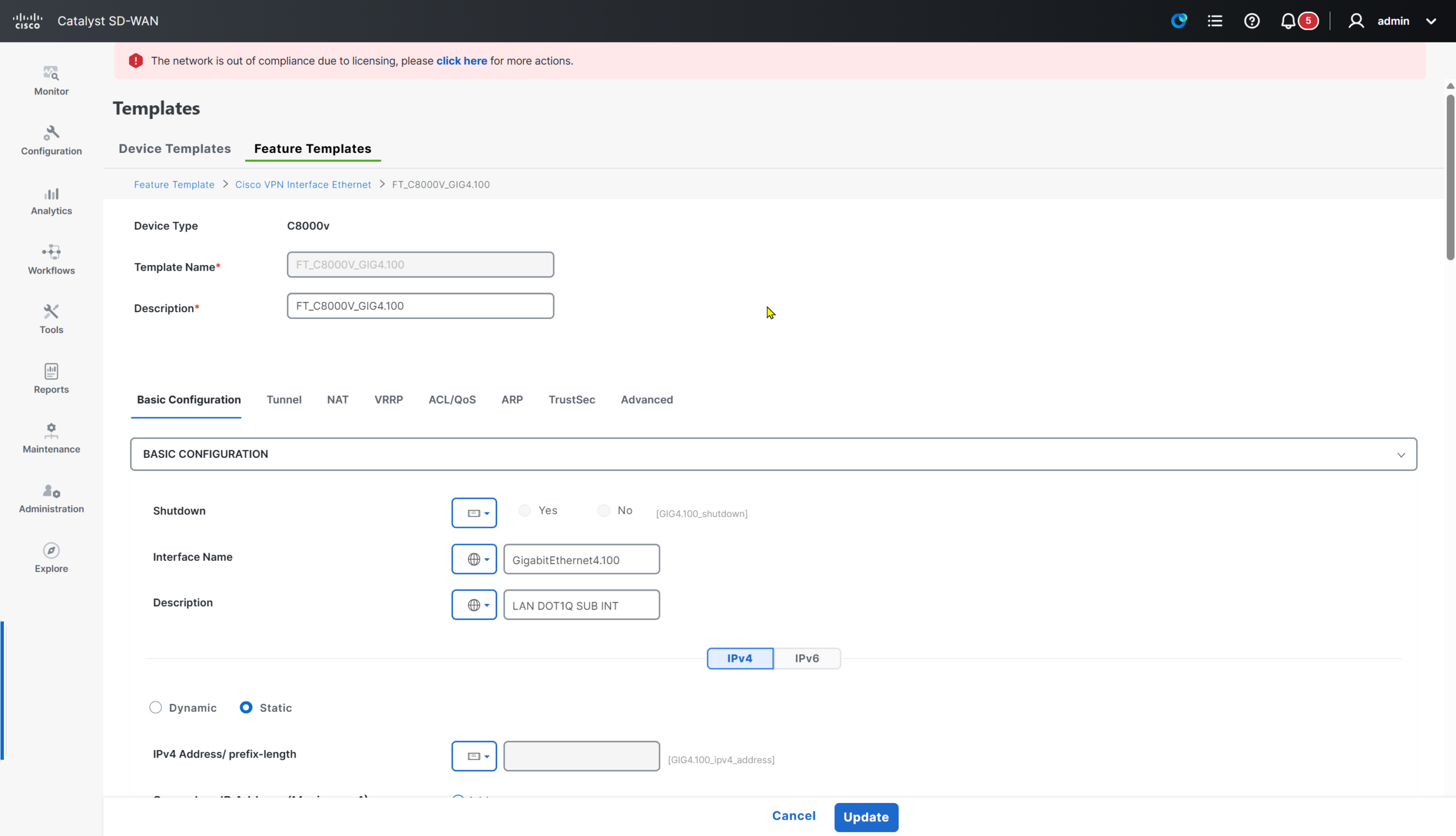
This is GIG4.100 interface that will be trunking interface


but reduce the MTU on this interface by 4 bytes to 1496 to accommodate the VLAN tag

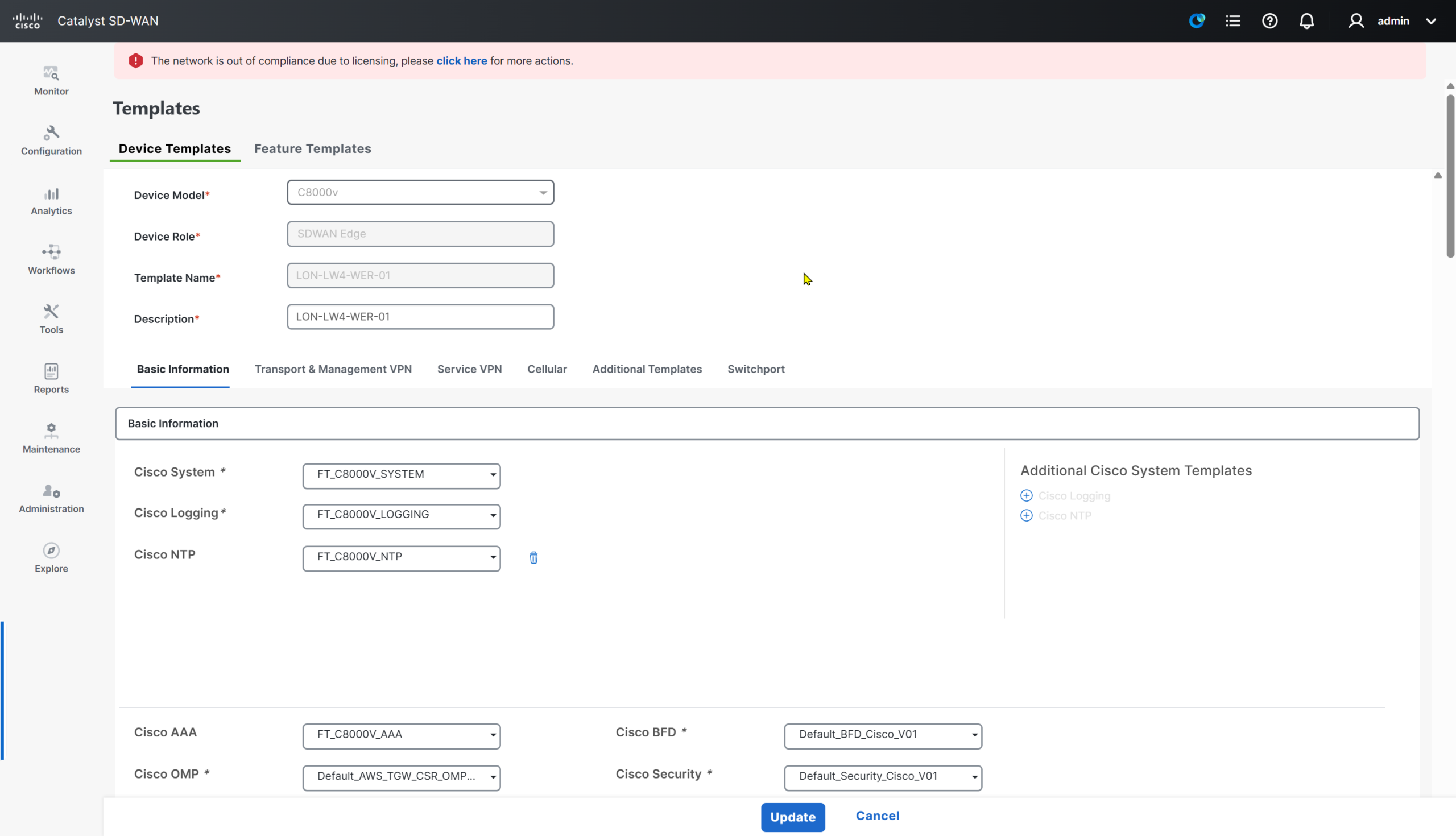
Now edit the device template
FT_C8000V_GIG4_NO_IP will be assigned to VPN 0 transport VPN


And FT_C8000V_GIG4.100 will be assigned to the VPN 100 service VPN

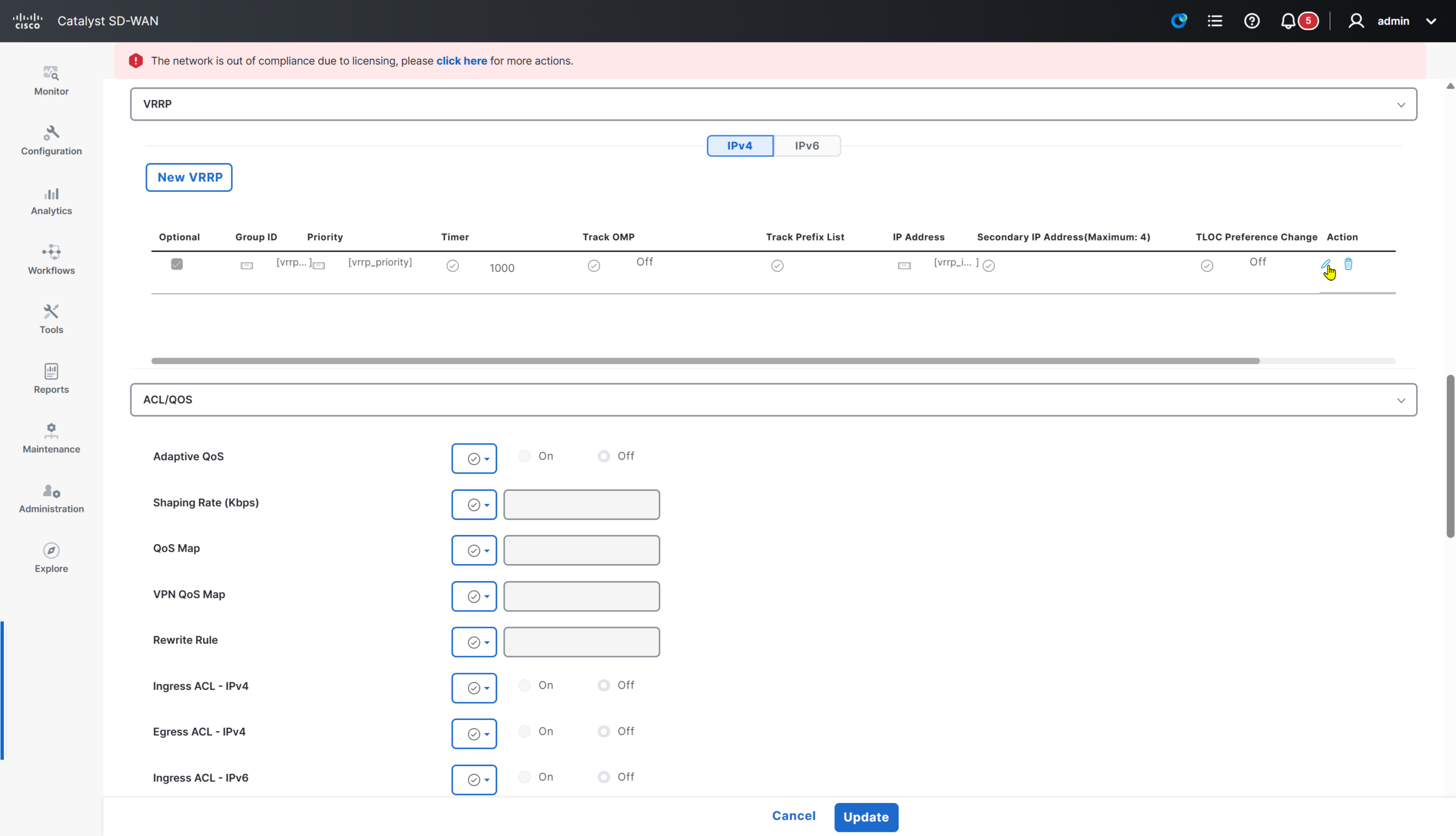
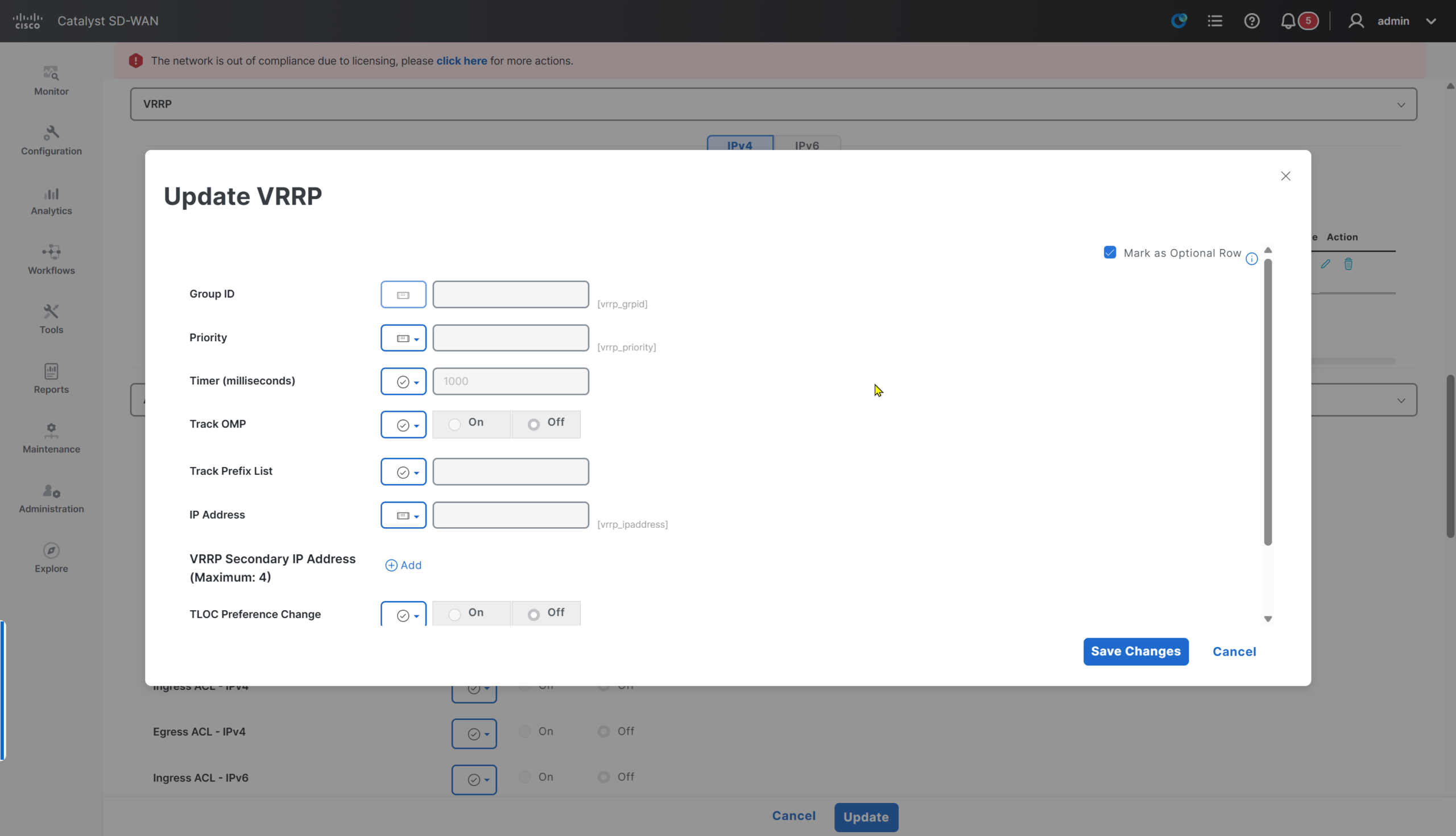
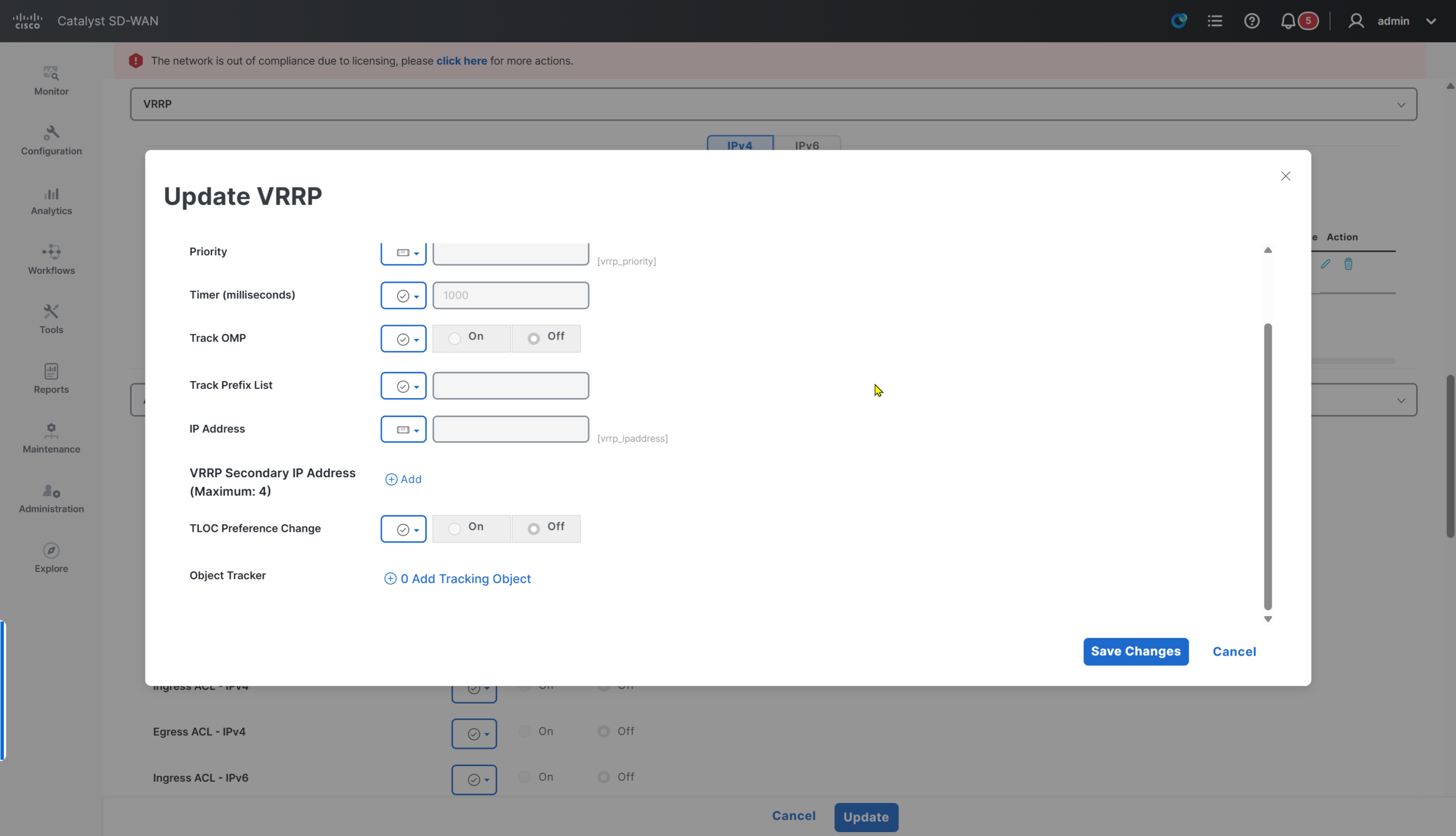
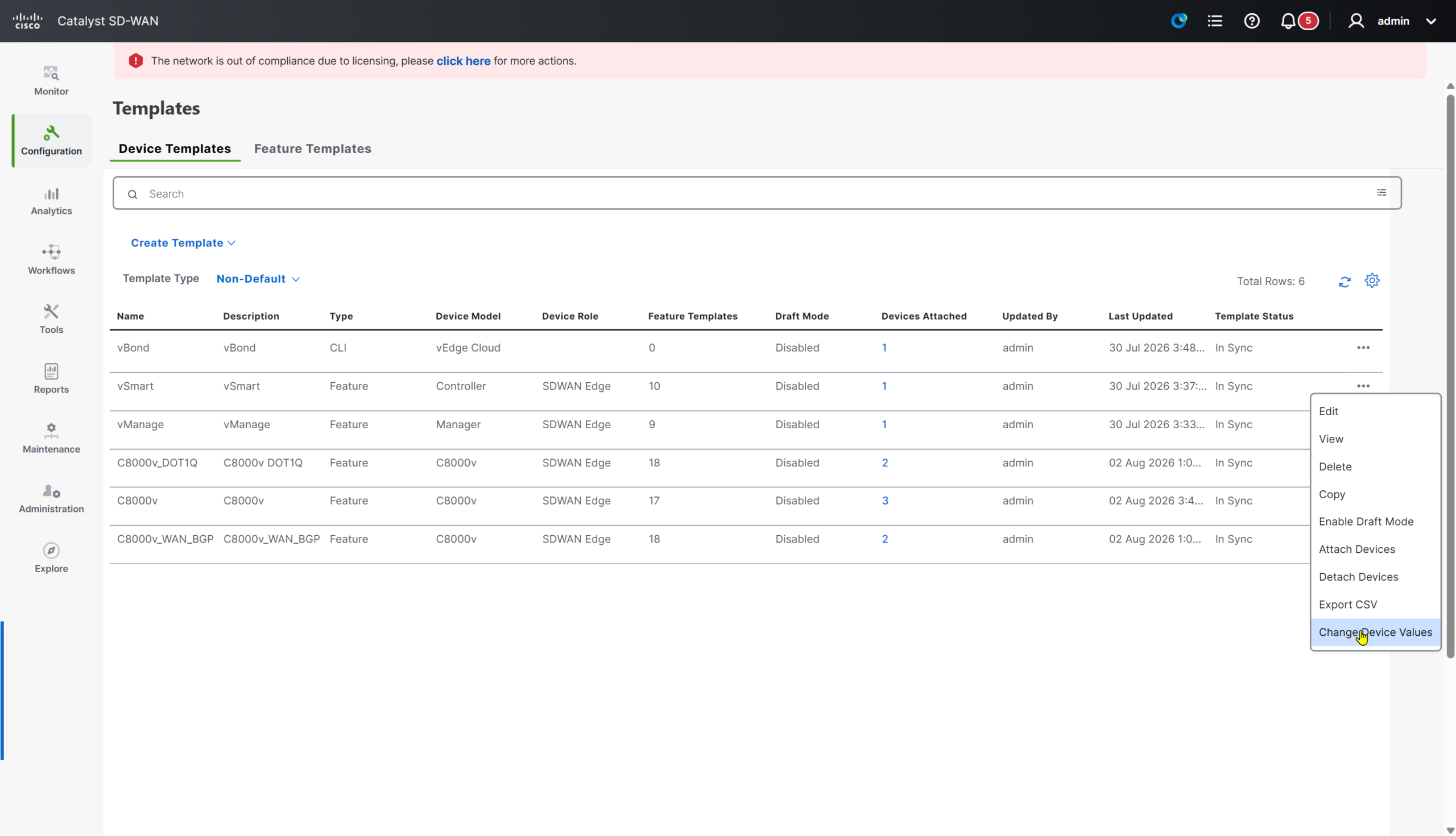
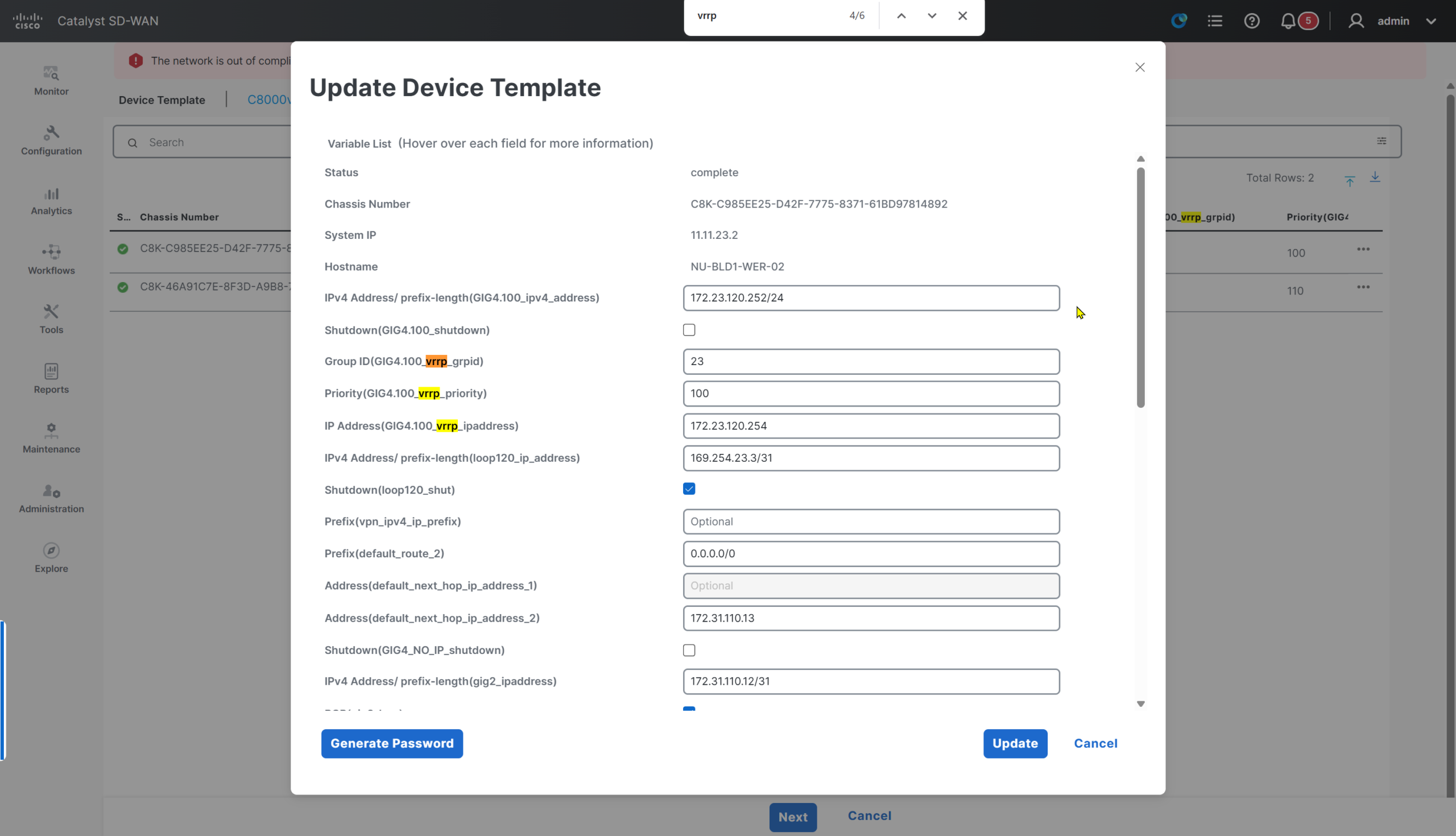
VRRP
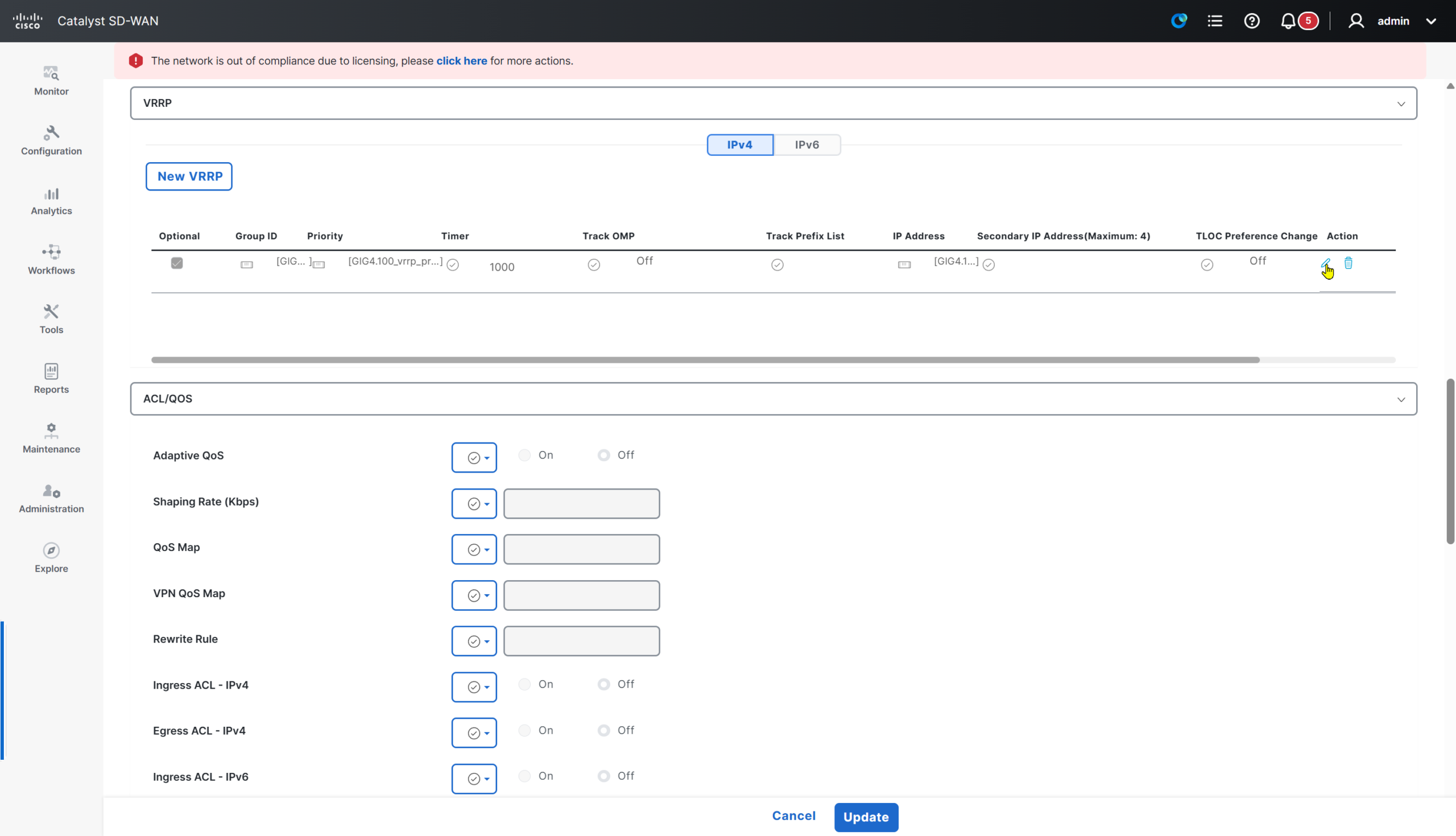
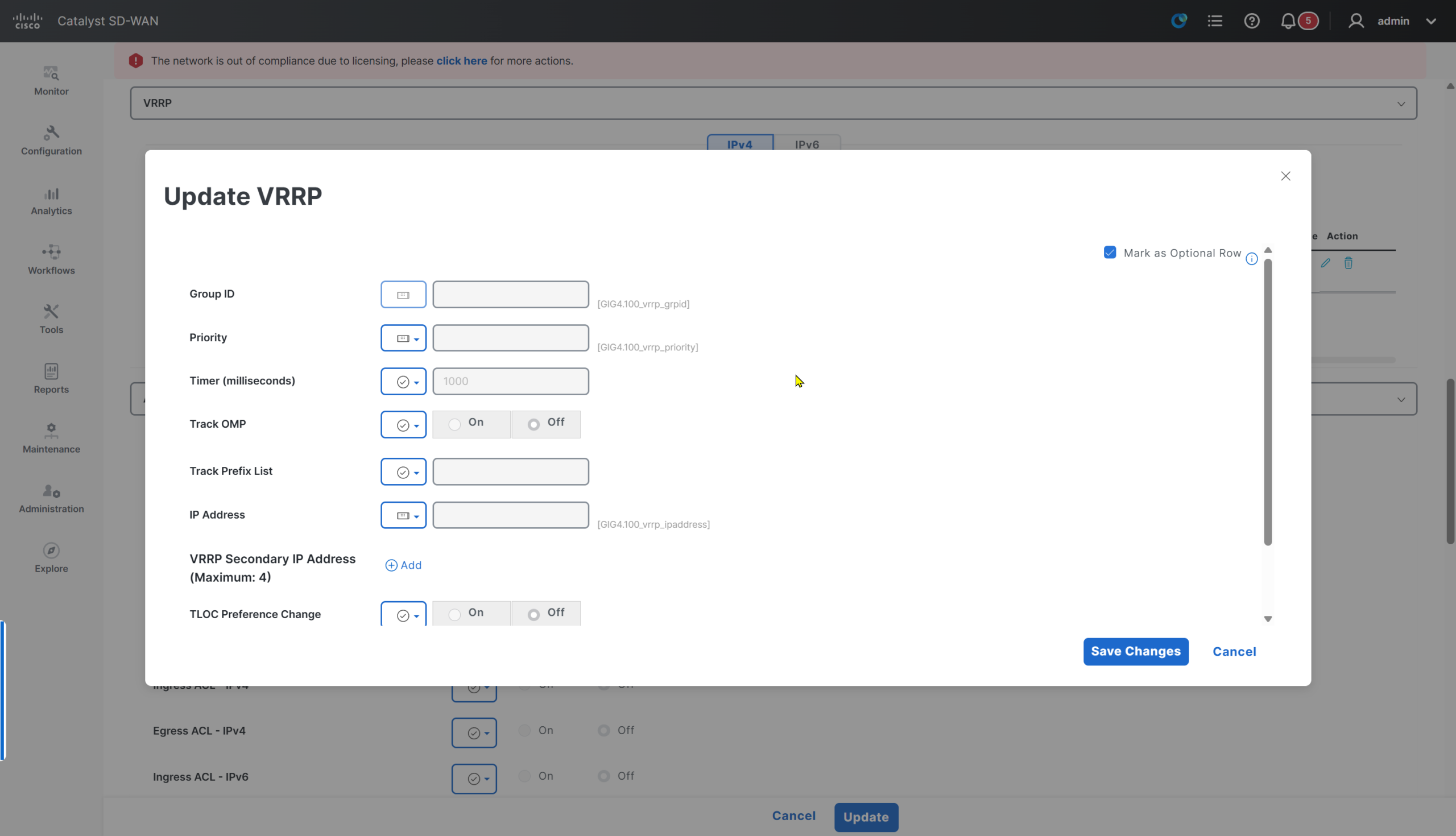
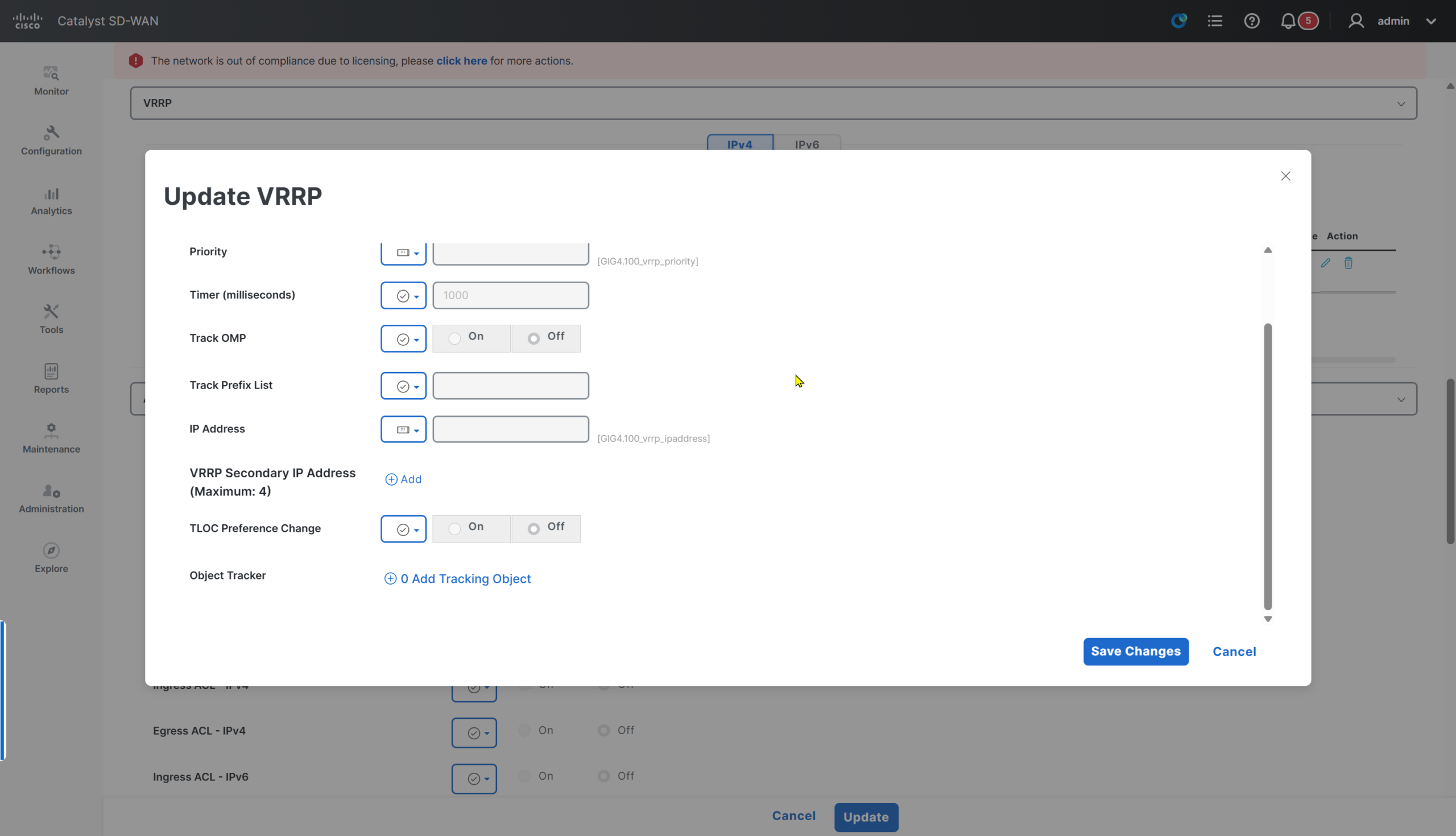
For non trunk interface
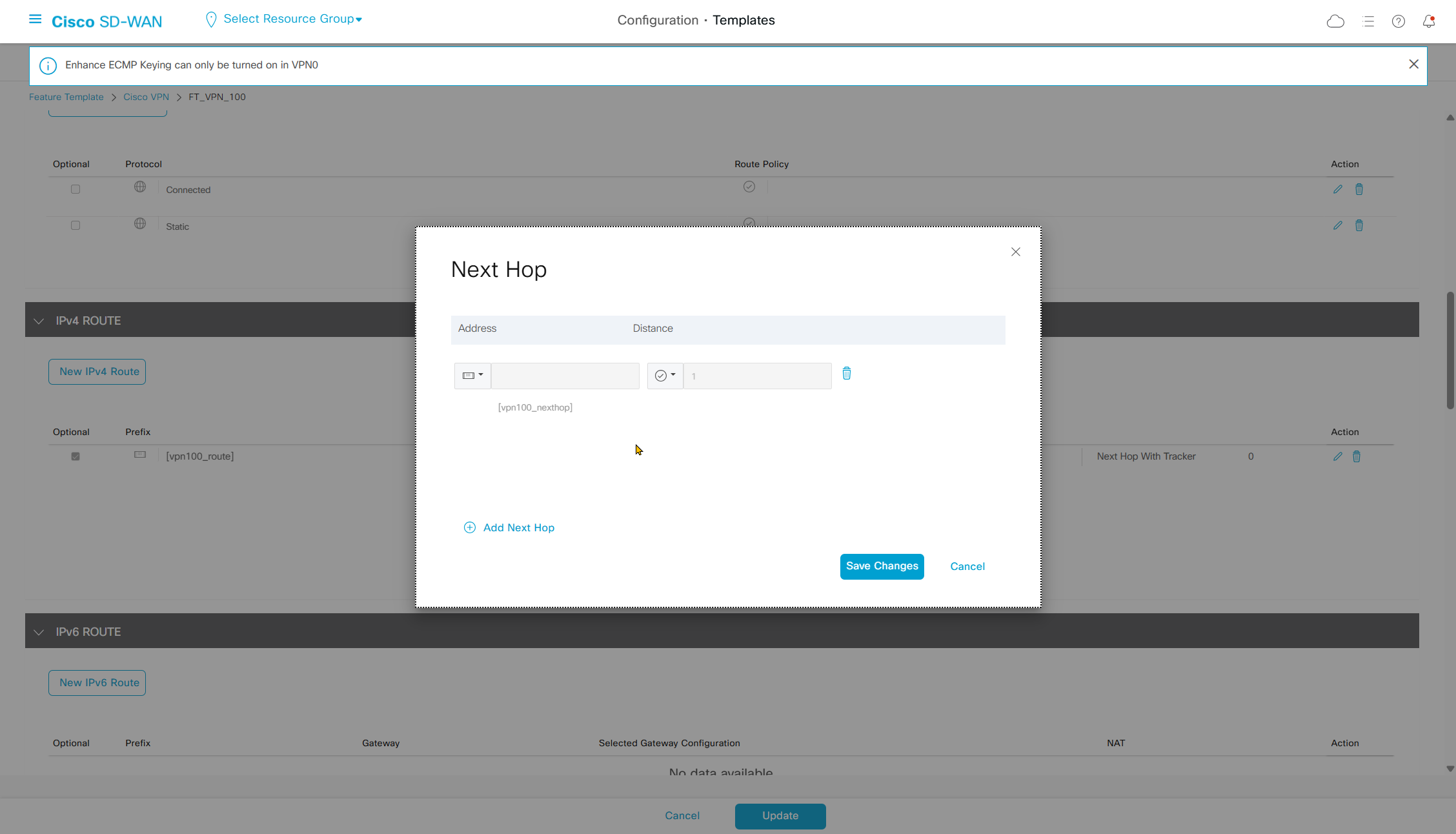
Static Route Redistribution
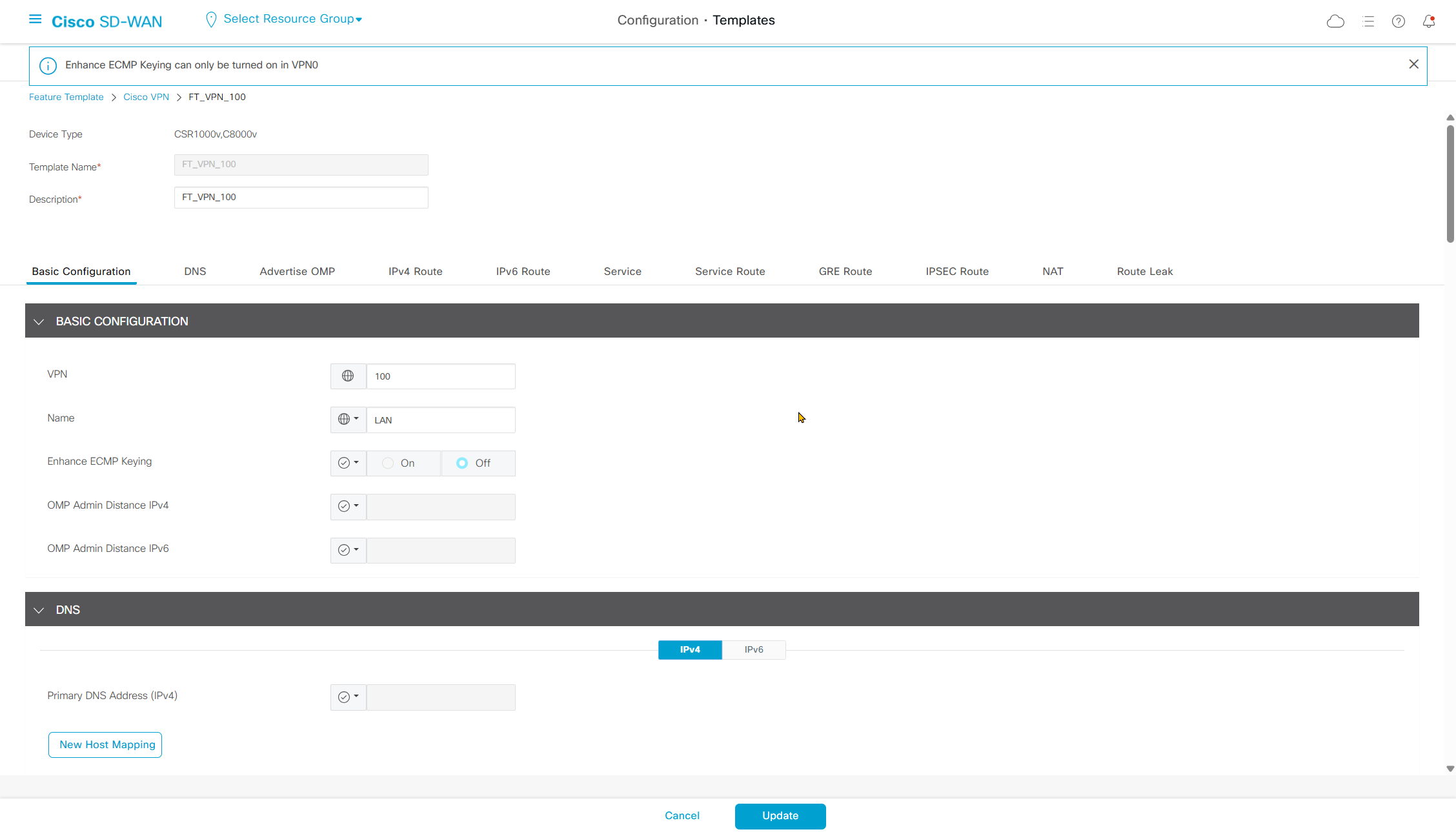
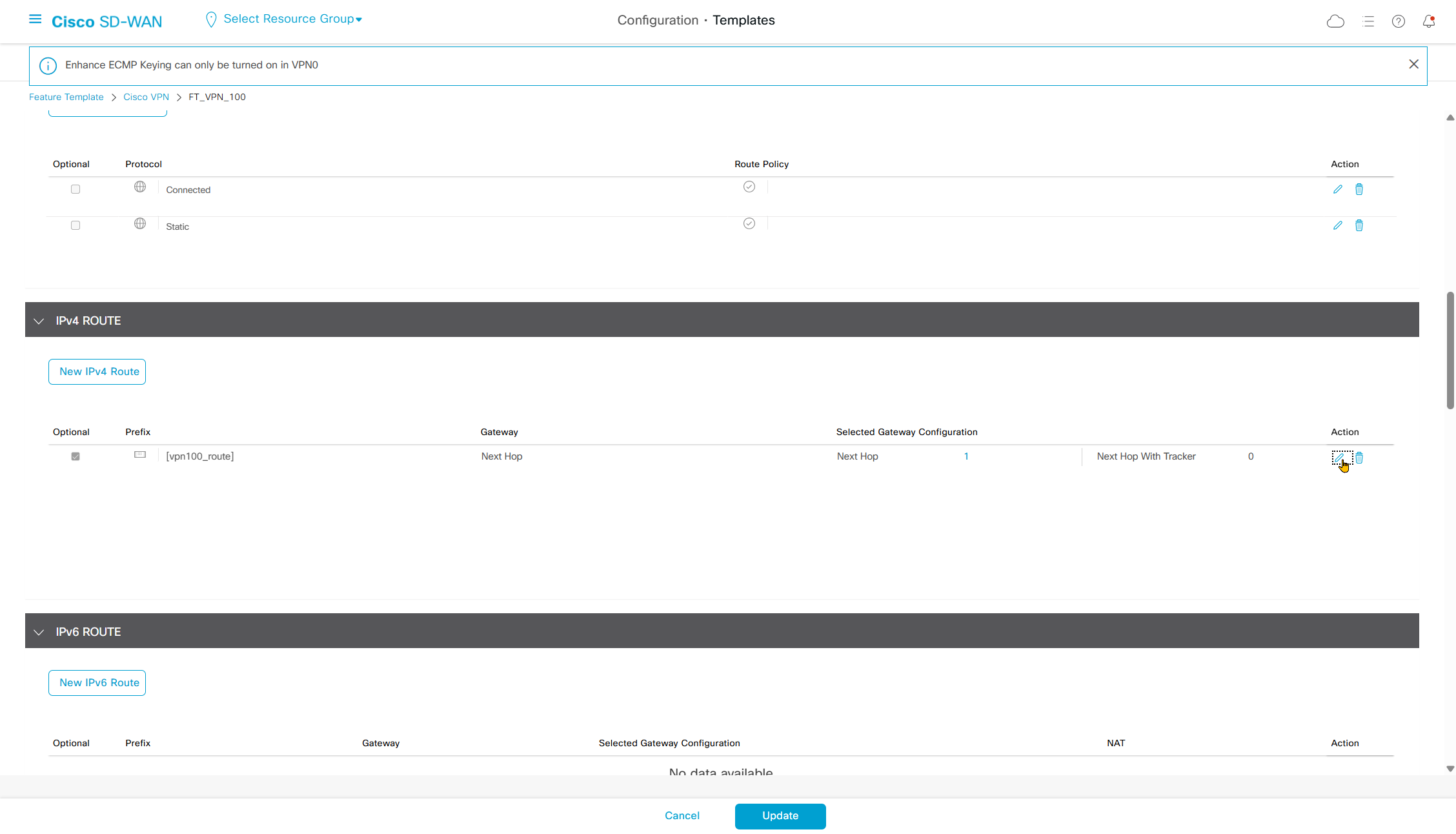
Make sure that VPN supports redistribution of connected and “static”, if static is not enabled then static route will only be on specific router but rest of the routers or sites will not learn via omp
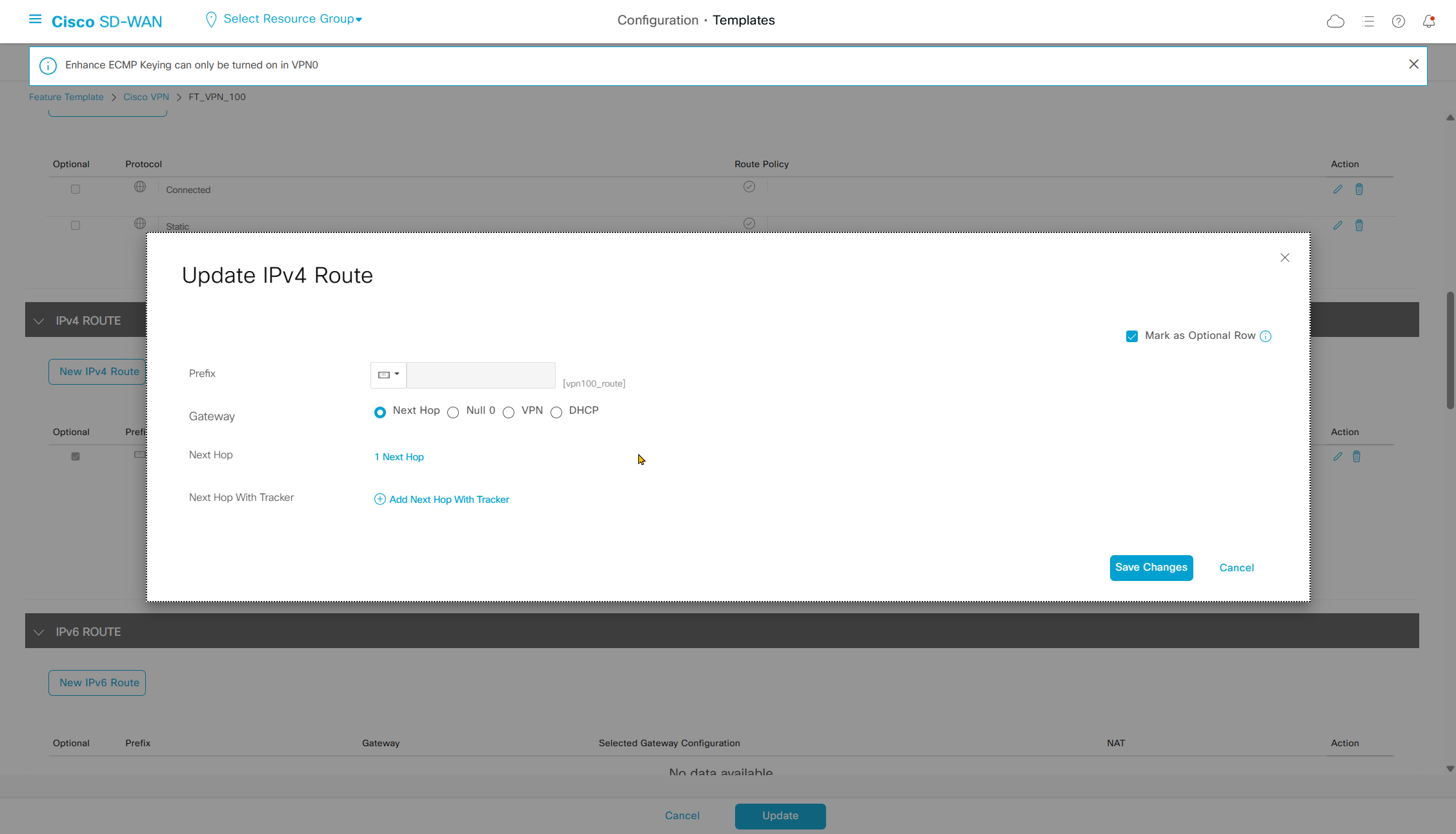
Also make sure that static route is marked as optional row
hostname SW-1002
!
interface Ethernet0/0
 switchport access vlan 100
 switchport trunk encapsulation dot1q
 switchport trunk allowed vlan 100
 switchport mode trunk
!
interface Ethernet0/1
 switchport access vlan 100
 switchport trunk encapsulation dot1q
 switchport trunk allowed vlan 100
 switchport mode trunk
!
interface Vlan100
 ip address 172.16.2.11 255.255.254.0
!
interface Vlan200
 ip address 172.16.4.1 255.255.254.0
!
ip route 0.0.0.0 0.0.0.0 172.16.2.1
!
SW-1002#show ip int brief
Interface IP-Address OK? Method Status Protocol
Ethernet0/0 unassigned YES unset up up
Ethernet0/1 unassigned YES unset up up
Ethernet0/2 unassigned YES unset down down
Ethernet0/3 unassigned YES unset down down
Ethernet1/0 unassigned YES unset down down
Ethernet1/1 unassigned YES unset down down
Ethernet1/2 unassigned YES unset up up
Ethernet1/3 unassigned YES unset up up
Vlan100 172.16.2.11 YES manual up up
Vlan200 172.16.4.1 YES manual down down <<<Vlan 200 SVI interface was down and not coming up
because no access port is assigned to vlan 200
so I allowed vlan 200 on the trunks to to C8000 edge routers to bring vlan 200 interface up
hostname SW-1002
!
interface Ethernet0/0
 switchport access vlan 100
 switchport trunk encapsulation dot1q
 switchport trunk allowed vlan 100,200 <<<
 switchport mode trunk
!
interface Ethernet0/1
 switchport access vlan 100
 switchport trunk encapsulation dot1q
 switchport trunk allowed vlan 100,200 <<<
 switchport mode trunk
!
interface Vlan100
 ip address 172.16.2.11 255.255.254.0
!
interface Vlan200
 ip address 172.16.4.1 255.255.254.0
!
ip route 0.0.0.0 0.0.0.0 172.16.2.1
!
SW-1002#show ip int brief
Interface IP-Address OK? Method Status Protocol
Ethernet0/0 unassigned YES unset up up
Ethernet0/1 unassigned YES unset up up
Ethernet0/2 unassigned YES unset down down
Ethernet0/3 unassigned YES unset down down
Ethernet1/0 unassigned YES unset down down
Ethernet1/1 unassigned YES unset down down
Ethernet1/2 unassigned YES unset up up
Ethernet1/3 unassigned YES unset up up
Vlan100 172.16.2.11 YES manual up up
Vlan200 172.16.4.1 YES manual up up <<<C801-1002-DUAL#
ip route vrf 100 172.16.4.0 255.255.254.0 172.16.2.11CSR-1004-MPLS#show sdwan omp route
Generating output, this might take time, please wait ...
Code:
C -> chosen
I -> installed
Red -> redistributed
Rej -> rejected
L -> looped
R -> resolved
S -> stale
Ext -> extranet
Inv -> invalid
Stg -> staged
IA -> On-demand inactive
U -> TLOC unresolved
PATH ATTRIBUTE
VPN PREFIX FROM PEER ID LABEL STATUS TYPE TLOC IP COLOR ENCAP PREFERENCE
--------------------------------------------------------------------------------------------------------------------------------------
100 172.16.0.0/23 22.22.22.22 6 1003 C,I,R installed 13.13.13.13 biz-internet ipsec -
100 172.16.2.0/23 22.22.22.22 7 1004 C,I,R installed 12.12.12.12 mpls ipsec -
22.22.22.22 8 1004 C,I,R installed 12.12.12.12 biz-internet ipsec -
22.22.22.22 19 1004 C,I,R installed 11.11.11.11 mpls ipsec -
22.22.22.22 20 1004 C,I,R installed 11.11.11.11 biz-internet ipsec -
100 172.16.4.0/23 >>> 22.22.22.22 19 1004 C,I,R installed 11.11.11.11 mpls ipsec -
>>> 22.22.22.22 20 1004 C,I,R installed 11.11.11.11 biz-internet ipsec -
>>> 22.22.22.22 27 1004 C,I,R installed 12.12.12.12 mpls ipsec -
>>> 22.22.22.22 29 1004 C,I,R installed 12.12.12.12 biz-internet ipsec -
100 172.16.8.0/23 0.0.0.0 66 1003 C,Red,R installed 16.16.16.16 mpls ipsec -
C801-1002-DUAL#show ip route vrf 100

Routing Table: 100

Gateway of last resort is not set

      172.16.0.0/16 is variably subnetted, 5 subnets, 2 masks
m        172.16.0.0/23 [251/0] via 13.13.13.13, 03:50:11, Sdwan-system-intf
C        172.16.2.0/23 is directly connected, GigabitEthernet3.100
L        172.16.2.2/32 is directly connected, GigabitEthernet3.100
S        172.16.4.0/23 [1/0] via 172.16.2.11
m        172.16.8.0/23 [251/0] via 16.16.16.16, 03:50:11, Sdwan-system-intf
C801-1002-DUAL#
EIGRP Serviceside configuration
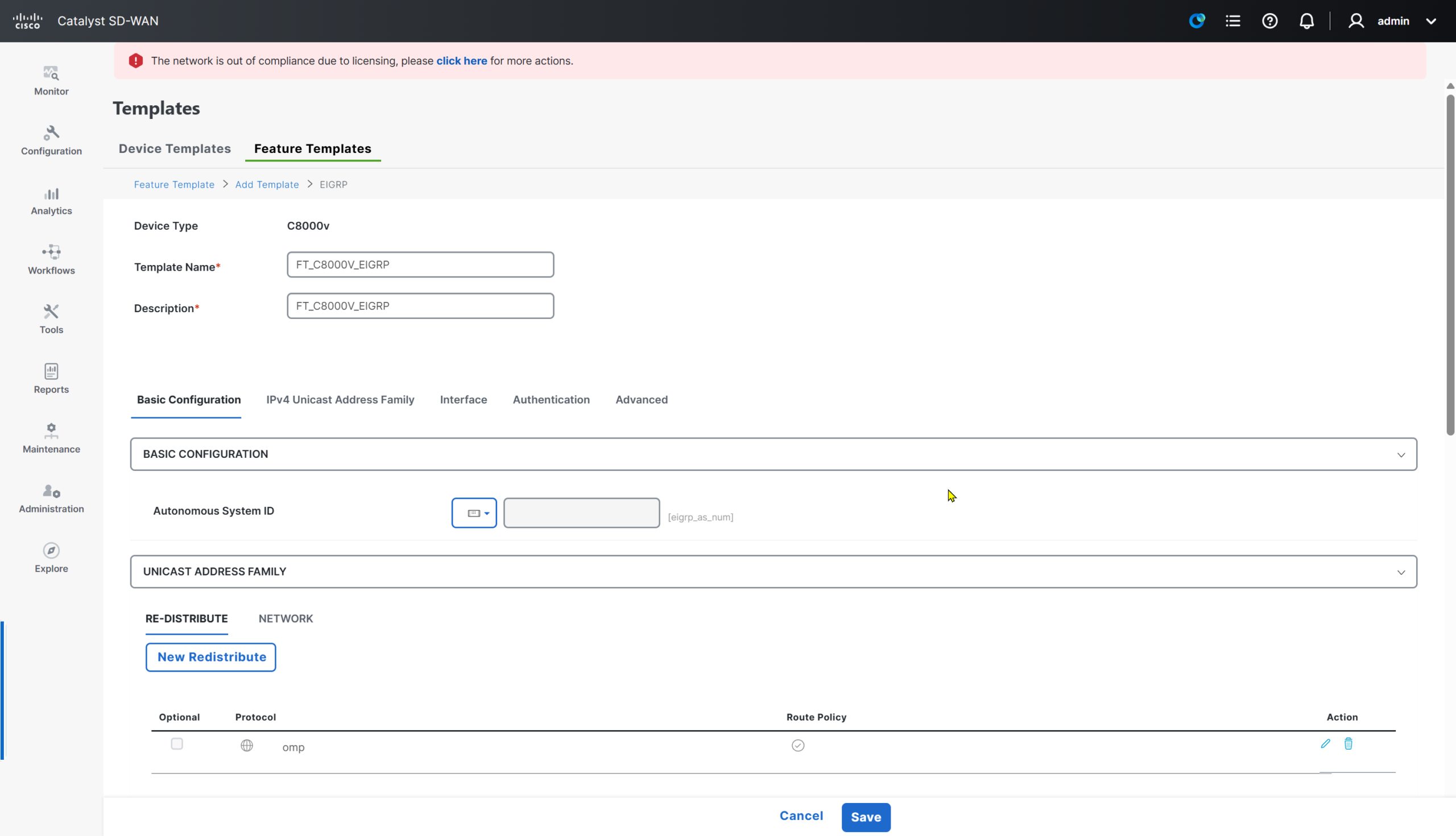

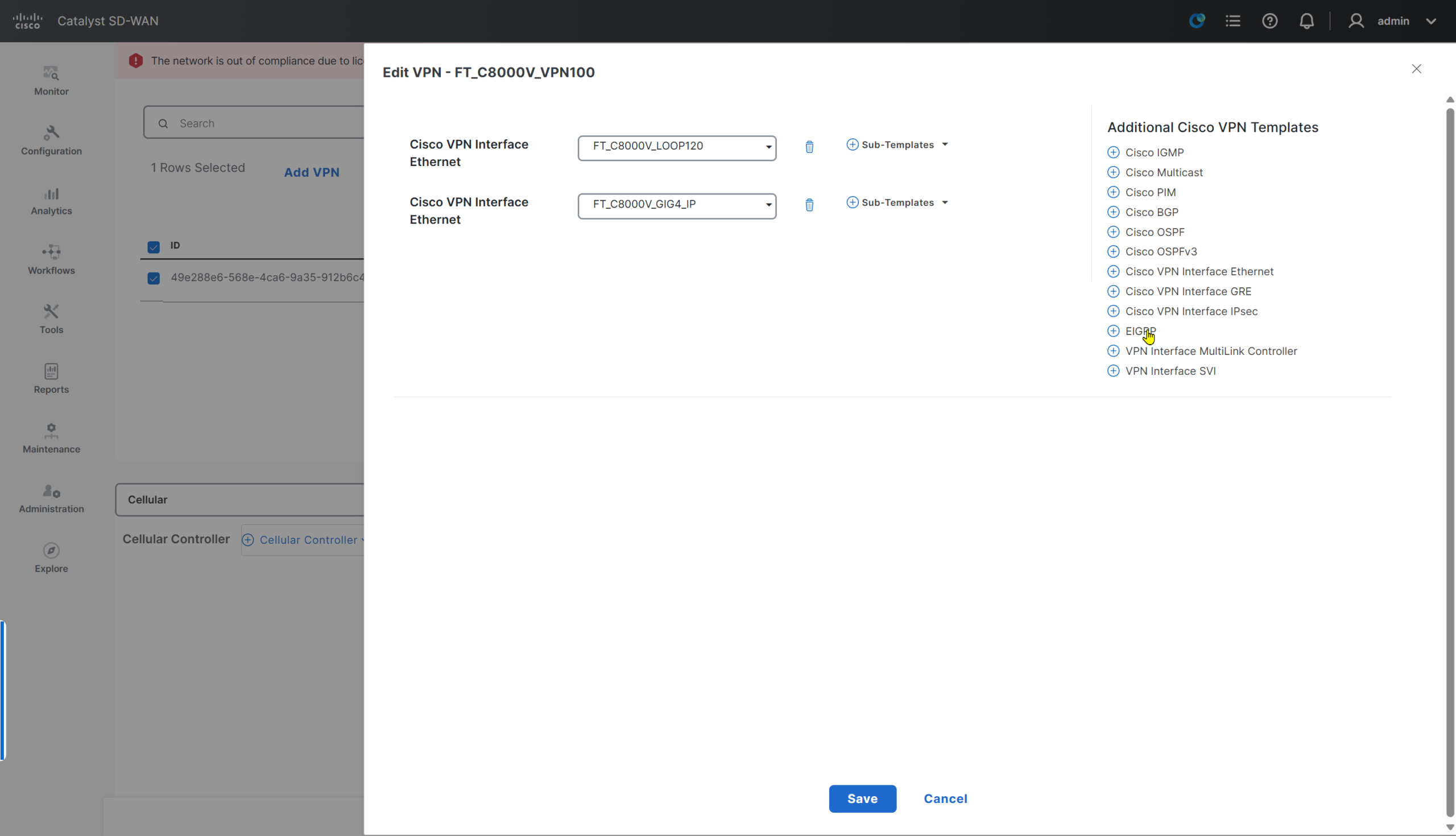
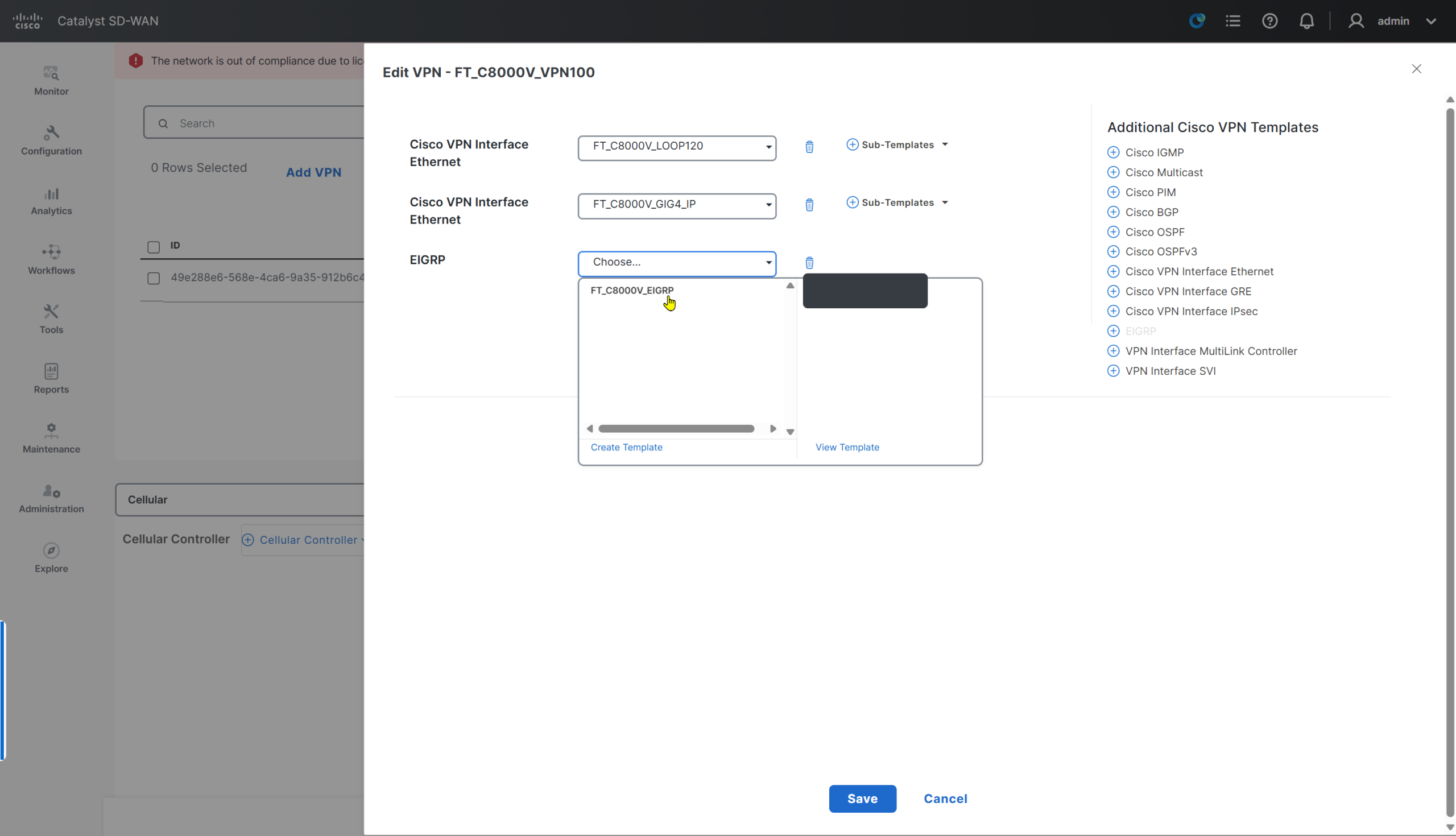
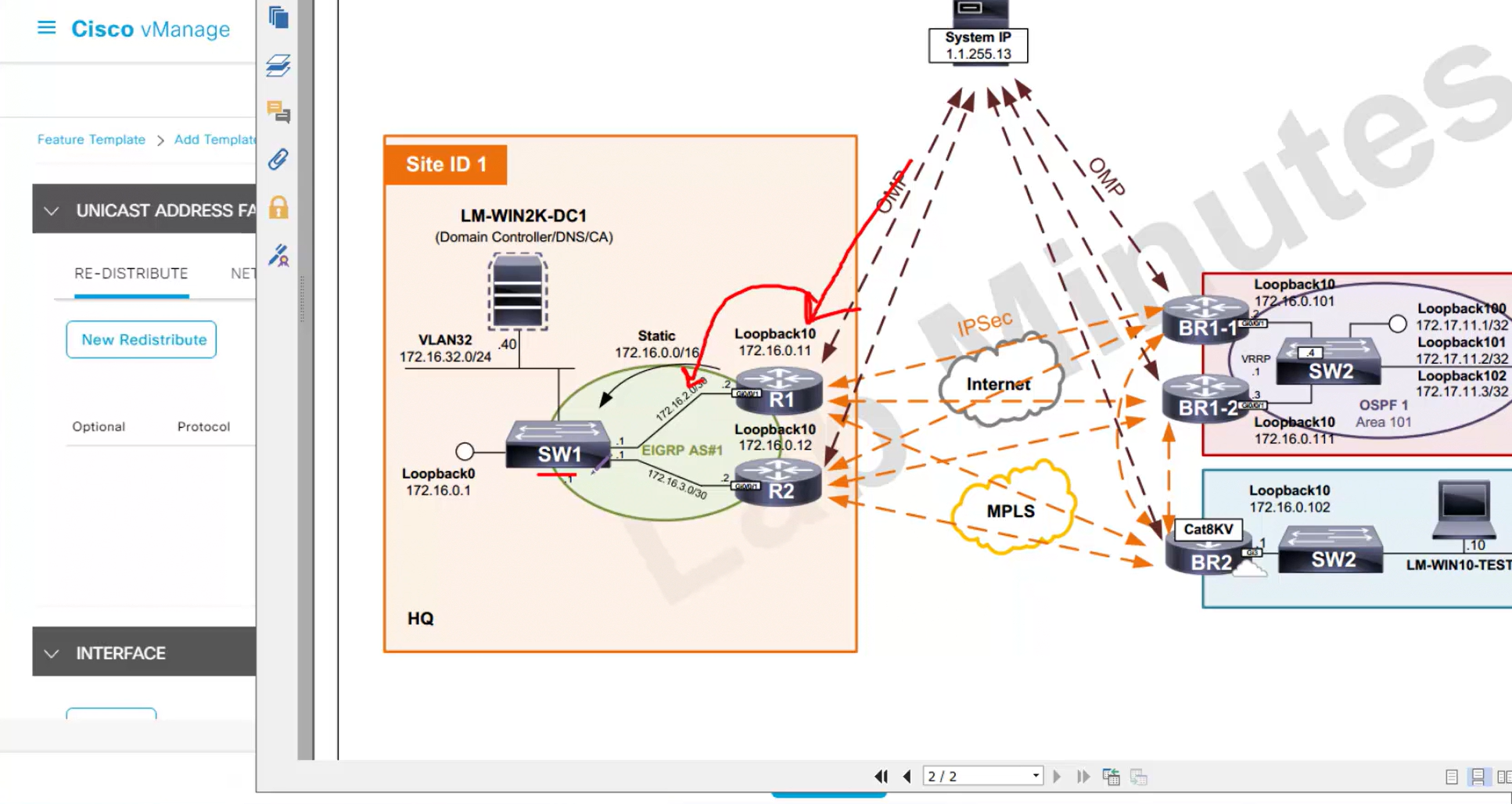
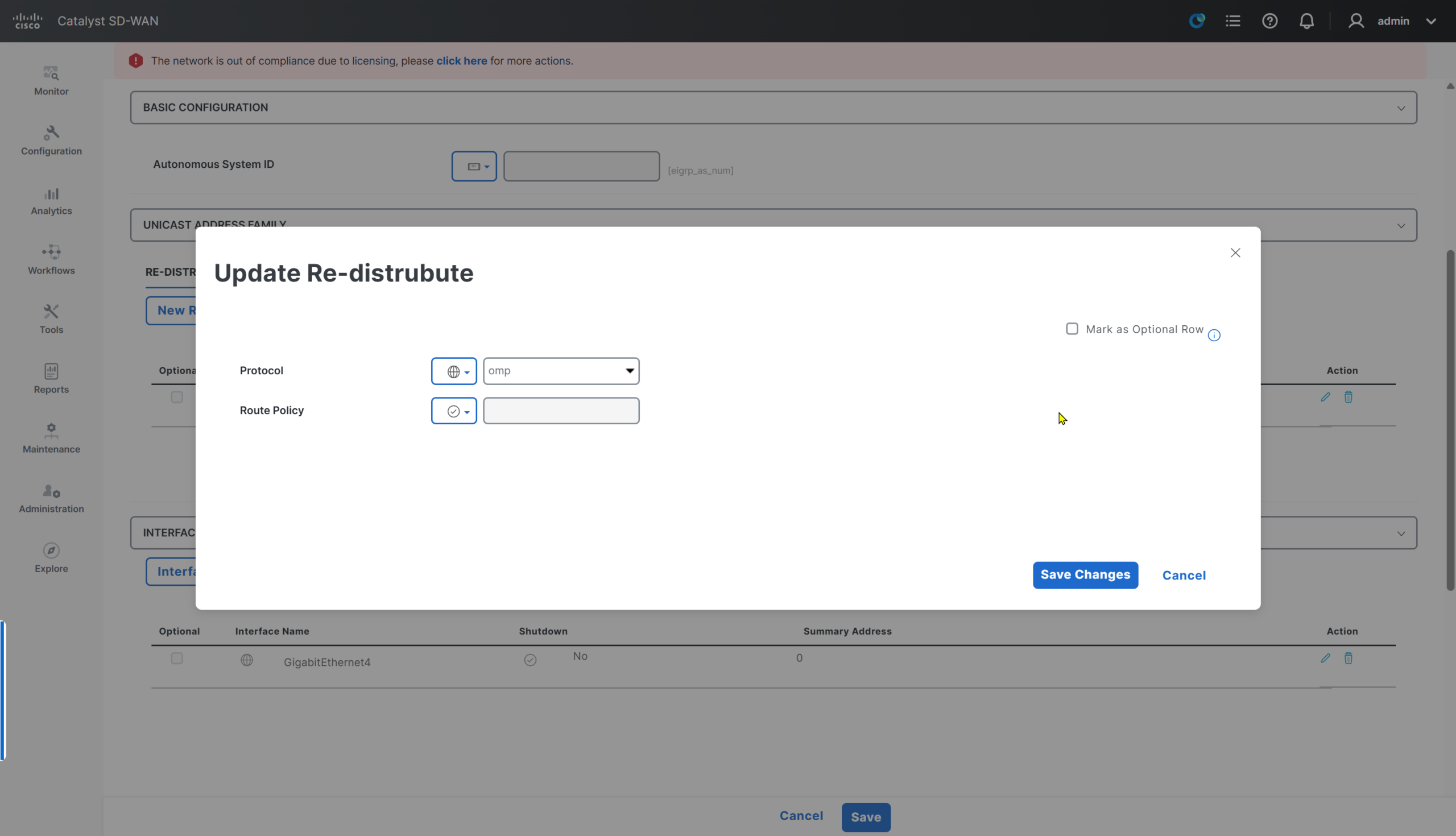
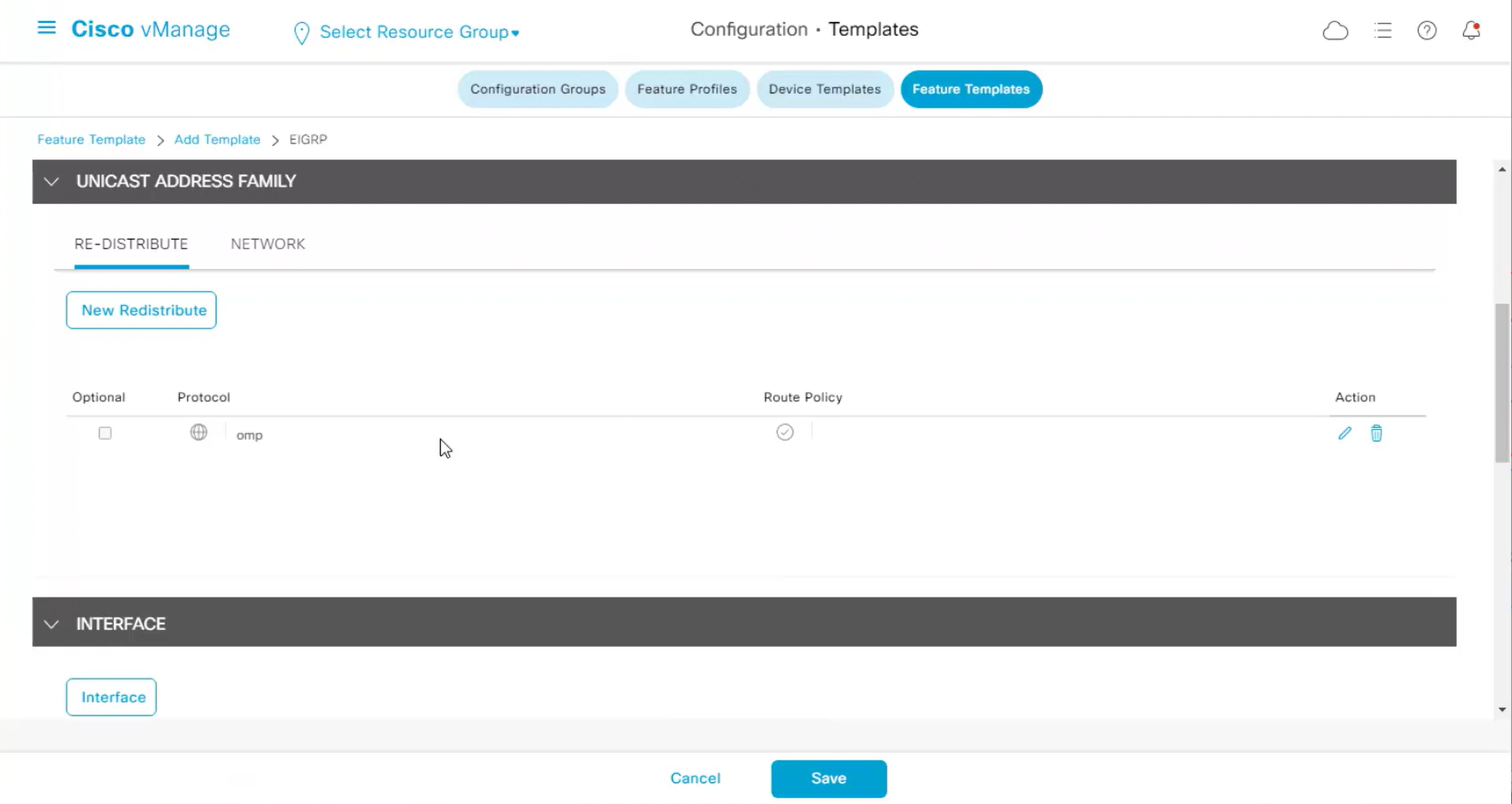
We will have to redistribute OMP routes into EIGRP in order to make sure that internal switch SW1 can ping remote site switches and locations inside SDWAN subnets
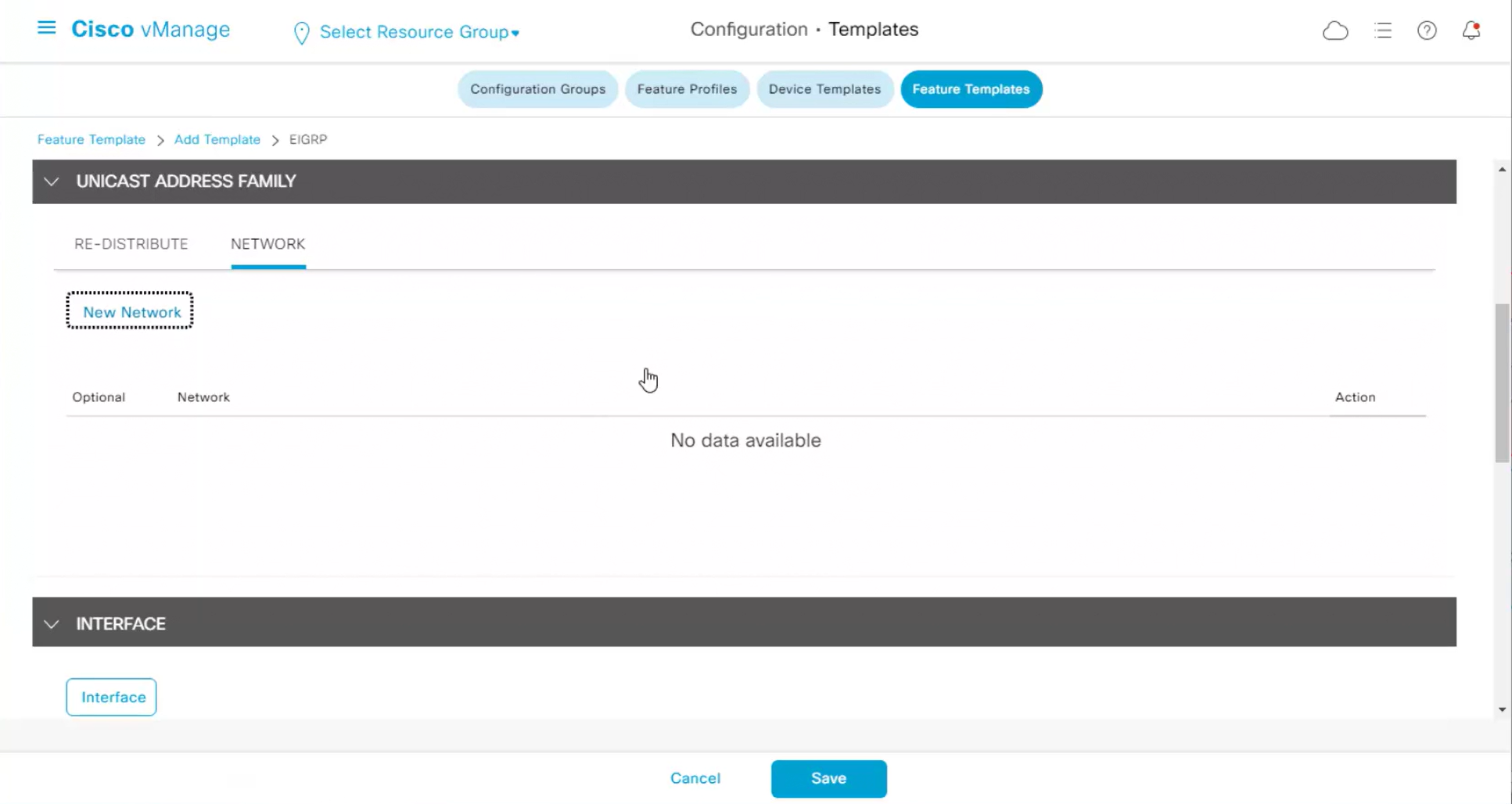
EIGRP needs to be enabled on LAN interface and also on the loopback
one network for physical interface
Can be marked optional
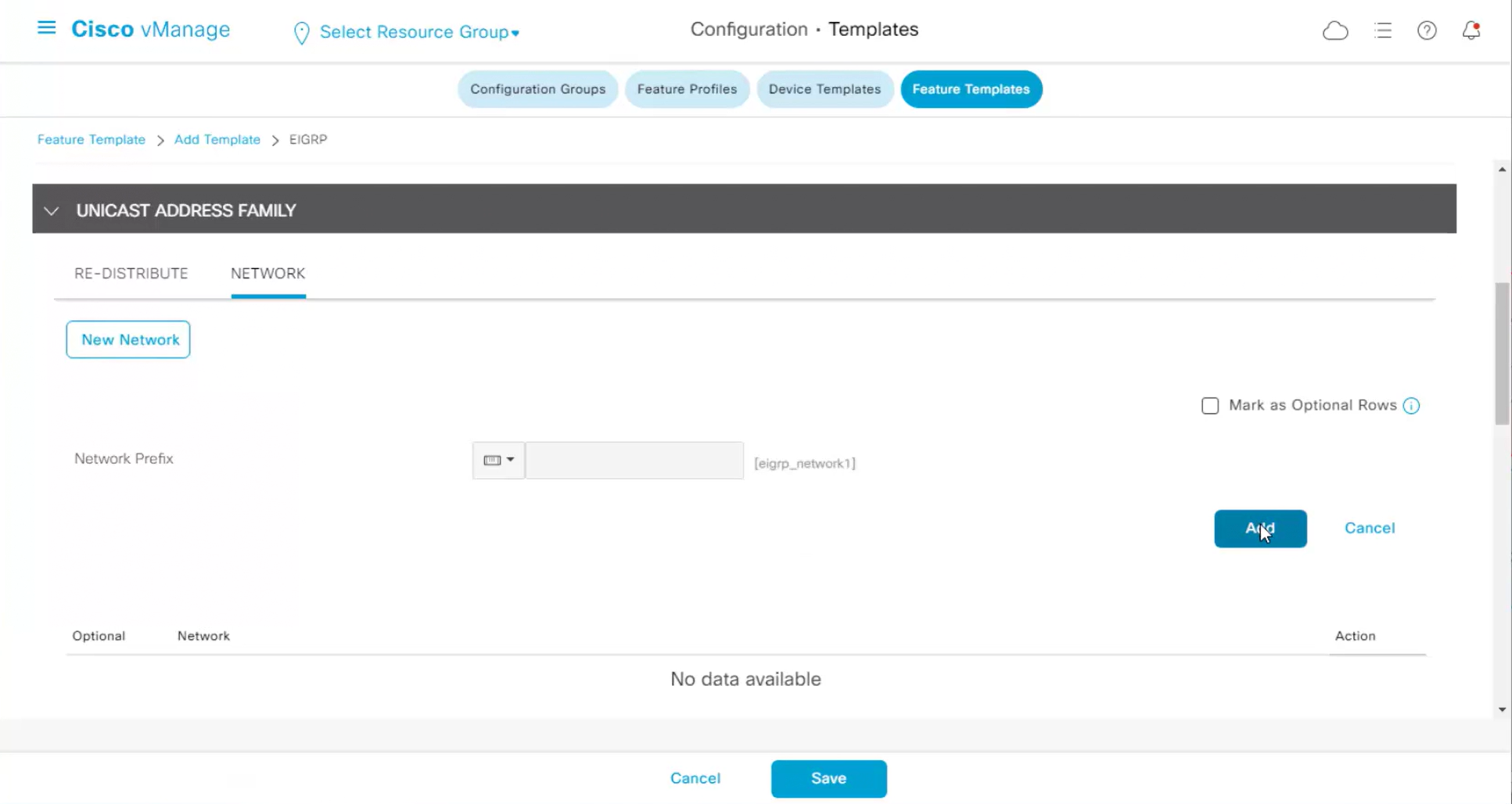
another network for loopback interface
Can be marked optional
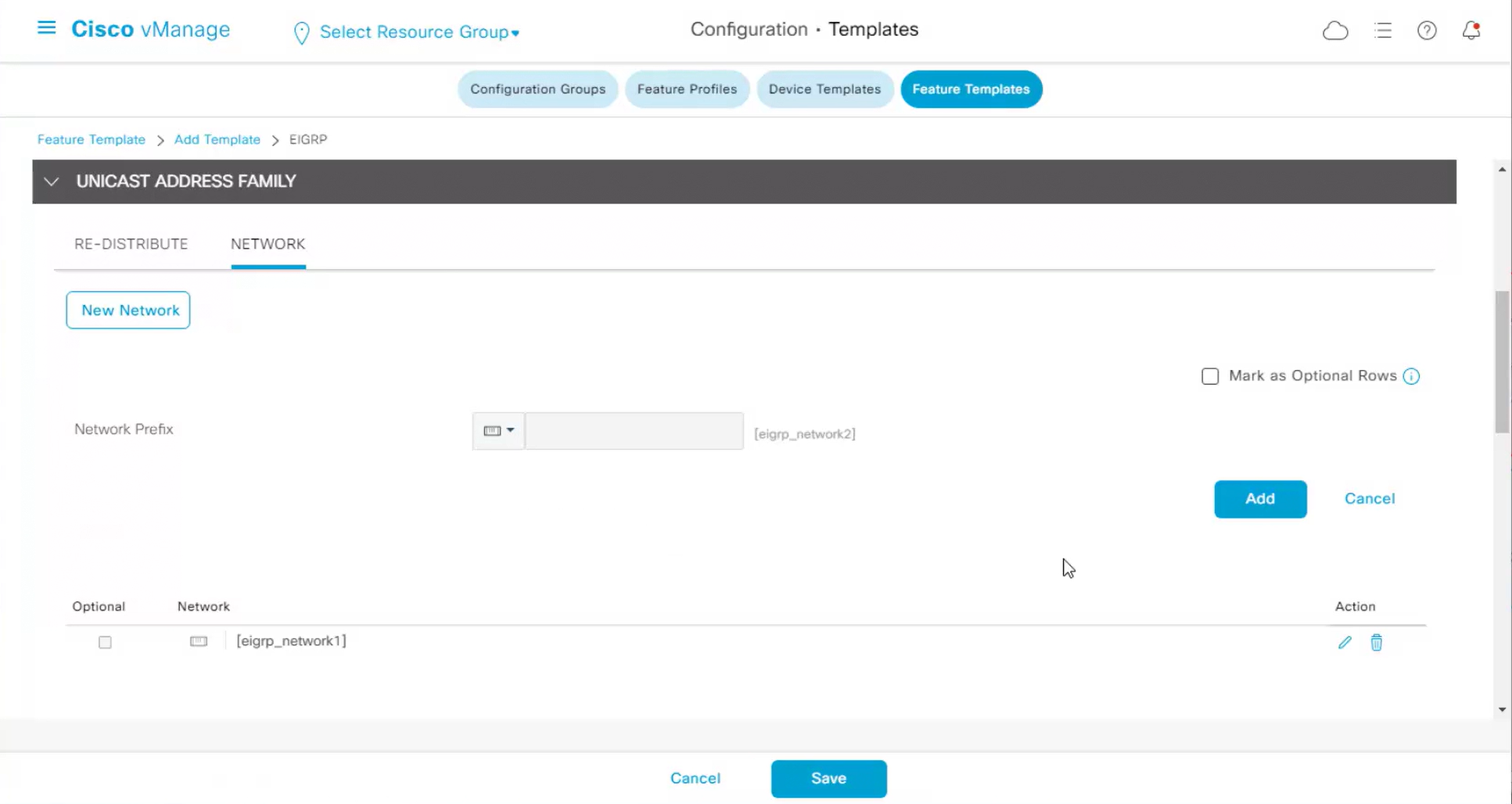
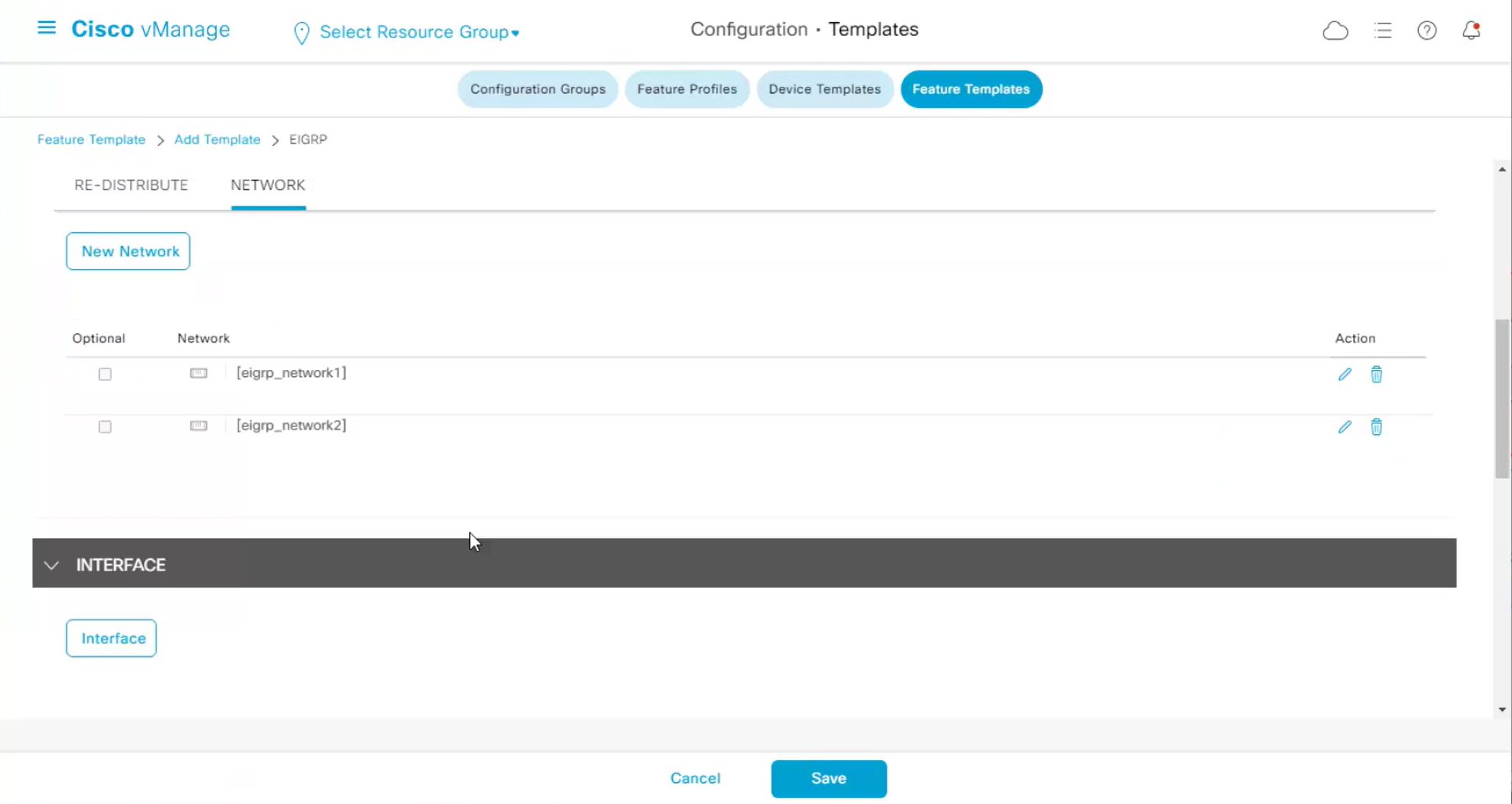
Now we need to specify the interface in GUI and that is for doing no passive interface
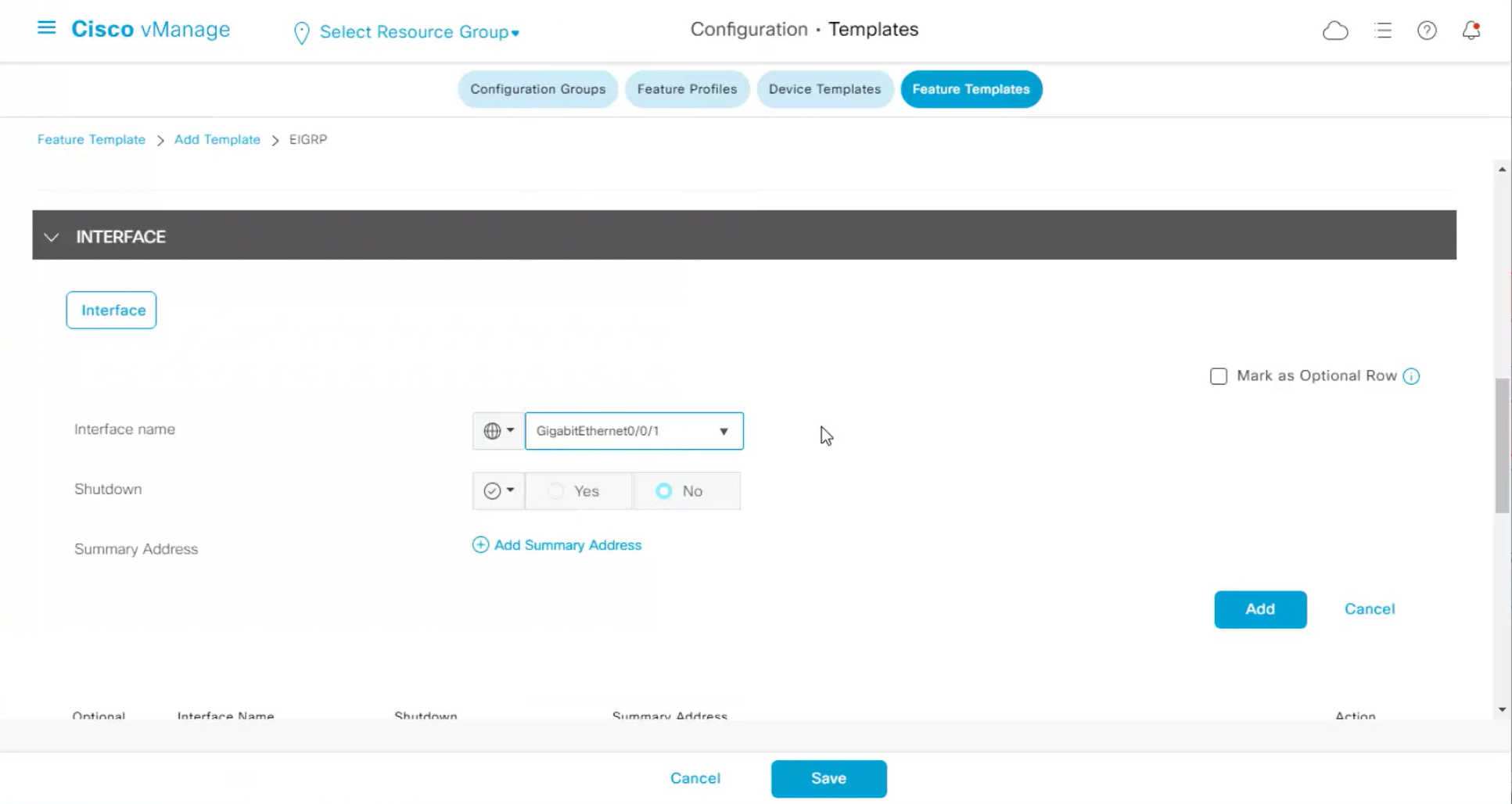
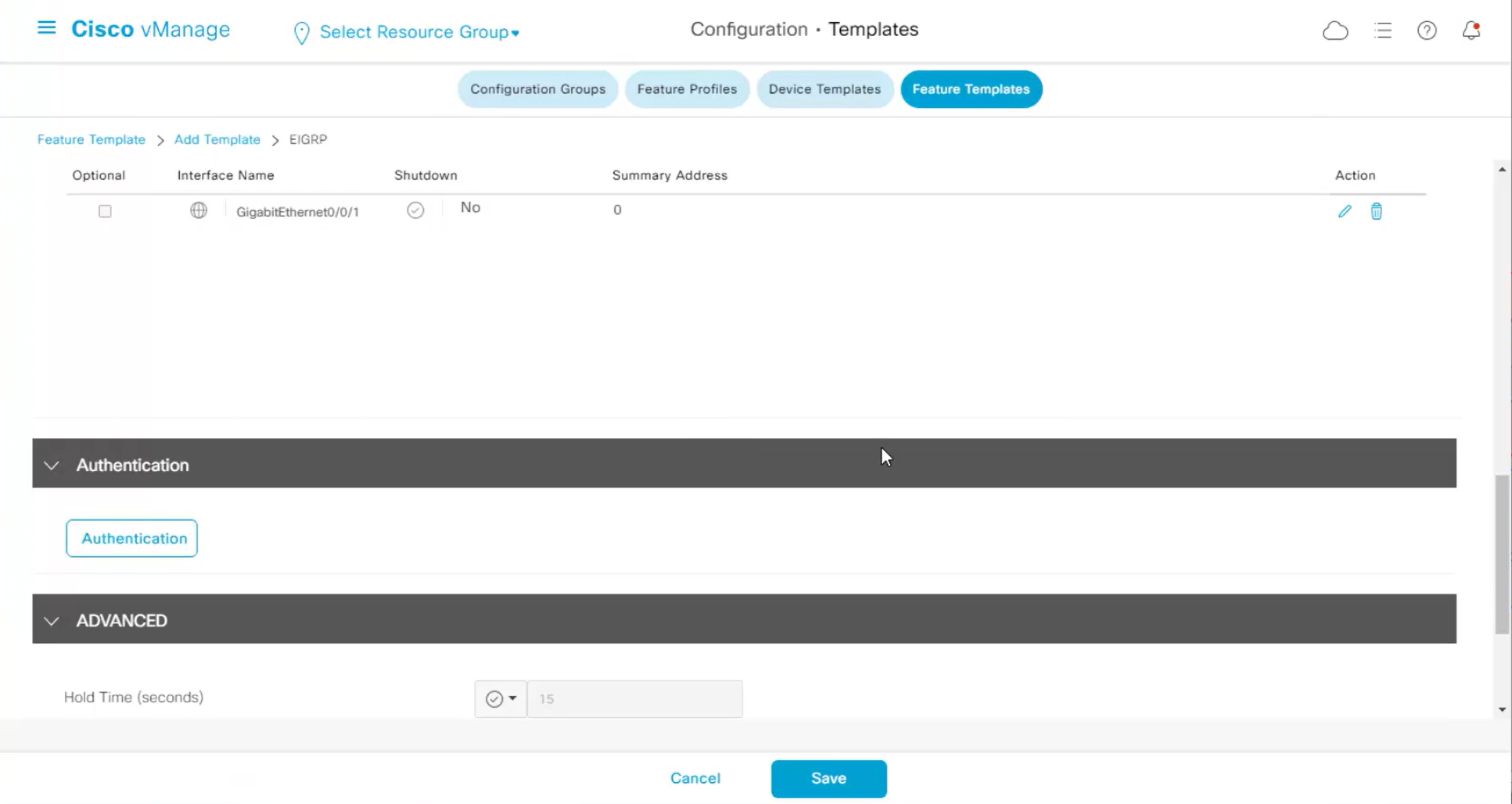
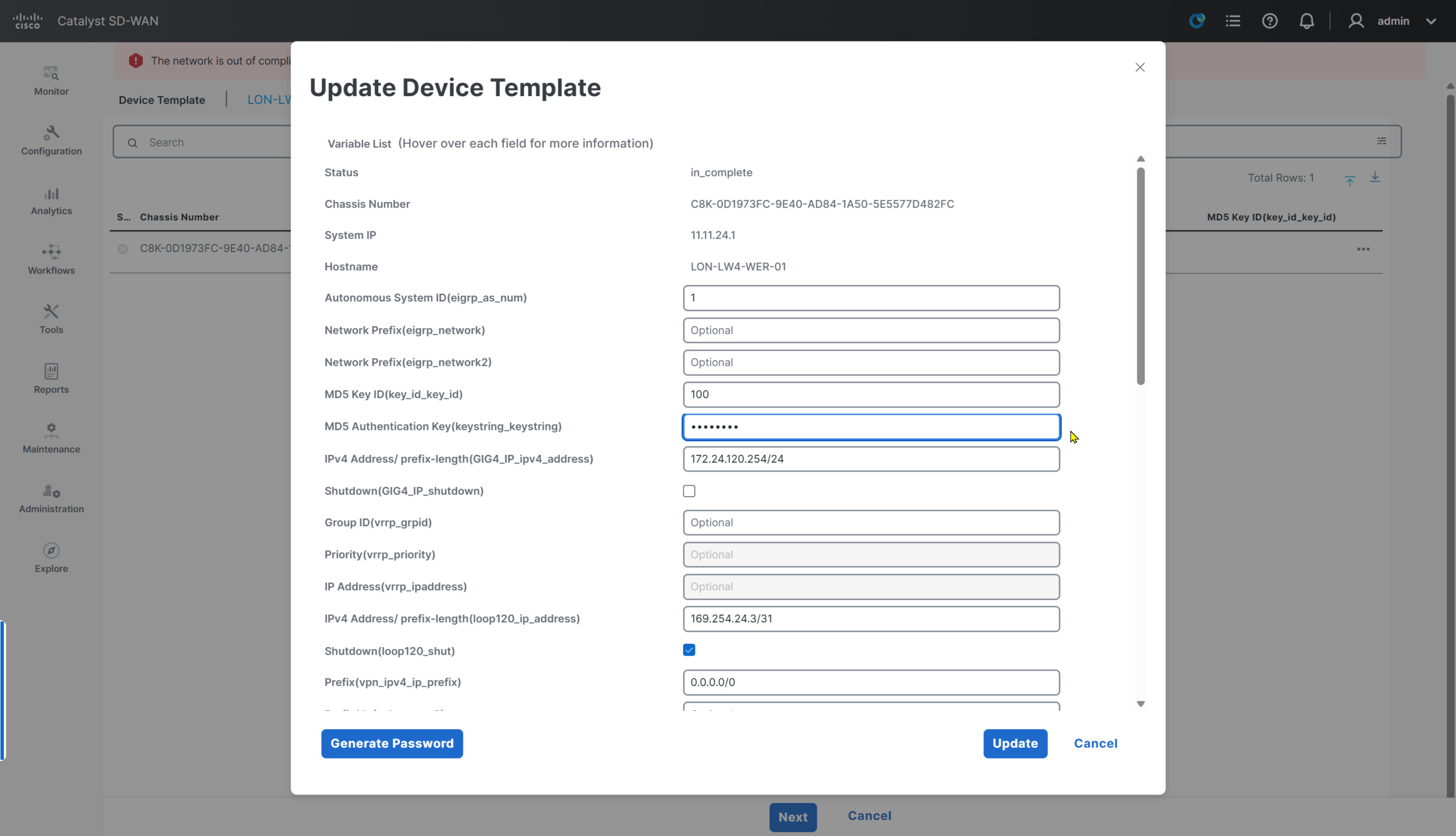
now we need to enable authentication
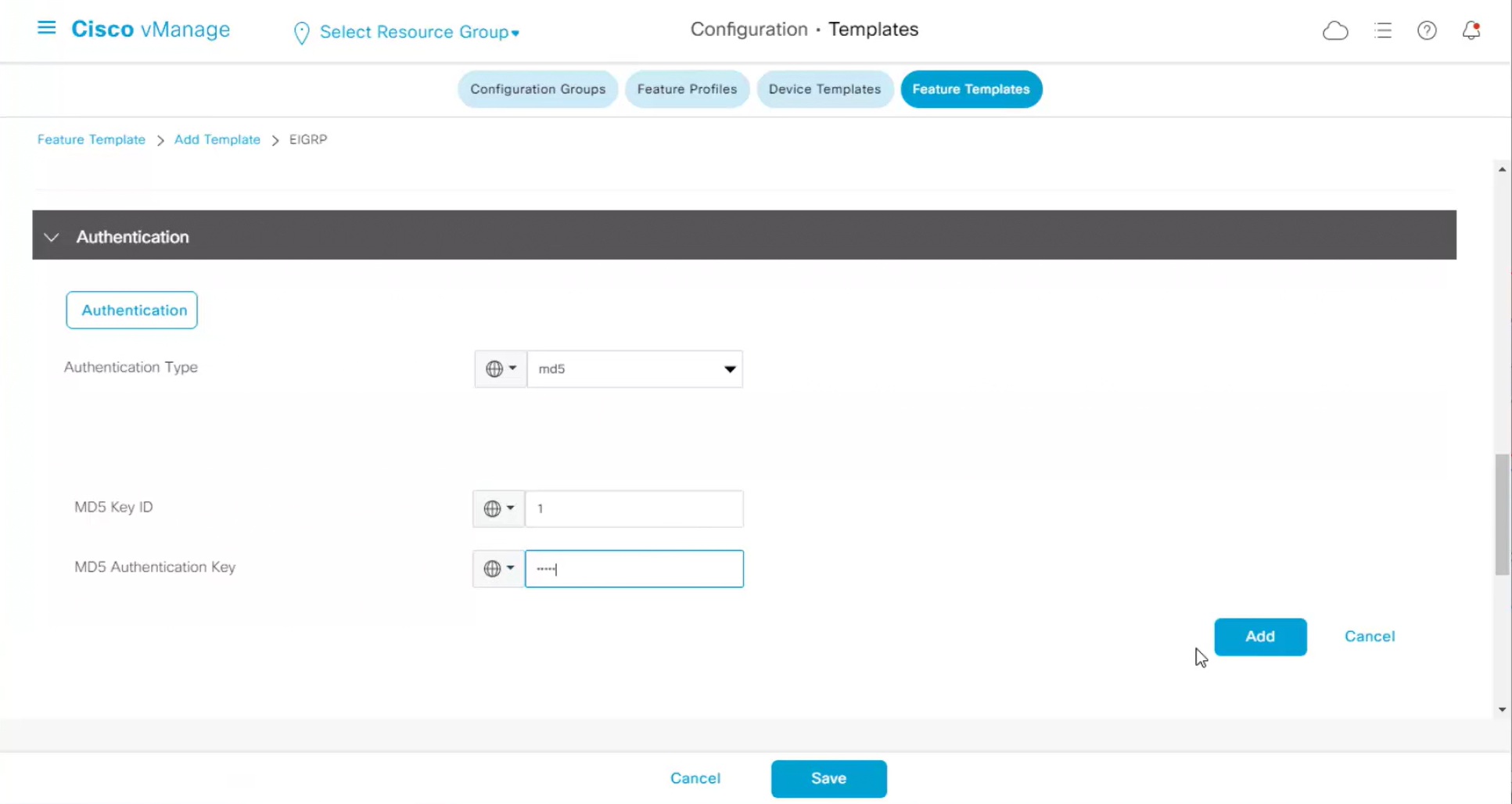
Rest of the configuration such as Hello time and hold time are left at defaults
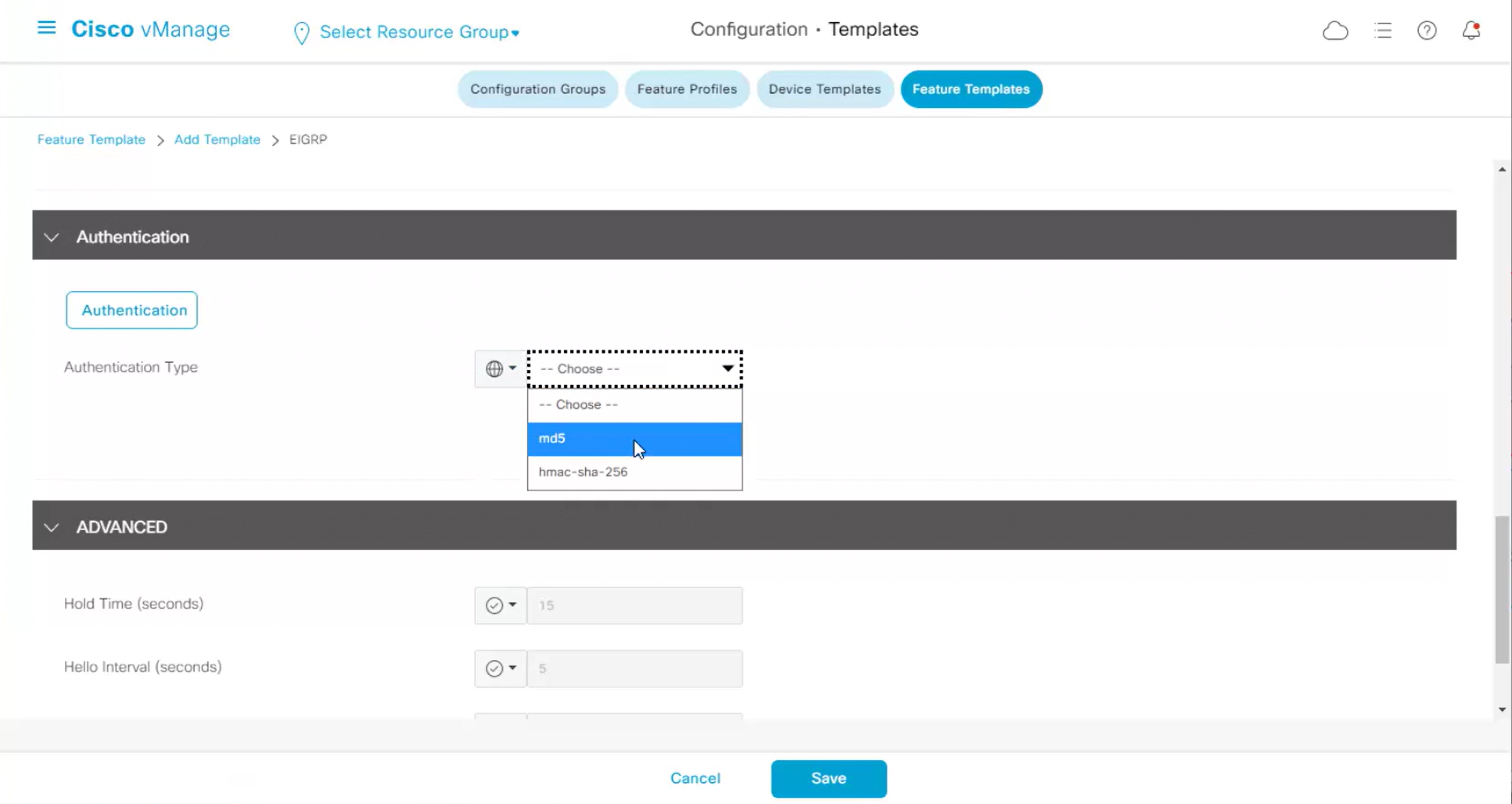
Authentication

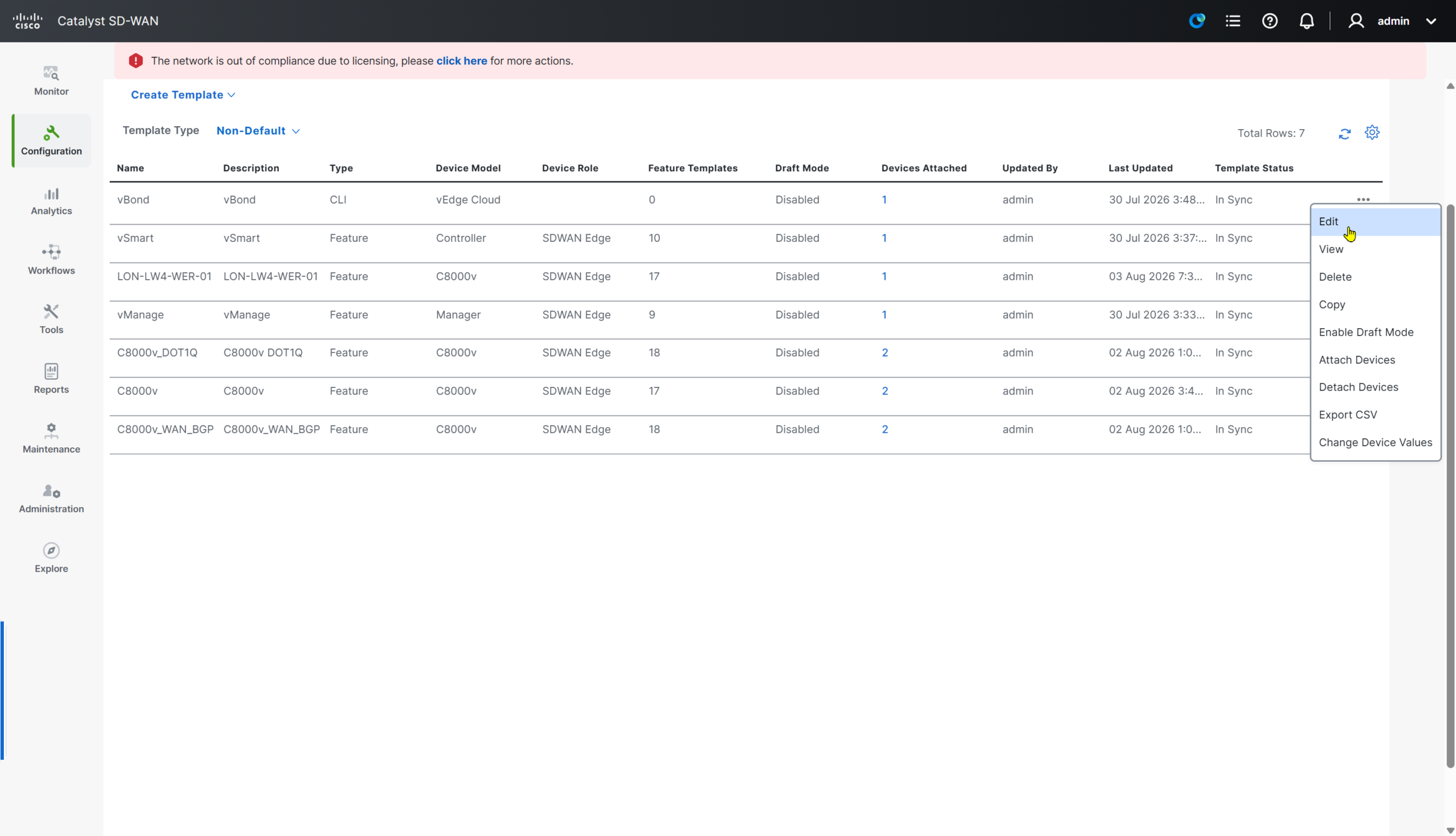
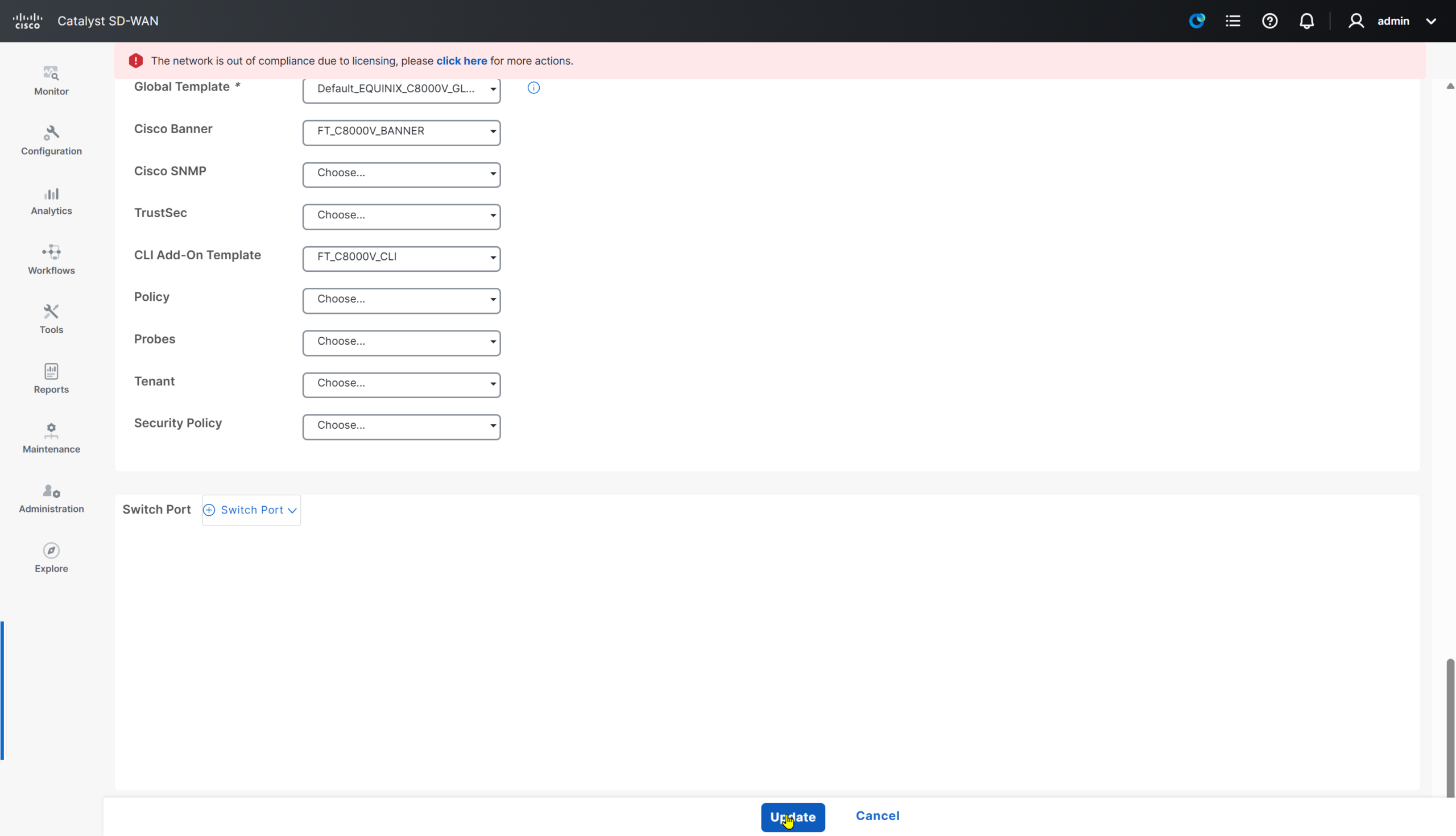
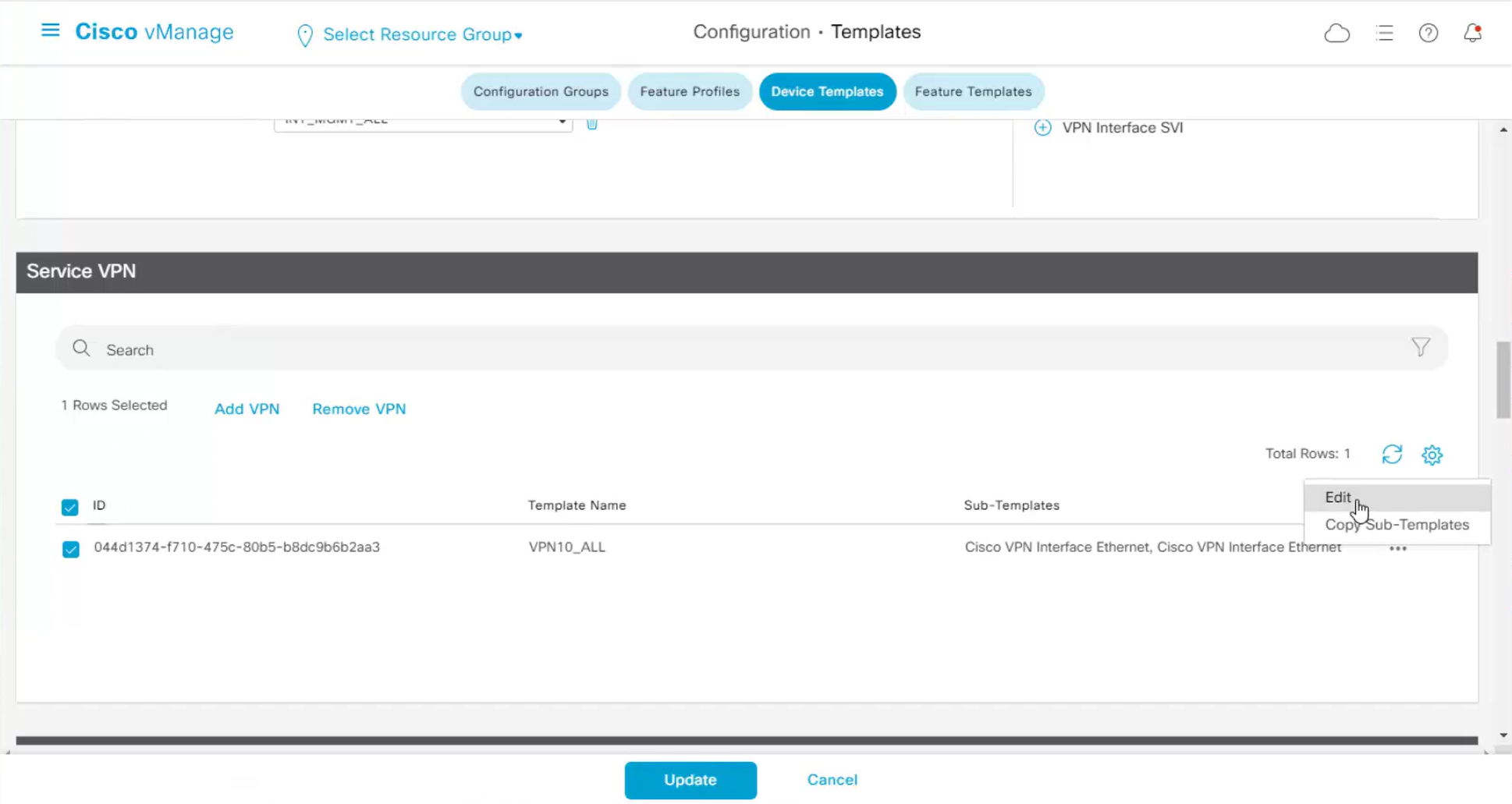
Attach EIGRP template to VPN
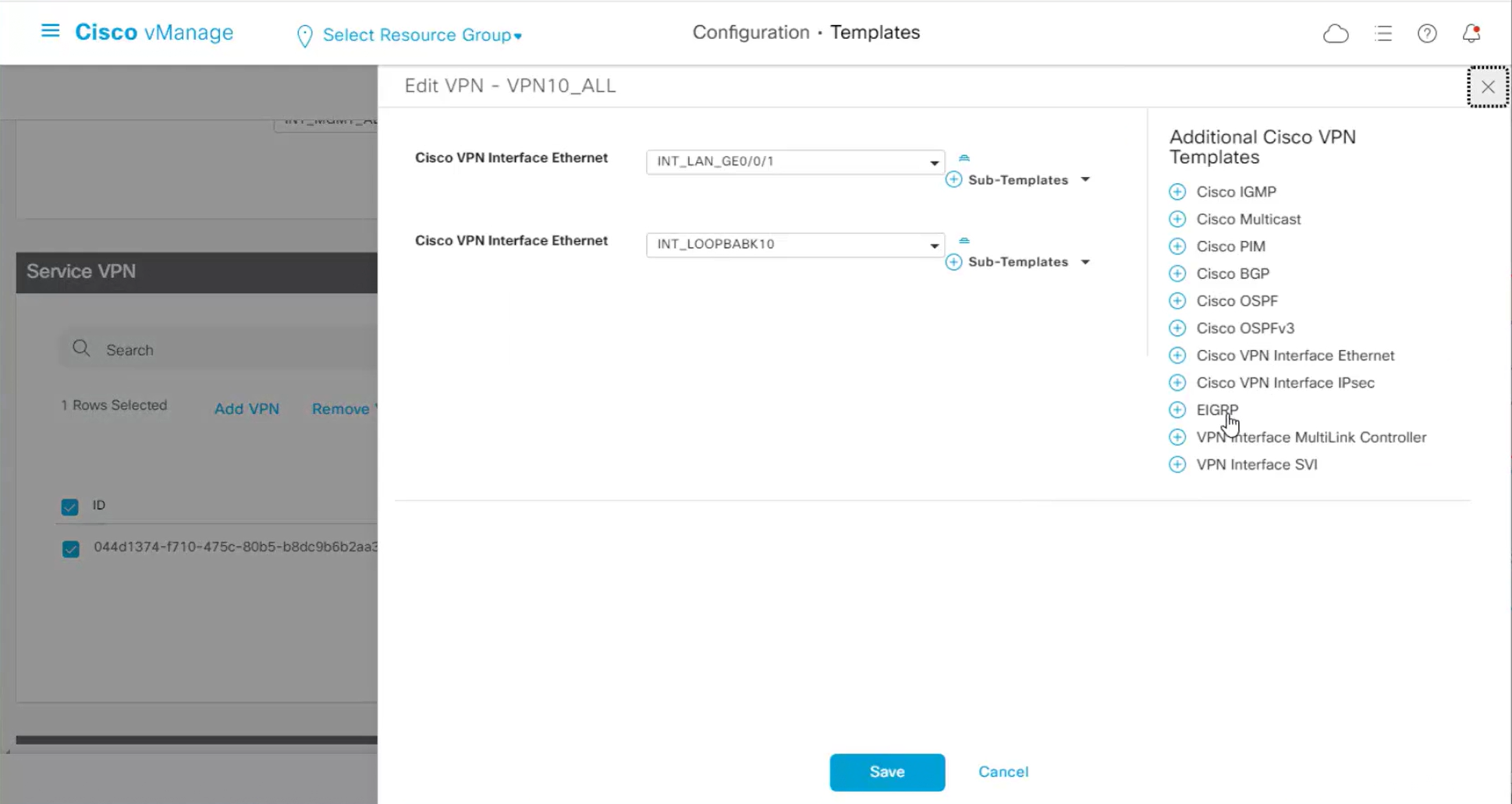
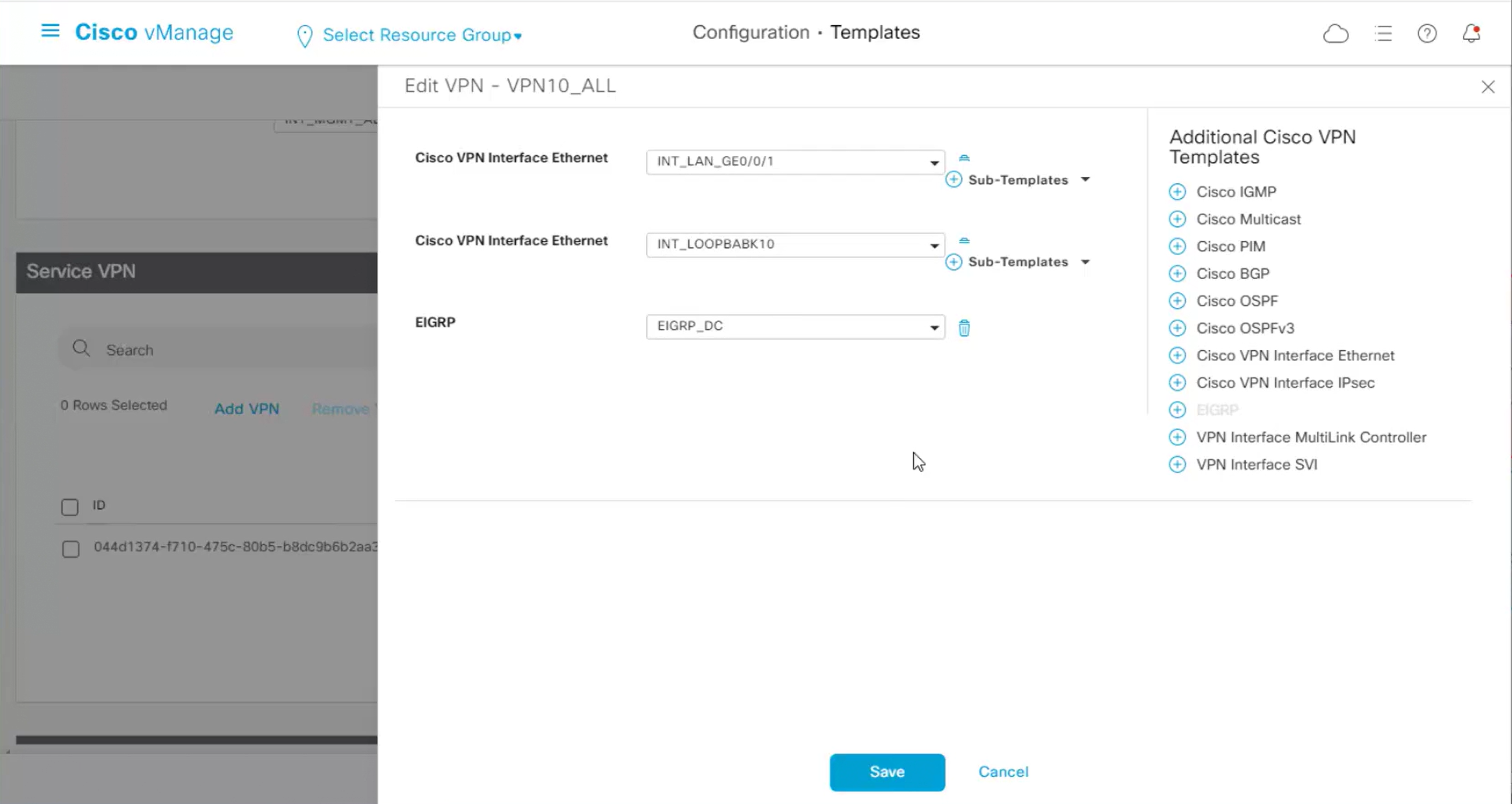
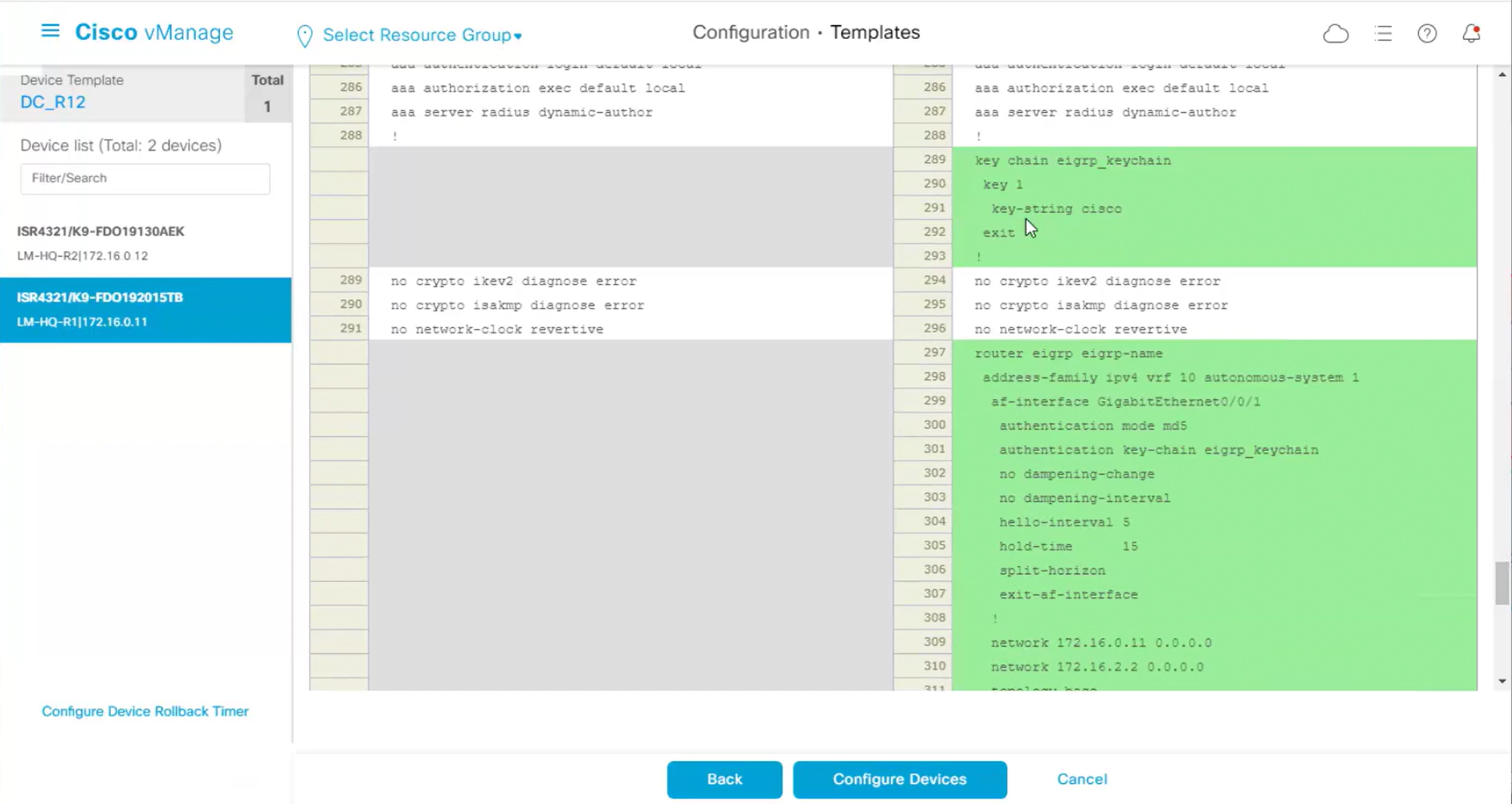
hello and hold time can be seen and also other EIGRP configuration that is being added
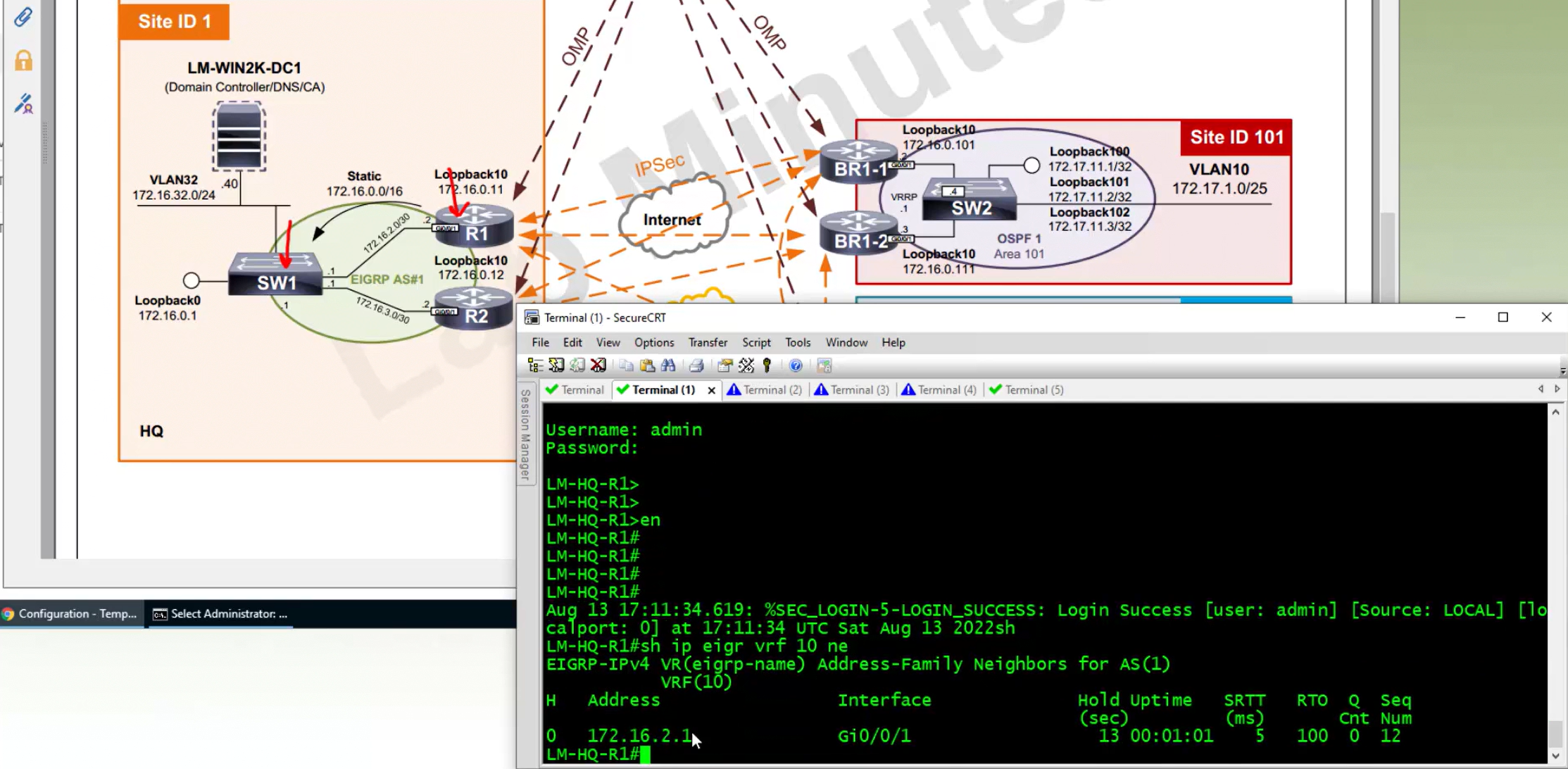
Neighborship on router will be on the vrf
but other remote sites are not learning EIGRP learned subnets because we imported or redistributed OMP into EIGRP but not EIGRP into OMP
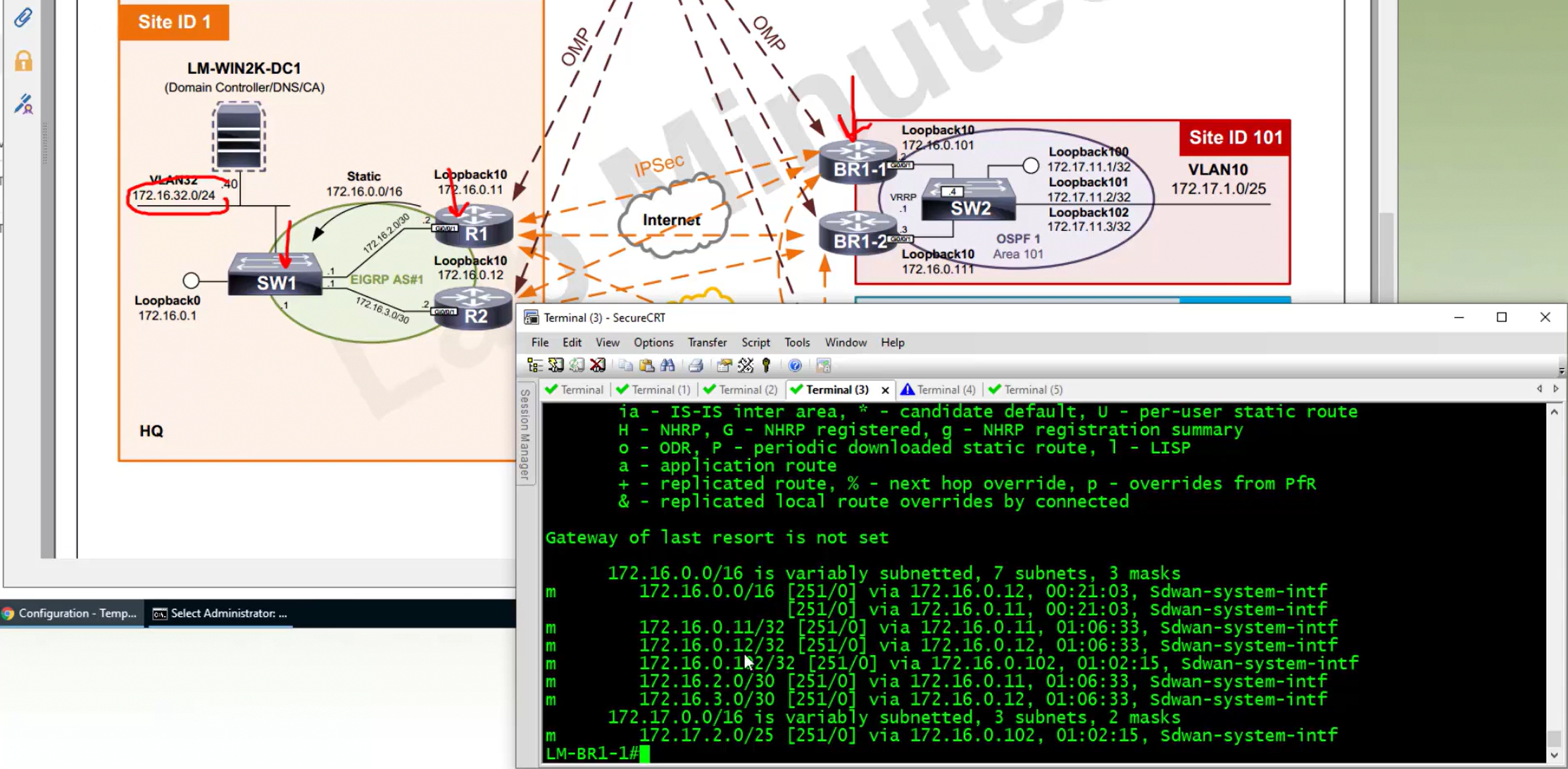
This change is done inside service VPN like VPN 10 or VPN 100 but not inside OMP template
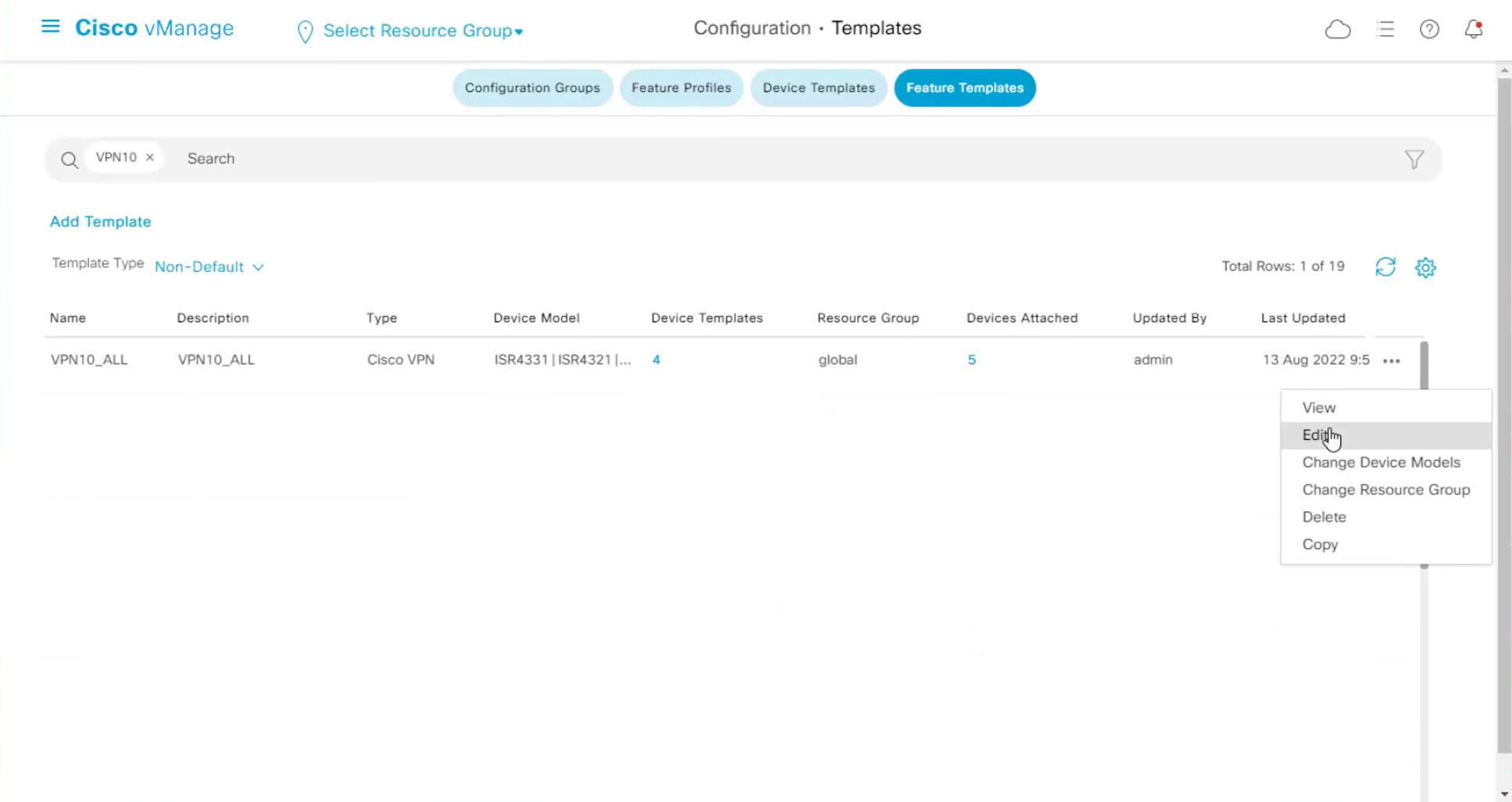
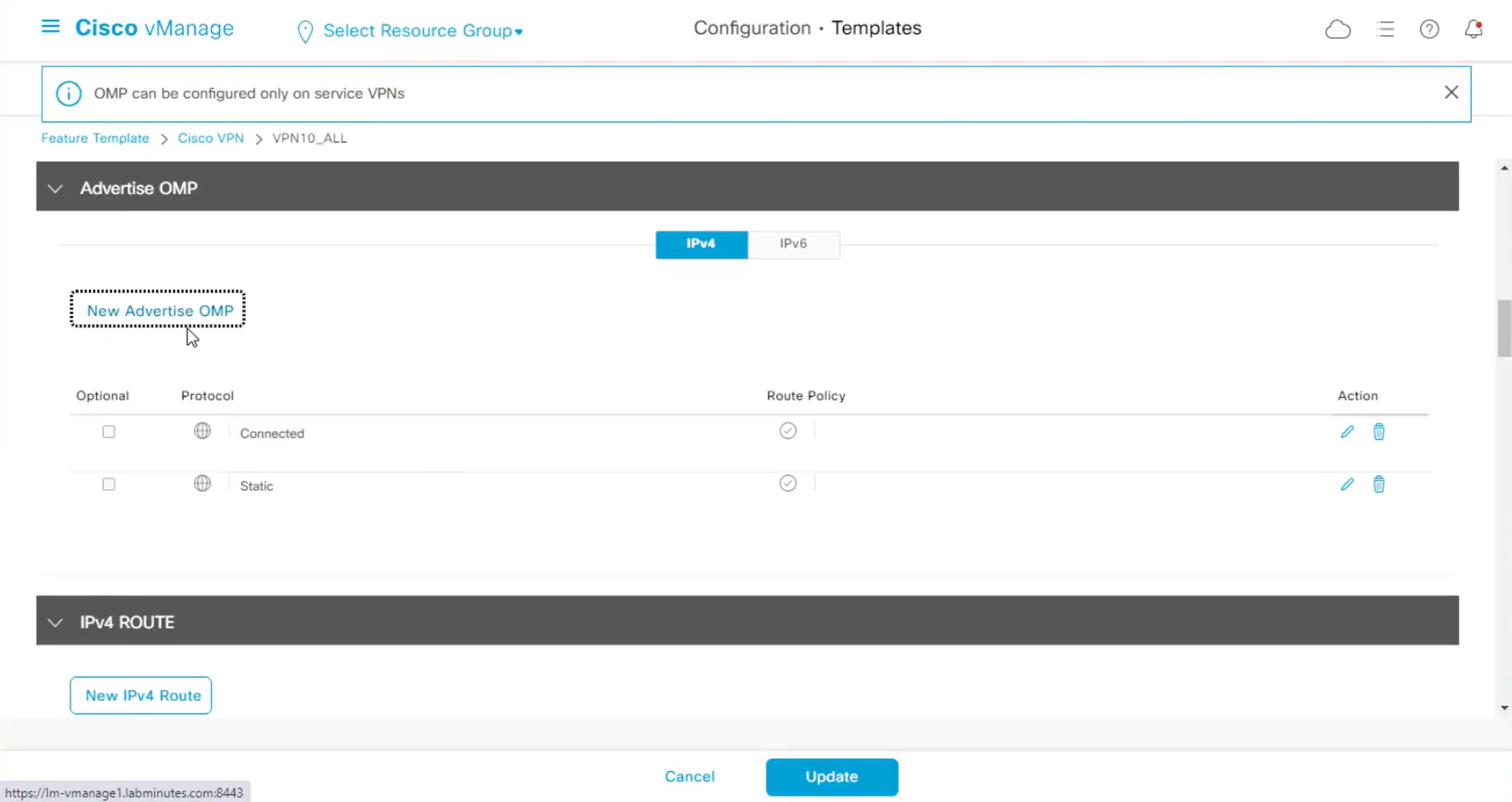
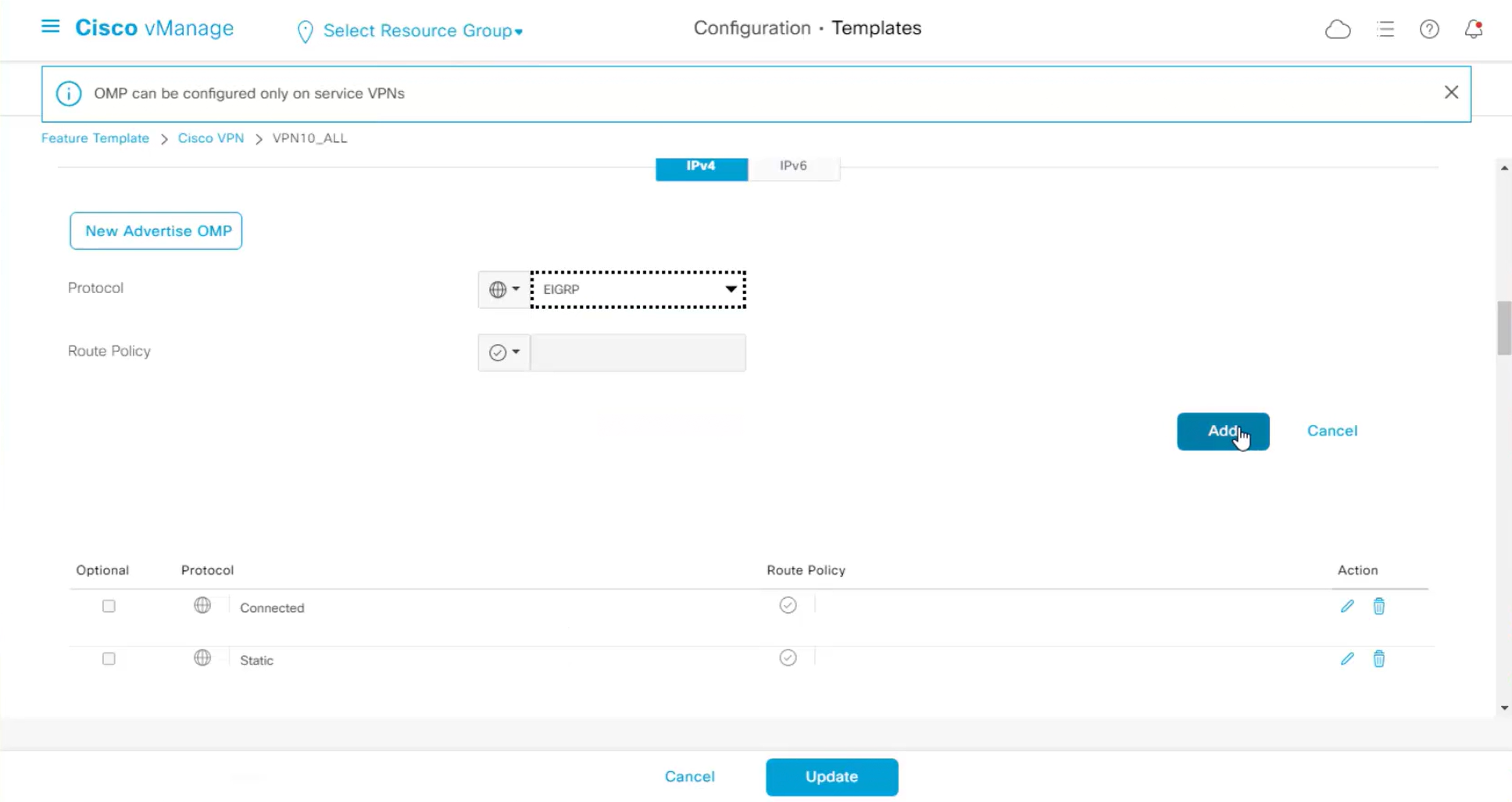
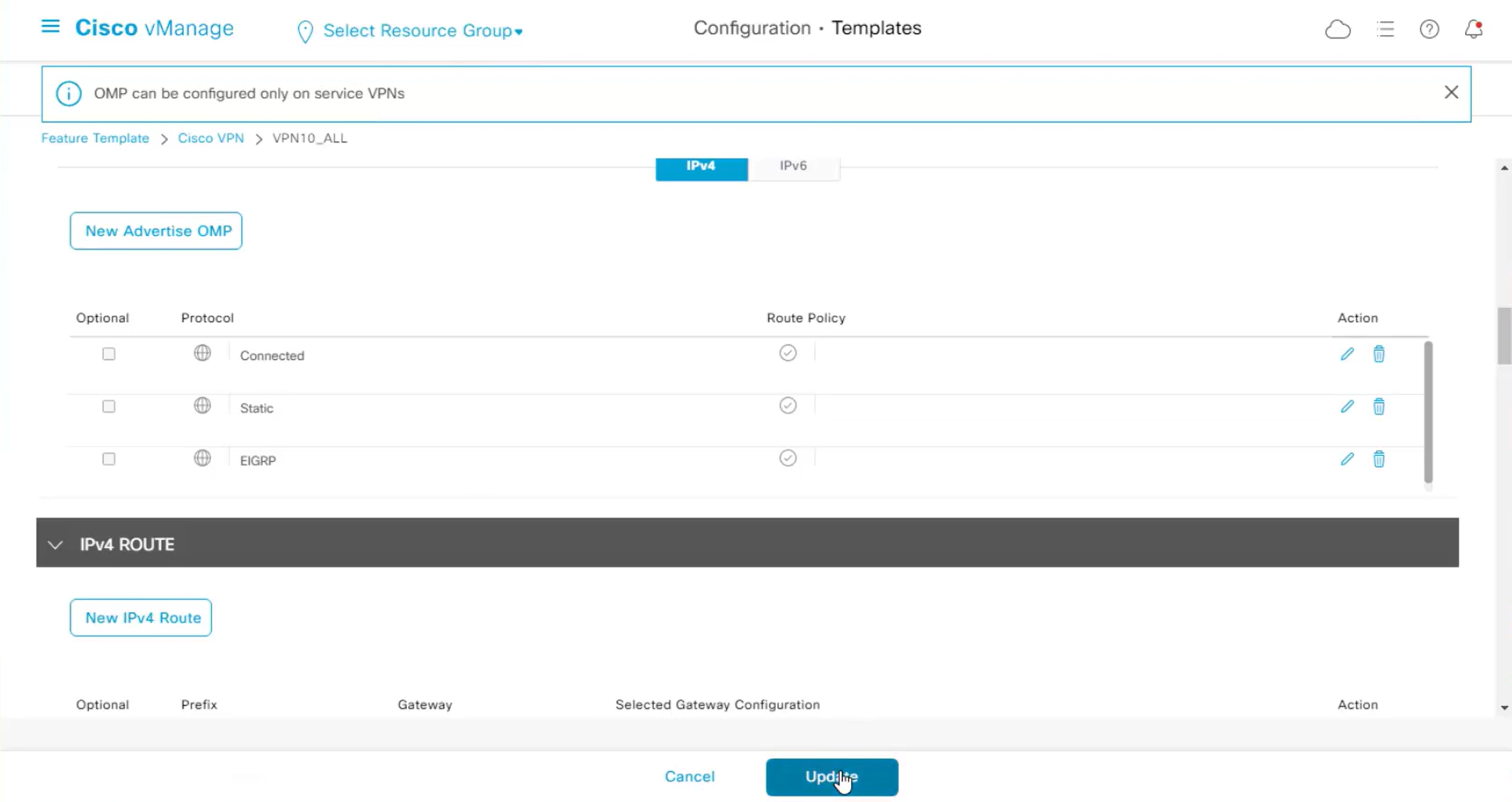
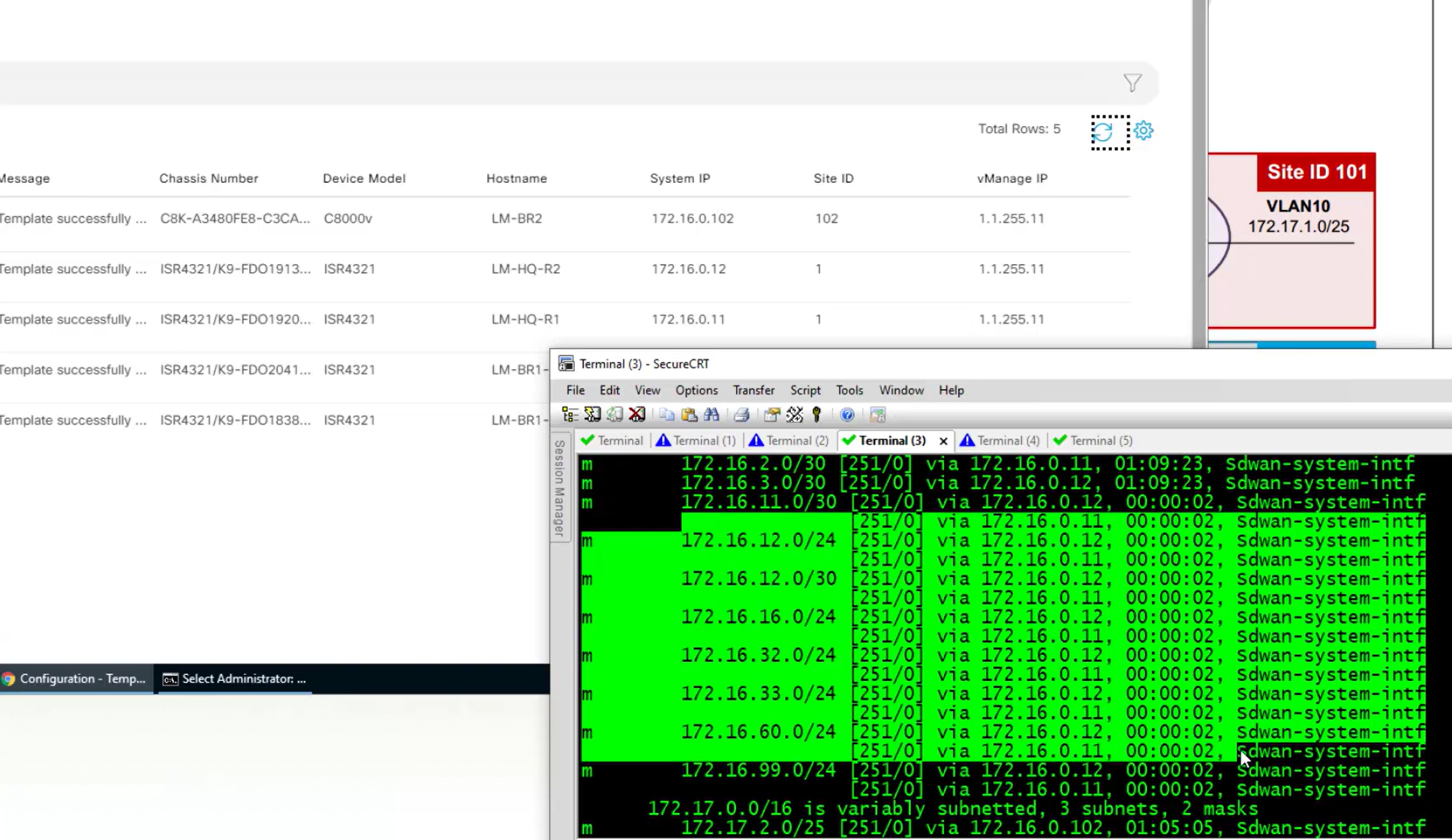
Now we are receiving EIGRP routes in OMP
router eigrp 1
 network 172.16.2.1 0.0.0.0
 network 172.16.3.1 0.0.0.0
 network 172.16.16.1 0.0.0.0
 redistribute connected
 redistribute static route-map STATIC2EIGRP
 passive-interface default
 no passive-interface GigabitEthernet1/0/2
 no passive-interface GigabitEthernet1/0/5
 eigrp router-id 172.16.0.1

interface GigabitEthernet1/0/2
 no switchport
 ip address 172.16.2.1 255.255.255.252
 ip authentication mode eigrp 1 md5
 ip authentication key-chain eigrp 1 KEY_EIGRP
OSPF Serviceside configuration
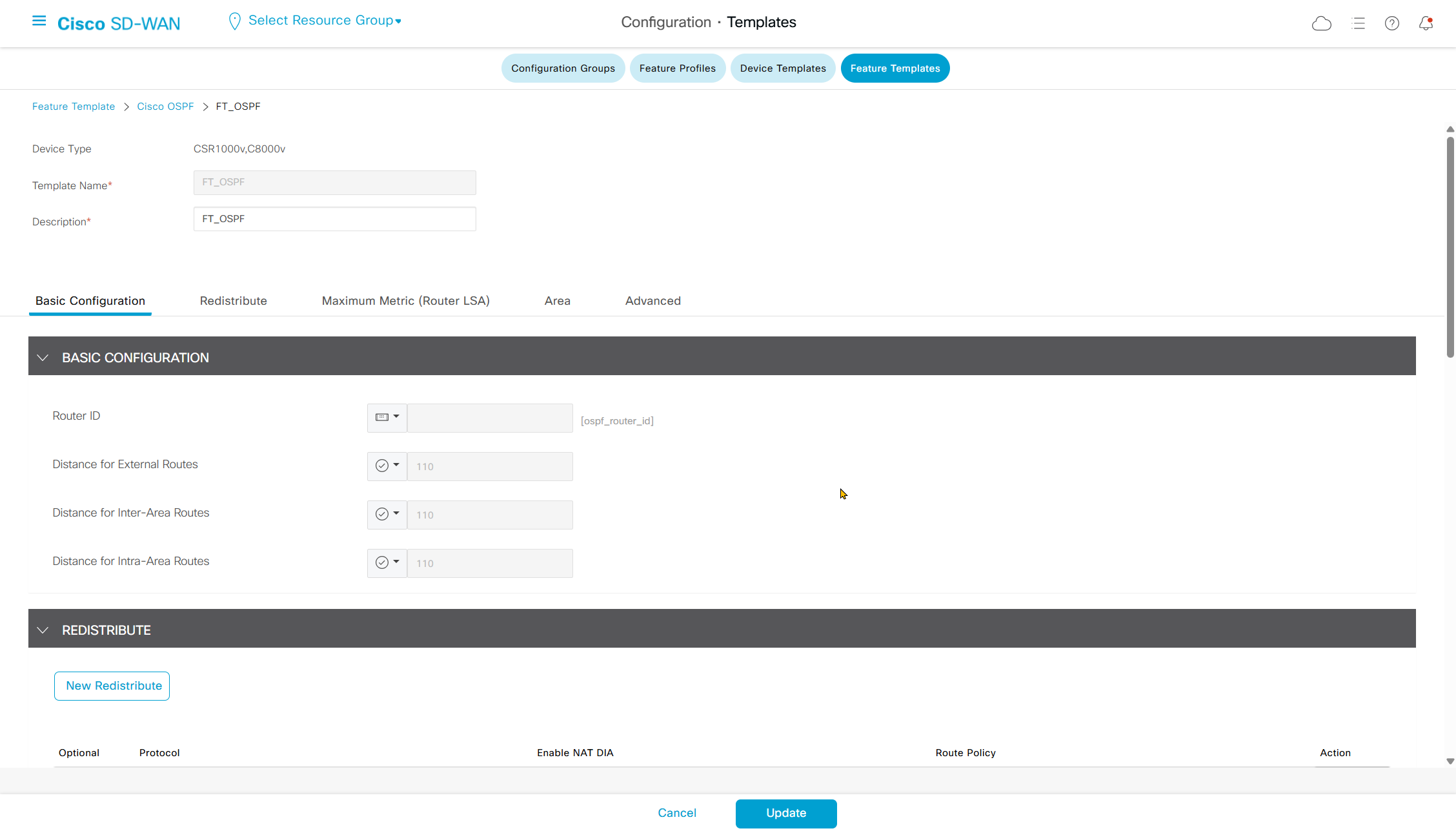
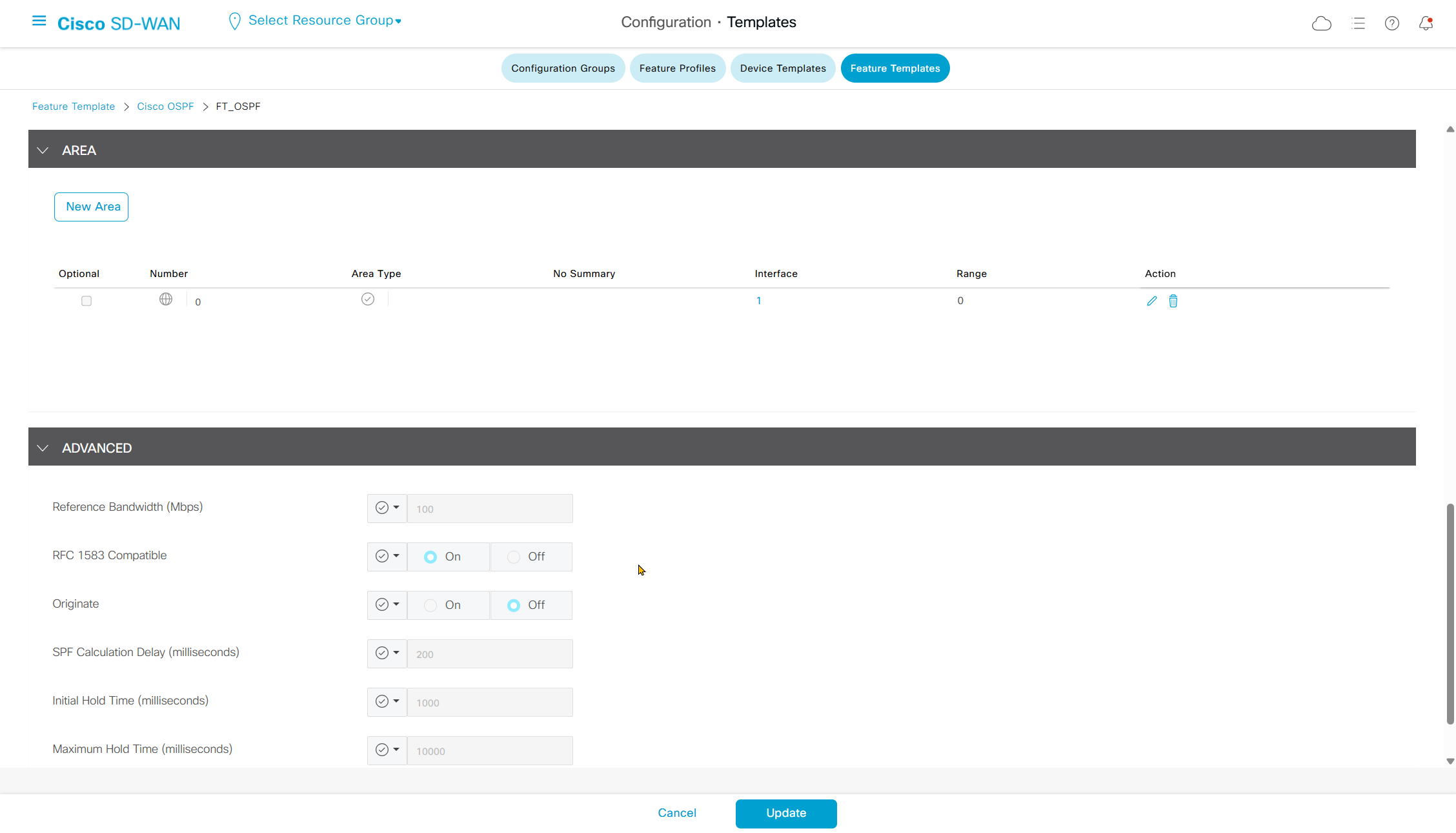
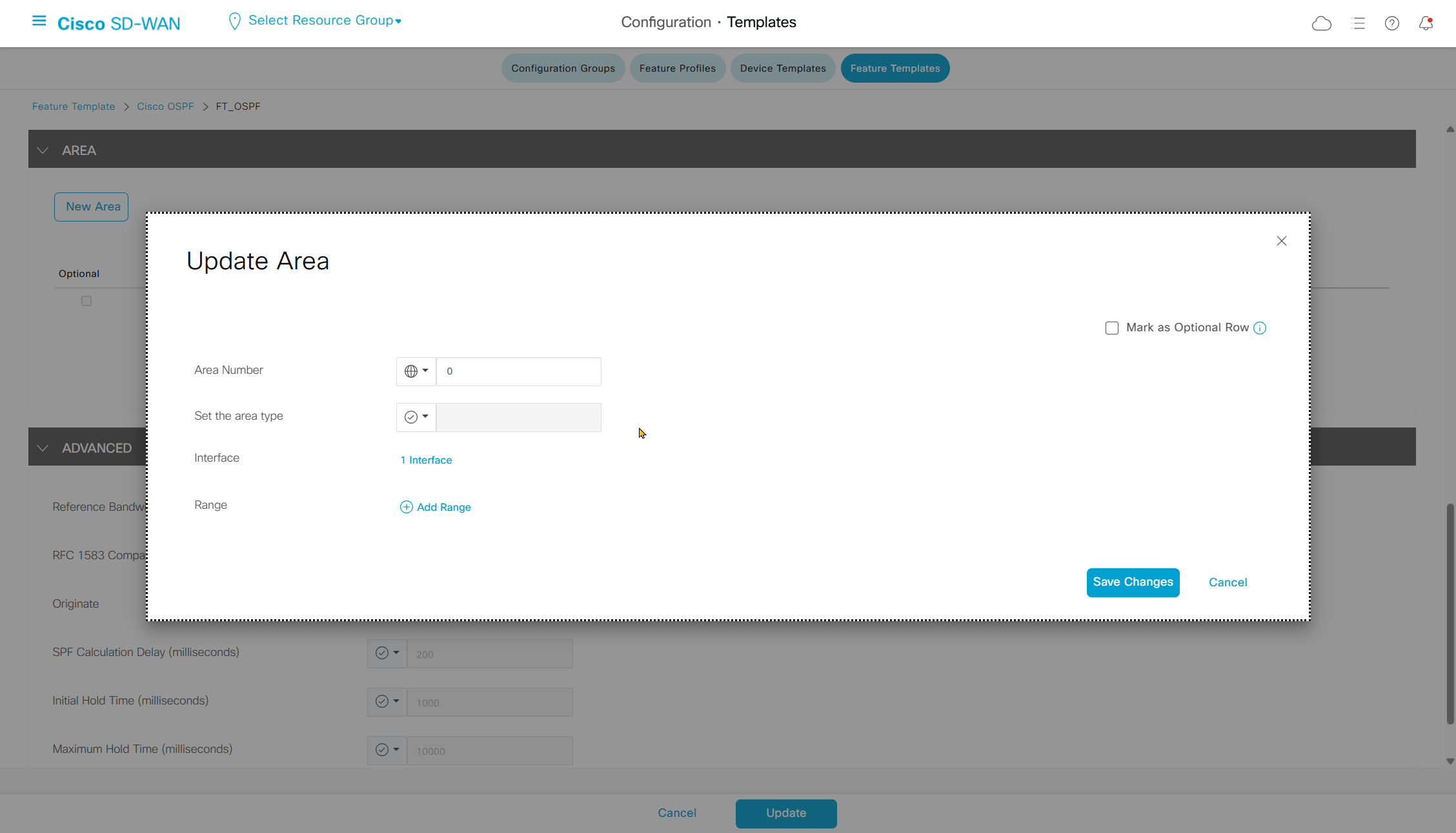
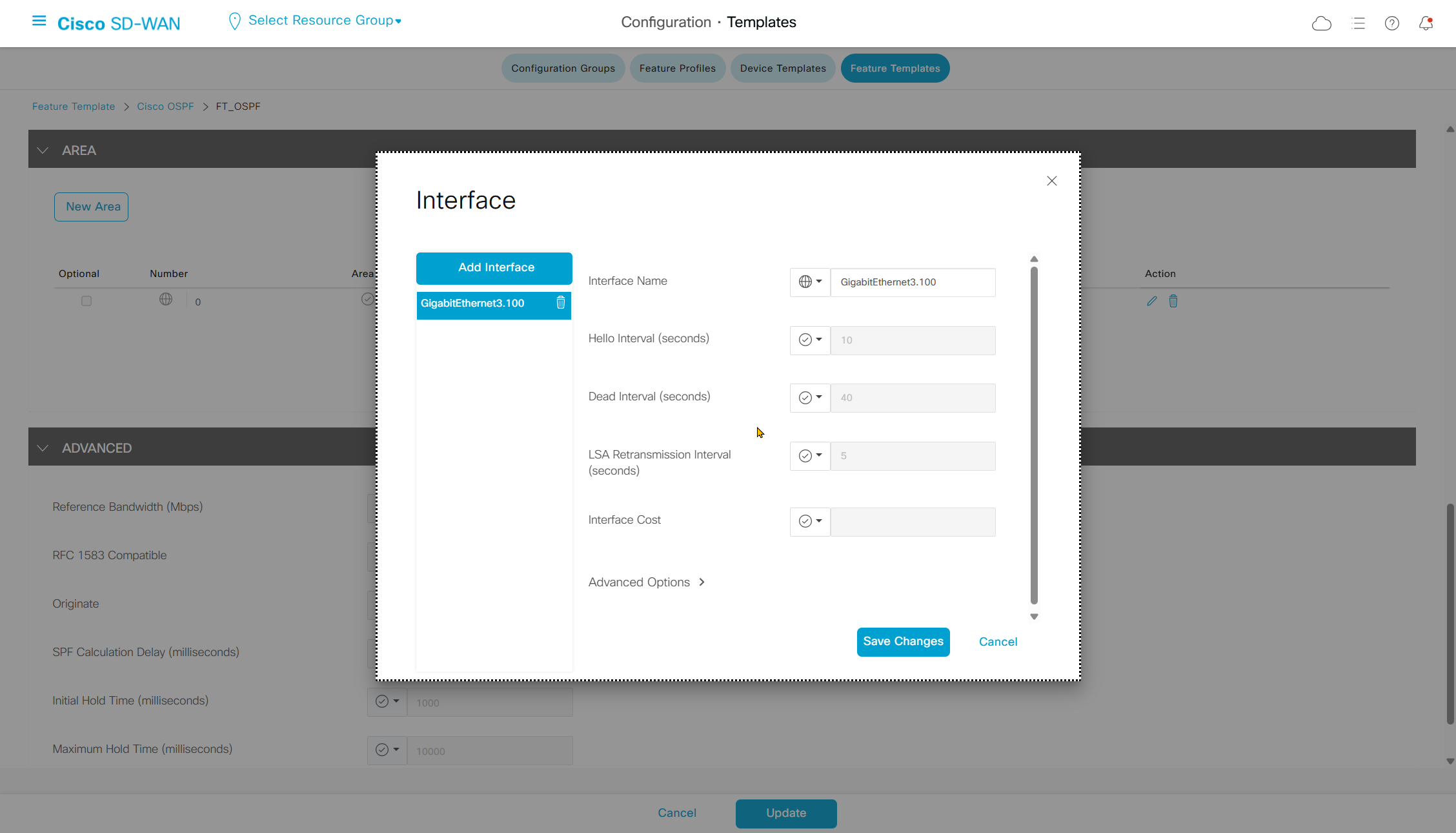
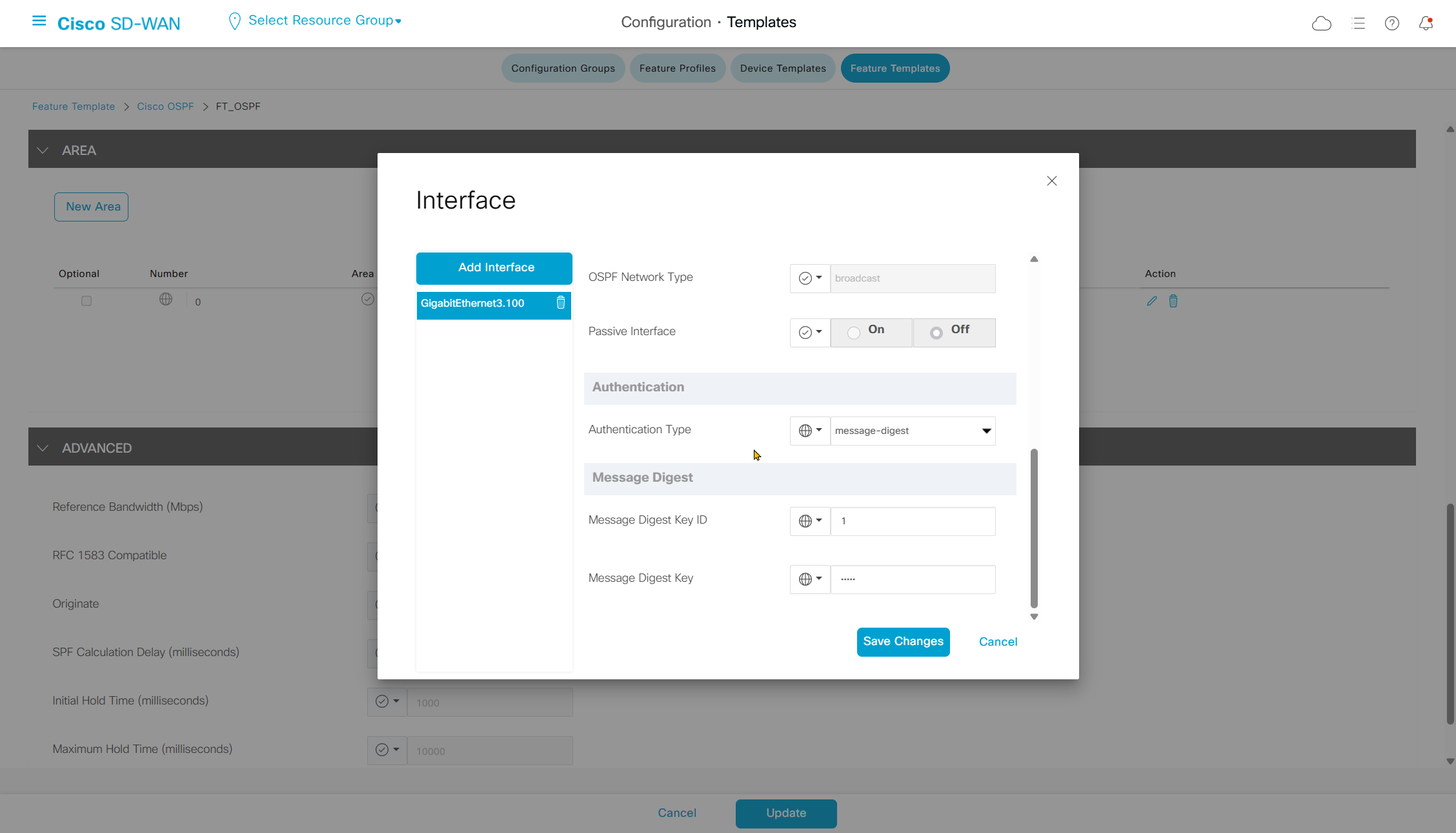
Neighborship was not coming up so I had to add this in CLI template
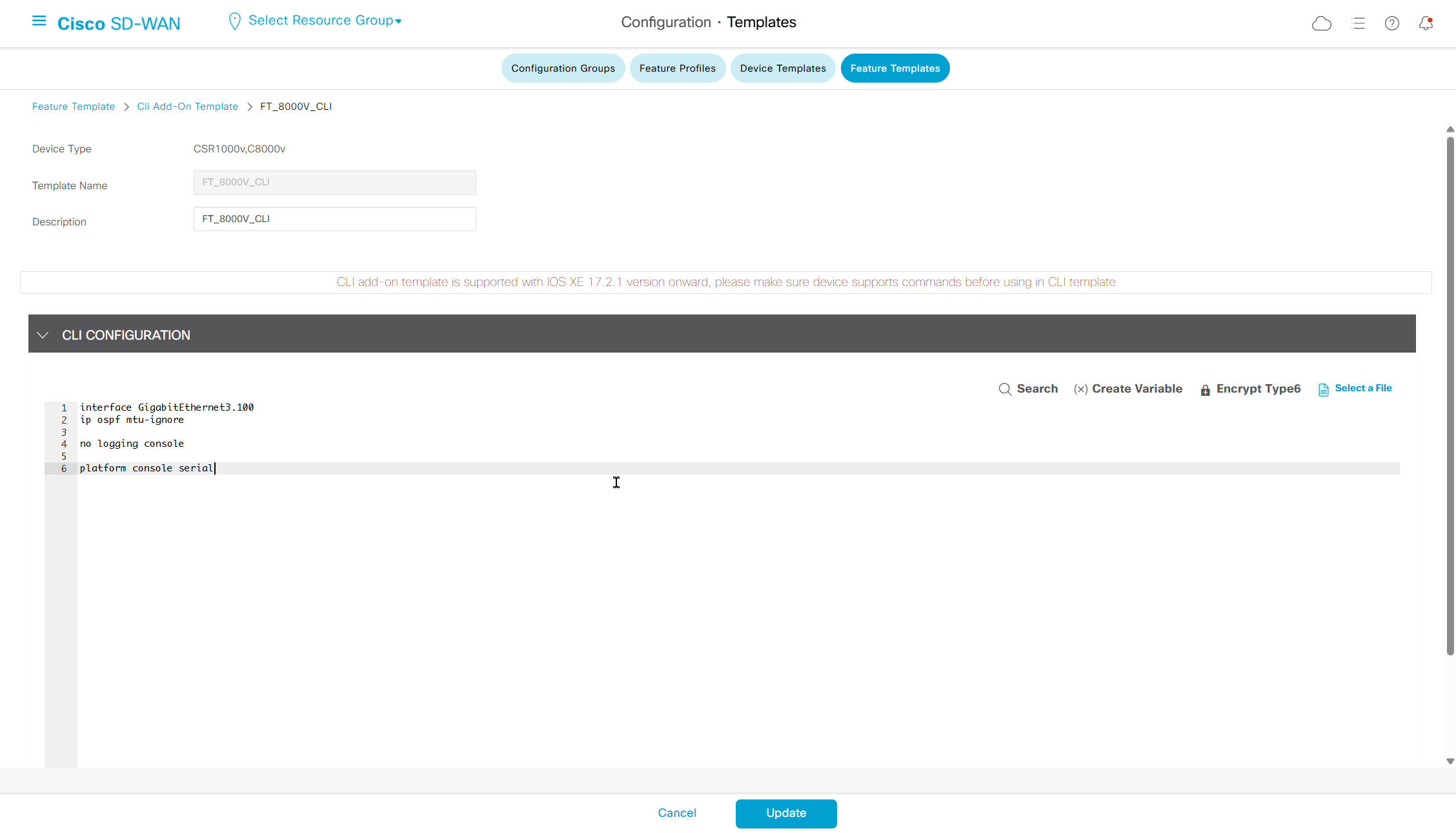
interface GigabitEthernet3.100
ip ospf mtu-ignore

no logging console

platform console serial
SDWAN OSPF pushed configuration
router ospf 100 vrf 100
auto-cost reference-bandwidth 100
compatible rfc1583
distance ospf intra-area 110 inter-area 110 external 110
no local-rib-criteria
router-id 11.11.11.11
timers throttle spf 200 1000 10000

interface GigabitEthernet3.100
ip ospf 100 area 0
ip ospf authentication message-digest
ip ospf dead-interval 40
ip ospf hello-interval 10
ip ospf message-digest-key 1 md5 0 cisco
ip ospf network broadcast
ip ospf priority    1
ip ospf retransmit-interval 5

interface GigabitEthernet3.100 ! <<< coming from CLI template
ip ospf mtu-ignore
Switch OSPF configuration
router ospf 1
 router-id 172.16.2.11
 no auto-cost
 area 0 authentication message-digest
 ! redistribute connected
 passive-interface default
 no passive-interface Vlan100
 network 172.16.2.11 0.0.0.0 area 0
 network 172.16.10.1 0.0.0.0 area 0

interface Vlan100
 ip address 172.16.2.11 255.255.254.0
 ip ospf authentication message-digest
 ip ospf message-digest-key 1 md5 cisco
 ip ospf mtu-ignore
Troubleshooting OMP route flow
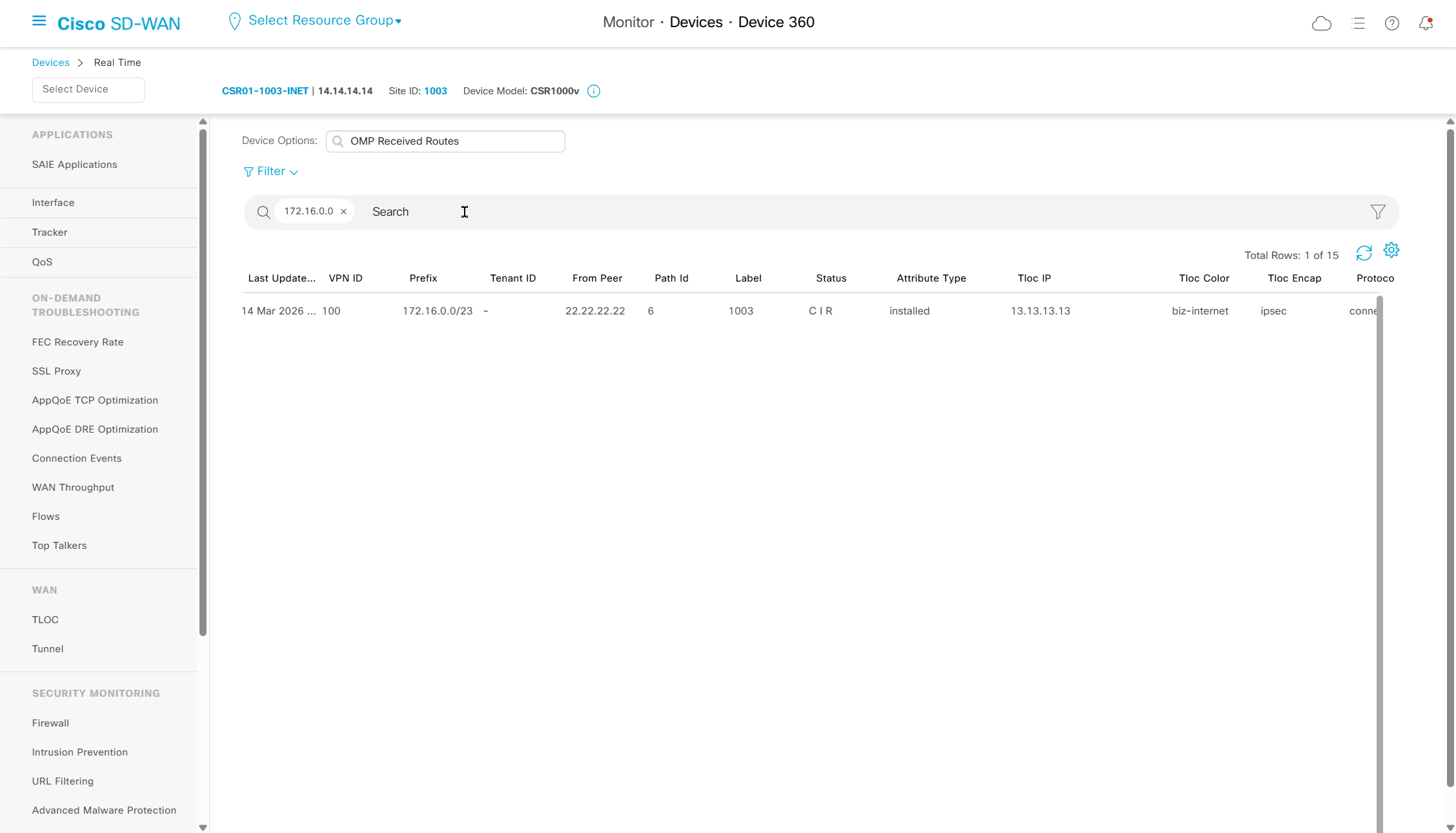
This is much faster way of troubleshooting the routes instead of logging into each device CLI
This is also a quicker way of finding out whether a route is blocked by a policy inbound or outbound
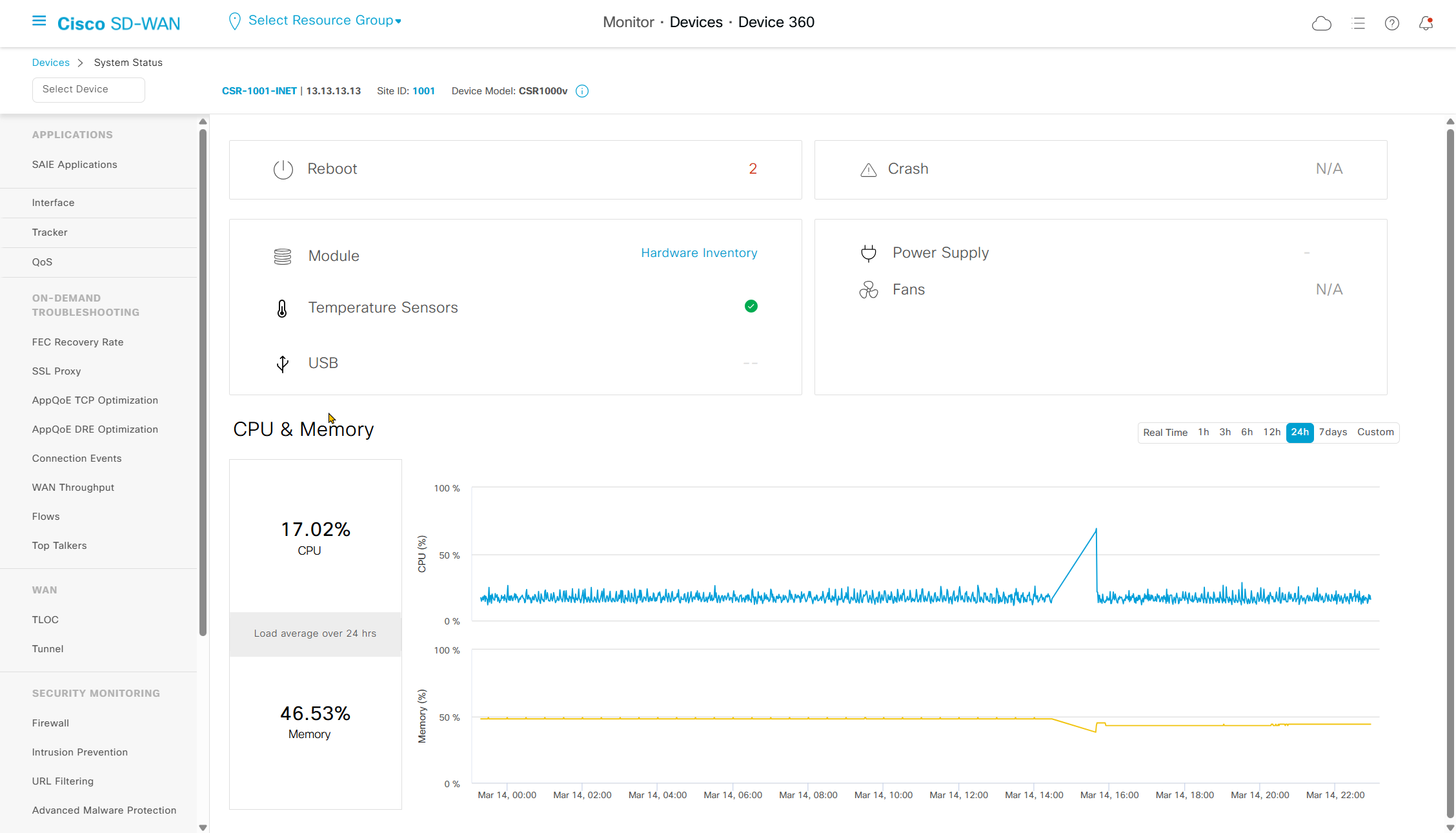
See if local router advertised it to vsmart or not
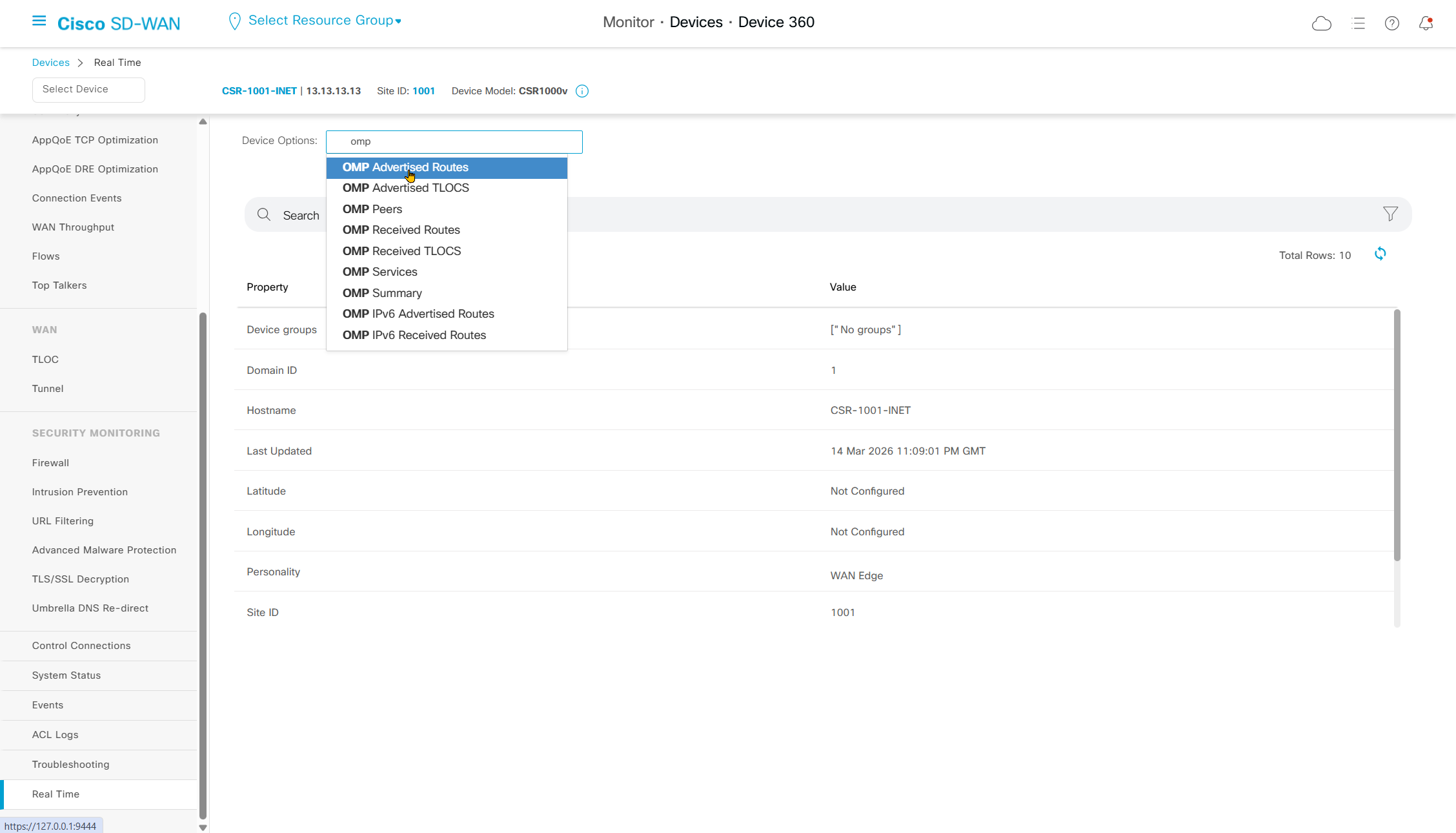
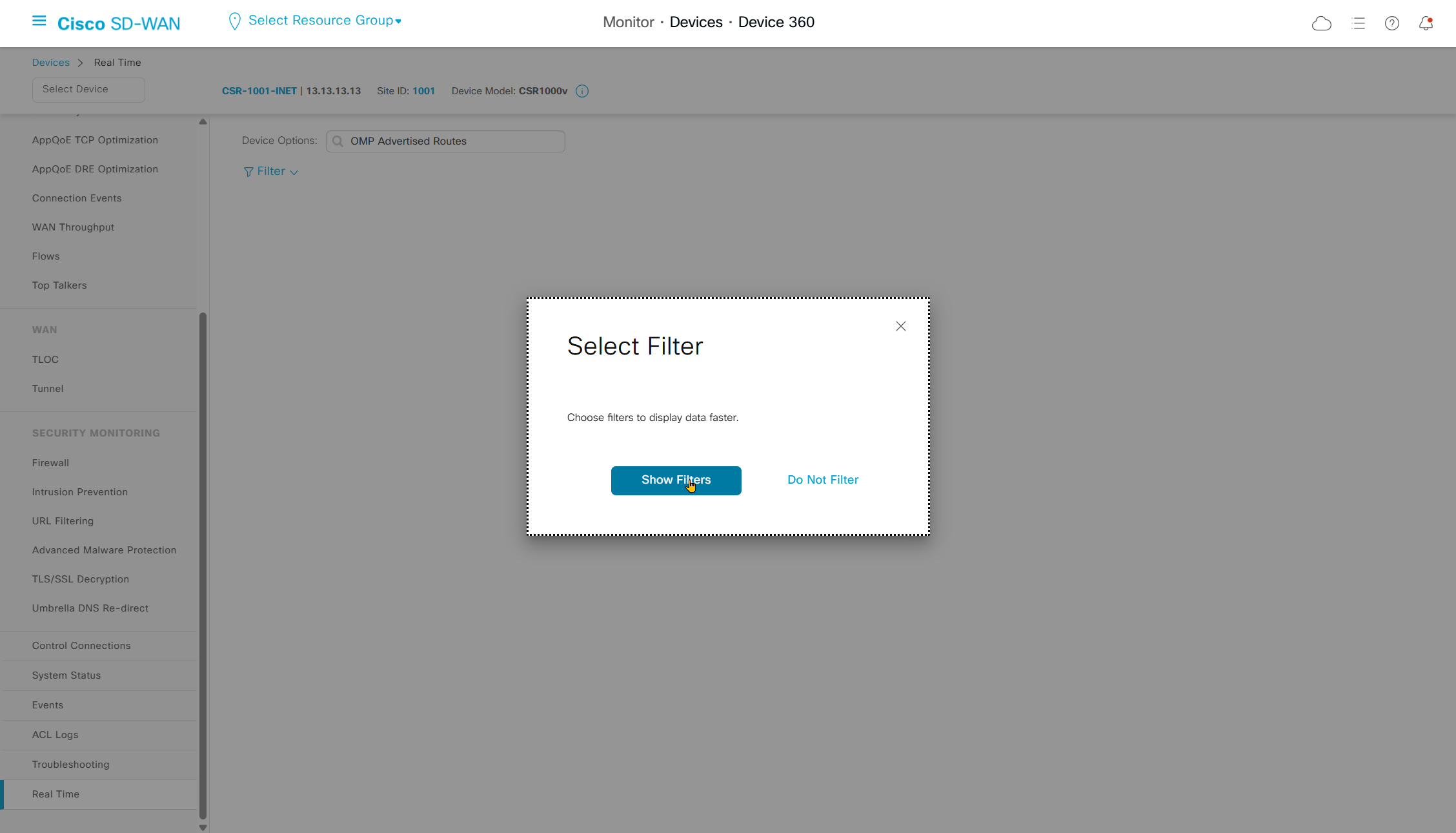
We can use filter to limit the results
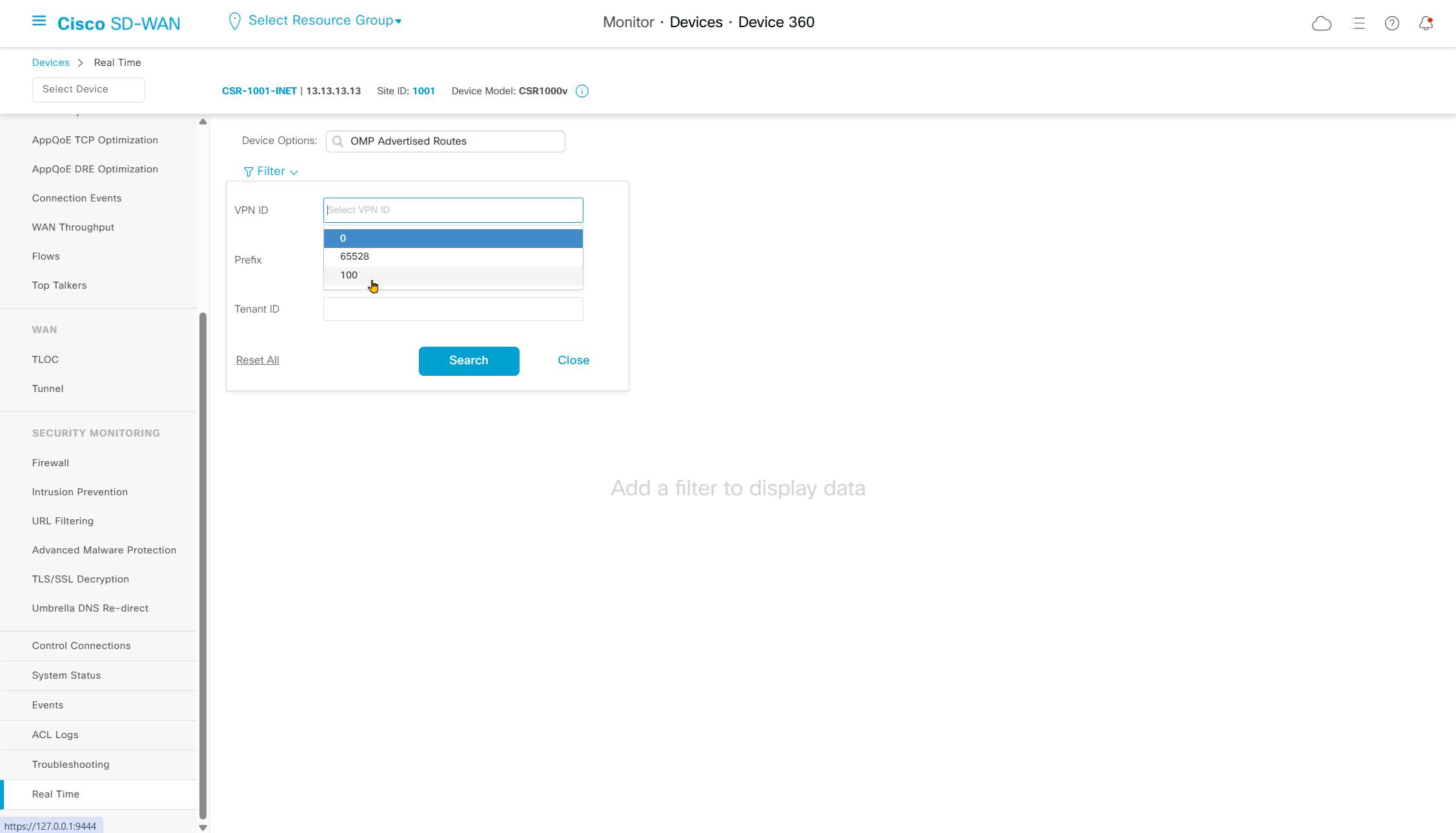
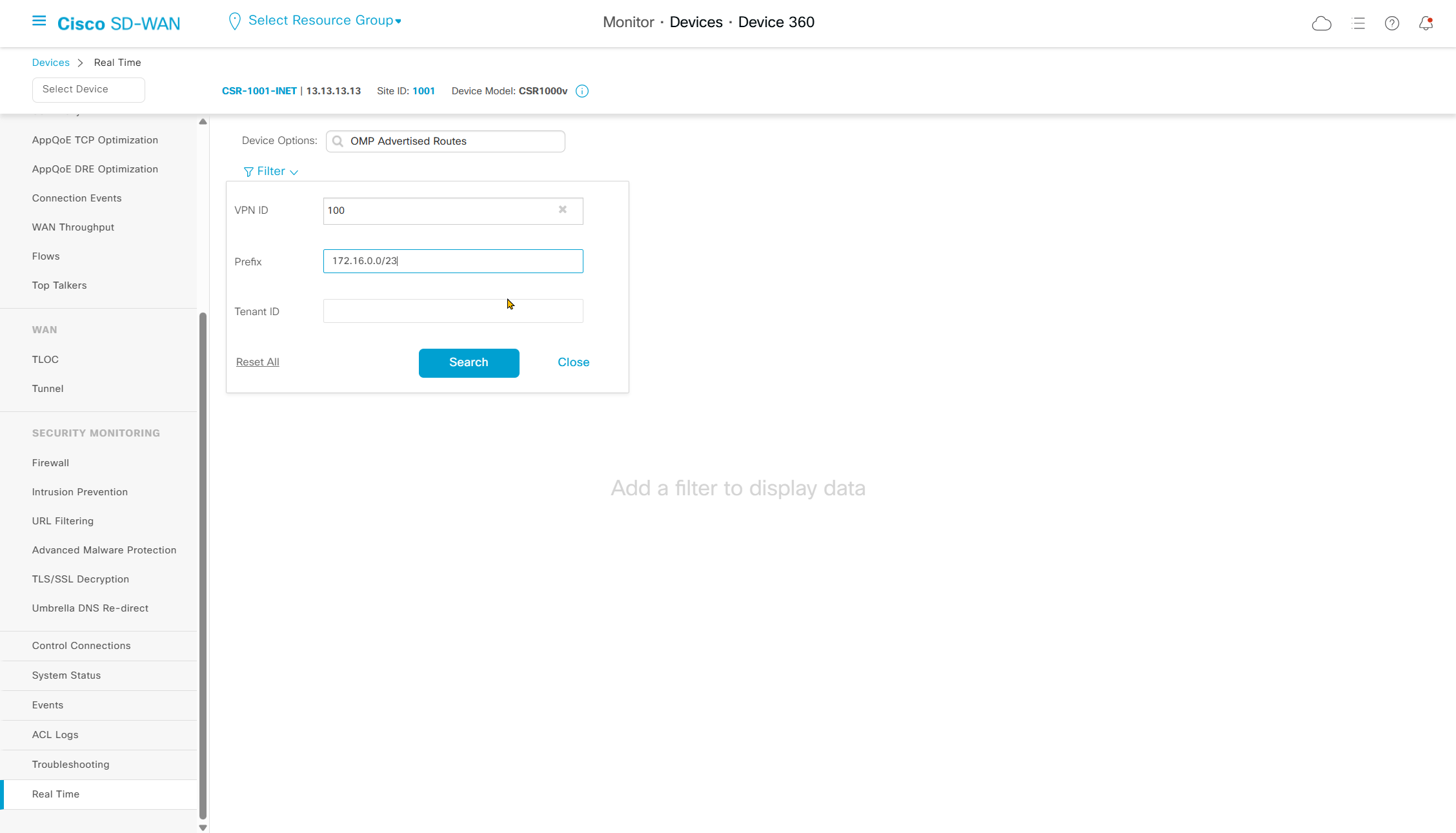
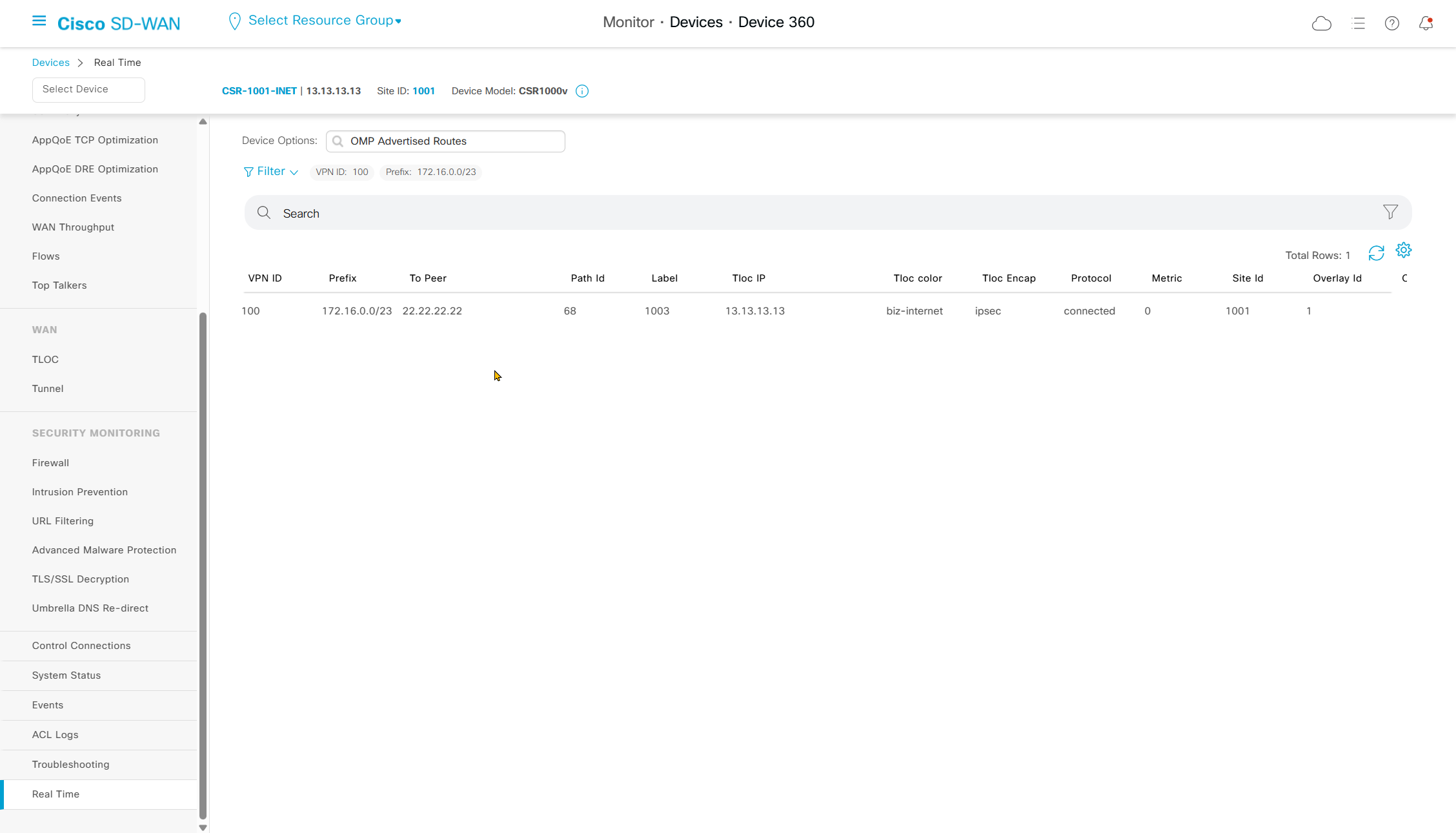
now we go to vsmart
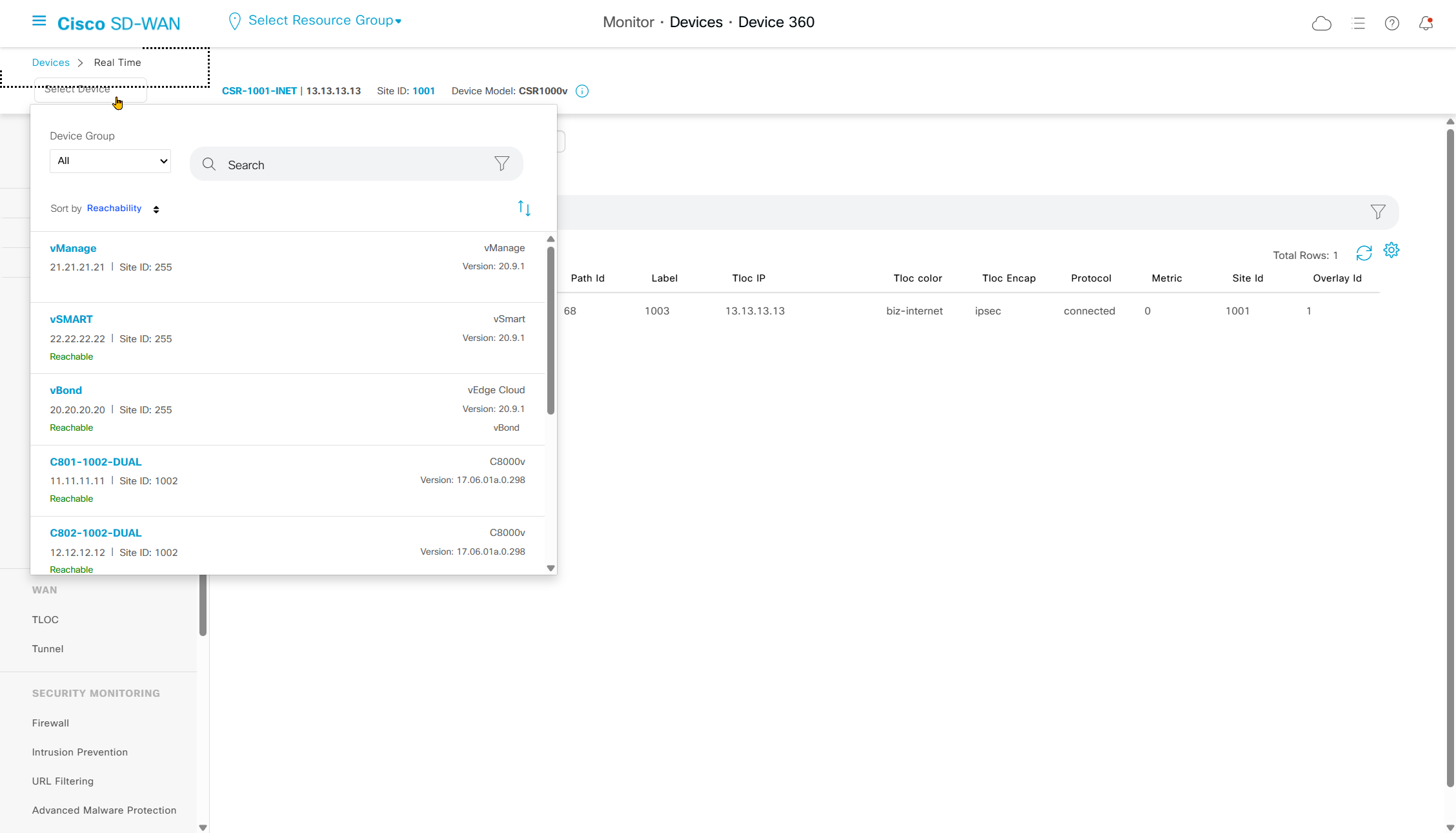
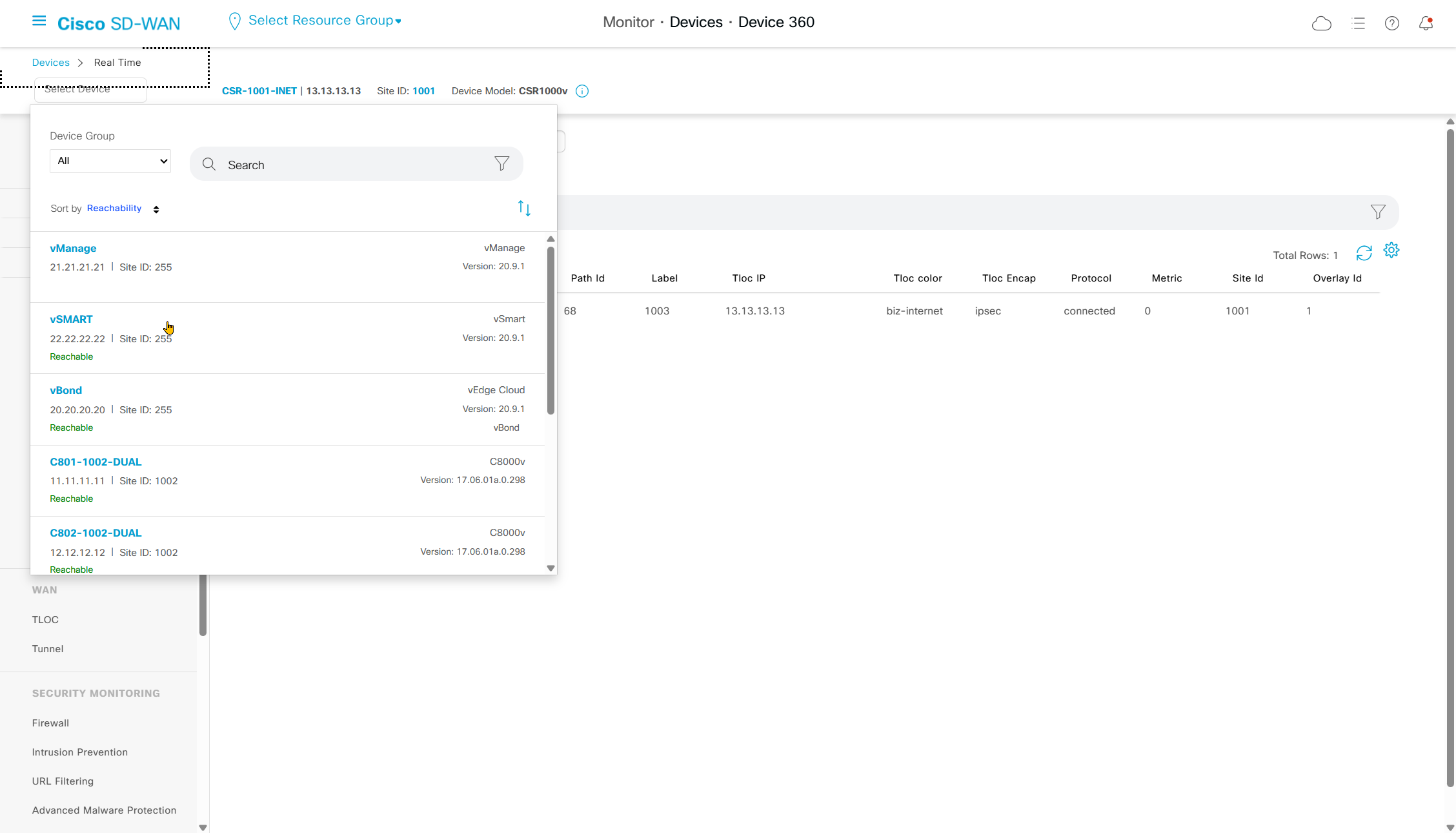
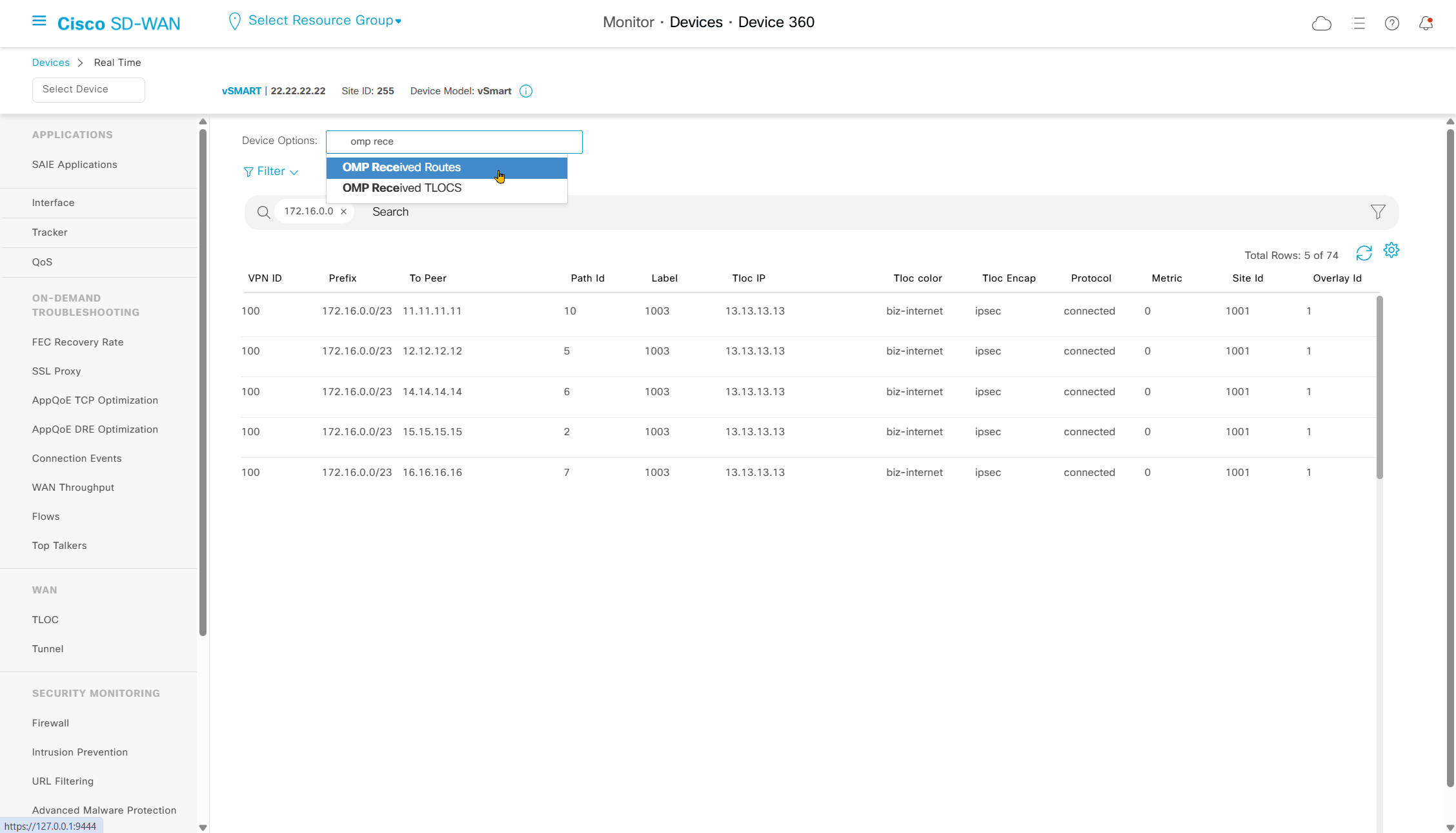
Check if vsmart received it
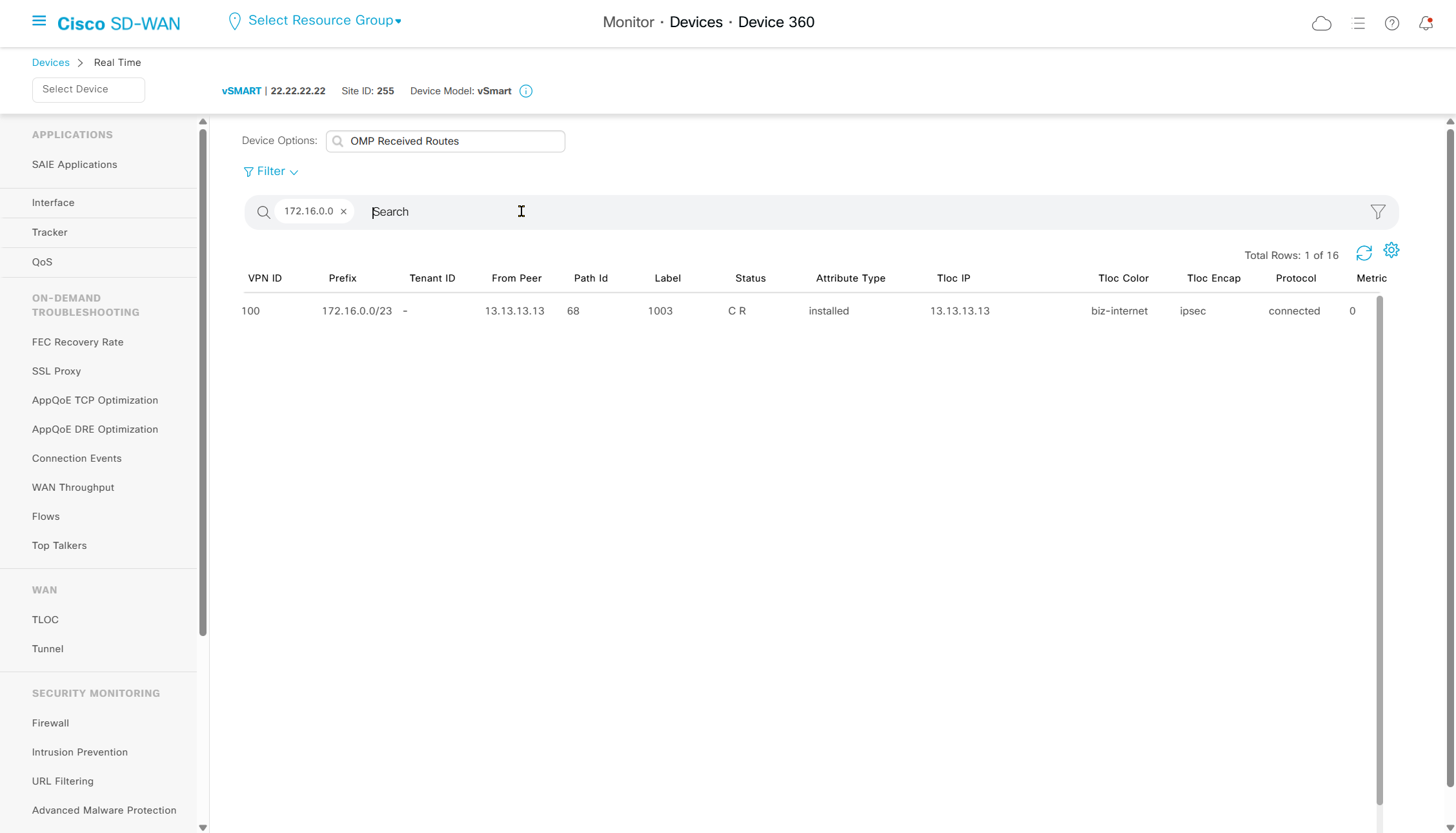
Check if vsmart advertised it to other edges
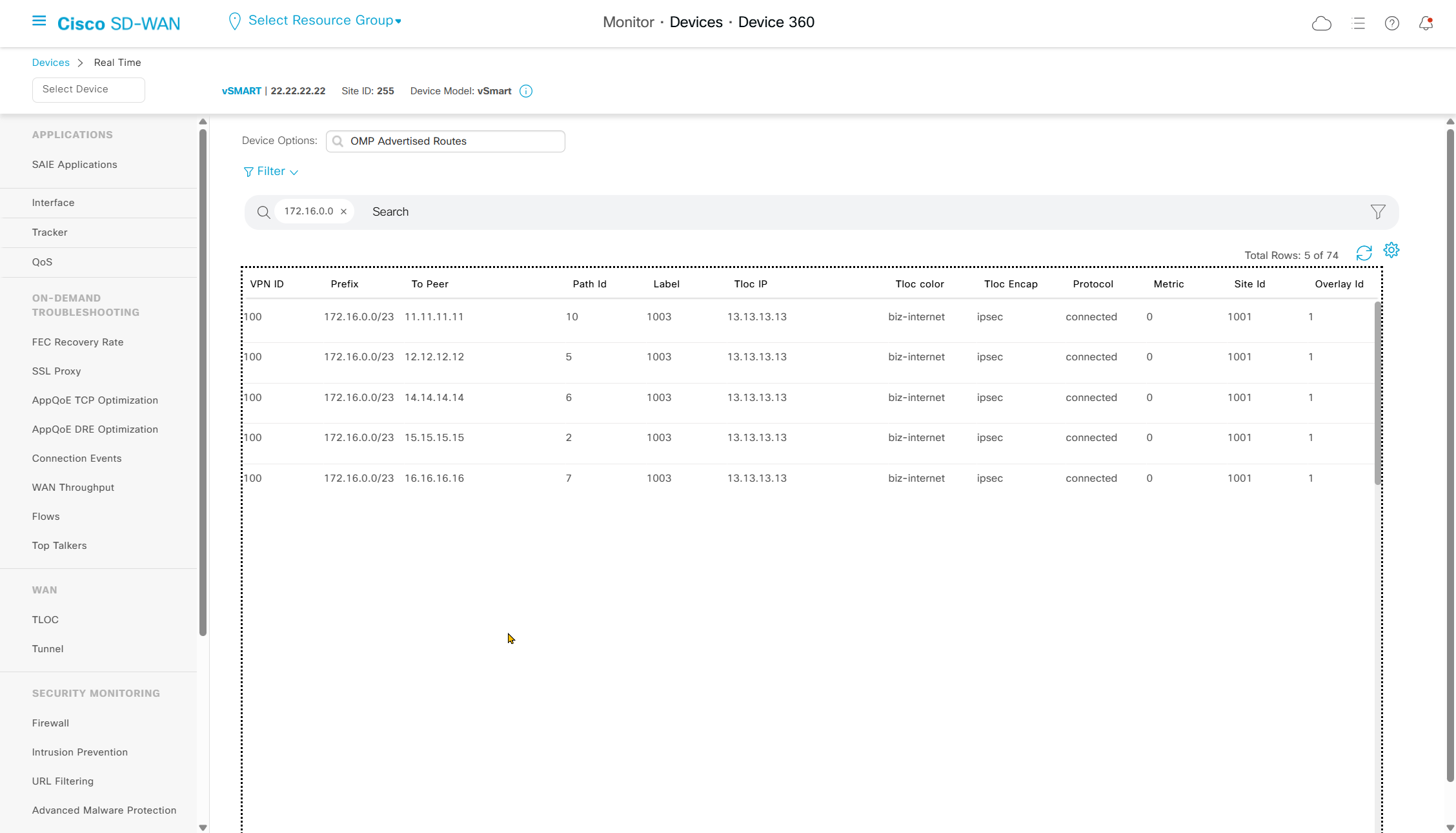
lets go to end router
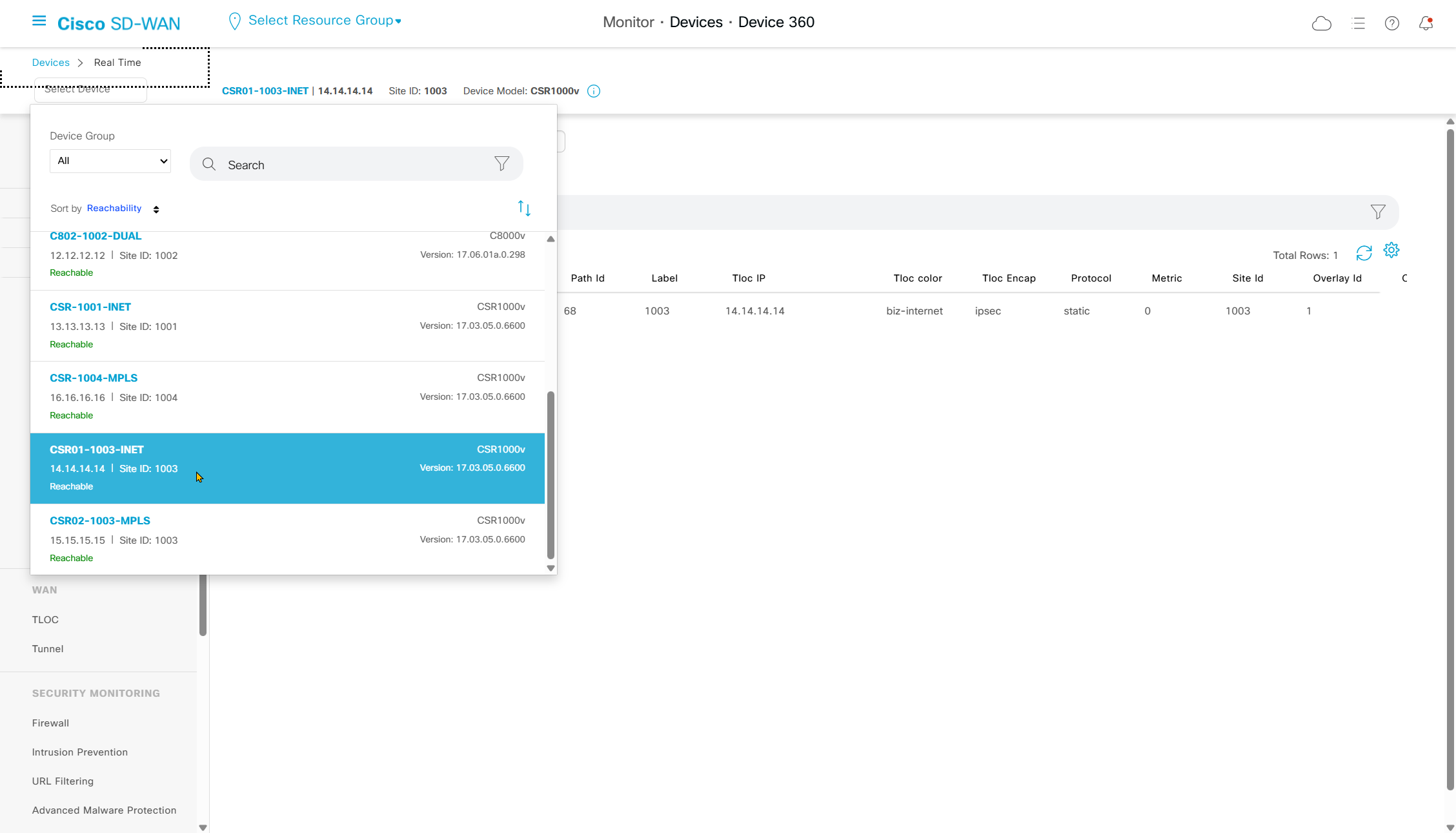
check if received it
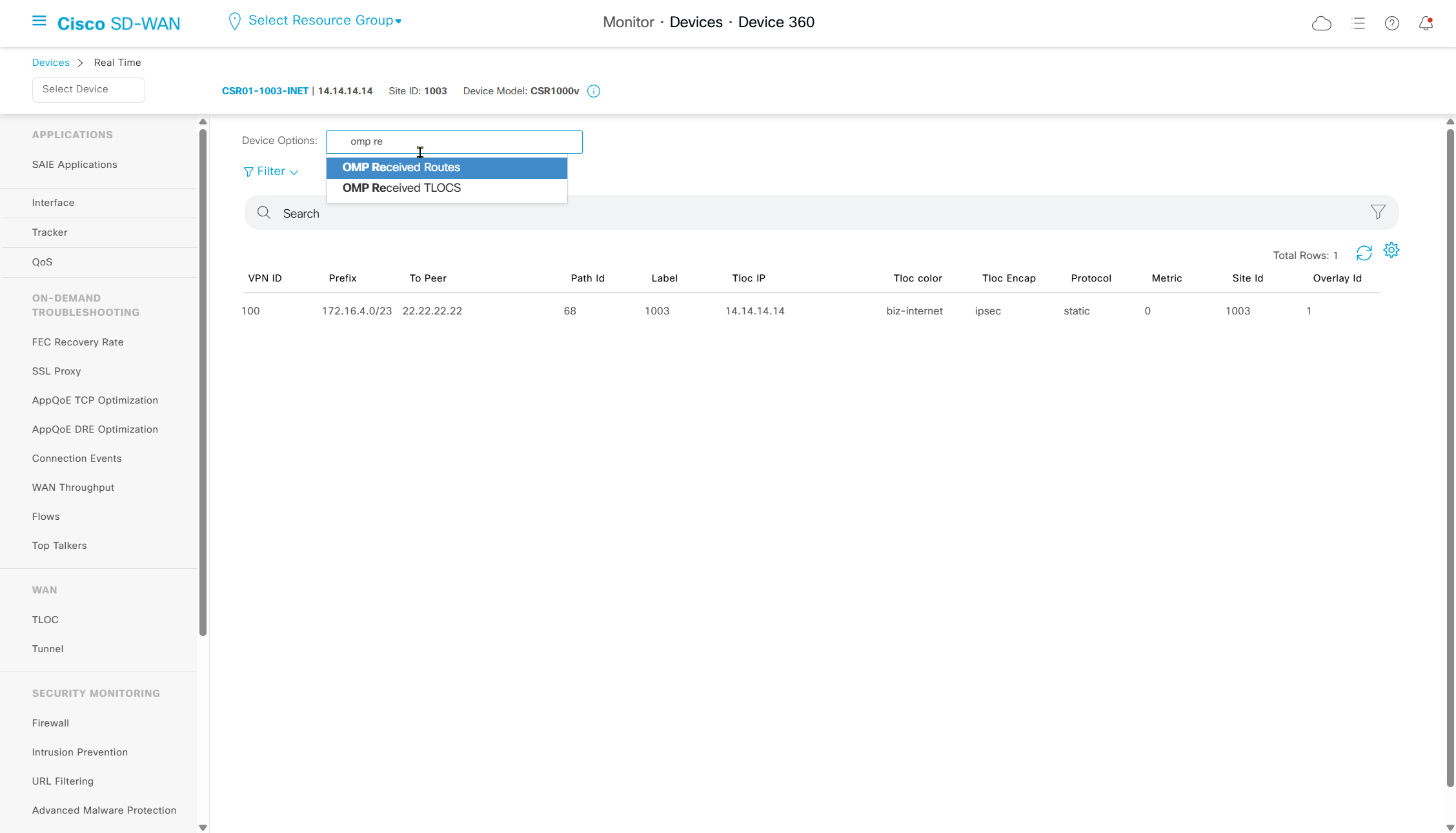
always pay attention to the status column to see if received routes have been installed or not
and that could be because of TLOC being down or route being less preferred
CIR means Chosen , Installed , Resolved
BFD configuration for transport facing IOS-XE peerings
Here we are talking about the IOS-XE BFD and not the BFD that runs over the overlay tunnels
This BFD runs over the router interfaces to quickly detect link failure
When we tie this BFD with routing protocol, it allows routing protocol to react to change much faster rather than its default protocol timer, BFD support started in version 17.3
CSR-1001-INET#show version
Cisco IOS XE Software, Version 17.03.05
This BFD tieing to protocol can be done with BGP, EIGRP and OSPF
This can be applied to physical interfaces , SVI or sub interfaces
It works on service and transport side so we can use BFD on BGP peering with MPLS router to provide fast failure detection
As of 20.8 this is not supported in a feature template so we need to use CLI template
A test was carried out and an interface facing the edge node with bgp peering to this MPLS PE router was shut, but on edge node because this is not a direct connection the peering still showed as up for some time (hold time of 180 seconds) and this edge node could ping IP of its interface but could not reach the next hop IP of the MPLS router, so BGP neighborship should have gone down but it did not and it was blackholing the traffic for some time (hold time of 180 seconds) – this is where BFD is implemented
bfd-template single-hop BFD
 interval min-tx 1000 min-rx 1000 multiplier 3
! BFD type single hop is used to monitor directly connected devices
! with single hop Neighbor must be directly connected
! Send BFD packets every 1 sec
! Expect to receive BFD packets every 1 sec
! If 3 packets are missed, the neighbor is declared down

interface GigabitEthernet1
bfd template BFD

! BFD will be applied on this interface
! but any protocol "originating" from this interface can use this BFD session

router bgp 10
neighbor 172.31.255.250 fall-over bfd
! telling BGP to use bfd result of the BGP interface
IOS-XE configuration
bfd-template single-hop BFD
 interval min-tx 1000 min-rx 1000 multiplier 3

interface Ethernet0/1
 description MPLS CE
 bfd template BFD
!
interface Ethernet0/2
 description MPLS CE
 bfd template BFD
!
interface Ethernet0/3
 description MPLS CE
 bfd template BFD
!
interface Ethernet1/0
 description MPLS CE
 bfd template BFD


router bgp 10
 template peer-policy CE
  send-community both
 exit-peer-policy
 !
 template peer-session CE
  ebgp-multihop 5
  timers 5 10
  fall-over bfd <<<

show bfd summary
show bfd interface
show bfd neighbors
SDWAN CLI Template Configuration
BFD is attached to physical interface and not tunnel interface, because tunnel interface already has SDWAN version of BFD running
interface GigabitEthernet3.100
ip ospf mtu-ignore

bfd-template single-hop BFD
 interval min-tx 1000 min-rx 1000 multiplier 3

interface GigabitEthernet1
 bfd template BFD

router bgp {{as_num_cli}}
 neighbor {{bgp_peer_ip_cli}} fall-over bfd

sdwan
 interface GigabitEthernet1
  tunnel-interface
  allow-service bfd

no logging console

platform console serial
TLOC Extension
We could have an INET switch span internet vlan between 2 edge routers but issue is that ISP only provides one internet IP address to use
TLOC extension allows us to share or use one of the colors or WAN transport from another router and build tunnels using it
All we need is a way for a router to router connection and there are few options
- Use 2x Back to back dedicated connections and not via switch, gives bandwidth to 2nd router shared with 1st or extending router for example using Gi0/0/6 for MPLS extended and Gi0/0/5 for Internet
- Use 1x back to back connection or via switch but use sub interfaces per transport, which will make it 2x sub-interfaces over single physical trunk, A direct trunk between the routers is preferable over passing it through a switch. An L2 switch is supported, but introduces another device and failure point.
- and least preferred option in case you dont have any spare interfaces, is to do sub interfaces on LAN interface of the router and use that as the TLOC extension, Cisco notes that when sub-interfaces are used, the parent physical interface must be configured in VPN 0
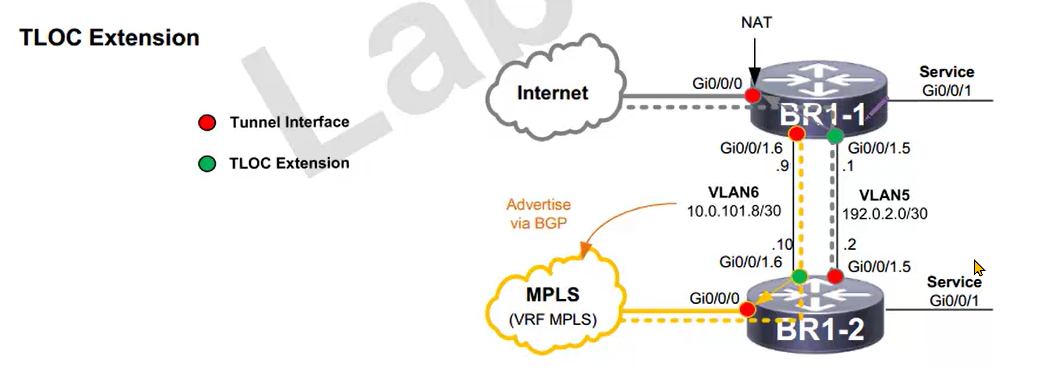
Red is the TLOC extension and Green is TLOC extender
One thing to take care of , on MPLS we need to advertise the TLOC extender’s transit subnet into MPLS by adding this transit subnet network using bgp because that subnet needs to be reachable by all sites inside the TLOC as private and public IP
on the internet side we dont have to advertise the private TLOC subnet, instead everything will be NATed behind internet interface
*** Work in progress ***
more…
coming soon
Leave a Reply